They already have a working resume or a LinkedIn profile and need to update it quickly for a new role, add the latest job or shift the emphasis. They don’t want to rebuild it from scratch.
In the reviews the import skips fields, and a new job ends up somewhere other than expected. What is needed is a check on the data that carried over and manual control of the order.
Which apps people use
These apps are mentioned in the breakdown of this job. Open each one to compare strengths and limits. The order of the list is not a ranking of fitness.
Rank 2. Review score: 58 out of 100. App Store rating: 4.7★ · 1,239 ratings
58of 100
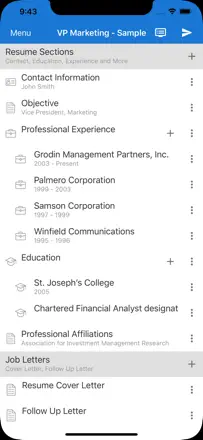
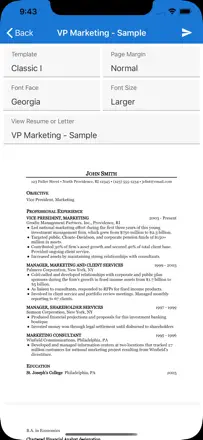
One of the few apps in this space where export actually works without a mandatory subscription. The interface is minimal: font changes and page layout options are available for free. The downside is that templates are very basic with no color customization or block reordering. No cover letter.
Praised: Free PDF and email export with no hidden charges, quick editing for a specific job opening, and data that persists between sessions.
Complaints: Templates are minimal and cannot be customized by color or section order. No cover letter. Word export is weak.
Best for: Anyone who wants a working PDF fast, without signing up or paying extra.
Rank 6. Review score: 51 out of 100. App Store rating: 4.7★ · 5,040 ratings
51of 100
One of the few builders where the paid version is a one-time purchase, not a subscription. Templates are minimal and ATS-friendly by default. The weak point is chronological ordering: new entries are added to the bottom of the list instead of the top, which breaks the standard reverse-chronological format.
Praised: Build a resume without creating an account data lives locally, so you can finish and leave without friction.
Complaints: New experience entries are appended to the end of the list, not the top reverse chronological order does not hold automatically and has to be fixed manually.
Best for: Someone who needs a clean, single-page document without decorations, in a format that works for standard job boards or PDF submission.
Rank 1. Review score: 60 out of 100. App Store rating: 4.7★ · 3,891 ratings
60of 100
The best templates in this category by far: unconventional layouts that stand out from generic ATS-friendly one-pagers, making them a solid pick for creative and design-oriented fields. The AI assistant rewrites job descriptions into cleaner, sharper language. The mobile experience is noticeably weaker than the web: crashes during editing, no back button, and preview is thumbnail-only.
Praised: A wide range of distinctive templates plus an AI rephrasing tool for experience descriptions both tools genuinely speed up writing.
Complaints: The mobile editor crashes when typing in the experience field, there is no full-size document preview, and there is no back button.
Best for: Someone who wants a template that does not look like everyone else's and is comfortable finishing the resume on a desktop.
Rank 4. Review score: 56 out of 100. App Store rating: 4.8★ · 1,495 ratings
56of 100
A lightweight editor with a sensible structure and clean, watermark-free templates. Two free exports is a fair threshold. The AI rephrasing feature is available as a paid add-on and is not pushed aggressively. The weak point is rigid bullet formatting in the experience section that cannot be removed or reformatted.
Praised: Templates without watermarks, actual employer callbacks noted by several users, and fast updates for a specific role.
Complaints: Forced bullet points in the experience section cannot be turned off, section titles cannot be changed, no cover letter.
Best for: Someone who needs to update their resume quickly for a new role without fiddling with settings.
Rank 16. Review score: 34 out of 100. App Store rating: 4.8★ · 13,672 ratings
34of 100
The web version works well and produces clean templates, but the mobile app is a separate product with systemic crashes: trying to open or save a resume closes the app and loses progress. For the mobile audience it is effectively unusable.
Praised: Templates are clean and readable, the input structure is straightforward, and the fill-in process raises no questions.
Complaints: The mobile app crashes when opening a saved resume or saving new data progress is lost without warning.
Best for: A user who works through a browser on a computer and just wants to download a PDF.