People who need control over where things are stored
Was vor der Wahl zu prüfen ist
What matters is the storage place chosen, a format you can follow and the ability to move the data. An open format is useful for control, but on its own it does not prove the whole implementation is secure.
Welche Apps genutzt werden
Diese Apps werden in der Analyse dieser Aufgabe genannt. Öffne jede, um Stärken und Grenzen zu vergleichen. Die Reihenfolge der Liste ist keine Rangliste der Eignung.
Platz 2. Wert aus Rezensionen: 72 von 100. App-Store-Bewertung: 4,7★ · 4.053 Bewertungen
72von 100
A KeePass-compatible password manager with an open database format, Wi-Fi sync, and security key support. Quality declined after a change of ownership: previously hidden bugs have become more frequent, and upgrade prompts now chase even Pro users.
Gelobt: Open KeePass format (no lock-in), solid iCloud sync, Yubikey and passkeys support, autofill, export to standard formats, lifetime license.
Kritik: Quality has slipped since the app changed hands: crashes on database open, upgrade pop-ups for Pro users, passkeys issues (crashes on save), cross-platform purchases don't sync across devices.
Für wen: Technically savvy Apple users who want an open database format and prefer not to rely on a cloud service.
Platz 3. Wert aus Rezensionen: 72 von 100. App-Store-Bewertung: 4,7★ · 1.374 Bewertungen
72von 100
The best choice for storing passwords offline in KeePass format. Its strength is full privacy with no cloud server required, its weakness is unreliable autofill and iCloud sync issues.
Gelobt: Fully offline with no data shared with third parties. Passkeys and TOTP support. Independent security audit by Cure53. Actively maintained. Fast import.
Kritik: Autofill is unreliable and sometimes fails in banking apps. Issues with iCloud Drive after iOS updates. Occasional hangs when loading the database. No native Android or Windows clients.
Für wen: Technical users who already use KeePass and want to keep their data on-device only.
Platz 7. Wert aus Rezensionen: 67 von 100. App-Store-Bewertung: 4,7★ · 28.721 Bewertungen
67von 100
The best free open-source password manager for the price-to-features ratio, but recent updates introduced serious bugs: the master password sometimes refuses to work, TOTP behind a paywall feels greedy, and cross-device sync is slow.
Gelobt: Completely free with no ads, open-source, works on all platforms, no upsell pressure.
Kritik: Master password periodically fails for no apparent reason, TOTP is paid-only, slow sync, a bug shows phantom TOTP codes on entries that don't have one.
Für wen: Technically minded users who want a solid free manager and can tolerate occasional bugs.
Platz 11. Wert aus Rezensionen: 67 von 100. App-Store-Bewertung: 4,7★ · 1.500 Bewertungen
67von 100
One of the few password managers that offer local Wi-Fi sync with no cloud involved. Good for privacy-conscious users, but autofill is buggy, there's no password generator, and no 2FA support.
Gelobt: Offline sync over local network with no cloud data transfer, lifetime license at a fair price, cross-platform (Windows, iOS, Android), stable for long-term users.
Kritik: No built-in password generator at the point of entry creation, no 2FA support, autofill sometimes fills in the old password when you change it, Mac import is problematic, installs Rosetta without warning.
Für wen: Users who fundamentally don't want passwords in the cloud and are willing to sync over their home network.
Platz 27. Wert aus Rezensionen: 52 von 100. App-Store-Bewertung: 4,3★ · 1.297 Bewertungen
52von 100
A solid concept with user-owned encrypted storage, but the product is degrading due to intrusive features and reputational damage from changing terms without notice.
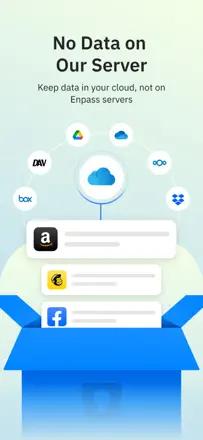
Gelobt: User owns the vault and chooses where to store it (iCloud, Dropbox, etc.). Works on all platforms. Passkeys and TOTP support. Good value at the lifetime price.
Kritik: Forced master password entry on a timer that can't be disabled even in settings. Sync regularly breaks (iPad and Mac). The app forgets a purchased subscription and shows ads. Users report data being transferred to Apple Passwords without consent.
Für wen: Users who want to own their vault and not depend on a provider's cloud, and who can tolerate technical rough edges.