

A new room. The same walls.
Try furniture and finishes on a photo of your own room, marking in advance what has to stay where it is.
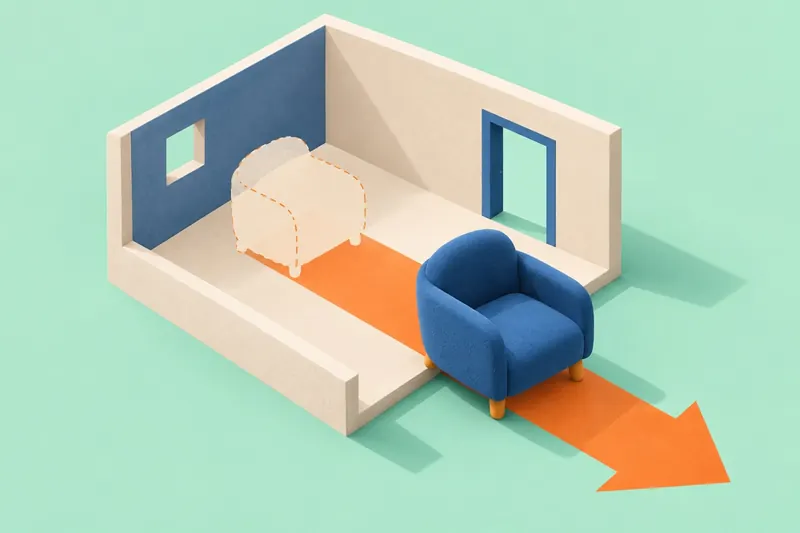
Someone wants to refresh the living room: replace the sofa and find different flooring. The room’s dimensions, the windows and the rest of the furniture are already set. What is needed is a version of this particular space that can be refined step by step, keeping the decisions that worked.
Recognizing your own room
A person uploads their own photo in order to get a version of one specific space. Changes that look good in their own right can therefore make the result useless for the job at hand.
I put a picture in of my room and it comes back with a completely different room. The whole point was I had a cathedral ceiling I wanted to get ideas and it came back with a normal room without the windows either. Not helpful.
A picture like that is hard to use for a renovation decision: first you have to put your own layout back into it in your head. There is a useful conclusion in that complaint. For a try-on, setting the style you want is not enough — a person needs a way to say which parts of the room already suit them and have to stay.
Trying one change
One possible starting point is to let a person pick a single area of the shot to change. The other parts stay as they were. After a successful replacement, the next request should continue from the version just produced rather than generate the whole room again.
Looks like the app just try to find similar photos to want you show, it has a option to keep the structure that never works because it always changes the structure, I tried to change colors with color references and it changes everything on structural but not the color
Change the selected area
The person marks the sofa and picks a replacement. The app shows the area it is about to change; the selection can be corrected before processing. The windows, the doorway and the objects outside that area remain points of comparison with the original.
If a curtain or the edge of a table has been caught in the selection, the person can take it out. After processing, comparison with the original helps spot a change nobody asked for. A version that works is saved separately, so it can be returned to.
Continue from the version that worked
With the sofa chosen, the person moves on to the flooring. The new edit has to keep the furniture already selected. The previous version and the original shot stay at hand: the changes can be compared, the last step undone, or a different branch continued.
What is being tested here is a controlled sequence of edits: select an area, get a result, change the next part. Trying on a specific brand of paint or wallpaper is a narrower job with its own demands on samples and color; it can be developed separately.
Test two changes in a row
Have a person make two consecutive changes to a photo of their own room. After the second step, ask which details were preserved, what changed without being asked for, and which version they would want to discuss with their family or their builder. If all the original conditions have to be explained again, the control isn’t working yet.
A picture like this helps discuss the idea, but it confirms neither the dimensions nor whether the items are suitable to buy. The sofa’s dimensions, the walkways and real material samples have to be checked separately. That limitation is worth keeping when moving from the image to a product list.