
Skip to content
Choosing by job

Build a week’s menu from their own recipes, get one consolidated shopping list, and close it with a single order or store run

Menus and shopping lists

Weekly planners

Which apps people use

These apps are mentioned in the breakdown of this job. Open each one to compare strengths and limits. The order of the list is not a ranking of fitness.

  1. Plan to Eat

    Rank 1. Review score: 91 out of 100. App Store rating: 4.8★ · 6,069 ratings

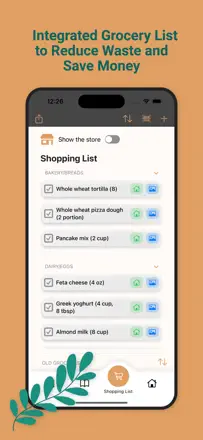
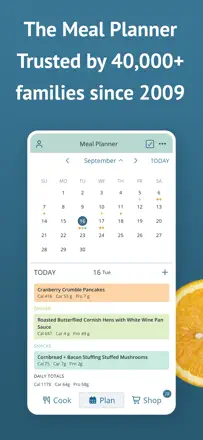
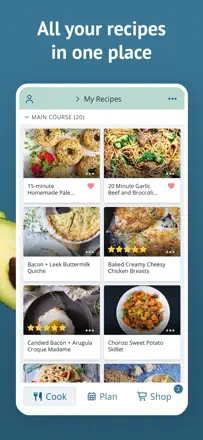
    One of the strongest meal planning apps out there: import recipes from any website, auto-generate a consolidated grocery list from your weekly menu, scale portions, and sync with Instacart.

    Praised: Import recipes by URL from any site or Instagram Reels, automatic portion scaling, one combined grocery list from multiple recipes, ingredient tagging and search, cross-platform web and mobile

    Complaints: Importing from Facebook comments or TikTok requires manual link copying, keyboard covers the notes field when adding items, no standardized units of measurement

    Best for: People who take meal planning seriously and want one place for recipes, weekly menus, and a grocery list

  2. AnyList: Grocery Shopping List

    Rank 2. Review score: 82 out of 100. App Store rating: 4.9★ · 78,964 ratings

    The top pick in this category for combining lists and recipes: powerful sync, recipe import from websites, and Alexa integration. Weak spots are data privacy and occasional sign-in problems after switching devices.

    Praised: Seamless sync across all devices. Import recipes from websites and auto-generate grocery lists. Alexa integration for voice-adding items. Store and category organization. Rock-solid reliability for years.

    Complaints: List data ended up with Amazon without explicit user consent. Recovering an account after a device switch is a nightmare and support is unresponsive. Alexa integration has degraded since Amazon made changes.

    Best for: People who seriously plan meals for the week, maintain a recipe library, and want a shared grocery list with a partner. The best option in the category for active households.

  3. MealBoard - Meal Planner

    Rank 4. Review score: 72 out of 100. App Store rating: 4.6★ · 2,645 ratings

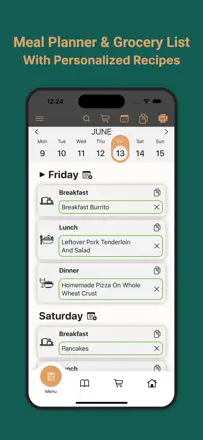
    A thoughtful meal planner with a recipe library, grocery list generation, and inventory tracking. Despite a dated interface, it remains a favorite tool for people who take weekly menu planning seriously.

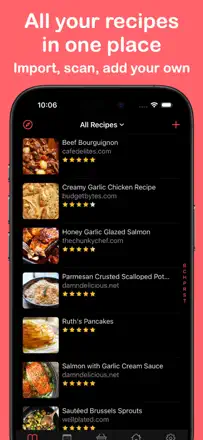
    Praised: Recipes, menus, and grocery lists all work together as one system, website recipe import, inventory tracking for pantry items, long-term developer support and no subscription required

    Complaints: Import does not work with every site and often needs manual cleanup, the interface looks visually dated, no import from YouTube or social media, device sync occasionally fails, no shared access for couples

    Best for: People who seriously maintain a cooking archive and plan menus for the week and do not care about modern design

  4. eMeals - Healthy Meal Plans

    Rank 16. Review score: 60 out of 100. App Store rating: 4.6★ · 52,061 ratings

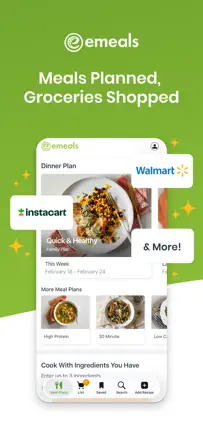
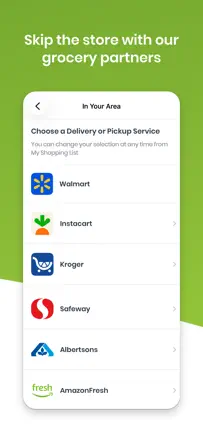
    A genuinely functional meal planner with ready-made recipes and an automatic list for Walmart or Instacart. Recipe quality is basic, billing is opaque, and the app pushes Walmart on every screen.

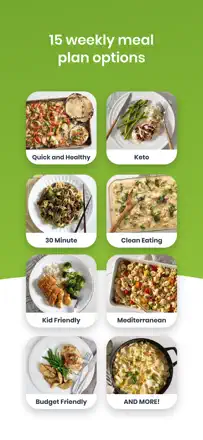
    Praised: Automatic grocery list from selected recipes for the week. Walmart and Instacart integration for one-tap ordering. Wide selection of meal plans for different diets.

    Complaints: The grocery list multiplies ingredient quantities by the number of recipes instead of combining them. Recipes are bland with minimal seasoning. Walmart ads on every screen even for paid subscribers. No renewal notifications and charges happen without warning.

    Best for: Busy families who need a ready-made weekly plan without picking recipes themselves and who already shop at Walmart.

  5. Meal Planner & Grocery List

    Rank 24. Review score: 55 out of 100. App Store rating: 4.6★ · 574 ratings

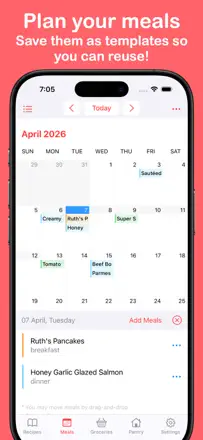
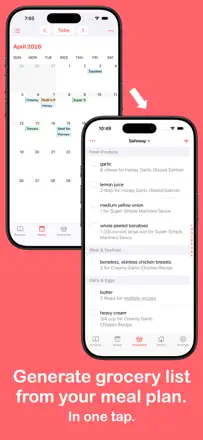
    A linked meal planner and grocery list with fast recipe import, but it suffers from interface freezes and illogical UX: you cannot add an existing recipe to a plan without creating a new one.

    Praised: Fast recipe import from websites, auto-generated grocery list from the weekly plan, can share the plan with a partner

    Complaints: App freezes and becomes unresponsive, you cannot add a saved recipe to the plan in one step, no checkbox feature for marking items as purchased

    Best for: Families who need a connected meal plan and grocery list for the week, if missing checkboxes in the list is not a dealbreaker

Other jobs in this topic

Full ranking: Menus and shopping lists44 apps with screenshots and scoresWhere this breakdown comes fromRead the research and the observations from reviews