Zum Inhalt springen
Auswahl nach Aufgabe

Keep the manuscript, the drafts and the research in one place with reliable sync between phone and computer.

Notizen und Wissensdatenbank

Die Texte zu den Apps sind auf Englisch.

Long-form writers

Was vor der Wahl zu prüfen ist

Reviews discuss Markdown being shown, lag in long manuscripts and lost documents. Test a long text, a clean reading mode and restoring from a backup.

Welche Apps genutzt werden

Diese Apps werden in der Analyse dieser Aufgabe genannt. Öffne jede, um Stärken und Grenzen zu vergleichen. Die Reihenfolge der Liste ist keine Rangliste der Eignung.

  1. Ulysses: Writing App

    Platz 31. Wert aus Rezensionen: 60 von 100. App-Store-Bewertung: 4,6★ · 2.041 Bewertungen

    A professional environment for long-form writing: novels, articles, dissertations. A unified library with instant search and reliable sync between Mac, iPad, and iPhone. Markdown symbols are always visible during editing with no way to switch to clean text mode.

    Gelobt: A single library of all texts with instant content search. Cross-device sync works reliably. Export to PDF, DOCX, and WordPress publishing from one place.

    Kritik: Markdown symbols are always visible during editing: there is no clean text mode for comfortable typing. Sync for some users has started failing, losing edits without warning. Grammar checking is tuned for formal academic style and gets in the way when writing fiction.

    Für wen: Authors of long-form texts on the Apple ecosystem who need a unified manuscript library with reliable sync between Mac and iPad.

  2. Werdsmith: Writing App

    Platz 22. Wert aus Rezensionen: 66 von 100. App-Store-Bewertung: 4,7★ · 7.852 Bewertungen

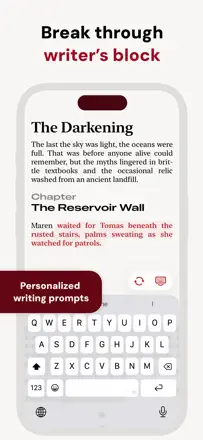
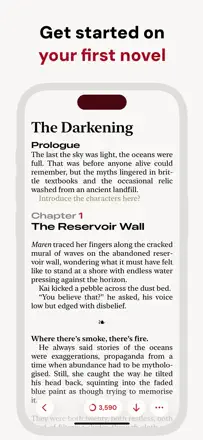
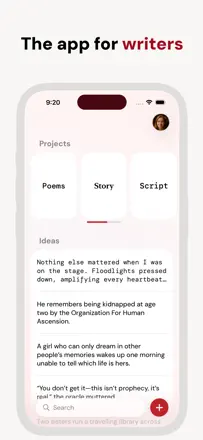
    An app for long-form texts and books, not for quick notes. Helps structure a manuscript: ideas separate, chapters separate, word count built in. Not suited for on-the-go capture: no widget, no quick capture.

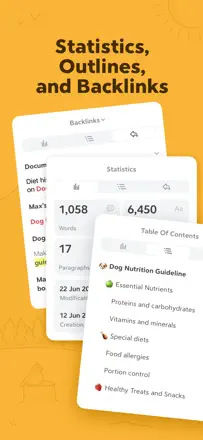
    Gelobt: Daily and total word count statistics motivate consistent writing. The project-and-ideas structure lets you keep a draft and notes side by side without mixing them. Ghostwriter can continue your text without breaking your style.

    Kritik: Large manuscripts of 80,000+ words start showing noticeable lag. There is no quick thought capture: creating a note requires going through several screens. No widget and no integrations with other tools.

    Für wen: Authors working on long-form texts: novels, screenplays, campaigns. Not designed for everyday notes.

  3. Bear - Markdown Notes

    Platz 11. Wert aus Rezensionen: 74 von 100. App-Store-Bewertung: 4,7★ · 6.836 Bewertungen

    The best plain-text Markdown note-taking tool in the sample. Opens instantly, and the tag system replaces folders while working more flexibly. iCloud sync is reliable. Bear 2.0 removed the convenient toolbar, worsening the iPhone experience.

    Gelobt: The tag system lets you find a note across multiple intersecting topics without creating folders. Works equally fast on iPhone and Mac, and iCloud sync requires no separate account. Markdown renders beautifully without getting in the way while typing.

    Kritik: Bear 2.0 removed the compact toolbar: formatting is now awkward on a small screen. Search does not support advanced filters and is slow in large archives. Attachments and PDFs are not supported without the premium subscription.

    Für wen: Writers, developers, and researchers who need a fast Markdown editor with reliable sync across the Apple ecosystem.

  4. Paper: Writing App, Notes

    Platz 21. Wert aus Rezensionen: 67 von 100. App-Store-Bewertung: 4,7★ · 1.602 Bewertungen

    A minimalist editor for long-form writing with beautiful typography and a focus mode. The developer responds to reviews promptly. Several users lost all their documents without warning.

    Gelobt: A clean interface with no extraneous elements gives the feeling of writing on paper. A good selection of fonts. The developer responds to feedback and fixes bugs promptly.

    Kritik: Several users lost all their documents with no way to recover them. Font changes and toolbar customization are only available in the premium version. The built-in AI pushes itself forward with no way to fully disable it from the interface.

    Für wen: Authors of long-form writing who value a distraction-free interface and work primarily with short to medium-length texts.

Weitere Aufgaben in diesem Thema

Gesamte Rangliste: Notizen und Wissensdatenbank65 Apps mit Screenshots und WertenWoher diese Analyse stammtRecherche und Beobachtungen aus Rezensionen lesen