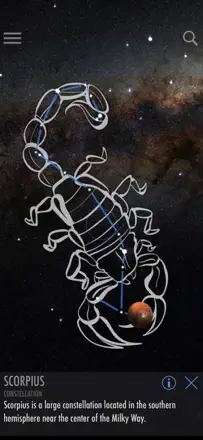
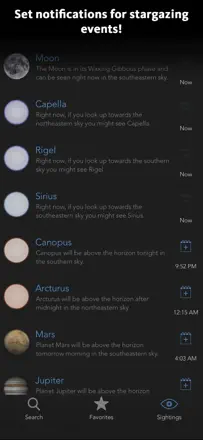
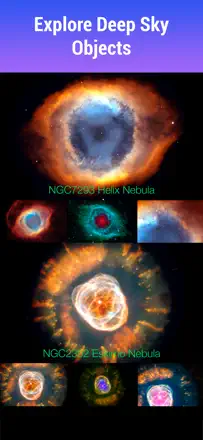
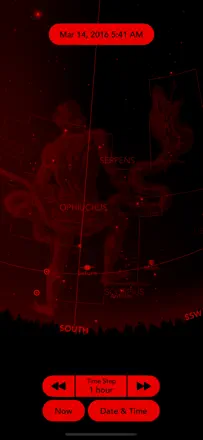
The direction on screen has to make sense next to the sky you can see. When the two diverge, a person needs an accessible way to check the orientation and an explanation of the setting that may be involved.
Which apps people use
These apps are mentioned in the breakdown of this job. Open each one to compare strengths and limits. The order of the list is not a ranking of fitness.
Rank 37. Review score: 45 out of 100. App Store rating: 4.5★ · 18,716 ratings
45of 100
A free star map trusted for years to find planets, the ISS and constellations, but recent iOS updates broke the orientation for many. People point the phone at the Moon and the app shows it on the opposite side, some just get a frozen screen. The base is solid and clear, but accuracy is shaky right now.
Praised: Finds planets, common constellations and stars for free, shows the ISS and Hubble with orbits, gets kids and grandkids into the sky, years of daily use
Complaints: Broken orientation after iOS updates, Moon and Sun on the wrong side, frozen screen that won't open on newer iPads, ads in the middle of use, tiny description font, few constellations in the free version
Best for: Hobbyists who want a simple visual sky map and don't need perfect accuracy right now
Rank 34. Review score: 48 out of 100. App Store rating: 4.6★ · 24,848 ratings
48of 100
A long-loved sky map dating back to 2013, but the app is effectively abandoned. People navigated the night sky with it for years and are still grateful, yet newer devices hit constant crashes, paid comet packs lack the promised objects, and support stays silent. Buying it today is risky, the app lives on old affection.
Praised: Simple sky orientation, nostalgic look, finds planets and constellations away from the city, years of daily use
Complaints: Constant crashes on newer iPhones and iPads, no updates for years, comet packs missing the promised comets, broken planet textures, ads right on entry, unresponsive support
Best for: People already using it who know its quirks, not newcomers buying it today
Rank 43. Review score: 32 out of 100. App Store rating: 4.7★ · 25,019 ratings
32of 100
Star Walk has a good base: lots of object info, beautiful star colors, loved and used for years. But right now it's being eaten alive by ads: zoom a star, catch a 15-30 second clip, zoom again, another clip, the map freezes, and even longtime paying users say bought features moved behind a subscription. In practice the app has become almost unusable.
Praised: Lots of object info, realistic star colors, loved for years for how easy it made finding things
Complaints: 15-30 second ads on every zoom make the app unusable, map freezes after ads, bought features moved behind a subscription, lost response to phone movement, hard to cancel auto-renew
Best for: Almost no one as it stands, except people who'll buy the ad-free version up front
Rank 4. Review score: 72 out of 100. App Store rating: 4.8★ · 365,567 ratings
72of 100
Sky Guide is praised for its beautiful presentation, its science-articles section, and the pleasant ambient music while you use it, and many have relied on it for years. But accuracy lets it down: people with a calibrated compass see a 30-degree azimuth shift, and after updates some familiar features and flyby alerts moved behind a monthly fee, which stung those who once bought the app outright.
Praised: Beautiful sky presentation, science-articles section, soft ambient music, star, planet and satellite search with details
Complaints: Compass off by tens of degrees in azimuth, some features and flyby alerts moved behind subscription, no grandfathering for old buyers, Milky Way arm gone from compass mode, missing many constellations
Best for: People who watch the sky regularly and read about space, and who care about polished presentation
Rank 10. Review score: 62 out of 100. App Store rating: 4.8★ · 10,228 ratings
62of 100
An elegant, pleasant sky map many keep for years and love for its clean simple look and precise object targeting. The real recent trouble is that the compass is off for some people, pointing the wrong way and not fixed by figure-eight calibration, while the developer thinks the app doesn't need updating. In the southern hemisphere the constellations barely work.
Praised: Clean simple beautiful look, precise object targeting with no running around, sky-shoot planning, sun tracking for gardening, finds planets, stars and even comets like NEOWISE
Complaints: Misaligned compass pointing the wrong way and not fixed by calibration, developer won't update the app, poor in the southern hemisphere, motion broke on newer devices, pushy review nags right after install
Best for: Hobbyists who value a clean handy view and planning, if their phone compass is fine
Rank 32. Review score: 50 out of 100. App Store rating: 4.7★ · 9,659 ratings
50of 100
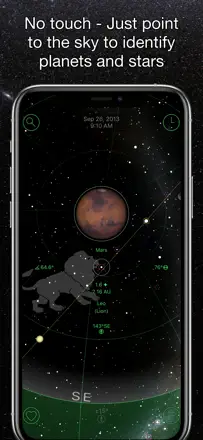
A simple sky map praised because you just point your phone and it names the star or planet, handy while camping and during meteor showers. But many are annoyed by the small viewing area, star labels vanish when you zoom, and constellation figures take up half the screen and get in the way when you just want to ID an object. People who remember Google Sky miss it.
Praised: Simple phone pointing at an object with instant ID, handy while camping and during meteor showers like the Perseids, shows star and constellation names along the horizon
Complaints: Too small a viewing area, labels vanish or you get a circle of a whole hemisphere when zooming, can't turn off constellation drawings that cover the sky, unintuitive tracking, compass badly off for some people
Best for: People who want to just point their phone and identify stars and planets without extra complexity
Rank 44. Review score: 32 out of 100. App Store rating: 4.7★ · 1,528 ratings
32of 100
Some like the deep zoom and pointing the phone to identify a star or planet and see every constellation. But nearly everything costs extra, even Moon facts, and several people say the app never aligns with the stars or works at all. Many complaints about charges while the app fails and about a subscription that is hard to cancel.
Praised: Deeper zoom than rivals, pointing the phone to identify a star or planet, showing all constellations
Complaints: Almost everything costs extra including Moon facts, demands money before it opens, fails to align with the stars for many, hard to cancel the subscription
Best for: People who want to point the phone at the sky for object names and are willing to risk the payment