Skip to content
Choosing by job

Automatically log every business trip during a shift and get a tax-ready report with no manual entry

Car maintenance

Gig drivers

Which apps people use

These apps are mentioned in the breakdown of this job. Open each one to compare strengths and limits. The order of the list is not a ranking of fitness.

  1. Mileage Tracker by Everlance

    Rank 5. Review score: 66 out of 100. App Store rating: 4.8★ · 50,295 ratings

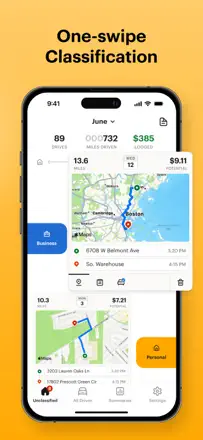
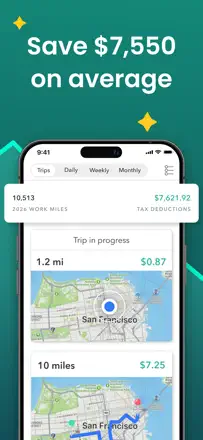
    An automatic mileage tracker for self-employed workers and couriers with tax reporting. Runs in the background and saves time at tax time, but a persistent banner blocks GPS and there are transaction bugs.

    Praised: Automatic trip tracking, tax export, bank card integration, saves real money on deductions

    Complaints: Banner covers navigation while driving, no undo button, duplicate trips, bank linking issues, account deletion is difficult

    Best for: Couriers, freelancers, and gig workers who need automatic mileage tracking for taxes

  2. Gridwise: Gig Driver Assistant

    Rank 13. Review score: 58 out of 100. App Store rating: 4.9★ · 27,937 ratings

    An earnings and mileage aggregator for gig drivers with convenient tax reporting, but mileage tracking fails regularly, and market analytics are tied to large cities and often useless in smaller ones.

    Praised: Auto-pulls earnings from multiple platforms, easy tax export, airport stats help rideshare drivers

    Complaints: Mileage tracking is unstable, price jumped to $108 per year, ads appeared even for paying subscribers, market insights only work in large cities

    Best for: Uber and Lyft drivers in large cities who want a single earnings and mileage dashboard

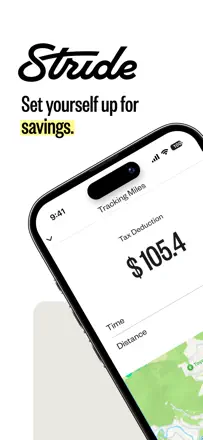
  3. Stride: Mileage & Tax Tracker

    Rank 30. Review score: 41 out of 100. App Store rating: 4.8★ · 92,863 ratings

    Stride is free and simple, but suffers from a critical bug: mileage disappears after several hours of driving, which is especially painful for Uber and Lyft drivers who lose hundreds of dollars in tax deductions.

    Praised: Free, simple interface, built-in expense tracking, convenient for gig workers when it works

    Complaints: Mileage disappears after 4-8 hours of driving with no warning, auto-tracking often stops on its own, no DoorDash Crimson card integration, aggressive notifications that cannot be disabled without losing functionality

    Best for: Gig workers with short shifts who check the app regularly. Long shifts without monitoring risk a full data wipe.

  4. Hurdlr Mileage, Expenses & Tax

    Rank 14. Review score: 58 out of 100. App Store rating: 4.7★ · 20,879 ratings

    Hurdlr is a multi-tool for freelancers combining mileage, expenses, and taxes in one place. A plus for couriers and real estate agents. The downside is bank connections drop constantly and the tracker splits one trip into dozens of segments at every stop.

    Praised: Combines mileage, income, and expenses in one interface, simplifies tax prep

    Complaints: Bank disconnects repeatedly and creates duplicate transactions, tracker chops every trip into fragments at each stoplight

    Best for: Couriers and self-employed workers who want a single mileage and expense log and can tolerate bank sync failures

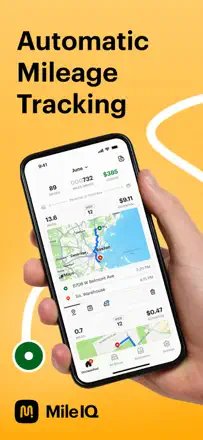
  5. MileIQ: Mileage Tracker & Log

    Rank 2. Review score: 72 out of 100. App Store rating: 4.8★ · 105,718 ratings

    MileIQ accurately tracks mileage for tax reporting and has worked reliably for years, but an aggressive price jump from $60 to $140 a year with no new features is pushing loyal users to competitors.

    Praised: Automatic trip detection, easy personal vs. business split, clean export for accountants, stable performance over multiple years

    Complaints: Price doubled from $60 to $140 a year with no added value, occasionally misses trips, support only responds through an AI bot, no automatic toll tracking

    Best for: Freelancers, real estate agents, and road-heavy professionals who need clean mileage logs for taxes and are okay with the price

Other jobs in this topic

Full ranking: Car maintenance36 apps with screenshots and scoresWhere this breakdown comes fromRead the research and the observations from reviews