Families and professionals who use a visual schedule
What to check before choosing
A visual schedule helps in talking through the sequence of actions. For shared use it is worth establishing who puts it together, on which device the steps are carried out, and what exactly has to travel between them.
Which apps people use
These apps are mentioned in the breakdown of this job. Open each one to compare strengths and limits. The order of the list is not a ranking of fitness.
Rank 8. Review score: 81 out of 100. App Store rating: 4.9★ · 3,513 ratings
81of 100
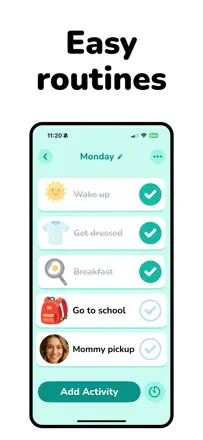
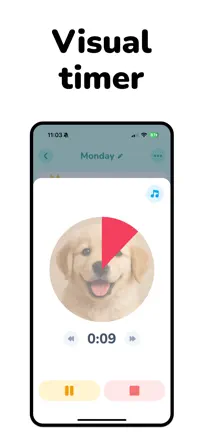
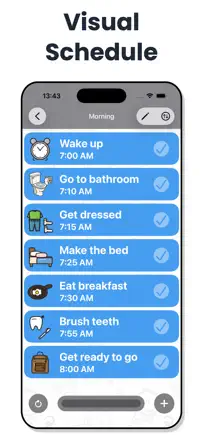
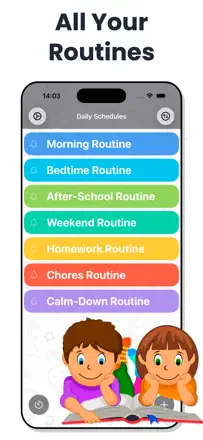
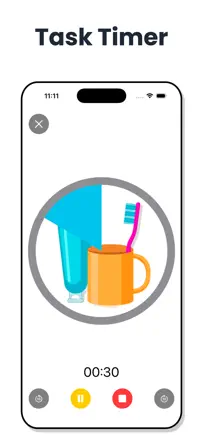
A visual schedule with pictures and a timer for children with ADHD and autism. Special-education teachers use it in sessions. Multiple profiles are only available with expanded access, which is inconvenient for families with two children.
Praised: A visual timer showing time remaining before the next task: children with ADHD transition from play to routine more easily when they can see the time visually.
Complaints: Multiple profiles are only available in expanded mode, which is a problem for families with two or more children. The math-puzzle lock for the schedule is easily bypassed by children.
Best for: Parents of children with ADHD or autism, speech therapists, and occupational therapists who need a visual scheduler with a timer and rewards.
Rank 57. Review score: 48 out of 100. App Store rating: 4.4★ · 760 ratings
48of 100
A niche visual scheduler with pictures and a timer built for children with special needs. Adults with ADHD also find it useful. No cross-device sync and no completion history.
Praised: Pictures and colors are understandable even for children who cannot yet read. A timer for each step. Confetti on completion as positive reinforcement. Recommended by special-education teachers.
Complaints: No cross-device sync: a parent cannot set up the schedule on their phone and pass it to the child. No completion history or analytics. A black screen on adding a photo affects some users.
Best for: Parents of children with autism or special needs, ABA educators, and adults with ADHD who need pictures instead of text.
Rank 58. Review score: 47 out of 100. App Store rating: 4.7★ · 2,401 ratings
47of 100
A routine as a step-by-step protocol with a timer: you cannot proceed to the next step without marking the previous one complete. That is exactly what some users with ADHD need. Transition notifications to the next step are only available with a paid upgrade.
Praised: A step-by-step protocol with a timer prevents skipping a step or jumping ahead. Genuinely helps prevent getting stuck on one thing for hours. Users with ADHD and autism report a noticeable improvement in daily structure.
Complaints: Notifications to transition to the next step require the paid version. No flexible scheduling for irregular routines.
Best for: People with ADHD who need step-by-step routine structure rather than just a task list. Not suitable for those who want to track varied habits on a schedule.