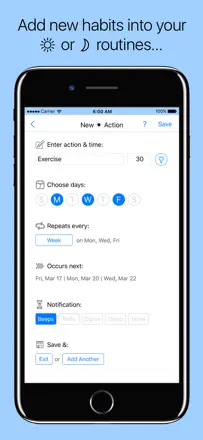
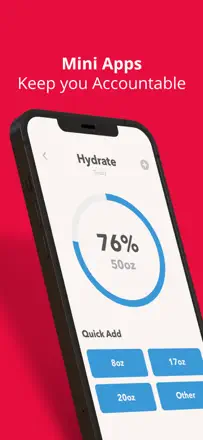
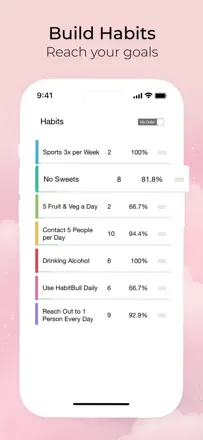
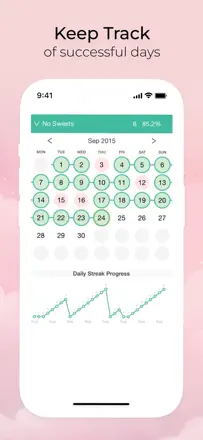
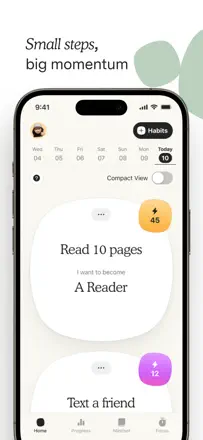
Review score: 91 out of 100. App Store rating: 4.9★ · 76,767 ratings
91of 100
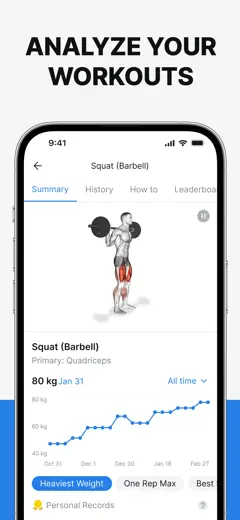
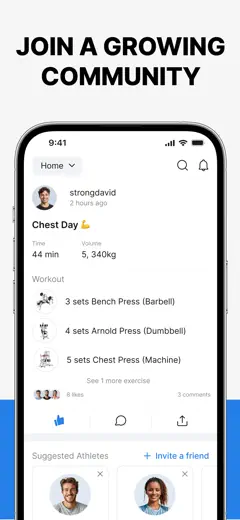
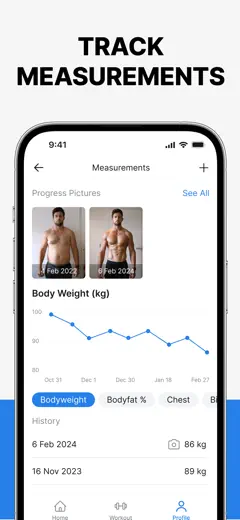
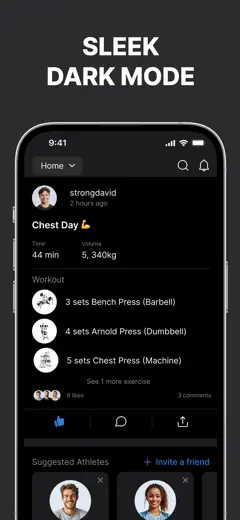
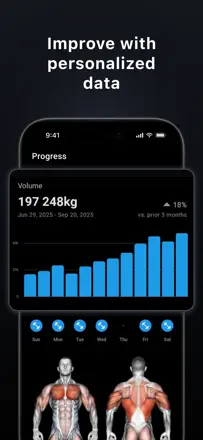
The best workout log in the niche, no caveats: instant set entry, rest timer, weight progression per exercise, and a social feed with real accountability.
Praised
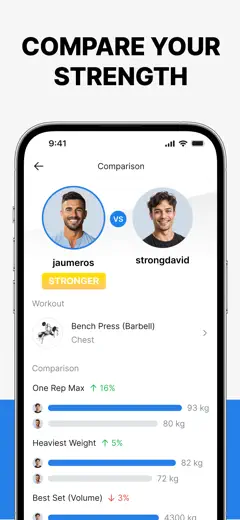
Per-exercise weight history that shows immediately whether you improved over the past weeks. A social leaderboard with friends on the main lifts. Wide feature set available without any restrictions. AI workout program builder.
Complaints
Battery drain during a workout is significant. On Apple Watch you can only enter weight in 1 kg increments, not 0.5 kg. No search through workout history.
Best for: Anyone who goes to the gym and wants to track weight progression, from beginners to competitive athletes.
Review score: 85 out of 100. App Store rating: 4.8★ · 5,182 ratings
85of 100
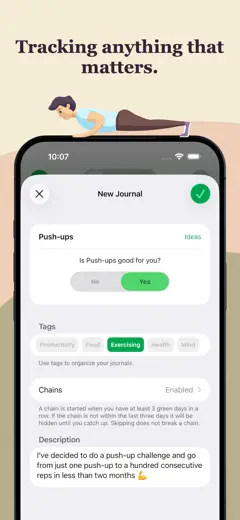
One of the most mature trackers around: users stick with it for years and mention 6-10 years without switching. Fast yes/no/skip one-tap logging, tags for grouping, and CSV export. No cross-device sync.
Praised
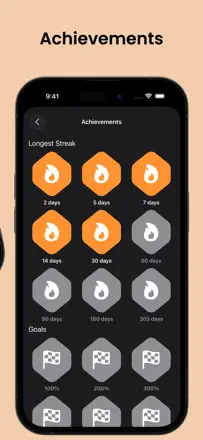
You can mark not just 'done' but also 'not done', which creates an honest picture of the habit. Tags for grouping and stats with graphs keep users coming back for years.
Complaints
No cross-device sync: data does not transfer between iPhone and iPad. The free plan is limited to three habits, which is not enough for systematic tracking.
Best for: People who want to see an honest long-term picture of their habits with numbers and export, not just checkboxes.
Review score: 85 out of 100. App Store rating: 4.9★ · 2,193 ratings
85of 100
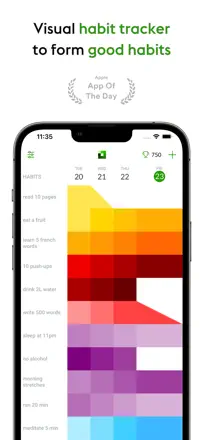
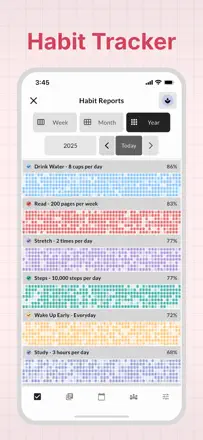
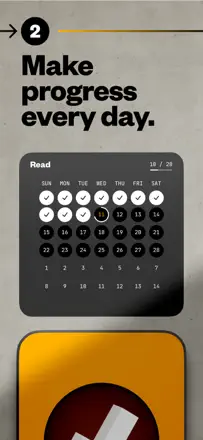
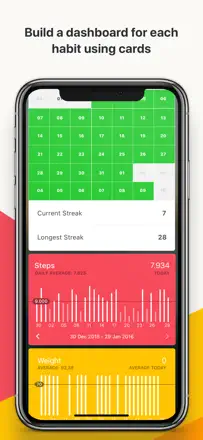
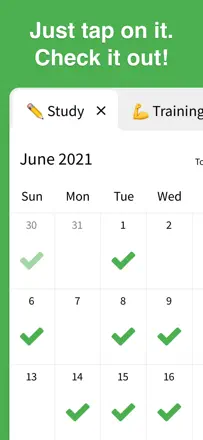
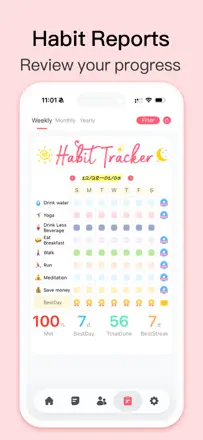
Visually one of the best trackers: a GitHub-contribution-style grid clearly shows consistency over months. Quick logging, one-time purchase. Only supports daily habits with no flexible scheduling.
Praised
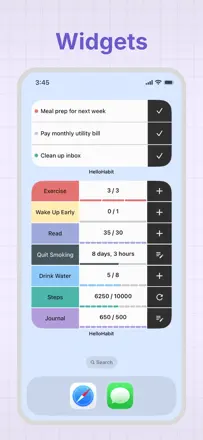
A year-long progress grid as a powerful visual motivator. Home screen widgets. One-time purchase with no monthly renewal. Quick habit adding and logging.
Complaints
Only daily habits: you cannot set 'three times a week' or 'every other day'. Reminders are handled via standard iOS reminders rather than built-in ones. No built-in journal.
Best for: People who care about visualizing consistency and want to track habits every single day. Not suitable for irregular or weekly practices.
Rank 4. Review score: 84 out of 100. App Store rating: 4.8★ · 899 ratings
84of 100
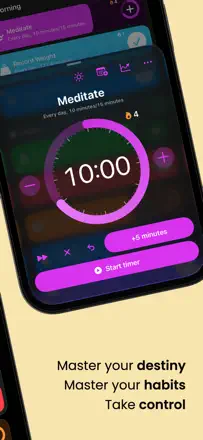
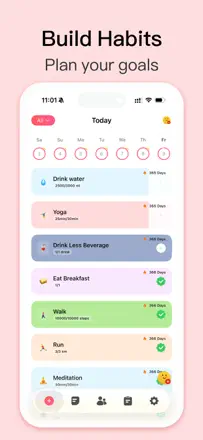
One of the most feature-complete trackers: widgets for iPhone and Apple Watch, daily and weekly habits, a timer, and retroactive logging of missed days. The ring-style day indicator is clear without being cluttered.
Praised: Widget that lets you log without opening the app. Apple Watch with daily progress. Retroactive logging of missed days. Built-in habit timer. One-time purchase with no monthly renewal.
Complaints: Apple Health syncs in one direction only: from Health into the app, not back. When iCloud has issues, sync breaks silently.
Best for: Anyone who wants a fully native iOS tracker with Apple Watch and widgets, without a monthly subscription.
Rank 5. Review score: 83 out of 100. App Store rating: 4.9★ · 44,011 ratings
83of 100
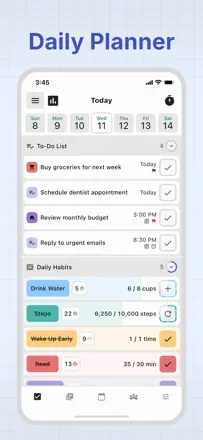
The most complete tool in the niche: tasks, habits, Eisenhower matrix, Pomodoro timer, and calendar all in one app with reliable sync. The last major update added visual noise.
Praised: Flexible habit scheduling: daily, every X days, or on specific days of the week. Built-in focus timer with phone lock. Eisenhower matrix for prioritization. A matrix widget right on the home screen.
Complaints: The update added a large header above every list that wastes space without adding value. Reordering tasks within a list is unstable on some devices. Dismissing a reminder on one device syncs slowly to another.
Best for: Users who need a single tool for tasks and habits with deep customization and flexible scheduling.
Rank 6. Review score: 82 out of 100. App Store rating: 4.7★ · 3,159 ratings
82of 100
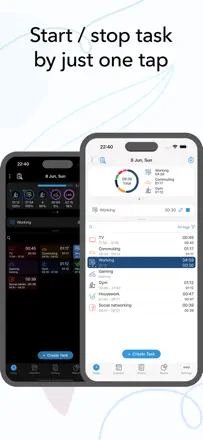
One of the best one-tap time trackers with instant task switching. Users keep it for years for personal time accounting and work reporting. This is not a habit tracker in the classic sense: no streaks or habit reminders.
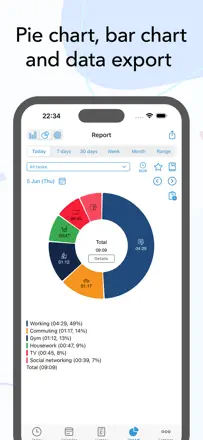
Praised: Instant one-tap timer start. Clear pie chart of time spent by category. Retroactive logging and customizable icons. One-time purchase instead of a monthly subscription.
Complaints: No streaks, habit reminders, or flexible scheduling: this is a time tracker, not a habit tracker. Alarm-style notifications are unreliable. Apple Watch sync breaks occasionally.
Best for: Freelancers, students, and anyone who wants to see where their time actually goes. Not suitable for those looking for a classic daily habit tracker.
Rank 7. Review score: 81 out of 100. App Store rating: 4.8★ · 7,632 ratings
81of 100
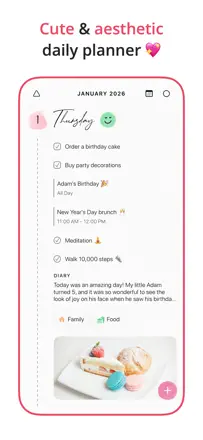
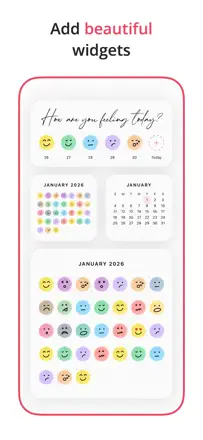
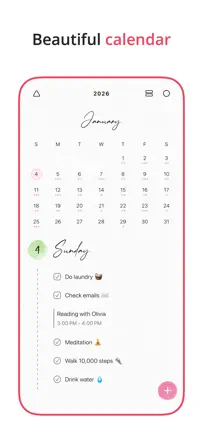
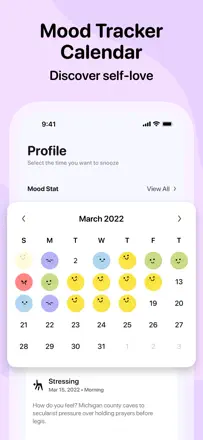
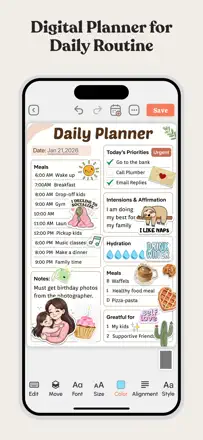
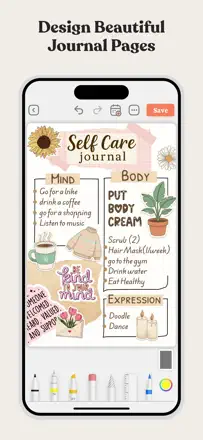
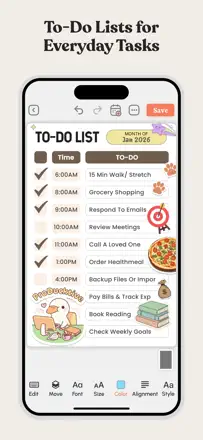
An aesthetic planner with a journal, mood tracker, Apple Calendar sync, and customizable legends. Users migrate here from Google Tasks and Apple Calendar. Not a dedicated habit tracker.
Praised: Journal and planner combined in one readable view. Customizable categories and legends to fit personal needs. A responsive developer.
Complaints: The font makes it hard to tell 1 from 7 in certain themes. No date visible without opening the app. The widget does not show the date when the app is closed.
Best for: People who care about planner aesthetics and want to combine a journal with a schedule in a single app.
Rank 8. Review score: 81 out of 100. App Store rating: 4.9★ · 3,513 ratings
81of 100
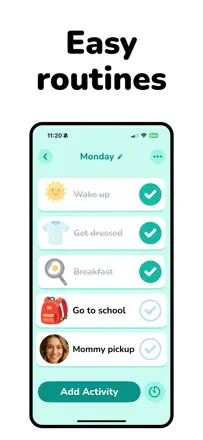
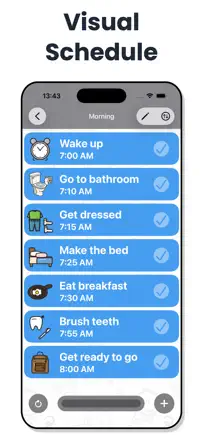
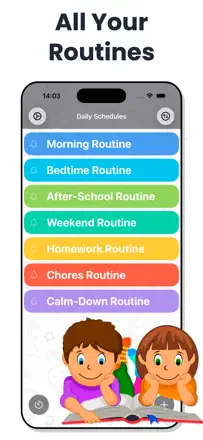
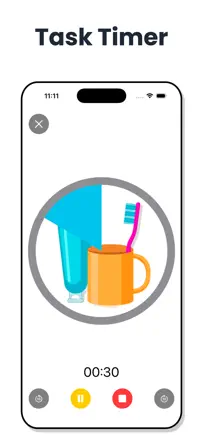
A visual schedule with pictures and a timer for children with ADHD and autism. Special-education teachers use it in sessions. Multiple profiles are only available with expanded access, which is inconvenient for families with two children.
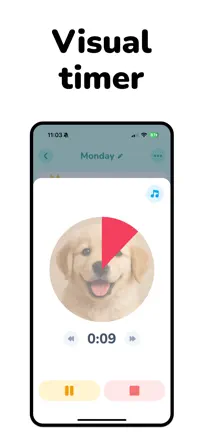
Praised: A visual timer showing time remaining before the next task: children with ADHD transition from play to routine more easily when they can see the time visually.
Complaints: Multiple profiles are only available in expanded mode, which is a problem for families with two or more children. The math-puzzle lock for the schedule is easily bypassed by children.
Best for: Parents of children with ADHD or autism, speech therapists, and occupational therapists who need a visual scheduler with a timer and rewards.
Rank 9. Review score: 81 out of 100. App Store rating: 4.8★ · 1,357 ratings
81of 100
One of the best trackers in the 'simple and visual' class: all logging is one tap, monthly history is visible at a glance, retroactive filling of missed days works. The developer responds to reviews and ships updates. No aggressive subscription barriers. The only known bug is limited reminder-time customization when creating a new habit.
Praised: One-tap logging with haptic feedback. Retroactive filling of past days without limits. Dark interface, no visual noise. More than six years of stable operation according to reviews.
Complaints: Reminders when creating a habit are tied to the current time rather than any chosen time. No iPad or Mac version.
Best for: Anyone who wants a clean visual tracker without subscription pressure and with the ability to log yesterday.
Rank 10. Review score: 80 out of 100. App Store rating: 4.8★ · 18,296 ratings
80of 100
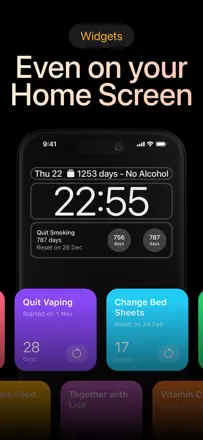
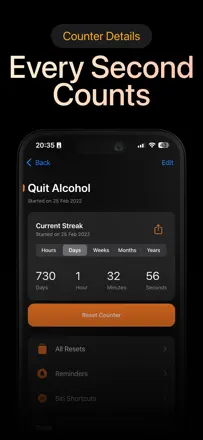
The simplest 'days since' counter, and that simplicity is its strength: a lock screen widget, reset history, and a streak record create a powerful incentive not to break the chain.
Praised: A real-time counter with days, hours, minutes, and seconds makes progress tangible in a hard moment. Reset history and a streak record show growth even after setbacks. A home screen widget as a constant reminder.
Complaints: Notifications require manual setup and are not flexible enough in frequency. No way to retroactively mark the exact moment of a relapse with a specific time. The free limit on trackers is small for those monitoring many things.
Best for: People who want to quit a bad habit or track something periodic, without complex settings or extra features.
Rank 11. Review score: 79 out of 100. App Store rating: 4.8★ · 10,261 ratings
79of 100
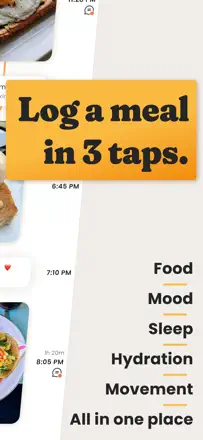
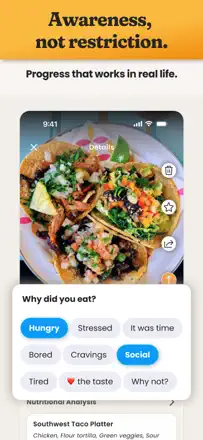
A food journal without calorie counting: photo-log a meal with a 'good or bad for my goals' tag and a mood-after-eating field. It builds mindful eating rather than imposing a diet. The act of photographing before eating changes behavior on its own. No free tier is the key barrier.
Praised: Instant photo-logging without data entry, just one tap. Mood and fullness tracking after eating without imposed calorie targets. Helps people with eating disorders without triggering them.
Complaints: No way to understand the cost before downloading. Nutrition analytics are shallow without the premium plan.
Best for: People who want to eat mindfully without calorie counting, especially those with a complicated relationship with food or who work with a dietitian.
Rank 12. Review score: 79 out of 100. App Store rating: 4.7★ · 4,465 ratings
79of 100
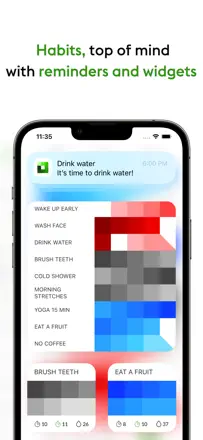
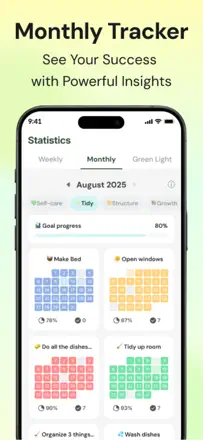
One of the cleanest trackers: colored tiles by day create a visual chain you do not want to break. A widget lets you log a habit right from the home screen with one tap. You cannot fix a missed day retroactively.
Praised: The widget lets you log a habit from the home screen in one tap without opening the app. A color heat map by month clearly shows completion density rather than just a streak.
Complaints: You cannot mark a habit retroactively: a missed day is lost forever. No flexible scheduling like 'three times a week' without a daily counter. The free plan is limited to three habits.
Best for: People who want to see their habit history as a heat map and value instant widget logging.
Rank 13. Review score: 79 out of 100. App Store rating: 4.8★ · 689 ratings
79of 100
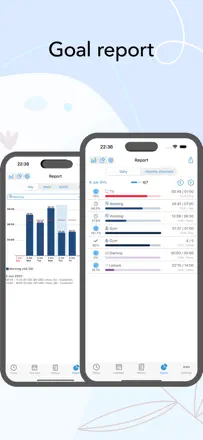
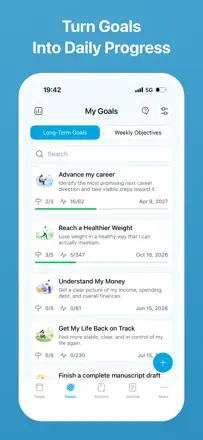
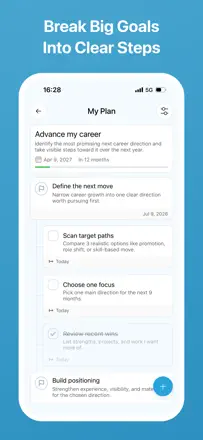
A goal-setting tool where habits are one means of achieving a goal. Under each goal: tasks, milestones, photos, and habits. Beautiful design with animations. The developer responded to reviews and added features. Issue: sync between devices has reportedly stopped working. No punishing streaks. Habits live in the context of a goal rather than as a standalone list.
Praised: Habits as part of a goal system, so you see progress in the context of the big picture. Reminders work and motivate. Beautiful night mode. No data selling according to reviews.
Complaints: Cross-device sync is unreliable according to some reviews. No quick widget for logging. Development has slowed down.
Best for: People who want to see habits in the context of long-term goals rather than as a standalone task list.
Rank 14. Review score: 78 out of 100. App Store rating: 4.8★ · 82,348 ratings
78of 100
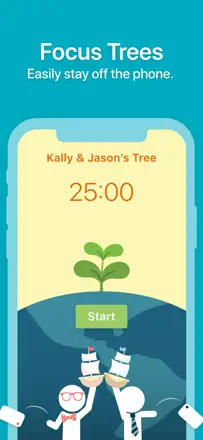
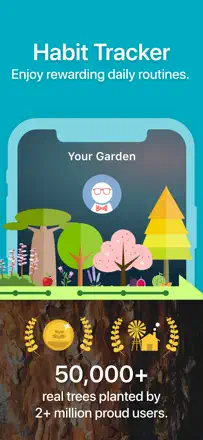
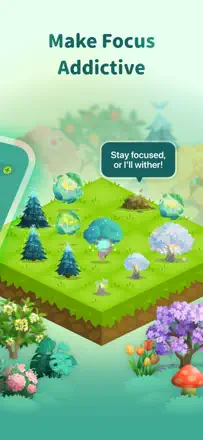
The best honest mechanism-to-goal match in the sample. A virtual tree that dies if you pick up your phone turns willpower into caring for a living thing. Real trees planted by partners around the world give a sense of meaning. Five years of core users is the best proof that the mechanism works.
Praised: The tree dies when you get distracted, making focus literal and emotional. Shared sessions with friends for mutual accountability. Coins for focused time that become real planted trees. A garden widget on the home screen.
Complaints: The latest update shifted focus from tree growth to buying new plants with coins, and users sense the change in priorities. Coins and bits sometimes disappear after purchases. The use of AI-generated illustrations irritates an audience that pays for the environmental mission. Does not work on Android.
Best for: Students and workers who want to block their smartphone during work and get a meaningful visual result in return.
Rank 15. Review score: 78 out of 100. App Store rating: 4.8★ · 5,563 ratings
78of 100
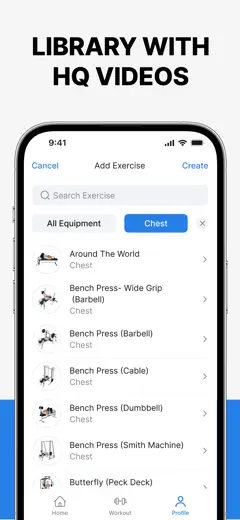
The best gym logger in the niche: huge exercise library with videos, one-tap progressive overload, and browsable community programs. The Apple Watch app requires the phone nearby and does not work standalone.
Praised: Auto-fill of the next set based on the previous workout: no need to remember weight and reps. In-flow video demonstrations of exercises.
Complaints: The Apple Watch app does not work standalone. You need your phone nearby. Double-counting of active calories when syncing with Apple Fitness. Muscle groups are grouped too broadly.
Best for: People who go to the gym regularly and want to track weight and rep progress without a paper log.
Rank 16. Review score: 76 out of 100. App Store rating: 4.8★ · 2,452 ratings
76of 100
A clean, fast tracker with unlimited habits and no aggressive monetization. Weak points: minimal analytics with no graphs, and no way to set a completion goal less frequent than daily.
Praised: Unlimited habits without pushy upgrade prompts or banners. Quick logging with satisfying visual feedback. Clean colorful interface.
Complaints: Almost no analytics: no charts or habit statistics. Cannot set a completion goal of less than once a day. The widget is rarely mentioned in reviews as available.
Best for: Anyone tired of subscriptions who wants an honest free tracker without frills. Great for people just starting to build habits.
Rank 17. Review score: 76 out of 100. App Store rating: 4.6★ · 650 ratings
76of 100
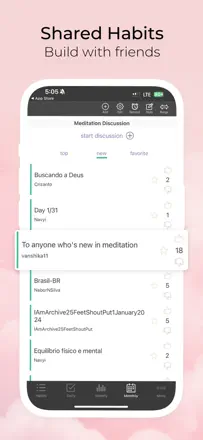
The only tracker in the niche with real social accountability: you see your friends' progress in real time and they see yours. All core features are available without extra cost. Reminders are unreliable for some users.
Praised: Friends' and family members' progress on one screen in real time, creating powerful mutual motivation. All core features available without extra cost. Comments on each log entry. Flexible scheduling: daily, weekly, or specific days.
Complaints: Reminders fire unreliably for some users. No home screen widget. No drag-and-drop to sort habits in a preferred order.
Best for: People who want to report to specific people, such as a partner, friend, or coach, and for whom mutual visibility of progress matters.
Rank 18. Review score: 74 out of 100. App Store rating: 4.8★ · 14,585 ratings
74of 100
One of the most flexible trackers on the market: custom colors down to HEX, task grouping, timers, Apple Health and Apple Watch integration, and non-standard interval scheduling. Quick logging works cleanly. Analytics are too shallow and the widget sometimes glitches, but the product foundation is solid.
Praised: Logging directly from a widget or Apple Watch. Ability to set a habit every third day or another non-standard interval. Deep customization without overwhelming the interface.
Complaints: Analytics barely show how often each habit fails. No way to log a past day directly from the main screen without extra steps.
Best for: Users with multiple habits at varying frequencies who care about clean design and a full Apple Watch widget.
Rank 19. Review score: 74 out of 100. App Store rating: 4.9★ · 2,920 ratings
74of 100
One of the most feature-rich habit trackers: widgets, a built-in journal, Apple Health integration, and a visual grid. Some users note that recent updates have cluttered the interface, which is a real churn risk.
Praised: Widgets for quick logging from the lock screen. Automatic step and calorie credit via Apple Health. A year-long visual progress grid. A built-in journal alongside habits.
Complaints: Cannot pause a habit without breaking the streak, so illness or vacation resets your result. Fractional values are not supported. Recent updates have degraded the interface according to long-term users.
Best for: People who want a complete tool with a journal, health integration, and widgets in one place. Especially praised by users with ADHD.
Rank 20. Review score: 74 out of 100. App Store rating: 4.8★ · 860 ratings
74of 100
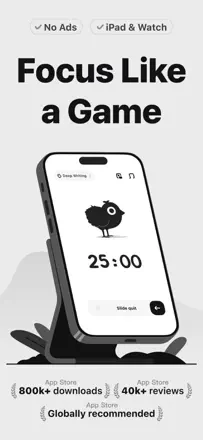
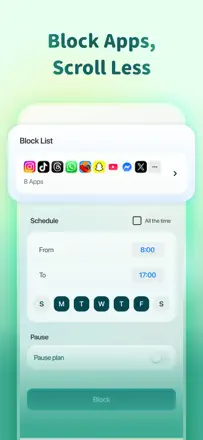
A Pomodoro timer with gamification through raising chicks. Not a habit tracker in the classic sense: no daily checklists or habit reminders. But for people whose habit is focused work, it works well: it blocks apps, shows the timer on the lock screen and Apple Watch. The chick dies if you leave the app, creating real pressure to stay on task.
Praised: Timer on the lock screen and Dynamic Island, visible without opening the app. Apple Watch support. Blocking of distracting apps. Chicks as a low-stress game motivator.
Complaints: Cannot customize the interval length in the free version. No countdown widget on the phone screen. No dark mode.
Best for: People whose main habit is working in focused blocks and who need a living visual motivator to avoid distractions.
Rank 21. Review score: 72 out of 100. App Store rating: 4.9★ · 181,077 ratings
72of 100
One of the few trackers where the core mechanic, a day counter, a daily pledge, and questions about your day, genuinely helps people stay on track. The community sets it apart from competitors: real people with similar struggles create a sense of belonging. Weaknesses: moderation and cross-device sync.
Praised: A daily pledge with a personal reason to stay strong acts as an anchor. Morning and evening check-in questions help track your state. A counter with exact days, hours, and minutes creates a sense of progress. A live community with real sobriety stories.
Complaints: Community posts are frequently blocked by overzealous automated filters. Cross-device sync requires payment. Switching to a new phone loses your progress. No option to edit the time of the last relapse retroactively.
Best for: People working through an addiction, such as alcohol, substances, or self-harm, who need a daily anchor and the feeling that someone is there with them.
Rank 22. Review score: 72 out of 100. App Store rating: 4.7★ · 8,789 ratings
72of 100
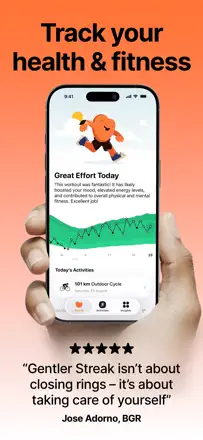
A workout tracker that rewards rest and adapts recommendations to fatigue rather than pushing you to close rings. Especially valued by people with chronic conditions for whom typical apps cause stress. Key flaw: the algorithm sometimes labels light activity as 'overtraining', and steps are not counted as activity.
Praised: A 'soft streak' system that does not break if you take a rest day. Friendly app tone with no penalties. A widget showing your current load zone.
Complaints: The load algorithm often gives false 'overtraining' signals after a week of rest. Steps do not count as a workout without manual entry. No Strava sync.
Best for: People recovering from illness or dealing with chronic fatigue who want to keep moving without streak penalties.
Rank 23. Review score: 72 out of 100. App Store rating: 4.8★ · 5,838 ratings
72of 100
Each habit completion adds a block to an animated structure, and that genuinely sustains motivation: many users report not quitting the tracker for weeks or months at a time. No cross-device sync between iPhone and iPad.
Praised: A tap with vibration, sound, and visual block progress is described by almost every fan of the app as the main reason they keep going. No punishing streaks or shame for missing a day.
Complaints: No sync between iPhone and iPad: data lives on only one device. Widgets are only available with expanded access. Non-obvious navigation: editing the habit list requires several extra steps.
Best for: People who need a game loop for motivation without streaks and without daily guilt for skipping.
Rank 24. Review score: 72 out of 100. App Store rating: 4.7★ · 1,021 ratings
72of 100
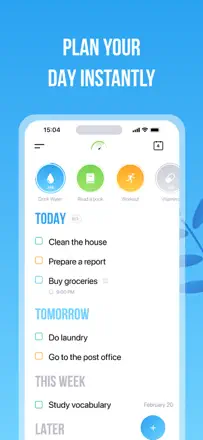
A hybrid task and habit tool with large circles for instant logging and sections by time horizon. More capable than most competitors without a paid upgrade. Reminders are unreliable.
Praised: Large habit circles at the top of the screen for instant one-tap logging. Color-coded tasks. Sections by time horizon, today/tomorrow/week, provide structure. ADHD users particularly appreciate this structure.
Complaints: Reminders arrive unreliably according to some users. Habits are not visible in future days when planning ahead. Cross-device sync requires paid access.
Best for: People who want to combine a task list and habits in one place without buying two separate apps.
Rank 25. Review score: 70 out of 100. App Store rating: 4.7★ · 17,114 ratings
70of 100
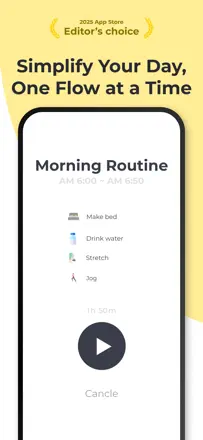
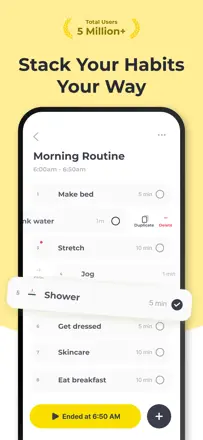
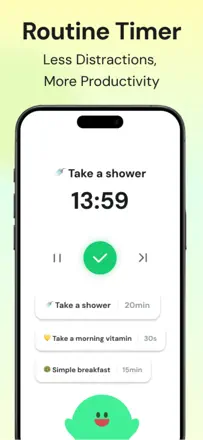
The only tracker in the niche where each routine step has a countdown timer. Voice prompts let you move between tasks without looking at the screen. Notifications keep coming even after the routine is finished.
Praised: A countdown within each routine step shows exactly how many minutes remain. Voice prompts to transition between tasks without looking at the screen. Two full routines available in the free plan.
Complaints: Reminder notifications keep arriving even after the routine has already been completed. No flexible scheduling, only a fixed time. After updates, voice settings sometimes reset on their own.
Best for: People with ADHD who need rigid step-by-step structure for morning and evening routines with precise timing for each step.
Rank 26. Review score: 70 out of 100. App Store rating: 4.7★ · 8,060 ratings
70of 100
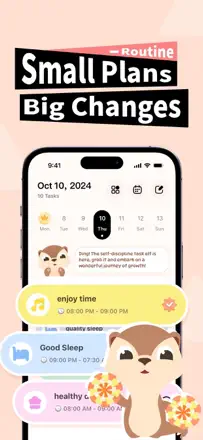
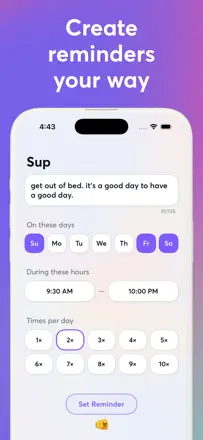
A reliable, pressure-free adult tracker. Flexible scheduling, customizable reminders at any frequency, and a day timeline. Particularly helpful for people with autism and ADHD who need to keep a routine. One-time purchase with no monthly renewal.
Praised: Customizable reminder frequency: set as many notifications per day as you need. Day timeline sorted by schedule. One-time purchase with no monthly renewal.
Complaints: A left swipe to skip a task is easy to trigger accidentally and confuses logging. No 'remind me again in N minutes' option. Alarm functionality is limited compared to dedicated alarm apps.
Best for: Adults with ADHD, autism, or a packed schedule who need detailed frequency customization without a subscription.
Rank 27. Review score: 70 out of 100. App Store rating: 4.6★ · 3,861 ratings
70of 100
The tracker is built around a garden metaphor: habits grow as flowers when completed regularly. A calm atmosphere with nature sounds and a soft color palette reduces tracking anxiety. There is a widget, but it is view-only. You cannot log a habit from the home screen without opening the app.
Praised: Gentle flower-growth animation as visual feedback works as a motivator for people for whom standard streaks create pressure. Background sounds and the aesthetic make opening the app a pleasure.
Complaints: The widget only displays progress. You cannot log a habit from the home screen. No way to retroactively log completed tasks. Habits completed after midnight count as the next day and break your streak.
Best for: People for whom standard trackers create anxiety. The gentle growth mechanic without penalties helps maintain motivation with an irregular schedule.
Rank 28. Review score: 68 out of 100. App Store rating: 4.8★ · 19,017 ratings
68of 100
A powerful tracker for people who think in terms of measurable goals: you can track weight, runs, finances, and habits with graphs. Reminders are reliable and retroactive logging is available.
Praised: Tracking types: yes/no, numeric, time, percentage, suitable for any measurable goal. Visual progress charts by week and month. Flexible-schedule reminders work reliably. Apple Health integration.
Complaints: Tracking resets at midnight with no setting for night-shift workers. No cross-device sync without a paid upgrade. Reminders occasionally fire late.
Best for: People with measurable long-term goals, such as weight loss, workout frequency, or financial metrics, who need progress charts.
Rank 29. Review score: 68 out of 100. App Store rating: 4.8★ · 7,624 ratings
68of 100
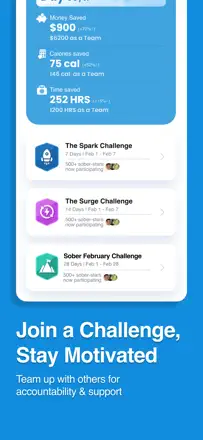
A sobriety tracker with daily support texts, a day counter, a money-saved counter, and an AA meeting finder. The daily message often arrives at exactly the right moment: several users describe it as magic. The app is not a general-purpose habit tracker but a specialized tool for people in recovery.
Praised: Daily support texts tailored to your state. A sobriety day counter as an anchor metric. Money saved as a concrete motivator.
Complaints: The counter sometimes resets after an update. Content is oriented toward the 12-step program and does not suit people working with other recovery approaches.
Best for: People in active recovery from addiction who need a daily support ritual and a day counter.
Rank 30. Review score: 68 out of 100. App Store rating: 4.7★ · 3,547 ratings
68of 100
Visually the most beautiful tracker in the sample: each habit is its own card with a photo, and notifications display that photo. One tap to log, speed is good. Weak point: no way to mark a skipped or intentionally skipped day, only a done checkmark. Stats lose meaning with irregular use.
Praised: Personalized photos for each habit in notifications create a visual connection to the goal. The clean interface does not overwhelm or cause anxiety.
Complaints: No way to mark a missed or intentionally skipped day, only 'done'. The widget occasionally breaks after updates. The Watch app is slow.
Best for: People who want a beautiful, fast tracker with photo motivation and do not need detailed skip statistics.
Rank 31. Review score: 67 out of 100. App Store rating: 4.7★ · 3,254 ratings
67of 100
One of the most beautiful available trackers: illustrated icons, a soft color scheme, and the ability to add a mini-note to each log entry. Time-of-day grouping (morning, afternoon, evening) helps embed habits into a real routine. No cross-device sync between iPhone and iPad. Part of the interface remains in Chinese even after switching the language.
Praised: A mini-note with each log entry lets you capture context, such as 'done but tired', and then spot patterns in the journal. An icon library with over 300 options gives a sense of personalization.
Complaints: No cross-device sync: data lives on one phone only. Cannot edit the parameters of an already-created habit without deleting it. Part of the menu remains in Chinese regardless of language settings.
Best for: People who care about tracker visual design and want to add short notes to each habit without switching to a separate journal.
Rank 32. Review score: 66 out of 100. App Store rating: 4.8★ · 27,340 ratings
66of 100
The best design in the niche, and the Apple Design Award is well deserved. The 12-habit limit is a deliberate choice in favor of focus. You cannot correct an accidentally logged or missed entry, and Apple Watch sync is unreliable.
Praised: A 12-habit limit forces you to choose what matters most. Apple Health integration for automatic step, water, and sleep logging. Stunning completion animations. One-time purchase with no monthly renewal.
Complaints: Cannot correct an accidentally logged or missed entry retroactively. Apple Watch sync is unreliable: completions on the watch do not always reach the phone. The widget does not refresh without opening the app.
Best for: Apple ecosystem users who value minimalism and design and are willing to pay once and stay within 12 priority habits.
Rank 33. Review score: 65 out of 100. App Store rating: 4.8★ · 126,837 ratings
65of 100
The industry standard for task management with a mature ecosystem: recurring tasks, sync everywhere, and voice input. As a habit tracker it works in a secondary role. Its real strength is tasks and projects. Google Calendar integration lost two-way sync after an update, which is critical for some users.
Praised: Voice task input (Ramble): a thought becomes a task in seconds. Recurring tasks with flexible rules that have worked reliably for years. A single space for work and personal life. Karma and productivity reports give a real picture.
Complaints: Two-way Google Calendar sync broke after an update. Location-based reminders fire on the wrong days. The mobile interface is less convenient than the desktop version. Habits are a weak spot: no dedicated tracking view.
Best for: GTD methodology users who need one tool for tasks, projects, and basic habit tracking.
Rank 34. Review score: 65 out of 100. App Store rating: 4.7★ · 6,632 ratings
65of 100
A self-care tracker that combines habits, a mood journal, and gratitude exercises into one ritual. After midnight the day cannot be closed, and habits are hard to configure for multiple completions per day.
Praised: Journal, mood tracker, and habits in one daily ritual without switching between apps. A lock screen widget that reminds you of tasks unobtrusively.
Complaints: After midnight the day can no longer be closed: a missed evening is gone forever. A 'twice a day' habit must be created as two separate entries. Some users have had data disappear without recovery.
Best for: People who want a daily mental-health ritual rather than just checkboxes: journal plus mood plus habits in one place.
Rank 35. Review score: 65 out of 100. App Store rating: 4.6★ · 512 ratings
65of 100
Habit progress moves forward when completed and slides back when skipped, without a hard reset. Escalating reminders until the habit is done are unique in this niche. The widget has stopped working in recent iOS versions.
Praised: A progress bar instead of a streak: a mistake does not mean starting from zero. Escalating reminders until the habit is completed. A deliberate habit count limit to encourage focus.
Complaints: The widget does not work on current iOS versions due to a lack of updates. No data backup. No flexible scheduling for shift workers.
Best for: People demotivated by hard streaks who need escalating reminders to make sure they complete a habit before the day ends.
Rank 36. Review score: 63 out of 100. App Store rating: 4.6★ · 6,978 ratings
63of 100
A cross-platform tracker (iOS, Mac, Watch) with clean design, time-of-day logging, and Apple Health integration. Long-term users appreciate the 'today only' logic on the main screen. Main issues: the widget breaks regularly after updates and cross-device sync sometimes stops working.
Praised: Log a habit directly from Apple Watch without opening the phone. Displays only the current time of day, keeping the list uncluttered. Cross-platform Mac and iPhone support.
Complaints: The widget periodically stops updating after app updates. macOS sync lags. The mood tracker does not save entries older than a few days.
Best for: Apple ecosystem users who want to log habits from their Watch and see them on Mac and who value minimalist design.
Rank 37. Review score: 63 out of 100. App Store rating: 4.5★ · 1,180 ratings
63of 100
A unique routine-timer builder that calculates what time you need to get up to fit everything in before a target time. People with ADHD call it indispensable. No analytics or completion history, and the setup interface takes time to learn.
Praised: Automatic countdown from the moment you need to leave the house back to the required wake-up time. Real-time notifications when transitioning to the next task. Genuinely helps people with ADHD and narcolepsy keep a routine.
Complaints: No real analytics or routine completion history. The setup interface is non-obvious with a steep learning curve. Limited to morning and evening routines with no arbitrary blocks during the day.
Best for: People with time-management challenges, ADHD, or those who are chronically late in the mornings.
Rank 38. Review score: 62 out of 100. App Store rating: 4.8★ · 161,296 ratings
62of 100
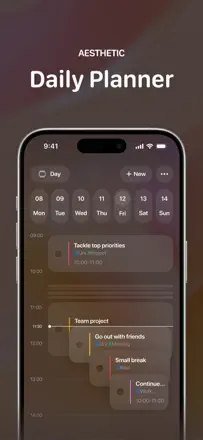
The best visual day timeline in the niche for people with ADHD: you can see how long each task takes and what will realistically fit in the day. Three notification points per task work. Recurring tasks are only available with a paid upgrade.
Praised: A timeline with color-coded blocks shows what and when at a glance. Three notifications per task: in advance, at the moment, and when time is up. Apple Calendar sync without extra steps.
Complaints: Recurring tasks, which are essential for habit tracking, require paid access. New updates open an AI screen on every launch. No flexible scheduling for specific days of the week.
Best for: People with ADHD who need to see the day as a time map rather than a list and are willing to pay once.
Rank 39. Review score: 62 out of 100. App Store rating: 4.7★ · 8,360 ratings
62of 100
A gamified tracker with a rabbit whose room you furnish by completing habits. The motivation loop works: users admit doing tasks just for the rabbit. Upgrade-offer banners interrupt logging every few taps.
Praised: The rabbit as a self-care metaphor is an unusual but effective motivator according to reviews. Habit logging is simple and instant. Multi-device sync.
Complaints: Upgrade banners interrupt logging every 3-5 taps. Notifications cannot be turned off without going into each individual habit's settings. The free plan task limit is small.
Best for: Young users and anyone who needs a character-care game loop as a lever for completing habits.
Rank 40. Review score: 62 out of 100. App Store rating: 4.6★ · 5,817 ratings
62of 100
A clean, uncluttered tracker with Apple Watch and Apple Health integration. Strength: a variety of tracking types including time, count, yes/no, and numbers. Reminders work but keep arriving after the habit is already done, which is annoying. The 'skip day' feature counts the skip against the daily quota, breaking weekly stats.
Praised: Users praise the Apple Watch complication: quick logging from the wrist without opening the phone, especially useful for medication and water.
Complaints: Reminders keep arriving even after the habit is completed. The 'skip' feature breaks the daily counter. No way to enter data retroactively if you did not open the app on time.
Best for: People who wear an Apple Watch and want to log habits from their wrist rather than reaching for their phone every time.
Rank 41. Review score: 60 out of 100. App Store rating: 4.7★ · 8,115 ratings
60of 100
A flexible and concise tracker with numeric goals, customizable success metrics, and detailed streak statistics. Long-term users value stability. Development has nearly stopped and bugs sit unresolved for months.
Praised: Numeric goals rather than just checkboxes: how much water you drank, how many minutes you meditated. Detailed streak stats and completion percentages. Quick logging from a widget.
Complaints: The developer barely updates the app and bugs go untouched for months. A shift from a one-time purchase to recurring access happened without warning for loyal users. No built-in reminders beyond standard iOS notifications.
Best for: Analytical users who care about data: percentages, charts, and numeric measurements, without game elements.
Rank 42. Review score: 60 out of 100. App Store rating: 4.9★ · 5,017 ratings
60of 100
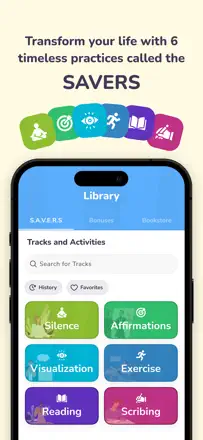
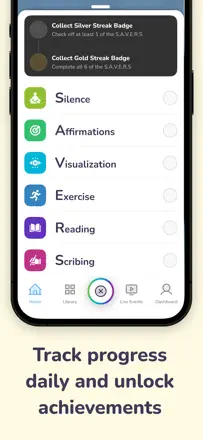
The official tracker for the SAVERS system (Silence, Affirmations, Visualization, Exercise, Reading, Scribing). Quick logging of each of the six elements, timers for each block, streak tracking. Key limitation: no way to retroactively log a missed day. The system immediately records a streak break with no way to say 'I did it but did not open the app'.
Praised: A single place for the whole system: timers, affirmations, journal, and tracking. Users appreciate not needing to switch between apps.
Complaints: No way to retroactively mark a completed SAVERS session: missing one day resets the streak. Rigid structure with no option to adapt the set to your own version of a morning routine. The content is effectively a checklist and links to the website.
Best for: Readers of 'The Miracle Morning' who want a digital SAVERS checklist with timers.
Rank 43. Review score: 60 out of 100. App Store rating: 4.8★ · 2,473 ratings
60of 100
A dedicated tracker for 75 Hard and similar strict protocols. The visual day-completion mechanic works well. The central conflict: the hard rule 'did not log before midnight means the day is gone' feels like punishment rather than motivation.
Praised: The day turns green when all tasks are done, simple and clear progress. Progress photos right inside the app. Support responds quickly.
Complaints: Cannot fix a forgotten log retroactively, even if the task was physically completed. Three lives and a full reset on losing them feels shaming rather than supportive. No flexible scheduling to fit a personal protocol.
Best for: People consciously doing 75 Hard or a similar strict challenge who want disciplined logging. Not for everyday tracking of varied habits.
Rank 44. Review score: 60 out of 100. App Store rating: 4.7★ · 953 ratings
60of 100
A tracker with cute visuals: a growing plant and an avocado character. The design emphasis attracts people put off by 'boring' productivity. No streaks, which is a deliberate choice that part of the audience appreciates. Functional issue: you cannot set a habit as '3 times a week' without specific days, which is inconvenient for a fluid schedule.
Praised: No streaks, so no guilt for skipping. Instant logging. A plant as gentle motivation without pressure. Notifications exist and work.
Complaints: Cannot set 'X times a week' without binding to specific days. No way to log past days according to some reviews. The plant barely changes visually over time.
Best for: People put off by strict streaks who want an easy, visually pleasant start with a small set of daily habits.
Rank 45. Review score: 58 out of 100. App Store rating: 4.9★ · 108,435 ratings
58of 100
The reference-standard strength training log: fast set and weight entry, rest timer, program templates. Before version 6.0 it deserved top marks. The 6.x update added cloud sync but broke Apple Watch, redesigned the interface, and removed exercise notes, the main complaint from thousands of dedicated users.
Praised: Instant workout start with no extra screens, just load a template and go. Per-exercise weight progression history on one screen. An exercise library with proper technique cues. A rest timer that auto-starts after logging a set.
Complaints: Version 6.x broke Apple Watch integration: sync lags or does not work. Exercise notes were removed from the main screen and now require digging through menus. Limited exercise database for niche movements. No Live Activity support in Dynamic Island.
Best for: Strength sport athletes who need a minimalist workout log without extras. Better to use Hevy until Strong fixes 6.x.
Rank 46. Review score: 58 out of 100. App Store rating: 4.8★ · 1,371 ratings
58of 100
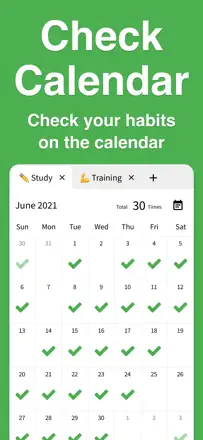
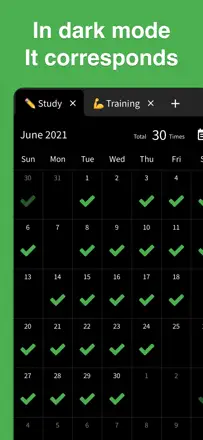
The gold standard for one-tap simplicity: see the whole month, check a box, move on. No courses, streaks, or gamification. Works like a digital paper calendar. The main failure: no reminders. The app is passive and requires the user to remember to open it.
Praised: Instant one-tap checkmark logging. A great full-month view. OLED dark theme. Haptic click when logging. Simplicity with nothing extra.
Complaints: No reminders: several users explicitly ask for them. No export or backup without cloud. A hidden trial period with no warning angers new users.
Best for: People who want a minimal visual completion map without reminders or analytics.
Rank 47. Review score: 56 out of 100. App Store rating: 4.8★ · 3,431 ratings
56of 100
A unique routine timer that guides you through steps automatically, helping people with ADHD avoid getting stuck on one task. The timer stops when the app goes to the background or the screen locks.
Praised: A timer that moves through morning routine steps automatically, preventing you from getting stuck on one action. ADHD users call this the key differentiator from other planners.
Complaints: The timer pauses when the app goes to the background or the phone locks. The in-app date is wrong for some time zones. Slow to open on older devices.
Best for: People who need not just a list but a step-by-step routine timer that switches tasks on its own.
Rank 48. Review score: 55 out of 100. App Store rating: 4.8★ · 142,891 ratings
55of 100
A clean, customizable tracker with good stats and an attractive interface. It worked reliably for years and earned its reputation honestly. Recent updates broke the core gesture: the swipe to log became slow (7-10 seconds per habit) and unreliable. Cross-device sync is unstable.
Praised: Percentage progress for the day, week, month, and year on one screen. Habit sharing with a partner for mutual accountability. Customizable colors and categories. A home screen widget showing current progress.
Complaints: Swipe logging hangs for 7-10 seconds, unbearable during a morning streak. Cross-device sync between multiple devices often fails. Cannot correct a log entry after an accidental tap. The Apple Watch widget does not update without opening the app.
Best for: Single-phone users who need a clean tracker with good analytics and no complex setup.
Rank 49. Review score: 55 out of 100. App Store rating: 4.8★ · 9,280 ratings
55of 100
A day planner with habits tied to specific times of day, a mood tracker, and marathon challenges. Onboarding occasionally freezes on a question with no answer button, and tasks do not sort by time automatically.
Praised: Habits tied to specific times of day help embed them into a real schedule. Marathon challenges provide extra external motivation.
Complaints: Onboarding occasionally freezes on a question with no visible answer options. The upgrade banner vibrates and distracts during normal use. Tasks do not sort automatically by time. You have to do it manually.
Best for: Teenagers and young adults who need a simple day scheduler with a mood tracker and do not require professional-grade reliability.
Rank 50. Review score: 55 out of 100. App Store rating: 4.9★ · 3,038 ratings
55of 100
An ultra-simple tracker with no sign-up required. Habits can be assigned to specific days of the week and the interface is clean. A persistent bug: dates get confused when the month rolls over, causing streaks to be counted incorrectly.
Praised: No sign-up or banners: a clean, color-coded interface right after installing. Habits can be assigned to specific days of the week.
Complaints: No widget: you have to open the app for every log entry. Cannot rename a habit after creating it. A date bug scrambles tracking when the month changes.
Best for: People who want to try a habit tracker without signing up or spending money. Not for those who need a lock screen widget.
Rank 51. Review score: 52 out of 100. App Store rating: 4.9★ · 16,510 ratings
52of 100
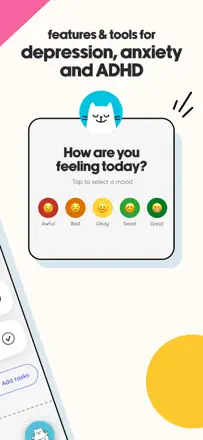
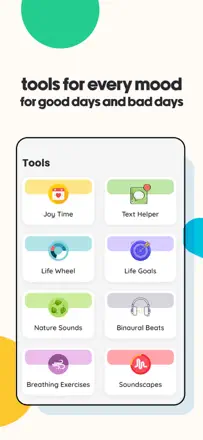
A tracker with an AI cat coach that genuinely helps people with ADHD and depression formulate a response to stress. A multi-day cat onboarding blocks access to features until it is complete.
Praised: The AI chat does not push advice but helps you formulate a response in a hard moment. A mood journal and 'joy time' in one stream. Animations and celebratory feedback when tasks are completed.
Complaints: The onboarding cat blocks access to features for several days: you cannot jump straight to the tracker. Reminders are not described as a reliable mechanism. Simple habit logging is not the focus of the app.
Best for: People in emotional crisis or with ADHD who need a non-coercive digital companion rather than a strict habit tracker.
Rank 52. Review score: 52 out of 100. App Store rating: 4.7★ · 2,065 ratings
52of 100
A planner-life-coach hybrid with morning and evening rituals, calendar sync, and goals. Users who invest in learning the system stay for years. The interface is cluttered and occasionally loses data, which is a critical flaw.
Praised: Morning and evening rituals with reflection questions help reframe the day. iOS calendar sync. Sub-tasks inside goals.
Complaints: Periodically loses tasks and data without explanation. Too many steps for a simple log entry. iOS Reminders sync was removed without notice in one update. Slow interface.
Best for: People who want a structured daily ritual with coaching questions rather than just a task list. Not for quick daily tracking.
Rank 53. Review score: 52 out of 100. App Store rating: 4.7★ · 1,754 ratings
52of 100
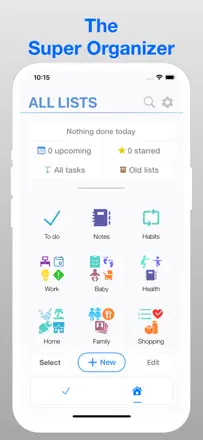
A list-lover's organizer rather than a full habit tracker. The core feature is multi-level lists with icons. Habits exist but are mentioned in passing: no flexible scheduling, no recurring reminders. Data can disappear when switching phones. Suitable for people who want everything in one place but should not expect depth in habit tracking.
Praised: A single entry point for all lists: groceries, ideas, tasks, habits. Icons and categories help avoid confusion. The developer has historically responded to bugs.
Complaints: No recurring reminders for habits, the top user request. Flexible scheduling (not every day) is absent. Data loss on a phone reset has been documented by several users.
Best for: People who maintain many different lists and want to add habits as a side feature, with no serious expectations for the tracking side.
Rank 54. Review score: 51 out of 100. App Store rating: 4.2★ · 2,707 ratings
51of 100
A full RPG where real tasks become quests. Works well for people who learn the mechanics and find an active group. After guilds were removed it lost its main social incentive, and the mobile app is less stable than the web version.
Praised: Shared quests with a partner or friends create real mutual accountability. Character and gear as long-term motivation. Most features are available in the free plan without extra cost.
Complaints: The interface is unintuitive without deep investment. Removing guilds broke the social fabric for many long-term users. The mobile app is unstable: checkboxes sometimes land on the wrong task.
Best for: Gamers who want to bring a partner or friend into a productivity system together. Not for those looking for a minimalist daily tracker.
Rank 55. Review score: 50 out of 100. App Store rating: 4.4★ · 6,879 ratings
50of 100
A flexible Kanban board for teamwork and non-standard scenarios: travel planning, homeschooling, writing projects. As a personal habit tracker it is non-obvious: no habit reminders, no streaks, no quick checkbox. The mobile app is slow and sometimes freezes.
Praised: Flexibility to adapt to any scenario. Nested checklists and cards within cards. Works great in the browser.
Complaints: No built-in habit reminders or streaks. The mobile app is slower than the browser version. Search does not cover all boards and cards simultaneously.
Best for: Teams or individuals with non-standard organizational needs, not people looking for a classic habit tracker.
Rank 56. Review score: 48 out of 100. App Store rating: 4.7★ · 1,895 ratings
48of 100
A coaching planner for working toward long-term goals through daily tasks and reflection. Users who invest time in setup and the system get real value. Risks: outdated interface, accidental data deletion, and task loss.
Praised: Links daily tasks to long-term goals so you can see why something matters today. An evening reflection ritual. Customizable goals with photos and measurement units.
Complaints: The interface is outdated and slow. Tasks periodically disappear without explanation. Outlook calendar sync deleted events for one user. Support is slow.
Best for: People who want to connect their daily routine to larger life goals through coaching questions. Not for those looking for a simple quick checkbox.
Rank 57. Review score: 48 out of 100. App Store rating: 4.4★ · 760 ratings
48of 100
A niche visual scheduler with pictures and a timer built for children with special needs. Adults with ADHD also find it useful. No cross-device sync and no completion history.
Praised: Pictures and colors are understandable even for children who cannot yet read. A timer for each step. Confetti on completion as positive reinforcement. Recommended by special-education teachers.
Complaints: No cross-device sync: a parent cannot set up the schedule on their phone and pass it to the child. No completion history or analytics. A black screen on adding a photo affects some users.
Best for: Parents of children with autism or special needs, ABA educators, and adults with ADHD who need pictures instead of text.
Rank 58. Review score: 47 out of 100. App Store rating: 4.7★ · 2,401 ratings
47of 100
A routine as a step-by-step protocol with a timer: you cannot proceed to the next step without marking the previous one complete. That is exactly what some users with ADHD need. Transition notifications to the next step are only available with a paid upgrade.
Praised: A step-by-step protocol with a timer prevents skipping a step or jumping ahead. Genuinely helps prevent getting stuck on one thing for hours. Users with ADHD and autism report a noticeable improvement in daily structure.
Complaints: Notifications to transition to the next step require the paid version. No flexible scheduling for irregular routines.
Best for: People with ADHD who need step-by-step routine structure rather than just a task list. Not suitable for those who want to track varied habits on a schedule.
Rank 59. Review score: 46 out of 100. App Store rating: 4.7★ · 11,636 ratings
46of 100
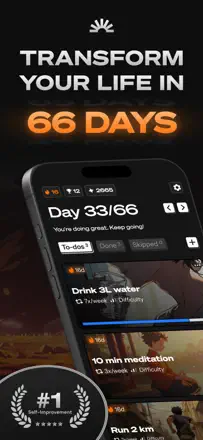
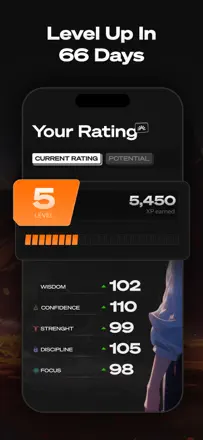
A gamified 66-day program with anime aesthetics. It sets progressive load (running, push-ups) and awards points. The problem: no customization. You cannot change the cardio type or add your own tasks. Progress occasionally resets due to bugs. This is not a tracker in the strict sense but a rigid program.
Praised: A 66-day structure with progressively increasing load helps people who do not know where to start. A points system across multiple life areas.
Complaints: Cannot change exercise types or add your own habits. Progress sometimes resets due to bugs. No flexible reminder scheduling.
Best for: People who want a ready-made strict 66-day program and do not need tracking flexibility.
Rank 60. Review score: 45 out of 100. App Store rating: 4.8★ · 10,481 ratings
45of 100
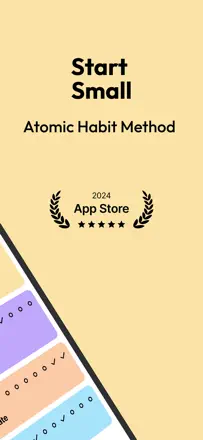
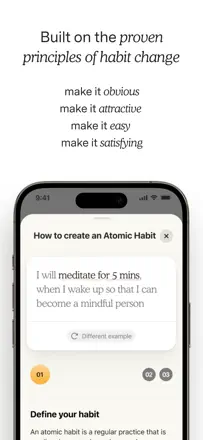
A minimalist tracker from the author of Atomic Habits with a pleasant tap animation and built-in lessons from the book. The widget updates unreliably and a hard habit limit even in the paid version restricts use.
Praised: The tap animation with haptic feedback on habit completion creates a physically satisfying response. Built-in lessons from the book appear right in the flow of the day.
Complaints: The widget regularly fails to update and shows stale data. A hard habit limit even in the paid version. No way to retroactively log a missed day in some versions.
Best for: Fans of Atomic Habits willing to pay a premium for a small number of habits in a minimalist design.
Rank 61. Review score: 44 out of 100. App Store rating: 4.8★ · 48,601 ratings
44of 100
A tree that wilts when you leave the screen is a simple and honest self-discipline mechanic that has worked for years. A pause button undermines the point of the mechanic, and iOS end-of-session notifications are unreliable.
Praised: The tree dying when you leave the screen creates a simple and honest incentive to stay on task. Over a million real trees have been planted. Focus-time stats by day and week. Shared sessions with friends.
Complaints: The pause button allows you to formally 'focus' while scrolling social media at the same time. End-of-session notifications do not always arrive on iOS. No flexible session scheduling.
Best for: People who have not yet paid for Forest and understand the environmental mission, provided they accept the new subscription model.
Rank 62. Review score: 44 out of 100. App Store rating: 4.8★ · 15,489 ratings
44of 100
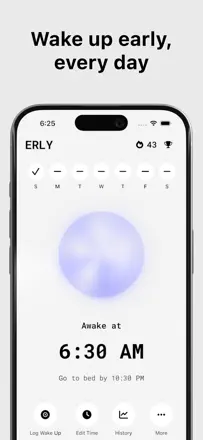
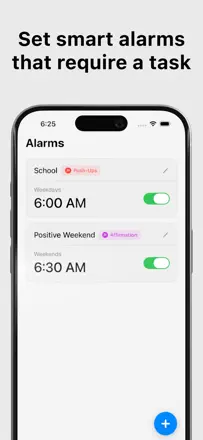
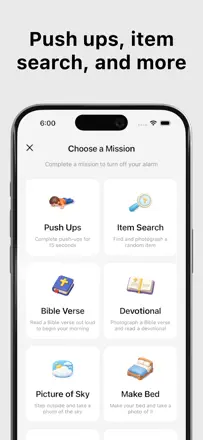
An alarm that will not turn off until you photograph a specified object or complete a task. The wake-up mechanic genuinely works: people who set it up say they get out of bed. No flexible day-of-week scheduling.
Praised: Photo-object mode guarantees a physical wake-up. Choice between a photo task, physical exercises, or other activities. Instant feedback through the task.
Complaints: No flexible day-of-week scheduling: setting different alarms for different days takes extra steps. The alarm can sometimes be waited out until it silences itself. The short trial period is not enough to form a waking habit.
Best for: Chronic oversleepers willing to pay for the one hard wake-up mechanic that actually works.
Rank 63. Review score: 44 out of 100. App Store rating: 4.7★ · 3,223 ratings
44of 100
A deep goal-setting tool based on Brian Tracy's methodology, more 'masterclass in an app' than a typical habit tracker. Users who invest in learning it stay for years. Those who expected a simple checkbox are disappointed by the complexity and locked features.
Praised: Structured questions make you think about why you want a goal, not just record tasks. Experienced users say this is the first tool where they actually articulated their goals.
Complaints: The interface is cluttered: working with multiple goals at once is uncomfortable. Daily logging requires several steps. Reminders and flexible scheduling are not mentioned as strengths.
Best for: People ready to seriously work on long-term goals using a structured system. Not for those who need a quick daily checkbox.
Rank 64. Review score: 44 out of 100. App Store rating: 4.8★ · 1,531 ratings
44of 100
A companion app for Habit Nest paper journals with fitness programs and meditations. Works fully only within the brand's ecosystem. After updates, the workout module blocks progress if an entry is deleted.
Praised: Rich content: structured programs, meditations, and morning rituals. A responsive support team. People with bipolar disorder and ADHD note the benefit of structured programs.
Complaints: The workout module blocks progress if an entry was deleted: you cannot continue. No flexible scheduling, only a hard tie to program days. Fully functional only alongside the brand's physical journals.
Best for: People who have already bought a Habit Nest paper journal and want a digital companion.
Rank 65. Review score: 43 out of 100. App Store rating: 4.6★ · 1,768 ratings
43of 100
A comprehensive self-improvement tool with goals across eight life categories, a mood tracker, and courses. One of the most beautiful interfaces in the niche. No trial period, and the app crashes when opening the steps of a specific goal.
Praised: Eight life categories as a framework for a holistic view of life. A journal and mood tracker in one app. Beautiful and intuitive interface.
Complaints: No trial period: you must pay before evaluating the product. The app crashes when opening the steps of a specific goal. No way to set a flexible reminder schedule.
Best for: People looking for a comprehensive self-improvement tool who are willing to pay for a subscription without trying it first. Hard to recommend given the current technical issues.
Rank 66. Review score: 42 out of 100. App Store rating: 4.6★ · 91,115 ratings
42of 100
A technically solid tracker with the best habit analytics in the niche: completion percentages, progress bars, timers, and flexible scheduling. The swipe to log occasionally registers the neighboring habit instead, and the widget has stopped updating for some users.
Praised: Flexible scheduling: a habit can be set three times a week on any specific days. A built-in timer for habits with measurable duration. Stats for any period with charts.
Complaints: The swipe to log sometimes registers the neighboring habit. The widget has stopped updating for many users and is stuck on old data. Cannot mark a missed day retroactively as a deliberate skip.
Best for: Data-oriented users who want detailed habit stats and are willing to pay for a quality product, provided it is not broken.
Rank 67. Review score: 41 out of 100. App Store rating: 4.4★ · 1,795 ratings
41of 100
A Pomodoro timer with Apple Watch support and a clean minimalist design. When it works, users are happy. The timer sometimes finishes silently, which is critical for the Pomodoro mechanic itself.
Praised: Apple Watch support lets you work without looking at the phone. Clean minimalist design. Clear separation of work sessions and breaks.
Complaints: The timer does not always sound when a session ends, which breaks the Pomodoro mechanic. Apple Watch sync is unreliable. No per-task time reports as a chart.
Best for: People who work with the Pomodoro method and want Apple Watch sync. Not a habit tracker, just a productivity timer.
Rank 68. Review score: 41 out of 100. App Store rating: 4.6★ · 689 ratings
41of 100
A mood and habit tracker with flexible entry types: slider, checkbox, and number all in one app. For some users the app stops opening after updates and data is lost in the process.
Praised: Flexible entry types let you track mood, habits, and physical metrics in one place. The developer responds in comments. Clean interface.
Complaints: The app stops opening after updates for some users. No data export. No cross-device sync. Apple Health connection is only available with paid access.
Best for: People keeping a mental health journal who want to see correlations between mood and habits.
Rank 69. Review score: 38 out of 100. App Store rating: 4.8★ · 242,470 ratings
38of 100
The app checks in with you during the day like a supportive friend and helps people with anxiety build a morning routine, but the task count is strictly limited and you hit a wall just as you start to grow.
Praised: The tone is gentle and supportive: the app proactively asks how you are doing. Colorful icons and a flexible daily task list are easy to personalize. Genuinely helps people with anxiety and depression establish a morning ritual.
Complaints: The task limit is small and feels like a ceiling the moment you want to add one more habit. Reminders are rarely mentioned and their reliability is not confirmed. No way to retroactively log a missed day.
Best for: Beginners who value visual support and an encouraging tone and are willing to pay from the very first month.
Rank 70. Review score: 38 out of 100. App Store rating: 4.3★ · 3,768 ratings
38of 100
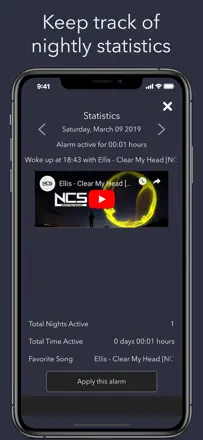
An original idea: an alarm with a music video. When it works, wake-up quality improves. Fundamental problem: the app must stay open all night and will not ring if the screen is locked.
Praised: Waking up to a favorite song or video reduces morning alarm anxiety. Simple setup: pick a video, set the time.
Complaints: The alarm does not fire with the phone locked: the screen must stay on all night. The app closes on its own overnight and then does not ring. External links open in the background at night.
Best for: People who want to wake up to music, are willing to leave the phone on and charging, and do not critically depend on alarm reliability.
Rank 71. Review score: 38 out of 100. App Store rating: 4.5★ · 3,149 ratings
38of 100
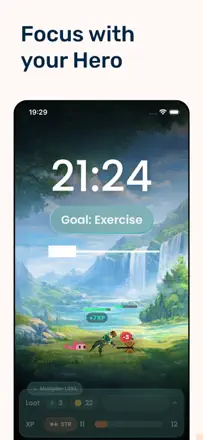
A gamified focus timer with a pixel character you level up. The concept is lively, but the focus cycle does not prevent cheating and the adventure mode has no connection to real habit tracking.
Praised: A pixel hero you feel responsible for genuinely motivates part of the audience not to break focus. A timer with a stopwatch mode. The developer responds to feedback.
Complaints: The trial period ends without notice and users are unexpectedly moved to a full annual plan. Habit reminders are weak. No flexible habit scheduling.
Best for: Teenagers and gamers who need external motivation through game progression. Does not suit adults with strict tracking requirements.
Rank 72. Review score: 36 out of 100. App Store rating: 4.7★ · 2,162 ratings
36of 100
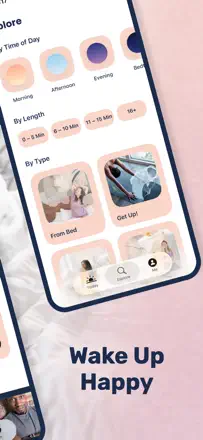
A beautiful idea: wake up to an instructor's voice with morning yoga instead of a buzzing alarm. In practice, the alarm fires at best half the time and you need to keep the app open with the screen on all night. Unreliability kills the concept.
Praised: When it works, it genuinely helps you wake up gently. Short yoga sequences right in bed. Different instructors and formats to match your mood.
Complaints: The alarm is unreliable: it does not fire roughly half the time. Requires keeping the app active with the screen on all night. The app freezes when running in the background.
Best for: People who want a gentle yoga wake-up but only if they are willing to check the app every night before sleep. Unreliable as a primary alarm.
Rank 73. Review score: 35 out of 100. App Store rating: 4.7★ · 120,057 ratings
35of 100
The app can combine task checklists with a calendar view and supports multiple accounts, but several documented cases of complete data loss after updates undermine trust. Habit tracking is secondary.
Praised: Task checklists directly in a calendar view eliminate switching between apps. Color-coded events by category. Multiple reminders per event.
Complaints: Several users lost all data after updates with no warning. Shared calendar sync occasionally lags or drops events. Habit tracking is minimal with no dedicated view.
Best for: Only people already using the Readdle ecosystem who understand the risks, or those who need a full calendar with a minimal task checklist.
Rank 74. Review score: 34 out of 100. App Store rating: 4.4★ · 4,059 ratings
34of 100
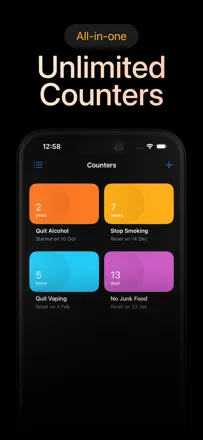
The idea of universal counters is strong: you can count anything from medication doses to migraines. Several consecutive updates broke Watch sync and retroactive entry without a fix.
Praised: Before the recent updates: one tap on the Watch, instant sync, a widget with a button right on screen. Full flexibility in counter types.
Complaints: Apple Watch no longer syncs with iPhone after recent updates. Cannot enter data retroactively in the new version. Manual counter sorting was removed with no replacement.
Best for: People who want to count arbitrary events rather than just check boxes, provided they are willing to risk instability after updates.
Rank 75. Review score: 32 out of 100. App Store rating: 4.6★ · 17,669 ratings
32of 100
A visual planner for neurodivergent users with a unique free-time indicator between tasks. In practice it loads slowly, the AI schedule places tasks out of order, and on iPad it barely works.
Praised: A free-time indicator between tasks that no competitor has. A countdown to the next task. Apple Reminders integration.
Complaints: The app loads slowly on every launch, which is critical for quick logging. The AI assistant places tasks out of chronological order. iPad functionality is severely limited.
Best for: Wait until stability and speed are fixed. Potentially for neurodivergent users who need time visualization.
Rank 76. Review score: 32 out of 100. App Store rating: 4.8★ · 9,431 ratings
32of 100
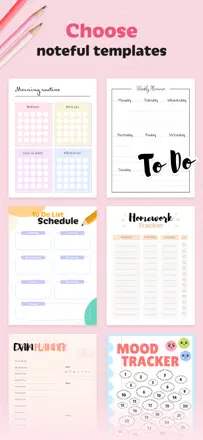
A wide selection of planner templates from daily schedules to habit trackers, but templates often fail to load, almost every tap is interrupted by a popup, and support does not respond to technical problems.
Praised: An enormous choice of templates for any life situation, from daily schedules to water trackers. Ability to set reminders directly from the app.
Complaints: Almost every tap is interrupted by an upgrade popup. Templates often fail to load, especially in the first few days of use. Support does not respond to technical issues.
Best for: People looking for a beautiful digital planner rather than a dedicated habit tracker, and who can tolerate instability.
Rank 77. Review score: 32 out of 100. App Store rating: 4.5★ · 5,050 ratings
32of 100
Positioned as a habit tracker, but most users treat it as an anonymous mood journal and support space. Data was lost during updates and development has effectively stopped.
Praised: An anonymous mood journal without pushy promotion works as a space for stress relief without judgment.
Complaints: The habit logging mechanic is barely mentioned in reviews: the product has stopped being a habit tracker. Several users' data was lost during updates. The app looks abandoned with no recent updates.
Best for: People who need an anonymous mood journal, not a habit-building tool.
Rank 78. Review score: 29 out of 100. App Store rating: 4.2★ · 882 ratings
29of 100
A tracker with an attractive look but a completely broken UX due to rating prompts: users report 6-25 popups in the first 10 minutes of use. The basic task list does function.
Praised: Clean app appearance in screenshots. Basic task list functions. No internal banners.
Complaints: Rating prompts appear after every tap and make normal use impossible. Reminders are unreliable. Habits cannot be logged without navigating to a separate detail timer.
Best for: Hard to recommend to anyone in its current state.
Rank 79. Review score: 28 out of 100. App Store rating: 4.9★ · 4,711 ratings
28of 100
Positioned as ADHD-friendly, but users with ADHD describe it as one of the least convenient options: notifications cannot be regulated, the interface is cluttered. It is effectively a task list with reminders.
Praised: Bright illustrated design stands out against minimalist competitors. Some basic features are available in the free plan.
Complaints: Notification frequency cannot be adjusted and alerts arrive too often. No clear way to log past days. No flexible scheduling: everything reduces to a linear list with no tie to a real routine.
Best for: People who need a pretty task-list planner, not a real habit tracker.
Rank 80. Review score: 28 out of 100. App Store rating: 4.6★ · 1,969 ratings
28of 100
An app for competing on activity rings with coworkers and friends without an Apple Watch. The concept works, but widget data and in-app data disagree and sync is unreliable. Useful for iPhone-only users, with caveats.
Praised: A leaderboard motivates more movement. Visual activity rings like Apple Watch, but for iPhone. The developer sometimes responds.
Complaints: Widget data disagrees with in-app data. The app freezes or fails to open after updates. Friend competition works unreliably. No strength workout support.
Best for: iPhone users without an Apple Watch who want to compete on activity with coworkers. With a caveat about instability.
Rank 81. Review score: 22 out of 100. App Store rating: 4.3★ · 3,942 ratings
22of 100
A structured routine checklist with multiple life dimensions. Navigation is cumbersome, there is no quick logging, and subscriptions are managed outside standard iOS settings, making them non-standard to handle.
Praised: The concept of building the day strategically across multiple life dimensions appeals to some users who managed to navigate the interface.
Complaints: Navigation is cumbersome and requires many steps for a simple log entry. No convenient quick logging: each check-in requires multiple actions. Subscription cancellation goes through a non-standard channel outside normal iOS settings.
Best for: Not recommended: the subscription scheme makes the product risky for most users.
Rank 82. Review score: 22 out of 100. App Store rating: 4.7★ · 3,112 ratings
22of 100
A cute panda pet with a reward system for completing tasks, but the app systematically loses data: goals disappear, progress resets, and the panda vanishes. Streaks of 100+ days have been lost to technical problems.
Praised: A cozy design and a pet's room as a small reward for completing tasks. Simple sub-goal adding.
Complaints: Goals and progress disappear without warning and cannot be recovered. Cannot view all tasks as a list or in a monthly view. Task logging is slow and occasionally throws a save error.
Best for: People who want a themed pet app and can tolerate instability. Hard to recommend until the key bugs are fixed.
Rank 83. Review score: 20 out of 100. App Store rating: 4.8★ · 9,328 ratings
20of 100
An AI lifestyle coach with a workout tracker and posture analysis. The product is fully locked behind a paywall from the first screen with no demo. The AI gives equally low confidence scores regardless of actual progress.
Praised: The idea of a structured daily exercise list appeals to those who managed to reach it.
Complaints: No way to try the app without activating paid access, not even a single screen. The AI gives incorrect feedback and does not account for real results. No flexible choice of workout format for different situations.
Best for: A narrow audience of young people willing to pay for an AI appearance and workout coach, if the app stops hallucinating.
Rank 84. Review score: 18 out of 100. App Store rating: 4.3★ · 14,204 ratings
18of 100
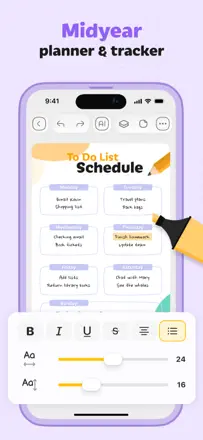
A beautiful planner with templates and freehand drawing on journal pages. An upgrade popup appears on every tap, making the app unusable for habit tracking.
Praised: A variety of visual templates and aesthetic styles for different planner approaches. Ability to draw freehand directly on journal pages.
Complaints: A popup interrupts every tap and makes normal habit logging impossible. Reminders are not available in the free plan. No flexible scheduling for habits: only manual entry in templates.
Best for: No one looking for a real habit tracker. Possibly for people willing to pay for an aesthetic digital planner.
Rank 85. Review score: 18 out of 100. App Store rating: 4.3★ · 3,958 ratings
18of 100
Five-star reviews in the sample are templated, praising features that real reviews either do not mention or describe as broken. Real users report being unable to cancel the trial, hidden charges, and complete silence from support. The product mechanic for habit logging is barely described in reviews, which end on the topic of deception.
Praised: A few real users describe the app's appearance as pleasant and organized.
Complaints: Slow and confusing habit logging according to real users. No flexible scheduling. Reminders described as weak.
Best for: Not recommended until trust in the monetization is restored.
Rank 86. Review score: 14 out of 100. App Store rating: 4.0★ · 16,790 ratings
14of 100
A minimalist interface attracted users in its better days, but now logging a habit freezes for several seconds, support does not respond, and advertised paid features do not unlock after purchase.
Praised: A minimalist interface with no extra elements and haptic feedback on task completion were appreciated by users in the app's prime.
Complaints: Logging a habit freezes for several seconds before registering. Advertised paid features often do not appear after purchasing. Support does not respond to inquiries for months.
Best for: No one: the app is not recommended in its current state.
Rank 87. Review score: 14 out of 100. App Store rating: 4.8★ · 5,403 ratings
14of 100
An attractive visual appeals to users, but reminders do not carry over to the next day automatically, scheduling cannot be set by day of week, and measurement units are fixed.
Praised: The visual design will appeal to users for whom the aesthetics of a tool matter in daily use.
Complaints: Reminders must be reset every morning: there is no automatic rollover to the next day. No flexible scheduling for different days of the week. The water tracker is fixed to liters with no option to switch units.
Best for: Practically no one in its current state: the basic tracking loop does not work without daily manual setup.
Rank 88. Review score: 14 out of 100. App Store rating: 4.6★ · 2,049 ratings
14of 100
An extended task list with self-care presets and a pleasant visual design. Most users find that the product does not match what was promised: no analytics and unreliable reminders.
Praised: Categorized self-care, study, and fitness task presets simplify getting started. The visual design is pleasant and clear.
Complaints: Cannot create custom habits without paid access. A paywall appears after the third task. Reminders are unreliable. No stats or completion history.
Rank 89. Review score: 11 out of 100. App Store rating: 4.4★ · 88,150 ratings
11of 100
A beautifully designed product with step-by-step journey rituals, but the interface is cluttered and contradicts the needs of the ADHD audience it targets. You cannot retroactively log a completed task.
Praised: A structure of rituals as step-by-step journeys appeals to people who need a guided format. Beautiful animations and a meticulously detailed design.
Complaints: Onboarding is deliberately confusing and users easily agree to a paid tier without realizing it. The interface is overloaded with tabs and upsell offers at every step. Cannot go back and retroactively mark something as done.
Best for: No one, until the company fixes documented billing issues and simplifies onboarding.
Rank 90. Review score: 8 out of 100. App Store rating: 4.4★ · 6,622 ratings
8of 100
The app is locked behind a payment screen before the user sees a single content screen. Those who got through describe rigid preset habit bundles with no editing, a complex and illogical interface, and no real signal about how logging or reminders work. Reviews end on the topic of deception.
Praised: A handful of users find the idea of ready-made 30-day challenges appealing and note that some of the habits themselves are useful.
Complaints: Cannot log a habit without paying. No flexible scheduling, only rigid preset bundles. The reminders feature does not work for many users. Cannot edit or delete created habits.
Best for: Practically no one: the product does not reveal its mechanics before payment.
Rank 91. Review score: 8 out of 100. App Store rating: 3.7★ · 2,412 ratings
8of 100
An original habit-strength scoring algorithm that decreases gradually on a miss rather than resetting to zero, plus a minimalist interface, attracted users. The developer revoked previously purchased features without compensation and does not respond to support inquiries.
Praised: A 'habit strength' score that decreases gently on a miss rather than resetting. A minimalist bubble interface for each habit.
Complaints: Previously purchased features became inaccessible without a new subscription, without any warning. Support does not respond for months. Some users' data disappears after updates. Cannot retroactively log a missed day.
Best for: Not recommended to anyone until the subscription-fraud situation is fully resolved.
Rank 92. Review score: 8 out of 100. App Store rating: 4.2★ · 879 ratings
8of 100
Audio courses and step-by-step rituals are an interesting concept. A critical UX bug: an accidental swipe irreversibly marks a habit as complete with no undo. A confusing interface and unreliable notifications.
Praised: Audio courses and lectures on habit formation are inspiring to some users. Morning and evening rituals as separate day blocks.
Complaints: No undo on an accidental log: one swipe permanently changes tracking data. Notifications are unreliable according to user reports. The interface is confusing and requires many steps for basic actions.
Best for: No one, given the current product state and billing practices.
Rank 93. Review score: 4 out of 100. App Store rating: 4.2★ · 1,667 ratings
4of 100
The content is a set of articles and a checklist that users call 'basic common sense'. The core problem is billing chaos: dozens of reviews describe unauthorized charges after the 'trial' period and no way to cancel via Apple Subscriptions. As a habit tracker it does not work: no quick logging, no widget, no reliable reminders. This is a product with toxic monetization, not a habit-building tool.
Praised: The first screen looks tidy. Some users find the introductory articles on procrastination helpful.
Complaints: No quick habit logging: the entire flow goes through articles and notifications. An unreliable cancellation mechanism destroys trust from the start. Personalization is an illusion: the plan is identical for everyone.
Best for: No one: the billing risks outweigh any value the product might offer.
About scores
Two scores — two sources
They help compare apps, but they don’t replace checking your own job.
Review score · up to 100
The stored score from inApp research on review texts. It rates the app overall in the archive, not the reliability of any one feature.
Store rating · up to 5
The rating from the app’s page when the data was collected. The current rating and version may differ.
In the archived sample for this topic: 93 apps and 31,241 reviews read. That is the total size of the research, not the number of reviews per app.
A gap between the scores doesn’t prove manipulation. The calculation date and the full scoring method aren’t in the mobile archive. Compare the job descriptions and the source quotes, and check the terms in the current version.