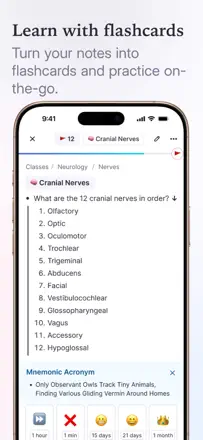
Reviewers complain about notes freezing and errors after updates. A useful test: save a large set of notes, open it again, and make a flashcard out of a fragment.
Which apps people use
These apps are mentioned in the breakdown of this job. Open each one to compare strengths and limits. The order of the list is not a ranking of fitness.
Rank 6. Review score: 79 out of 100. App Store rating: 4.9★ · 1,393 ratings
79of 100
A note-taking system with built-in spaced repetition: when you create a note, a flashcard for review is created at the same time. The web version and desktop are stable. The mobile app lags behind, with occasional freezes when opening daily notes and sync issues after long desktop sessions. Indispensable for medicine and the hard sciences.
Praised: Notes and flashcards are created simultaneously without extra steps. Built-in spaced repetition beats Anki in interface convenience. Sync between the web version and mobile works in most cases.
Complaints: The mobile app freezes when opening the daily notes section and requires reinstallation. After extended desktop sessions, sync on the phone falls behind.
Best for: Medical and science students who need to take notes and prepare flashcards for exams at the same time.
Rank 4. Review score: 79 out of 100. App Store rating: 4.8★ · 22,413 ratings
79of 100
Noteful has a clean interface, smooth writing, and accurate PDF annotation. Most users who switched from major competitors stay. No color picker, no shape alignment.
Praised: Writing is smooth, PDF annotation is precise, and the ruler scales correctly when zoomed. No forced AI or bloat: just what you need for notes. One-time purchase with no subscription surprises later.
Complaints: The color picker does not work correctly. There are no alignment or snapping tools for shapes. Handwritten text search is not available: you cannot find a note by its content.
Best for: Students and professionals who need a reliable handwritten note-taking and PDF annotation tool without a subscription. Especially suited to those burned by constantly changing terms from major competitors.
Rank 27. Review score: 62 out of 100. App Store rating: 4.6★ · 2,434 ratings
62of 100
A handwriting app for iPad with Apple Pencil. Pen stabilization and writing quality are better than GoodNotes. Several major updates broke existing notes by retroactively changing how tools looked.
Praised: Pen stabilization produces the most beautiful handwriting among comparable apps. A clean interface with no extra buttons. Diverse pen options: calligraphy, pencil, marker.
Complaints: Major updates broke existing notes several times by retroactively changing tool appearance. Several users lost all data after the app froze. The developer was slow to respond to reports of serious problems.
Best for: iPad students who take handwritten notes and want beautiful writing without a GoodNotes subscription.
Rank 13. Review score: 73 out of 100. App Store rating: 4.8★ · 1,899 ratings
73of 100
A feature-rich notebook with folders, handwriting input, and formatting. Students praise it for usability on older iPads. Handwriting via finger is only available during a trial period, and several students lost important notes.
Praised: Rich selection of fonts and formatting in the free version. Works well for taking notes on older iPads that other apps do not support. Folders and organization by topic.
Complaints: Handwriting via finger or stylus is only available in the premium version after a short trial. Several students lost important notes while working in the app. PDF export cannot be edited.
Best for: Students and schoolchildren who take notes on an iPad and want a free GoodNotes alternative with standard note organization features.
Rank 3. Review score: 82 out of 100. App Store rating: 4.9★ · 46,608 ratings
82of 100
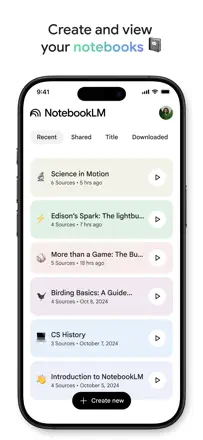
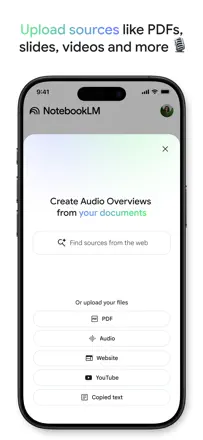
NotebookLM solves a problem no classic notebook can: you upload your sources and the AI works strictly within them, without making things up. Students, researchers, and professionals with large document sets call it a game-changer. The app lags behind the web version, and you can only download audio through the browser.
Praised: The AI only answers from uploaded sources and honestly cites where it pulls information from: hallucinations are minimal. The audio overview feature turns dry documents into a lively podcast you can listen to on a walk. Works with PDFs, videos, and notes simultaneously.
Complaints: The mobile app does not let you download generated materials: you have to switch to the website. Audio always comes out as a podcast-style dialogue with no option to get a monologue or lecture format. Sharing with people outside the Google ecosystem barely works.
Best for: Students and researchers who need to quickly absorb a large body of material. Professionals working with a corpus of documents where accuracy and source citations matter.