Authors ask for changes to calorie goals to be explained and for individual settings to be taken into account. The user has to see the reason for a change and be able to check it.
Which apps people use
These apps are mentioned in the breakdown of this job. Open each one to compare strengths and limits. The order of the list is not a ranking of fitness.
Rank 8. Review score: 68 out of 100. App Store rating: 4.8★ · 18,053 ratings
68of 100
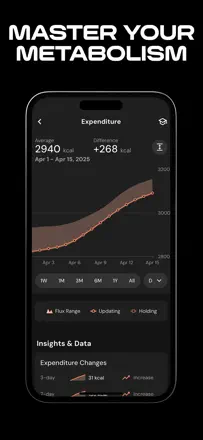
The strongest adaptive calorie algorithm tied to real metabolism, a great UI, and a fair price. The downsides are real: the nutrient database is rough in places, female physiology is not accounted for, and support is slow.
Praised: Adaptive calorie calculation based on actual body weight rather than formula-based activity estimates.
Complaints: The algorithm cuts calories to uncomfortable levels without explaining why, and adjusting manually is difficult.
Best for: Serious macro trackers willing to pay for a smart algorithm
Rank 7. Review score: 68 out of 100. App Store rating: 4.9★ · 18,157 ratings
68of 100
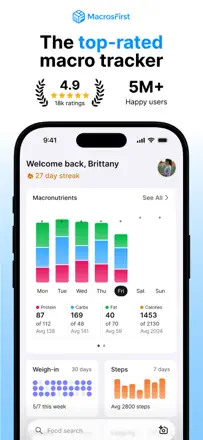
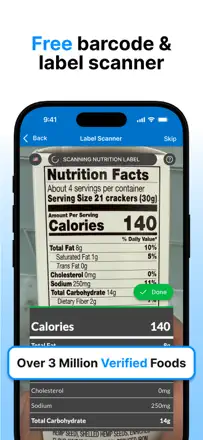
The best tool for serious macro tracking: a generous free tier, accurate net-carb counting, and an active gym community. The last major update complicated navigation, frustrating long-time users, but the core product remains strong.
Praised: A broad free tier with honest macro tracking and no mandatory subscription from day one.
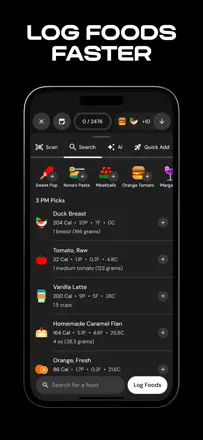
Complaints: The latest update made the interface cluttered: six search points instead of one are confusing.
Best for: Gym-goers who track protein, fat, and carbs by the gram and need accurate analytics
Rank 10. Review score: 67 out of 100. App Store rating: 4.8★ · 7,861 ratings
67of 100
Carbon offers smart weekly macro adjustments based on real check-in data, and consistent users see convincing results. The weak points are a limited food database and an algorithm that sometimes prescribes dangerously low calories for active women.
Praised: The weekly check-in with automatic goal adjustment based on real progress replaces the work of a personal nutrition coach.
Complaints: The food database is too small for a varied diet: users constantly have to create products manually or accept inaccuracies.
Best for: Athletes and mindful users who want an adaptive macro plan based on real progress
Rank 28. Review score: 58 out of 100. App Store rating: 4.4★ · 11,811 ratings
58of 100
The Renaissance Periodization methodology genuinely works for athletes cutting or bulking, and long-term users confirm it. But a major redesign broke the interface: navigation became confusing, AI macro redistribution gets in the way of manual control, and support is nearly unreachable.
Praised: Meal timing around workouts and weekly macro adjustments provide structure that ordinary calorie counters lack.
Complaints: After the redesign the app is hard to use with a non-standard schedule or varied diet: there is no quick calorie entry without creating a new product.
Best for: Athletes and bodybuilders following RP protocols who are willing to work through the interface
Rank 9. Review score: 68 out of 100. App Store rating: 4.8★ · 3,609 ratings
68of 100
A smart coach that adapts weights and reps based on progress rather than just logging workouts. The weak side: the interface is overwhelming for casual users, there is no Apple Watch app, and some sessions are lost due to sync glitches.
Praised: Automatic load progression and plan customization for home equipment without manual editing.
Complaints: There is no way to automatically adjust the number of sets in custom programs.
Best for: Intermediate lifters who want structured progression without hiring a coach