Review score: 74 out of 100. App Store rating: 4.8★ · 93,490 ratings
74of 100
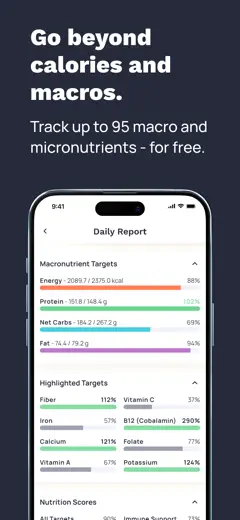
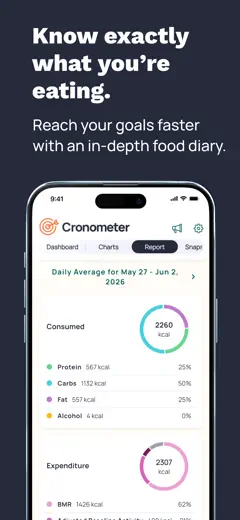
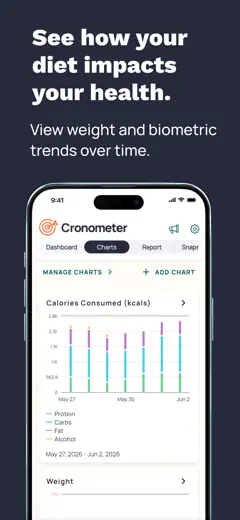
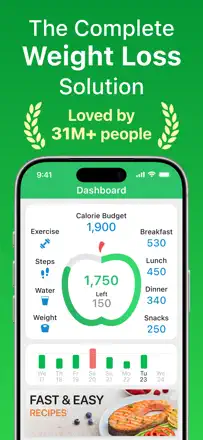
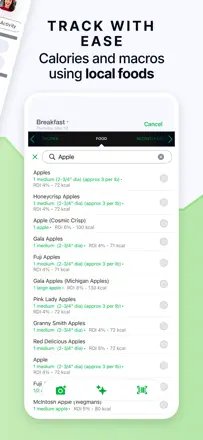
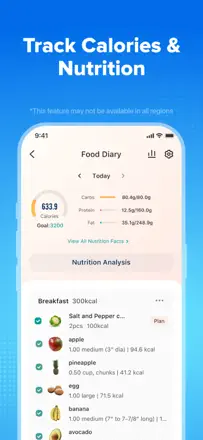
The most thorough free micronutrient tracker in the category: the only one that shows vitamins, minerals, and a full nutritional profile at no cost. A recent update degraded search results by pushing branded items ahead of generics, which seriously slows down daily logging.
Praised
Six years of loyal users stay for the micronutrient tracking alone. No other free app comes close.
Complaints
After the latest update, search ranks branded products above basics, so finding 'banana' now takes several screens of scrolling.
Best for: People who track vitamins and minerals, not just calories
Review score: 74 out of 100. App Store rating: 4.9★ · 57,474 ratings
74of 100
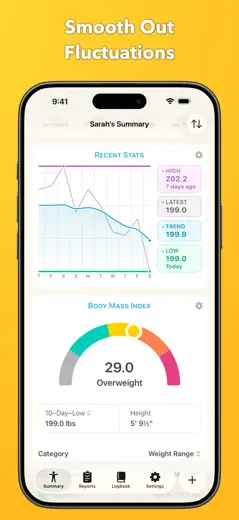
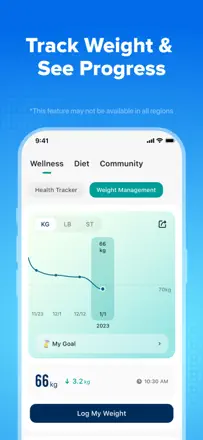
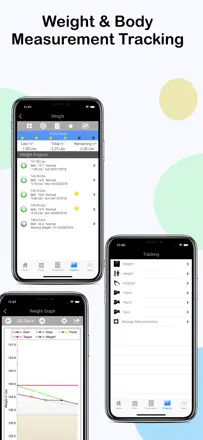
An honest weight tracker with a strong smoothing and prediction algorithm that people use for years. The main pain point is that sync is unreliable, and some features (weigh-in notes) have moved behind a paywall.
Praised
The moving-average algorithm filters out daily noise and shows the real weight-loss trend.
Complaints
Apple Health sync lags, and without it the app loses most of its purpose.
Best for: People who treat the scale as their primary weight-control tool
Review score: 72 out of 100. App Store rating: 4.7★ · 2,214 ratings
72of 100
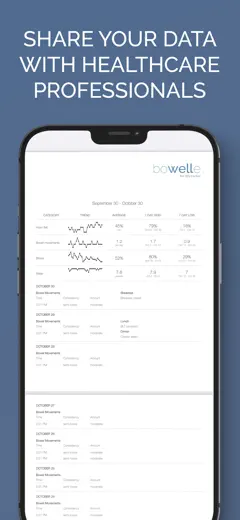
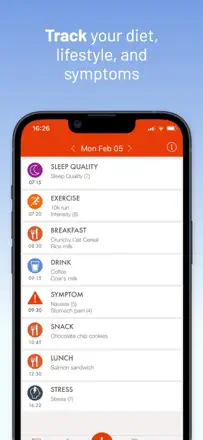
For someone with IBS or Crohn's disease, Bowelle genuinely helps identify triggers and produces data in a format that is easy to share with a gastroenterologist. The feature set is niche but well executed, and users stick around for years.
Praised
A timeline of symptoms and food in one log that is convenient to show a gastroenterologist.
Complaints
Analytics do not find correlations automatically — you have to hunt for patterns in the data yourself.
Best for: People with IBS, Crohn's disease, and other chronic digestive disorders
Rank 4. Review score: 69 out of 100. App Store rating: 4.7★ · 7,241 ratings
69of 100
Foodnoms stands out for its native depth across the Apple ecosystem: it works on iPhone, iPad, Mac, and Watch simultaneously, with no ads and careful attention to UI detail. The main limitations are a small food database and weak support for third-party fitness trackers.
Praised: Native Apple Health integration, water tracking, widgets, and Apple Watch support all in one app with no third-party compromises.
Complaints: The food database is small and often fails to find basic items or returns inaccurate nutrient data.
Best for: Apple ecosystem users who want a native nutrition tracker without ads
Rank 5. Review score: 68 out of 100. App Store rating: 4.8★ · 156,005 ratings
68of 100
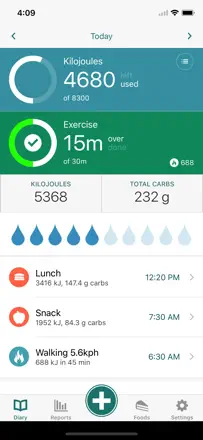
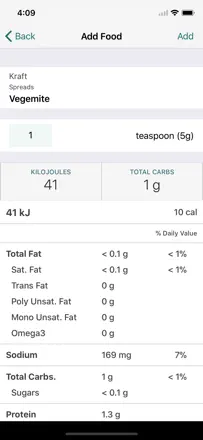
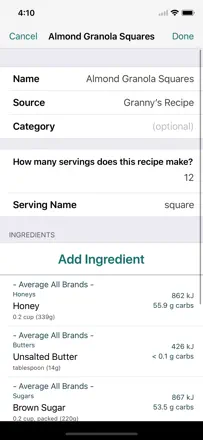
MyNetDiary is one of the most accurate and usable nutrition trackers in the category: flexible unit entry, saved custom recipes, and solid handling of different goals (weight loss, gain) set it apart from competitors.
Praised: Users value the flexibility of entering portions in different units and an accurate database that helps track nutrition without constant errors.
Complaints: The interface requires moving between several screens for basic actions like adding a recipe, which slows down daily logging.
Best for: People who care about data accuracy and flexible goal settings rather than pretty dashboards
Rank 6. Review score: 68 out of 100. App Store rating: 4.8★ · 95,245 ratings
68of 100
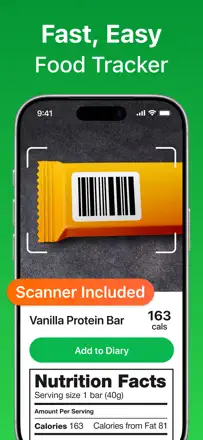
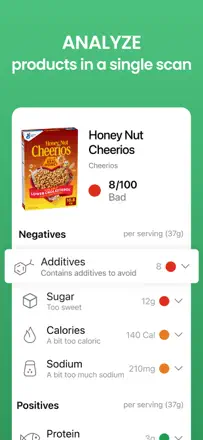
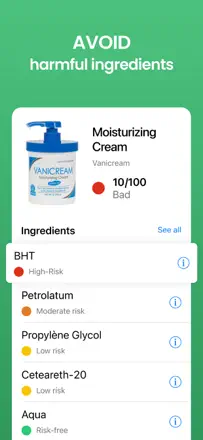
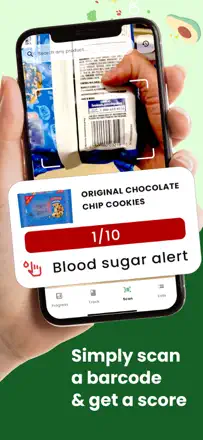
A barcode scanner for food and cosmetic ingredients that quickly shows a rating and explains problematic ingredients. The main flaw is an open database with insufficient moderation, leading to errors, while identical products can receive incomparable scores due to a shallow algorithm.
Praised: People say the app literally changed their shopping habits: they now read labels and choose cleaner products.
Complaints: The scoring algorithm does not account for dosage and evaluates individual ingredients rather than the full formula, so similar products get different scores without a logical explanation.
Best for: People who want to quickly check a product's ingredient list in the store
Rank 7. Review score: 68 out of 100. App Store rating: 4.9★ · 18,157 ratings
68of 100
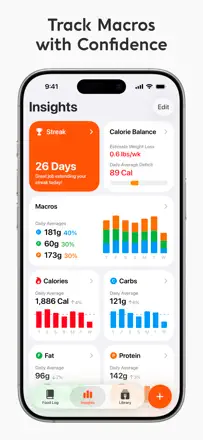
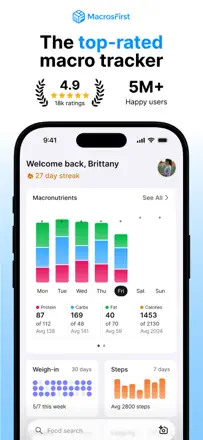
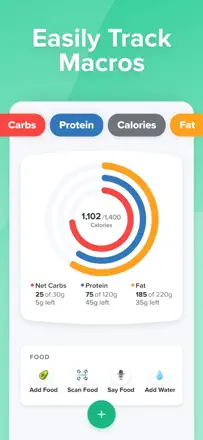
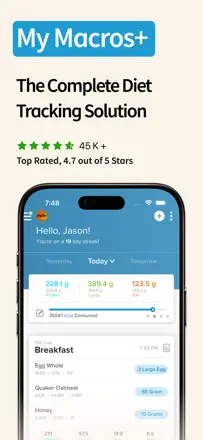
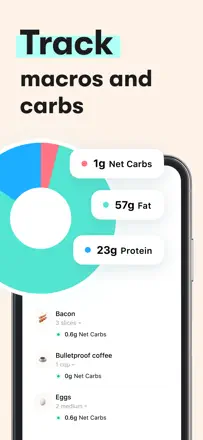
The best tool for serious macro tracking: a generous free tier, accurate net-carb counting, and an active gym community. The last major update complicated navigation, frustrating long-time users, but the core product remains strong.
Praised: A broad free tier with honest macro tracking and no mandatory subscription from day one.
Complaints: The latest update made the interface cluttered: six search points instead of one are confusing.
Best for: Gym-goers who track protein, fat, and carbs by the gram and need accurate analytics
Rank 8. Review score: 68 out of 100. App Store rating: 4.8★ · 18,053 ratings
68of 100
The strongest adaptive calorie algorithm tied to real metabolism, a great UI, and a fair price. The downsides are real: the nutrient database is rough in places, female physiology is not accounted for, and support is slow.
Praised: Adaptive calorie calculation based on actual body weight rather than formula-based activity estimates.
Complaints: The algorithm cuts calories to uncomfortable levels without explaining why, and adjusting manually is difficult.
Best for: Serious macro trackers willing to pay for a smart algorithm
Rank 9. Review score: 68 out of 100. App Store rating: 4.8★ · 3,609 ratings
68of 100
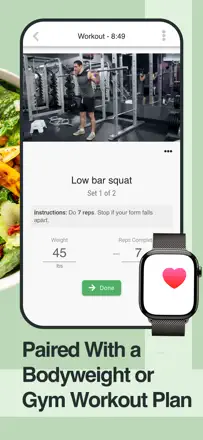
A smart coach that adapts weights and reps based on progress rather than just logging workouts. The weak side: the interface is overwhelming for casual users, there is no Apple Watch app, and some sessions are lost due to sync glitches.
Praised: Automatic load progression and plan customization for home equipment without manual editing.
Complaints: There is no way to automatically adjust the number of sets in custom programs.
Best for: Intermediate lifters who want structured progression without hiring a coach
Rank 10. Review score: 67 out of 100. App Store rating: 4.8★ · 7,861 ratings
67of 100
Carbon offers smart weekly macro adjustments based on real check-in data, and consistent users see convincing results. The weak points are a limited food database and an algorithm that sometimes prescribes dangerously low calories for active women.
Praised: The weekly check-in with automatic goal adjustment based on real progress replaces the work of a personal nutrition coach.
Complaints: The food database is too small for a varied diet: users constantly have to create products manually or accept inaccuracies.
Best for: Athletes and mindful users who want an adaptive macro plan based on real progress
Rank 11. Review score: 66 out of 100. App Store rating: 4.8★ · 25,801 ratings
66of 100
A well-built tracker with a rich food database, especially strong for UK users and those migrating from other platforms. The main downside is occasional technical issues for some subscribers and the absence of a recipe builder.
Praised: The food database is more accurate and broader than competitors', especially for branded products.
Complaints: There is no convenient way to enter custom recipes and calculate total nutrients per serving.
Best for: People who take calorie counting seriously and value an accurate database
Rank 12. Review score: 66 out of 100. App Store rating: 4.8★ · 14,326 ratings
66of 100
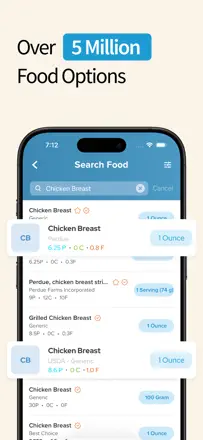
A reliable free veteran with a huge food database and honest macro tracking. Search degraded after recent updates, and water tracking behind a paywall irritates long-time users.
Praised: A free database with millions of products and a clear food diary without unnecessary features.
Complaints: After recent updates the food search broke: even 'Twix' does not come up.
Best for: Home cooks and long-term nutrition trackers who do not want to overpay
Rank 13. Review score: 66 out of 100. App Store rating: 4.8★ · 10,262 ratings
66of 100
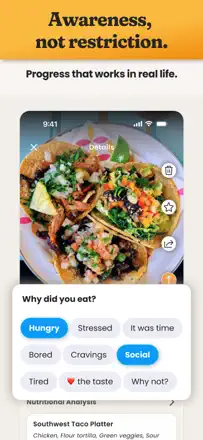
A photo food diary without forced calorie counting occupies its niche and keeps people coming back for years. The AI food analysis sometimes produces absurd ratings like 'low in nutrients' for legumes, and a subscription locks most features.
Praised: The app's gentle tone helps build mindful eating habits without the anxiety that strict calorie counting causes.
Complaints: The AI meal rating often gets it wrong regardless of what is actually on the plate, and users cannot correct the verdict manually.
Best for: People who want to track eating through photos without calorie counting
Rank 14. Review score: 65 out of 100. App Store rating: 4.7★ · 21,981 ratings
65of 100
The only meal planner in the category that generates a week's menu with an automatic shopping list and pantry tracking. For people tired of deciding what to cook it is genuinely useful, but recipes repeat, and the vegetarian selection is thin.
Praised: An automatic shopping list based on the weekly plan and pantry tracking save time when planning meals.
Complaints: Recipes get repetitive quickly, and customizing for specific allergies is difficult.
Best for: People who want to plan meals a week ahead rather than just count calories
Rank 15. Review score: 63 out of 100. App Store rating: 4.8★ · 730,524 ratings
63of 100
Carb Manager is a specialized tracker with deep support for keto and low-carb diets: detailed macro tracking, fitness device sync, and a large recipe library genuinely help people stay on the diet.
Praised: Keto dieters note that detailed carb and sugar control helped lower blood sugar and achieve significant weight loss where other trackers fell short.
Complaints: The barcode scanner is unreliable, and keto-compatibility detection sometimes misfires on mixed recipes.
Best for: People on keto or a low-carb diet who need detailed carb control
Rank 16. Review score: 63 out of 100. App Store rating: 4.7★ · 5,593 ratings
63of 100
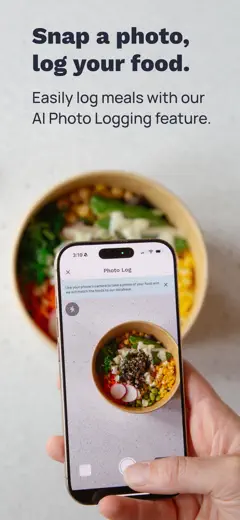
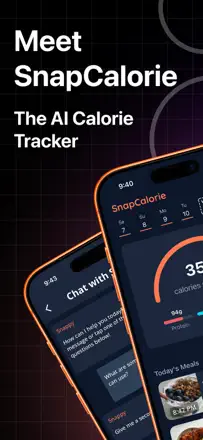
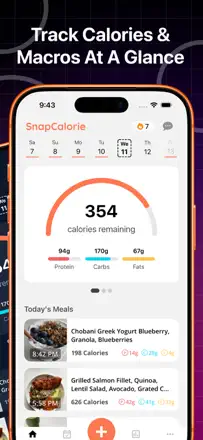
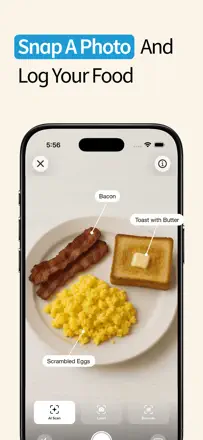
The best AI photo tracker in the category, with good accuracy within 100 calories when a dish is described in detail. A recent update worsened the interface and removed the barcode scanner, triggering a wave of complaints from regular users.
Praised: Fast dish recognition by photo with the ability to refine the contents and get a reasonable calorie estimate.
Complaints: After the redesign there are more steps to log food, and removing the barcode scanner made working with packaged products harder.
Best for: People who want to count calories by photographing food rather than typing everything manually
Rank 17. Review score: 62 out of 100. App Store rating: 4.7★ · 33,456 ratings
62of 100
A mature macro tracker for people who take nutrition seriously: rich customization, a large food database, and responsive support. Recent updates broke the scanner and degraded search, and daily notes moved behind a paywall.
Praised: Flexibility in setting macro goals and ease of use once you have added your regular foods.
Complaints: After an update the barcode scanner now requires taking a photo instead of auto-scanning and often fails to read codes.
Best for: People who track protein, fat, and carbs with precision and are used to detailed logging
Rank 18. Review score: 62 out of 100. App Store rating: 4.9★ · 28,476 ratings
62of 100
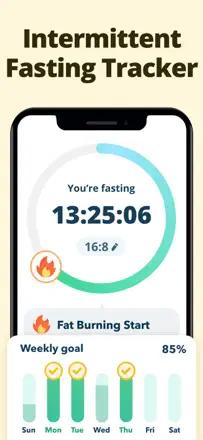
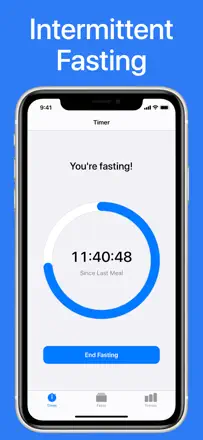
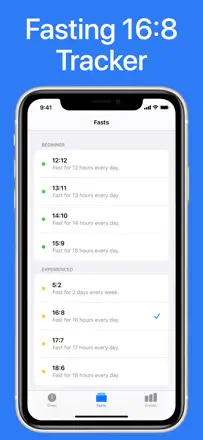
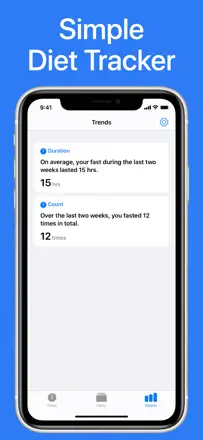
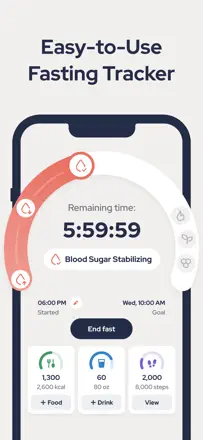
The intermittent fasting timer works reliably and helps people stick to their schedule, especially those with ADHD and late-night snacking issues. The food tracker is weaker: you cannot edit a fast's start time, AI scanning is superficial, and ads in recent versions have become noticeably more aggressive.
Praised: The fasting timer with a widget and notifications genuinely maintains discipline and gives a sense of progress.
Complaints: You cannot set a past start time for a fast, which throws off the statistics.
Best for: People practicing intermittent fasting who need a reliable timer above all
Rank 19. Review score: 62 out of 100. App Store rating: 4.8★ · 13,743 ratings
62of 100
A mature and feature-rich tracker with deep analytics and solid Apple Health integration. Monetization is aggressive: users who paid for the premium version keep seeing subscription ads on top of what they already purchased.
Praised: Detailed nutrition and progress analytics with clear charts that are genuinely motivating.
Complaints: After buying the PRO version the app keeps pushing subscription offers at every launch.
Best for: People who take nutrition science seriously and want data rather than just a diary
Rank 20. Review score: 62 out of 100. App Store rating: 4.8★ · 6,713 ratings
62of 100
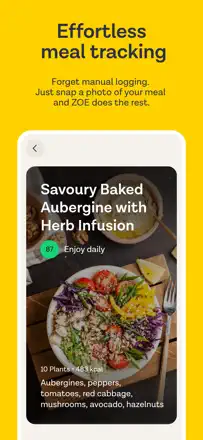
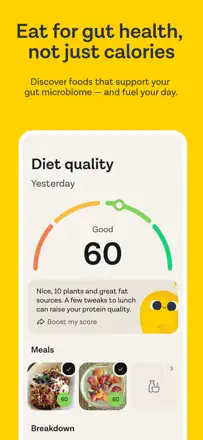
The app is valued for microbiome-based personalization and an emphasis on plant diversity rather than just calories. After a major update, loyal long-term users have been complaining en masse about gamification and the removal of text search in favor of mandatory photo logging.
Praised: Tracks the variety of plants in your diet and gives a personal score for each food.
Complaints: After the redesign you can no longer pre-enter recipes as text, and gamification annoys an audience that came for the science.
Best for: Proponents of microbiome-based nutrition
Rank 21. Review score: 62 out of 100. App Store rating: 4.9★ · 3,597 ratings
62of 100
One of the best macro trackers for ease of entry: a 'points' system for completing a day builds habits. The main problem is regular crashes during food search and no Apple Health integration.
Praised: Gamification through points for hitting macros keeps users on track longer.
Complaints: The barcode scanner is unstable and often logs a completely different product than the one scanned.
Best for: People who want to track protein, fat, and carbs with a light game element
Rank 22. Review score: 62 out of 100. App Store rating: 4.6★ · 2,384 ratings
62of 100
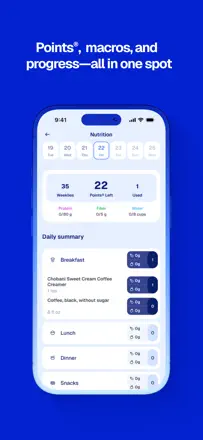
The app calculates Weight Watchers points without monthly payments, and for its purpose it delivers honestly. The barcode scanner is broken for many users, and the restaurant database has not been updated in a long time.
Praised: Works for free without a subscription and quickly shows the points value of any product.
Complaints: There is no way to keep a daily log: the app is only a points reference, not a tracker.
Best for: Weight Watchers followers who do not want to pay for the official app
Rank 23. Review score: 61 out of 100. App Store rating: 4.7★ · 82,100 ratings
61of 100
A specialized keto tracker with a good restaurant food database, built-in recipes, and ready-made meal plans. The main weakness is inaccurate macro data for manually added foods and almost all functionality locked behind a paywall.
Praised: Keto beginners especially value the ready-made meal plans and automatic macro ratio calculation for their goal.
Complaints: Macro data for basic foods (like chicken wings) diverge from reality, which throws off the daily carb count.
Best for: People just starting keto who want a ready plan without doing their own calculations
Rank 24. Review score: 61 out of 100. App Store rating: 4.6★ · 24,046 ratings
61of 100
A minimalist tracker with no forced registration and no ads, aimed at people who want facts without the noise. A broad CalorieKing database and custom recipe support make it a working tool, though the barcode scanner and Apple Health integration lag behind competitors.
Praised: No mandatory registration and no ads paired with an extensive food database is a rare combination.
Complaints: The barcode scanner finds only a small fraction of products, so most entries are added manually.
Best for: People who want to simply log food without gamification or subscriptions
Rank 25. Review score: 60 out of 100. App Store rating: 4.7★ · 1,677 ratings
60of 100
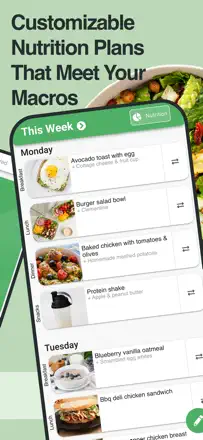
One of the few trackers where a meal plan is generated automatically to match macros and budget, and the recipes genuinely appeal to families. Weak points: you cannot add your own food instead of a suggested item, and the app sometimes glitches like a web wrapper.
Praised: Automatic weekly menu generation accounting for budget and prep complexity.
Complaints: You cannot swap a plan meal for your own or adjust portion size without rebuilding the entire plan.
Best for: People who want a ready nutrition program rather than just a calorie diary
Rank 26. Review score: 58 out of 100. App Store rating: 4.8★ · 2,351,494 ratings
58of 100
WeightWatchers is a mature weight-management program with a precise points-based system, undermined by a series of UI redesigns: key flows now require extra taps, and recently eaten food is hard to find.
Praised: Users say the points system helped build a genuine habit of mindful eating rather than just counting calories.
Complaints: Each major redesign breaks familiar flows: quickly adding frequent meals, viewing protein and fiber by meal, navigating between days.
Best for: People already familiar with the WW methodology who are willing to tolerate app instability
Rank 27. Review score: 58 out of 100. App Store rating: 4.6★ · 12,183 ratings
58of 100
An honest free fasting timer with no ads and no extra features. It does one thing, but with a critical limitation: you cannot edit the start or end time, making tracking inaccurate any time you forget.
Praised: Works without registration, without ads, and without a subscription: just a timer that counts fasting hours.
Complaints: You cannot change the start or end time of a fast after the fact, which corrupts the entire history with a single mistake.
Best for: People practicing intermittent fasting who never forget to press the button
Rank 28. Review score: 58 out of 100. App Store rating: 4.4★ · 11,811 ratings
58of 100
The Renaissance Periodization methodology genuinely works for athletes cutting or bulking, and long-term users confirm it. But a major redesign broke the interface: navigation became confusing, AI macro redistribution gets in the way of manual control, and support is nearly unreachable.
Praised: Meal timing around workouts and weekly macro adjustments provide structure that ordinary calorie counters lack.
Complaints: After the redesign the app is hard to use with a non-standard schedule or varied diet: there is no quick calorie entry without creating a new product.
Best for: Athletes and bodybuilders following RP protocols who are willing to work through the interface
Rank 29. Review score: 58 out of 100. App Store rating: 4.8★ · 3,324 ratings
58of 100
A free tracker with AI plate recognition and detailed nutrient breakdown that competes honestly with paid alternatives. The app loses data after crashes, and AI sometimes hallucinates nutrients even when scanning a clear label.
Praised: Nutrient balance analysis and specific recommendations for improving your diet directly in the meal card.
Complaints: Manually editing after an AI error does not recalculate the overall health score.
Best for: Mindful eating beginners who care about diet quality feedback rather than just numbers
Rank 30. Review score: 58 out of 100. App Store rating: 4.6★ · 2,765 ratings
58of 100
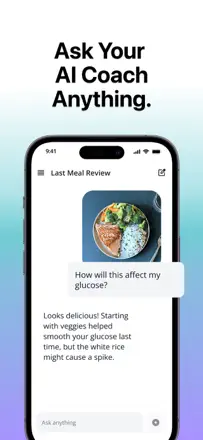
For a diabetic using a Libre or Dexcom, SNAQ genuinely helps lower A1c by connecting glucose and food data on one screen. After each major update something breaks, and users have to relearn the app.
Praised: A detailed three-hour report on glucose response to a specific meal.
Complaints: The food database is small, and user-created recipes with custom ingredients do not calculate net carbs.
Best for: Diabetics with a Libre or Dexcom continuous glucose monitor
Rank 31. Review score: 57 out of 100. App Store rating: 4.6★ · 4,034 ratings
57of 100
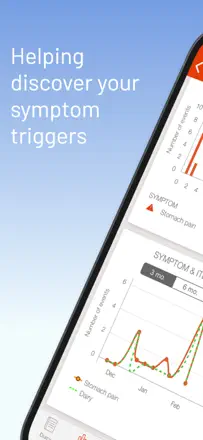
The only dedicated food intolerance diary in the selection rather than a calorie tracker: it helps find correlations between food and symptoms. The analysis algorithm is weak and can flag 'water' as the main trigger, and the registration flow with a nickname selection often freezes.
Praised: Helps identify real food triggers in chronic illness through a symptom diary.
Complaints: The correlation algorithm gives false positives and does not always deliver useful insights after weeks of logging.
Best for: People with IBS, food allergies, or intolerances who need a symptom log
Rank 32. Review score: 55 out of 100. App Store rating: 4.8★ · 71,855 ratings
55of 100
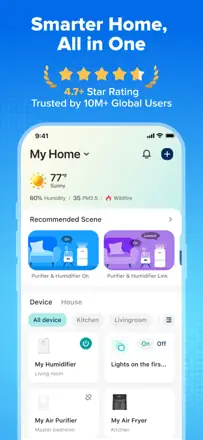
An app for controlling Levoit smart devices (scales, air purifiers, humidifiers) with no direct relevance to nutrition or calorie tracking. The core function works reliably, but aggressive in-dashboard ads for other products irritate almost everyone.
Praised: Smart scale users appreciate the convenient body composition tracking over time and straightforward initial setup.
Complaints: The app has turned into an ad platform: banners and offers to buy new devices appear right on the screen controlling your current one.
Best for: Owners of Levoit and VeSync devices for remote control
Rank 33. Review score: 55 out of 100. App Store rating: 4.7★ · 48,637 ratings
55of 100
A mature tracker with a large food database and integrations, but after a series of updates it has become pushy: non-stop tips that cannot be turned off and animations slow down the basic action of adding food. Some previously free features moved behind a paywall without notice.
Praised: The food database is extensive and handles food from many different countries well.
Complaints: After every meal entry, tips and animations pop up that cannot be dismissed even in the paid version.
Best for: People who eat a varied diet and can tolerate an intrusive UX in exchange for a broad food database
Rank 34. Review score: 55 out of 100. App Store rating: 4.9★ · 15,429 ratings
55of 100
The best choice among Spanish-language trackers thanks to adapted food databases and a flexible meal planner. The scanner and recipe stability leave something to be desired.
Praised: The meal planner selects dishes based on available ingredients and nutrition goals.
Complaints: Saved recipe macros change when reopened without any visible reason.
Best for: Users who want a ready meal plan rather than a blank diary
Rank 35. Review score: 55 out of 100. App Store rating: 4.6★ · 8,919 ratings
55of 100
For keto eating the app offers more customization depth than most alternatives, and long-term users genuinely maintain their weight for years. The main weaknesses are occasional total data loss and no fiber tracking for net carbs.
Praised: Keto veterans value the simple setup and the fact that the app keeps them on track without unnecessary noise.
Complaints: The app periodically wipes all history and saved favorite foods, forcing users to re-enter everything.
Best for: People following a keto diet who want a specialized tracker without clutter
Rank 36. Review score: 55 out of 100. App Store rating: 4.7★ · 6,055 ratings
55of 100
A simple tracker with a large food database that works well for basic calorie and macro counting. The core problem: the database was crowd-sourced without verification, so the same product often has several entries with different and incorrect values.
Praised: Meal reminders and the ease of adding dishes through a large food database.
Complaints: The user database has many duplicates and inaccurate entries, especially for fast food and scanned barcodes.
Best for: People starting to track their diet who want a simple free tool
Rank 37. Review score: 55 out of 100. App Store rating: 4.8★ · 3,565 ratings
55of 100
Photo food recognition works accurately enough to replace manual entry and covers local restaurants and unusual dishes. The five-entry-per-day limit on the free plan and variable macro accuracy undermine confidence in the results.
Praised: Describing a dish in text instead of searching a database significantly speeds up logging a familiar diet.
Complaints: The same product entered three different ways gives three different calorie answers.
Best for: Users who eat varied food and do not want to spend time searching for every dish
Rank 38. Review score: 55 out of 100. App Store rating: 4.8★ · 2,199 ratings
55of 100
An appealing AI photo-tracking concept, but the GPT engine regularly gets portions and calories wrong and customer support does not respond. The foundation is still unstable.
Praised: You can photograph a plate and get a macro breakdown without manual entry.
Complaints: The AI systematically hallucinates portions and assigns food to the wrong day when a photo is uploaded.
Best for: Beginners who value speed of entry over numerical accuracy
Rank 39. Review score: 52 out of 100. App Store rating: 4.8★ · 762,502 ratings
52of 100
Lose It! is a functional calorie counter with a broad food database and macro support, but aggressive monetization through ads after every action and previously free features moving behind a paywall significantly reduce the value of the free version.
Praised: Long-term users say the app helps build lasting dietary control and genuinely works for weight loss with consistent use.
Complaints: The food database contains user entries with incorrect data, and recipes are difficult to create due to a confusing interface.
Best for: People willing to buy a subscription for a clean ad-free experience
Rank 40. Review score: 52 out of 100. App Store rating: 4.7★ · 82,058 ratings
52of 100
A combo app for workouts and meal planning that stopped receiving updates roughly two years ago. Those who used it while it was functional lost 25 to 40 kg thanks to short HIIT sessions and weekly meal plans, but now login and subscription payment often do not work.
Praised: Users who started in 2017 to 2019 praise the 20-minute workouts — ideal for people with ADHD and packed schedules.
Complaints: The app is effectively abandoned: Google login is broken, subscriptions cannot be purchased, and some workouts were removed without replacements.
Best for: People who want to combine short workouts with a ready meal plan — if the app launches at all
Rank 41. Review score: 52 out of 100. App Store rating: 4.8★ · 42,836 ratings
52of 100
A tracker with a good food database and an honest free model, but with a critical reliability problem: the server regularly goes offline for days or weeks, and during each outage some users lose their entire food history and custom recipes.
Praised: A large restaurant and prepared-food database makes tracking easier for people who frequently eat out.
Complaints: Food history and custom recipes are periodically wiped during technical outages with no recovery option.
Best for: People willing to accept an unreliable infrastructure in exchange for free tracking with a restaurant database
Rank 42. Review score: 52 out of 100. App Store rating: 4.6★ · 16,149 ratings
52of 100
Gamification and visual style keep users logging for months, but the functional core is shaky: the scanner often misses, portion setup is unintuitive, and the color-rating algorithm for meals raises doubts.
Praised: Game quests and flora progress motivate keeping a food diary without willpower.
Complaints: The barcode and photo scanner frequently returns incorrect data, and correcting it is harder than re-entering from scratch.
Best for: People who need motivation to stick with tracking rather than precision to the gram
Rank 43. Review score: 52 out of 100. App Store rating: 4.6★ · 7,733 ratings
52of 100
The simplest interface in the category: no extra screens, fast entry. But the barcode scanner is unreliable, ads in the free version have become aggressive, and recent updates brought freezes while editing.
Praised: A 'here is how much more you can eat' prompt right below the food entry field helps make decisions before the first bite.
Complaints: The barcode scanner does not read most everyday products, forcing users to enter everything manually.
Best for: People who want an extremely simple free tracker with no extra features
Rank 44. Review score: 52 out of 100. App Store rating: 4.7★ · 7,054 ratings
52of 100
A free tracker with AI food entry and a barcode scanner valued for its simplicity and lack of a subscription. However, search and the scanner have periodically broken completely, and AI sometimes gives widely varying estimates for the same dishes.
Praised: A free core without a subscription and a straightforward interface without unnecessary screens.
Complaints: The food database is small, search breaks after updates, and AI gives inconsistent results for the same dishes.
Best for: People who want to count calories for free without extra features
Rank 45. Review score: 52 out of 100. App Store rating: 4.7★ · 3,622 ratings
52of 100
The only reliable alternative tracker for older Weight Watchers plans that the official app no longer supports. Problems restoring a subscription after switching phones spoil the experience for long-term users.
Praised: Support for WW Purple, Blue, and Green plans at a significantly lower subscription cost.
Complaints: The food database is sparse in the free version, and the barcode scanner fires inconsistently.
Best for: Classic Weight Watchers fans whose plan was discontinued or made more expensive
Rank 46. Review score: 52 out of 100. App Store rating: 4.5★ · 3,177 ratings
52of 100
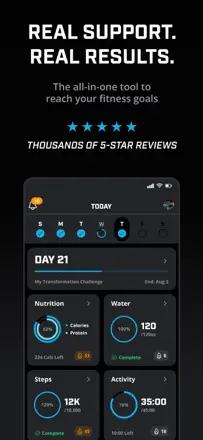
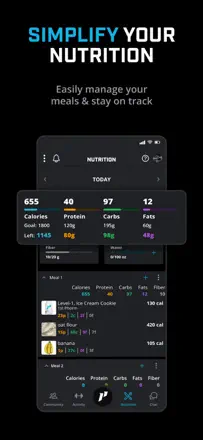
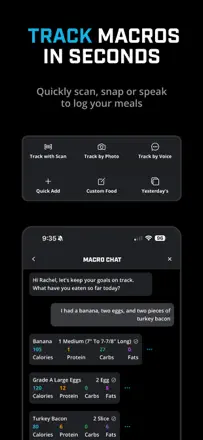
The app combines a food diary, workouts, and live coaches in one place, and for dedicated brand fans it genuinely works. But stability is poor: data disappears, macros do not update without an app restart, and notifications fire twenty times in a row.
Praised: A live coach inside the app that competitors do not offer.
Complaints: The app does not save custom products and resets progress on glitches.
Best for: 1st Phorm supplement buyers who want a single hub with a coach
Rank 47. Review score: 52 out of 100. App Store rating: 4.5★ · 1,784 ratings
52of 100
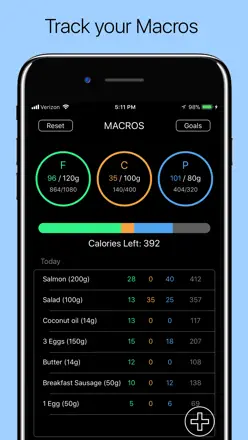
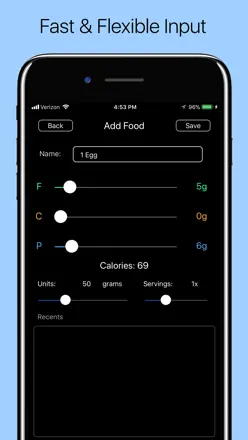
A deliberately minimalist counter with no database and no subscription, suitable for people who know their macros by heart. The critical flaw is one: an entered record cannot be corrected, only the entire day can be reset.
Praised: No registration, no ads, no subscription: just sliders for protein, fat, and carbs.
Complaints: No individual entry can be edited or deleted — only the entire day can be wiped.
Best for: Experienced keto dieters who want a bare counter with no frills
Rank 48. Review score: 48 out of 100. App Store rating: 4.5★ · 40,493 ratings
48of 100
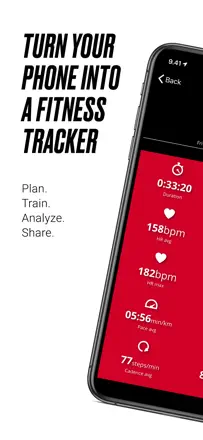
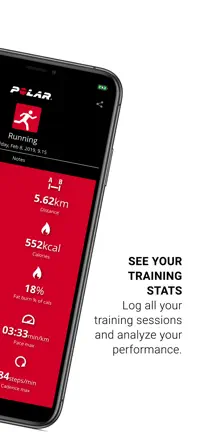
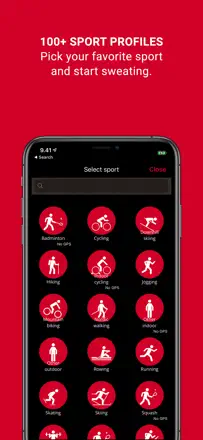
A companion app for Polar heart rate monitors that works when a stable connection is established. Bluetooth connectivity is unreliable, there is no Live Activities support on the lock screen, and the sports list was unexpectedly cut in recent updates.
Praised: With a stable connection it delivers accurate real-time heart rate zone data better than Apple Watch.
Complaints: No Live Activities — to see your heart rate during a workout you have to unlock the phone every time.
Best for: Owners of Polar chest heart rate monitors willing to tolerate unreliable Bluetooth
Rank 49. Review score: 48 out of 100. App Store rating: 4.8★ · 21,278 ratings
48of 100
The app draws users in with its design and the AI dish recognition feature, but that key tool is unstable and frequently returns an error. Batch-adding multiple items was removed in an update, portions are hard to configure, and some users note an unhealthy 1,000-calorie minimum.
Praised: When AI recognition works it genuinely removes logging friction and gives an accurate nutrient breakdown.
Complaints: You cannot add multiple items in one action: each product must be entered individually, which slows down diary keeping.
Best for: Users who want to log food by photo and do not mind working with an unstable tool
Rank 50. Review score: 48 out of 100. App Store rating: 4.7★ · 17,710 ratings
48of 100
Photo recognition draws users in, but the food database is thin, accuracy is inconsistent, and technical quality has declined: the app starts freezing after a few days of use.
Praised: Fast photo recognition of dishes without having to search for a product manually.
Complaints: The same dish shows different calories across different photos, making the data unreliable.
Best for: Beginners who need a quick start without manual entry
Rank 51. Review score: 48 out of 100. App Store rating: 4.6★ · 7,824 ratings
48of 100
The app works as a convenient calorie counter with a clean interface, but a large-scale paywall move for previously free features broke trust with a big part of the audience. For users who pay, AI voice entry and scanning provide real speed gains, though AI accuracy is low.
Praised: The ring visualization of the daily calorie limit and fast food search make daily diary keeping pleasant.
Complaints: AI dish recognition and voice entry need constant manual verification due to low accuracy.
Best for: Users who already bought a lifetime pass and have been keeping a diary for years
Rank 52. Review score: 48 out of 100. App Store rating: 4.7★ · 5,432 ratings
48of 100
A mature tracker with a solid food database that some users have relied on for six years and praise for stability. The core problem: developers have repeatedly moved previously free features behind a paywall without warning, which has seriously eroded trust.
Praised: The barcode scanner finds products from Whole Foods and Costco that other apps do not have.
Complaints: Developers move previously accessible features behind a paywall without announcement, and data is sometimes lost after updates.
Best for: People who track macros without needing complex AI features
Rank 53. Review score: 48 out of 100. App Store rating: 4.5★ · 2,199 ratings
48of 100
Once a very flexible tracker with a long history, but the move to a subscription model broke data access for some users and alienated those who had paid for a lifetime license. The product value is real, but trust has been damaged.
Praised: Full freedom to customize fields and templates plus clear multi-year observation charts.
Complaints: When exporting data or syncing between devices, Google authorization is regularly required and often fails.
Best for: Methodical people who want to keep several trackers in one place
Rank 54. Review score: 47 out of 100. App Store rating: 4.7★ · 867,309 ratings
47of 100
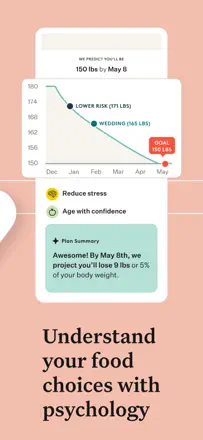
Noom combines behavioral eating education with tracking and coach access, which genuinely works for some users, but the interface has become heavy and overloaded with gamification after several updates.
Praised: The approach combining behavioral psychology, a food diary, and a live coach in one place helps people change their relationship with food rather than just count calories.
Complaints: No fiber tracking at a premium subscription price, and the push notification reward animations ('seeds') that cannot be turned off irritate even loyal users.
Best for: People who need behavioral support and a coach rather than just a calorie counter
Rank 55. Review score: 46 out of 100. App Store rating: 4.8★ · 2,276 ratings
46of 100
The capybara pet gamification genuinely motivates some users, and basic food tracking works. But the rewards shop is empty, support does not reply, and some food entry mechanics are broken.
Praised: Gamification through pet customization makes daily tracking less boring.
Complaints: The reward mechanic (the capybara shop) has been abandoned by developers and not updated in a long time.
Best for: Young users and teens who find a standard food diary boring
Rank 56. Review score: 45 out of 100. App Store rating: 4.6★ · 77,525 ratings
45of 100
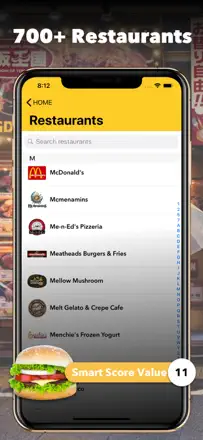
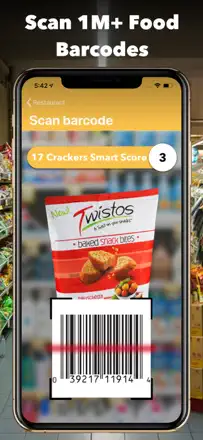
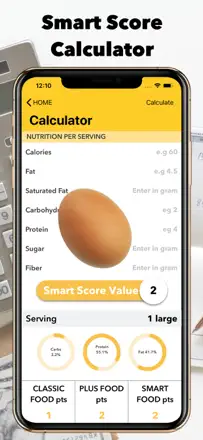
A once-strong tracker with a unique letter-grade food quality rating that now suffers from an outdated database, an inability to edit added foods, and unreliable performance. Long-term users document regression rather than progress.
Praised: The idea of grading foods from A to D by nutritional value rather than just calories still appeals to people who want to understand food quality, not just numbers.
Complaints: The database covers non-American and niche products poorly, and user-added items cannot be edited after saving.
Best for: People who want to assess product quality by composition rather than count calories
Rank 57. Review score: 44 out of 100. App Store rating: 4.7★ · 2,339,777 ratings
44of 100
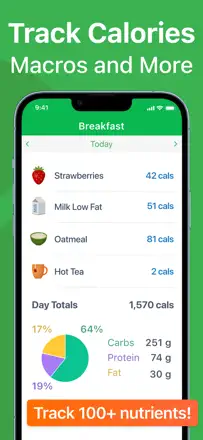
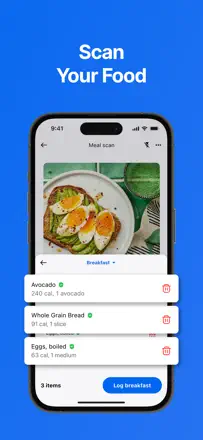
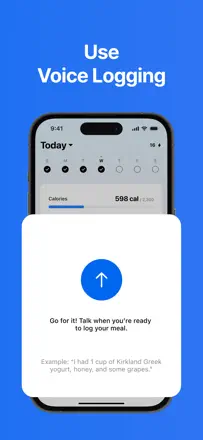
MyFitnessPal was once the industry standard for calorie tracking. Today it is fragmented by several waves of redesigns: the food database is extensive but data accuracy is unreliable, and key features like voice entry and the scanner are unstable.
Praised: A large food database and fitness tracker integrations cover most typical diets without manual entry.
Complaints: Nutrient values in the user database are regularly inaccurate, and editing or verifying them without a subscription is impossible.
Best for: People who already keep a food diary and want fitness device integration
Rank 58. Review score: 44 out of 100. App Store rating: 4.8★ · 87,706 ratings
44of 100
A nutrition tracker with a meal planner and Apple Health integration that lost basic features after a major redesign: gram-based entry was removed, saving meals does not work, and calories randomly double. Users who return after a year do not recognize the app.
Praised: Before the redesign, long-term users praised a clean minimal interface and meaningful weight-loss results over two years.
Complaints: The update removed gram and weight-based portion entry, leaving only servings — a critical regression for people who weigh their food.
Best for: People managing their weight without deep nutrient tracking
Rank 59. Review score: 44 out of 100. App Store rating: 4.6★ · 5,971 ratings
44of 100
Combines nutrition tracking with access to real dietitians and an AI assistant, and for some users the coaching component works well. Core product problems: AI photo recognition gives a 100-calorie spread for the same photo, and Garmin sync does not work.
Praised: Live dietitian coaches who adapt the plan to a specific lifestyle.
Complaints: The AI photo tracker is inconsistent: the same dish is calculated differently on different days.
Best for: People who want to work with a personal dietitian through an app
Rank 60. Review score: 44 out of 100. App Store rating: 4.6★ · 3,234 ratings
44of 100
A clean interface and third-party integrations make a good first impression, but the food database is oriented toward the European market and does not cover common American products. The absence of previous-day browsing makes progress analysis impossible.
Praised: The badge and reward system maintains motivation in the first few weeks of use.
Complaints: Portion units are limited to ounces with no gram or cup alternatives.
Best for: Users in Europe or those who want to combine calorie tracking with fitness goals
Rank 61. Review score: 42 out of 100. App Store rating: 4.6★ · 24,463 ratings
42of 100
Previously the app stood out with an avatar and game mechanics that motivated users — one reviewer lost 89 kg on the old version. After the redesign the interactivity disappeared, and data loss on glitches happens regularly.
Praised: The old version with an avatar and bright colors created real motivation and an engaging experience.
Complaints: No backup: switching phones or deleting the app means losing all history completely.
Best for: People who need a simple food diary that works offline
Rank 62. Review score: 41 out of 100. App Store rating: 4.7★ · 707,966 ratings
41of 100
BetterMe positions itself as a fitness coaching app rather than a nutrition tracker: workouts and pelvic exercises are central, while the food diary is rough and inconvenient.
Praised: Users looking for structured progressive workouts report real gains in flexibility and strength within the first few weeks.
Complaints: Food entry is significantly harder than in dedicated apps: there is no flexibility for meal swaps or personalization for dietary restrictions.
Best for: Fitness beginners who care more about movement than precise calorie tracking
Rank 63. Review score: 40 out of 100. App Store rating: 4.6★ · 149,916 ratings
40of 100
Lifesum was a respected nutrition tracker with an attractive design, but the switch to AI-based food entry brought instability: data does not save, the calorie limit resets on its own, and AI systematically misjudges portions.
Praised: Experienced users note that restaurant meal estimation by photo works noticeably better than competitors once you learn the app.
Complaints: After switching to AI entry the app regularly loses logged data and offers no way to return to manual entry as the default mode.
Best for: People who value design and can tolerate instability in exchange for convenient AI scanning
Rank 64. Review score: 40 out of 100. App Store rating: 4.6★ · 61,942 ratings
40of 100
A basic keto tracker with a limited free tier (5 to 6 products per day) and a weak database where the barcode scanner frequently returns wrong carb values. The app deletes data on crashes and does not allow editing added products.
Praised: The few satisfied users value a simple interface and automatic macro adjustment when weight changes.
Complaints: The barcode scanner regularly returns incorrect carb data, which is critical for keto where precise counting matters most.
Best for: People who want the cheapest keto tracker and can accept inaccuracies
Rank 65. Review score: 40 out of 100. App Store rating: 4.6★ · 6,197 ratings
40of 100
The app offers ready-made meal plans with recipes and shopping lists, and when it loads the basic scenario works reasonably well. But it regularly stops opening for weeks at a time, and the ingredient entry interface got significantly more complex after an update.
Praised: Ready plans with recipes and an automatic weekly shopping list.
Complaints: Ingredient search became inconvenient after an update, and the app periodically refuses to open for hours.
Best for: People who want a ready meal plan rather than keeping a diary themselves
Rank 66. Review score: 40 out of 100. App Store rating: 4.7★ · 2,303 ratings
40of 100
An intermittent fasting timer that works simply and without fuss, valued by people who need a pure hour counter. But session storage is unreliable: fasting history disappears, making progress tracking impossible.
Praised: A minimal fasting timer without an overloaded interface.
Complaints: The app loses fasting history and logs users out after a few days.
Best for: People practicing intermittent fasting who need a minimal timer
Rank 67. Review score: 38 out of 100. App Store rating: 4.8★ · 445,284 ratings
38of 100
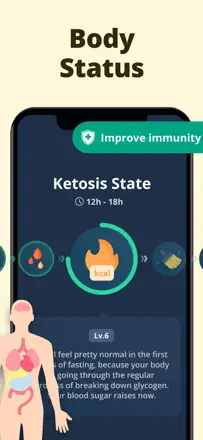
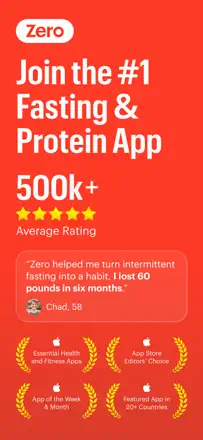
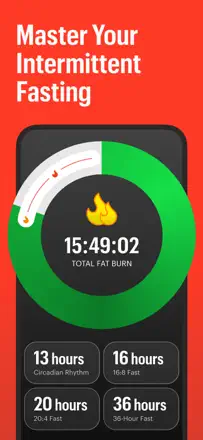
Zero is a minimalist intermittent fasting timer that worked as a simple clean tool, but after moving to a mandatory subscription it lost its core appeal: there is effectively no free access to the main feature.
Praised: When it was available, the visual 'fat-burning flame' and simple fast timer helped people sustain long fasting windows.
Complaints: The app no longer works as a precise tracking tool: you cannot go back and log a missed meal, and users find the macro recommendations inaccurate.
Best for: People who practice intermittent fasting and are willing to pay just for a timer
Rank 68. Review score: 38 out of 100. App Store rating: 4.8★ · 142,923 ratings
38of 100
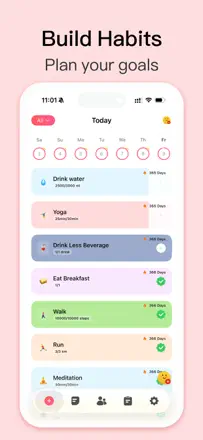
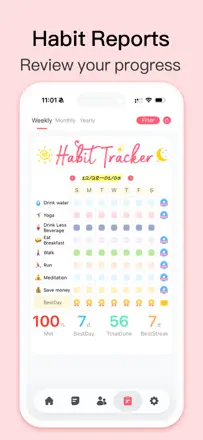
A habit tracker with a clean interface and widgets that has no relation to nutrition or calories. Key complaints: device sync breaks, lifetime purchase activations fail, and history resets when a goal is changed.
Praised: Bright colors, a convenient habit-marking swipe, and a lock-screen widget are liked by most users.
Complaints: Changing a goal destroys all history, and iCloud sync reliably fails after a device change.
Best for: People who need to track up to 6 habits for free with no nutrition component
Rank 69. Review score: 38 out of 100. App Store rating: 4.7★ · 28,746 ratings
38of 100
The app looks simple but the food database is incomplete, calories for many items are listed inaccurately, and adding unfamiliar food is a challenge. Users who figure out the interface praise the ease of keeping a diary, but most give up within the first few days.
Praised: A home-screen widget and simple entry for common dishes appeal to people with a standard diet.
Complaints: The food database is small, incorrect data cannot be fixed, and the barcode scanner frequently fails to find products.
Best for: Beginners who just need a food diary with no deep analytics
Rank 70. Review score: 38 out of 100. App Store rating: 4.7★ · 7,669 ratings
38of 100
A photo food diary without calorie counting suits people with GI issues or those who just want to see their diet. But aggressive ads in the paid version, data loss, and an inconvenient PDF export make the experience unreliable.
Praised: Scrolling through a photo feed of meals from several days ago helps identify the cause of a reaction to a product.
Complaints: Upgrade banner prompts appear on literally every tap, even for paying users.
Best for: People with food intolerance who need a visual nutrition log
Rank 71. Review score: 38 out of 100. App Store rating: 4.7★ · 6,772 ratings
38of 100
The app does exactly one thing: remind you to eat on schedule, and it manages that when it works. Several consecutive updates broke the critical notification function and caused crashes, which is unacceptable for a meal reminder.
Praised: A clean interface without extra noise — well suited for people with suppressed appetite from medication or eating disorders.
Complaints: There is no 'ate' button in the watch notification, and notifications stop arriving after updates.
Best for: People who only need a meal-time reminder
Rank 72. Review score: 38 out of 100. App Store rating: 4.7★ · 3,923 ratings
38of 100
An app with an appealing concept but systemic reliability problems: the scanner stopped working, food cannot be added, and data is lost on restart. Users note regression compared to earlier versions.
Praised: Simple logic and a free food database with restaurants and fast food attract beginners.
Complaints: The recipe builder does not allow setting a gram-based portion — only whole or fractional servings.
Best for: Calorie-counting beginners who value simplicity over detailed settings
Rank 73. Review score: 37 out of 100. App Store rating: 4.8★ · 21,141 ratings
37of 100
The app positions AI as its main value, but the scanner gives contradictory results on two consecutive attempts and user-entered data changes by itself. Account loss after an update for several users is a critical warning sign.
Praised: Voice food entry lowers the barrier for people who are reluctant to type each product manually.
Complaints: AI scanning systematically gets calories and protein wrong, and correcting the data is inconvenient.
Best for: People who want to try AI tracking and can accept low initial accuracy
Rank 74. Review score: 36 out of 100. App Store rating: 4.7★ · 48,537 ratings
36of 100
An AI tracker that photographs food but misses by 400 to 800 calories and confuses chicken with chips. Several users lost a month of data with no recovery through support.
Praised: The idea of photographing a plate instead of manually searching for products is convenient for low-effort tracking.
Complaints: Recognition accuracy is too low for real dietary control — the margin of error can reach 800 kcal per meal.
Best for: People who only need a rough sense of balance rather than precise counting
Rank 75. Review score: 35 out of 100. App Store rating: 4.8★ · 333,540 ratings
35of 100
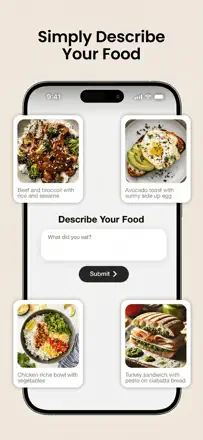
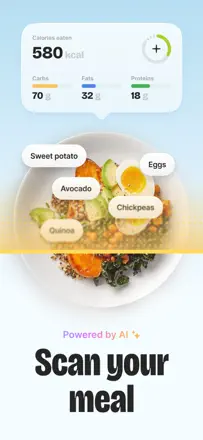
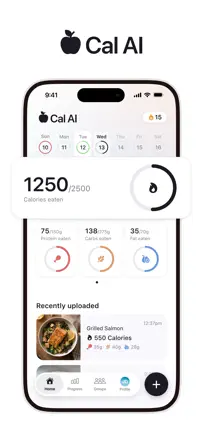
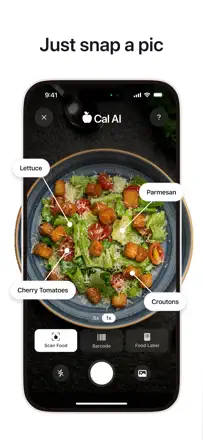
Cal AI bets on photo dish recognition, but calorie estimation accuracy is unreliable even when scanning a barcode, and the absence of fitness tracker integrations and scant nutrient detail make it a toy rather than a working tool.
Praised: Users are attracted by the instant photo recognition idea, and for familiar home-cooked food or restaurant items it sometimes works surprisingly well.
Complaints: Calorie recognition when scanning a barcode regularly gives wrong results, and suggested macro targets users describe as simply incorrect.
Best for: People who want quick approximate food control without deep analytics
Rank 76. Review score: 35 out of 100. App Store rating: 4.8★ · 23,299 ratings
35of 100
The idea of photographing a dish instead of manual entry is appealing, and some users do achieve results. But AI regularly gets portions and calories wrong, data can change without the user knowing, and losing all history on reinstall makes the tool unreliable.
Praised: Photo scanning of a plate reduces logging friction and allows people who previously gave up on tracking to reach their goal.
Complaints: Calorie values change spontaneously after saving, making the diary untrustworthy.
Best for: People just starting to count calories who can accept approximate accuracy
Rank 77. Review score: 35 out of 100. App Store rating: 4.8★ · 13,177 ratings
35of 100
A clean interface hides serious problems: the AI scanner is unreliable for real tracking, features are removed without warning, and support goes silent. Users leave disappointed more often than satisfied.
Praised: A clean and fast interface; photo scanning handles simple dishes.
Complaints: AI miscounts portions for unpackaged foods, and there is no way to set an amount in grams.
Best for: People who want an aesthetically pleasing tracker for simple dishes and do not expect precision
Rank 78. Review score: 35 out of 100. App Store rating: 4.8★ · 3,816 ratings
35of 100
AI scanning works reasonably, but data accuracy is unstable: one dish gets 250 kcal instead of a real 1,050. Navigation is inconvenient, dishes cannot be deleted, and the logging date often resets.
Praised: Photo-based food recognition lowers the barrier for users who do not want to enter data manually.
Complaints: Nutrients cannot be entered manually if a dish is not found in the app's database.
Best for: Users who want to photograph a plate instead of scanning barcodes
Rank 79. Review score: 33 out of 100. App Store rating: 4.7★ · 48,806 ratings
33of 100
A tracker with an attractive interface but a broken barcode scanner that does not work for most users and chaotic cross-device sync. Some users discovered all data for six months had been reset.
Praised: The interface is intuitive and uncluttered — easy for beginners to navigate.
Complaints: The barcode scanner fails to read most packaging, and manual entry takes too long.
Best for: Beginners who are fine with manually logging calories without scanning
Rank 80. Review score: 32 out of 100. App Store rating: 4.6★ · 2,829 ratings
32of 100
A good concept and a clean design, but the app fails to save entries about half the time, and the timer fires without recording anything. New parents cannot afford an unreliable tracker.
Praised: Clean and clear visual design without unnecessary elements.
Complaints: No shared mode for two parents, even though all competitors support it.
Best for: New parents tracking feeds and sleep for a baby on their own
Rank 81. Review score: 31 out of 100. App Store rating: 4.6★ · 78,887 ratings
31of 100
An intermittent fasting timer with a basic food diary that charges up to 39 dollars a month for functionality available in dozens of free alternatives. Masses of reviews describe being unable to cancel the subscription and charges continuing after deletion.
Praised: Some users value the visual timer with fasting phases and real-time explanation of what is happening in the body.
Complaints: Food entry does not work for most new users: the add-meal button leads only to saving, not to an entry form.
Best for: People looking for a simple fasting timer who do not plan to subscribe
Rank 82. Review score: 31 out of 100. App Store rating: 4.8★ · 44,935 ratings
31of 100
The app broke trust with its audience: users who had relied on it for free for years found one day that product search was locked behind a subscription. Functionally the tracker was simple and handled the job until that point.
Praised: Barcode scanning and food photos in one place are convenient as long as they are accessible.
Complaints: Basic product search unexpectedly moved behind a paywall, making the app useless for existing users.
Best for: Not recommended at this time due to unstable access terms
Rank 83. Review score: 30 out of 100. App Store rating: 4.8★ · 3,706 ratings
30of 100
The AI coach confuses meals, gives advice 'for tomorrow' about 'yesterday's food,' and recipe serving sizes are absurd (4 chicken breasts per serving). Photo recognition is unstable: green beans get added sugar.
Praised: Photo recognition in good lighting works quickly and makes a strong first impression.
Complaints: The AI assistant disappears from an account without warning and support does not respond.
Best for: People looking for a Noom alternative and willing to tolerate instability for a lower price
Rank 84. Review score: 30 out of 100. App Store rating: 4.4★ · 2,375 ratings
30of 100
A blood sugar and meal tracker with a clean interface, but surrounded by too many reports of unexpected charges and an inability to unsubscribe. The app itself is unstable: goals change on their own.
Praised: Quick glucose and food entry in one place helps see patterns throughout the day.
Complaints: Meal plan recipes are out of touch with reality: exotic ingredients that are hard to find.
Best for: Diabetics who need a simple glucose log without complex analytics
Rank 85. Review score: 29 out of 100. App Store rating: 4.8★ · 42,016 ratings
29of 100
An AI tracker with photo recognition that doubles calories when scanning a barcode, calculates absurd targets (1,200 kcal for someone 183 cm tall and 113 kg), and has no functioning support. There are complaints about unauthorized charges.
Praised: Photo food recognition identifies the dish correctly in about 80% of cases, reducing logging effort.
Complaints: The barcode scanner doubles the product's calorie content, making tracking dangerously inaccurate.
Best for: Not recommended — too many systemic problems with accuracy and support
Rank 86. Review score: 28 out of 100. App Store rating: 4.8★ · 50,468 ratings
28of 100
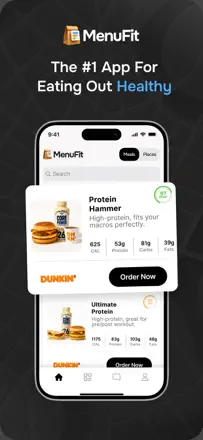
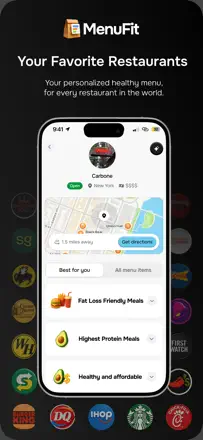
A product with a non-viable core: dish data diverges from real menus, AI recommends non-existent items, and calories are noticeably understated. Business practices are also problematic — a promised trial period charges money immediately.
Praised: The idea of finding the healthiest items on a restaurant menu is useful for frequent diners.
Complaints: The menu database is outdated and the app suggests dishes the restaurant no longer serves.
Best for: Not recommended for anyone — the product is too rough
Rank 87. Review score: 28 out of 100. App Store rating: 4.8★ · 15,385 ratings
28of 100
Behind a high rating there is almost no real user experience. The few substantive reviews describe functionality as basic, and complaints about paying for any action at all repeat in several languages.
Praised: A neat onboarding flow with personalized nutrition goals.
Complaints: Adding any product requires a paid subscription — there is almost no free core.
Best for: Hard to identify a real audience due to the absence of genuine reviews
Rank 88. Review score: 28 out of 100. App Store rating: 4.7★ · 11,833 ratings
28of 100
Designed for diabetics, but the implementation is weak: AI identifies a dish correctly only half the time, data vanishes without a trace, and getting started requires completing a lengthy questionnaire with personal questions. There is almost no real value for glucose management.
Praised: The idea of linking eating to blood sugar levels resonates strongly with those who got to try it.
Complaints: Photo dish recognition fails half the time and arbitrarily inflates protein grams whenever a record is edited.
Best for: Diabetics willing to tolerate unstable performance in exchange for a specialized focus
Rank 89. Review score: 28 out of 100. App Store rating: 4.3★ · 3,536 ratings
28of 100
The app is positioned as a tracker but in practice is a subscription funnel with aggressive upsells. Recipe filters do not work (a 'no nuts' filter shows almond milk), and the scanner is off by a factor of three on calories.
Praised: Notifications and a streak counter help avoid forgetting daily logging.
Complaints: The weekly shopping plan does not consolidate products across multiple days, making the feature useless.
Best for: People just starting to count calories who do not know better free alternatives exist
Rank 90. Review score: 28 out of 100. App Store rating: 4.7★ · 2,599 ratings
28of 100
The AI macro tracker concept sounds appealing, but the food database is too small and the scanner works intermittently, so almost everything must be entered manually. For a paid app this is unacceptable.
Praised: A simple operating principle: the app calculates how much more you can eat.
Complaints: Fractional portions cannot be entered, and macro scaling when multiplying a serving does not work correctly.
Best for: Beginners who want to start tracking protein and fat for the first time
Rank 91. Review score: 22 out of 100. App Store rating: 4.8★ · 13,977 ratings
22of 100
The app is technically broken for a significant portion of users: login is blocked, data does not save, and developers do not respond to reports. The simple tracking concept is sound, but stability is at a critical level.
Praised: A minimal interface without unnecessary screens — logging calories takes a few seconds.
Complaints: The app regularly loses account access, and there is no way to reach support.
Best for: Not recommended for anyone in its current state
Rank 92. Review score: 22 out of 100. App Store rating: 4.8★ · 9,937 ratings
22of 100
The app works for the first few days, then the camera stops recognizing food, returns 0 calories, and freezes. Scanning the same dish gives a different result three times in a row, and incorrect values cannot be edited.
Praised: Several users lost tens of kilograms while the app was stable in the first few weeks.
Complaints: Scanning is unpredictable: the same product gives different calories on every scan, and correcting a wrong value is impossible.
Rank 93. Review score: 22 out of 100. App Store rating: 4.8★ · 2,883 ratings
22of 100
The main feature users pay a subscription for — photo food recognition — works unpredictably: one dish photographed four times gets different calories each time. There is no case for paying for this.
Praised: A stylish interface that is immediately clear to a new user.
Complaints: Photo food recognition gives random results and does not allow correctly adjusting the portion weight.
Best for: Not suitable for anyone in its current state
Rank 94. Review score: 18 out of 100. App Store rating: 4.7★ · 4,106 ratings
18of 100
This is not really a tracker but a single-screen macro calculator that, after you enter your data, prompts you to download a different app. The goal-date prediction feature shows dates one to three years in the past, which is a fundamental product bug.
Praised: Macro calculation based on body fat percentage rather than just BMI.
Complaints: The target achievement date consistently shows a date in the past, making the core feature meaningless.
Best for: Not recommended for anyone in its current state
Rank 95. Review score: 18 out of 100. App Store rating: 4.2★ · 2,144 ratings
18of 100
The app has degraded: basic functions are now paywalled, and the food-adding mechanic has become so confusing that users cannot figure it out even after paying for a subscription. It cannot be recommended.
Praised: Veterans remember the old version as a simple and fast tracker with no friction.
Complaints: After the rebrand, food cannot be added without a subscription, and the paid version still does not count protein correctly.
Best for: Not recommended for anyone in its current state
About scores
Two scores — two sources
They help compare apps, but they don’t replace checking your own job.
Review score · up to 100
The stored score from inApp research on review texts. It rates the app overall in the archive, not the reliability of any one feature.
Store rating · up to 5
The rating from the app’s page when the data was collected. The current rating and version may differ.
In the archived sample for this topic: 95 apps and 29,286 reviews read. That is the total size of the research, not the number of reviews per app.
A gap between the scores doesn’t prove manipulation. The calculation date and the full scoring method aren’t in the mobile archive. Compare the job descriptions and the source quotes, and check the terms in the current version.