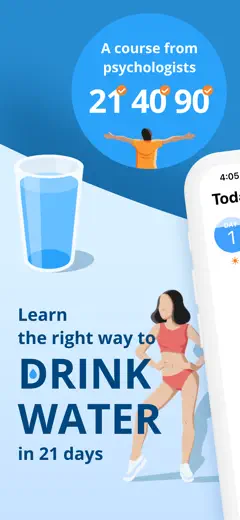
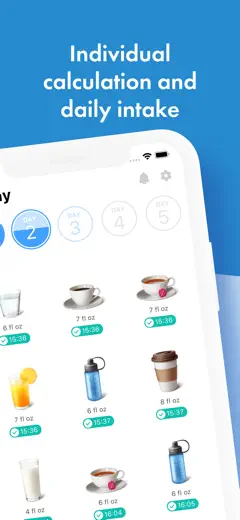
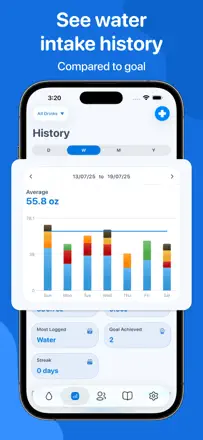
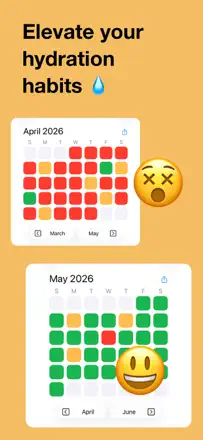
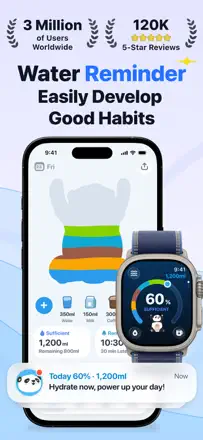
Review score: 67 out of 100. App Store rating: 4.7★ · 460 ratings
67of 100
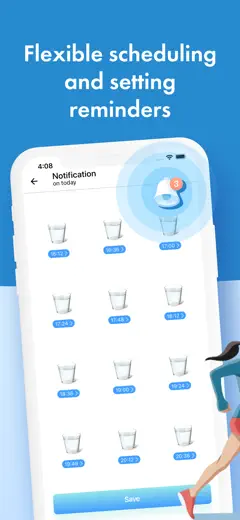
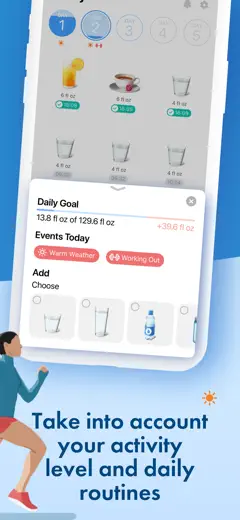
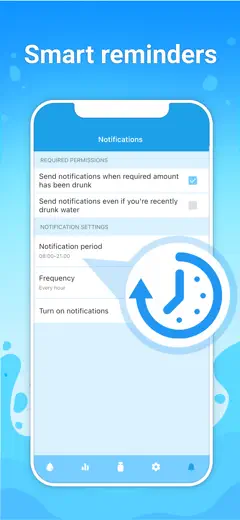
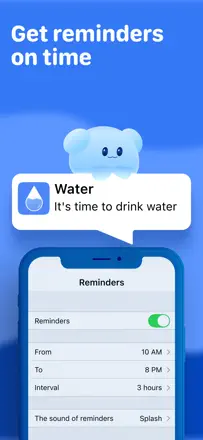
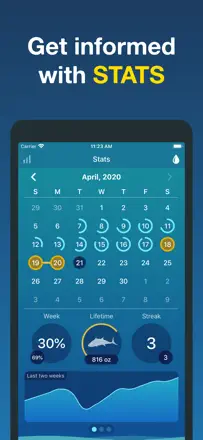
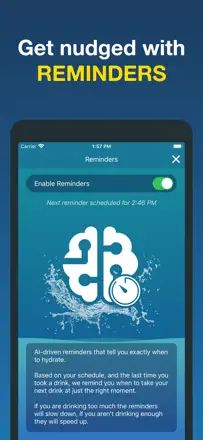
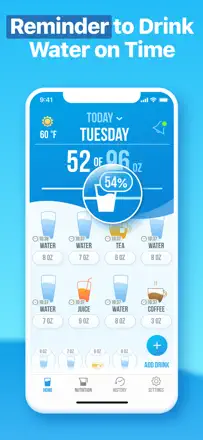
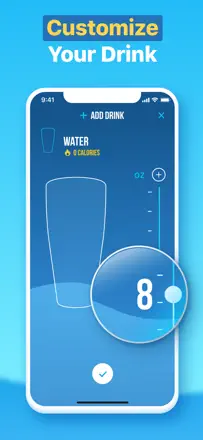
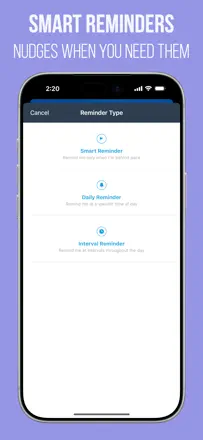
Strong focus on reminders: the schedule adapts to your day and lets you flag that you drink more in heat or during workouts. Notifications are persistent enough to actually reach people with ADHD or anyone who forgets to hydrate during hyperfocus. No Apple Watch sync. After one major update the app broke for some users and wiped their schedules. A lifetime license does not carry over when you switch phones.
Praised
Flexible schedule that accounts for activity and temperature. Aggressive enough reminders for people who genuinely forget. Clean interface with no extra screens. No ads.
Complaints
Apple Watch not supported. License does not transfer when switching devices. Major updates have broken schedules and wiped data. Default 'bro' salutation with no easy gender setting.
Best for: People who need persistent reminders, especially those with ADHD or a medical reason to stay hydrated.
Review score: 63 out of 100. App Store rating: 4.9★ · 1,303 ratings
63of 100
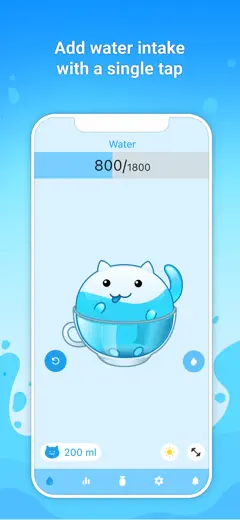
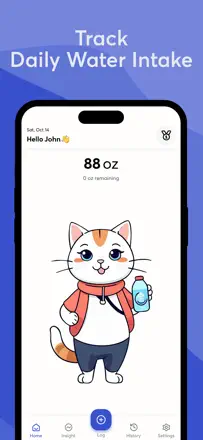
The cat character with facial expressions and meowing sounds creates a genuine emotional bond. Users literally feel guilty when they forget to give their pet water. That is a stronger hook than any progress bar. The app ran ad-free for a long time, then a major update introduced video ads on every open, which the audience took as a betrayal. A home screen widget is still missing despite being the top user request.
Praised
Emotional mechanic through a pet: the cat's sad face when you skip water works better than any counter. Apple Health integration is not required because the app itself is enough.
Complaints
Video ads added in an update ruined the experience for users who expected a clean interface. No lock screen or home screen widget has ever shipped. No Apple Watch.
Best for: People who need an emotional hook to build a habit, especially kids and teens. Not suitable for precise multi-device tracking.
Review score: 62 out of 100. App Store rating: 4.9★ · 155,581 ratings
62of 100
The most visually rich tracker in the category, but an aggressive paywall cuts off most features. The free version is essentially just logging glasses of water with basic reminders.
Praised
Widgets work well, you can act on Watch notifications without opening the app, and the gamified llama character keeps the habit going for people who paid.
Complaints
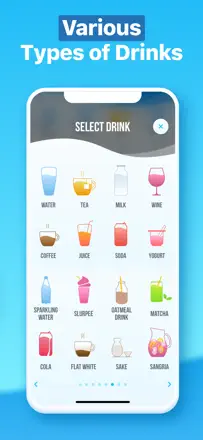
Reminders go silent if you do not open the app often enough because iOS kills the background process. Logging a non-standard drink (sparkling water, coffee) requires a subscription.
Best for: People willing to pay for a subscription or lifetime purchase who want polished visuals and shared family goals.
Rank 4. Review score: 62 out of 100. App Store rating: 4.9★ · 3,446 ratings
62of 100
A companion app for the WaterH smart bottle. The bottle tracks intake automatically and blinks when it is time to drink, no phone needed. Sync writes data to Apple Health but does not read other sources, so Watch or third-party bottles do not show up in the history. No Watch app.
Praised: The bottle's light indicator reminds you to drink even without your phone, which is ideal for people who sit at a computer all day. Automatic tracking removes the main barrier to staying hydrated.
Complaints: The app only reads data from its own bottle and ignores Apple Health input from the Watch or other devices. No Watch app for quick logging. Bluetooth connection is unstable at a distance. Without the bottle the app is basically useless.
Best for: People who are buying the WaterH smart bottle specifically and want tracking that requires zero effort: you drink, the bottle counts.
Rank 5. Review score: 62 out of 100. App Store rating: 4.8★ · 601 ratings
62of 100
One of the most generous free trackers in the category: multiple drink types, widgets, stats, and Apple Health sync are all available without a subscription. The octopus character and mission-based gamification help keep the habit going. The weak spot is Watch instability: the app sometimes deletes itself, and reinstalling does not always restore the connection. The home screen widget occasionally freezes on a blurred placeholder. No Watch complications.
Praised: Maximum features for free: multiple drinks, widgets, Apple Health. Gamification through the octopus character and daily missions. One-time lifetime purchase for around $8.
Complaints: Watch app is unstable: deletes itself, reinstalls poorly. Widget sometimes fails to update. No Watch complications. Volume math occasionally rounds incorrectly by a fraction of an ounce.
Best for: People who want a full-featured tracker without a mandatory subscription and do not mind cute gamification.
Rank 6. Review score: 55 out of 100. App Store rating: 4.7★ · 33,788 ratings
55of 100
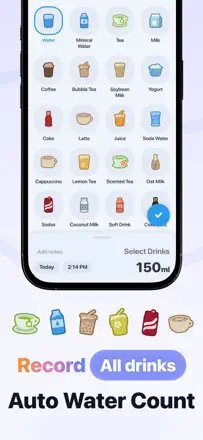
A mature tracker with Apple Watch complications and a wide drink library, but sync between the Watch and the phone breaks regularly and entries sometimes disappear after a few days.
Praised: Large drink list including uncommon options, persistent reminders that work when sync is not broken, Watch complication is convenient.
Complaints: Watch and app data go out of sync (0 percent vs 18 percent), the points-and-rewards system is not motivating (it only changes the background), and the app ignores iOS's built-in request-review setting when prompting for ratings.
Best for: Apple Watch users who want Watch integration and a wide drink selection and are not put off by occasional sync failures.
Rank 7. Review score: 55 out of 100. App Store rating: 4.7★ · 1,847 ratings
55of 100
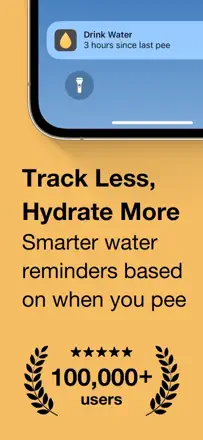
Unique mechanic: instead of logging what you drink, it tracks how often you urinate as a proxy for hydration. That is biologically more honest because your body shows you the result. It found a real audience with medical use cases such as bladder training and post-surgery monitoring. Watch sync breaks after updates and the widget broke in a recent release.
Praised: Tracking output rather than input is a non-obvious and genuinely useful idea for people managing urological conditions. The developer responds personally and helps resolve issues.
Complaints: Data sometimes disappears without warning. Watch stops syncing after updates. The interface looks dated.
Best for: People with a medical need to monitor urination frequency, or anyone who wants an indirect measure of hydration without manually counting what they drink.
Rank 8. Review score: 52 out of 100. App Store rating: 4.7★ · 3,536 ratings
52of 100
Before recent updates this was one of the best trackers with widgets, Watch, custom drinks, and a one-time purchase. After the updates: the Watch widget is broken (displays ml instead of oz), features that were free have moved behind a paywall, and the UI became what users describe as 'cartoonish'.
Praised: A one-time purchase instead of a subscription is rare in this category and users mention it first. The home screen widget lets you log with one tap without opening the app. Supports multiple drink types with water content factored in.
Complaints: An update broke the Apple Watch widget's units of measurement. The interface regressed in usability after the update. Features that were previously free moved behind a paywall without notice.
Best for: iPhone users without a Watch who are willing to pay once and want quick one-tap logging from a widget.
Rank 9. Review score: 52 out of 100. App Store rating: 4.7★ · 2,311 ratings
52of 100
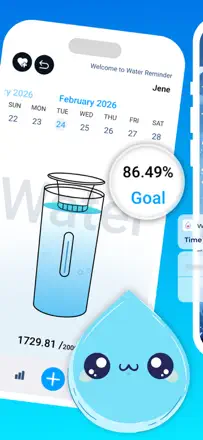
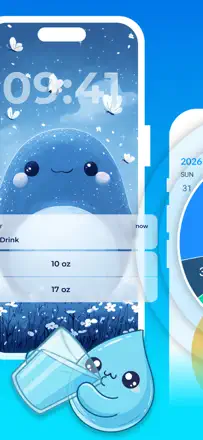
Reminders work and build habits in people who previously never drank enough water. The cute water-drop characters give an emotional hook. But the reminder logic does not adapt to a completed goal: notifications keep coming even after you have hit your target for the day. The Apple Watch complication is described as 'just pictures' with no real functionality.
Praised: Characters with distinct personalities turn a boring tracker into something people actually want to return to. For people who simply forget to drink, the reminders genuinely change behavior.
Complaints: Reminders do not stop after the daily goal is reached. Watch integration is decorative. Preset volume options with no way to enter a custom value frustrate experienced users.
Best for: Hydration beginners who want visual motivation and simplicity rather than data accuracy.
Rank 10. Review score: 50 out of 100. App Store rating: 4.6★ · 1,665 ratings
50of 100
Reminders actually work and change habits, confirmed by multiple independent reviews. Progress stats are motivating. But the app switched to a paywall model for existing users without notice, which users take as a betrayal. Video ads consume cellular data beyond what people expect.
Praised: Timely reminders and clear progress stats genuinely build a habit. People report visible results for skin and overall wellbeing.
Complaints: Terms changed without notifying users, who lost access to features they had already paid for. Video ads eat mobile data. No VoiceOver support.
Best for: People who want a basic tracker with reminders and are fine with a paid model, as long as the terms are clear upfront.
Rank 11. Review score: 48 out of 100. App Store rating: 4.5★ · 19,538 ratings
48of 100
Companion app for the HidrateSpark smart bottle. When the bottle and app sync, tracking is fully automatic and the bottle's light reminders work without your phone. When they do not sync, the app is useless.
Praised: Automatic volume logging without any taps, light signals on the bottle itself as a reminder, widget and Apple Watch complication work well when Bluetooth is stable.
Complaints: Firmware updates require navigating a confusing menu with no clear path. Sync freezes after recharging or washing the bottle and requires recalibration. Support is slow to respond.
Best for: HidrateSpark bottle owners who want zero-effort tracking and are comfortable with occasional maintenance.
Rank 12. Review score: 48 out of 100. App Store rating: 4.7★ · 941 ratings
48of 100
Visually appealing with solid analytics and rank-based gamification (Whale and other titles). But reviewers see the onboarding as deceptive: the app collects your profile data and only then reveals that all features cost money. No Apple Watch support, which is a key requirement for the target audience. The $30-per-year price feels disproportionate to the task.
Praised: Rank and progress system spanning multiple years motivates long-term use. Visual progress display supports a more intentional approach to hydration.
Complaints: Collecting profile data before disclosing the paywall reads as a dark pattern. No Apple Watch at all. Widget unavailable for some users.
Best for: People looking for long-term motivation through stats and ranking systems, willing to pay a subscription, and not needing Watch support.
Rank 13. Review score: 48 out of 100. App Store rating: 4.5★ · 781 ratings
48of 100
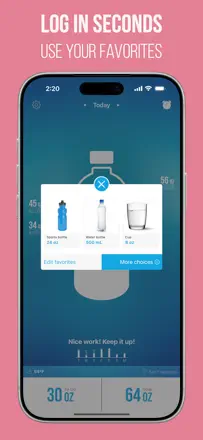
Does one thing: reminds you to drink water and keeps count. Apple Health sync and a custom schedule work. But aggressive ads before every log entry destroy the logging flow: what should be two taps turns into repeated interruptions. Cup size customization is limited to non-editable presets. History is shown only as percentages, not in milliliters.
Praised: Flexible reminder schedule (interval, active window, quiet hours). Apple Health sync. Simple entry without a mandatory account.
Complaints: An ad before every log entry breaks the habit. Volume presets cannot be freely customized. History shows only percentage, not absolute amounts. Watch reminders only play a sound, no haptic.
Best for: People who want a minimal tracker without a paid subscription and are willing to live with ads.
Rank 15. Review score: 44 out of 100. App Store rating: 4.4★ · 3,321 ratings
44of 100
One of the oldest water trackers, with a signature feature: custom containers using your own photos. Main problem: the MyFitnessPal integration has been broken for a long time with no fix, even though that integration was the reason many people bought it. Watch integration exists but is not reliable for everyone.
Praised: Custom containers with photos let you add your own mug or bottle and see it in the app. Tilting water animation when you rotate the phone. Reminders work. No user data collection.
Complaints: MyFitnessPal integration is broken and stays broken despite repeated requests. The app gets few updates. No way to specify drink type for a custom container.
Best for: People who do not use MyFitnessPal, want a private tracker without data sharing, and value custom container options.
Rank 16. Review score: 44 out of 100. App Store rating: 4.8★ · 2,297 ratings
44of 100
The water-sound reminder audio is a praised and genuinely original idea. Basic logging works. Main problem: Watch-to-phone sync breaks and does not reset the daily counter, so entries land on the wrong day or accumulate indefinitely. Custom drink logging requires premium.
Praised: The sound of running water as a reminder is a pleasant touch that sets the app apart. Clean interface that new users can figure out quickly.
Complaints: Watch does not reset the counter at midnight, so data drifts. Custom volume entry is unavailable on Watch. Logging math occasionally gives the wrong result. Support does not respond.
Best for: People who want a simple phone-only tracker without Watch dependency and are not expecting precise multi-device data.
Rank 17. Review score: 44 out of 100. App Store rating: 4.8★ · 363 ratings
44of 100
An extremely simple tracker with two buttons (small sip and big sip). Clean interface, reliable reminders. But the feature set is intentionally stripped down: no custom volume input, no editing past days, progress only shown as a percentage, and you cannot log beyond 100 percent of the goal. Ads cannot be removed. Likely a clone of the open-source Gulps app with no additional development.
Praised: Maximum simplicity: two taps per day. Reminders are reliable. Interface is not overloaded.
Complaints: No custom volume entry. No editing past days. Progress shown as percentage only. Logging above 100 percent of goal is ignored. No Apple Watch. Ads cannot be turned off.
Best for: People who want the bare minimum with no setup and just need to know whether they drank or not today.
Rank 18. Review score: 42 out of 100. App Store rating: 4.7★ · 6,801 ratings
42of 100
Reminders and celebratory confetti when you hit your goal actually work, but ads overlap the main UI and block the water-logging button. In the free version you literally cannot use the core function. The sound resets every time you open the app.
Praised: Confetti and animation when you complete your daily goal create instant positive reinforcement. Users explicitly write that they want to drink more just to trigger the 'party' again. Scheduled reminders are reliable.
Complaints: An ad covers the add-water button, making the app unusable in free mode. No Apple Watch. Sound setting does not persist between sessions.
Best for: People who are willing to pay immediately for the pro version to remove ads and want a simple tracker with game-style motivation.
Rank 19. Review score: 42 out of 100. App Store rating: 4.8★ · 765 ratings
42of 100
Companion app for a physical product (the Lucy smart cap and waterdrop flavorings). The Lucy cap syncs unreliably, requires lying flat, and does not show water level in real time. After a major update the interface renders incorrectly on iPhone. Basic manual logging works, but the recommended daily intake sometimes outputs absurd values (1.9 oz per day). No real Apple Watch or Apple Health integration.
Praised: Clean and fast interface. Daily streaks and trophies keep you coming back. Logging different drink types without a subscription.
Complaints: The Lucy smart cap is unpredictable: loses data, has no manual sync button, does not stay horizontal. No Apple Health integration. Interface breaks after updates. The recommended intake can output nonsensical values.
Best for: Buyers of waterdrop physical products who want to track flavoring consumption. As a standalone water tracker it is underwhelming.
Rank 20. Review score: 41 out of 100. App Store rating: 4.9★ · 3,846 ratings
41of 100
The most reliable signal about quality comes from reviews written before the forced-rating gate. Confetti and applause on logging are liked, goals are customizable, and history is editable in pro. But the notification sound plays at full volume with no way to turn it off, and the review-extortion mechanic undermines any trust in the ratings.
Praised: Motivational animations (confetti, applause) on every water log. Custom volume goals. Editing past days in pro.
Complaints: Forced rating gate: without giving 5 stars or paying, you lose access to settings. That is direct manipulation. Sound cannot be disabled from within the app. No Watch.
Best for: Technically fits beginners who want simple gamified mechanics, but the review-extortion mechanic makes the app hard to recommend.
Rank 21. Review score: 40 out of 100. App Store rating: 4.6★ · 24,028 ratings
40of 100
Visually pleasant tracker with a character, but the free version is nearly non-functional: you cannot set a custom cup size or log any drink other than water. Ads are aggressive and include gambling content.
Praised: An avatar character that reacts to your progress motivates teens and beginners. Hydration data accounting for water content across different drink types is a unique touch.
Complaints: Reminders must be manually re-enabled every day (they do not fire unless the app was recently opened). Ads include categories inappropriate for some users such as gambling.
Best for: Users who only track water and are fine with a limited free tier, or those who pay for a subscription to get the character and stats.
Rank 22. Review score: 38 out of 100. App Store rating: 4.5★ · 152,070 ratings
38of 100
Functionally weak tracker with intrusive ads that appear even for paying users. Basic water logging works, but limited drink volumes and an unstable UX erode trust.
Praised: Simple interface with no extra screens. Sound reminders are appreciated by part of the audience.
Complaints: Fixed drink volumes (only 3 or 6 oz options for coffee and juice) with no way to change them. Ads interrupt logging even after purchasing a yearly subscription.
Best for: Beginners who need the absolute minimum and can tolerate ads.
Rank 23. Review score: 38 out of 100. App Store rating: 4.7★ · 4,840 ratings
38of 100
Simple tracker with reminders that works. But there is no way to delete or fix an accidentally added entry: mistakes stay in the record permanently. Portion step is fixed, so large bottles do not map cleanly. No Watch.
Praised: Scheduled reminders available for free. Multiple drink types in the free tier. Uncluttered interface.
Complaints: Cannot delete or edit an entry after adding it. Volume selection is rigid (2 oz increments). No Apple Watch. Tracking other drinks requires a subscription.
Best for: People who never make input mistakes and are fine with a limited set of portion sizes.
Rank 24. Review score: 38 out of 100. App Store rating: 4.3★ · 1,129 ratings
38of 100
The slider input mechanic is unreliable: it is easy to miss the intended value and it sometimes records more or less than intended. An interface redesign made logging less intuitive and some users no longer understand how to add water. No Watch notification sync. The app was clearly built without a native English speaker on the team (support is in Chinese).
Praised: Birdsong audio for reminders is unobtrusive in public. The free ad-supported version only shows ads at launch, which is less aggressive than most.
Complaints: Slider input is an unreliable UX choice that frequently causes input errors. The UI redesign confused existing users. The Watch shows the app but does not send notifications.
Best for: Users patient with an unstable UX and who do not need Watch integration.
Rank 25. Review score: 36 out of 100. App Store rating: 4.6★ · 826 ratings
36of 100
The app aggressively prompts for ratings, and several users left a review only to stop the pop-ups. Settings reset on their own: the water goal does not save between sessions. Notifications are off by default and the toggle appears stuck in the off state. Volume input is unreliable.
Praised: Wide selection of drink types in the free version. Reminders actually help when they work.
Complaints: Aggressive rating requests on every open lead users to delete the app. Settings do not persist between sessions. Notifications are off by default and do not turn on automatically.
Best for: Hard to recommend given persistent settings-saving issues and aggressive dark patterns.
Rank 26. Review score: 35 out of 100. App Store rating: 4.2★ · 1,095 ratings
35of 100
App with a long history, but a business-model change completely destroyed user trust: all data was wiped without warning and paid features moved behind a subscription. Several reviewers write that they used it for 6 to 8 years and now have to find an alternative. Apple Watch does not load on newer models. Form submission buttons are unresponsive.
Praised: Before the model change it was one of the best trackers: a pie-chart progress view and flexibility without clutter.
Complaints: All historical data lost during an update with no warning. Forced migration to a subscription for features users had already paid for. Watch does not work on current models.
Best for: Hard to recommend in its current state. Only for people willing to start from scratch and pay a subscription for very basic functionality.
Rank 27. Review score: 32 out of 100. App Store rating: 4.5★ · 815 ratings
32of 100
The app positions itself as a tracker but forgot to include reminders. Some users downloaded it and only then discovered there are no notifications. Weight cannot be changed after initial setup and even App Store support could not help with that. Drink volumes are fixed and do not match standard bottle sizes. Data sometimes disappears.
Praised: Apple Health sync works. Watch integration is present, though limited. The achievement system provides weak motivation.
Complaints: Weight cannot be edited after initial setup, which breaks the intake goal calculation. Fixed volume presets do not match real bottle sizes. No active reminders for some users.
Best for: People who want to passively log intake for Apple Health and do not need reminders.
Rank 28. Review score: 31 out of 100. App Store rating: 4.6★ · 25,996 ratings
31of 100
Tracker with unpredictable reminders: users widely report that notifications stop arriving after a few days for no visible reason. Basic logging works, but that is the core failure.
Praised: Uncluttered interface, quick water entry, goal can be set in ounces based on weight.
Complaints: Reminders regularly die on their own (reinstalling does not help). Past days cannot be edited in the free version.
Best for: People who want to manually log intake and are not counting on reliable push notifications.
Rank 29. Review score: 30 out of 100. App Store rating: 4.1★ · 412 ratings
30of 100
Manipulative monetization: access to history and several features is blocked behind a 'write a review' wall, even for users who paid for the pro version. Reminders work but the notification sound cannot be changed, so it gets lost among other alerts. The Watch app logs inconsistently. Support is effectively unreachable (a Facebook page with no replies).
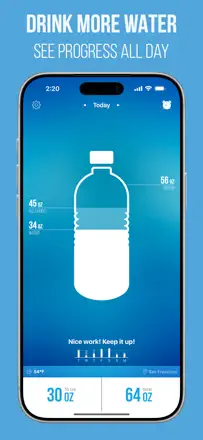
Praised: Interval reminders work. Interactive bottle as a visual progress indicator. Apple Health sync is present.
Complaints: Forced review to access history is blunt manipulation. Notification sound cannot be changed. Watch app logs inconsistently. Support is unavailable.
Best for: Hard to recommend: the review-extortion mechanic undermines trust.
Rank 30. Review score: 29 out of 100. App Store rating: 4.7★ · 18,276 ratings
29of 100
Aggressive monetization starts on the first screen: users are met with a paywall before they can try the app. Ads are frequent and basic features like cup size are locked behind a subscription.
Praised: Customizable reminder schedule works for people who paid. The app helps maintain a gallon-a-day goal.
Complaints: No Apple HealthKit integration (weight data cannot be pulled in automatically). Paywall appears immediately with no chance to evaluate the product. Basic cup size cannot be changed without a subscription.
Best for: Hard to recommend. People who just need simple reminders will find more honest alternatives.
Rank 31. Review score: 24 out of 100. App Store rating: 4.6★ · 22,443 ratings
24of 100
Tracker with genuinely harmful ads: multiple users report pop-ups that imitate virus warnings and pornographic ad content. This makes the app unsafe regardless of its product merits.
Praised: The reminder logic itself is simple and clear. One user mentions Russian language support.
Complaints: Ads with fake virus warnings and inappropriate content. Reminder time settings work with errors. No way to enter an exact drink volume.
Best for: Not recommended for anyone in its current state due to the ad network quality.
About scores
Two scores — two sources
They help compare apps, but they don’t replace checking your own job.
Review score · up to 100
The stored score from inApp research on review texts. It rates the app overall in the archive, not the reliability of any one feature.
Store rating · up to 5
The rating from the app’s page when the data was collected. The current rating and version may differ.
In the archived sample for this topic: 31 apps and 6,131 reviews read. That is the total size of the research, not the number of reviews per app.
A gap between the scores doesn’t prove manipulation. The calculation date and the full scoring method aren’t in the mobile archive. Compare the job descriptions and the source quotes, and check the terms in the current version.