Ces apps sont mentionnées dans le décryptage de cette tâche. Ouvre chacune pour comparer les points forts et les limites. L’ordre de la liste n’est pas un classement d’adéquation.
Rang 17. Note des avis : 62 sur 100. Note sur l’App Store : 4,8★ · 802 notes
62sur 100
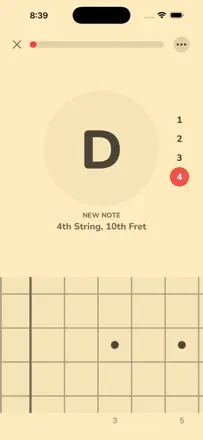
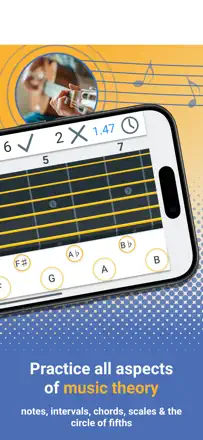
Exactly how you want to drill notes on the fretboard, the app calls out a note, you play it, it listens and checks, and the developer actually responds to bug reports. But the mic struggles, especially on thin strings and above the 12th fret, it often asks to recalibrate and confuses neighboring notes, and many see the latest redesign as a step back.
Points forts : Fretboard drilling by dictating notes, many instruments and tunings, responsive developer Ryan, genuinely teaches in 10-15 minutes a day, clean design
Reproches : Mic poorly catches thin strings and above the 12th fret, constantly asks to recalibrate, progress sometimes drops on correct notes, latest redesign made it worse
Pour qui : People who want to memorize notes across the whole fretboard in short daily sessions
Rang 32. Note des avis : 55 sur 100. Note sur l’App Store : 4,8★ · 627 notes
55sur 100
A strong fretboard and interval trainer for people seriously learning to improvise, the best of its kind according to many, and 10-minute daily sessions noticeably build your skills. But the app is criticized as unfinished and abandoned, note detection often lies (counts wrong notes, won't advance the exercise), some features are grayed out after paying $15 with no explanation, and it's not for beginners.
Points forts : Fretboard and interval training, interval visualization for improvising, metronome support, short daily sessions, best of its kind
Reproches : Note detection often lies, counts wrong notes, app feels unfinished and abandoned, some features grayed out after paying, not for beginners
Pour qui : Advanced guitarists seriously learning the fretboard and intervals for improvising
Rang 11. Note des avis : 64 sur 100. Note sur l’App Store : 4,7★ · 2 409 notes
64sur 100
A fretboard-knowledge trainer built on note- and interval-recognition games, and for many it is the only thing that actually made them learn the fretboard, right up to the moment it clicks. It works for mandolin and bass too. But the interface is confusing, several paths lead to one screen, there are errors in frets and intervals, and the real-instrument mic mode often simply does not work. Plus a subscription and settings reset every month.
Points forts : The games genuinely teach the fretboard until it clicks, interval and note training, works for mandolin and bass, theory and videos
Reproches : Confusing navigation with multiple paths to one screen, errors in frets and intervals, the mic mode often does not work, subscription and monthly settings reset
Pour qui : People who want to finally learn the fretboard and theory through drills and are willing to pay a subscription for the training
Rang 7. Note des avis : 68 sur 100. Note sur l’App Store : 4,8★ · 1 013 notes
68sur 100
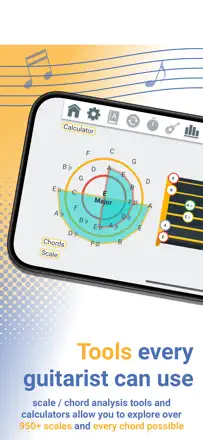
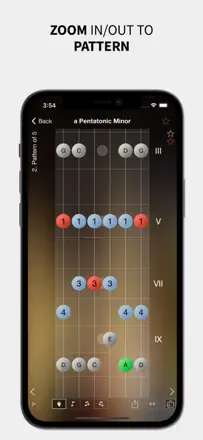
A strong tool for memorizing the fretboard and working with scales: it shows one scale and one position at a time, colors the scale degrees, and keeps a beginner from drowning in notes, and many use it daily for years. It breaks on two things: musicians are angry that a former lifetime purchase now asks for a monthly subscription again, and the app writes flats in scales where the key signature calls for sharps, which makes it unfit as a teaching reference.
Points forts : Color-coded scale degrees, one scale and position at a time, helps memorize the fretboard, rich choice of scales, a daily tool
Reproches : Moved from a lifetime purchase to a monthly subscription, wrong flat-versus-sharp notation for the key, dated interface, no explanation of note order for beginners, no bass mode
Pour qui : Guitarists learning the fretboard and scales who are willing to pay a subscription
Rang 22. Note des avis : 60 sur 100. Note sur l’App Store : 4,5★ · 392 notes
60sur 100
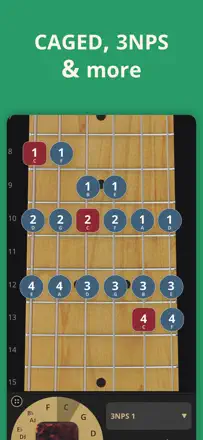
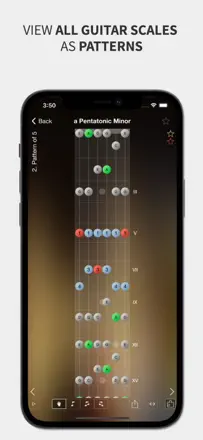
A handy scales reference with clear fingering, root notes and all the modes, and many keep it as their go-to for drilling scales. A responsive developer answers questions and fixes quickly. It breaks on aging code, crashing and bouncing to the home screen after iOS updates, the sound sometimes plays only the first note, and the redesign to a 'flat' look put many people off.
Points forts : Clear fingering and root-note display, all the modes, responsive developer, helps make sense of scales
Reproches : Crashes and bounces out after iOS updates, sound plays only the first note, debatable pattern numbering, no alternate tunings, doesn't show open notes, separate purchase on iPad and iPhone
Pour qui : A guitarist seriously drilling scales and modes who wants a visual reference