Ces apps sont mentionnées dans le décryptage de cette tâche. Ouvre chacune pour comparer les points forts et les limites. L’ordre de la liste n’est pas un classement d’adéquation.
Rang 3. Note des avis : 64 sur 100. Note sur l’App Store : 4,5★ · 2 624 notes
64sur 100
Harvest is a mature tool for anyone who bills by the hour: timer to project to invoice runs like a pipeline. Desktop and browser are reliable. The mobile app lost ground after being rewritten in React Native: the timer glitches, entries get lost, and reports and estimates are only available in the browser.
Points forts : The timer-to-project-to-invoice flow works without manually copying data. Reporting is flexible and clear. Support helps you structure projects and tasks to match non-standard billing arrangements.
Reproches : The mobile timer sometimes shows a stale value and hitting Start overwrites previous entries. Estimates are not available in the app only through the website. No Live Activity or Dynamic Island support to show a running timer in the background.
Pour qui : Freelancers and small agencies who bill by the hour: designers, consultants, developers.
Rang 5. Note des avis : 61 sur 100. Note sur l’App Store : 4,8★ · 16 129 notes
61sur 100
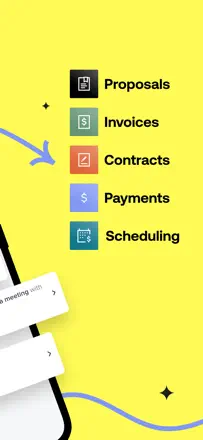
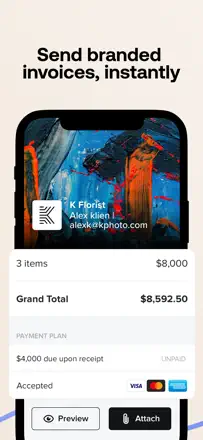
HoneyBook builds the entire client journey inside one document: quote, contract, invoice, and signature are all bundled into a smart file. Automatic payment reminders remove manual follow-up. The problem is that the mobile app is a stripped-down view editing smart files and lead forms can only be done on desktop, and opening a project in iOS frequently shows a blank screen.
Points forts : Smart files combine contract, invoice, and client signature in one flow, contract templates with a solid structure built in, automatic payment reminders.
Reproches : The mobile app doesn't let you edit smart files or forms anything complex requires a browser. Blank screens when opening a project in iOS, and the menu disappears behind the keyboard.
Pour qui : Photographers, event planners, and designers who sell through a contract-plus-invoice flow and manage several projects at once.
Rang 22. Note des avis : 38 sur 100. Note sur l’App Store : 4,7★ · 10 967 notes
38sur 100
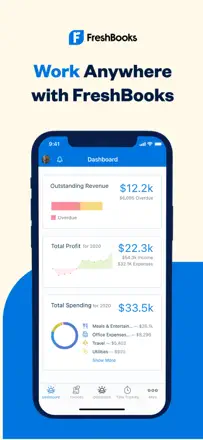
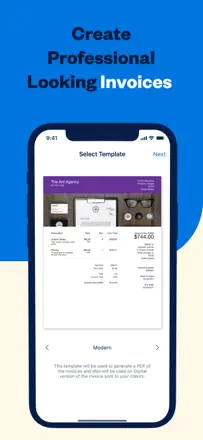
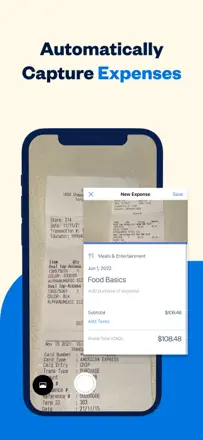
FreshBooks offers a useful set of features: a time tracker that feeds hours directly into invoices, receipt scanning with auto-categorization, and mileage tracking. In practice, the mobile app doesn't sync with the web clients see a different total in the PDF than what the user sees in the app. Mileage tracking records roughly one trip in ten. Face ID doesn't persist between sessions.
Points forts : Time tracker with direct billing integration, receipt scanning with auto-categorization, and a solid foundation for small-business tax reporting.
Reproches : The mobile app and web show different data for the same invoice. Mileage tracking is unreliable (catches about 10% of trips). The session resets every time you open the app despite the Remember This Device setting.
Pour qui : Freelancers and consultants who sell time and want to track hours inside the same tool they use to invoice.
Rang 8. Note des avis : 58 sur 100. Note sur l’App Store : 4,4★ · 6 584 notes
58sur 100
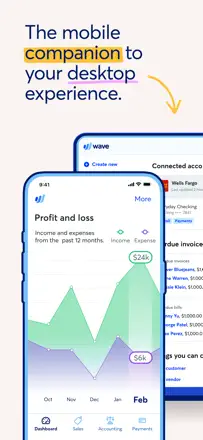
Wave used to be the gold standard for free small-business accounting, but after a monetization pivot most features moved behind a paywall. The remaining free tier is too thin for real work. The desktop version is significantly more capable than the mobile app.
Points forts : Invoice and estimate creation works well: professional PDFs, built-in late-payment reminders for clients, and a notification when a client opens an invoice. Accountants note that the bookkeeping logic is cleaner and more correct than QuickBooks.
Reproches : The mobile app is a stripped-down shell: account balances are unavailable without desktop, and categorizing transactions requires scrolling the entire list from the top after each save. Bank transaction sync breaks periodically and support goes quiet.
Pour qui : Freelancers and micro-businesses who need integrated bookkeeping and invoicing in one place and are okay working mostly through a browser.
Rang 19. Note des avis : 44 sur 100. Note sur l’App Store : 4,9★ · 122 552 notes
44sur 100
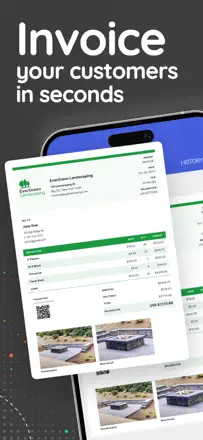
Invoice Simple does one thing well: a quick invoice from your phone with an SMS notification to the client. A loyal base built up over 6+ years, but the product has been monetized aggressively: the price has tripled and the limit has shrunk to 3 invoices per month on a paid plan. That's not a bug it's a product decision that destroys value for small businesses.
Points forts : SMS invoice delivery to the client directly from the app a rare feature that speeds up closing the deal on the spot.
Reproches : The invoice limit is tied to your plan and can drop without warning after an update. PDF and email sending occasionally break entirely and require a reinstall.
Pour qui : Mobile tradespeople (tire shops, mobile services) who need to send an invoice by text right from the job.