Authors describe trouble installing an eSIM and handing the route over to a navigation app. What is needed is a check beforehand and access to the information already saved.
Quelles apps les gens utilisent
Ces apps sont mentionnées dans le décryptage de cette tâche. Ouvre chacune pour comparer les points forts et les limites. L’ordre de la liste n’est pas un classement d’adéquation.
Rang 11. Note des avis : 60 sur 100. Note sur l’App Store : 4,6★ · 96 982 notes
60sur 100
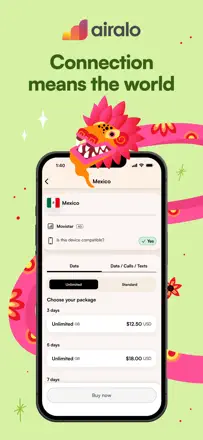
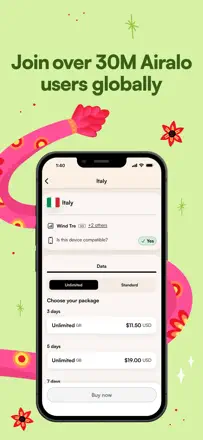
Airalo solves a real traveler pain point: no physical SIM needed, and the eSIM installs in minutes. In popular destinations across Asia and Europe it works well. In less-covered regions the connection is unreliable, and support during installation failures is slow and ineffective.
Points forts : In most popular countries the eSIM connects automatically on arrival with no setup.
Reproches : When installation stalls, the bot-driven support cannot help and leaves the traveler without internet in an unfamiliar city.
Pour qui : Tourists in popular Asian and European destinations who want to skip roaming
Rang 26. Note des avis : 52 sur 100. Note sur l’App Store : 4,8★ · 15 175 notes
52sur 100
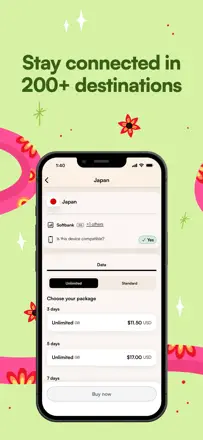
In popular destinations the eSIM works reliably and delivers good speeds, but in regions with weak networks it drops without warning, and first-time activation can be frustrating. Support is often handled by a bot.
Points forts : Fast connectivity in most popular countries without a physical SIM.
Reproches : In less developed regions the connection is unstable and can drop before the plan expires.
Pour qui : Travelers heading to popular tourist destinations
Rang 15. Note des avis : 58 sur 100. Note sur l’App Store : 4,6★ · 3 298 notes
58sur 100
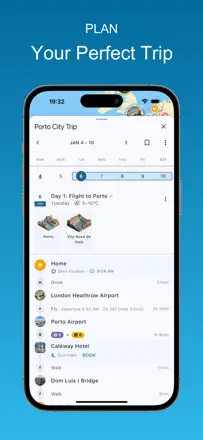
A strong sightseeing route planner with offline maps via Sygic. Weaknesses: real-time navigation is behind Google Maps, and exporting a route to a third-party navigator is awkward.
Points forts : Offline maps through Sygic are genuinely useful without signal in mountains, desert, or the subway.
Reproches : There is no easy, fast way to transfer your plan's route into a full navigation app for driving.
Pour qui : Tourists planning a packed sightseeing itinerary without depending on mobile data
Rang 2. Note des avis : 72 sur 100. Note sur l’App Store : 4,9★ · 3 204 notes
72sur 100
A companion app for Tripmasters clients that handles offline trip details and flight reminders well. Some users report timeouts in the Guide section and slow booking sync, but most find it useful on the road.
Points forts : Offline itinerary and schedule available without internet, which matters abroad and in the subway.
Reproches : The guide section freezes periodically, and booking changes do not always sync automatically.
Pour qui : Tripmasters clients who want all tour details at their fingertips offline
Rang 5. Note des avis : 63 sur 100. Note sur l’App Store : 4,8★ · 14 593 notes
63sur 100
One of the best apps for routing sightseeing stops: it builds an optimal visit order based on time and distance. The 10-day limit and inability to add arbitrary addresses (only recognized places) restrict use cases.
Points forts : Automatically arranges attractions into an efficient route with no unnecessary backtracking.
Reproches : You cannot set an arbitrary starting point like an Airbnb address or an unrecognized location.
Pour qui : Tourists who want to cover the maximum number of sights in a day