Professionals and students keeping tasks and a schedule at the same time
Was vor der Wahl zu prüfen ist
Meetings take up the time the task plan depends on. What matters to people is lining both kinds of record up against each other, rather than carrying them between screens in their head.
Welche Apps genutzt werden
Diese Apps werden in der Analyse dieser Aufgabe genannt. Öffne jede, um Stärken und Grenzen zu vergleichen. Die Reihenfolge der Liste ist keine Rangliste der Eignung.
Platz 2. Wert aus Rezensionen: 82 von 100. App-Store-Bewertung: 4,9★ · 44.016 Bewertungen
82von 100
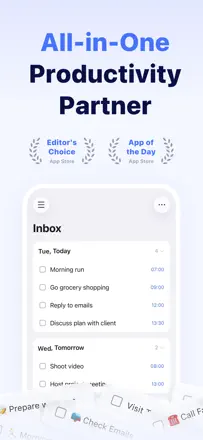
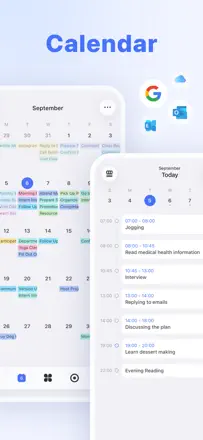
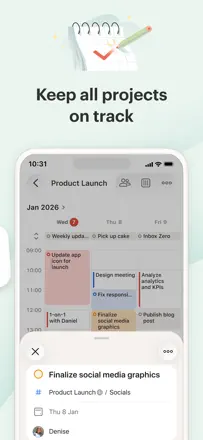
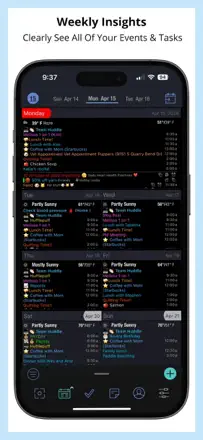
A best-in-class all-in-one planner: task list, built-in calendar, habit tracker, and Eisenhower matrix in one place. Sync works reliably and reminders fire on time. The richest core feature set in the category.
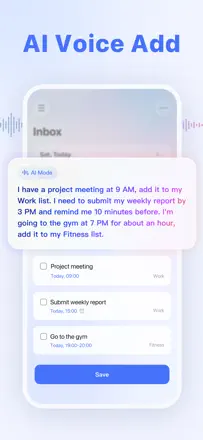
Gelobt: Natural-language voice input (tomorrow at 9, every Monday). A unified day view with tasks and events together. Cross-device sync with no delay.
Kritik: The boundary between an event and a task is unclear for new users. Update 8.0 buried features behind large headers. The mobile app is less flexible than the web version.
Für wen: People who need a single tool for tasks and scheduling, from students to professionals.
Platz 9. Wert aus Rezensionen: 74 von 100. App-Store-Bewertung: 4,8★ · 126.846 Bewertungen
74von 100
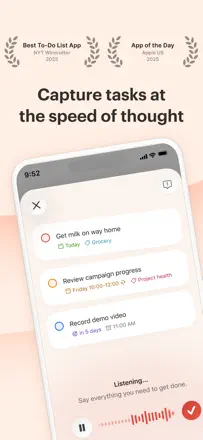
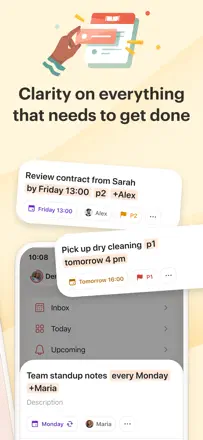
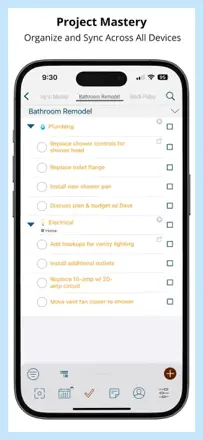
Todoist is a mature task manager for people who take planning seriously: priorities, projects, subtasks, natural-language date parsing, and Ramble voice input. It works across all platforms simultaneously without interruption. Weak points: Google Calendar sync occasionally breaks, and the mobile interface is less convenient than the web for bulk editing. For GTD practitioners this is the benchmark.
Gelobt: Fast task entry with one tap from any screen. Natural-language date recognition ('Friday at 3' sets the date automatically). Ramble records a thought by voice and breaks it into tasks. Works offline without degradation.
Kritik: Two-way Google Calendar sync periodically breaks after updates. Location-based reminders on recurring tasks sometimes fire on the wrong day. Deleting a project destroys all tasks inside it with no warning and no way to recover.
Für wen: People who live by GTD or Inbox Zero: professionals, ADHD students, freelancers juggling multiple task streams. Overkill for beginners.
Platz 3. Wert aus Rezensionen: 81 von 100. App-Store-Bewertung: 4,8★ · 7.634 Bewertungen
81von 100
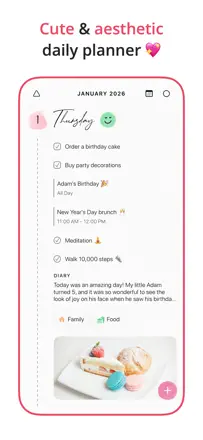
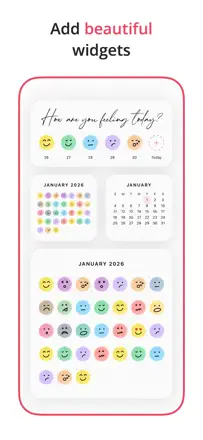
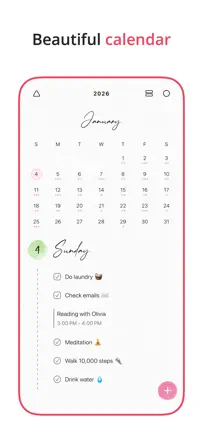
A minimalist daily planner with day, week, and month views, a built-in journal, and a task tracker. What sets it apart from competitors: zero unnecessary elements, a completely clean interface. A task is added in one tap and the day reads at a glance. Users are deleting Google Tasks and Apple Calendar to switch to it. The icon on the home screen not showing today's date without opening the app is the only recurring complaint.
Gelobt: Absolutely clean interface with no extra screens or settings. Built-in journal in the same place as the planner. Day view shows tasks and events together without switching modes.
Kritik: The app icon on the home screen does not display today's date. Searching past entries is weak. The digits 1 and 7 look similar in the font, causing confusion when reading dates.
Für wen: People who have tried many planners and are tired of cluttered interfaces. Ideal for those drawn to order and minimalist aesthetics.
Platz 80. Wert aus Rezensionen: 33 von 100. App-Store-Bewertung: 4,5★ · 6.041 Bewertungen
33von 100
A veteran on the market: one of the first organizers from the Palm Pilot era. Offers GTD tasks with multiple Google calendars in one view. But sync is unstable: tasks disappear after updates. Previously purchased features have been moved behind a new barrier.
Gelobt: The only app that combines GTD tasks and multiple Google calendars in one scrollable view with color coding.
Kritik: Tasks periodically disappear after updates with no recovery option. Cross-device sync is unstable. The Apple Watch app is barely updated.
Für wen: Experienced GTD users who need tasks and multiple calendars in one place and are willing to pay a subscription for a niche product.