Authors describe a signature shifting and notes being lost. Testing has to include reopening the exported PDF in another app.
Welche Apps genutzt werden
Diese Apps werden in der Analyse dieser Aufgabe genannt. Öffne jede, um Stärken und Grenzen zu vergleichen. Die Reihenfolge der Liste ist keine Rangliste der Eignung.
Platz 9. Wert aus Rezensionen: 63 von 100. App-Store-Bewertung: 4,7★ · 215.507 Bewertungen
63von 100
A mature PDF editor with solid annotation tools, but it broke user trust by revoking already-paid features.
Gelobt: Precise text alignment with snap guides when adding text. Annotation for academic work with Apple Pencil. Users from 2017-2018 praise stability and speed under the old model.
Kritik: The company revoked features from users who had paid for a lifetime license. PDF tabs close when switching between apps, and some articles fail to load fully.
Für wen: Those willing to subscribe who need a professional editor for annotation on iPad.
Platz 31. Wert aus Rezensionen: 38 von 100. App-Store-Bewertung: 4,7★ · 628.917 Bewertungen
38von 100
A PDF editor with powerful capabilities, but the interface is cluttered with AI features and annotations disappear.
Gelobt: Paid subscribers value PDF markup and form work on desktop. Basic PDF reading and document navigation are stable.
Kritik: Markup (annotations) disappears on reopen for about half of users. Exporting a PDF with markup takes too many steps and often doesn't work as expected.
Für wen: People already in the Adobe ecosystem who work with PDF forms on desktop and use mobile as a fallback.
Platz 5. Wert aus Rezensionen: 66 von 100. App-Store-Bewertung: 4,8★ · 50.121 Bewertungen
66von 100
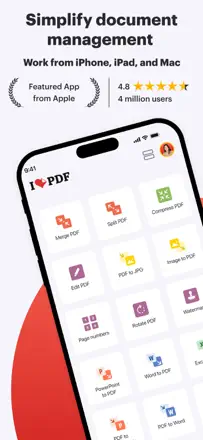
A feature-rich PDF toolkit with a wide range of operations but a rough UX in complex workflows.
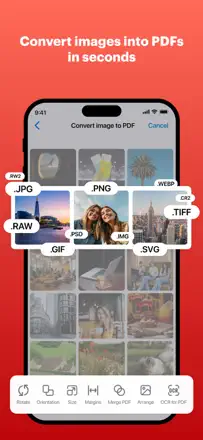
Gelobt: Compression, merging, splitting, and JPG conversion all in one app. Users say it replaces Acrobat for everyday tasks.
Kritik: Every action exports a new file to a new folder, so you can't chain multiple operations in sequence. The app crashes without auto-save, which means all work is lost.
Für wen: People who work with PDFs regularly and need a wide range of operations without Adobe.
Platz 27. Wert aus Rezensionen: 44 von 100. App-Store-Bewertung: 4,7★ · 25.105 Bewertungen
44von 100
A basic PDF editor for one-off form filling, an Adobe alternative without deep editing.
Gelobt: Quickly handles form filling without an Adobe subscription. The interface is simpler than professional editors.
Kritik: Color images get converted to black and white during editing. Document formatting is not retained on re-open as the app doesn't recognize its own markup.
Für wen: People who fill a form once a month and don't want to pay for Adobe.