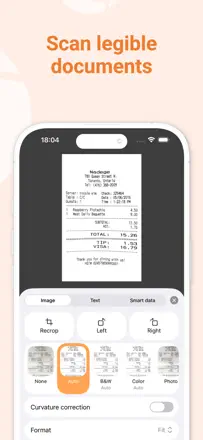
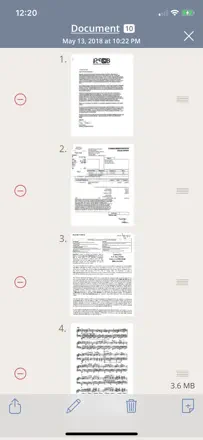
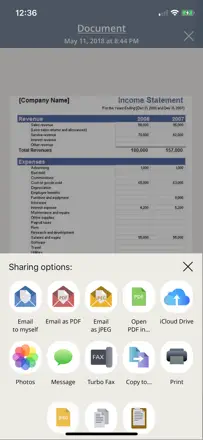
Digitize and keep important personal documents (insurance policies, tax papers, medical certificates, family archives) so they are available from the phone.
The reviews include documents lost after changing phone. A user has to understand where the copy is kept and how to restore it.
Welche Apps genutzt werden
Diese Apps werden in der Analyse dieser Aufgabe genannt. Öffne jede, um Stärken und Grenzen zu vergleichen. Die Reihenfolge der Liste ist keine Rangliste der Eignung.
Platz 11. Wert aus Rezensionen: 62 von 100. App-Store-Bewertung: 4,8★ · 177.383 Bewertungen
62von 100
A veteran scanner that got ruined by updates and a subscription paywall.
Gelobt: '10 documents in a minute.' People have kept it for years for its reliability and simplicity of the basic flow.
Kritik: Every major update complicates the interface instead of simplifying it. The subscription wall blocks document sending, which is the only reason people open the app.
Für wen: Anyone who scans occasionally and wants the fewest steps from button to PDF in their inbox.
Platz 13. Wert aus Rezensionen: 61 von 100. App-Store-Bewertung: 4,8★ · 1.386.049 Bewertungen
61von 100
A functional scanner with good recognition, but recent updates broke stability.
Gelobt: Supports drag-and-drop for photos and documents directly into the app. The basic path of scanning receipts daily and emailing them works without extra steps.
Kritik: When editing, color documents get converted to black and white, which breaks scanning of artwork and color forms. The trash folder in new versions freezes when you try to empty it.
Für wen: People who scan receipts and documents regularly and want to store them in organized folders.
Platz 2. Wert aus Rezensionen: 72 von 100. App-Store-Bewertung: 4,9★ · 1.339.911 Bewertungen
72von 100
A time-tested scanner with solid file organization, but export has been glitchy lately.
Gelobt: Users keep coming back year after year for the predictability: shoot, crop, send. The file system handles large archives without losing navigation.
Kritik: Email delivery stopped working for some users after an update and documents don't get through. Auto-capture mode requires manual confirmation for each page, slowing down multi-page scans.
Für wen: People who store documents inside the app and occasionally send them by email or to the cloud.
Platz 6. Wert aus Rezensionen: 65 von 100. App-Store-Bewertung: 4,9★ · 100.037 Bewertungen
65von 100
A fast and convenient scanner with built-in fax, but unreliable email delivery undermines trust.
Gelobt: Flattens crumpled receipts and sends a PDF right away without extra steps. Users appreciate the speed and folder organization.
Kritik: Emails with scanned documents can take hours or never arrive at all. Documents don't sync to the cloud and disappear when the app is reinstalled.
Für wen: Field workers and freelancers who need to quickly send a document or receipt without a scanner nearby.