These apps are mentioned in the breakdown of this job. Open each one to compare strengths and limits. The order of the list is not a ranking of fitness.
Rank 1. Review score: 72 out of 100. App Store rating: 4.7★ · 19,909 ratings
72of 100
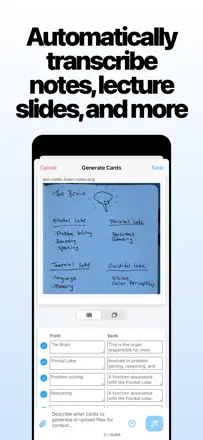
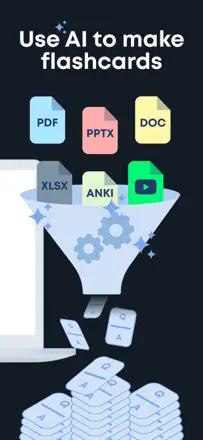
AlgoApp (formerly Flashcard Hero) is one of the best pure SRS tools on iOS. It supports FSRS one of the most accurate spaced-repetition algorithms available along with AI card generation and cross-platform sync. The technical issues are real, but longtime users give it high marks for good reason.
Praised: The FSRS algorithm adapts the review schedule to your actual responses more precisely than Anki's classic SM-2. An AI assistant generates cards right inside the app. There's a huge library of pre-made decks to download.
Complaints: Sync between devices is unreliable. CSV import doesn't auto-convert phonetic transcriptions. Cards inside downloaded community decks can't be edited.
Best for: Serious language learners and exam preppers who want a top-tier repetition algorithm and the ability to build their own material.
Rank 2. Review score: 72 out of 100. App Store rating: 4.0★ · 2,293 ratings
72of 100
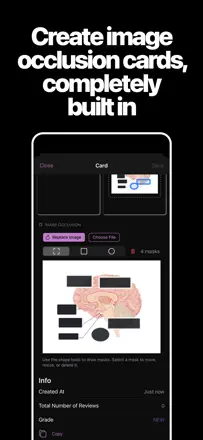
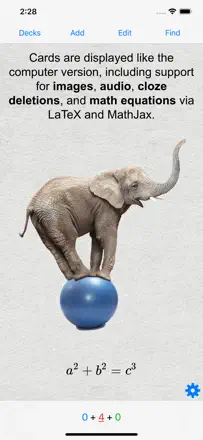
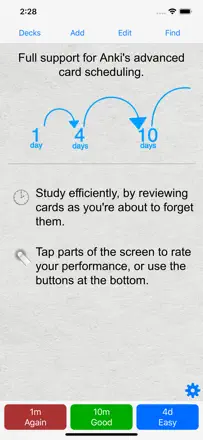
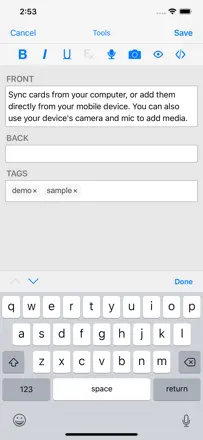
AnkiMobile Flashcards is the mobile port of the legendary Anki SRS engine. The spaced-repetition algorithm is the best in the category: configurable retention, FSRS, proven over decades. It supports media cards, import/export via AnkiWeb, and thousands of community decks. The one significant weakness is the interface it feels archaic, doesn't follow iOS conventions, and has a steep learning curve. Complex card editing is desktop-only. One-time purchase of $25.
Praised: FSRS with configurable retention delivers a science-backed review schedule. Sync through AnkiWeb. Thousands of community decks for languages, medicine, law, and more.
Complaints: The interface doesn't follow iOS patterns and still feels like a web wrapper. Complex card editing is only available on desktop. There's no obvious button to study an entire deck.
Best for: Med students, linguists, law students, and anyone serious about long-term retention who is willing to spend an hour on setup to get the best algorithm available.
Rank 13. Review score: 52 out of 100. App Store rating: 4.8★ · 13,695 ratings
52of 100
A vocabulary trainer built around film and TV clips with contextual examples not a classic SRS flashcard editor. Content is fixed (the app's own word database), so you can't create your own cards. It took a serious hit from several updates that wiped user progress and broke audio. AI-generated illustrations are frequently criticized for poor quality.
Praised: Vocabulary cards tied to real clips from movies and TV shows words stick because you remember the context. Deep enough content for advanced learners.
Complaints: No way to add your own words or create custom cards. Multiple updates have wiped accumulated progress. AI images are off-topic. Audio breaks after updates. Development stagnating compared to competitors.
Best for: English learners at B1-C1 who want to expand vocabulary through film context rather than building their own decks.
Rank 3. Review score: 70 out of 100. App Store rating: 4.8★ · 20,937 ratings
70of 100
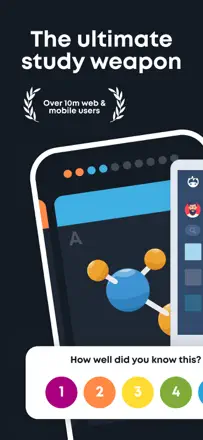
Brainscape is one of the few apps in this batch that genuinely implements spaced repetition with user-rated confidence. The method works, and the interface is cleaner than most competitors. The main limitations are around session control and text-to-speech.
Praised: A five-point confidence scale on every card directly drives review frequency this is honest SRS. Cross-platform: easy to create decks in the browser, easy to study on your phone.
Complaints: You can't set a fixed number of cards per session. No text-to-speech. The algorithm sometimes resurfaces cards you just reviewed while ignoring ones you haven't answered.
Best for: Students and self-learners with ready-made card sets or who want to build their own. Especially good for people who study on both phone and computer.
Rank 10. Review score: 55 out of 100. App Store rating: 4.8★ · 12,399 ratings
55of 100
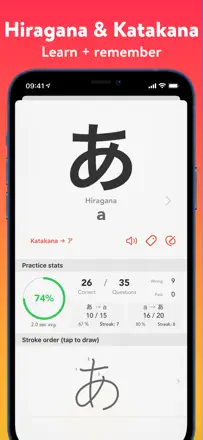
A narrow-purpose app for learning the Japanese syllabaries (hiragana and katakana). Not a general-purpose flashcard engine. Spaced repetition is advertised in the 'smart quiz' mode, but it's critically broken: the quiz ignores katakana and only shows hiragana, even on high streaks, instead of surfacing weak characters. Handwriting recognition is unreliable for katakana.
Praised: Minimal and free, works well for hiragana, clean interface without clutter, per-character progress tracking.
Complaints: Smart quiz is broken for katakana the core feature doesn't work. Handwriting recognition is unreliable. No onboarding for new users. Saving custom character lists is buggy.
Best for: Japanese beginners who only need to learn hiragana. For katakana, the app is effectively unusable based on current reviews.