Skip to content
Choosing by job

Draw up an estimate right on the job site and send it straight away, before the client cools off. Then convert it into an invoice without retyping.

Invoices for clients

Contractors and builders

Which apps people use

These apps are mentioned in the breakdown of this job. Open each one to compare strengths and limits. The order of the list is not a ranking of fitness.

  1. Joist: Estimate Invoice Maker

    Rank 20. Review score: 44 out of 100. App Store rating: 4.7★ · 13,314 ratings

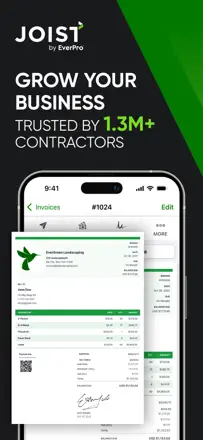
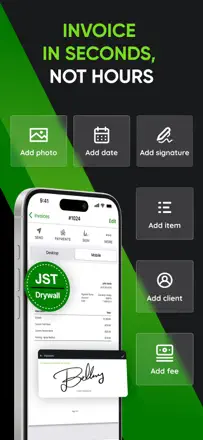
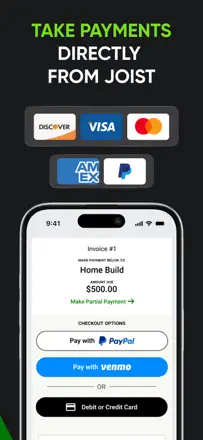
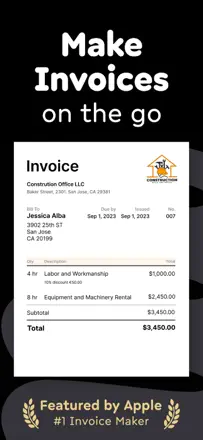
    Joist lets you attach your license and insurance to your profile clients see the documents right inside the app. Online and in-person payment acceptance works. But the monetization model undercuts the value: features are steadily moved to more expensive tiers, and after a subscription lapses, access to your own documents is locked until you pay again.

    Praised: Showing license and insurance to the client inside the app, online and in-person payment acceptance, estimate history with change tracking.

    Complaints: Features keep moving to pricier tiers without new capabilities being added. The document archive closes after you cancel you pay for access to content you already created.

    Best for: Construction contractors and remodelers who need to show their license to clients and accept payment on-site.

  2. Billdu: Invoice Estimate Maker

    Rank 9. Review score: 56 out of 100. App Store rating: 4.8★ · 25,454 ratings

    Billdu is the most feature-complete of the compact invoice makers: it handles both invoices and estimates, supports multiple templates, and works for multilingual markets. But there's a long-standing bug that hasn't been fixed in years: the client's name disappears from a saved invoice or estimate when you edit it. This breaks the core use case. Splitting invoice vs. estimate access across plan tiers without warning is a product trap.

    Praised: Flexible branded templates, fast estimate creation with one-tap conversion to invoice, multilingual interface.

    Complaints: The client's name randomly disappears from the invoice or estimate whenever you edit it a bug that has been around for years with no fix.

    Best for: Small contractors and freelancers who need branded templates and estimate workflows.

  3. Invoice Maker ▸ Estimate App

    Rank 13. Review score: 52 out of 100. App Store rating: 4.8★ · 34,852 ratings

    Invoice Maker and Estimate App handles the basic estimate-to-invoice flow from a phone. Functionally limited: no web access, no quarterly report filtering, and no auto-save on switch. Client signature on estimates is not supported, which matters for the construction segment.

    Praised: Estimate and invoice in one flow: send a quote, client accepts, convert to invoice without retyping anything.

    Complaints: If you switch to another app mid-invoice (for example, to look up an address on a map), the unsaved invoice is gone completely.

    Best for: Tradespeople and small contractors who need an estimate-to-invoice chain without extra steps.

  4. Estimate Maker for Contractors

    Rank 2. Review score: 67 out of 100. App Store rating: 4.9★ · 2,032 ratings

    The best tool in its class for contractors who need to put together a professional estimate on-site, fast. Fully free for estimates. Editing after creation and integration with other software are limited.

    Praised: Professional-looking documents without any setup, logo support, faster than any MS Office template according to users who made the switch, and completely free for the basic use case.

    Complaints: Editing a saved estimate is awkward sending to Adobe opens the old version. No real integration with external systems like QuickBooks. The client-facing total sometimes differs from what the contractor sees in the app.

    Best for: Builders, repair contractors, and field service pros who write up proposals on-site and don't need full accounting.

  5. Freebie Estimate Maker App

    Rank 6. Review score: 60 out of 100. App Store rating: 4.9★ · 2,702 ratings

    A solid tool for putting together estimates on-site quickly it's free and looks professional. The main problem is that saved edits sometimes don't make it into the sent document, which creates real risk for contractors.

    Praised: Free access with no cap on the number of estimates. Builders and contractors can put together a proposal right on the job site. Clean PDF output without visual clutter.

    Complaints: Editing a finished estimate doesn't reliably update the sent PDF several users have sent clients outdated versions with wrong prices. No client signature, no SMS sending, and no cross-device sync without upgrading to paid Billdu.

    Best for: Contractors and builders who need to generate an estimate in the field and send it to the client right away.

Other jobs in this topic

Full ranking: Invoices for clients25 apps with screenshots and scoresWhere this breakdown comes fromRead the research and the observations from reviews