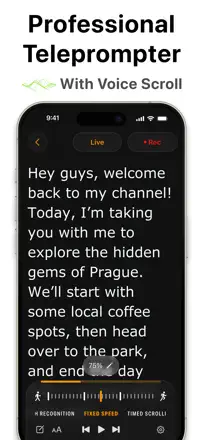
Read a speech at a funeral, wedding, thesis defense, lecture or campaign clip so the teleprompter itself matches the live pace of speech and it does not show that you are reading
Authors describe a limit on duration and paid voice tracking. Before the event they have to be able to test the mode they need and the whole script.
Which apps people use
These apps are mentioned in the breakdown of this job. Open each one to compare strengths and limits. The order of the list is not a ranking of fitness.
Rank 19. Review score: 52 out of 100. App Store rating: 4.7★ · 4,654 ratings
52of 100
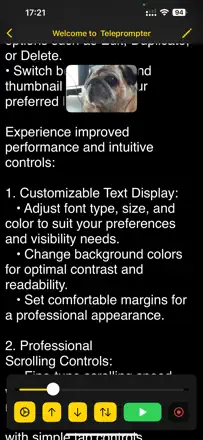
The core value is one thing: a free version to try voice scrolling, and in quiet it works like magic, which has come through on important speeches like a eulogy at a funeral. But the free version is too restricted: recording only three minutes, often no recording without paying, and just one script, so you can't tell if the $30 paid version will suit you. Plus crashes when rotating the screen and voice recognition failures in noise and with an accent.
Praised: Free trial of voice scrolling, keeps pace with speech even with echo, comes through on important speeches, in-app editing, connecting cloud drives
Complaints: Recording only three minutes, often no recording without paying, only one script, crashes when rotating the screen, recognition failures in noise and with an accent
Best for: People who want to try voice scrolling ahead of buying the paid version, especially for an important speech in a quiet setting
Rank 1. Review score: 68 out of 100. App Store rating: 4.8★ · 30,528 ratings
68of 100
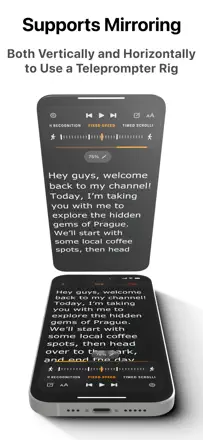
People praise the simplicity, smooth scrolling, remote control, and generous free version that makes them buy the lifetime license to support the developers. The weak spots are concrete: no voice-synced scrolling, mirrored text and remote control moved to the paid tier, and recorded video can come out washed out and lower quality than the native camera.
Praised: Simplicity, smooth scrolling, remote control, generous free version, clean audio with noise reduction, sharing to social media
Complaints: No voice-driven scrolling, mirrored text and remote locked behind pay, recording quality worse than native camera, crashes during recording, recorded clips disappear
Best for: Bloggers and YouTube creators who want a reliable teleprompter with smooth scrolling and a remote and don't mind paying once
Rank 32. Review score: 35 out of 100. App Store rating: 4.4★ · 659 ratings
35of 100
A simple teleprompter for speeches, lectures and video: handy speed and font-size control, and it genuinely saves some people on shoots. But the free version is nearly useless, and basic things like pasting text, renaming and saving scripts demand the paid version. Worse, 'bug fix' updates wiped people's entire script libraries and broke saving of edits.
Praised: Scroll-speed and font-size control, saves people on speech and lecture shoots, simple interface
Complaints: Free version nearly useless without paying, can't paste text or rename a script without the paid one, updates deleted the script library, doesn't save edits, no face-on video mode in free
Best for: People who need a simple scrolling prompter for speeches and video recording and are ready to pay upfront
Rank 4. Review score: 63 out of 100. App Store rating: 4.8★ · 26,793 ratings
63of 100
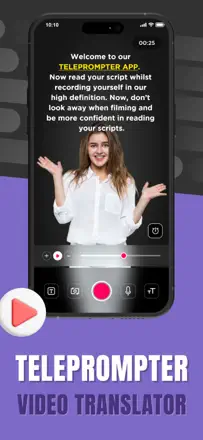
The main thing people love is that auto-scroll follows their speaking pace and they look into the camera instead of darting their eyes. But the price stings, support was replaced by a bot that never answers on point, and mirrored text is locked behind pay, so you can't use it free with a real teleprompter rig. Plus complaints about 30 fps instead of 60 and charges after cancelling.
Praised: Auto-scroll matching speaking pace, looking straight into the camera, simplicity even for older users, working across cameras and devices, adjustable text width
Complaints: High price, bot-only support with no answers, mirrored text locked behind pay, only 30 fps instead of 60, auto-scroll drops out during recording, charges after cancelling
Best for: Creators and podcasters who care about scrolling at their own speaking pace and looking into the camera, if they're willing to pay a subscription
Rank 10. Review score: 62 out of 100. App Store rating: 4.6★ · 505 ratings
62of 100
A simple free teleprompter that genuinely helps you keep your pace and stop rambling on camera, and that is what people value it for. But users complain the text freezes or flies by too fast with no real speed control, and the script often can't be saved so you have to paste it in again. On top of that the screen sometimes goes black or white during recording and audio starts out too quiet.
Praised: Free, simple, helps keep pace and stop rambling, easy to read the script while filming
Complaints: Text freezes during recording, scroll too fast with no proper speed control, can't save the script, screen goes dark or white while filming, quiet audio at the start, no pauses in the script
Best for: Beginners at short-form video who want a free teleprompter to read text to camera without losing their place