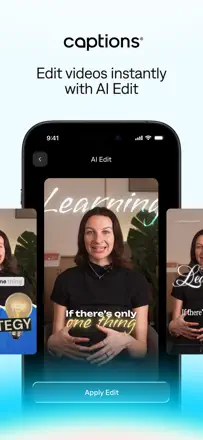
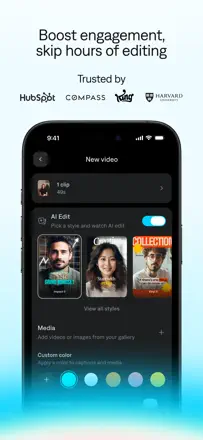
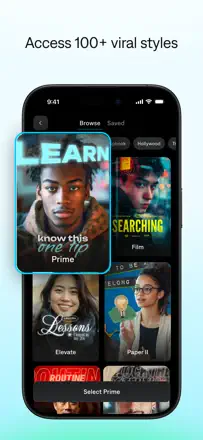
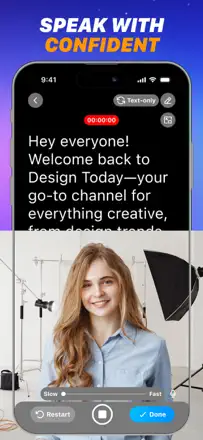
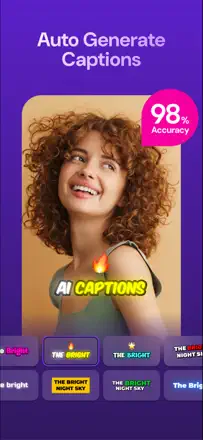
Record a clip for TikTok, Reels or YouTube in one take, looking into the camera without stumbling, then lay on large captions so the video gets watched without sound
Authors discuss unexpected charges for export and running short of credits. An estimate of the result available for the chosen clip, made in advance, would help.
Which apps people use
These apps are mentioned in the breakdown of this job. Open each one to compare strengths and limits. The order of the list is not a ranking of fitness.
Rank 26. Review score: 42 out of 100. App Store rating: 4.7★ · 35,722 ratings
42of 100
People praise how easy it is and how it saves editing time on short phone clips. It breaks down on money and AI quality. Many complain you have to pay just to save and export your video, the AI edits look obvious and get no views, and a recent update broke moving text.
Praised: Fast editing of short videos from the phone, time saved, simple start for beginners, handy fonts and captions
Complaints: Paying to save and export the clip, obvious AI edits with no payoff, update broke dragging text, random credit grants, sign-in trouble
Best for: Beginners shooting short vertical clips on a phone who want quick captions without hassle
Rank 25. Review score: 45 out of 100. App Store rating: 4.8★ · 340 ratings
45of 100
When it works, the teleprompter genuinely helps you read the script, keep your pace, and not break eye contact with the camera, which is why creators praise it. But money is charged before a person even downloads the app, you can't film a single clip for free, and filming itself gets stuck in landscape even after paying. People also complain that good takes get lost while the bad ones are the ones that save.
Praised: Smooth script scrolling, adjustable speed and text size, helps keep pace and eyes on camera, built-in recording, all in one place
Complaints: Charged before downloading, can't film a single clip for free, stuck in landscape even after paying, loses good takes and saves the bad ones
Best for: Short-form video and lecture creators who want a teleprompter with recording all in one place, but only if ready for an aggressive subscription and billing risks
Rank 33. Review score: 34 out of 100. App Store rating: 4.5★ · 2,871 ratings
34of 100
The idea lands: it's easy to read a script while looking straight into the camera, plus AI script, captions, and green-screen background removal. In practice it often breaks: video hangs on screen forever, won't save or can't be found after recording, screens don't fit the iPhone 17 Pro Max, and green screen and AI filters die in landscape.
Praised: Reading a script with eyes on the camera, smooth scrolling, AI script generation, captions, green-screen background removal, video quality stays intact
Complaints: Video freezes or won't save after recording, screens don't fit newer iPhones, AI filters and green screen fail in landscape, mic records sound only half the time, the promised free trial turns into an instant charge
Best for: People filming talking-head clips for social and online courses who can tolerate flaky recording
Rank 18. Review score: 55 out of 100. App Store rating: 4.6★ · 777 ratings
55of 100
It used to be one of the best auto-caption apps: solid AI recognition, easy editing, works in many languages including Arabic. But recent updates broke a lot: video sound disappears while editing, they added an awkward zoom that makes captions impossible to drag, and crashes mid-work got more frequent. Recognition accuracy also stumbles, so you spend a lot of time fixing captions by hand.
Praised: Good AI recognition and word highlighting, easy caption editing, works in many languages, was convenient before the updates
Complaints: New updates broke the interface, captions impossible to move because of the zoom, video sound disappears during editing, crashes mid-work, inaccurate recognition needs manual fixing
Best for: People making vertical clips with captions in various languages who can live with the fallout from updates
Rank 9. Review score: 62 out of 100. App Store rating: 4.8★ · 835 ratings
62of 100
A simple, fast way to add subtitles, and many value the accuracy and the wide choice of styles, with some paying for it for years. It breaks on longer clips (crashes), sometimes exports video with no sound, and mixes up languages in the captions. People also bristle that the 'free' label is conditional and the weekly price feels steep.
Praised: Recognition accuracy, lots of caption styles and color combos, simple and fast, saves time
Complaints: Crashes on long videos, sometimes exports with no sound, captions come out in a mix of wrong languages, weekly subscription feels expensive
Best for: People cranking out short social clips who want to slap subtitles on quickly
Rank 8. Review score: 62 out of 100. App Store rating: 4.7★ · 1,469 ratings
62of 100
Fast at making captions and especially strong with bilingual subtitles, export is quick. Breaks on auto-captions for some (glitches, cuts off), no video cropping, weak Arabic support and clunky text editing. Watermark and paywall annoy those expecting free.
Complaints: Auto-captions sometimes glitch and cut off, cannot crop or zoom video, weak Arabic support, awkward text editing, watermark on free version
Best for: People editing short social clips who need bilingual subtitles