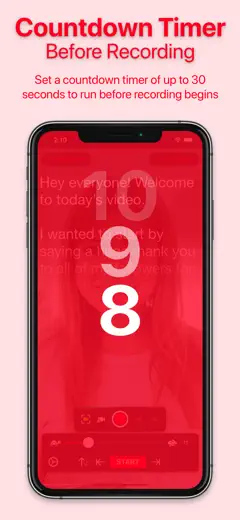
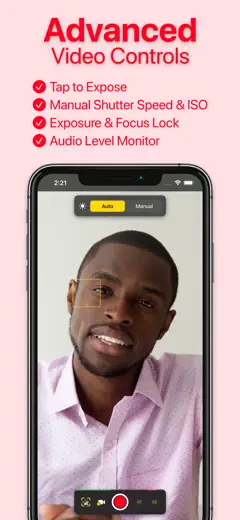
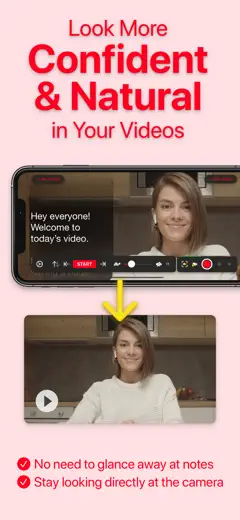
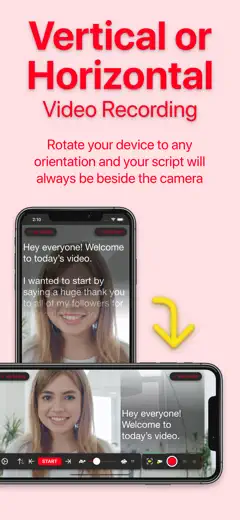
Review score: 68 out of 100. App Store rating: 4.8★ · 30,528 ratings
68of 100
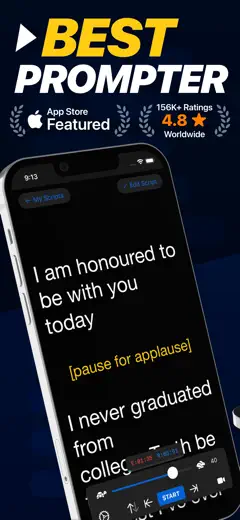
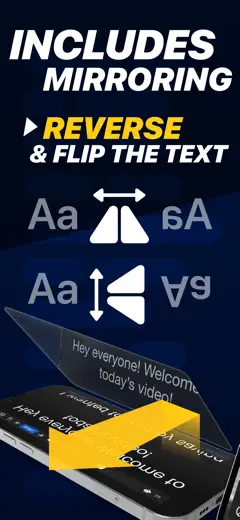
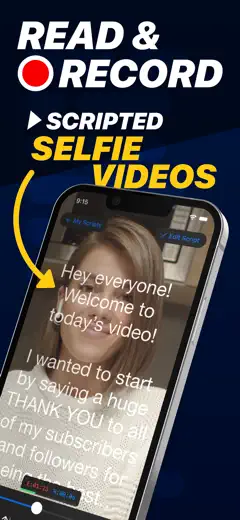
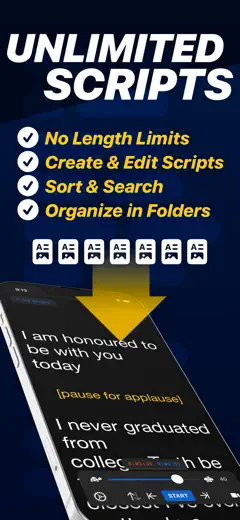
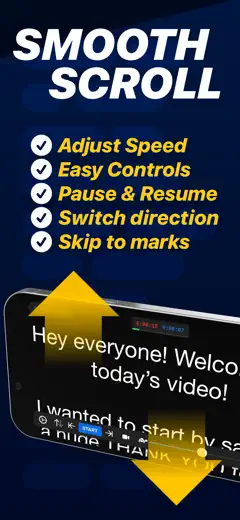
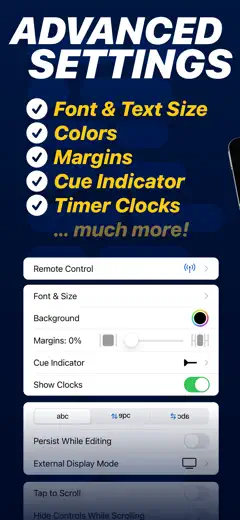
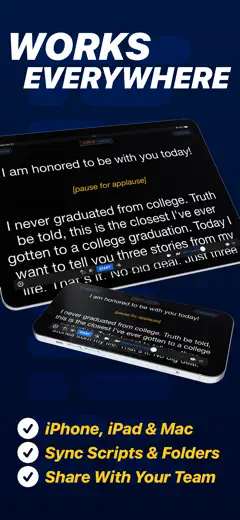
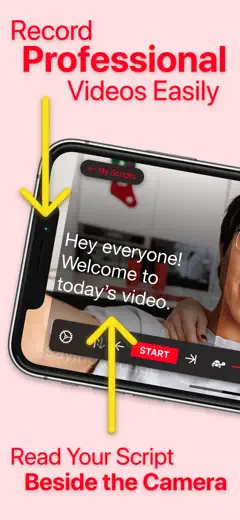
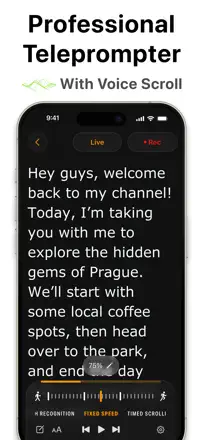
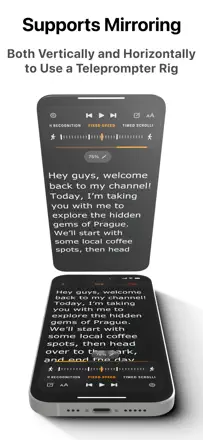
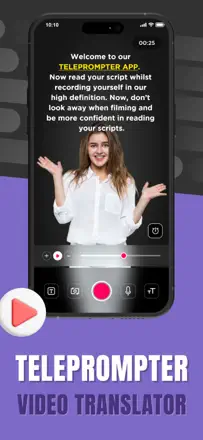
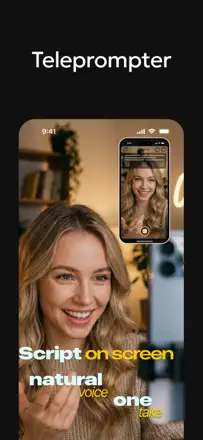
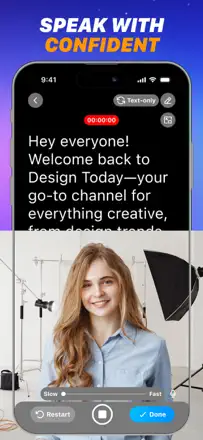
People praise the simplicity, smooth scrolling, remote control, and generous free version that makes them buy the lifetime license to support the developers. The weak spots are concrete: no voice-synced scrolling, mirrored text and remote control moved to the paid tier, and recorded video can come out washed out and lower quality than the native camera.
Praised
Simplicity, smooth scrolling, remote control, generous free version, clean audio with noise reduction, sharing to social media
Complaints
No voice-driven scrolling, mirrored text and remote locked behind pay, recording quality worse than native camera, crashes during recording, recorded clips disappear
Best for: Bloggers and YouTube creators who want a reliable teleprompter with smooth scrolling and a remote and don't mind paying once
Review score: 68 out of 100. App Store rating: 4.7★ · 2,065 ratings
68of 100
People value it above all for being free and quick to learn: read your text looking into the camera and record a clip without stumbling. The main pain is saving and exporting: short clips go through fine, but long ones won't save, the app spins forever, the phone overheats, plus the watermark and the on-screen text that gives away you're reading are annoying.
Praised
Completely free, quick to learn, helps you read without stumbling and not look robotic, reliable on short clips
Complaints
Long clips won't save and hang in endless loading, phone overheats on export, watermark stays even after paying, large text under the lens gives away reading, portrait-only recording
Best for: Beginners and anyone shooting short talking-head clips who doesn't want to pay for a teleprompter
Review score: 68 out of 100. App Store rating: 4.7★ · 1,439 ratings
68of 100
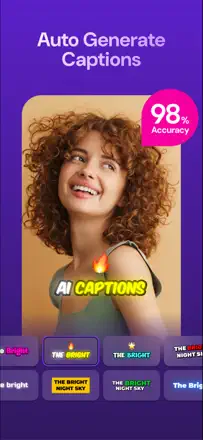
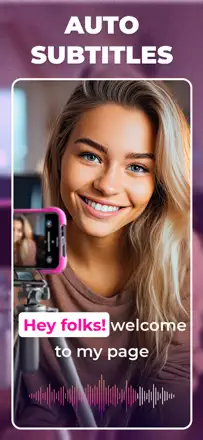
The main value is speed: subtitles for a long video, even an hour long, are ready in minutes, and for people like those making medical education clips that saves real time. Accuracy is decent in English but drops on quiet and non-English speech, and local transcription on Mac stalls. The sore spot that costs it five-stars is export: some people found the captions vanished from the finished file on playback.
Praised
Fast subtitles even for hour-long videos, good English accuracy, simple clear preview, handy subtitle splitting
Complaints
Captions disappear from the exported file, slow and stalling local transcription on Mac, weak on quiet and non-English speech, can't add custom fonts, pricey for a thin feature set
Best for: People who regularly caption long videos for study or work and value speed over fine-grained control.
Rank 4. Review score: 63 out of 100. App Store rating: 4.8★ · 26,793 ratings
63of 100
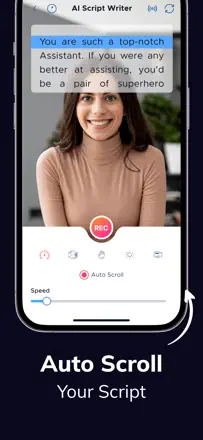
The main thing people love is that auto-scroll follows their speaking pace and they look into the camera instead of darting their eyes. But the price stings, support was replaced by a bot that never answers on point, and mirrored text is locked behind pay, so you can't use it free with a real teleprompter rig. Plus complaints about 30 fps instead of 60 and charges after cancelling.
Praised: Auto-scroll matching speaking pace, looking straight into the camera, simplicity even for older users, working across cameras and devices, adjustable text width
Complaints: High price, bot-only support with no answers, mirrored text locked behind pay, only 30 fps instead of 60, auto-scroll drops out during recording, charges after cancelling
Best for: Creators and podcasters who care about scrolling at their own speaking pace and looking into the camera, if they're willing to pay a subscription
Rank 5. Review score: 63 out of 100. App Store rating: 4.6★ · 1,237 ratings
63of 100
Experienced presenters and shooters value it for the core of a teleprompter: editing the script on the fly, adjusting speed and font size, text right above the lens for eye contact, working with both a formal teleprompter and a tablet on a stand. But the details spoil it: script import is very clunky, renaming scripts scrambles names and texts, and the promised Bluetooth keyboard hasn't worked for many for years. It also has no built-in video recording, you need a second app.
Praised: Editing the script on the fly, speed and font-size control, text above the lens for eye contact, works with a formal teleprompter and a tablet on a stand, 4k recording
Complaints: Clunky script import, renaming scrambles names and texts, Bluetooth keyboard broken for years, no built-in recording so you need a second app, awkward speed steps
Best for: Presenters, hosts and people shooting talking-head video who need a reliable teleprompter with on-the-fly editing, if clunky script import isn't a dealbreaker.
Rank 6. Review score: 62 out of 100. App Store rating: 4.7★ · 15,085 ratings
62of 100
People love it for smooth scrolling and remote control, and they pull it into all kinds of scenarios from recording video to song lyrics at live concerts. But some hit breakage after updates: syncing between devices jumps and drops out with hours of work lost, uploaded songs disappear from folders, and the set speed isn't remembered. Importing multiple scripts and arranging them into folders is clumsy.
Praised: Smooth scrolling, best external remote control, works for voiceover and song lyrics, Bluetooth foot-pedal integration, intuitive on a shoot
Complaints: Sync between devices breaks with lost work, uploaded songs disappear, set speed not remembered, clumsy import and folder arrangement of scripts, glitches after updates
Best for: People who work a lot from a remote: video creators, musicians with song lyrics on stage, and prompter operators on shoots
Rank 7. Review score: 62 out of 100. App Store rating: 4.4★ · 1,490 ratings
62of 100
People use it to learn lines and film talking-head clips: students submit video assignments, creators record short updates, the audio is clean, and it's easy to learn. It stumbles on recording and money: for some an error pops up when uploading a finished clip, video downloads cropped, a FoxCue logo lands in the intro, and downloading your own clip is locked behind a subscription.
Praised: Helps learn lines fast, simple talking-head recording, clean audio, handy for school video assignments and work updates, lots of styling options
Complaints: Error when uploading a finished clip, video downloads cropped without the full frame, FoxCue logo in the intro, downloading your own clip locked behind a subscription, crashes and a nagging rate prompt between takes
Best for: Students and creators who need to learn lines and film a tidy talking-head clip for school or social
Rank 8. Review score: 62 out of 100. App Store rating: 4.7★ · 1,469 ratings
62of 100
Fast at making captions and especially strong with bilingual subtitles, export is quick. Breaks on auto-captions for some (glitches, cuts off), no video cropping, weak Arabic support and clunky text editing. Watermark and paywall annoy those expecting free.
Complaints: Auto-captions sometimes glitch and cut off, cannot crop or zoom video, weak Arabic support, awkward text editing, watermark on free version
Best for: People editing short social clips who need bilingual subtitles
Rank 9. Review score: 62 out of 100. App Store rating: 4.8★ · 835 ratings
62of 100
A simple, fast way to add subtitles, and many value the accuracy and the wide choice of styles, with some paying for it for years. It breaks on longer clips (crashes), sometimes exports video with no sound, and mixes up languages in the captions. People also bristle that the 'free' label is conditional and the weekly price feels steep.
Praised: Recognition accuracy, lots of caption styles and color combos, simple and fast, saves time
Complaints: Crashes on long videos, sometimes exports with no sound, captions come out in a mix of wrong languages, weekly subscription feels expensive
Best for: People cranking out short social clips who want to slap subtitles on quickly
Rank 10. Review score: 62 out of 100. App Store rating: 4.6★ · 505 ratings
62of 100
A simple free teleprompter that genuinely helps you keep your pace and stop rambling on camera, and that is what people value it for. But users complain the text freezes or flies by too fast with no real speed control, and the script often can't be saved so you have to paste it in again. On top of that the screen sometimes goes black or white during recording and audio starts out too quiet.
Praised: Free, simple, helps keep pace and stop rambling, easy to read the script while filming
Complaints: Text freezes during recording, scroll too fast with no proper speed control, can't save the script, screen goes dark or white while filming, quiet audio at the start, no pauses in the script
Best for: Beginners at short-form video who want a free teleprompter to read text to camera without losing their place
Rank 11. Review score: 60 out of 100. App Store rating: 4.8★ · 6,388 ratings
60of 100
People praise it for the teleprompter, script sync across devices, and speed control from a Bluetooth remote, and they use it even for weekly church filming. The weak spots are concrete: the advertised green screen doesn't work right for many, it crops and zooms the background oddly, audio desyncs with external mics like DJI, and there's no voice scrolling or 60 fps recording. Plus a confusing multi-app setup with add-on purchases.
Praised: Teleprompter for filming, script sync across devices, speed control from a Bluetooth remote, simplicity paired with a mic and remote, good camera
Complaints: Green screen doesn't work as promised, odd background cropping and zoom, audio desync with external mics, no voice scrolling or 60 fps, confusing add-on purchases
Best for: People who regularly film talking-head clips with a remote and external mic, for example for church or a YouTube channel
Rank 12. Review score: 60 out of 100. App Store rating: 4.6★ · 553 ratings
60of 100
A powerful teleprompter with video recording, AI audio cleanup and subtitles, and the prompter can be moved under the camera, which many like. The main shared anger is about money: you're only warned about payment when you go to download the video after an hour of recording, and the footage just gets stuck inside. On the technical side, recording crashes around the thirty-second mark, voice scroll reacts to any noise rather than speech, and recorded takes sometimes vanish.
Praised: Prompter moves under the camera, AI audio and background cleanup, accurate subtitles, speed control, lots of post-processing tools
Complaints: You only learn about payment at download after an hour of recording, recording crashes around thirty seconds, voice scroll reacts to noise not speech, recorded takes disappear, expensive monthly price
Best for: People who regularly shoot talking videos from a script and want a prompter with recording and audio cleanup
Rank 13. Review score: 58 out of 100. App Store rating: 4.6★ · 3,905 ratings
58of 100
People grab it to slap captions on social videos fast, and for that core job it delivers: auto-transcription around 80% accurate, flexible text, fonts, colors, and any aspect ratio. It breaks on speed and reliability: for some it stalls 10-30 minutes on a one-minute clip or fails entirely, and the watermark sometimes won't lift even after paying.
Praised: Fast speech auto-transcription, simple interface, font and color control, free text placement, multiple aspect ratios, Chinese caption support
Complaints: Transcription sometimes drags 10-30 minutes or freezes, watermark stays after paying, auto-captions mishear some words, feels like a rushed macOS port
Best for: People cranking out short social clips who want captions on fast without deep editing
Rank 14. Review score: 58 out of 100. App Store rating: 4.6★ · 1,462 ratings
58of 100
People grab it to record a talking-head video from a script without needing a second device to read from, and non-techy folks find it genuinely easy: '1, 2, 3, video done'. It breaks elsewhere: it only saves the first take, forcing you to rewrite the script and re-record, and after you pay it crashes when exporting a video with captions. The nonstop review-nag popping up mid-recording is a real annoyance.
Praised: Recording from a script without a second device, easy for non-techy people, fast result
Complaints: Only the first take saves and you have to rewrite the script, crashes when exporting video with captions, ads even for paying users, no scroll-speed control, review-nag pops up mid-recording
Best for: People shooting short talking-head videos from a script who don't want to fuss with tech or a second device.
Rank 15. Review score: 58 out of 100. App Store rating: 4.6★ · 375 ratings
58of 100
The auto-captions really are handy and simple, you can move the video and text layers around the canvas, and support responds fast and fixes issues, which is what people value. But on longer clips the export drags and crashes before finishing, finished subtitles sometimes vanish after saving, and the output resolution is worse than the preview. People are also annoyed that a subscription is forced for the most basic thing, adding subtitles.
Praised: Simple accurate auto-captions, you can move video and text layers around the canvas, responsive fast support, handy for short social clips
Complaints: Export crashes on long videos, subtitles disappear after saving, output resolution worse than the preview, subscription forced for basic subtitles, lip-sync lag, updates remove features
Best for: People making short social clips who want simple auto-subtitles with control over where the text sits in the frame
Rank 16. Review score: 55 out of 100. App Store rating: 4.9★ · 13,656 ratings
55of 100
The app genuinely makes it easier to film and read a script as you record, which people thank it for after a year of use. But there's a lot of pain around the trial: people get charged instantly instead of after three days, with no warning. Plus recording is locked inside the app with no export to TikTok or Instagram, the size reaches 8 gigabytes, and recording errors pop up on newer iPhones.
Praised: Easy reading of the script while recording, time saved without memorizing, help for beginners filming, reasonable extra charge for needed features
Complaints: Charged instantly instead of a three-day trial, recording locked inside the app with no export to social apps, size up to 8 gigabytes, recording errors on newer iPhones, needs internet to save a script
Best for: Beginners and hobbyists who need a simple teleprompter for filming video with the script read right on screen
Rank 17. Review score: 55 out of 100. App Store rating: 4.6★ · 1,363 ratings
55of 100
When the auto-captions fire they generate nicely and content folks like it, and the layout itself is simple. But reliability lets it down: it often captions only the first third of a video and then stops, manual fixing is clunky, and export drops the frame rate and degrades picture quality. Text-size and color issues plus constant asset re-downloading that crashes the app are also annoying.
Praised: Solid auto-caption generation when it works, simple layout, helps make content, sometimes no signup and free
Complaints: Captions only part of the video and cuts off, frame-rate drop and quality loss on export, clunky manual editing, can't change text size or aspect ratio, crashes during endless asset downloads
Best for: People making short social clips who want fast auto-captions and can tolerate rough edges on longer videos.
Rank 18. Review score: 55 out of 100. App Store rating: 4.6★ · 777 ratings
55of 100
It used to be one of the best auto-caption apps: solid AI recognition, easy editing, works in many languages including Arabic. But recent updates broke a lot: video sound disappears while editing, they added an awkward zoom that makes captions impossible to drag, and crashes mid-work got more frequent. Recognition accuracy also stumbles, so you spend a lot of time fixing captions by hand.
Praised: Good AI recognition and word highlighting, easy caption editing, works in many languages, was convenient before the updates
Complaints: New updates broke the interface, captions impossible to move because of the zoom, video sound disappears during editing, crashes mid-work, inaccurate recognition needs manual fixing
Best for: People making vertical clips with captions in various languages who can live with the fallout from updates
Rank 19. Review score: 52 out of 100. App Store rating: 4.7★ · 4,654 ratings
52of 100
The core value is one thing: a free version to try voice scrolling, and in quiet it works like magic, which has come through on important speeches like a eulogy at a funeral. But the free version is too restricted: recording only three minutes, often no recording without paying, and just one script, so you can't tell if the $30 paid version will suit you. Plus crashes when rotating the screen and voice recognition failures in noise and with an accent.
Praised: Free trial of voice scrolling, keeps pace with speech even with echo, comes through on important speeches, in-app editing, connecting cloud drives
Complaints: Recording only three minutes, often no recording without paying, only one script, crashes when rotating the screen, recognition failures in noise and with an accent
Best for: People who want to try voice scrolling ahead of buying the paid version, especially for an important speech in a quiet setting
Rank 20. Review score: 50 out of 100. App Store rating: 4.8★ · 9,784 ratings
50of 100
People praise the simple, handy editor for captions and text over video. But the main pain is lost work: the app deletes projects after saving, wipes material if you remove the source files from storage, and freezes and crashes on export. It also annoys people that after updates the best features like custom music, sounds, and no watermark moved behind pay.
Praised: Simple handy editor, text and captions over video, easy start for beginners, was good for memes and fun edits
Complaints: Deletes projects after saving, wipes material when source files are removed, crashes and freezes on export, custom music and sounds moved behind pay, slowdowns after an update
Best for: People making short clips with captions and text over video who want a simple editor on hand
Rank 21. Review score: 50 out of 100. App Store rating: 4.6★ · 1,187 ratings
50of 100
Those who get lucky like it for simply overlaying subtitles without the fuss that plagues other apps. But reliability is weak: videos won't load on the first try or at all, export freezes at exactly 90 percent, and the sound sometimes disappears. Plus a big ugly watermark across the frame, no way to fix typos in names, and, per reviews, an insanely hiked price billing by the second.
Praised: Simple subtitle overlay without fuss, easy subtitle formatting, accurate subtitles when it works
Complaints: Videos won't load first time or at all, export freezes at 90 percent, sound disappears, big watermark across the frame, can't edit the text, hiked price billed by the second
Best for: People who want to quickly overlay subtitles on a short video and can tolerate a watermark and loading glitches.
Rank 22. Review score: 50 out of 100. App Store rating: 4.8★ · 399 ratings
50of 100
It recognizes captions noticeably more accurately than rivals, catching your words even with noise and a second speaker far off, and that's what gets praised. But exporting the finished clip drags on for 40 minutes, stalls at 70 percent, and locks up the phone while it runs. The subscription also grates: you can't customize captions or download the video without a yearly payment, and after buying premium people run into a daily limit.
Praised: Accurate speech recognition even with noise and a distant second voice, beautiful subtitle designs, translation, a simple fast interface
Complaints: Export takes 40 minutes and stalls near the end, freezes the phone, Arabic text comes out reversed, caption customization and downloads only on a yearly subscription, daily limit after paying for premium
Best for: People who care about accurate auto-captions and pretty subtitle design and can put up with slow exports and a yearly subscription
Rank 23. Review score: 48 out of 100. App Store rating: 4.6★ · 2,431 ratings
48of 100
The core job it does cleanly: resizes video, adds background, borders and colors, transcribes speech and burns captions right into the clip, and the flow is fast and clear. It stumbles on quality and stability: exports often squash the picture to 270-480p, adding blurred background or captions freezes or crashes the app, and a huge watermark covers the whole frame.
Praised: Fast video resizing, adding background, borders and colors, auto-captions burned into the clip, clean no-frills flow
Complaints: Exports drop quality to 270-480p, freezes and crashes when adding captions and blurred background, huge full-frame watermark, can't reopen past projects, cap on clip length
Best for: People quickly fitting clips to social sizing and adding captions without heavy editing
Rank 24. Review score: 45 out of 100. App Store rating: 4.6★ · 11,250 ratings
45of 100
People buy this app for one thing: scrolling follows your voice, pausing when you pause, and it feels like magic compared to plain teleprompters. But lately it's gotten glitchy: voice scrolling regularly stalls or lags, text and camera load slowly, and the screen freezes and won't save video. It also annoys people with a subscription price for what used to be a one-time buy, and it works noticeably worse on Android than on iPad.
Praised: Scrolling follows your voice with pauses, saves a solo creator's nerves, works great in quiet, reliable on iPad, pairs with a teleprompter rig
Complaints: Voice scrolling stalls and lags, slow loading of text and camera, freezes without saving video, expensive subscription instead of a one-time buy, weak on Android
Best for: Solo creators and speakers who care about voice-driven scrolling without setting a speed, especially on iPad and in a quiet setting
Rank 25. Review score: 45 out of 100. App Store rating: 4.8★ · 340 ratings
45of 100
When it works, the teleprompter genuinely helps you read the script, keep your pace, and not break eye contact with the camera, which is why creators praise it. But money is charged before a person even downloads the app, you can't film a single clip for free, and filming itself gets stuck in landscape even after paying. People also complain that good takes get lost while the bad ones are the ones that save.
Praised: Smooth script scrolling, adjustable speed and text size, helps keep pace and eyes on camera, built-in recording, all in one place
Complaints: Charged before downloading, can't film a single clip for free, stuck in landscape even after paying, loses good takes and saves the bad ones
Best for: Short-form video and lecture creators who want a teleprompter with recording all in one place, but only if ready for an aggressive subscription and billing risks
Rank 26. Review score: 42 out of 100. App Store rating: 4.7★ · 35,722 ratings
42of 100
People praise how easy it is and how it saves editing time on short phone clips. It breaks down on money and AI quality. Many complain you have to pay just to save and export your video, the AI edits look obvious and get no views, and a recent update broke moving text.
Praised: Fast editing of short videos from the phone, time saved, simple start for beginners, handy fonts and captions
Complaints: Paying to save and export the clip, obvious AI edits with no payoff, update broke dragging text, random credit grants, sign-in trouble
Best for: Beginners shooting short vertical clips on a phone who want quick captions without hassle
Rank 27. Review score: 42 out of 100. App Store rating: 4.6★ · 1,493 ratings
42of 100
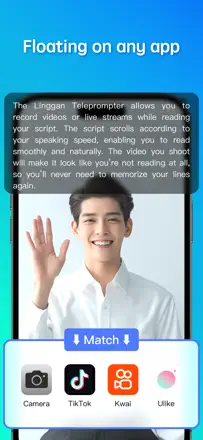
The strong feature is a floating script window over the front camera and easy tuning of text color and size, which people praise. It breaks on stability and ads: on the free version ads pile in so you can't even test it, the floating window changes its own size and speed, and the app freezes and loses recordings and even saved scripts after paying.
Praised: Floating script window over the front camera, fine control of text color and size, works with the native cinematic camera, beautiful execution, one-time lifetime purchase
Complaints: Ads on the free version block real testing, floating window changes its own size and speed, freezes losing recordings and scripts after paying, pop-ups pushing third-party cleaners, awkward start and stop
Best for: People filming themselves on the front camera who want to hold eye contact with a floating prompter
Rank 28. Review score: 42 out of 100. App Store rating: 4.2★ · 607 ratings
42of 100
Auto-captions that genuinely help some people and are easy to edit, with translation and a nice simple interface. But there's a lot of money pain: people get charged for a yearly subscription even after canceling the same day, and you can't save or send a video without paying. The core is shaky too: recognition often misses, skips long phrases, text is either late or jumps out early, and the watermark can't be removed for free.
Praised: Auto-captions save time, easy to fix wrong words, translation works, simple clear interface
Complaints: Charged for a yearly subscription even after canceling the same day, can't save or send video without paying, recognition misses and skips phrases, text lagging or premature, can't remove the watermark for free
Best for: People who need to quickly slap auto-captions on a short video and don't mind wrestling with payment
Rank 29. Review score: 40 out of 100. App Store rating: 4.7★ · 34,014 ratings
40of 100
People value the teleprompter for recording clips and the fast support that actually replies. But it glitches often: scroll speed jumps by itself, the camera opens as a black screen, and it stops working after an iPhone update. There are also complaints about being charged after cancelling and free videos getting cut off at nine minutes.
Praised: Teleprompter for recording content, fast live support, one-on-one instruction calls, professional-looking results
Complaints: Scroll speed jumps on its own, up-down buttons do nothing, black screen instead of camera, crashes, incompatibility with the new iPhone, charges after cancelling
Best for: People recording talking-head clips who want a teleprompter with human support on hand
Rank 30. Review score: 40 out of 100. App Store rating: 4.6★ · 1,999 ratings
40of 100
People pick it for auto-captions on longer clips, and the speech recognition gets praised even with noisy audio. The weak spot is the approach itself: some sentences get skipped and have to be typed in by hand, the 5-minute cap and portrait mode annoy on iPad, and on songs auto-captions barely work.
Praised: Accurate speech recognition even in noise, support for longer clips, simple clear interface, responsive devs on small fixes
Complaints: Skips some sentences that must be typed in manually, 5-minute cap on free, stuck in portrait on iPad, barely works on songs, thin position and font customization
Best for: Creators making YouTube and social clips who need auto-captions for regular speech, not music
Rank 31. Review score: 40 out of 100. App Store rating: 4.8★ · 1,148 ratings
40of 100
As a teleprompter it functions, some find it handy, with a landscape mode and even a face-beautify feature. But the model is openly a trap: it lets you shoot the whole video and only then tells you export costs money, there's no trial, and mid-shoot a subscription window interrupts and the recording is lost. Worse, after payment the app demands a Chinese phone number and won't launch without one, so people lose their money.
Praised: Working teleprompter, landscape mode, clear text, face beautify
Complaints: Export is paid and hidden until you finish shooting, no trial, subscription window interrupts shooting and the recording is lost, after payment it demands a Chinese phone number and won't launch
Best for: Almost no one outside China: without a Chinese phone number the app won't work even after you pay.
Rank 32. Review score: 35 out of 100. App Store rating: 4.4★ · 659 ratings
35of 100
A simple teleprompter for speeches, lectures and video: handy speed and font-size control, and it genuinely saves some people on shoots. But the free version is nearly useless, and basic things like pasting text, renaming and saving scripts demand the paid version. Worse, 'bug fix' updates wiped people's entire script libraries and broke saving of edits.
Praised: Scroll-speed and font-size control, saves people on speech and lecture shoots, simple interface
Complaints: Free version nearly useless without paying, can't paste text or rename a script without the paid one, updates deleted the script library, doesn't save edits, no face-on video mode in free
Best for: People who need a simple scrolling prompter for speeches and video recording and are ready to pay upfront
Rank 33. Review score: 34 out of 100. App Store rating: 4.5★ · 2,871 ratings
34of 100
The idea lands: it's easy to read a script while looking straight into the camera, plus AI script, captions, and green-screen background removal. In practice it often breaks: video hangs on screen forever, won't save or can't be found after recording, screens don't fit the iPhone 17 Pro Max, and green screen and AI filters die in landscape.
Praised: Reading a script with eyes on the camera, smooth scrolling, AI script generation, captions, green-screen background removal, video quality stays intact
Complaints: Video freezes or won't save after recording, screens don't fit newer iPhones, AI filters and green screen fail in landscape, mic records sound only half the time, the promised free trial turns into an instant charge
Best for: People filming talking-head clips for social and online courses who can tolerate flaky recording
Rank 34. Review score: 33 out of 100. App Store rating: 4.5★ · 420 ratings
33of 100
The idea is good, lots of fonts and word highlighting, but people hit the same failures again and again: the export button does nothing even after paying, the app crashes on long videos, and caption edits don't survive reopening the project. Auto captions come out with errors that are hard to fix by hand. Many paid for a subscription and still couldn't get a finished video out at all.
Praised: Lots of fonts and colors, word highlighting, the script teleprompter idea, voice-to-text input
Complaints: Export button doesn't work even after paying, crashes on long videos, caption edits aren't saved, auto captions have errors and are hard to fix, money taken with no usable result
Best for: Hard to recommend to anyone until export and edit-saving are fixed, too many people are left with no finished video
Rank 35. Review score: 32 out of 100. App Store rating: 4.5★ · 2,304 ratings
32of 100
The idea is useful: drop in a foreign-language clip and get a translation with captions, and for some it served for years on videos from friends. But translation quality often fails from Italian, Spanish and Bengali, the app freezes and loses hours of work, and even after paying a remaining-minutes counter keeps ticking.
Praised: Translating foreign-language clips, auto-captions on video, decent recognition with clear speech, responsive support for some, years of use on friends' videos
Complaints: Translation often inaccurate from Italian, Spanish and Bengali, freezes losing hours of work, minutes counter keeps ticking even after paying, strips audio from the clip without an upgrade
Best for: People who receive foreign-language clips and want to quickly understand them with captions in their own language
Rank 36. Review score: 30 out of 100. App Store rating: 4.6★ · 2,403 ratings
30of 100
People come for ready-made post captions when they're out of ideas, and for some this bank genuinely helps and even grows their follower count. But many are put off by the content itself: captions get called childish and same-y, saving to favorites is locked behind a subscription, saving flat-out fails, and 10 dollars a week feels absurd.
Praised: Big bank of ready-made post captions, option to write your own, helps quickly find text for a photo, easy to use
Complaints: Captions called childish and repetitive, saving flat-out fails, favorites locked behind a subscription, support unreachable during the trial, 10 dollars a week pricing
Best for: Teens and social creators who want a quick caption bank for posts without writing their own
Rank 37. Review score: 28 out of 100. App Store rating: 4.4★ · 1,609 ratings
28of 100
When it works, creators like the speech recognition and font choices for captions. But there's almost no stability: uploads hang at 99% with a PrimaryAPIError, the app crashes on word-by-word animations, projects won't reopen, and captions come out without a single comma or capital letter, unusable for real work.
Praised: Decent speech recognition, rich font choice, captions burned into the clip, fast when it works
Complaints: Uploads hang at 99% with an error, crashes on word-by-word animations, projects won't reopen, captions with no commas or capitals, captions out of sync with audio
Best for: People who want stylish captions on short clips and can tolerate frequent failures
Rank 38. Review score: 28 out of 100. App Store rating: 4.4★ · 857 ratings
28of 100
People come for AI dubbing and subtitles, and some praise how well it catches the voice. But most hit a wall: you pay a subscription, then still have to buy credits and seconds to finish your own video, and the money gets charged while the seconds never show up. The watermark also lands right in the middle of the frame instead of the corner.
Praised: Voice recognition and dubbing into other languages, support with a month-long guarantee, easy to start
Complaints: Must buy extra credits and seconds on top of the subscription, money charged but seconds not added, watermark right in the center of the video, slow processing, hard to cancel the subscription
Best for: People making short voiced videos with subtitles who are willing to deal with paying extra for seconds
Rank 39. Review score: 25 out of 100. App Store rating: 4.1★ · 535 ratings
25of 100
A simple teleprompter that works for some people for singing with a band, training videos and rehearsals, with pleasant speech-paced scrolling. But the headline feature breaks: after paying for gold, voice scroll doesn't actually listen to your words, it just moves on any noise or music. Plus a basic pain, you can't save the scroll speed you want, it resets to a too-fast value every time you open a script, and there's no support or a real website.
Praised: Smooth speech-paced scrolling, handy for singing with a band and training videos, simple and clear
Complaints: Voice scroll moves on any noise not your words even after paying for gold, can't save scroll speed and it resets to too fast, no support or real website, broken settings on iPad, can't change font size or color
Best for: People who need a dead-simple prompter for singing or rehearsals and don't care about voice scroll
About scores
Two scores — two sources
They help compare apps, but they don’t replace checking your own job.
Review score · up to 100
The stored score from inApp research on review texts. It rates the app overall in the archive, not the reliability of any one feature.
Store rating · up to 5
The rating from the app’s page when the data was collected. The current rating and version may differ.
In the archived sample for this topic: 39 apps and 9,427 reviews read. That is the total size of the research, not the number of reviews per app.
A gap between the scores doesn’t prove manipulation. The calculation date and the full scoring method aren’t in the mobile archive. Compare the job descriptions and the source quotes, and check the terms in the current version.