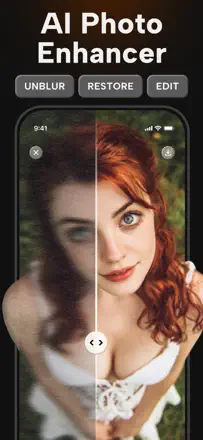
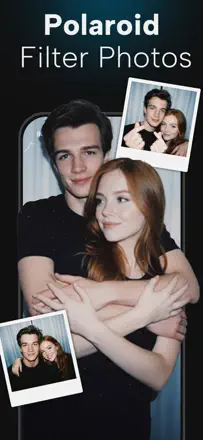
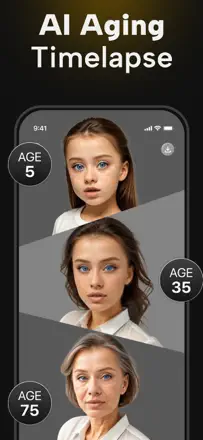
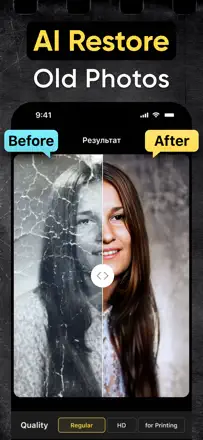
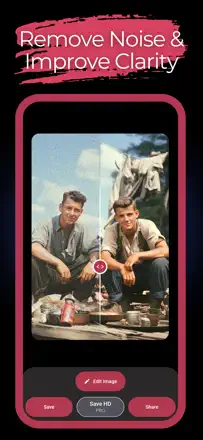
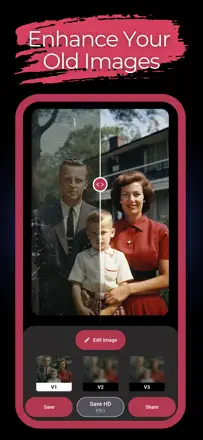
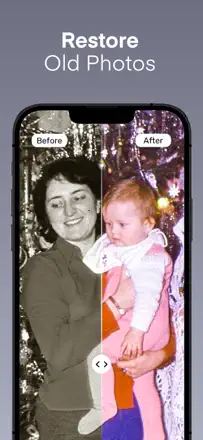
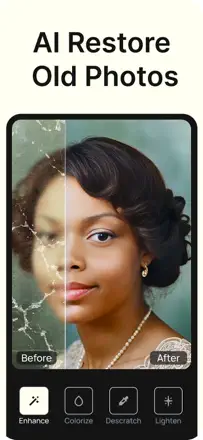
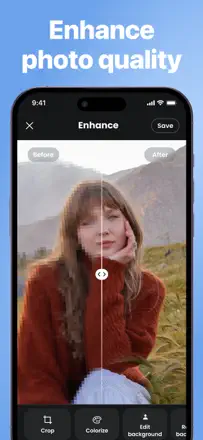
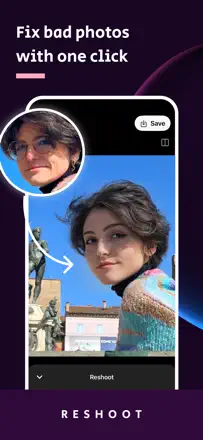
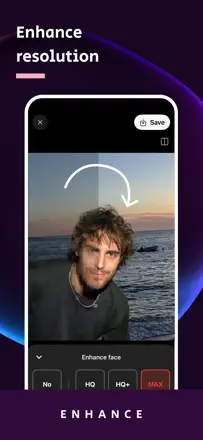
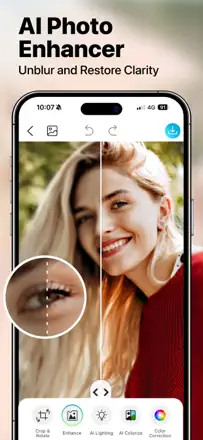
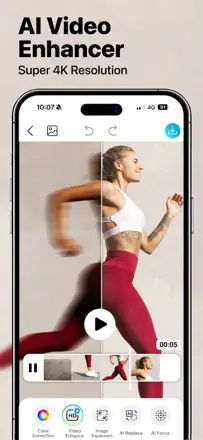
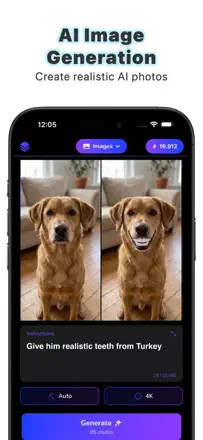
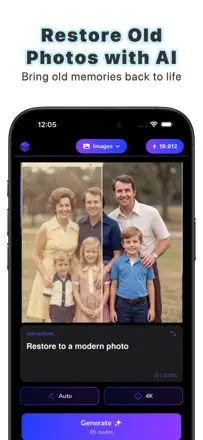
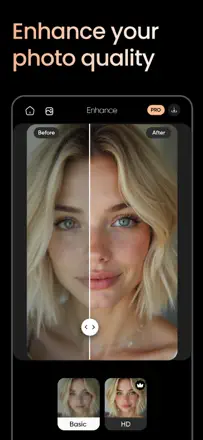
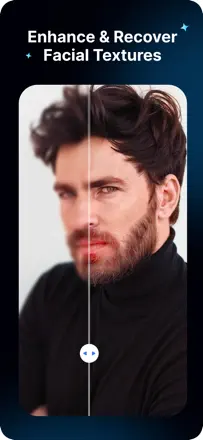
Where the old photo comes back to life and the face stays itself, and where the AI paints a stranger and slaps on a watermark. Les meilleures notes d’après le texte des avis : Pixelup (60/100), Remini (58) et BlurBuster (58).
Note des avis : 60 sur 100. Note sur l’App Store : 4,4★ · 39 173 notes
60sur 100
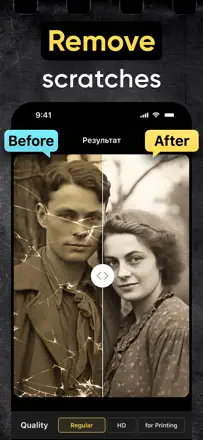
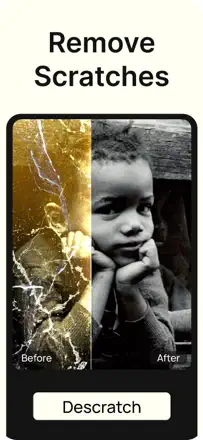
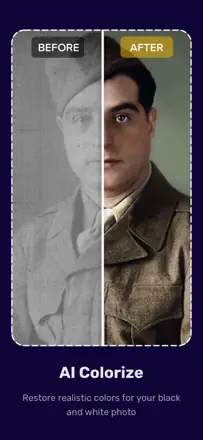
It sharpens well and colorizes old photos, people happily show grandkids their ancestors in color, and there's a one-time lifetime purchase. But on some photos faces come out too smoothed and cartoonish, and de-scratching does nothing at all for some. Separately annoying: the app crashes on photo upload and nags for a rating after every action.
Points forts
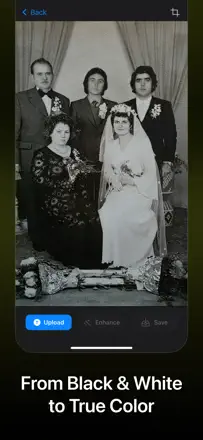
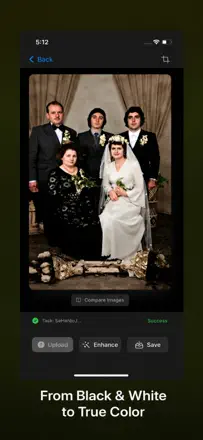
Sharpening and colorizing old photos in seconds, restoring parents' 40s-50s photos, one-time lifetime purchase, showing grandkids ancestors in color
Reproches
Faces sometimes too smoothed and cartoonish, scratch removal sometimes does nothing, crashes on photo upload, nagging for ratings after every action
Pour qui : For those wanting sharpness and color for old family photos at a one-time price
Note des avis : 58 sur 100. Note sur l’App Store : 4,6★ · 348 822 notes
58sur 100
For years people cleaned up old photos at mom's house and changed hairstyles in a couple of minutes, and praised the results. After the summer 2026 update many complain that faces turn plastic and cartoonish, sometimes unrecognizable, and the preview differs from what gets saved. A separate pain: ads run up to a minute and the reward-for-ad generation sometimes just fails.
Points forts
Cleans up old photos at mom's house, hairstyle change in a couple minutes looks realistic, good quality even on the free version, daily use
Reproches
After the update faces turn plastic and cartoonish, preview doesn't match the saved photo, very long ads up to a minute, charges before the free trial ends
Pour qui : For those restoring old family photos who can tolerate ads or pay
Note des avis : 58 sur 100. Note sur l’App Store : 4,6★ · 3 579 notes
58sur 100
BlurBuster is praised for its enhancer, it genuinely rescues blurry low-quality photos, a photographer saves smeared shots with it. But the app is unstable, several people report it fails to launch on half their attempts across multiple iPads, it crashes, and there are complaints about a 54-second ad just to unblur one picture. Face restoration is selective, it fixes adults but not the baby in the same photo.
Points forts
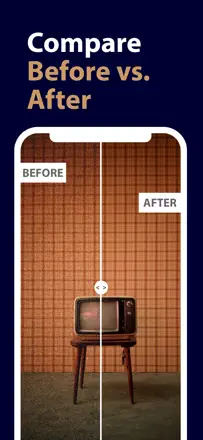
Strong enhancer for blurry low-quality photos, before-and-after slider, rescuing smeared shots for photographers, ease of use, fast support replies
Reproches
Fails to launch on half the attempts, crashes and instability, long ads for a single shot, fixes adult faces but not children's in the same photo, weak scratch removal, pushy rate-me prompts, distorts faces and objects
Pour qui : People who regularly clean up blurry shots and will tolerate crashes and ads for a strong enhancer.
Rang 4. Note des avis : 55 sur 100. Note sur l’App Store : 4,7★ · 7 546 notes
55sur 100
It does its one job well and with fun: it brings color back to old black-and-white photos, works great for Facebook and reviving family shots. But colors sometimes get confused, part of the frame stays black-and-white, and the model occasionally twists light and shade into strange hues. The main pain is around billing: the trial turns into a 29.99 charge, you can view but not save for free, and the one-time purchase somehow lasts only two years.
Points forts : Brings color back to old black-and-white photos, fun way to revive family shots, works great for Facebook, simple clear result
Reproches : Colors sometimes get confused and part of the frame stays black-and-white, light and shade go into strange hues, can't save photos for free only view, trial turns into a 29.99 charge
Pour qui : For those who specifically need to colorize old black-and-white photos for family and social media
Rang 5. Note des avis : 52 sur 100. Note sur l’App Store : 4,6★ · 86 211 notes
52sur 100
When it works, it clearly pulls old photos into shape for autobiographies and family projects, revealing details that weren't visible before. But almost everything costs money, and before you can try it you're forced to watch a long ad and get a watermark. The main pain: paid subscribers report processing failing for a week with an error, and cancelling the subscription is described as a loop of the paddle.net chatbot and support emails.
Points forts : Reveals details invisible in the original, revives old 1960s photos for autobiographies and family projects, high resolution
Reproches : Almost all features are paid, processing fails for a week even for paying subscribers, long ads and watermark before trial, cancellation described as an endless loop
Pour qui : For those restoring old photos for a memoir who are willing to pay and deal with cancellation
Rang 6. Note des avis : 52 sur 100. Note sur l’App Store : 4,9★ · 1 168 notes
52sur 100
The app is built specifically for restoring old shots and needs no fiddling with prompts, which is praised by people whose faded 1970s and 80s Polaroids and torn photos came back to life. But the result depends heavily on the source, on slightly blurred shots it does almost nothing and Apple's built-in sharpening does better. A common complaint is that during restoration a person's face changes beyond recognition, and the subscription money is not refunded after a failure.
Points forts : Revives faded Polaroids and torn old photos, transparent pricing with no coins or limits, easy to use with no prompting
Reproches : Does almost nothing on slightly blurred photos, changes a person's face beyond recognition, merging two people into one frame gives poor results, no refund after a failure
Pour qui : People who have badly damaged or faded old photos and want a simple tool with no prompting
Rang 7. Note des avis : 50 sur 100. Note sur l’App Store : 4,3★ · 3 240 notes
50sur 100
EnhanceFox is praised as the best among the ones people tried, clear results and convenience, good price, plus extras like cartoon. But the enhancer often changes nothing at all, before and after look identical, and people are furious at the pile of ads and the three-photo daily limit. Photographers specifically ask for landscape mode, the app works portrait only.
Points forts : Best result among the apps tried, convenience and simplicity, good price, cartoon and customize, clarity even on blurry photos
Reproches : Often changes the photo not at all, before and after identical, pile of ads after every button, three-photo daily limit, no landscape mode, alters original colors, eats a lot of storage, burns credits on a network error
Pour qui : People after a cheap all-round enhancer for portrait photos who will tolerate ads and a daily limit.
Rang 8. Note des avis : 48 sur 100. Note sur l’App Store : 4,8★ · 13 487 notes
48sur 100
In one tap it makes a photo sharper and as if shot by a professional, handy for TikTok slideshows, and ads barely get in the way. But a huge share of reviews is empty praise without detail, while the concrete complaints all point to one thing: an 'oops, not working' error hangs for weeks, it won't show photos, and it dies after the first image. Processing stability seems shaky, and the high rating is inflated by ecstatic empties.
Points forts : Makes photos sharper in one tap, looks professionally shot, handy for TikTok slideshows, almost no ads
Reproches : An 'oops not working' error hangs for weeks, sometimes won't show photos, stops working after the first photo, lots of empty praise without detail
Pour qui : For those needing fast one-tap sharpening for social media who can survive occasional outages
Rang 9. Note des avis : 48 sur 100. Note sur l’App Store : 4,6★ · 6 762 notes
48sur 100
RetroFix genuinely rescues badly damaged shots, water and fire damage, faded newspaper photos from 40-plus years back, and that is what people love. But it often redraws faces beyond recognition, sometimes to a scary degree, and the fall 2025 update removed the dedicated recreate button and brought crashes two times out of three. Colorization is the weak link with random colors.
Points forts : Reviving heavily damaged old photos, handling water and fire damage, restoring sharpness to faded shots, bringing back childhood and family memories
Reproches : Redraws faces beyond recognition and into scary territory, weak colorization with random colors, crashes after the fall update, crops part of the frame with no way to process the whole image, adds unwanted people to the photo
Pour qui : People with physically damaged old family photos who will accept face distortion for the sake of saving something nearly lost.
Rang 10. Note des avis : 48 sur 100. Note sur l’App Store : 4,6★ · 979 notes
48sur 100
People have used the app for years specifically to colorize black-and-white photos, and here it often delivers a beautiful almost Kodachrome result in one click. Its weak spot is that the AI now takes noticeable liberties, changing faces, skin tone and clothing, adding fingers and even extra heads, so about a fifth of the time the shot is ruined. Plus complaints about slow loading of several minutes and frequent server crashes.
Points forts : Excellent one-click colorization of black-and-white photos, simple interface, works fast, good sharpness
Reproches : Changes faces, skin tone and clothing, adds fingers and extra heads, accuracy around 20 percent, servers often down and it gets stuck at 70 percent, turns light hair dark
Pour qui : People who want to colorize old black-and-white photos and are ready to throw out some frames
Rang 11. Note des avis : 45 sur 100. Note sur l’App Store : 4,6★ · 9 208 notes
45sur 100
On some old photos it works wonders: it sharpens faces, adds color to 70-year-old black-and-white shots, and the family still looks like itself. But results are very uneven: for many the improvement is minimal or absent, scratches aren't removed, and on group and faded photos faces smear and closed eyes get opened. Plus clunky navigation: people can't find their finished photos, and history crashes the app.
Points forts : Sharpens faces, colorizes 70-year-old black-and-white photos, family stays recognizable, restores most old photos
Reproches : On many photos improvement is minimal or absent, scratches aren't removed, faces smear on group and faded shots, clunky navigation and a crash when opening history
Pour qui : For those colorizing and fixing old photos of one or two people who are okay with uneven results
Rang 12. Note des avis : 45 sur 100. Note sur l’App Store : 4,5★ · 3 026 notes
45sur 100
Pixel Max restores old faded photos decently and entertains with face aging, seeing what the grandkids might look like. But the overwhelming share of reviews is not about quality, it is about everything costing money and a flood of ads you cannot get past to reach the features. Heavy users complain of crashes and a no-network error, only four of 18 photos worked.
Points forts : Restoring old faded photos, fun with face aging, pleasant first impression
Reproches : Almost everything is paid and hits a paywall, floods you with ads and blocks access to features, crashes and no-network error, only 4 of 18 photos worked, demands tracking permission with no opt-out, results not always accurate
Pour qui : People who want to refresh old photos and age faces for fun and will pay upfront and tolerate ads.
Rang 13. Note des avis : 45 sur 100. Note sur l’App Store : 4,5★ · 1 402 notes
45sur 100
The app does a decent job making old and blurry shots sharper, which is why people keep it, but the ads turned into torture, two clips back to back for a single photo, and since recent updates the Oops, something went wrong error pops up more and more. People who paid for a year complain that picking a photo just stopped working and support does not reply. Enhancing also cuts the resolution and sometimes changes a face in the shot.
Points forts : Makes blurry and old photos sharper, simple one tap, helps bring back memories
Reproches : Ads even after paying and two clips per single photo, Oops something went wrong error after updates, support does not reply, cuts resolution, sometimes changes faces
Pour qui : People who want to quickly sharpen old blurry shots and can tolerate ads and glitches
Rang 14. Note des avis : 44 sur 100. Note sur l’App Store : 4,8★ · 878 notes
44sur 100
The app is praised for its simplicity and good auto-colorization of old shots, and it often makes photos noticeably better. But a common complaint is that instead of sharpness it adds softness and blurs fine detail like fur and texture, so the shot ends up worse than the original. It also cuts resolution, 20 megapixels turn into 3, and there are no hints on where to start.
Points forts : Good auto-colorization of old photos, revives out-of-focus shots, simple and fast
Reproches : Adds softness instead of sharpness and kills fine detail, cuts resolution from 20 to 3 megapixels, changes a face beyond recognition, no hints on where to start, servers go down
Pour qui : People who want to simply colorize and tidy up old photos and are not chasing maximum detail
Rang 15. Note des avis : 42 sur 100. Note sur l’App Store : 4,6★ · 7 285 notes
42sur 100
It sharpens genuinely impressively and helps genealogists rescue soft scans of old photos, and for some it's a way to bring back memory of departed loved ones. But the main trouble: when removing blur the model redraws the whole face, the person stops looking like themselves, erases freckles and grain, changes eye color, and molds chiclet teeth. Plus the subscription is expensive and the store listing doesn't warn about it.
Points forts : Sharpens impressively, rescues soft scans of old photos for genealogy, brings back memory of departed loved ones, colorization
Reproches : When removing blur it redraws the whole face into unrecognizability, erases freckles and grain, changes eye color and molds chiclet teeth, expensive subscription with no store warning
Pour qui : For genealogists and those fixing soft old photos who can live with the model taking liberties with faces
Rang 16. Note des avis : 42 sur 100. Note sur l’App Store : 4,7★ · 6 648 notes
42sur 100
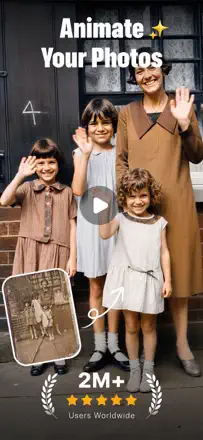
Renew can revive old photos and the animation gets special praise, ancestors coming to life in a shot, but people note every animation is the same, everyone waves with one identical motion. In practice it often fails to remove blur or clean scratches, and colorization drops random colors that ignore cues in the photo and produces scary faces. Some say ChatGPT does a better job.
Points forts : Reviving and animating old shots, pleasant quality of what is on offer, restoring old ancestor photos
Reproches : All animations are identical, same hand wave, does not remove blur, does not clean scratches, random colorization that ignores actual colors, scary faces, orange skin tones, ads slapped onto finished shots
Pour qui : People who want a cheap way to bring old photos to life as a moving clip, not precise detail restoration.
Rang 17. Note des avis : 40 sur 100. Note sur l’App Store : 4,6★ · 12 607 notes
40sur 100
People come to bring old photos to life as videos, and it's easy and pleasant to do, the motion works. But two big failures: faces in the final video change so much the person becomes unrecognizable, even turning men into women and adding people from the edge of the frame. And the credits: even after paying 49-100 dollars you quickly hit 'buy more credits', and without them you can't make more than a couple of videos.
Points forts : Brings old photos to life as videos, easy and pleasant to do, the motion works, daily credits for checking in
Reproches : Faces in videos change beyond recognition, adds people from the edge of the frame, credits run out even after paying 49-100 dollars, no support to be found
Pour qui : For those wanting to animate an old photo into a short video and willing to keep paying for credits
Rang 18. Note des avis : 40 sur 100. Note sur l’App Store : 4,6★ · 4 699 notes
40sur 100
PhotoBoost adds sharpness and pixels, a couple's old photo really became clearer, and lucky users praise that. But many see minimal difference from the original, and the process itself is slow and stalls on render. A sore point, a recent update added a PhotoBoost logo onto the saved photo, ruining the image, and removing it now costs extra.
Points forts : Adds sharpness and pixels, revives old shots, easy to use, restored a couple's photo to clarity
Reproches : Often minimal difference from the original, slow render and endless loading, logo watermark on the saved photo, check-internet errors on a working connection, distorts faces, free-photo limit hits paywall almost immediately
Pour qui : People who need a quick clarity boost on an ordinary photo and do not mind a watermark or paying extra to remove it.
Rang 19. Note des avis : 38 sur 100. Note sur l’App Store : 4,5★ · 2 523 notes
38sur 100
Remaxi used to be a favorite for cleaning up blurry photos and noticeably improved the one family photo some people had, and that is what they remember. But a recent update broke it, results stopped looking natural and faces started getting redrawn, turning a son into a girl, giving a baby a full set of teeth. Plus constant errors, waits of up to 30 minutes per shot, and everything gated behind ads without premium.
Points forts : Used to clean blurry photos best, noticeably improved the one family photo, better and faster than remini, has a working free version
Reproches : Update broke it, unnatural results, redraws faces, son into a girl, full set of teeth on a baby, frequent errors, up to 30-minute waits per photo, everything behind ads without premium, distorts old shots beyond recognition
Pour qui : People who want simple blurry-photo cleanup and can live with unnatural results after the latest update.
Rang 20. Note des avis : 33 sur 100. Note sur l’App Store : 4,4★ · 2 615 notes
33sur 100
Sharp AI was once good and free, some still praise it for rescuing burned and broken photos after a house fire. But people say in unison that over the past month the AI dropped sharply, every photo fails with a try-again-later error, and the service went from free to paid-only. The pushy interface rebrand and the three-enhancement limit annoy people too.
Points forts : Rescuing burned and broken photos after a fire, face clarity for artist references, simplicity, was once good and free
Reproches : AI dropped sharply over the past month, every photo fails with try again later, went paid instead of free, three-enhancement limit, poor expand with a fake backdrop, changes hair and eye color, stuck on loading after payment, ruined interface
Pour qui : Really only old fans who remember its better free version, for newcomers it now charges money for a broken AI.
Rang 21. Note des avis : 30 sur 100. Note sur l’App Store : 4,6★ · 6 856 notes
30sur 100
The YouCam brand has handy features like object replace and removal, and some people genuinely love them. But by the substance of reviews the app is absurdly expensive, credits are always short, and the result is often nothing: either nothing changes, or a face gets swapped for a stranger's, or the video has spelling errors. On top of that they charge during the trial, charge even to download your own photo, and leave no support contact.
Points forts : Object replace and removal feature, realistic enhancement on some photos, some things can be done for free
Reproches : Absurdly expensive and credits always run short, often nothing changes or the face gets swapped for a stranger's, videos with spelling errors, trial-period charges and a fee even to download your own photo
Pour qui : Maybe only for fans of the YouCam ecosystem willing to pay a lot for object replacement
Rang 22. Note des avis : 30 sur 100. Note sur l’App Store : 4,6★ · 1 414 notes
30sur 100
Aido is sold as a photo enhancer, but by the reviews it is actually a chatbot, and people praise the handy layout and keyboard integration. The main complaints, the chat freezes and does not respond, you have to close and reopen it, and the free DeepSeek does not work at all, a spinning wheel with no reply. Everyone is annoyed by the pushy rating begging, the screen blocks four times in 20 minutes even after a review.
Points forts : Handy layout and easy navigation, keyboard integration, useful for teachers, detailed feedback
Reproches : Actually a chatbot not a photo enhancer, chat freezes and stops responding, free DeepSeek does not work, pushy rating begging blocks the screen, support unresponsive and link broken, inaccurate answers, suspicion of fake bots
Pour qui : People who want a simple chatbot with keyboard integration, not photo restoration, despite the name.
Rang 23. Note des avis : 30 sur 100. Note sur l’App Store : 4,4★ · 923 notes
30sur 100
When the app works, it makes blurry shots sharp and natural, and some consider it better than Remini. But the main problem is that it breaks constantly, people pay for a year and within a couple of weeks get only error messages and processing errors, with no support reply for months. It also changes a face so much during enhancement that even relatives do not recognize the person.
Points forts : Makes blurry photos sharp and natural, simple clear options, some find it better than Remini
Reproches : Breaks constantly with error and processing error, stops working a couple of weeks after payment, support does not reply for months, changes the face too much, no trial period
Pour qui : People willing to gamble for sharpness on blurry photos and put up with frequent breakage
Rang 24. Note des avis : 22 sur 100. Note sur l’App Store : 3,7★ · 18 287 notes
22sur 100
People come for effects like gender swap and babyface, but only background removal is free, everything else costs coins you have to grind by watching ads. Even after paying with coins, effects often throw an error or work badly, and the baby generator returns the same stock faces regardless of the partner. Many confuse the app with Remini due to a similar icon and name and feel deceived.
Points forts : Free background removal, gender swap and babyface effects as an idea, mixing with faceapp for laughs
Reproches : Almost everything costs coins you grind via ads, effects error out even after paying coins, baby generator returns identical stock faces, disguises itself as Remini by icon and name
Pour qui : Maybe only for those who want free background removal and to toy with effects without expecting quality
Rang 25. Note des avis : 22 sur 100. Note sur l’App Store : 4,5★ · 1 046 notes
22sur 100
The app is free and ad-free, which is a plus, and it does a decent job removing noise and grain from shots. But that is basically it, it cannot handle detail and often just blurs the source and uses the slider to restore the original sharpness, creating the illusion of improvement. Lots of people write that before and after look identical or that the photo got worse.
Points forts : Free and ad-free, removes noise and grain, simple
Reproches : Adds almost no detail, before and after are often identical, sometimes makes the photo worse and blurrier than the original, no instructions and does not return the original
Pour qui : People who need to quickly remove noise from a photo for free and expect nothing more
Rang 26. Note des avis : 15 sur 100. Note sur l’App Store : 4,1★ · 1 417 notes
15sur 100
Picture Enhancer makes you pay before it shows a single result, and almost everyone who paid says the photo stayed the same or got worse. The demo restoration on the storefront convinces you to buy, yet on your own shot with one scratch it does nothing while dust specks get crisper. It also blocks canceling the subscription, with many requesting Apple refunds.
Points forts : Occasionally refreshes a very old photo, isolated satisfied cases
Reproches : Forces payment before showing a result, photo stays the same or gets worse, storefront demo does not match reality, smudged skin tones on colorization, blocks subscription cancellation, many demand refunds
Rang 27. Note des avis : 8 sur 100. Note sur l’App Store : 4,6★ · 1 413 notes
8sur 100
The app disguises itself as the well-known Topaz (the letter A is missing from the name) and takes your money up front, then still makes you buy coins for every video. People say there is no improvement at all, before and after look identical, and video processing hangs for hours without finishing. Even paying users do not get the promised result.
Points forts : People praise nothing specific
Reproches : Poses as Topaz, you pay up front and still buy coins per video, before and after look the same, video processing hangs and never finishes, refunds are refused
Pour qui : Basically nobody, better to get the real Topaz or free tools
À propos des chiffres
Deux chiffres — deux sources
Elles aident à comparer les apps, mais ne remplacent pas la vérification de ta propre tâche.
Score des avis · jusqu’à 100
Le score conservé de l’étude inApp sur les textes des avis. Il évalue l’ensemble de l’app dans l’archive, pas la fiabilité d’une fonction précise.
Note de la boutique · jusqu’à 5
La note de la page de l’app au moment de la collecte. La note et la version actuelles peuvent différer.
Dans l’échantillon archivé de ce sujet : 27 apps et 6 865 avis lus. C’est le volume total de l’étude, pas le nombre d’avis par app.
Un écart entre les chiffres ne prouve pas de manipulation. La date de calcul et la méthode complète du score ne sont pas dans l’archive mobile. Compare les descriptions des tâches et les citations sources, et vérifie les conditions dans la version actuelle.