Aller au contenu
Choix par tâche

Plan an evening at the telescope, find the right deep-sky object, and slew the scope to it straight from the app

Ciel nocturne et astronomie

Les textes sur les apps sont en anglais.

Telescope owners

Quoi vérifier avant de choisir

Before observing, it matters to be sure that the chosen object is in the catalog and that the link to that particular telescope works. Individual reviews are no grounds for promising compatibility with every piece of hardware.

Quelles apps les gens utilisent

Ces apps sont mentionnées dans le décryptage de cette tâche. Ouvre chacune pour comparer les points forts et les limites. L’ordre de la liste n’est pas un classement d’adéquation.

  1. SkySafari 7 Pro

    Rang 11. Note des avis : 62 sur 100. Note sur l’App Store : 4,6★ · 5 381 notes

    For serious observers with a telescope this is still the best tool for aiming and object reference, many buy every version for years. But recent updates added game-like and social features with sound effects that get in the way of veterans, and Live Sky is called useless. On top of that there are regular crashes when connecting to StarSense and when adding to an observing list.

    Points forts : Precise telescope aiming and detailed object info, the best cosmos reference, easy connection to scopes like the Meade LX600, event notifications

    Reproches : Crashes when connecting to StarSense and when adding an object to a list, the interface got cluttered with new games and sounds that a solo observer does not want, the database sometimes cannot find an object

    Pour qui : An experienced amateur astronomer with a telescope who aims by the app and keeps observing lists

  2. SkySafari 8 Pro

    Rang 30. Note des avis : 52 sur 100. Note sur l’App Store : 4,7★ · 622 notes

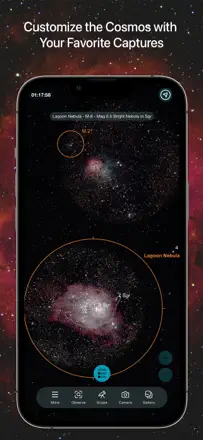
    For serious hobbyists it's the industry standard: the most comprehensive set of astro-imaging targets including obscure catalogues, up and running in a minute yet deep on settings. The pricing hurts: you pay around $40 for the app and half the good features sit behind another $49-50/year subscription, plus a bug that keeps asking you to buy what you already paid for. People also complain the MacOS version is weak with broken zoom, and the compass glitches.

    Points forts : Most comprehensive astro-imaging target set and obscure catalogues, up in a minute yet deep on settings, importing your own astrophotos into charts, stability and reliability for long-time users, the industry standard

    Reproches : App re-asks you to buy an already-paid subscription, pricey purchase plus a yearly subscription on top, weak MacOS version with broken zoom, glitchy compass, some NGC objects not found, southern-hemisphere issues

    Pour qui : Serious hobbyists and astrophotographers who need the fullest target catalogue and can handle the messy pricing

  3. SkySafari 7 Plus

    Rang 25. Note des avis : 55 sur 100. Note sur l’App Store : 4,7★ · 1 644 notes

    Serious hobbyists love it for the clean interface, the Tonight tab for planning the evening, the events section, and the telescope link-up for aiming. Long-time users happily pay to upgrade. It breaks because the Tonight button crashes after a recent update, fresh comets are missing from the database, and old paid versions are abandoned amid repeated demands to buy again.

    Points forts : Clean intuitive interface, Tonight tab and events section for planning sessions, telescope connection, logging observing sessions

    Reproches : Tonight button crashes after update, fresh comets missing from the database, old paid versions abandoned, nagging demands to repurchase

    Pour qui : Experienced amateur astronomers with a telescope who plan night sessions and keep an object list

  4. Luminos

    Rang 6. Note des avis : 68 sur 100. Note sur l’App Store : 4,8★ · 1 079 notes

    Experienced hobbyists and astrophotographers keep it as their main planetarium program for planning and observing, valuing the depth and quality of information and the point-device-at-sky tracking. It breaks because the shift to a subscription pulled features long-time buyers already paid for, updates wiped telescope settings and connection points, and one update broke the point-at-sky tracking.

    Points forts : Main planetarium program for planning astrophotography, depth and quality of information, point-device-at-sky tracking, regular updates

    Reproches : The shift to subscription pulled already-paid features, updates wiped telescope settings and connection points, broke the point-at-sky tracking, confusing interface and lacking instructions

    Pour qui : Experienced amateur astronomers and astrophotographers who plan observations and shoot with a telescope

  5. Stellarium Mobile - Star Map

    Rang 2. Note des avis : 74 sur 100. Note sur l’App Store : 4,8★ · 35 824 notes

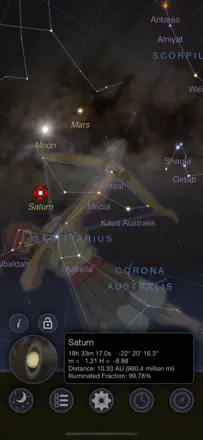
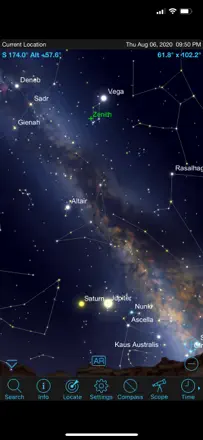
    Stellarium Mobile is praised as a handy, intuitive tool for finding things in the sky: people locate constellations, Jupiter, M45, and view future positions of objects, and many bought premium at a reasonable price. Its weak spot is orientation and small limits: the app struggles to tell which way you're looking, sometimes flipping 180 degrees, and basic time-forward plus some sky-history depth are locked behind the paid version.

    Points forts : Finding constellations, Jupiter and M45, showing future positions of planets and stars, clear and intuitive, reasonable premium price

    Reproches : Can't set which direction you're facing, 180-degree flips with no calibration, time-forward locked in the paid version, sky history capped at 7000 years versus the desktop app, glitchy in places

    Pour qui : Enthusiasts at any level who want to find objects visually and plan observations

  6. StarMap 3D+ Plus

    Rang 23. Note des avis : 55 sur 100. Note sur l’App Store : 4,8★ · 6 799 notes

    A visual 3D sky map where you can touch an object on screen and get info on it, and when tracking works the targeting is precise and pleasant with kids and grandkids. But for a noticeable share of people the tracking is way off from the compass, the app crashes on launch or no longer recognizes the Moon. Many are annoyed by the constellation drawings that can't be removed and the lack of instructions.

    Points forts : Select an object by touching the screen with precise info, visual 3D view, precise targeting when it works, fun with kids and grandkids, shows nearly the whole sky

    Reproches : Tracking way off from the compass and stuck on north, crashes on launch, stopped recognizing the Moon, can't remove constellation drawings, no instructions or guide, dead developer website links, contacts servers despite the stated privacy policy

    Pour qui : Hobbyists who like 3D and touch-to-select objects, if their phone tracking is fine

  7. Celestron SkyPortal

    Rang 47. Note des avis : 30 sur 100. Note sur l’App Store : 3,6★ · 347 notes

    The app ships with Celestron telescopes, and at its core job it lets people down: aligning the scope through it is very hard, the target in the app doesn't match where the telescope points, an alignment error pops up, the screen flickers. After iOS updates many find it simply crashes on launch or stopped connecting to the scope. People move to Stellarium and SkySafari, which handle it better.

    Points forts : Ships with the Celestron telescope, northern-sky object library, compass mode for a rough view, simplicity when it works

    Reproches : Nearly impossible to align the telescope, target doesn't match the scope and alignment errors, screen flicker, crashes on launch after iOS updates, stops connecting to the scope, no red night mode, laggy controls

    Pour qui : Celestron telescope owners who need scope control, though many end up switching to Stellarium or SkySafari

Autres besoins de ce thème

Classement complet : Ciel nocturne et astronomie52 apps avec captures et notesD’où vient ce décryptageLire l’étude et les observations tirées des avis