For a personal diary it is worth combining pleasant daily entry with a backup people can understand. Reviewers describe local entries lost after the app was deleted.
Quelles apps les gens utilisent
Ces apps sont mentionnées dans le décryptage de cette tâche. Ouvre chacune pour comparer les points forts et les limites. L’ordre de la liste n’est pas un classement d’adéquation.
Rang 14. Note des avis : 72 sur 100. Note sur l’App Store : 4,8★ · 7 578 notes
72sur 100
A beautiful notebook with design customization: themes, fonts, stickers, and pastel backgrounds. Works without registration. Notes are stored on-device only: no cloud backup, and everything is gone if the app is deleted.
Points forts : A large library of themes and fonts without forcing you into a subscription. An interface free of intrusive interruptions during use. Separate password-protected notebooks let you keep private notes alongside general ones.
Reproches : Notes are stored on-device only: delete the app or break your phone and everything is gone. No cloud backup or cross-device sync. Some themes move a note to the top of the list every time it is edited.
Pour qui : Teenagers and young adults who care about a beautiful journal interface and are not worried about long-term storage.
Rang 29. Note des avis : 61 sur 100. Note sur l’App Store : 4,8★ · 20 371 notes
61sur 100
A customizable journal with a huge selection of stickers, backgrounds, and fonts, plus a tool for cutting stickers from photos. Keeps users engaged through creative decoration. Freezes when the sticker gallery opens, and some users' pages disappeared.
Points forts : A sticker-cutting tool that works with any photo and the ability to publish your own templates for other users. A huge library of backgrounds and fonts. The app inspires regular journaling through its aesthetics.
Reproches : The app freezes when the sticker gallery is opened and sometimes crashes at the start of a session. Several users lost pages due to a network error with no autosave. The password recovery interface does not work correctly: switching accounts does not restore previous settings.
Pour qui : Teenagers and young adults who care about beautiful, creative personal journal design. Not for business notes or long-term storage of important data.
Rang 16. Note des avis : 71 sur 100. Note sur l’App Store : 4,8★ · 5 291 notes
71sur 100
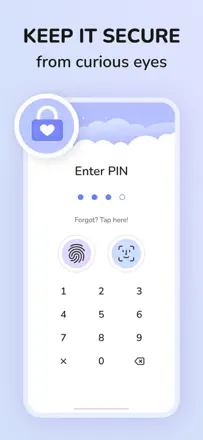
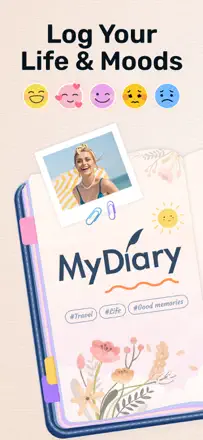
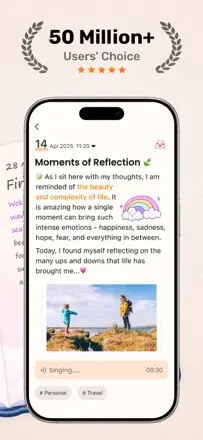
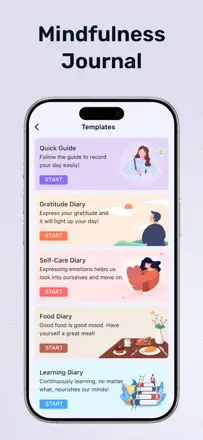
A personal journal with a PIN code, mood tracker, and entry templates. The screen blurs when you switch apps. Transferring entries on a phone upgrade is unreliable.
Points forts : PIN and Face ID locking with automatic blur when leaving the app. A mood tracker with a timestamp on every entry. Templates help you start writing when you do not know where to begin.
Reproches : Transferring entries to a new phone is unreliable: several users lost their history. Screen orientation is locked to portrait, which is awkward on a tablet. Some features are unavailable without the premium version, and the reasons for the split are not explained.
Pour qui : People who want a private protected journal space on a single device, especially those who live with curious family members. Not suited for long-term storage with data migration.
Rang 25. Note des avis : 63 sur 100. Note sur l’App Store : 4,7★ · 27 597 notes
63sur 100
A beautiful journal with a lock, swappable themes, stickers, and a mood tracker. People who start writing in it come back for years. The main flaw: when switching devices or deleting the app, several users lost years of entries.
Points forts : Changing themes and decorations motivates returning to the journal every day. The password lock carries over when switching between Android and iOS. A mood tracker with a graph over time helps spot patterns in how you feel.
Reproches : Data export is unreliable: when moving to another device or after deleting the app, some users lost all entries permanently. The app does not always save the latest edits correctly when closed. Sync between iOS and Android only works in one direction.
Pour qui : People who want a beautiful personal space for daily journaling or mood tracking. Regular manual backups are important.