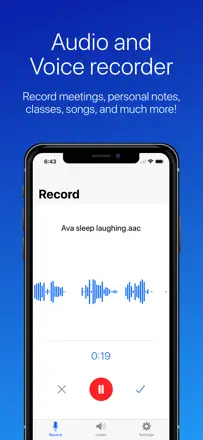
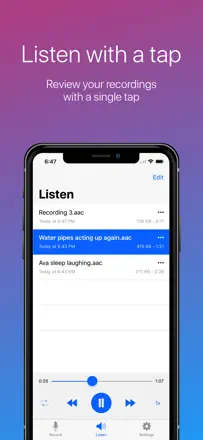
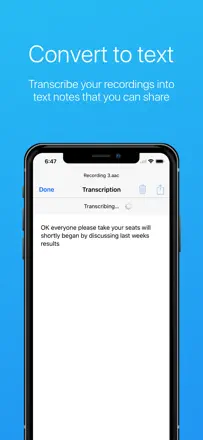
Reviewers discuss searching the archive, Bluetooth and moving a recording off the watch. A short path from capture to a file that has been found and opened would help.
Quelles apps les gens utilisent
Ces apps sont mentionnées dans le décryptage de cette tâche. Ouvre chacune pour comparer les points forts et les limites. L’ordre de la liste n’est pas un classement d’adéquation.
Rang 10. Note des avis : 52 sur 100. Note sur l’App Store : 4,7★ · 16 036 notes
52sur 100
Once a reliable recorder with cloud export, but Apple Watch sync has broken down, all cloud connectors (Dropbox, iCloud) work inconsistently, and the free version now shows objectionable ads. The recording function itself holds up, but everything that happens after tapping stop has become a lottery.
Points forts : Recording runs in the background without loss, files are delivered in multiple formats including MP3, and the interface is simple enough that you do not have to think about it during a session.
Reproches : File transfer from Apple Watch is unreliable and may not deliver the recording at all. All cloud integrations stall at upload. The free version shows banner ads with unacceptable content.
Pour qui : Anyone who makes occasional personal notes and does not need Watch or cloud sync.
Rang 7. Note des avis : 55 sur 100. Note sur l’App Store : 4,7★ · 16 747 notes
55sur 100
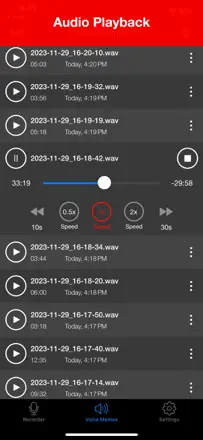
A capable mobile recorder aimed at musicians and field recording. Clean audio quality when the source is close. Noise reduction is weak and captures background sound equally well. File organization is inconvenient: no search and files pile up without structure. WAV files do not open directly in some AI services.
Points forts : Clean recording quality in good conditions. Dropbox sync. Works for years without data loss for most users.
Reproches : No noise reduction means quiet sources and background noise are captured at equal volume. Files cannot be reordered or found by search. No automatic transcription. WAV format is not parsed by some AI tools and requires manual conversion. Ads can appear at the worst moment during an important recording.
Pour qui : Musicians capturing ideas on the go. Field researchers recording interviews in a quiet environment. Anyone who wants a simple recorder without subscriptions or transcription.
Rang 2. Note des avis : 62 sur 100. Note sur l’App Store : 4,8★ · 1 031 552 notes
62sur 100
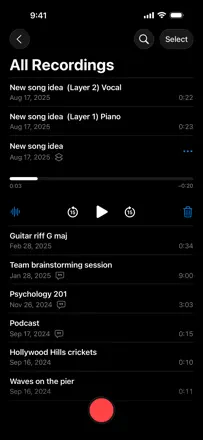
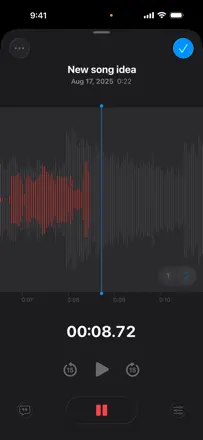
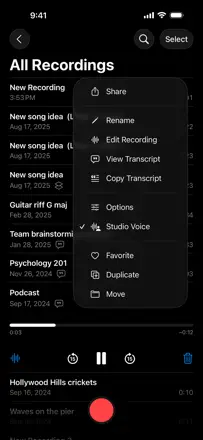
Apple's free built-in recorder. Works without friction, folders and iCloud sync are included out of the box. Transcription arrived recently and reviews say it is inconsistent. Background recording with the screen locked works fine. Main limitations: recordings integrate poorly with other apps, the record/stop sound cannot be disabled, and noisy environments pull focus to background noise.
Points forts : Zero learning curve: open, tap, it records. Folders and iCloud sync work out of the box. Files are stored indefinitely with no subscription.
Reproches : Transcription is unreliable and sometimes disappears after updates. Recordings are hard to share between apps with no direct export in the format you need. The audio chime at start and stop cannot be turned off.
Pour qui : iPhone users who need a quick recording without installing anything. Students, journalists, and anyone who takes voice notes.
Rang 3. Note des avis : 62 sur 100. Note sur l’App Store : 4,8★ · 10 132 notes
62sur 100
A simple, free voice recorder with solid recording quality. The main issue is unreliable state indication: the app sometimes records with no visible response to a button press, leaving the user unsure whether recording is active. Renamed files can disappear from the list.
Points forts : High microphone sensitivity, recording continues in the background while switching apps, choice between local storage and cloud, and no ads.
Reproches : The delete button sits at the top of the action list and is too easy to tap by accident with no trash and no confirmation prompt, so a file is gone for good. Renamed recordings sometimes vanish from the list and only auto-named files remain. Transcription has a length cap even after purchase.
Pour qui : Users who want a reliable, free recorder for lectures, rehearsals, and personal notes without extra setup.