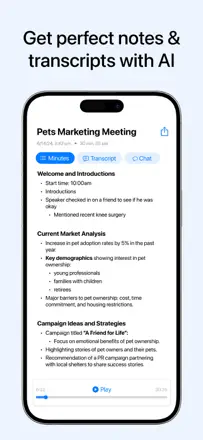
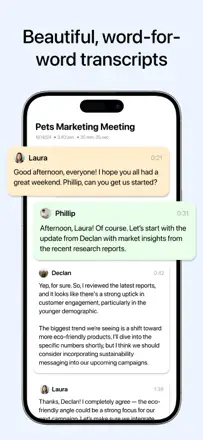
Note des avis : 65 sur 100. Note sur l’App Store : 4,9★ · 11 576 notes
65sur 100
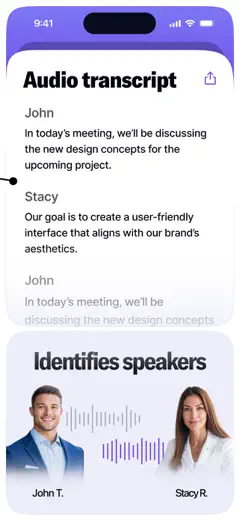
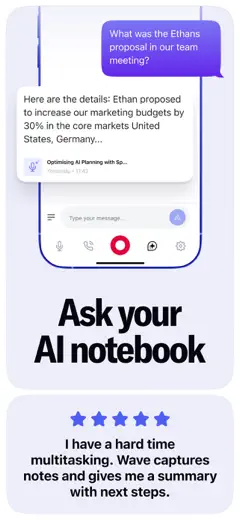
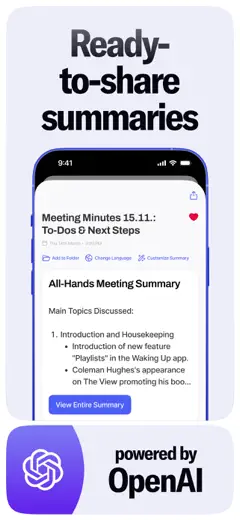
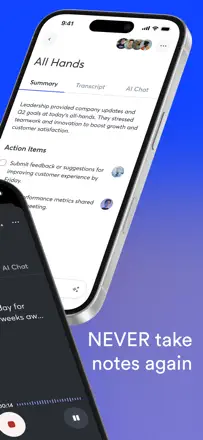
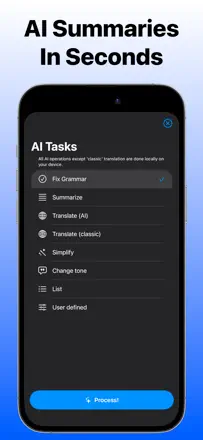
One of the strongest apps in the niche for real functionality: background recording, detailed section-by-section summaries, and multilingual transcription. The main failures are silent recording with no warning (the app records silence while the user thinks it is capturing audio) and slow summary generation. Export to Notion and OneNote breaks formatting.
Points forts
Summaries are structured and substantive, multilingual transcription works without switching modes, and it helps in medical and business meetings where reviewing details afterward matters.
Reproches
Recording can silently capture silence, costing users 10 to 15 minutes of a meeting they did not know was lost. Summary generation slows down with a large archive, export to OneNote and Notion drops formatting, and search across many notes is unreliable.
Pour qui : Professionals and students in in-person meetings and lectures who need not a word-for-word transcript but a structured outline with key takeaways.
Note des avis : 62 sur 100. Note sur l’App Store : 4,8★ · 1 031 552 notes
62sur 100
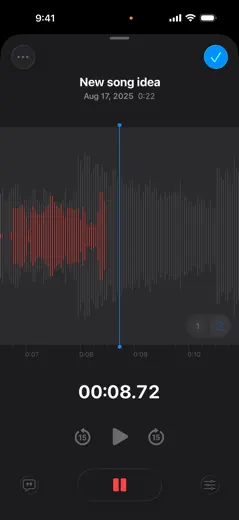
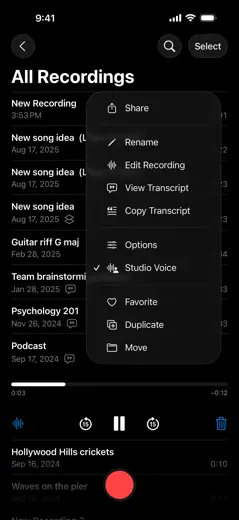
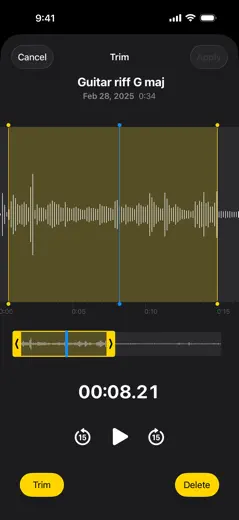
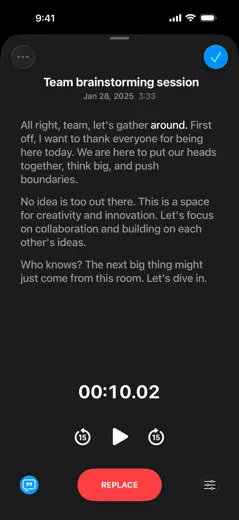
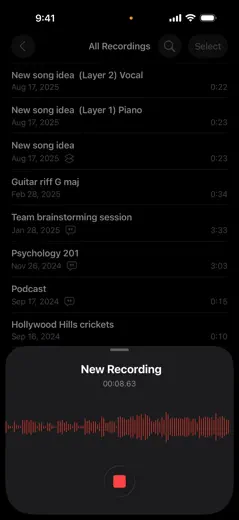
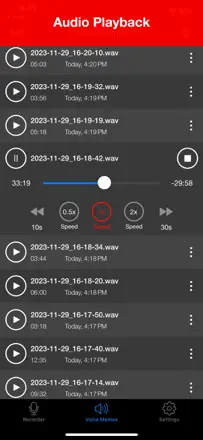
Apple's free built-in recorder. Works without friction, folders and iCloud sync are included out of the box. Transcription arrived recently and reviews say it is inconsistent. Background recording with the screen locked works fine. Main limitations: recordings integrate poorly with other apps, the record/stop sound cannot be disabled, and noisy environments pull focus to background noise.
Points forts
Zero learning curve: open, tap, it records. Folders and iCloud sync work out of the box. Files are stored indefinitely with no subscription.
Reproches
Transcription is unreliable and sometimes disappears after updates. Recordings are hard to share between apps with no direct export in the format you need. The audio chime at start and stop cannot be turned off.
Pour qui : iPhone users who need a quick recording without installing anything. Students, journalists, and anyone who takes voice notes.
Note des avis : 62 sur 100. Note sur l’App Store : 4,8★ · 10 132 notes
62sur 100
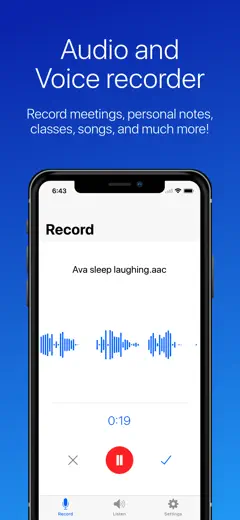
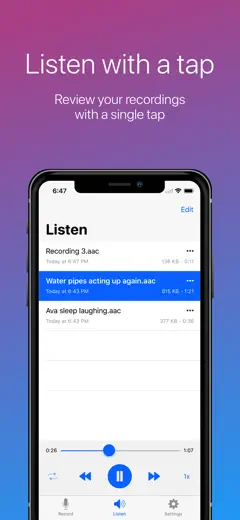
A simple, free voice recorder with solid recording quality. The main issue is unreliable state indication: the app sometimes records with no visible response to a button press, leaving the user unsure whether recording is active. Renamed files can disappear from the list.
Points forts
High microphone sensitivity, recording continues in the background while switching apps, choice between local storage and cloud, and no ads.
Reproches
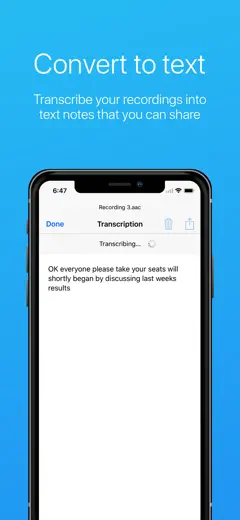
The delete button sits at the top of the action list and is too easy to tap by accident with no trash and no confirmation prompt, so a file is gone for good. Renamed recordings sometimes vanish from the list and only auto-named files remain. Transcription has a length cap even after purchase.
Pour qui : Users who want a reliable, free recorder for lectures, rehearsals, and personal notes without extra setup.
Rang 4. Note des avis : 61 sur 100. Note sur l’App Store : 4,9★ · 14 002 notes
61sur 100
Transcription and meeting structuring work when the app does not lose the recording. The core vulnerability is no auto-save: if you do not manually tap 'transcribe,' the recording is gone. Recordings are lost even without an obvious user error. Transcription accuracy is roughly 75 to 80 percent and holds up in noisy environments.
Points forts : Structured summaries are split into sections and readable right away. Switching languages mid-recording works (users noted Spanish and English in a single session). It helps people who struggle to concentrate take notes without effort.
Reproches : No auto-save means data is lost without a manual 'transcribe' tap. Several users reported complete recording loss. No web interface or integration with corporate platforms like Teams. Editing a transcript after the fact is not supported.
Pour qui : Students and people in in-person meetings who want a ready-made structured outline rather than a verbatim transcript.
Rang 5. Note des avis : 58 sur 100. Note sur l’App Store : 4,8★ · 62 322 notes
58sur 100
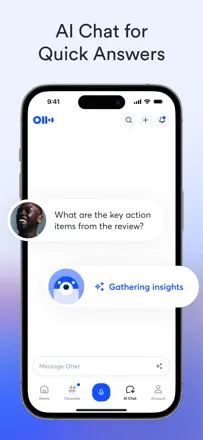
An AI meeting transcriber with speaker identification, summaries, and action items. Transcription is accurate for the primary language but struggles with accents, names, and specialized vocabulary. Speaker identification is unreliable. The UX feels unfinished: you cannot start recording instantly, file organization is weak, and the mobile experience lags behind the web app.
Points forts : Automatic summaries and action items from a meeting are ready right after recording. Full-text search across transcripts works well. Calendar integration can trigger recording automatically.
Reproches : Speaker labels are lost on replay and have to be re-tagged manually. Mobile export does not reproduce the layout (photos plus text) as shown in the app. The free-tier minute cap runs out fast with no warning.
Pour qui : Managers and teams who need automatic meeting minutes. Students for lecture notes. Not a good fit for interviews with specialized vocabulary or multiple similar-sounding voices.
Rang 6. Note des avis : 58 sur 100. Note sur l’App Store : 4,5★ · 10 632 notes
58sur 100
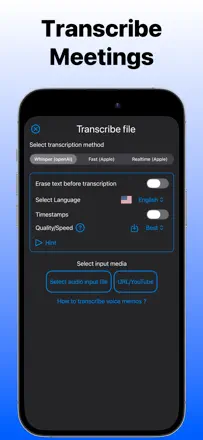
A transcription app with solid baseline accuracy and speaker detection, but with a strict paywall structure: uploading a file is free, but exporting to Word or PDF costs extra. The web and mobile versions behave differently, and the transcript editor in the desktop app is awkward.
Points forts : Automatic speaker detection with the ability to rename speakers, transcription of a 30-minute file in a few minutes, and support for multiple languages and audio input formats.
Reproches : Punctuation is poor with missing periods and question marks. Editing the transcript in the desktop app is clunky (clicking to position the cursor breaks the expected behavior). Each export format beyond plain text costs an additional fee.
Pour qui : Journalists and researchers who need interview transcripts with multiple speakers and are willing to pay extra for convenient export.
Rang 7. Note des avis : 55 sur 100. Note sur l’App Store : 4,7★ · 16 747 notes
55sur 100
A capable mobile recorder aimed at musicians and field recording. Clean audio quality when the source is close. Noise reduction is weak and captures background sound equally well. File organization is inconvenient: no search and files pile up without structure. WAV files do not open directly in some AI services.
Points forts : Clean recording quality in good conditions. Dropbox sync. Works for years without data loss for most users.
Reproches : No noise reduction means quiet sources and background noise are captured at equal volume. Files cannot be reordered or found by search. No automatic transcription. WAV format is not parsed by some AI tools and requires manual conversion. Ads can appear at the worst moment during an important recording.
Pour qui : Musicians capturing ideas on the go. Field researchers recording interviews in a quiet environment. Anyone who wants a simple recorder without subscriptions or transcription.
Rang 8. Note des avis : 53 sur 100. Note sur l’App Store : 4,6★ · 13 161 notes
53sur 100
A reliable basic recorder with background recording and multi-device support. The weak point is transcription: after a few weeks it starts crashing the app rather than doing its job. Data may not restore on a new device after logging in.
Points forts : Runs in the background without interruption, works across all devices simultaneously when everything is healthy, and the free version includes enough for simple tasks.
Reproches : Transcription crashes the app after roughly one to two months of use. No way to append to an existing recording. Audio editing requires reverting to the original with no intermediate saves. Data does not restore when switching to a new phone.
Pour qui : Anyone who wants a simple recorder with background operation and is not counting on transcription.
Rang 9. Note des avis : 52 sur 100. Note sur l’App Store : 4,7★ · 19 575 notes
52sur 100
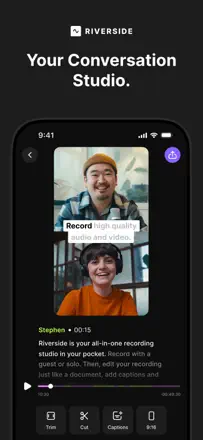
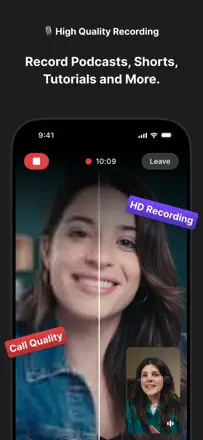
A podcast and video recording studio with separate local capture for each participant, then sync. When it works, quality is better than competitors at Zoom-style recording. But the app is unstable: videos fail to upload, sessions freeze, and features vanish after updates. The desktop is required for editing since the mobile version is stripped down.
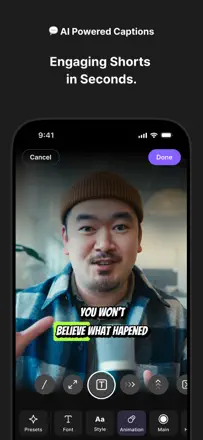
Points forts : Local recording for each participant independent of connection quality. Automatic transcription. Magic Clips for cutting highlight moments. A simple interface for non-technical users.
Reproches : Features disappear or break after updates without notice. Video uploads stall or silently fail. The mobile version does not provide access to most editing tools. Mobile and web-editor subscriptions are sold separately.
Pour qui : Podcasters and video creators doing remote interviews who want studio-quality audio without a physical studio. Requires a stable connection and willingness to edit on a computer.
Rang 10. Note des avis : 52 sur 100. Note sur l’App Store : 4,7★ · 16 036 notes
52sur 100
Once a reliable recorder with cloud export, but Apple Watch sync has broken down, all cloud connectors (Dropbox, iCloud) work inconsistently, and the free version now shows objectionable ads. The recording function itself holds up, but everything that happens after tapping stop has become a lottery.
Points forts : Recording runs in the background without loss, files are delivered in multiple formats including MP3, and the interface is simple enough that you do not have to think about it during a session.
Reproches : File transfer from Apple Watch is unreliable and may not deliver the recording at all. All cloud integrations stall at upload. The free version shows banner ads with unacceptable content.
Pour qui : Anyone who makes occasional personal notes and does not need Watch or cloud sync.
Rang 11. Note des avis : 52 sur 100. Note sur l’App Store : 4,5★ · 11 309 notes
52sur 100
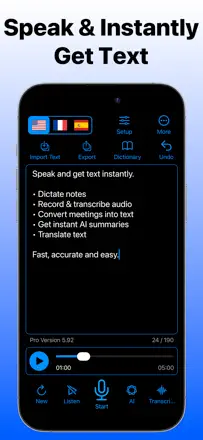
A recorder-transcriber with an inconsistent engine: half of users are happy with the speed and export while the other half report the cursor jumping to the middle of already-dictated text and roughly one word in five being missed. A strong export workflow and good performance on long texts are offset by near-zero accuracy on non-standard speech and medical abbreviations.
Points forts : Export of finished text in multiple formats, recording long dictations without breaks when it runs stably, and fast output delivery.
Reproches : The cursor jumps randomly into the middle of already-dictated text during long sessions. No selective copy of a fragment, only 'copy all.' The engine does not learn a user's specific vocabulary.
Pour qui : Writers and journalists who dictate short to medium texts in standard English and are willing to proofread the output.
Rang 12. Note des avis : 44 sur 100. Note sur l’App Store : 4,5★ · 18 455 notes
44sur 100
One of the oldest call recorders on iOS. The conference bridge mechanism has the same limitations as always: manual merge required, recording announcement audible to all parties. Historically reliable, but a sharp price increase triggered widespread backlash. Bulk export of recordings is absent and you can only download them one at a time.
Points forts : Stable performance over years with consistent recording quality. Labels, dates, and timestamps help organize an archive. Recording starts in just a few taps.
Reproches : No bulk export: hundreds of recordings must be downloaded one by one. Price climbed from $29 to $69 per year and higher with no meaningful new features. Some users face a repayment demand even after already paying. Support is handled by an AI chatbot only.
Pour qui : Journalists and managers who need a reliable archive of business calls with dates and labels. Those who record calls infrequently and can live without bulk export.
Rang 13. Note des avis : 44 sur 100. Note sur l’App Store : 4,4★ · 12 238 notes
44sur 100
An app with a long history that systematically deletes recordings after updates. This is a core storage architecture problem, not a one-off bug. Journalists and users with years of archives have been hit hardest. Recording quality with an external mic is good, but the storage cannot be trusted.
Points forts : Good quality with an external microphone, an interface simple enough for a quick start, and long-term stability for users who never updated.
Reproches : Updates regularly wipe the entire recording library with no way to recover. Uploading to OneDrive crashes the app when sending multiple files. Support is unreachable: the help link routes to the home screen. The interface is dark-only and is hard to read outdoors.
Pour qui : No one who stores important recordings. The risk of losing data on an update is too high.
Rang 14. Note des avis : 42 sur 100. Note sur l’App Store : 4,4★ · 8 453 notes
42sur 100
An MP3 recorder with basic functionality and clean sound. The main problem is organization: the recording list does not sort stably and the chosen sort order is not remembered between sessions. The app occasionally crashes when trying to share a file through a third-party app. The free version is limited to three minutes of recording.
Points forts : Clean recording with no extra setup, MP3 format out of the box, and works for podcasts and voice drafts.
Reproches : The recording list resets to the default order every session. Sharing through third-party apps (for example ShareIt) causes crashes. Deleted files sometimes reappear on their own. Accessibility features like VoiceOver are not supported.
Pour qui : Users who need simple MP3 recording for podcasts, voice sketches, or audiobooks with no transcription.
Rang 15. Note des avis : 38 sur 100. Note sur l’App Store : 4,6★ · 25 540 notes
38sur 100
A recorder with working recording and format support, but aggressive and harmful ads destroy the user experience. The app interrupts recordings on its own and drains the battery fast. Do not trust it.
Points forts : Large record button, multiple format support, and unlimited recording time at the basic level.
Reproches : Fullscreen ads with fake virus warnings and links to adult sites. Recording stops on its own after 20 to 30 seconds. Bluetooth speakers do not work even in the paid version. Battery drains in 90 minutes from a full charge.
Pour qui : Anyone looking for the simplest possible recorder who can tolerate aggressive ads, but better to avoid it entirely because of the malicious ad content.
Rang 16. Note des avis : 38 sur 100. Note sur l’App Store : 4,6★ · 13 611 notes
38sur 100
The app records voice acceptably but has made aggressive monetization the center of the user experience. Rating pop-ups appear mid-session, auto-subscription fires after a three-day trial, there is no cross-device sync, and the advertised transcription does not work without paying.
Points forts : Basic recording launches quickly and microphone quality on the built-in mic is acceptable for voice notes.
Reproches : The interface interrupts recording with pop-ups asking you to rate the app. No sync between iPhone and iPad. Recordings disappear when switching apps during an incoming call. Transcription is advertised but requires a paid version to function.
Pour qui : Hard to recommend. Apple's built-in Voice Memos solves the same problem without aggressive monetization.
Rang 17. Note des avis : 38 sur 100. Note sur l’App Store : 4,6★ · 8 620 notes
38sur 100
A recorder with built-in transcription: audio capture is stable, but speech recognition draws complaints. Words are missed, accents and dialects (including Canadian French) are handled poorly. Requires an internet connection at all times. Sharing a recording with another user is not obvious.
Points forts : Timestamps in the transcript, and audio recording is stable even during long sessions.
Reproches : Transcription requires a constant network connection with no offline mode. Accuracy drops with an accent or non-standard speech. No support for two languages in a single file. Sharing a recording with someone else is not intuitive.
Pour qui : Users who need to quickly transcribe a short recording in standard English with a stable internet connection.
Rang 18. Note des avis : 35 sur 100. Note sur l’App Store : 4,6★ · 73 136 notes
35sur 100
A basic recorder with an aggressive freemium model. Recording itself is fine, but export, sharing, trimming, and even emailing a recording to yourself are all behind a paywall. Ads are loud and unexpected. Audio quality is average and quiet recordings come out muddy.
Points forts : Fast recording start. Shows duration and playback progress directly in the list. Works in the background.
Reproches : Export is unavailable in the free version, recordings are locked inside the app. Ads pop up loudly and without warning. Quiet voices are recorded with noticeable background noise.
Pour qui : Users willing to put up with aggressive freemium for the bare ability to record. Most people are better off with the built-in Voice Memos.
Rang 19. Note des avis : 35 sur 100. Note sur l’App Store : 4,4★ · 11 995 notes
35sur 100
Not useful to assess. The review pattern indicates mass inflation. The only substantive negative review describes a complete failure after an update. Real user experience cannot be reconstructed from the store data.
Points forts : Based on the one genuine detailed review: background recording from Apple Watch, voice dictation with speech recognition, and file delivery without ads.
Reproches : After a major update the app completely stopped working for some users. Apple Watch sync loses recordings.
Pour qui : Cannot give a recommendation because of a storefront star that diverges from review text. The real audience is unknown.
Rang 20. Note des avis : 32 sur 100. Note sur l’App Store : 4,3★ · 37 763 notes
32sur 100
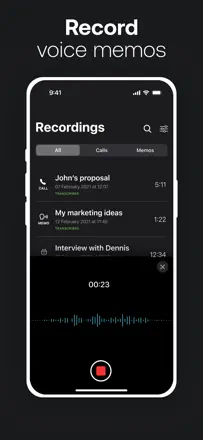
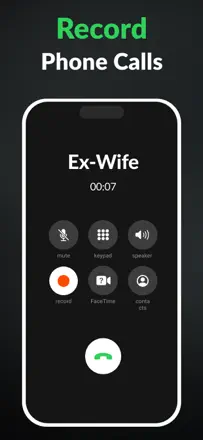
Call recording via a three-way merge with the TapeACall server. Transcription is available but does not link speakers to phone numbers, only Speaker 1 and Speaker 2. Recording is unreliable on critical calls: the app gives no error signal and simply does not save. Was relevant before iOS 18 but now competes with Apple's built-in call recording.
Points forts : Recordings are stored in the cloud without taking up phone storage. Interface is simple. Transcription appears automatically after the call.
Reproches : Transcription does not link speakers to their phone numbers. Recording an incoming call requires several steps, causing the first part of the conversation to be missed. Recording sometimes does not trigger with no error signal. Renaming a file does not save.
Pour qui : Users who occasionally need to record important calls and are willing to pay for cloud storage. Journalists for phone interviews.
Rang 21. Note des avis : 30 sur 100. Note sur l’App Store : 4,4★ · 9 757 notes
30sur 100
Another iOS call recorder via call merge. Platform limitations are the same as competitors: incoming calls cannot be captured automatically and recording must be started manually. An additional problem is a crash when trying to rename a recording, and files sometimes save as HTML with no audio under certain conditions.
Points forts : Ability to save and share recordings. In some cases the call merge happens without an extra 'merge' tap.
Reproches : Pressing DTMF tones during a recording (for example responding to a voicemail menu) drops the call and ends the recording. The file sometimes saves as HTML with no audio. Renaming a recording in the app crashes it and the entered text is lost.
Pour qui : iPhone users who occasionally need to record important business calls and understand the platform limitations of iOS.
Rang 22. Note des avis : 28 sur 100. Note sur l’App Store : 4,4★ · 10 472 notes
28sur 100
A phone call recording app using the call-merge scheme. Real functionality is severely limited on iOS by Apple's platform restrictions: recording does not start from the first second, there is no automatic capture of all calls, and recording cuts off if it hits an automated menu. The user's own voice in the recording comes through quiet.
Points forts : A working call-merge scheme for the cases when recording launches correctly. Ability to save and share the recording.
Reproches : Recording a phone call via call merge requires several manual steps, causing the first 30 to 60 seconds of conversation to be lost. The recording side's voice is barely audible in the output file. Pressing DTMF tones (entering '1' in an automated menu) cuts the recording.
Pour qui : Users who occasionally need to capture an important call and are prepared to manually start recording at the beginning of each conversation.
Rang 23. Note des avis : 22 sur 100. Note sur l’App Store : 4,6★ · 79 867 notes
22sur 100
Call recording via three-way connection. The mechanism works but with serious limitations: it does not record incoming calls directly, recordings are cut off (30 minutes captured from a 90-minute call), and there is no DTMF keypad during the call. Transcription is present but broken for some users.
Points forts : The three-way call mechanism allows recording on iPhone without jailbreaking. Recordings are stored in the cloud without taking up phone storage.
Reproches : Does not record incoming calls directly, the merge must be initiated manually. No numeric keypad (DTMF) during the call, which blocks any IVR menus. Recording is cut short and does not cover the full call.
Pour qui : Users who occasionally need to record an outgoing call and can accept iOS platform limitations.
Rang 24. Note des avis : 22 sur 100. Note sur l’App Store : 3,7★ · 8 406 notes
22sur 100
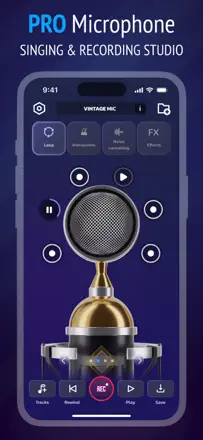
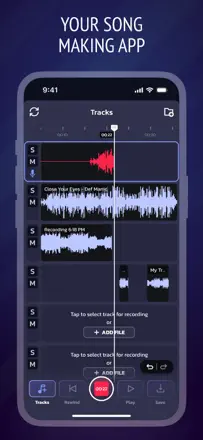
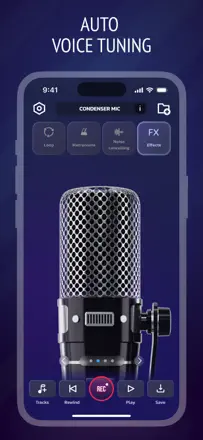
A recorder marketed as a 'pro microphone' with real-time monitoring and audio processing. In practice most users cannot access any feature without subscribing, which is prompted immediately at launch. After paying, some features remain unavailable due to server errors. Track layering works with artifacts.
Points forts : The concept of real-time monitoring through headphones when the server is stable.
Reproches : After subscribing the app continues to show free-tier restrictions and server errors. Track layering causes phase artifacts with no undo option. Basic navigation (how to delete a file, how to play a recording) is not obvious to new users.
Pour qui : Practically no one in its current state. Too unstable after payment.
Rang 25. Note des avis : 18 sur 100. Note sur l’App Store : 4,4★ · 41 531 notes
18sur 100
Call recording via merge with a paid number. The mechanism is unreliable: a loud audio tone during merge is audible to the other party, the numeric keypad is unavailable during the call, incoming calls stopped recording for some users as of May 2025, and recordings sometimes are not saved. Transcription is present but unclear.
Points forts : When working reliably, records calls up to an hour in full. Some users report reliability on outgoing calls.
Reproches : Loud beep during call merge is heard by both parties, making covert recording impossible. The numeric keypad does not appear during the call, blocking any voice menus. Incoming calls stopped recording for some users with no explanation.
Rang 26. Note des avis : 18 sur 100. Note sur l’App Store : 4,6★ · 22 828 notes
18sur 100
Call recording via conference bridge with iOS limitations. The app announces the recording out loud to all participants. Quality: one voice comes through clearly, the other does not. The server is frequently unavailable. Real recording quality is close to zero.
Points forts : The idea: conference-call recording without jailbreaking. When it works, the conversation is saved.
Reproches : The conference bridge scheme requires five manual steps in under 10 seconds while the other person is already waiting. The recording is announced publicly to everyone. The caller's own voice records with gaps or not at all. The server regularly throws errors and recordings are inaccessible. Support does not respond.
Rang 27. Note des avis : 16 sur 100. Note sur l’App Store : 4,5★ · 20 573 notes
16sur 100
Call recording via an external number. Registration via phone is broken: the SMS code does not arrive for many users. The app announces recording loudly three times in a row. Incoming calls are not recorded at all. Very expensive one-time purchase with no trial.
Points forts : Password protection for recordings. Ability to edit and delete recordings directly in the app.
Reproches : SMS registration does not work for some users, making it impossible to log in from scratch. A loud triple announcement plays at the start of every recording. Incoming calls are not recorded. No free trial at a price of up to $80.
Pour qui : Those who want to record outgoing calls and are fine with the other party being notified. But onboarding breaks too often.
Rang 28. Note des avis : 14 sur 100. Note sur l’App Store : 4,4★ · 20 303 notes
14sur 100
Call recording via a conference bridge, like most competitors. A large share of users cannot get it to work the first time. Notification of recording is inconsistent: sometimes participants are told, sometimes not. Mobile-only access with mandatory manual merge required. $30 per month with no clear justification.
Points forts : The idea of automatic conference recording without technical knowledge.
Reproches : Recording triggers inconsistently: sometimes it notifies participants, sometimes it does not. Mobile-only interface with no web version for playback. Manual call merge required for every recording. No free access at all.
Pour qui : Unclear. The pricing model does not match the functionality.
À propos des chiffres
Deux chiffres — deux sources
Elles aident à comparer les apps, mais ne remplacent pas la vérification de ta propre tâche.
Score des avis · jusqu’à 100
Le score conservé de l’étude inApp sur les textes des avis. Il évalue l’ensemble de l’app dans l’archive, pas la fiabilité d’une fonction précise.
Note de la boutique · jusqu’à 5
La note de la page de l’app au moment de la collecte. La note et la version actuelles peuvent différer.
Dans l’échantillon archivé de ce sujet : 28 apps et 11 175 avis lus. C’est le volume total de l’étude, pas le nombre d’avis par app.
Un écart entre les chiffres ne prouve pas de manipulation. La date de calcul et la méthode complète du score ne sont pas dans l’archive mobile. Compare les descriptions des tâches et les citations sources, et vérifie les conditions dans la version actuelle.