After an incident a person needs to work out the order of actions and restore access to the accounts that matter. A security check based only on a list of passwords should not be promised, or offered in place of help with a compromise.
A minimalist 2FA authenticator that works fine until you change your phone. Losing all codes when switching devices without manual transfer is a systemic problem known to every long-time user.
評価点:No ads or bloat, Google account sync now helps when transferring, simple interface.
不満点:Before cloud sync was added, migration was a disaster, codes occasionally vanish, no way to organize entries into folders or rename them, the QR camera doesn't work for some users.
向いている人:Google ecosystem users who want basic TOTP with no extras.
Microsoft's corporate authenticator that systematically locks users out when they switch phones. The cycle of 'need a code to log in, need to log in to get a code' is documented in dozens of reviews.
評価点:Works steadily as long as you don't need to transfer your account to a new device, protects corporate Microsoft accounts.
不満点:The authentication loop on phone changes makes access impossible, codes and notifications periodically fail to arrive, the approval interface is confusing (easy to mix up Deny and Approve), support is unreachable or offers paid assistance.
向いている人:Corporate users whose IT department has issued Microsoft 365 and who have no choice.
Apple's built-in password manager that works invisibly for most users, but regularly loses passwords after iOS updates and handles import and export poorly.
評価点:Zero setup on Apple devices, iCloud sync, notifications for compromised passwords, family plan sharing.
不満点:Passwords disappear after OS updates, no proper export, weak support for non-Apple platforms, QR login is unreliable, autofill doesn't work everywhere.
向いている人:Users who live entirely in the Apple ecosystem and don't need cross-platform support.
A free password manager within the Norton ecosystem, stable enough for basic tasks, but no passkeys support, occasional connection drops, and constant upsell offers.
評価点:Free for basic use, easy to get started, reliably stores passwords for most sites.
不満点:No passkeys support, unstable connection on mobile, intrusive survey pop-ups, autofill doesn't work on some sites.
向いている人:Existing Norton subscribers who need a simple manager without extra cost.
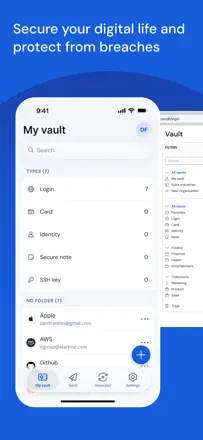
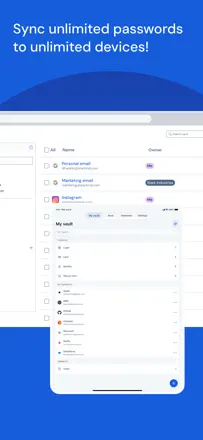
The best free open-source password manager for the price-to-features ratio, but recent updates introduced serious bugs: the master password sometimes refuses to work, TOTP behind a paywall feels greedy, and cross-device sync is slow.
評価点:Completely free with no ads, open-source, works on all platforms, no upsell pressure.
不満点:Master password periodically fails for no apparent reason, TOTP is paid-only, slow sync, a bug shows phantom TOTP codes on entries that don't have one.
向いている人:Technically minded users who want a solid free manager and can tolerate occasional bugs.