Reviews from this group value a balance that is clear and a small amount of daily work. A game, simple entry and setting money aside automatically are different forms of support, not mutually exclusive rules for everyone.
Which apps people use
These apps are mentioned in the breakdown of this job. Open each one to compare strengths and limits. The order of the list is not a ranking of fitness.
Rank 2. Review score: 82 out of 100. App Store rating: 4.7★ · 4,841 ratings
82of 100
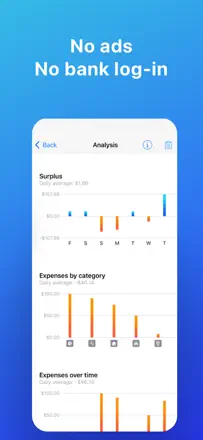
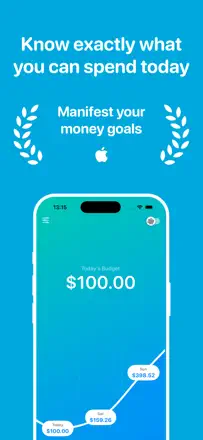
A minimalist daily budget planner: you enter income, fixed expenses, and a savings goal, and the app divides the remainder across the days of the month, showing how much you can spend today. No bank connection required. Radically simple, but that is exactly why most users finally stick to a budget after years of failing with other apps.
Praised: The live 'available today' figure changes spending psychology: not 'how much is left this month' but 'how much do I have right now.' Users with ADHD and financial anxiety specifically highlight this mechanic.
Complaints: No balance forecast for future dates. Variable income (freelance, shift work) fits the model poorly. No balance carryover between months.
Best for: People with a fixed income who tend to spend everything at the start of the month and want a simple guide for 'how much can I spend today.'
Rank 3. Review score: 81 out of 100. App Store rating: 4.8★ · 554 ratings
81of 100
A daily-balance budgeter: enter your income and fixed expenses, and the app splits the free money across days to show how much you can spend today. Works especially well for people prone to impulse spending.
Praised: A single 'how much is left today' figure gives instant clarity on your financial state. Multi-budget support. Apple Watch widget. One-time purchase.
Complaints: Recent updates broke the savings-goal logic. No data import from other apps. Initial setup takes considerable effort.
Best for: Anyone who wants to stay within a monthly budget without dealing with categories, especially people prone to impulse spending or those with attention-deficit disorder who need one simple number.
Rank 11. Review score: 76 out of 100. App Store rating: 4.8★ · 1,810 ratings
76of 100
An extremely simple manual tracker: add a line item, enter an amount, check the balance. No bank sync, no automation: only what you enter yourself. This makes it a reliable mindfulness tool for people with irregular income.
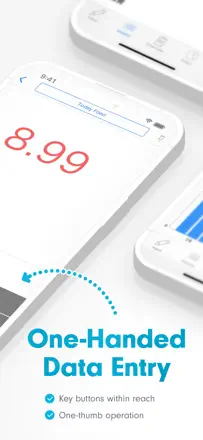
Praised: One screen, ten seconds per entry. Complete freedom to create categories for any scenario. No forced bank link: data stays on the device.
Complaints: No balance forecast or scheduled transactions. The free version limits the number of records. No cross-device sync.
Best for: People with irregular income, students, and those who want to keep a manual cash log without any bank connections.
Rank 51. Review score: 51 out of 100. App Store rating: 4.8★ · 85,741 ratings
51of 100
Qapital does one thing well: it turns trigger rules into automatic savings (round-up to the dollar, the 52-week rule, a percentage of income). Spending awareness is a side effect, not the primary function. When the mechanism works, users save effortlessly. When bank sync breaks or a withdrawal is blocked, support is essentially absent.
Praised: Flexible trigger rules for auto-saving: rounding up purchases, a percentage of incoming funds, a fixed weekly contribution. Visual savings goals with progress bars motivate continued saving.
Complaints: Bank sync breaks without warning and rules stop firing. Savings stall without the user noticing. Withdrawing saved funds takes significantly longer than advertised and is sometimes blocked without explanation. Closing an account through the app does not work. Support responds slowly.
Best for: People who need automated savings by rules rather than a manual budget. Those willing to keep some money in the app on a short time horizon.