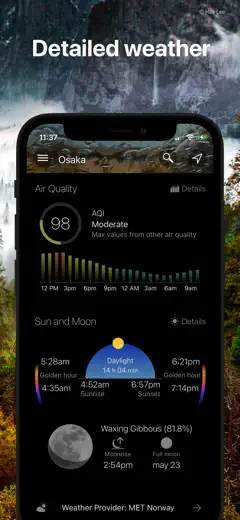
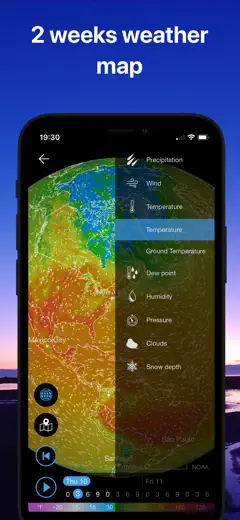
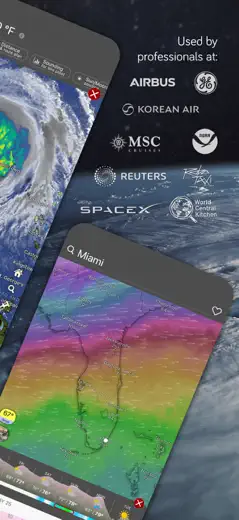
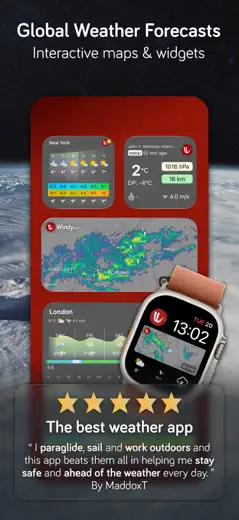
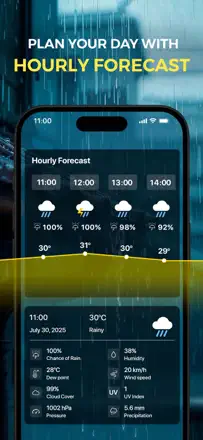
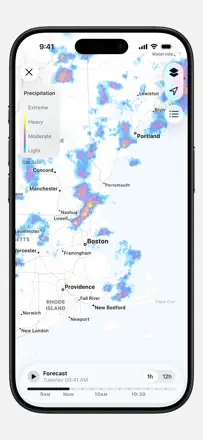
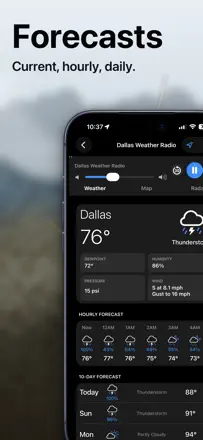
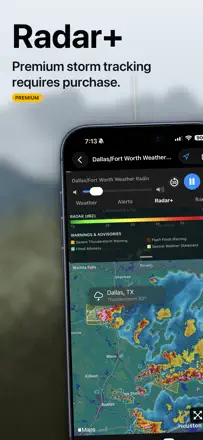
Review score: 84 out of 100. App Store rating: 4.9★ · 6,574 ratings
84of 100
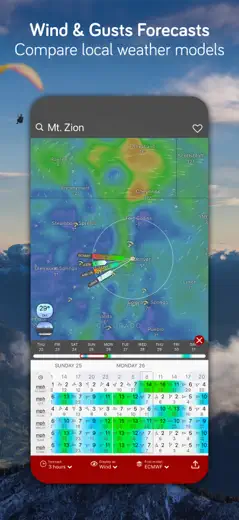
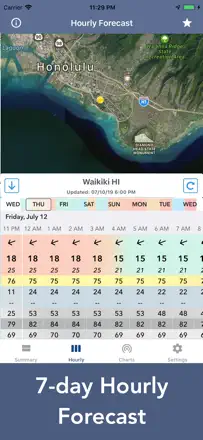
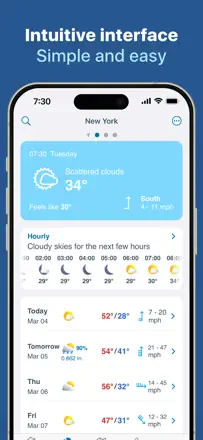
One of the few weather aggregators that lets you choose your forecast source from multiple models. Users report genuine accuracy in tricky regions and call it the best they found after a long search for a Weather Channel alternative.
Praised
The ability to switch between weather data providers and the complete absence of ads.
Complaints
The home-screen widget does not always refresh without manually opening the app.
Best for: Users who want control over their data source and cannot tolerate ads
Review score: 74 out of 100. App Store rating: 4.8★ · 76,960 ratings
74of 100
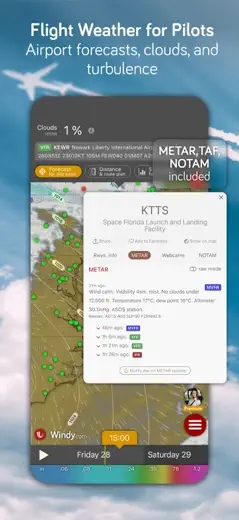
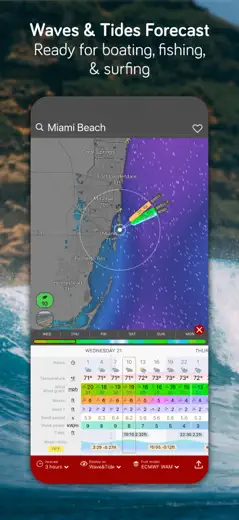
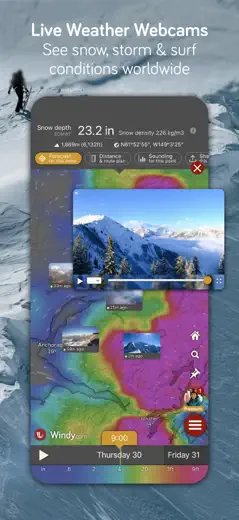
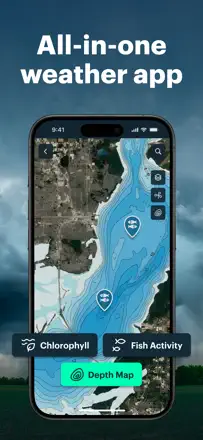
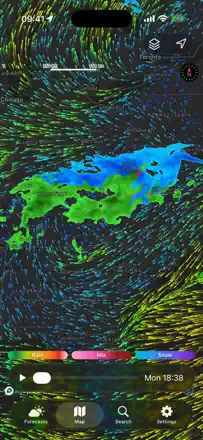
For aviation, sailing, and cycling it delivers detailed wind layers, water temperature, and tropical-system data with multi-day accuracy that users have verified in the field. The main product issue is that the forecast model slider sometimes lags behind the selected hour, which matters when timing is critical.
Praised
Multi-layer wind forecasts by altitude and tropical-system accuracy four to five days out.
Complaints
The timeline slider can fall out of sync with the actual model hour, introducing error when precise timing matters.
Best for: Pilots, sailors, and anyone planning outdoor activities
Review score: 70 out of 100. App Store rating: 4.8★ · 36,575 ratings
70of 100
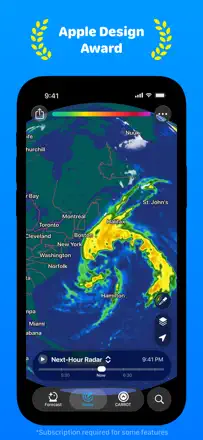
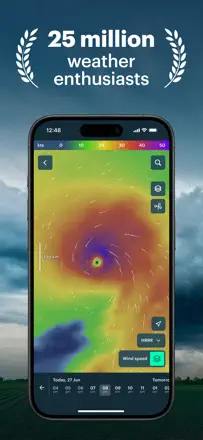
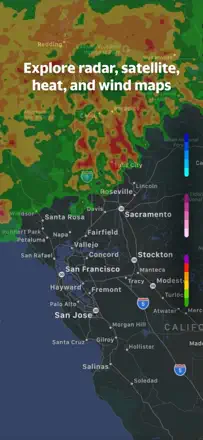
Zoom Earth stands out with its global satellite map and an excellent hurricane tracker; the forecast is accurate enough for general use. After radar was removed in one update some users left, but the core value for tracking large systems remained.
Praised
The best tool for watching hurricanes and storms at a global scale, all in one tap.
Complaints
No legend for the layers, impossible to zoom in to street level, and the hurricane track forecast sometimes diverges from the consensus cone.
Best for: Global weather enthusiasts, hurricane chasers, and travelers
Rank 4. Review score: 68 out of 100. App Store rating: 4.7★ · 302,583 ratings
68of 100
A compact app with solid alerts and a clean forecast layout that loyal users call their primary choice. The sample size is too small for confident conclusions on overall accuracy, but there are almost no specific complaints about forecast errors.
Praised: Timely alerts for approaching storms and a convenient hourly navigation.
Complaints: Occasionally fails to load for no visible reason; the radar timeline does not start from the current moment.
Best for: Users who want a simple, quiet daily forecast
Rank 5. Review score: 68 out of 100. App Store rating: 4.7★ · 85,875 ratings
68of 100
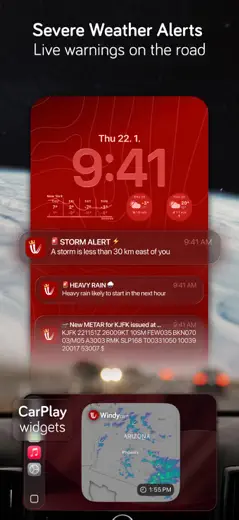
One of the few apps where users describe real use cases: navigating CarPlay through a tornado warning zone, precise severe-weather alerts, access to ensemble forecasts and SPC data. Forecast accuracy is rated good in reviews; the main product issue is that location does not switch automatically when traveling.
Praised: A unique combination of professional-grade data (ensemble, SPC) with a fun character and a clean interface.
Complaints: Location does not update automatically when moving from city to city; requires manual correction.
Best for: Power users who want serious data and a polished interface
Rank 6. Review score: 65 out of 100. App Store rating: 4.8★ · 35,250 ratings
65of 100
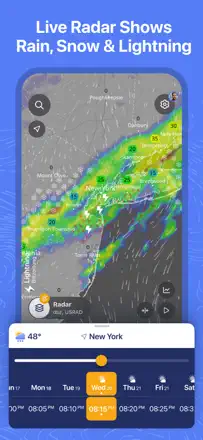
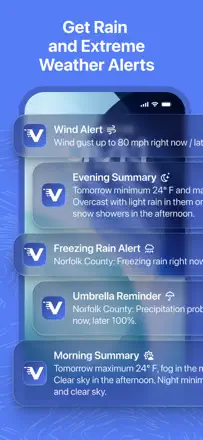
Ventusky offers a rich set of meteorological layers and is useful for professional planning, but wind accuracy has degraded, sometimes showing five times less than actual speed, and the cluttered post-redesign interface makes navigation harder. Good for those who know how to read pressure charts.
Praised: Indispensable for offshore planning and aviation: the 14-day forecast with fronts and precipitation holds up.
Complaints: Wind speed can differ from reality by a factor of several, which is dangerous for marine and aviation operations.
Best for: Pilots, offshore professionals, and weather enthusiasts
Rank 7. Review score: 63 out of 100. App Store rating: 4.8★ · 53,758 ratings
63of 100
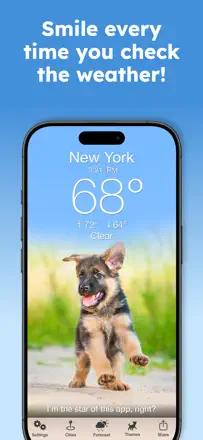
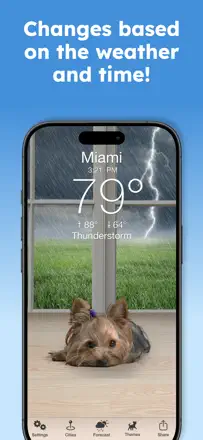
Weather Puppy delivers a reasonably accurate forecast via Foreca and Apple Weather, but it remains a dog-themed app rather than a serious weather tool. The radar occasionally shows a thunderstorm where the sky is clear.
Praised: Forecast accuracy is quite decent, and the app lifts your mood from the first second.
Complaints: The radar periodically shows precipitation that does not exist, and the bark notification does not always fire at the scheduled time.
Best for: Those who want a forecast with personality rather than raw tables
Rank 8. Review score: 63 out of 100. App Store rating: 4.6★ · 12,074 ratings
63of 100
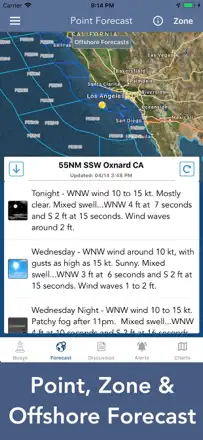
A clean, ad-free interface layered over NWS data, with a forecast discussion forum. Accuracy is good in spring and summer, slightly weaker in winter. The most honest minimalism in the segment.
Praised: The NWS forecaster Forecast Discussion is the most informative text forecast available, something no other app offers.
Complaints: Zone and acronym navigation is opaque for newcomers, and switching regions takes extra steps.
Best for: US users who want raw NWS data without extra layers
Rank 9. Review score: 62 out of 100. App Store rating: 4.7★ · 72,446 ratings
62of 100
Windy.app is more accurate than most competitors for wind and waves in active outdoor sports, but the free tier is heavily limited and forecast accuracy is unstable at low speeds. Its strong niche is marine navigation, fishing, and kitesurfing.
Praised: Out of nine wind apps on the phone, this one holds up better than the rest, especially for getting out on the water.
Complaints: Wind forecasts at low speeds (7-10 mph) often miss reality; leaves don't move where a breeze was promised.
Rank 10. Review score: 62 out of 100. App Store rating: 4.8★ · 16,693 ratings
62of 100
One of the few apps where users praise both accuracy and readability, not just design. Severe-weather warnings work. The weak point is that widgets were moved behind a paywall, cutting practical value for part of the audience.
Praised: The animated layout makes weather instantly clear rather than a boring table.
Complaints: Without a subscription there is no home-screen widget, and the widget is the main use case for a weather app.
Best for: Users who value visual readability over raw numbers
Rank 11. Review score: 62 out of 100. App Store rating: 4.7★ · 8,532 ratings
62of 100
One of the most data-dense weather aggregators, with earthquakes, radar, and detailed animation, but the iOS version noticeably lags behind Android in quality. Some users report a systematic temperature offset of 8-10 degrees.
Praised: The breadth of data is impressive: weather, radar, earthquakes, and geomagnetic activity in one app.
Complaints: Temperature forecast accuracy is inconsistent: some users see a constant offset of 8-10 degrees from real values.
Best for: Weather enthusiasts who need many data layers on one screen
Rank 12. Review score: 62 out of 100. App Store rating: 4.8★ · 6,792 ratings
62of 100
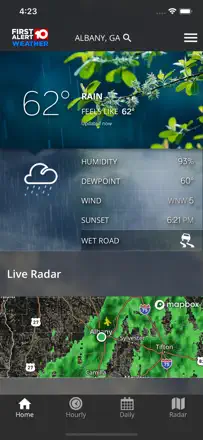
Users trust the local meteorologists and value accuracy for specific neighborhoods, but severe-weather alerts cover the entire broadcast zone without filtering by location. The app runs on trust in the TV team rather than on technology.
Praised: Video forecasts from familiar meteorologists tied to a specific local area.
Complaints: No location filtering for alerts: warnings come in for the entire broadcast region.
Best for: Residents of the WSAZ broadcast area in West Virginia and Kentucky
Rank 13. Review score: 61 out of 100. App Store rating: 4.8★ · 15,487 ratings
61of 100
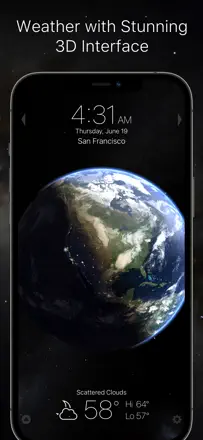
A beautiful clock widget with a live globe and a reasonably accurate forecast, but the version 4.20 redesign traded simplicity for an overloaded screen and removed the temperature badge.
Praised: The animated Earth with clouds gives an intuitive sense of what is coming from the west.
Complaints: No radar at all, and the hourly forecast became an unreadable chart with tiny numbers after the update.
Best for: Those who want beautiful lock-screen widgets
Rank 14. Review score: 58 out of 100. App Store rating: 4.8★ · 60,496 ratings
58of 100
Windfinder is good as a specialized tool for sailors and surfers, but wind and wave accuracy has degraded over recent years and is now reliable in roughly half of cases. Not for anyone who just needs basic temperatures.
Praised: No trip on the water without it: it picks the best days well and keeps routes free of surprises.
Complaints: Wind speed and direction increasingly diverge from reality, and wave height disappeared from several locations after the last update.
Rank 15. Review score: 58 out of 100. App Store rating: 4.6★ · 27,805 ratings
58of 100
Tomorrow.io outperforms most competitors on hyperlocal precipitation forecasts tied to exact map coordinates, but the 10-day forecast is unstable, sunrise/sunset times show an offset, and push notifications regularly fail to fire.
Praised: Precipitation forecast is tied to precise coordinates rather than the city as a whole, which matters most in areas with complex terrain.
Complaints: The daily and hourly forecasts sometimes contradict each other, which is confusing when planning.
Best for: Those for whom it matters whether rain will fall here in the next hour
Rank 16. Review score: 58 out of 100. App Store rating: 4.8★ · 22,432 ratings
58of 100
The app's strength is local wind and tide data; anglers have praised wind accuracy for years. The weak spot is precipitation: the daily rain icon does not change even when the sun is actually shining, which is confusing.
Praised: Wind speed and direction forecast more accurate than most competitors.
Complaints: The all-day cloud icon does not reflect actual weather changes throughout the day.
Best for: Anglers and outdoor enthusiasts for whom wind and tide matter
Rank 17. Review score: 58 out of 100. App Store rating: 4.6★ · 10,936 ratings
58of 100
The app is valued for its graphical precipitation accuracy and an honest 14-day horizon without extra noise. The hourly forecast periodically breaks and shows only one time slot, making it a useless widget until the next refresh.
Praised: Accurate precipitation figures without panic or unnecessary dramatization.
Complaints: The hourly forecast sometimes collapses to a single 1 a.m. row and stops updating without a reinstall.
Best for: Those planning trips, outdoor work, or farming tasks two weeks out
Rank 18. Review score: 56 out of 100. App Store rating: 4.7★ · 12,084 ratings
56of 100
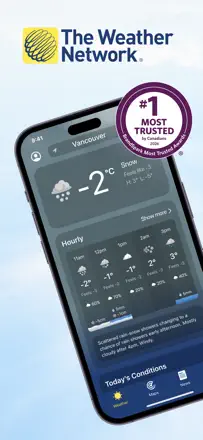
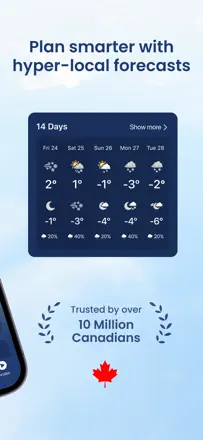
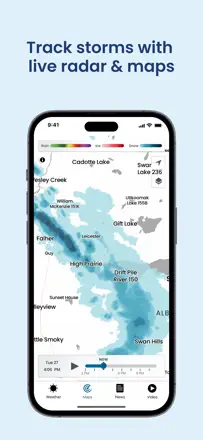
The Weather Network was once known for its accuracy in Canada and precipitation detail, but after a redesign and a data breach accuracy declined, the font got smaller, and ads became more prominent. For trail and climbing outdoor activity, precipitation detail is still among the best.
Praised: Precipitation detail helps you stay on the route or leave it at exactly the right moment.
Complaints: After the redesign forecast accuracy got worse, and the side menu opens and closes on its own.
Best for: Canadian users and outdoor enthusiasts who need a detailed precipitation map
Rank 19. Review score: 55 out of 100. App Store rating: 4.8★ · 1,071,925 ratings
55of 100
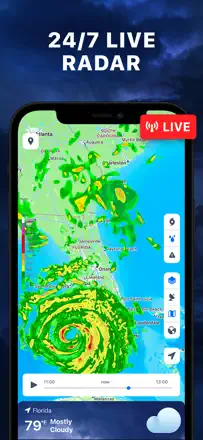
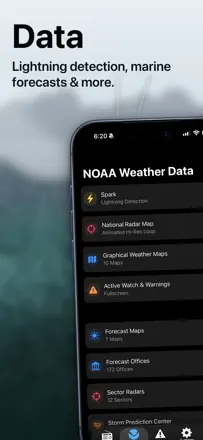
A solid radar base using NOAA data with a minimalist map interface, but monetization has degraded to scam banners that open phishing sites and to aggressive upgrade prompts.
Praised: A clean radar screen without extra layers, reliable for tracking hurricanes and thunderstorms.
Complaints: In-app ad banners link to phishing sites warning of viruses on your device.
Best for: Real-time radar fans who can tolerate aggressive monetization
Rank 20. Review score: 55 out of 100. App Store rating: 4.6★ · 30,477 ratings
55of 100
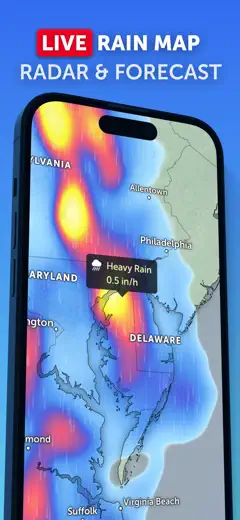
The best radar-focused app for precipitation visualization quality and widget flexibility. The main downside is connection drops during critical moments and weak temperature accuracy.
Praised: Flexible widgets with radar zoom control and the ability to toggle between multiple data types in one widget.
Complaints: The server loses connection precisely during serious storms, when the app is needed most.
Best for: Those who want a clean radar with no clutter and good widgets
Rank 21. Review score: 54 out of 100. App Store rating: 4.6★ · 12,667 ratings
54of 100
A companion app for a personal Ambient weather station: it shows your real data with backyard-level precision rather than the nearest official station. The weak spot is a fussy connection and a confusing interface when moving or changing routers.
Praised: Hyperlocal readings from your own equipment in real time, accessible remotely from anywhere.
Complaints: When switching internet providers or routers, sync breaks and does not recover without complex troubleshooting.
Best for: Owners of Ambient Weather personal weather stations
Rank 22. Review score: 54 out of 100. App Store rating: 4.7★ · 6,121 ratings
54of 100
The app appeals to serious weather watchers: good fronts, a format useful for anglers and travelers. But temperature accuracy drifts up to 15 degrees, storm notifications arrive one to two hours late, and widgets and watch complications periodically stop updating without user intervention.
Praised: The weather-front map and rich data set for those who want the full picture.
Complaints: Severe-weather alerts arrive noticeably late; widgets lose sync and show stale temperatures.
Best for: Nature lovers and anglers who want detailed summaries
Rank 23. Review score: 52 out of 100. App Store rating: 4.5★ · 1,044,178 ratings
52of 100
Live NOAA radar focused on severe weather: users in tornado-prone and snowy regions report noticeably better accuracy than competitors. The weak spot is an alert system that cries wolf with false alarms and misses real events.
Praised: Snow and front movement are displayed more accurately than most alternatives for mountain and plains regions of the US.
Complaints: Storm alerts fire unpredictably: panic with no real threat, then silence during an actual hurricane.
Best for: Residents of storm-prone US regions who need raw NOAA radar
Rank 24. Review score: 52 out of 100. App Store rating: 4.7★ · 29,041 ratings
52of 100
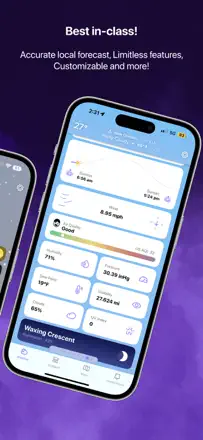
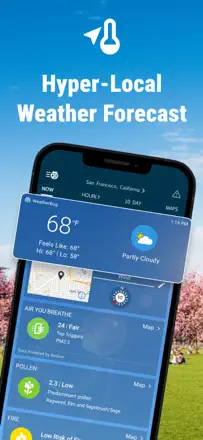
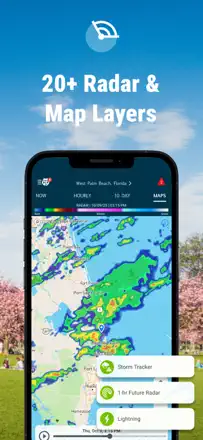
WeatherBug Elite built a loyal audience over years of accurate performance, but the past year or two show growing technical debt: radar delayed by 10+ minutes, non-working notifications on iOS 26, and a freezing interface.
Praised: Lightning alerts and the observer-station network have historically been more accurate than competitors.
Complaints: Radar and lightning notifications lag by 10 or more minutes, which is critical when hiking or riding a motorcycle.
Best for: Long-time users willing to accept technical shortcomings for the sake of a familiar interface
Rank 25. Review score: 52 out of 100. App Store rating: 4.8★ · 16,923 ratings
52of 100
Solid basic forecast and a meteorology team that the audience genuinely trusts. The main technical issue is that the radar updates every 15 minutes instead of real time, and recent updates removed the ability to view past data.
Praised: Local Region 8 meteorologists monitor severe weather and issue early warnings.
Complaints: Radar lags 15 minutes behind and shows no precipitation history, only forward forecast.
Best for: Residents of Arkansas (Region 8), especially during tornado season
Rank 26. Review score: 52 out of 100. App Store rating: 4.7★ · 15,909 ratings
52of 100
A marine-specialized NOAA data aggregator with useful planning tools, but buoys are often offline, radar is patchy in some areas, and key data (water temperature) is locked behind a paywall.
Praised: Point forecast directly on the water map and access to NOAA data without extra steps.
Complaints: Buoy data is regularly unavailable, and the wave forecast lags one to two days behind reality.
Best for: Anglers and sailors near the US coastline
Rank 27. Review score: 52 out of 100. App Store rating: 4.7★ · 7,364 ratings
52of 100
There is a core of users who praise wind-speed and temperature accuracy, but several independent reviews note discrepancies from reality of 5 degrees or more, and alerts do not fire during snowstorms. Accuracy is inconsistent.
Praised: Wind-speed and temperature data are considered among the most accurate compared to competitors.
Complaints: Current conditions often do not match what is happening outside.
Best for: Those for whom wind matters, such as cyclists or sailors
Rank 28. Review score: 50 out of 100. App Store rating: 4.7★ · 24,283 ratings
50of 100
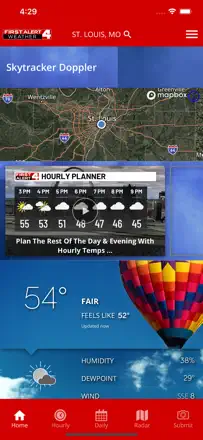
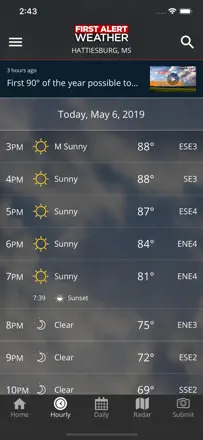
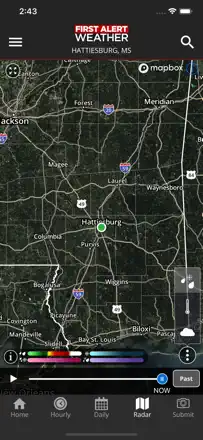
First Alert 4 from KSDK provides reasonably accurate warnings for the St. Louis area, but ads interrupt live streams during emergency storms, and radar plus notifications periodically break after updates.
Praised: Steve Templeton's voice alerts fire even at night and genuinely warn of dangerous storms.
Complaints: Ads appear during a live tornado broadcast, blocking information about location and direction.
Best for: Residents of the St. Louis area during tornado season
Rank 29. Review score: 49 out of 100. App Store rating: 4.8★ · 113,087 ratings
49of 100
Historically a reliable tool for tracking tornadoes and severe weather with text-to-speech notifications, but now notifications arrive with no data inside the app, and during an actual tornado warning the phone alert and the in-app alert did not match. For a safety app this is a critical failure.
Praised: Text-to-speech notifications and the ability to monitor several saved cities on one screen.
Complaints: Severe-weather notifications arrive, but when you open the app there is no data inside.
Best for: Residents of tornado-prone areas who need instant alerts
Rank 30. Review score: 48 out of 100. App Store rating: 4.8★ · 45,913 ratings
48of 100
WSB-TV Weather has historically provided accurate forecasts for Atlanta and was valued for timely alerts, but after a redesign the radar started lagging 5-15 minutes and storm notifications arrive after the storm has already passed. This is critical for a tornado-prone region.
Praised: The WSB meteorology team remains one of the most reliable for forecast accuracy in Georgia.
Complaints: Lightning and tornado notifications arrive 20-30 minutes after the event, making them useless for safety.
Best for: Residents of Atlanta and Georgia who trust WSB-TV
Rank 31. Review score: 48 out of 100. App Store rating: 4.5★ · 8,917 ratings
48of 100
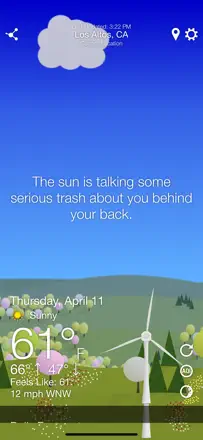
The main value is the sarcastic commentary on the forecast, not the forecast itself: temperature sometimes differs from reality by 10 degrees and there is no radar at all. After a change of ownership the app lost its voice pack and started nagging users for tracking consent.
Praised: Snarky captions on the weather brighten even the gloomiest day.
Complaints: No built-in radar, and temperature diverges noticeably from reality during rapid weather changes.
Best for: Those who want a laugh in the morning and check accurate forecasts in a different app
Rank 32. Review score: 47 out of 100. App Store rating: 4.4★ · 116,071 ratings
47of 100
Before a major update it was one of the best trackers with accurate precipitation forecasting, but after the redesign radar animation freezes, lightning alerts fire, and the rain forecast began producing errors of 3 inches at zero actual precipitation after an AI feature was introduced. Long-term users note a concrete decline in accuracy.
Praised: Real-time lightning warnings and detailed future radar before the update.
Complaints: After the redesign the map animation freezes, and precipitation forecast accuracy dropped after the AI feature was added.
Best for: Weather enthusiasts willing to work through a complex interface
Rank 33. Review score: 47 out of 100. App Store rating: 4.7★ · 8,331 ratings
47of 100
KPLC is rightfully considered the most accurate forecast for southwest Louisiana, but the radar periodically shows no precipitation even during a downpour, and notifications arrive overnight for events that are no longer relevant. Navigation became uncomfortable after the redesign.
Praised: Local meteorologists hit the forecast for Louisiana where national services miss.
Complaints: The radar sometimes shows clear skies during an active downpour directly overhead.
Best for: Residents of southwest Louisiana, especially during hurricane season
Rank 34. Review score: 47 out of 100. App Store rating: 4.8★ · 6,505 ratings
47of 100
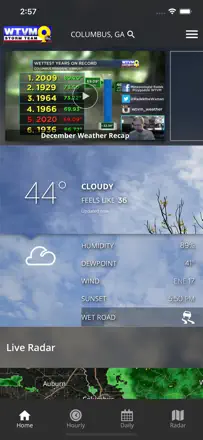
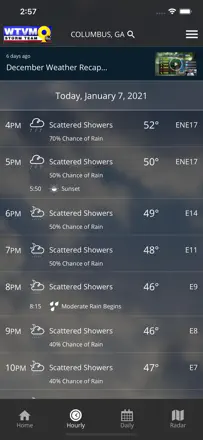
The radar is unstable after updates and flickers so fast that the picture is impossible to read. Data inside the app often contradicts what is shown on the live broadcast. There is a loyal audience, but the product is technically shaky.
Praised: Meteorologists know the local area and give specific forecasts for small towns.
Complaints: Radar animation flickers and is unreadable, and data diverges from the same channel's broadcast forecast.
Best for: Residents of the Columbus, Georgia area loyal to WTVM
Rank 35. Review score: 45 out of 100. App Store rating: 4.8★ · 360,482 ratings
45of 100
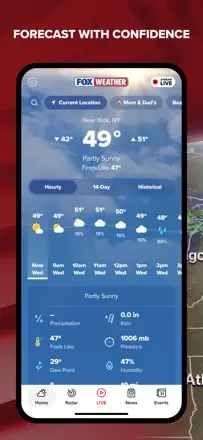
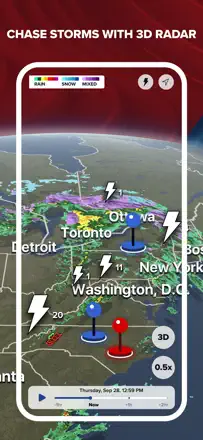
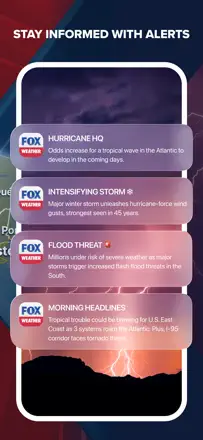
An app from a major media company with live meteorologists, 3D radar, and thorough coverage of severe weather events. Temperature accuracy is acceptable, but precipitation forecasts are often wrong, and ad inserts block the interface exactly during storm warnings.
Praised: Professional meteorologists with live broadcasts give better context during a hurricane or tornado than raw data alone.
Complaints: Ad videos freeze and block the screen, making the app unusable in a critical situation.
Best for: FOX News viewers who want weather with editorial commentary
Rank 36. Review score: 45 out of 100. App Store rating: 4.6★ · 34,062 ratings
45of 100
Local Weather Radar is positioned as an all-in-one weather-and-traffic app, but traffic stopped working for many users, the radar often fails to load, and geolocation defaults to New York. When everything works, forecast accuracy is acceptable.
Praised: When the radar works, it is cleaner and easier to read than most competitors.
Complaints: No humidity data, traffic is broken for many users, and the radar fails to load when zooming.
Best for: Users who want weather and traffic in one place
Rank 37. Review score: 45 out of 100. App Store rating: 4.7★ · 12,618 ratings
45of 100
A local TV app with a decent forecast for the Columbia, South Carolina area, but the radar frequently shows a blank map during heavy storms, and tornado notifications have sometimes failed to fire at all.
Praised: Accurate local forecast and a convenient view of precipitation clusters on the map.
Complaints: During real severe weather the radar sometimes shows clear skies, and tornado alerts have failed to arrive even with active warnings.
Best for: Residents in the WIS-TV broadcast area of central South Carolina
Rank 38. Review score: 44 out of 100. App Store rating: 4.7★ · 190,471 ratings
44of 100
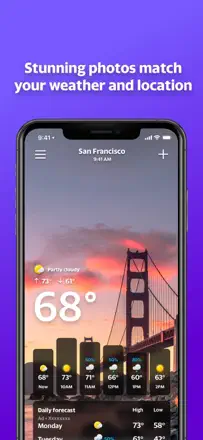
For years it provided a reliable forecast and beautiful photo backgrounds, but the radar broke across several consecutive updates and stopped showing precipitation even during an active rain. This is critical for an app that bills itself as a weather tool.
Praised: Clean interface with photos of real places and convenient city switching.
Complaints: The radar regularly stops displaying precipitation after updates and takes a long time to recover.
Best for: Users who value visual presentation and a basic forecast
Rank 39. Review score: 44 out of 100. App Store rating: 4.8★ · 28,510 ratings
44of 100
A local Birmingham app with decent coverage of Alabama storms, but an unstable radar and notifications that either arrive late or cannot be turned off despite the user's settings.
Praised: The local meteorology team provides live broadcasts during Alabama tornadoes.
Complaints: Notifications ignore user settings: they arrive at night when Do Not Disturb is on, or arrive 15 minutes late.
Best for: Residents of Birmingham and Alabama tracking tornado season
Rank 40. Review score: 44 out of 100. App Store rating: 4.7★ · 19,566 ratings
44of 100
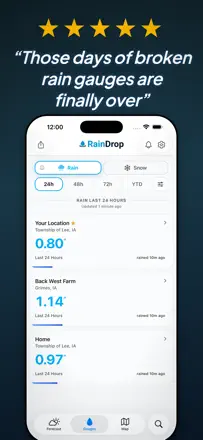
An app with a unique niche for tracking rainfall for farmers and agronomists, and when the data matches a physical rain gauge it is irreplaceable. But systematically underreporting actual precipitation by 30-40% compared to physical measurements is the key accuracy problem.
Praised: Historical precipitation data for a specific map point without needing to go check a physical gauge.
Complaints: Precipitation data regularly underreports physical gauge readings by a third or more.
Best for: Farmers and agronomists monitoring plot moisture
Rank 41. Review score: 44 out of 100. App Store rating: 4.8★ · 13,148 ratings
44of 100
The Savannah WTOC with a loyal Low Country audience holds up on a simple interface and reliable storm alerts, but the radar often shows question marks, temperature diverges from reality by 12 degrees after an update, and ads cover the screen.
Praised: Straightforward interface without clutter, which users appreciate compared to overloaded competitors.
Complaints: Radar data on the main screen lags two hours behind the radar tab, which is disorienting when tracking a storm.
Best for: Residents of the Savannah area and the South Carolina coast
Rank 42. Review score: 44 out of 100. App Store rating: 4.7★ · 11,126 ratings
44of 100
A regional weather app for the WDAM zone in Mississippi with a competent meteorology team, but after updates the radar stopped working properly in full-screen mode and weather notifications fire too often for insignificant events.
Praised: Good local coverage and live footage from the team during dangerous weather.
Complaints: After an update the radar does not expand to full screen and cuts off the edges of the map.
Best for: Residents of southern Mississippi loyal to the WDAM channel
Rank 43. Review score: 44 out of 100. App Store rating: 4.7★ · 9,032 ratings
44of 100
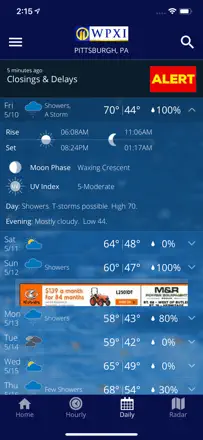
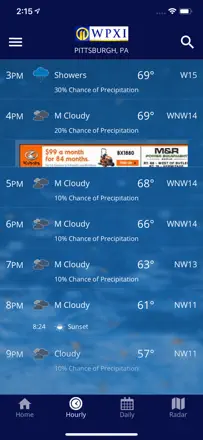
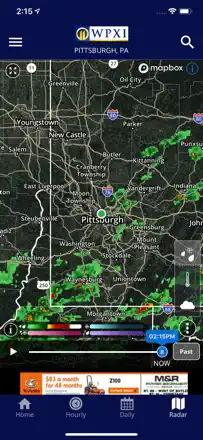
The local WPXI channel provides good local alerts for Pittsburgh and the surrounding area, but the radar periodically breaks for weeks at a time, and video forecasts go without updates for several days. Usability has declined after recent redesigns.
Praised: A local meteorologist's live voice explains exactly what is moving toward a specific neighborhood.
Complaints: The radar regularly goes offline for extended periods, making the core feature unreliable.
Best for: Residents of western Pennsylvania who watch WPXI on TV
Rank 44. Review score: 44 out of 100. App Store rating: 4.4★ · 7,248 ratings
44of 100
A feature-rich radar with many layers, but unstable: it freezes when switching maps, data stops pulling without warning, and fire maps do not respond to touch. Locking severe-weather alerts behind a subscription undermines trust.
Praised: A wide selection of radar layers and Dynamic Island integration on iPhone.
Complaints: The forecast radar does not work, and the current radar updates inconsistently.
Best for: Weather enthusiasts willing to tolerate instability for the depth of data
Rank 45. Review score: 43 out of 100. App Store rating: 4.6★ · 1,496,296 ratings
43of 100
AccuWeather has historically been considered an accuracy leader, and some loyal users confirm this, but after a redesign the app regularly fails to open or freezes on a white screen at exactly the moment dangerous weather strikes.
Praised: Some users consistently call it more accurate than any competitor for their specific location.
Complaints: The app crashes and fails to load precisely during a heavy storm, when reliability is needed most.
Best for: Those who tolerate instability for the sake of an accuracy reputation
Rank 46. Review score: 42 out of 100. App Store rating: 4.6★ · 250,443 ratings
42of 100
A few users noted good forecast accuracy, and one tracked a Pacific typhoon through this radar. But after updates the app stopped loading on iOS 26, and the next-hour forecast was moved behind a paywall in the middle of someone tracking a hurricane.
Praised: The radar covers large areas and lets you track tropical systems.
Complaints: The next-hour forecast requires a subscription, and the app fails to load after an iOS update.
Best for: Enthusiasts who like to track major storms and hurricanes
Rank 47. Review score: 42 out of 100. App Store rating: 3.9★ · 31,516 ratings
42of 100
Weather Underground's strength is hyperlocality through a network of personal weather stations, but the radar visibly lags and forecast accuracy has declined. The app is technically unstable, freezing several times a week.
Praised: Data from neighboring personal weather stations offers precision that large services cannot match.
Complaints: The radar lags so much that a storm has already passed by the time the app displays it.
Best for: Those who care about hyperlocal weather from the PWS network
Rank 48. Review score: 42 out of 100. App Store rating: 4.8★ · 20,132 ratings
42of 100
The basic temperature forecast works, but precipitation accuracy has declined over recent years according to long-term users. The main complaint is that radar was switched to forecast-only mode, removing the ability to view past events.
Praised: Tornado warnings fire and wake users at night. The highest-rated feature in reviews.
Complaints: The radar shows only the forward forecast; the ability to review past precipitation was removed.
Best for: Louisville residents who need severe-weather alerts
Rank 49. Review score: 42 out of 100. App Store rating: 4.7★ · 13,293 ratings
42of 100
WLOX station is trusted along the Gulf Coast for its hurricane-season work, but the app struggles: the futurecast radar freezes halfway through, navigation loops, and videos cut out mid-clip.
Praised: During hurricane season, tornado warnings arrive promptly and cover the entire Gulf Coast.
Complaints: The futurecast radar freezes at around 12 of the promised 24 hours, and this issue went unfixed for more than six months.
Best for: Residents of southern Mississippi and the Gulf Coast
Rank 50. Review score: 42 out of 100. App Store rating: 4.6★ · 13,083 ratings
42of 100
A local TV widget with a decent basic forecast, but the radar frequently gets stuck in the past and does not allow switching modes. Ads block access to data exactly during dangerous weather.
Praised: Humidity is visible right under the temperature without extra scrolling.
Complaints: The radar periodically freezes on stale data and does not respond to timeline switching.
Best for: Residents of the KCRG zone who watch the channel and want its forecast on hand
Rank 51. Review score: 42 out of 100. App Store rating: 4.5★ · 5,838 ratings
42of 100
Beautiful design and broad widget customization attract users, but the radar regularly loads empty, Live Activities are unreliable, and a forced AI block with inaccurate forecasts at the top of the screen irritates even loyal fans.
Praised: Flexible widget customization and a clean interface that looks great on the home screen.
Complaints: The radar map frequently loads blank, and Live Activities on the Dynamic Island work intermittently.
Best for: Those who prioritize a beautiful widget over an accurate forecast
Rank 52. Review score: 41 out of 100. App Store rating: 4.8★ · 2,165,372 ratings
41of 100
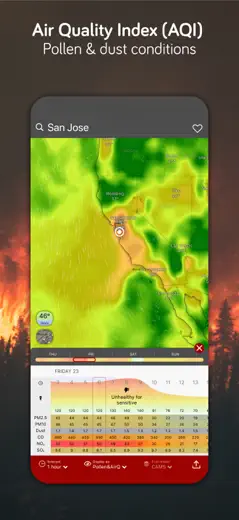
A mature app with a good pollen and air-quality summary, but forecast accuracy is unstable and storm notifications have stopped firing in the background without the app being open.
Praised: A convenient summary with pollen and air-quality indices on one screen.
Complaints: Lightning and storm notifications do not arrive in the background, which is critical for people working outdoors.
Best for: Outdoor workers who need a comprehensive environmental summary
Rank 53. Review score: 41 out of 100. App Store rating: 4.6★ · 81,944 ratings
41of 100
The warning map displayed data that was six months old across multiple refresh attempts, and the real-time radar stops in the past without a subscription and shows no forward forecast. Users from hurricane zones and islands like the format, but concrete evidence of accuracy is scarce.
Praised: A clear storm-track format and intensity scale, convenient for tracking tropical systems.
Complaints: Warning data goes stale and does not update, and the live radar is only available in the paid version.
Best for: Coastal residents tracking hurricane season
Rank 54. Review score: 41 out of 100. App Store rating: 4.6★ · 37,913 ratings
41of 100
Doppler Radar is designed as a simple precipitation-watching tool, but the radar stops updating too often, and in some North American regions the animation does not work at all. When everything works, it is useful for tracking tornadoes.
Praised: When working, it helps track tornadoes and prepare for dangerous weather.
Complaints: The radar regularly freezes or shows two-year-old data, especially when zooming the map.
Best for: Those who live in tornado-prone areas and want a simple radar
Rank 55. Review score: 41 out of 100. App Store rating: 4.6★ · 8,721 ratings
41of 100
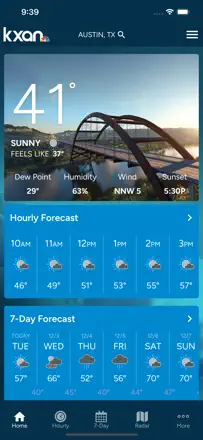
KXAN improved its interface in 2025 and loads faster, but ads interrupt video literally after two seconds, and the radar animates too fast with no way to pause it properly. Forecast accuracy is not questioned by loyal users.
Praised: Texas forecast reads quickly; the app launches without delays.
Complaints: The radar cannot be studied properly: the animation does not stop, and the timeline is lost when paused.
Rank 56. Review score: 40 out of 100. App Store rating: 4.6★ · 76,590 ratings
40of 100
Some users who have been there a long time praise accuracy, but the specific recurring product problem is that the radar shows data with a 15-20 minute delay instead of real time, making it useless for rapidly developing thunderstorms. One user also received tsunami notifications while 300 miles from the coast.
Praised: Detailed hourly temperature and wind forecast charts in a readable format.
Complaints: Radar lags 15-20 minutes behind real time, which is critical during fast-moving thunderstorms.
Best for: Users for whom a general weather forecast is enough without urgent radar
Rank 57. Review score: 40 out of 100. App Store rating: 4.7★ · 16,254 ratings
40of 100
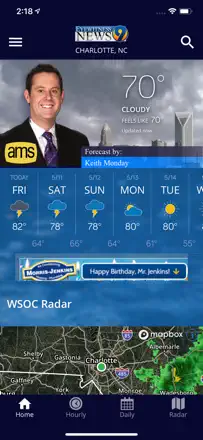
A local Charlotte channel with a potentially accurate forecast, but the app's technical execution lets it down: the radar freezes mid-animation, weather icons do not match the actual sky ("fair" during total overcast). An ad block before radar in an emergency is a critical flaw.
Praised: For Charlotte residents this is the most accurate local forecast source according to loyal users.
Complaints: Weather descriptions do not match reality: "clear" during heavy overcast destroys trust in the forecast.
Best for: Residents of Charlotte, North Carolina who trust WBTV
Rank 58. Review score: 40 out of 100. App Store rating: 4.6★ · 8,964 ratings
40of 100
Pleasant visuals and hyperlocal forecast for rural areas where the nearest airport station is far away, but accuracy is inconsistent. Radar maps without a legend are nearly useless, and unit settings reset on their own.
Praised: Hyperlocal forecast is useful in remote areas where the nearest weather station is 30 miles away.
Complaints: The radar has no color legend, so it is impossible to read precipitation intensity from the map.
Best for: Farmers and small-town residents in the US Midwest
Rank 59. Review score: 40 out of 100. App Store rating: 4.7★ · 6,124 ratings
40of 100
The app is unstable after updates: it freezes and crashes within the first seconds. Radar has degraded in resolution and loading speed. There is a loyal audience that values the regional specificity of forecasts, but the technical state makes regular use difficult.
Praised: Regional forecasts account for local conditions and help plan fieldwork.
Complaints: After updates the app frequently freezes and cannot reopen without restarting the phone.
Best for: Nebraska residents who have long followed the 10/11 NOW channel
Rank 60. Review score: 38 out of 100. App Store rating: 4.8★ · 1,730,631 ratings
38of 100
Apple Weather lost its key advantage of hyperlocal forecasting after acquiring Dark Sky: temperature can differ by 10 degrees, and rain goes unregistered during a downpour. The hourly breakdown is formally present, but accuracy has not reached 2019 levels.
Praised: Clean interface and hourly view built directly into the system without extra steps.
Complaints: Precipitation forecast is unreliable: zero chance of rain during an actual downpour has been observed repeatedly.
Best for: iPhone users for whom a rough temperature estimate is enough
Rank 61. Review score: 38 out of 100. App Store rating: 4.6★ · 262,463 ratings
38of 100
The radar does not work on first launch, the interface scrolls in an unfamiliar way, not all cities can be added, and the app does not remember the selected map layer between sessions. Those who are satisfied do not explain specifically what works.
Praised: Detects location immediately on opening without manual input.
Complaints: Radar is unreliable, the map resets the selected layer, and city search only works for large settlements.
Best for: Casual users who only need the current temperature
Rank 62. Review score: 38 out of 100. App Store rating: 4.8★ · 25,324 ratings
38of 100
A local Huntsville app with live streams from local meteorologists, but notifications lag 15 minutes, radar loses tornado-cone layers after updates, and ads block emergency content.
Praised: Live broadcast from local meteorologists during tornado warnings.
Complaints: Tornado notifications arrive 15 minutes after the event, when the danger has either passed or become critical.
Best for: Residents of northern Alabama tracking tornadoes through local meteorologists
Rank 63. Review score: 38 out of 100. App Store rating: 4.7★ · 22,106 ratings
38of 100
A TV channel with a good audience reputation, but the app regularly fails: the radar flickers during real events, and geolocation confuses users in other states with Virginia warnings. When everything works, it is fairly reliable.
Praised: Extreme-weather alerts from local meteorologists trusted for years.
Complaints: The radar behaves erratically exactly when it matters most, during active precipitation.
Best for: Richmond residents and the surrounding area loyal to NBC12
Rank 64. Review score: 38 out of 100. App Store rating: 4.7★ · 15,781 ratings
38of 100
The Memphis WMC5 app declined sharply after recent updates: the radar is broken, voice notifications are gone, and the screen is covered in intrusive ads.
Praised: Previously reliable for tornado and severe-storm warnings in the Memphis area.
Complaints: The future radar cuts off at the halfway point on the timeline and does not show the full 24 hours.
Best for: Greater Memphis residents attached to their home channel
Rank 65. Review score: 38 out of 100. App Store rating: 4.5★ · 12,546 ratings
38of 100
An NHC tropical-storm data aggregator with global coverage, but ads have become so aggressive that users mass-delete the app: there is no way to close an ad and reach the satellite view. The data quality itself, when accessible, remains decent.
Praised: Official hurricane tracks and satellite imagery without editorial filtering.
Complaints: Ads with no close button block all data and have no workaround even during an active hurricane.
Best for: Tropical cyclone watchers willing to endure ads for official NHC data
Rank 66. Review score: 38 out of 100. App Store rating: 4.2★ · 9,594 ratings
38of 100
The app streams NOAA radio stations, but connectivity only works for some regions; many users have seen an error or silence for years instead of a broadcast. Alerts work well for those lucky enough to have coverage, but radio as the core feature is unreliable.
Praised: Where the station is available, storm alerts arrive on time with no extra taps.
Complaints: Station coverage is incomplete: Alaska, parts of Texas, Georgia, and other regions cannot connect at all.
Best for: US residents who have a working NOAA station in their coverage area
Rank 67. Review score: 38 out of 100. App Store rating: 4.8★ · 6,885 ratings
38of 100
The app is marketed as an emergency monitor but systematically fails at the most critical moment: several users describe a tornado passing within a couple of kilometers with no alert. It works correctly sometimes, but the reliability is too unpredictable for an app that safety depends on.
Praised: When an alert fires on time, it is loud enough to wake you up.
Complaints: Notifications regularly fail to arrive during active tornado warnings.
Best for: Those who want an additional alert layer but not as their only warning source
Rank 68. Review score: 37 out of 100. App Store rating: 4.8★ · 13,438 ratings
37of 100
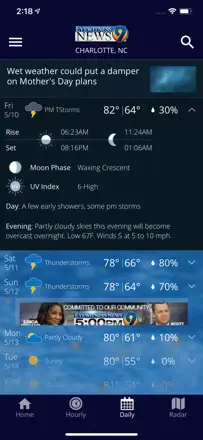
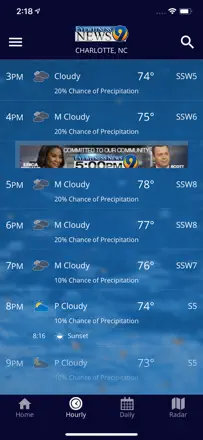
Charlotte's WSOC-TV built a working ZIP-precise alert system and then broke it with an update: tapping a warning now leads to an ad video instead of the text, daily highs diverge from hourly by 14 degrees, and the radar is periodically completely empty.
Praised: ZIP-specific alerts do not bother users with warnings from neighboring counties.
Complaints: After an update, the daily and hourly temperature figures diverge significantly with no explanation.
Best for: Residents of Charlotte and the North Carolina Piedmont
Rank 69. Review score: 37 out of 100. App Store rating: 4.8★ · 10,208 ratings
37of 100
A local WCSC app with a basic forecast for Charleston, but the meteorologist video stream does not play, the radar lags, and a mismatch between hourly and daily data occurs systematically. Ads block access even to tornado alerts.
Praised: The local meteorology team is familiar to the audience and commands trust.
Complaints: The radar lags so far that it shows clear skies in the middle of a storm.
Best for: Live 5 channel viewers in the Charleston, South Carolina area
Rank 70. Review score: 36 out of 100. App Store rating: 4.7★ · 19,289 ratings
36of 100
Geolocation fails regularly: users in one state get warnings for another. Temperature forecast diverges from the National Weather Service, and wind is reportedly understated by a factor of three according to one reviewer. Alert reliability raises serious questions.
Praised: During extreme weather events, when everything works, it helps monitor the situation on the road.
Complaints: Geolocation regularly issues warnings for the wrong area; hourly forecasts do not match the radar.
Rank 71. Review score: 36 out of 100. App Store rating: 4.7★ · 9,836 ratings
36of 100
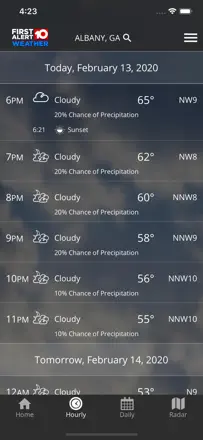
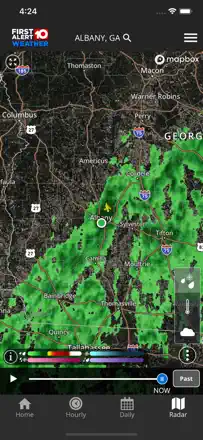
The WALB app for southern Georgia fails at the basic task: during actual precipitation and bad weather the radar stops loading data exactly when it is needed. Temperature forecast accuracy is also questioned by the local audience.
Praised: The channel's live broadcast during dangerous events is valued by the few users for whom it loads.
Complaints: Radar and geolocation fail precisely during bad weather, when the user is most vulnerable.
Best for: Residents of southern Georgia who follow the weather through the WALB channel
Rank 72. Review score: 35 out of 100. App Store rating: 4.7★ · 30,759 ratings
35of 100
A basic weather aggregator without its own data expertise that aggressively hides key features behind a paywall. There are almost no real reviews about forecast accuracy, but plenty of complaints about the limited free tier.
Praised: Simple and clean interface for basic needs.
Complaints: Hourly forecast and 10-day horizon are locked behind a subscription, making the free version nearly useless.
Best for: Casual users who only need to know if it will be warm or cold today
Rank 73. Review score: 35 out of 100. App Store rating: 4.7★ · 14,689 ratings
35of 100
The Cape Girardeau KFVS12 station has a good history of storm warnings, but after an update the radar loads intermittently, tornado warnings get buried under reflectivity layers, and ads interrupt viewing during dangerous weather.
Praised: Lightning-fast thunderstorm notifications with a strike point near the user's location.
Complaints: The new radar does not show warnings overlaid on reflectivity, making them easy to miss during a storm.
Best for: Residents of Missouri and Illinois in the KFVS12 broadcast area
Rank 74. Review score: 35 out of 100. App Store rating: 4.7★ · 8,751 ratings
35of 100
The local WIBW channel is useful during tornado season in Kansas, but the app sends excess notifications even to users who configured only emergency alerts, and temperature sometimes gets stuck at a fixed 70 degrees regardless of actual weather.
Praised: Video with the tornado's location marked on the map. A rare and useful feature for prairie regions.
Complaints: The notification system is broken: fair-weather alerts arrive instead of the configured emergency warnings.
Best for: Kansas residents following tornado season
Rank 75. Review score: 35 out of 100. App Store rating: 4.7★ · 6,221 ratings
35of 100
The radar updates with a delay of several minutes, so a storm arrives before the map shows it. Users get alerts for neighboring counties with no way to configure the zone, and ads interrupt viewing during an emergency.
Praised: Early severe-weather warnings sometimes beat the default Apple app.
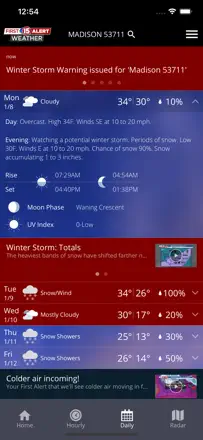
Complaints: The radar lags several minutes behind real conditions.
Best for: Residents of southern Wisconsin following the WMTV15 channel
Rank 76. Review score: 34 out of 100. App Store rating: 4.8★ · 5,889,781 ratings
34of 100
Once a strong brand with a wide data network, now turned into an ad showcase. The radar regularly fails to load, and precipitation forecasts contradict reality right in the middle of rain.
Praised: Thunderstorm and lightning alerts are valued by those who work or spend time outdoors.
Complaints: Precipitation forecast is wrong even within a six-hour window; radar freezes on a good connection.
Best for: Background weather browsing without serious plans
Rank 77. Review score: 34 out of 100. App Store rating: 4.7★ · 13,162 ratings
34of 100
Cincinnati's FOX19 has a history of accurate forecasts, but now it is overloaded: notifications wake users at night for minor events, the 24-hour radar has been showing only 12 hours for more than a year, and false rain alerts during clear skies have eroded trust.
Praised: Step-by-step hourly forecast with temperature by time of day is well structured.
Complaints: Notifications fire for rain and storms that are not near the user's location.
Best for: FOX19 viewers in the greater Cincinnati area
Rank 78. Review score: 33 out of 100. App Store rating: 4.8★ · 33,575 ratings
33of 100
KSAT 12 Weather was San Antonio's favorite for its convenient radar and accurate warnings, but after the redesign ads cover the interface, the radar became harder to read, and the app fails to open for some users. The meteorology team's reputation holds; the app's quality does not.
Praised: The KSAT meteorology team covers dangerous situations quickly and commands high trust among local audiences.
Complaints: After the redesign it is impossible to scroll through the forecast without a pop-up ad, and the radar lost its future time range.
Best for: San Antonio residents who already watch KSAT 12 on TV
Rank 79. Review score: 33 out of 100. App Store rating: 4.8★ · 14,390 ratings
33of 100
The Lexington WKYT channel has a loyal audience, but the app is nearly unusable: constant crashes, a radar with an overlay you cannot remove, broken forecast notifications, and video that does not play.
Praised: The extended forecast and radar observations are accurate enough for week-ahead planning.
Complaints: Notifications redirect to an ad video instead of the warning text, losing critical seconds during dangerous weather.
Rank 80. Review score: 32 out of 100. App Store rating: 4.5★ · 272,183 ratings
32of 100
Visually one of the most beautiful weather apps with excellent photography, but the functional core is weak: the radar shows only the past with no forward forecast, rain forecasts miss active precipitation, and launch takes an unacceptably long time.
Praised: Stunning photography and an atmospheric design that people pay for even knowing about the weak forecast.
Complaints: The radar shows no forward precipitation movement, and the rain forecast misses active downpours.
Best for: Those who value aesthetics over forecast accuracy
Rank 81. Review score: 32 out of 100. App Store rating: 4.5★ · 50,595 ratings
32of 100
The app fails at the basics: it cannot find geolocation on newer iPhones, the forecast reportedly does not match reality across several reviews, and the interface is hard to navigate. The one positive noted by a user is a one-off wind accuracy win.
Praised: One user noted that the wind forecast was more accurate than Weather Channel.
Complaints: Geolocation does not work on modern iPhones, and forecast accuracy is supported only by isolated cases.
Best for: Not recommended for anyone in its current state
Rank 82. Review score: 31 out of 100. App Store rating: 4.6★ · 144,523 ratings
31of 100
Temperature does not update in real time and requires a forced restart, there is no radar function at all, and the app adds foreign cities to the saved list without user permission. A pretty picture with a broken engine.
Praised: Attractive design and animated backgrounds that appeal to those who value the visual side.
Complaints: Temperature does not refresh on its own, there is no radar, and the city list gets polluted with unwanted locations.
Best for: Someone who wants a beautiful widget on screen rather than an accurate forecast
Rank 83. Review score: 31 out of 100. App Store rating: 4.5★ · 7,330 ratings
31of 100
The app missed tornado warnings and gave weather for a neighboring city instead of the actual location. The radar redirected users to another continent, and the interface is cluttered with fake virus-warning ads.
Praised: A broad set of weather data from NOAA sources.
Complaints: Geolocation often locks onto a neighboring, larger weather station rather than the user's actual location.
Best for: Those willing to tolerate ads for raw NOAA data
Rank 84. Review score: 30 out of 100. App Store rating: 4.6★ · 29,724 ratings
30of 100
A NOAA radar in a beautiful shell but with slow image loading and a weak free feature set. The paid version does not meet expectations for a significant share of buyers.
Praised: Detailed fire-risk conditions and atmospheric indicators.
Complaints: Radar images load so slowly that the picture is already outdated by the time it appears.
Best for: Users who want official NOAA data in a polished wrapper
Rank 85. Review score: 30 out of 100. App Store rating: 4.5★ · 20,545 ratings
30of 100
Temperature diverges from reality by 5-10 degrees Fahrenheit, the widget shows wrong values, and the radar does not match other systems. No strong points could be identified from the reviews.
Praised: Some users like the visual readability of the in-app map.
Complaints: Precipitation forecast regularly does not match what is happening outside.
Best for: A random audience with no distinct profile
Rank 86. Review score: 30 out of 100. App Store rating: 4.8★ · 14,343 ratings
30of 100
The Chattanooga Local 3 app has a team that viewers value personally, but the product itself lags seriously: the radar is often blank on opening, the forecast changes several times a day, and ads cover the screen during storms.
Praised: The local meteorology team issues early tornado warnings that users say have saved lives.
Complaints: The next-day forecast often does not match reality, and the app itself acknowledges this through frequent revisions.
Best for: Local residents of the Chattanooga and northern Alabama area
Rank 87. Review score: 29 out of 100. App Store rating: 4.6★ · 397,426 ratings
29of 100
A beautiful interface hides an unreliable weather model: temperature diverges from reality by 10 degrees or more, the apparent temperature shows physically impossible values, and radar layers remain gray instead of showing data.
Praised: Visually pleasant layout with golden-hour and moon-phase times. Appealing to photographers and nature lovers.
Complaints: Temperature forecast systematically diverges from the actual reading by tens of degrees for users across different countries.
Best for: Those who want a pretty picture rather than an accurate forecast
Rank 88. Review score: 28 out of 100. App Store rating: 4.7★ · 33,205 ratings
28of 100
A local Detroit app that a poor redesign destroyed: the radar lost forward-scrolling, navigation became confusing, and ads turned aggressive. Users are leaving in numbers, but the historical rating holds.
Praised: Previously offered the best local radar with a 2-hour forward forecast.
Complaints: The radar shows only the past and present; forward scrolling is gone.
Best for: Detroit residents who have not yet found a replacement
Rank 89. Review score: 28 out of 100. App Store rating: 4.7★ · 18,860 ratings
28of 100
The forecast changes with every opening, and during 6% rain probability a paid subscriber may experience a real downpour. Temperature on the globe diverges from temperature on another screen within the same app. That is a basic inconsistency.
Praised: The visual presentation on a rotating globe is memorable and eye-catching.
Complaints: The forecast does not update when real weather changes; it shows stale data.
Best for: Users attracted by the visual format rather than accuracy
Rank 90. Review score: 28 out of 100. App Store rating: 4.5★ · 7,428 ratings
28of 100
Built for looks, not for weather: widgets freeze on one temperature for weeks, and users explicitly write that the data does not match reality. Forecast accuracy is not a product value here.
Praised: Visual themes, animations, and home-screen customization.
Complaints: Widgets do not refresh in the background and show stale temperatures.
Best for: Those who decorate their phone rather than track the weather
Rank 91. Review score: 22 out of 100. App Store rating: 4.5★ · 9,482 ratings
22of 100
Forecasts diverge from actual temperature, days of the week are displayed incorrectly, and the hourly forecast is not tied to local time. Visually pleasant but unreliable as a forecasting tool.
Praised: Attractive radar graphics that are pleasant to browse even without a subscription.
Complaints: Multi-day forecasts regularly show the wrong day of the week and incorrect temperatures.
Best for: Not seriously suitable for anyone in its current state
Rank 92. Review score: 20 out of 100. App Store rating: 4.3★ · 8,596 ratings
20of 100
Aggressively monetized with ads on the launch screen, forecasts confuse precipitation with cloudiness, and unit settings do not save. No competitive advantages in forecasting are apparent.
Praised: Basic daily forecast loads quickly without extra screens.
Complaints: Precipitation forecast is unreliable: users document "cloudy" during rain and vice versa.
Best for: Arguably no one; better free alternatives exist
About scores
Two scores — two sources
They help compare apps, but they don’t replace checking your own job.
Review score · up to 100
The stored score from inApp research on review texts. It rates the app overall in the archive, not the reliability of any one feature.
Store rating · up to 5
The rating from the app’s page when the data was collected. The current rating and version may differ.
In the archived sample for this topic: 92 apps and 24,055 reviews read. That is the total size of the research, not the number of reviews per app.
A gap between the scores doesn’t prove manipulation. The calculation date and the full scoring method aren’t in the mobile archive. Compare the job descriptions and the source quotes, and check the terms in the current version.