Families with children (couples and parents coordinating a shared calendar)
Quoi vérifier avant de choisir
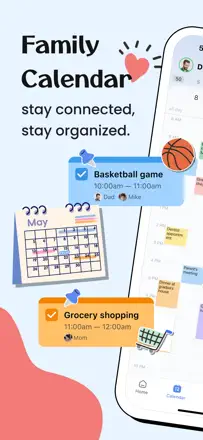
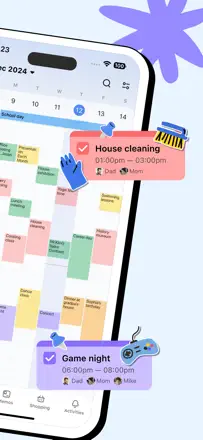
In a family the quick answer matters: who is going where and when. The reviews value telling members apart by color, a shared calendar and connected lists.
Quelles apps les gens utilisent
Ces apps sont mentionnées dans le décryptage de cette tâche. Ouvre chacune pour comparer les points forts et les limites. L’ordre de la liste n’est pas un classement d’adéquation.
Rang 6. Note des avis : 78 sur 100. Note sur l’App Store : 4,9★ · 87 187 notes
78sur 100
TimeTree is the best shared calendar for couples, families, and small teams: each member sees a common grid in real time and can comment on events. There is no Mac or Windows app. Some users lost data when a forced version upgrade dropped support for the old version.
Points forts : The shared grid updates instantly for all members. Color coding per person is visible at a glance. Comments and photos on an event in one place. Core features work without extra setup.
Reproches : No desktop app for Mac or Windows, only the browser. A few users lost all data when an old version lost support and a forced upgrade did not carry data over. Event location is not copied when duplicating an event.
Pour qui : Couples, families, and small work groups who need a live shared grid on their phones. Not suitable for those who need a Mac client.
Rang 7. Note des avis : 78 sur 100. Note sur l’App Store : 4,9★ · 27 176 notes
78sur 100
A family calendar with color coding per member, shared shopping lists, and notes. Works on Android and iOS without complaints. Sync is reliable and data survives a phone change.
Points forts : Each member gets their own color: whose event it is is clear at a glance. Shopping list updates in real time for everyone. Events can be marked private.
Reproches : A prompt to switch to the extended plan appears too frequently. Event colors are tied to the person, not to a category.
Pour qui : Families with kids and couples who need a single scheduling screen without complex setup.
Rang 22. Note des avis : 62 sur 100. Note sur l’App Store : 4,8★ · 391 560 notes
62sur 100
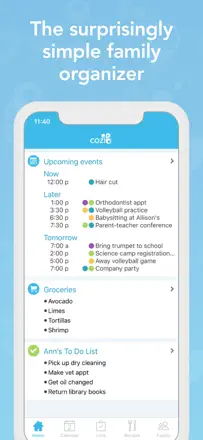
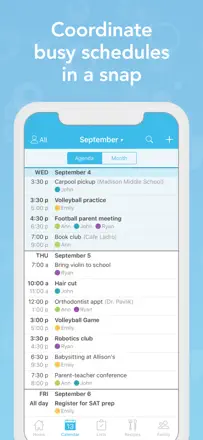
Cozi is the de facto standard for large-family scheduling: color coding by family member, a shared shopping list, and a unified day view for everyone. Users stick with it for 10 to 15 years. The main problem: a major recent update broke notification behavior and list scrolling, which eroded trust among long-time users. The product's core is alive but reliability has degraded.
Points forts : A color per family member is visible in the shared monthly view. Shopping list syncs instantly across everyone. Recurring events with the right cadence. A recipe journal next to the schedule.
Reproches : After the latest update, reminders and notifications stopped working for some users. Checking off an item in the shopping list auto-scrolls back to the top, disrupting the flow. Time zone support does not work correctly when traveling.
Pour qui : Families with two or more kids who need a single scheduling hub for everyone. Unnecessary for singles and couples without children.
Rang 18. Note des avis : 66 sur 100. Note sur l’App Store : 4,8★ · 48 188 notes
66sur 100
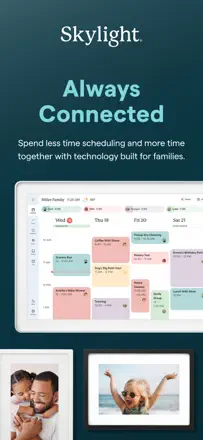
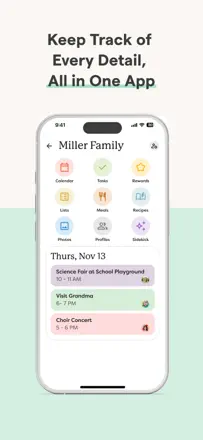
Skylight is the only family calendar that lives on the wall as a 15-inch screen and updates in real time. Kids without phones can see the schedule and check off assignments. Parents manage everything from the app. For families with 3 or more kids and complex schedules there is no real alternative. Weak points: the task interface is awkward (you cannot see all tasks at once), and the app sometimes fails to sync with the phone calendar.
Points forts : A physical screen in the kitchen is visible to the whole family without reminders to open an app. Chore rewards motivate kids to check off tasks on their own. Meal planner and shopping list live next to the schedule in one place. Syncs with Google Calendar and iCloud.
Reproches : The task interface does not show a combined list of all children's assignments at once, so you have to switch between profiles. Sync with the phone's Calendar occasionally breaks after an app update. Kids can edit each other's events with no parental lock. Adding a new event after the 2.12.0 update requires extra steps.
Pour qui : Families with preschool and school-age children who want a shared visual control center on the wall. Not suited for personal planning or adult team use.