A person needs to link the time planned with the work actually done. Before merging a planner and hour tracking, it is important to find out how he keeps that data now.
Quelles apps les gens utilisent
Ces apps sont mentionnées dans le décryptage de cette tâche. Ouvre chacune pour comparer les points forts et les limites. L’ordre de la liste n’est pas un classement d’adéquation.
Rang 2. Note des avis : 82 sur 100. Note sur l’App Store : 4,9★ · 44 016 notes
82sur 100
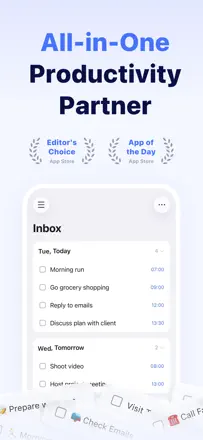
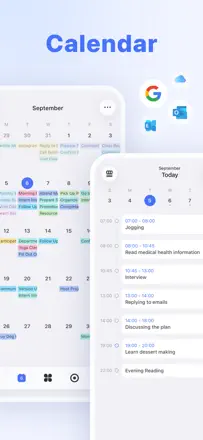
A best-in-class all-in-one planner: task list, built-in calendar, habit tracker, and Eisenhower matrix in one place. Sync works reliably and reminders fire on time. The richest core feature set in the category.
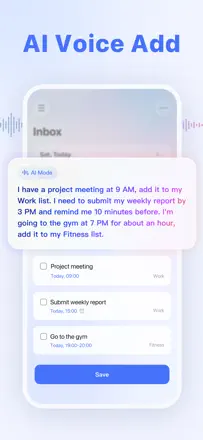
Points forts : Natural-language voice input (tomorrow at 9, every Monday). A unified day view with tasks and events together. Cross-device sync with no delay.
Reproches : The boundary between an event and a task is unclear for new users. Update 8.0 buried features behind large headers. The mobile app is less flexible than the web version.
Pour qui : People who need a single tool for tasks and scheduling, from students to professionals.
Rang 9. Note des avis : 74 sur 100. Note sur l’App Store : 4,8★ · 126 846 notes
74sur 100
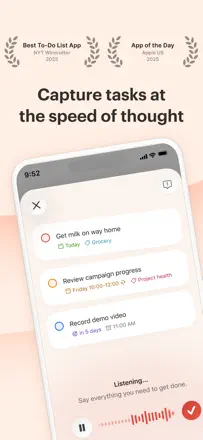
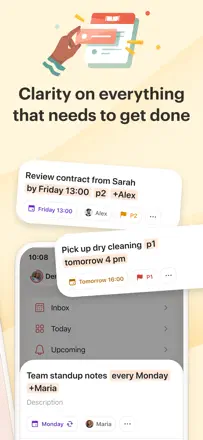
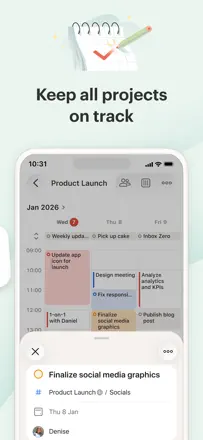
Todoist is a mature task manager for people who take planning seriously: priorities, projects, subtasks, natural-language date parsing, and Ramble voice input. It works across all platforms simultaneously without interruption. Weak points: Google Calendar sync occasionally breaks, and the mobile interface is less convenient than the web for bulk editing. For GTD practitioners this is the benchmark.
Points forts : Fast task entry with one tap from any screen. Natural-language date recognition ('Friday at 3' sets the date automatically). Ramble records a thought by voice and breaks it into tasks. Works offline without degradation.
Reproches : Two-way Google Calendar sync periodically breaks after updates. Location-based reminders on recurring tasks sometimes fire on the wrong day. Deleting a project destroys all tasks inside it with no warning and no way to recover.
Pour qui : People who live by GTD or Inbox Zero: professionals, ADHD students, freelancers juggling multiple task streams. Overkill for beginners.