The calendar day does not always coincide with a person’s working day. The important question is how to check off an action after midnight and which shift or day the record belongs to.
Quelles apps les gens utilisent
Ces apps sont mentionnées dans le décryptage de cette tâche. Ouvre chacune pour comparer les points forts et les limites. L’ordre de la liste n’est pas un classement d’adéquation.
Rang 4. Note des avis : 84 sur 100. Note sur l’App Store : 4,8★ · 899 notes
84sur 100
One of the most feature-complete trackers: widgets for iPhone and Apple Watch, daily and weekly habits, a timer, and retroactive logging of missed days. The ring-style day indicator is clear without being cluttered.
Points forts : Widget that lets you log without opening the app. Apple Watch with daily progress. Retroactive logging of missed days. Built-in habit timer. One-time purchase with no monthly renewal.
Reproches : Apple Health syncs in one direction only: from Health into the app, not back. When iCloud has issues, sync breaks silently.
Pour qui : Anyone who wants a fully native iOS tracker with Apple Watch and widgets, without a monthly subscription.
Rang 12. Note des avis : 79 sur 100. Note sur l’App Store : 4,7★ · 4 465 notes
79sur 100
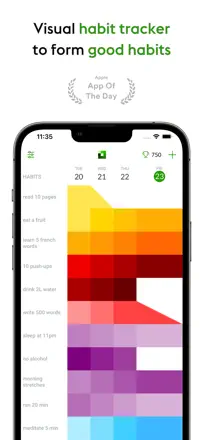
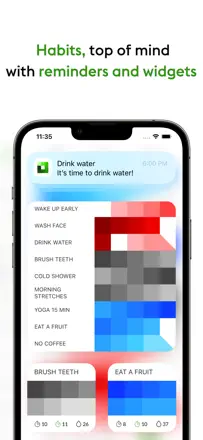
One of the cleanest trackers: colored tiles by day create a visual chain you do not want to break. A widget lets you log a habit right from the home screen with one tap. You cannot fix a missed day retroactively.
Points forts : The widget lets you log a habit from the home screen in one tap without opening the app. A color heat map by month clearly shows completion density rather than just a streak.
Reproches : You cannot mark a habit retroactively: a missed day is lost forever. No flexible scheduling like 'three times a week' without a daily counter. The free plan is limited to three habits.
Pour qui : People who want to see their habit history as a heat map and value instant widget logging.
Rang 9. Note des avis : 81 sur 100. Note sur l’App Store : 4,8★ · 1 357 notes
81sur 100
One of the best trackers in the 'simple and visual' class: all logging is one tap, monthly history is visible at a glance, retroactive filling of missed days works. The developer responds to reviews and ships updates. No aggressive subscription barriers. The only known bug is limited reminder-time customization when creating a new habit.
Points forts : One-tap logging with haptic feedback. Retroactive filling of past days without limits. Dark interface, no visual noise. More than six years of stable operation according to reviews.
Reproches : Reminders when creating a habit are tied to the current time rather than any chosen time. No iPad or Mac version.
Pour qui : Anyone who wants a clean visual tracker without subscription pressure and with the ability to log yesterday.