In the reviews people describe tiring form-filling and the difficulty of moving on to the next step. What matters is a short check-in, a clear sequence and the ability to continue after a break.
Quelles apps les gens utilisent
Ces apps sont mentionnées dans le décryptage de cette tâche. Ouvre chacune pour comparer les points forts et les limites. L’ordre de la liste n’est pas un classement d’adéquation.
Rang 38. Note des avis : 62 sur 100. Note sur l’App Store : 4,8★ · 161 296 notes
62sur 100
The best visual day timeline in the niche for people with ADHD: you can see how long each task takes and what will realistically fit in the day. Three notification points per task work. Recurring tasks are only available with a paid upgrade.
Points forts : A timeline with color-coded blocks shows what and when at a glance. Three notifications per task: in advance, at the moment, and when time is up. Apple Calendar sync without extra steps.
Reproches : Recurring tasks, which are essential for habit tracking, require paid access. New updates open an AI screen on every launch. No flexible scheduling for specific days of the week.
Pour qui : People with ADHD who need to see the day as a time map rather than a list and are willing to pay once.
Rang 25. Note des avis : 70 sur 100. Note sur l’App Store : 4,7★ · 17 114 notes
70sur 100
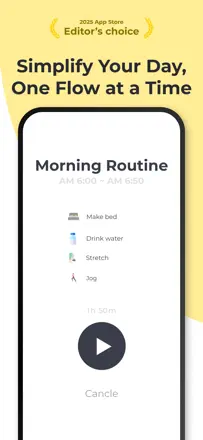
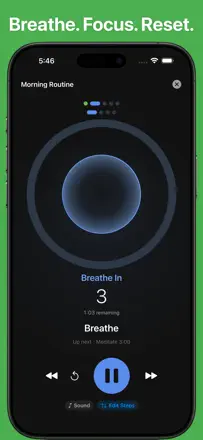
The only tracker in the niche where each routine step has a countdown timer. Voice prompts let you move between tasks without looking at the screen. Notifications keep coming even after the routine is finished.
Points forts : A countdown within each routine step shows exactly how many minutes remain. Voice prompts to transition between tasks without looking at the screen. Two full routines available in the free plan.
Reproches : Reminder notifications keep arriving even after the routine has already been completed. No flexible scheduling, only a fixed time. After updates, voice settings sometimes reset on their own.
Pour qui : People with ADHD who need rigid step-by-step structure for morning and evening routines with precise timing for each step.
Rang 58. Note des avis : 47 sur 100. Note sur l’App Store : 4,7★ · 2 401 notes
47sur 100
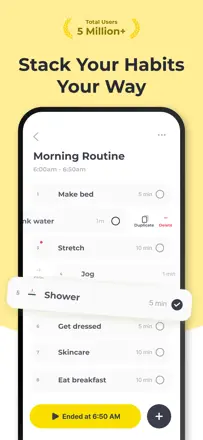
A routine as a step-by-step protocol with a timer: you cannot proceed to the next step without marking the previous one complete. That is exactly what some users with ADHD need. Transition notifications to the next step are only available with a paid upgrade.
Points forts : A step-by-step protocol with a timer prevents skipping a step or jumping ahead. Genuinely helps prevent getting stuck on one thing for hours. Users with ADHD and autism report a noticeable improvement in daily structure.
Reproches : Notifications to transition to the next step require the paid version. No flexible scheduling for irregular routines.
Pour qui : People with ADHD who need step-by-step routine structure rather than just a task list. Not suitable for those who want to track varied habits on a schedule.
Rang 26. Note des avis : 70 sur 100. Note sur l’App Store : 4,7★ · 8 060 notes
70sur 100
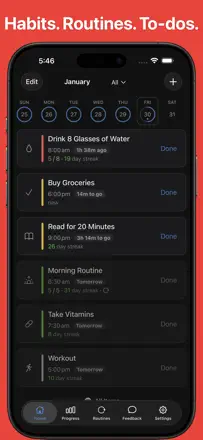
A reliable, pressure-free adult tracker. Flexible scheduling, customizable reminders at any frequency, and a day timeline. Particularly helpful for people with autism and ADHD who need to keep a routine. One-time purchase with no monthly renewal.
Points forts : Customizable reminder frequency: set as many notifications per day as you need. Day timeline sorted by schedule. One-time purchase with no monthly renewal.
Reproches : A left swipe to skip a task is easy to trigger accidentally and confuses logging. No 'remind me again in N minutes' option. Alarm functionality is limited compared to dedicated alarm apps.
Pour qui : Adults with ADHD, autism, or a packed schedule who need detailed frequency customization without a subscription.
Rang 19. Note des avis : 74 sur 100. Note sur l’App Store : 4,9★ · 2 920 notes
74sur 100
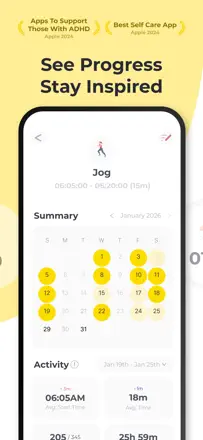
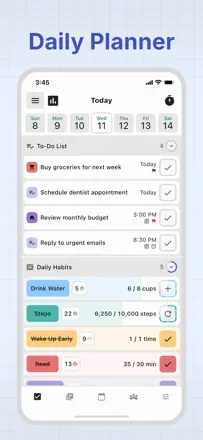
One of the most feature-rich habit trackers: widgets, a built-in journal, Apple Health integration, and a visual grid. Some users note that recent updates have cluttered the interface, which is a real churn risk.
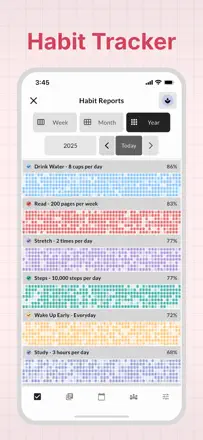
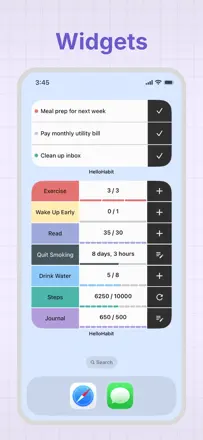
Points forts : Widgets for quick logging from the lock screen. Automatic step and calorie credit via Apple Health. A year-long visual progress grid. A built-in journal alongside habits.
Reproches : Cannot pause a habit without breaking the streak, so illness or vacation resets your result. Fractional values are not supported. Recent updates have degraded the interface according to long-term users.
Pour qui : People who want a complete tool with a journal, health integration, and widgets in one place. Especially praised by users with ADHD.