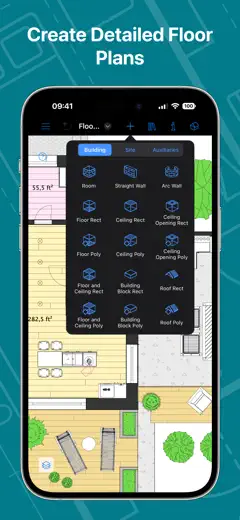
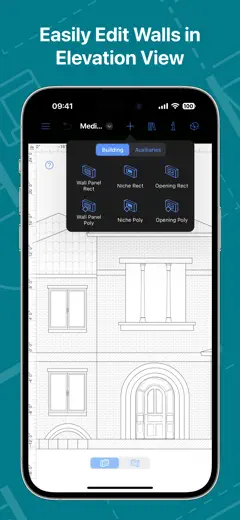
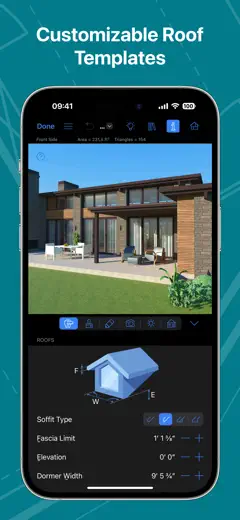
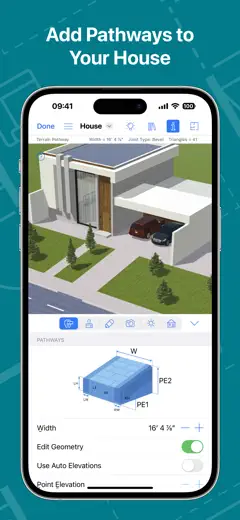
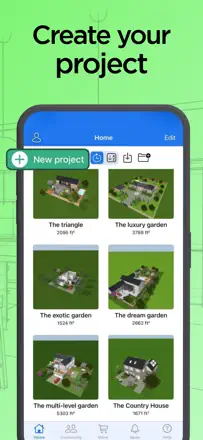
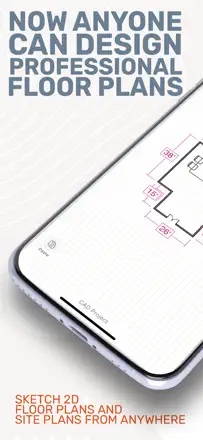
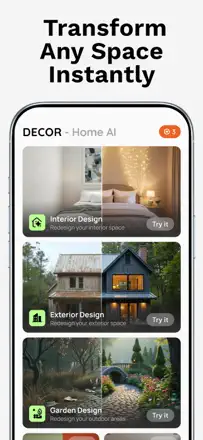
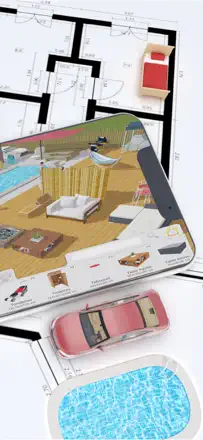
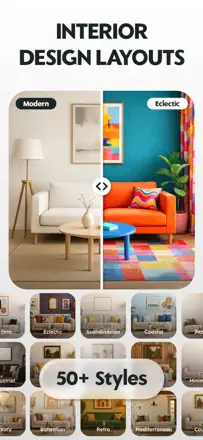
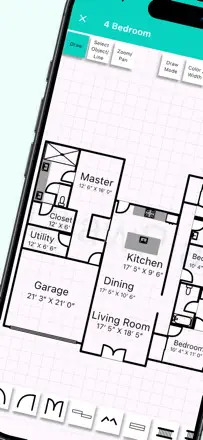
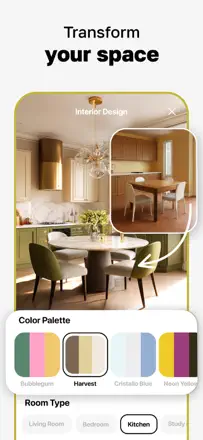
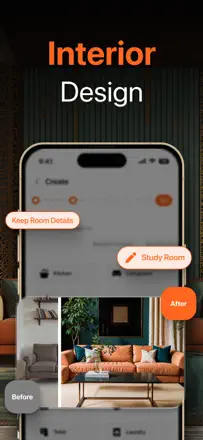
Note des avis : 74 sur 100. Note sur l’App Store : 4,5★ · 951 notes
74sur 100
This is a serious design tool that people run their whole house through for years for building and remodeling, valuing the many ready-made objects, clear 3D, sync across Mac, iPad and iPhone, and a one-off purchase instead of a subscription. It breaks on scale and stability: furniture sizes drift (3-meter beds) and cannot be resized, the 3D view distorts room proportions, objects float into the air, wall height cannot be changed separately, and lately the app started crashing after a minute and losing edits. Some complain that premium differs little from the free version and that support is slow.
Points forts
Serious tool for professionals, many ready-made objects, clear 3D of the whole house, Mac iPad iPhone sync, one-off purchase instead of a subscription, import of your own objects
Reproches
Furniture sizes drift and cannot be resized, 3D view distorts room proportions, objects float into the air, cannot change wall height separately, crashes after a minute with lost edits, premium differs little from the free version, slow support
Pour qui : Anyone seriously designing a home or remodel who wants a powerful tool with a one-off payment across all devices
Note des avis : 68 sur 100. Note sur l’App Store : 4,6★ · 1 389 notes
68sur 100
Flooring pros value this as the best estimating tool for carpet and floors: measure on site, and the plan is instantly in the office for a quote and material order, and it counts even floating stairs accurately. It breaks on reliability and small things: it freezes mid-measure and erases all the work, there is no inches-only mode, exporting diagrams is heavy, it is pricey for occasional use and has a long learning curve. Some report they could not cancel billing for months.
Points forts
Best estimating tool for carpet and floors, field measuring with the plan straight to the office, accurate stair calculation including floating stairs, saves time on quotes, many jobs on iPad
Reproches
Freezes mid-measure and erases all work, no inches-only measurement mode, clunky diagram export, long learning curve, pricey for occasional use, login trouble after registration
Pour qui : Flooring pros who need field measuring and an instant office quote
Note des avis : 66 sur 100. Note sur l’App Store : 4,0★ · 541 notes
66sur 100
A powerful, flexible planner that fans use for years to furnish a whole house, valuing control over every detail and a large free set. It breaks in three spots: almost no tutorial or help, moving one item scatters the whole room, and some once-free features and furniture moved behind payment.
Points forts
Flexible editor with control over everything, rich free set, people plan a whole house for years, addictive and pleasant to use
Reproches
Almost no tutorial or help, moving one item scatters the whole layout, dated furniture, some free features moved behind payment, support replies with auto-messages
Pour qui : Patient enthusiasts willing to figure it out themselves for deep control over the layout
Rang 5. Note des avis : 62 sur 100. Note sur l’App Store : 4,6★ · 18 581 notes
62sur 100
A strong tool for anyone willing to learn it: 3D view, walk-through of your house, AR mode and tons of items genuinely impress. But the interface confuses beginners, walls and floors sometimes vanish, and the big pain is that without paying you can only open your most recent project, which leaves many feeling cheated.
Points forts : 3D view and house walk-through, AR mode, lots of items and options, no ads, you can build a house in a couple of hours
Reproches : Only your latest project opens without paying, hard interface for beginners, walls and floors disappear, lags and won't load, flickering room lights
Pour qui : Patient hobbyists and teens who enjoy building a house in detailed 3D, not just quick previews
Rang 6. Note des avis : 62 sur 100. Note sur l’App Store : 4,6★ · 5 176 notes
62sur 100
One of the few planners people come back to for years and across several moves: they praise the simple interface and not having to hunt for a specific furniture brand. It stumbles on precision and on lost purchases: you can't type a wall length as a number, snapping overshoots the size you want, there's no second floor, and purchased packs suddenly vanish with no way to restore them.
Points forts : Simple clear interface, quick to learn, no need to hunt for specific furniture brands, people return to it for years
Reproches : Can't type a wall length as a number, snapping overshoots the target size, no second floor, purchased packs disappear and won't restore, occasionally crashes and hangs on load
Pour qui : For people who want a simple, stable room and furniture planner and don't need engineering precision to the inch
Rang 7. Note des avis : 60 sur 100. Note sur l’App Store : 4,7★ · 42 607 notes
60sur 100
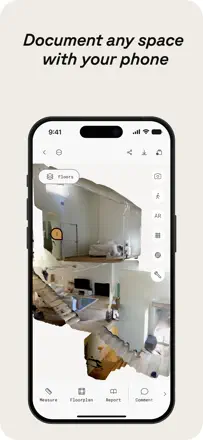
For pros this is a strong tool: fast and accurate LiDAR, realtors scan homes, film crews and archaeologists capture spaces, and the open output format gets praise. But the company keeps reshuffling tiers and pushing needed features into pricey plans, the price multiplied, and the promise to grandfather long-time users was broken. Add crashes during work scans.
Points forts : Fast and accurate LiDAR scanning, works for realtors, film and archaeology, open output format, more accurate than competitors
Reproches : Features keep moving into pricey tiers, price multiplied, long-time users not grandfathered, frames capped at six megapixels, crashes during work scanning
Pour qui : Professionals like realtors, kitchen designers and set builders who need accurate measurements and 3D scans and will pay
Rang 8. Note des avis : 60 sur 100. Note sur l’App Store : 4,3★ · 4 955 notes
60sur 100
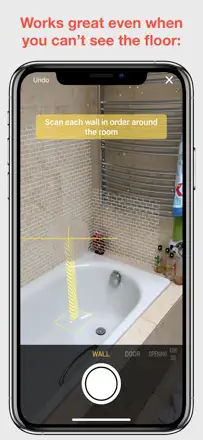
Quickly sizing up a room by holding the phone to the walls genuinely works for people, and the developer replies fast and helps personally. But on non-rectangular rooms, bay windows, corner fireplaces and archways it all falls apart: walls are hard to place, corners hard to square, and rooms hard to merge into one plan. Plus complaints about a sharp price hike and paid Pro sometimes not being recognized.
Points forts : Fast room measurement with the phone, simple scanning, responsive developer who fixes issues in hours, kept for years for convenience
Reproches : Breaks on non-rectangular rooms, bay windows and archways, hard to square corners and merge rooms into a plan, crashes when scanning several rooms, paid Pro not always recognized, sharp price increase
Pour qui : For people quickly measuring simple rectangular rooms for a remodel who don't work with complex geometry
Rang 9. Note des avis : 60 sur 100. Note sur l’App Store : 4,6★ · 2 711 notes
60sur 100
A precise floor-plan planner: people draw exact walls to the inch, pull permits for construction, and the room scanner is off by only a couple of inches. The main pain is that basics (roof, arched door, stair and window options) are locked behind a roughly 40-dollar yearly fee, while the free version is too thin. It also lacks a basement, floor duplication, and wall grouping.
Points forts : Exact walls to the inch, shows inside and outside wall dimensions, accurate room scanner, AR mode, good enough for building permits, easy to learn
Reproches : Basics (roof, arched door, stairs, windows) behind payment, thin free version, no basement, cannot duplicate a floor or group walls, cannot duplicate wall textures, lacks instructions
Pour qui : For people drawing an exact house or room plan for a remodel or permit who are willing to pay the yearly subscription.
Rang 10. Note des avis : 60 sur 100. Note sur l’App Store : 3,9★ · 531 notes
60sur 100
A simple workhorse for arranging furniture before a move: people keep saved rooms for years and check in advance whether new furniture will fit. It breaks on two things: a dated, slow interface where moving objects is hard, especially on a phone, and the main pain, after updates people lose all their saved rooms and hours of work.
Points forts : Simple furniture arranging before a move, saved rooms on hand, helps through moves for years, clearly shows whether furniture fits
Reproches : Dated slow interface, hard to move objects especially on a phone, saved rooms vanish after updates, no proper saving, payment for saving and rotating
Pour qui : People who move often and want to plan furniture arrangement in advance, better on an iPad
Rang 11. Note des avis : 58 sur 100. Note sur l’App Store : 4,4★ · 15 569 notes
58sur 100
A cheap, simple tool for sketching a house or property plan right from your phone, and for the money it does great work, many people love it. But instability drags it down: crashes and freezes every few minutes losing unsaved work, plus you can't switch meters to feet, which frustrates US users. And everything snaps to a grid, so drawing off it is hard.
Points forts : Simple, clear plan drafting, great value for the price, handy for sketching on the go from a phone then finishing in CAD
Reproches : Frequent crashes and freezes with lost work, no meters-to-feet switch, everything snaps to a grid, hard to place and edit text, no freehand mode
Pour qui : People who want to quickly and cheaply sketch a house or property plan from a phone and are fine with simple grid-based lines
Rang 12. Note des avis : 58 sur 100. Note sur l’App Store : 4,4★ · 5 557 notes
58sur 100
A long-standing name in the niche, loved for its rich set of materials, furniture and finishes and for how much works without a paid subscription. It breaks on stability: after recent updates the app crashes mid-work and won't save the room, especially on iPhone and iPad, and room scanning often refuses to start. People are willing to pay but lose hours of work to resets.
Points forts : Huge choice of materials and furniture, wall floor and fabric finishes, 3D generation from an uploaded floor plan, much of it free, handy for house plans
Reproches : Crashes and resets the room without saving, glitchy on iPhone and iPad, room scan often fails, can't flip an item upside down, plan export lets you down
Pour qui : For people planning layouts and remodels who want a big materials catalog and can tolerate glitches for the free features
Rang 13. Note des avis : 58 sur 100. Note sur l’App Store : 4,2★ · 1 487 notes
58sur 100
People value that a room plan comes together easier than in rival apps, and you can see the result in 2D and 3D, some have run their whole house through it for years. It breaks on basics: no ruler to measure, you cannot keep more than one room, adding a third wall makes the other two dimensions jump around, and it freezes often and drops objects into random spots. A separate pain is that a lot of what used to be free now sits behind a subscription, and old projects stop opening after updates.
Points forts : Easy to start and learn, clear 2D to 3D switch, planning a whole house for a remodel with contractors, simpler than rivals
Reproches : No ruler for measuring, only one room free, wall dimensions drift when you add new walls, frequent freezes and crashes, objects land in random places, old projects will not open after updates, thin furniture catalog
Pour qui : Anyone planning a remodel or layout who wants to see a room in 3D quickly without heavy software
Rang 14. Note des avis : 58 sur 100. Note sur l’App Store : 4,2★ · 851 notes
58sur 100
A simple planner that genuinely helps you sketch a room fast and see it in 3D for its 4-5 dollars. It breaks on precision and learning: you can't type in a wall length, dimensions jump on their own, there are no hints or auto-save, so people lose days of work.
Points forts : Easy start with no experience, clear 3D view, quick room draft, fair price
Reproches : No numeric dimension input, walls and sizes shift on their own, no tutorial or hints, no auto-save, few furniture and door and window options, glitchy after updates
Pour qui : Beginners who need a fast rough 3D room plan without learning CAD
Rang 15. Note des avis : 55 sur 100. Note sur l’App Store : 4,3★ · 104 681 notes
55sur 100
This is a long-standing working tool for floor plans: people lay out every home they've lived in over a decade and love seeing future changes. But moving from a one-time purchase to a subscription enraged old buyers, and some lost paid features like copy-object. Add subscription ads on every launch, crashes when building a roof, and white textures in AR.
Points forts : Detailed realistic floor plans, easy to lay out any home for years, see future changes to a room
Reproches : Paid features lost after the subscription switch, subscription ad on every launch, crashes on complex projects, white textures in AR, dimensions overlay the object itself
Pour qui : People who seriously draw home floor plans and want realistic 3D, willing to accept the new subscription model
Rang 16. Note des avis : 55 sur 100. Note sur l’App Store : 4,7★ · 8 609 notes
55sur 100
Pros doing kitchen and bath layouts love it for the intuitive interface, LiDAR measuring and the fact that clients and on-site subs understand the plans. But it's expensive, and the 10-11 dollar basic plan has no layers and no DWG import or export, so many call it overrated next to SketchUp at the same price. And there's no free plan at all, it asks for your data and forces a subscription right after the tutorial.
Points forts : Intuitive interface, LiDAR room measuring, clear plans for clients and subs, constantly improving tools
Reproches : Expensive, basic plan has no layers or DWG import/export, no free plan, demands data and a subscription up front, re-asks you to pick a plan on login
Pour qui : Contractors and kitchen, bath and cabinet designers who make plans for clients on site and are willing to pay
Rang 17. Note des avis : 55 sur 100. Note sur l’App Store : 4,6★ · 3 740 notes
55sur 100
Designers love Morpholio Board for beautiful mood boards with pricing that you're not ashamed to show a client, and for the snipping tool and Pinterest link. It breaks on stability and sync: the app often crashes on dense multi-page boards, sometimes doesn't save the work, and won't sync boards between iPhone and iPad, forcing you to rebuild the same thing. Many basic features like cropping and background removal are locked behind payment.
Points forts : Beautiful mood boards for clients, snipping tool with pricing on a sheet, Pinterest link, easy to assemble furniture that matches, responsive support
Reproches : Often crashes on dense multi-page boards, won't sync boards across devices, sometimes doesn't save work, cropping and background removal locked behind payment, interrupts audio on the phone
Pour qui : For interior designers and enthusiasts who need clean mood boards with pricing and a Pinterest link
Rang 18. Note des avis : 55 sur 100. Note sur l’App Store : 4,6★ · 2 983 notes
55sur 100
A powerful 3D planner with a ton of features: a walk-through mode, a per-room list of used products, detailed imagery, some people have used it for years. But it constantly freezes and crashes when you add furniture or switch between 2D and 3D, and projects do not autosave and sometimes just vanish after hours of work. Saving is also locked behind payment.
Points forts : House walk-through mode, per-room list of used products, detailed images, lots of features, finds real store products
Reproches : Freezes and crashes when adding furniture, crashes when switching 2D and 3D, projects do not autosave and disappear, cannot set the scale of an uploaded plan, saving is paid, complex interface
Pour qui : For people seriously planning a home in 3D who want a per-room product list, if they are ready to save manually often.
Rang 19. Note des avis : 52 sur 100. Note sur l’App Store : 4,7★ · 40 625 notes
52sur 100
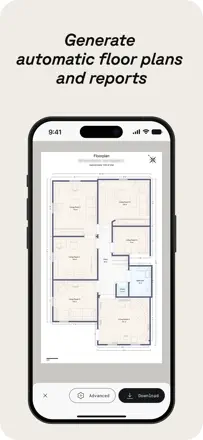
Pros value the speed of getting a floor plan via LiDAR and being able to capture a space and work off the measurements later. But the interface scares off beginners, and recent versions removed manual corner selection, so the same scan gives different square footage and you can't trust it. Add no autosave during scanning and confusion over billing that was pitched as one-time.
Points forts : Quickly builds a floor plan via LiDAR, capture a space and work off measurements later, good measurement accuracy
Reproches : Interface scares off beginners, manual corner selection removed, same scan gives different square footage, no autosave while scanning, one-time-purchase vs subscription confusion
Pour qui : Tradespeople and realtors who need a fast floor plan and on-site measurements and can handle a tricky interface
Rang 20. Note des avis : 52 sur 100. Note sur l’App Store : 4,4★ · 3 552 notes
52sur 100
People like how simple and fast it is, it is genuinely fun to play with and sketch out ideas. But it does not really decorate the room, it redraws it from scratch: it moves doors and windows that cannot move, loses the cathedral ceiling and the baby crib in the photo. Many complaints about charges after cancelling the trial.
Points forts : Simple and fast interface, easy to sketch ideas, fun to play with
Reproches : Redraws the room instead of decorating it, moves doors and windows that cannot move, ignores key details in the photo (crib, high ceiling), no way to add your own text note, charges after cancelling the trial
Pour qui : For people who just want to quickly sketch a couple of ideas from a photo and do not need accuracy to the real layout.
Rang 21. Note des avis : 48 sur 100. Note sur l’App Store : 4,5★ · 153 493 notes
48sur 100
The app helps quickly imagine a room in different styles, and people enjoy it as a way to daydream. But getting the result you want takes many redos, the images often don't fit the actual space, and uploading a room photo is slow. A common gripe: a ten-dollar weekly subscription feels steep, and many struggled to cancel on the first try.
Points forts : Quickly shows a room in different styles, fun to imagine a space, easy to get started
Reproches : Takes many redos to get the result, images don't always fit the real room, slow photo upload, can't design combined rooms
Pour qui : People who want a quick look at style options for a room and don't expect a precise plan
Rang 22. Note des avis : 48 sur 100. Note sur l’App Store : 4,4★ · 7 181 notes
48sur 100
People use it to rough out the layout of a future home or remodel, and many enjoy just tinkering with the design. But the execution is rough: it crashes after every change without saving, area is measured on the exterior outline instead of the interior, and nearly all furniture is locked behind payment, leaving the free version almost useless. It feels like a project abandoned halfway.
Points forts : Roughing out a future home or remodel layout, fun to tinker with design, helps plan vendor booths
Reproches : Crashes after every change without saving, area measured on the exterior outline, almost all furniture behind payment, no manual and a steep learning curve, printing runs off the page
Pour qui : People who want to leisurely play with a future home layout and can tolerate the roughness and paid furniture
Rang 23. Note des avis : 45 sur 100. Note sur l’App Store : 4,5★ · 17 555 notes
45sur 100
For pros this is full SketchUp on an iPad, and those who actually work in it love the power and the price versus desktop. But newcomers are put off by a steep learning curve, and everyone is annoyed that it sits as «free» while without a 20-dollar-a-month plan you can only view, not create. Recent reviews also flag constant crashes and getting stuck in group-editing mode.
Points forts : Full SketchUp on iPad, powerful modeling, cheaper than desktop, speeds up a pro's work
Reproches : Free version is view-only, no creation, steep learning curve, crashes and stuck group-editing mode, missing match photo, geo-location and 3D warehouse from desktop
Pour qui : Professionals and experienced modelers who need real SketchUp on a tablet, definitely not beginners
Rang 24. Note des avis : 45 sur 100. Note sur l’App Store : 4,4★ · 4 906 notes
45sur 100
Havenly is valued for its live designer who picks furniture to your taste and sends a 3D rendering of the room before you buy, and many genuinely love that. But the app itself lags, crashes and is nearly unusable for chatting with your designer, pushing people to the browser. Worse, some designers in the catalog left long ago, calls get cancelled, and support takes days.
Points forts : Live designer picks furniture to your taste, 3D room rendering before buying, inspiration and style guidance, buying furniture right in the service
Reproches : App lags crashes and won't let you chat with the designer, dead designer profiles in the catalog, cancelled and no-show calls, slow support, long delivery times
Pour qui : For people who want to work remotely with a live designer and buy furniture end-to-end and can tolerate a clunky app for it
Rang 25. Note des avis : 45 sur 100. Note sur l’App Store : 4,7★ · 2 117 notes
45sur 100
People praise it for being intuitive and for working even with imperfect photos, it cleanly removes furniture from the frame and offers unexpected ideas. But it seriously mishandles scale (a 4-foot keyboard fills the whole room), ruins the background in virtual staging (blurs trees, adds houses), cannot hold more than one request, and often erases stairs or puts a couch in front of a door.
Points forts : Intuitive interface, works even with imperfect photos, cleanly removes furniture from the frame, unexpected ideas, fast processing
Reproches : Mishandles object scale, ruins the background and adds stray objects, cannot hold more than one request, erases stairs and puts furniture in front of doors, errors and «high demand» on the paid version, small limit on the free one
Pour qui : For people who want to quickly rough out decor ideas from a photo, but not for accurate virtual staging of a home for sale.
Rang 26. Note des avis : 45 sur 100. Note sur l’App Store : 4,3★ · 1 415 notes
45sur 100
The app pulls you in for the first month and is easy to pick up, people make floor plans and rack up hours with it like a game. But the fun quickly hits the fact that almost all furniture sits behind a subscription or is unlocked for 48 hours after watching an ad, and without an account only about 5 items are open out of 85 percent of the catalog. On top of that there are few furniture options, no second floor or exterior, and it lags, overheats the tablet and crashes.
Points forts : Learn it in a minute, clear 3D building of house and rooms, you can make many houses, addictive like a game
Reproches : Almost all furniture behind a subscription or 48-hour ad unlock, forced sign-in for 85 percent of the catalog, few furniture options, no second floor or exterior, lag, crashes and tablet overheating
Pour qui : Anyone who wants to play at furnishing and planning homes and does not mind the limits of the free version
Rang 27. Note des avis : 44 sur 100. Note sur l’App Store : 4,5★ · 52 561 notes
44sur 100
The app helps sketch floor plans fast and flexes your creative, architectural side, and beginners like it. But the free version cuts off hard at three rooms, where a fourth wall already counts as a room, and you can't set precise small wall dimensions. Add crashes, projects lost after an update, and a silent support team.
Points forts : Easy to sketch plans as a beginner, flexes your architectural side, fun to create a home
Reproches : Free version cuts off at three rooms, can't set precise small wall dimensions, crashes and glitches, projects vanish after updates, unresponsive support
Pour qui : Beginners who want to simply rough out a floor plan and are willing to pay to remove limits
Rang 28. Note des avis : 44 sur 100. Note sur l’App Store : 4,2★ · 6 791 notes
44sur 100
People get it to plan a yard, pool, deck and landscape, and for those who learn it the result is clear and helps align the idea with a builder. But the object set is thin for landscaping, decks come out flat, and work keeps vanishing after a crash or update unless you take snapshots. A separate gripe is that it's basically a copy of the main Home Design 3D sold separately.
Points forts : Planning a yard, pool and deck, clear for aligning with a builder, lots of detailed textures, helps rough out the overall layout
Reproches : Few shrubs and plants for landscaping, decks come out flat, work vanishes after crashes and updates, clunky controls on a phone, basically a copy of the main app
Pour qui : People planning a yard, pool and landscape who want to show a builder the idea clearly, if they can tolerate crashes
Rang 29. Note des avis : 42 sur 100. Note sur l’App Store : 4,6★ · 45 235 notes
42sur 100
People like the idea itself and that you can quickly build a room to your dimensions, one user even started a small business on it. But the app constantly crashes and lags, and the automatic wall-snapping breaks the project: delete a small wall and it wipes half your work. Plus almost all the good furniture is locked behind the paid version.
Points forts : Easy to build a room to your own dimensions, many angles for 3D, helps plan a move or remodel
Reproches : Constant crashes and lag, auto wall-snapping breaks the project, deleting a wall wipes half the work, almost all furniture locked behind paid
Pour qui : People moving or redoing a room who want to lay out furniture visually, if they can tolerate crashes
Rang 30. Note des avis : 42 sur 100. Note sur l’App Store : 4,1★ · 3 190 notes
42sur 100
When it works it is a strong planner: you enter exact room and furniture dimensions and lay everything out before a move. But it crashes constantly when you search for furniture, loses placed items after a restart, and often will not load at all after install. It also frustrates people that saving a room was recently locked behind a paid subscription.
Points forts : Exact room and furniture dimensions, handy for planning a layout before moving, good support
Reproches : Crashes when searching furniture, does not save the project after a restart, often will not load at all, hard to rotate furniture, cannot stack items on each other, saving moved behind a paid subscription
Pour qui : For people planning furniture placement by exact dimensions before a move, who can tolerate crashes.
Rang 31. Note des avis : 40 sur 100. Note sur l’App Store : 4,6★ · 29 902 notes
40sur 100
The app gets praise as a way to see a room before an expensive redo and to let your imagination run. But the core failure is that it changes the layout itself, not just the decor: it removes walls, fills in a pool, adds windows, even when someone only asked to rearrange furniture. It also ignores simple commands and pushes hard toward expensive payment with no real free mode.
Points forts : Helps see a room before an expensive redo, fun to let imagination run, decent decor options at times
Reproches : Changes the layout instead of the decor, ignores simple commands, uses one angle not the whole room, no real free mode, charges after cancellation
Pour qui : People who want a quick take on decor for an empty space and can live with the app reshaping the room
Rang 32. Note des avis : 40 sur 100. Note sur l’App Store : 4,2★ · 3 988 notes
40sur 100
Professionals like uMake for quickly sketching 3D and showing a client, and the new whiteboard space gathers several models in one place. But the barrier to entry is high: the tutorial videos are shot on an old interface that doesn't match the current one, and without paying you can't even draw a line, everything is locked behind the trial and subscription. Many find 7 days too short to even grasp the tool.
Points forts : Fast 3D sketches and renders to show clients, whiteboard space with multiple models, easy start for 3D beginners, works for work presentations
Reproches : Can't even draw a line without paying and giving card details, tutorial videos on an outdated interface, can't type a size as a number in Apple Pencil mode, steep learning curve, 7 days too short to figure it out
Pour qui : For people making 3D sketches and client presentations who are willing to invest time in learning and paying
Rang 33. Note des avis : 40 sur 100. Note sur l’App Store : 4,3★ · 2 446 notes
40sur 100
Handy for quickly cycling through styles without reloading a new photo, the result is fairly realistic and suggests options you had not thought of. But at heart it just overlays a preset theme on the photo: you cannot edit the result, there is no custom palette, the custom prompt is ignored, and it often redraws the whole room instead of working with what is there. There are also complaints about charges after cancelling.
Points forts : Quickly cycling through styles without reloading the photo, realistic images, suggests unexpected options, easy to use
Reproches : Cannot edit the result, no custom palette, ignores the custom prompt, one basic image per style, redraws the room instead of working with the current one, crashes every few images, charges after cancelling
Pour qui : For people who want to quickly view different styles from a photo for inspiration, without exact fit to their own room.
Rang 34. Note des avis : 40 sur 100. Note sur l’App Store : 4,4★ · 1 353 notes
40sur 100
The app starts off decently and scans a room fast, measurements are accurate up to about 15-20 feet, after which accuracy drops sharply. It breaks on many fronts: you cannot scan several rooms at once, units switch from feet to meters on their own, you cannot fix dimensions after a scan, the app freezes on the very first scan and constantly tries to sell other apps. There are alarming reviews about a fake device-hacked popup and charges after the trial.
Points forts : Fast start and first scan, accuracy at ranges up to 15-20 feet, handy for a quick room plan
Reproches : Cannot scan several rooms at once, accuracy drops past 20 feet, units switch from feet to meters by themselves, cannot edit dimensions after a scan, freezes on the first scan, pushy selling of other apps, fake device-hacked popup
Pour qui : Anyone needing a quick rough measurement of one small room without demanding accuracy
Rang 35. Note des avis : 40 sur 100. Note sur l’App Store : 4,3★ · 872 notes
40sur 100
Some use it regularly for renovation and yard projects, saying the ideas are good and the result is more accurate and intuitive than other AI, with a feature that suggests where to buy the proposed furniture. But most hit the wall that you can only pick fixed styles while any custom text requests are ignored, structural elements like a fireplace get moved, only half the image shows up, and there is no free trial. There is a complaint about being charged 67.97 instead of the chosen 39.99 and a refusal to refund.
Points forts : Good ideas for renovation and yard projects, result more accurate and intuitive than other AI, a hint on where to buy the suggested furniture, many styles and room options
Reproches : You can only pick fixed styles, ignores typed requests, moves structural elements like a fireplace, shows only half the image, no free trial, charged more than the chosen amount, refund refused
Pour qui : Anyone wanting quick ready-made renovation ideas from fixed styles who does not expect fine text-based tuning
Rang 36. Note des avis : 38 sur 100. Note sur l’App Store : 4,4★ · 38 186 notes
38sur 100
Some call the app easy for floor planning and bringing a plan to life in 3D, but few such reviews carry detail. Far more are specific complaints: charged right after starting the free trial, the built-in AI assistant barely works, and uploading your own photo plan has failed for years. The gap between the store rating and what reviews actually say is noticeable.
Points forts : Easy for floor planning, brings a plan to life in 3D, lots of graphics and options
Reproches : Charged right after starting the trial, AI assistant barely works, own photo plan won't upload, expensive to remove limits, projects lost after an update
Pour qui : People who want to lay out a floor plan visually in 3D and will watch the trial period and billing closely
Rang 37. Note des avis : 38 sur 100. Note sur l’App Store : 4,5★ · 20 394 notes
38sur 100
People use it to preview new furniture, wall colors and finishes on their own room photos, and it does help at times («now I know how to remodel my kitchen»). But once you get to floor plans it redraws the layout wrong, puts a bed in a closet and a toilet mid-wall, and the edit button just regenerates the image. There is also no free tier and plenty of complaints about charges you can't undo.
Points forts : Furniture and decor ideas, wall color options, budget-to-luxury variants per room, works from your own photos
Reproches : Misreads floor plans, no precise edits to a result, edit button just regenerates, no free entry, refunds are hard
Pour qui : For people who want a quick preview of finishes and furniture from a room photo, not for accurate space planning
Rang 38. Note des avis : 38 sur 100. Note sur l’App Store : 4,6★ · 1 156 notes
38sur 100
Some people like the designs right away and big changes give a strong effect, and the app asks questions before starting. But the main breakdown is that it listens poorly to requests: it ignores the uploaded photo, generates random unrelated rooms, adds windows and doors, changes the house architecture, tears out wood beams and lays floors you asked it not to touch. Few options, often the same image with recolored palettes, and you have to pay before a proper trial.
Points forts : Pretty designs for some people, strong effect from big changes, guiding questions before start, ideas for a full remodel
Reproches : Ignores prompts and the uploaded photo, changes architecture and adds windows and doors, generates the same image in different colors, few options, only one photo at a time, pay before a proper trial, no support
Pour qui : Anyone wanting ideas for a full room remodel who can tolerate the generation doing its own thing
Rang 39. Note des avis : 35 sur 100. Note sur l’App Store : 4,7★ · 13 985 notes
35sur 100
The idea appeals: people want to see finish options for their home inside and out from their own photos, and for some it nails it on the first try. But a common complaint is that it ignores your photo and returns stock-looking images, completely changes the room layout and won't follow direct requests, even forgetting to add a bathtub. There are also many gripes about charges far above what was promised.
Points forts : Visualizing exterior and interior finish options, helps break past your own ideas, exact hit on the first try for some people
Reproches : Often returns web-like images instead of your photo, changes room layout and structure, ignores direct requests, low-quality in-app photos, charges above what was promised
Pour qui : People who just want to brainstorm finish ideas from a photo and can tolerate misses, not for an accurate result of their own room
Rang 40. Note des avis : 35 sur 100. Note sur l’App Store : 4,7★ · 2 159 notes
35sur 100
The floor-plan scanner leans on Apple's good LiDAR, and some find it handy and practical. But it often fails to detect doors, you cannot edit a finished plan, the screen goes dark mid-scan and the result is lost after you tap done. Many are furious that after a long scan it throws an error and saves nothing, plus complaints about the pricey subscription.
Points forts : Scanner uses Apple's good LiDAR, practical for plans, handy for some
Reproches : Does not detect doors, cannot edit a finished plan, screen goes dark during scanning, loses the result after tapping done, error at the end of the scan with no save, cannot handle non-90-degree wall angles, expensive, phone-only interface
Pour qui : For iPhone owners with LiDAR who need a quick rough plan of rectangular rooms and do not care about editing details.
Rang 41. Note des avis : 34 sur 100. Note sur l’App Store : 4,6★ · 5 853 notes
34sur 100
People come for a quick picture of how a room could look, and for some it genuinely helps pick out furniture and save on a designer. But the app barely listens to edits: it gives one shot, won't remove or add items on request, and plants windows and doors where none exist. There's also a hard weekly generation limit you only discover after paying.
Points forts : Fast remodel ideas, helps pick furniture yourself and save on a designer, fun to browse variants
Reproches : Ignores edits, gives one variant instead of a back-and-forth, adds windows and doors that aren't there, hidden weekly generation limit, off room proportions
Pour qui : For people who want a one-off idea of a room's style and don't expect precise control over details
Rang 42. Note des avis : 32 sur 100. Note sur l’App Store : 4,7★ · 10 729 notes
32sur 100
It helps you picture a remodel, especially when one spouse needs to «see it to decide», and it reads prompts more accurately than some rivals. But you get only four or five free generations before hitting payment, the process is slow and the result doesn't always obey. What angers people most are the charges and sudden limits after buying full access, even a subscription until 2027 nobody ordered.
Points forts : Helps picture a remodel before starting, reads prompts more accurately than some popular apps, nice-looking variants, some free generations
Reproches : Only 4-5 free generations, pricey for occasional use, slow and doesn't always obey, limits appear after buying full access, charges and subscriptions without consent
Pour qui : Couples and families who need to visualize a remodel idea before work starts, if they'll pay and tolerate the limits
Rang 43. Note des avis : 32 sur 100. Note sur l’App Store : 4,8★ · 4 373 notes
32sur 100
The app promises design suggestions for small spaces and some like the ideas, but there's nothing to confirm the quality: the praise is identical bursts of enthusiasm with zero specifics. The real complaints, by contrast, are concrete: the free period charges you immediately, the app blocks any action, and the ads mislead.
Points forts : Ideas for small spaces, ease of use
Reproches : The promised free period charges money immediately, blocks any action without paying, misleading ads claiming it's free
Pour qui : Essentially no one, too few honest reviews to recommend it
Rang 44. Note des avis : 32 sur 100. Note sur l’App Store : 4,6★ · 1 978 notes
32sur 100
Reviews say it is a cookie-cutter tool at best: any style gives the same decor and wall color for every room, results are generic, and sometimes absurd (13 faucets on a sink, a wooden door in the shower). At heart it does nothing a free general AI could not do on its own. Plus many complaints that there is no way to find how to cancel and that money keeps being charged.
Points forts : Easy to use, free to enter, helped some people with classroom or room ideas
Reproches : Same result for every room when you pick a style, generic faceless images, absurd artifacts (13 faucets, a door in the shower), does not change what you ask, nothing beyond a general AI, impossible to find how to cancel the subscription
Pour qui : Honestly no one seriously, too cookie-cutter and with cancellation problems.
Rang 45. Note des avis : 30 sur 100. Note sur l’App Store : 4,6★ · 23 671 notes
30sur 100
Some people recall that a year ago the app produced beautiful, practical options and genuinely helped with a remodel. But after a model update the quality collapsed: blurry images, simple commands like add curtains or remove shelves are ignored, and it often draws extra walls and windows. Many flatly say ChatGPT now does it better.
Points forts : Used to produce beautiful, practical options, helps rough out several remodel versions, easy to use
Reproches : Quality dropped after the model update, blurry images, ignores simple commands, draws extra walls and windows, harsh daily limit, ChatGPT does it better
Pour qui : People who want to quickly toss out remodel ideas and can tolerate quality dropping after updates
Rang 46. Note des avis : 30 sur 100. Note sur l’App Store : 4,7★ · 6 582 notes
30sur 100
It sometimes gives pleasant rearrangement and decor ideas, and that wins some people over. But more often the result barely differs from the original room or returns the wrong thing, turning a hallway into an office. The main pain is that it's marketed as unlimited yet hits a weekly limit after just 90 minutes, with lots of complaints about subscriptions and charges without consent.
Points forts : Occasionally pleasant rearrangement and decor ideas, helps picture a bedroom or garden design, simple photo-based generations
Reproches : Result barely differs from the original room, returns the wrong room type, weekly limit despite promised unlimited, subscription and charges without consent, expensive
Pour qui : People who want to quickly toss out a couple of decor ideas from a photo and will risk the billing, not for a serious remodel
Rang 47. Note des avis : 30 sur 100. Note sur l’App Store : 4,4★ · 4 128 notes
30sur 100
The concept appeals and it helps some people decorate a room, but in practice the app gives almost nothing for free and demands 12.99 a week, which people learn right away. You can't customize the request, only pick from preset options, and the result sometimes looks odd, down to random items you never asked for.
Points forts : Interesting concept, helps decorate a room, neatly assembles items together
Reproches : Almost nothing free at 12.99 a week, no custom requests only preset options, results sometimes look odd and add things you didn't ask for, begs for a rating
Pour qui : For people willing to pay weekly for quick preset decor options without fine-tuning
Rang 48. Note des avis : 30 sur 100. Note sur l’App Store : 4,4★ · 1 937 notes
30sur 100
By the reviews the main trouble is control: the app ignores requests, changes the whole structure of the house instead of one thing, and cannot just repaint the exterior without touching garage doors, light fixtures, and materials. It often returns the same original image or hunts for similar photos instead of a real redesign. A good result costs around 50 dollars, and without paying there is little use.
Points forts : Helps imagine how a home could look, good for basic remodel ideas
Reproches : Does not follow requests and changes everything instead of one detail, cannot repaint only the exterior without altering the rest, often returns the original photo unchanged, does not hold needed elements (brick, structure), a good result only behind payment, cannot fine-tune a single image
Pour qui : For people who want a rough take on home remodel ideas and are ready to pay, not counting on precise detail edits.
Rang 49. Note des avis : 28 sur 100. Note sur l’App Store : 3,5★ · 5 282 notes
28sur 100
The tool itself lets you draw a plan decently and simply, and the set of standard objects is fine. But one thing enrages people over and over: you spend an hour building a plan, then to reopen it you're forced into a paid subscription, and without paying your own work disappears. There's also no ruler or precise measurements, and files sometimes get corrupted.
Points forts : Simple plan drawing, decent set of standard objects, clear interface at the start
Reproches : Your finished plan gets locked behind a subscription and can't be reopened without paying, work is lost, no ruler or precise measurements, files corrupt, marketed as free when it isn't
Pour qui : For people ready to pay upfront who want a simple plan sketch without precise measurements
Rang 50. Note des avis : 25 sur 100. Note sur l’App Store : 3,9★ · 984 notes
25sur 100
People come to search for house plans by parameters and say it helps picture a redesign before hiring an architect. But the app forces you to rate it or write a review to unlock plans, and the promised lifetime free offer does not work and still demands annual payment. Lots of ads every three or four plans, login and password break, and the categories you actually want are locked.
Points forts : Search house plans by parameters, helps picture a redesign before hiring an architect, small-home selection
Reproches : Forces a rating or review to unlock plans, promised lifetime free offer does not work and demands annual payment, lots of ads, login and password break, wanted categories locked
Pour qui : Anyone searching ready-made house plans by parameters who can tolerate locks and ads
Rang 51. Note des avis : 24 sur 100. Note sur l’App Store : 4,4★ · 733 notes
24sur 100
It promises different styles from a room photo, but reviewers say the AI recycles the same images, fills doorways with wall, and drops several ovens or TVs into one room. A separate sore point is money: the free trial actually charges right away and refunds are refused.
Points forts : The idea of a quick room makeover, easy to launch
Reproches : Recycles the same images on regenerate, absurd layouts with duplicated furniture, walls over doorways, missing advertised styles like traditional and farmhouse, charges immediately and denies refunds
Pour qui : Few people, don't expect an honest result or transparent billing
Rang 52. Note des avis : 22 sur 100. Note sur l’App Store : 3,7★ · 1 154 notes
22sur 100
In practice the app barely lets you work: people get stuck on the payment screen, cannot log in, restore a purchase or get past blank white pages. A separate and recurring complaint is that it forces a 5-star rating or a written review just to unlock a standard plan, and the promised free or lifetime offer does not work. Too many ads, and the rare calm ratings only say the plan selection is good if you can get that far.
Points forts : Decent selection of plans and styles if you can reach it, fast download
Reproches : Forces 5 stars or a review to unlock a plan, gets stuck on the payment screen, login and purchase restore do not work, blank white pages, promised free and lifetime offers do not work, lots of ads
Pour qui : In practice almost no one, too much forced rating and too many startup breakdowns
Rang 53. Note des avis : 22 sur 100. Note sur l’App Store : 4,3★ · 771 notes
22sur 100
The app promises to redo a room from a photo, but reviewers say it returns the same result for any style or just casts a color tint over the original shot. People pay and get an empty room with no furniture, a fireplace in the middle, or a doorway into a wall that isn't there, while the short glowing five-stars look planted.
Points forts : Fast generation when it works, a long list of styles
Reproches : Identical render across different styles, a color tint instead of a real redesign, can't read the room layout from a photo, returns blank or distorted photos, pushes payment immediately with no guidance
Pour qui : Almost nobody, maybe a quick toy, and even then not worth paying for a real result
Rang 54. Note des avis : 20 sur 100. Note sur l’App Store : 4,3★ · 615 notes
20sur 100
The idea of measuring a room with the camera is clever and works for people needing a quick plan for contractors, but the math is broken: it rounds any wall over six inches up to a whole foot, so real dimensions don't add up. On top of that it only works through the camera, you can't type or draw dimensions by hand, and it often crashes without saving.
Points forts : Clever camera room measuring, quick plan for contractors, helps estimate square footage
Reproches : Treats a foot as 6 inches and rounds everything up, no manual dimension entry, camera-only capture, a square room comes out as a lopsided diamond, crashes with no auto-save
Pour qui : People who need a rough camera measurement of a room and don't need inch-level accuracy
Rang 55. Note des avis : 18 sur 100. Note sur l’App Store : 4,6★ · 3 456 notes
18sur 100
For most people it simply will not start: a constant «we hit a snag» error, freezes on loading, support replies with the same error. Even when it runs it asks very broad questions and draws a wall where the windows are. One thoughtful review praises that it does not turn the cup on the table into a Cubist nightmare, but those are rare.
Points forts : When it works it does not distort small details in the photo, clean result for the few users who get in
Reproches : Constantly fails to open and throws an error, freezes on loading, support unreachable, charges without consent, room image too small on phone, breaks the floor-plan perspective
Pour qui : Almost no one in its current state, too many people simply cannot open it.
Rang 56. Note des avis : 15 sur 100. Note sur l’App Store : 4,1★ · 566 notes
15sur 100
The app promises to rebuild layouts and furnish a room with AI, but reviewers say it barely changes the image or drops furniture into the wrong rooms and moves walls around. Billing is a separate nerve: the free trial charges right away, generations run out, and you're asked to pay again for them.
Points forts : Simple interface and fast replies when a generation actually works
Reproches : Low image quality, layout barely changes, furniture lands in the wrong rooms, walls and proportions drift, generation limits and constant top-ups, charges during the trial
Pour qui : Almost nobody, reviewers say a regular AI chat gives better results
Rang 57. Note des avis : 12 sur 100. Note sur l’App Store : 4,2★ · 1 373 notes
12sur 100
In practice the app barely works for people: the main complaint is that photos will not upload from the gallery or camera, while payment is taken before you can do anything, at 9.99 a week with no trial. Those who reached a result note the designs are pretty but few, and complain about an hour-long generation wait and a focus on full room remodels instead of staging. Many messages about charges after cancellation and refund requests.
Points forts : Pretty ready-made designs for those who got a result, helps picture a room before calling a contractor
Reproches : Photo upload fails from gallery and camera, you pay before any trial, 9.99 a week with no free period, hour-long generation wait, charges after cancellation, focus on full remodel instead of furnishing
Pour qui : In practice almost no one, too many cannot upload a photo and lose money for nothing
Rang 58. Note des avis : 12 sur 100. Note sur l’App Store : 4,6★ · 418 notes
12sur 100
Points forts : Impressive furniture images on the rare occasions a generation goes through
Reproches : Constant 'no internet' error on a working connection, crashes and failures, absurd layouts that ignore room dimensions, stretched photos, charges on day one of the trial and no way to unsubscribe
À propos des chiffres
Deux chiffres — deux sources
Elles aident à comparer les apps, mais ne remplacent pas la vérification de ta propre tâche.
Score des avis · jusqu’à 100
Le score conservé de l’étude inApp sur les textes des avis. Il évalue l’ensemble de l’app dans l’archive, pas la fiabilité d’une fonction précise.
Note de la boutique · jusqu’à 5
La note de la page de l’app au moment de la collecte. La note et la version actuelles peuvent différer.
Dans l’échantillon archivé de ce sujet : 58 apps et 17 666 avis lus. C’est le volume total de l’étude, pas le nombre d’avis par app.
Un écart entre les chiffres ne prouve pas de manipulation. La date de calcul et la méthode complète du score ne sont pas dans l’archive mobile. Compare les descriptions des tâches et les citations sources, et vérifie les conditions dans la version actuelle.