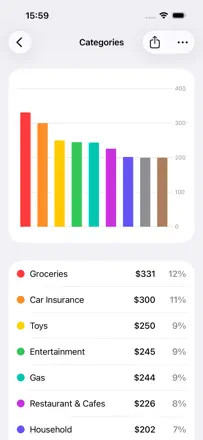
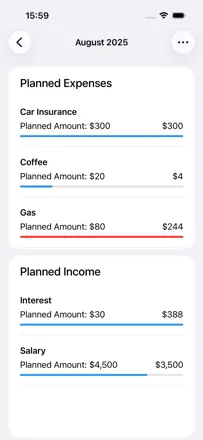
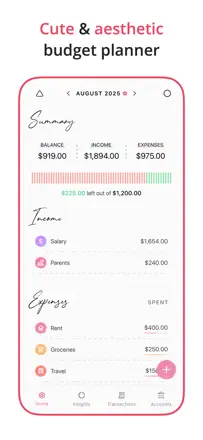
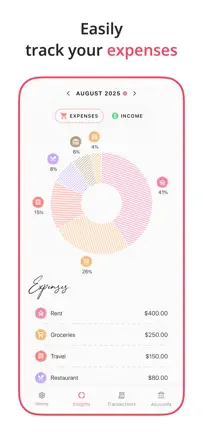
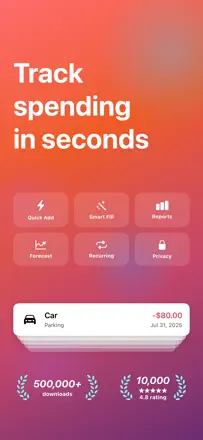
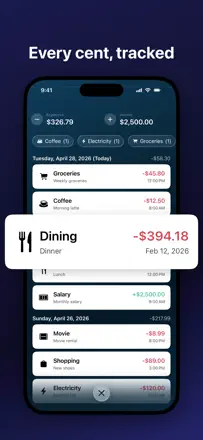
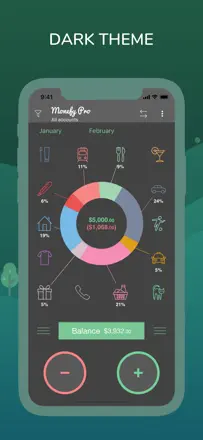
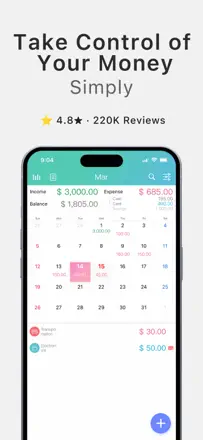
Note des avis : 85 sur 100. Note sur l’App Store : 4,8★ · 2 802 notes
85sur 100
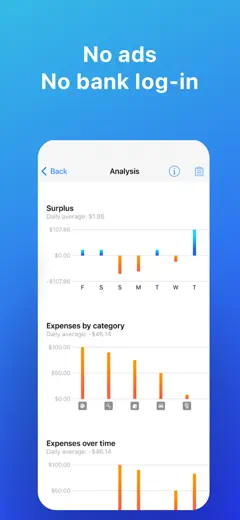
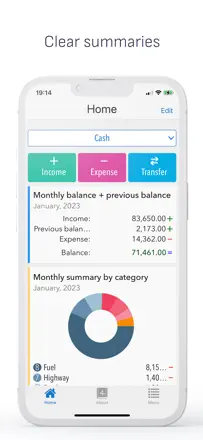
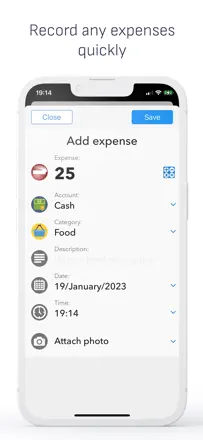
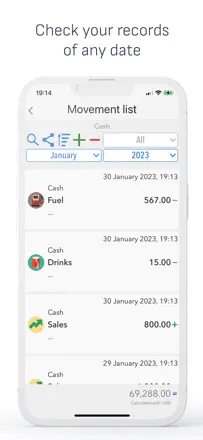
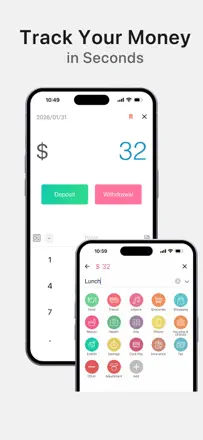
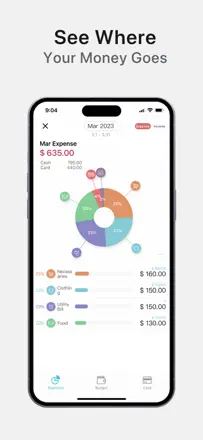
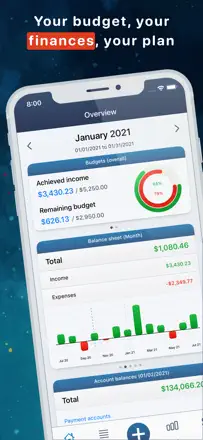
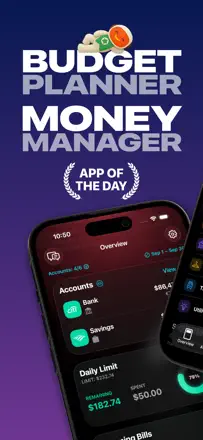
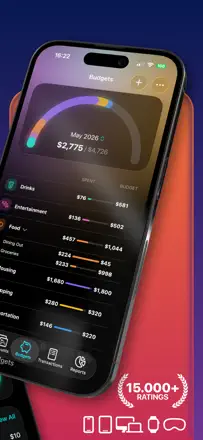
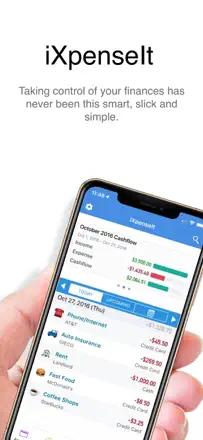
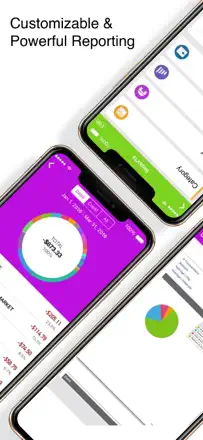
The most feature-rich manual tracker in the lineup: multiple accounts, subcategories, budgets, detailed charts, a web viewer for desktop, and a one-time purchase. No bank connection. that is a deliberate developer choice. Users with 3-5 years of experience call it the best app on their phone.
Points forts
Deep customization without sacrificing entry speed. Built-in charts by category, account, and period give a complete picture of finances without bank access. Data is kept for years without loss.
Reproches
No split transactions (splitting a purchase across two categories is not possible). No real-time cross-device sync. Recurring transactions sometimes do not show in the calendar.
Pour qui : Disciplined users who prefer full control through manual entry and are not willing to grant bank access to third-party apps.
Note des avis : 82 sur 100. Note sur l’App Store : 4,7★ · 4 841 notes
82sur 100
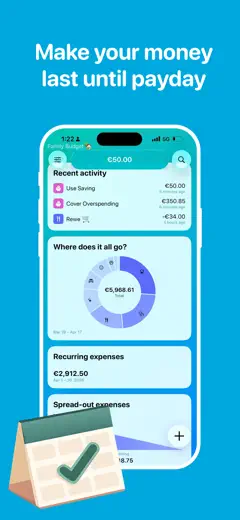
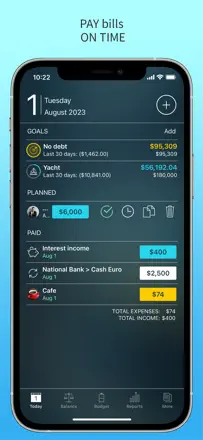
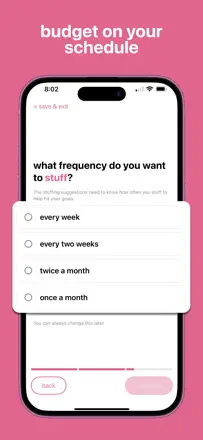
A minimalist daily budget planner: you enter income, fixed expenses, and a savings goal, and the app divides the remainder across the days of the month, showing how much you can spend today. No bank connection required. Radically simple, but that is exactly why most users finally stick to a budget after years of failing with other apps.
Points forts
The live 'available today' figure changes spending psychology: not 'how much is left this month' but 'how much do I have right now.' Users with ADHD and financial anxiety specifically highlight this mechanic.
Reproches
No balance forecast for future dates. Variable income (freelance, shift work) fits the model poorly. No balance carryover between months.
Pour qui : People with a fixed income who tend to spend everything at the start of the month and want a simple guide for 'how much can I spend today.'
Note des avis : 81 sur 100. Note sur l’App Store : 4,8★ · 554 notes
81sur 100
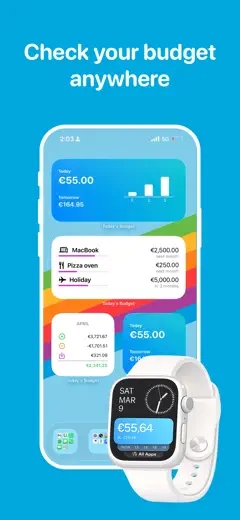
A daily-balance budgeter: enter your income and fixed expenses, and the app splits the free money across days to show how much you can spend today. Works especially well for people prone to impulse spending.
Points forts
A single 'how much is left today' figure gives instant clarity on your financial state. Multi-budget support. Apple Watch widget. One-time purchase.
Reproches
Recent updates broke the savings-goal logic. No data import from other apps. Initial setup takes considerable effort.
Pour qui : Anyone who wants to stay within a monthly budget without dealing with categories, especially people prone to impulse spending or those with attention-deficit disorder who need one simple number.
Rang 4. Note des avis : 80 sur 100. Note sur l’App Store : 4,8★ · 2 326 notes
80sur 100
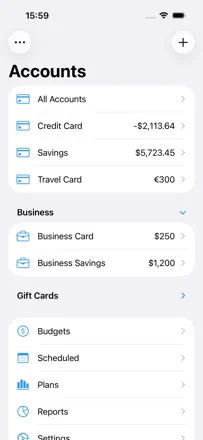
One of the most honest manual expense registers on the market. A solo developer has maintained the app for years, responds to user requests, and iCloud sync works reliably. No automatic bank connection, but most users see that as a feature.
Points forts : Scheduled transactions provide a running balance forecast for any future date. Sync across iPhone, iPad, Mac, and Apple Watch via iCloud is stable. An active developer who responds personally and quickly.
Reproches : No automatic bank transaction import. everything is entered manually. The iOS version has fewer features than the macOS version. Some duplicate transactions have appeared after updates.
Pour qui : People who do not want to give the app bank access and are happy to enter expenses manually, but expect reliable sync across Apple devices and a balance forecast.
Rang 5. Note des avis : 79 sur 100. Note sur l’App Store : 4,8★ · 19 219 notes
79sur 100
Spending Tracker does one thing: manual entry of every expense with an instant balance update. The act of conscious entry is itself the mechanism for spending awareness. No bank sync, so no anxiety about data privacy.
Points forts : Manually entering every expense creates real spending awareness: many users understand for the first time in years where their money goes. No account link required: full control and data privacy. Weekly and monthly budgets with color-coded overspending indicators work without any setup.
Reproches : Multi-device sync via Dropbox is unstable and requires manual file management. No automatic bank transaction import: everything is manual, which becomes tedious with a high transaction volume. Budget categories cannot be capped by amount within a period.
Pour qui : Anyone who wants to understand their spending through conscious manual tracking and is not willing to give the app access to their bank account. Especially suited for those who have tried sync and been let down.
Rang 6. Note des avis : 79 sur 100. Note sur l’App Store : 4,8★ · 12 110 notes
79sur 100
A simple budget planner with a pleasant design. Works without a bank connection, which privacy-conscious users appreciate. Manual entry builds genuine spending awareness. No shared multi-account budget for couples and no balance forecast.
Points forts : A clean, aesthetic interface reduces financial anxiety. The support team is responsive and handles real user issues. Data stays on the device without a bank link.
Reproches : No shared mode for couples with separate accounts. Setting up multiple income sources with different deposit dates is cumbersome. No end-of-period balance forecast.
Pour qui : Budgeting beginners, people with financial anxiety, students, and young parents who value simplicity and visual appeal without complex setup.
Rang 7. Note des avis : 79 sur 100. Note sur l’App Store : 4,8★ · 1 755 notes
79sur 100
A sheet-based expense tracker closer to a personal spreadsheet than a bank manager. iCloud sync is stable. The developer responds to issues quickly. No bank integration: manual entry only.
Points forts : A sheet structure lets you separate trips, months, and projects without confusion. iCloud sync across iPhone, iPad, and Mac is reliable. One-time purchase.
Reproches : No balance forecast or scheduled transactions. No splitting a transaction across multiple categories. No way to export a single sheet: only the full archive.
Pour qui : People used to spreadsheets who want a mobile replacement for Google Sheets without bank integration but with solid shared access via iCloud.
Rang 8. Note des avis : 78 sur 100. Note sur l’App Store : 4,7★ · 3 668 notes
78sur 100
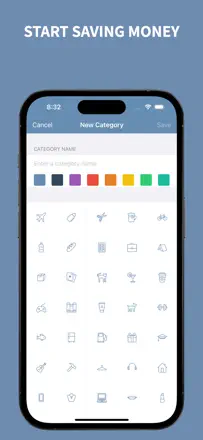
A charming manual expense tracker with customizable icons, multiple accounts, and clear charts. Deliberately avoids bank connections. Works like a visual digital notebook.
Points forts : The cute design with custom icons lowers the barrier to daily expense entry. Users note it is the first app they open every day with genuine pleasure.
Reproches : No cross-device sync: if you lose your phone, your entire history is gone. No balance forecast. Category hierarchy behaves unpredictably in reports.
Pour qui : Young people and students who keep a manual spending log without bank integration and care about visual appeal.
Rang 9. Note des avis : 76 sur 100. Note sur l’App Store : 4,8★ · 18 323 notes
76sur 100
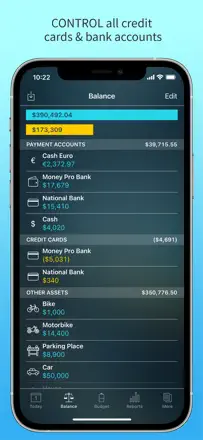
Money Manager is a full double-entry accounting tracker with multiple accounts, currencies, and visualizations. No bank sync. everything is manual. It is the most feature-rich manual tracker in the category and one of the most reliable.
Points forts : Managing multiple accounts in one app with transfers between them gives a complete picture of personal finances. Multi-currency tracking with conversion works correctly. Visual category reports for any period show spending trends.
Reproches : No convenient shared access for a couple or family without handing over one device. Syncing between iPhone and Android is not possible, which creates problems when switching platforms. Double-entry logic is confusing for newcomers without a finance background.
Pour qui : People who want detailed manual tracking of all finances without sending data to the cloud. Ideal for those managing multiple accounts in different currencies.
Rang 10. Note des avis : 76 sur 100. Note sur l’App Store : 4,8★ · 3 620 notes
76sur 100
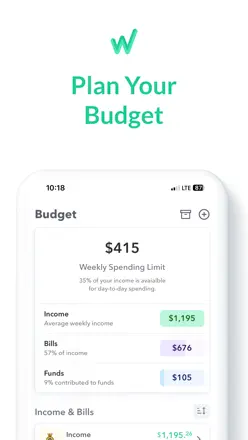
A budgeter that splits monthly income into weeks, accounting for bill due dates. The core idea: not 'how much is left this month' but 'how much is safe to spend this week.' Supports bank sync. Users call it the best they have tried after Mint, YNAB, and EveryDollar.
Points forts : The weekly 'safe to spend' figure changes behavior: users stop blowing everything at the start of the month. Simple, without overwhelming detail.
Reproches : Bank sync broke in 2023 and remains unstable. The weekly balance calculation breaks when several large bills fall in the same week. Budget sharing with a partner is limited.
Pour qui : People who think about money weekly and find monthly budgets unhelpful because they tend to overspend in the first days after payday.
Rang 11. Note des avis : 76 sur 100. Note sur l’App Store : 4,8★ · 1 810 notes
76sur 100
An extremely simple manual tracker: add a line item, enter an amount, check the balance. No bank sync, no automation: only what you enter yourself. This makes it a reliable mindfulness tool for people with irregular income.
Points forts : One screen, ten seconds per entry. Complete freedom to create categories for any scenario. No forced bank link: data stays on the device.
Reproches : No balance forecast or scheduled transactions. The free version limits the number of records. No cross-device sync.
Pour qui : People with irregular income, students, and those who want to keep a manual cash log without any bank connections.
Rang 12. Note des avis : 76 sur 100. Note sur l’App Store : 4,7★ · 762 notes
76sur 100
A long-standing manual tracker with multiple accounts, categories, reports, and receipt photos. Users have relied on it for years and praise the fast entry speed. The main pain point: transferring a license when switching phones or platforms often fails.
Points forts : Fast expense entry with categories and photos. Full period reports. Cloud data backup when set up correctly.
Reproches : The license does not transfer automatically when switching devices or platforms. The iPhone version has fewer features than the Android version. After a system update, editing transactions stopped working.
Pour qui : Those who manage personal or family finances manually and want a reliable tool without monthly fees, provided they are willing to sort out the license transfer.
Rang 13. Note des avis : 74 sur 100. Note sur l’App Store : 4,9★ · 7 376 notes
74sur 100
A light and fast expense tracker with a clear interface. Operates entirely in manual mode without a bank connection. Users report years of stable use.
Points forts : Instant transaction entry in two or three taps. Support for multiple accounts and currencies. Simple category reports for any period. Works offline.
Reproches : Pop-up banners on app launch interfere with quick entry. A few users report unexplained balance changes without new transactions. Exporting to spreadsheets is less convenient than desired.
Pour qui : Those who want to log every expense on their phone in seconds each day, without bank sync and without complex budget categories.
Rang 14. Note des avis : 74 sur 100. Note sur l’App Store : 4,7★ · 4 934 notes
74sur 100
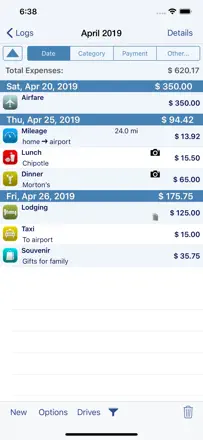
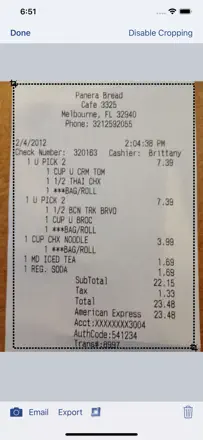
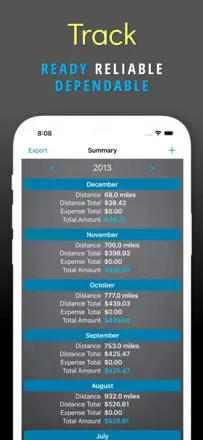
A mature business expense tracker with deep template customization, multi-currency support, and receipt photos. One-time purchase. Valued for developer responsiveness and a stable database going back to 2010. Tailored for travel expense reports.
Points forts : Users have kept data intact since 2010 without loss. The developer creates custom templates on request and replies to emails personally. Fast entry of multi-currency expenses.
Reproches : Automatic mileage tracking occasionally misses entire days. The interface feels cluttered under fast entry conditions. Pop-up review requests appear too frequently.
Pour qui : Freelancers, sole traders, and business travelers who need detailed expense tracking for tax purposes or employer reimbursement.
Rang 15. Note des avis : 73 sur 100. Note sur l’App Store : 4,7★ · 841 notes
73sur 100
A manual multi-account tracker with categories, charts, and cloud sync. No bank link required. Valued for fast entry and clear reporting. The app has generally been stable for years.
Points forts : Tracking multiple accounts without a bank link, fast entry, clear category analytics with monthly charts. Stable cross-device sync.
Reproches : After some iOS updates the balance resets to zero or transactions fail to save. Recurring transactions occasionally cause issues. No end-of-month balance forecast.
Pour qui : Those who want to manage multiple wallets or accounts manually and see clear analytics without a subscription and without giving bank access.
Rang 16. Note des avis : 72 sur 100. Note sur l’App Store : 4,7★ · 14 923 notes
72sur 100
A manual budgeting app with deep category customization and an honest approach: money only appears when you enter it yourself. Users willing to enter data manually tend to stay for years.
Points forts : Flexible categories and subcategories, a calendar view of expenses, and the ability to work without a bank connection. Users appreciate full control over budget structure without automation.
Reproches : No display of the current account balance next to each transaction. Cross-device sync is unstable. Period and rollover settings are contradictory and confusing for new users.
Pour qui : People who want to consciously control every expense through manual entry, without handing bank access to a third-party service.
Rang 17. Note des avis : 72 sur 100. Note sur l’App Store : 4,8★ · 4 731 notes
72sur 100
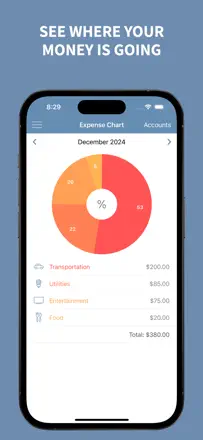
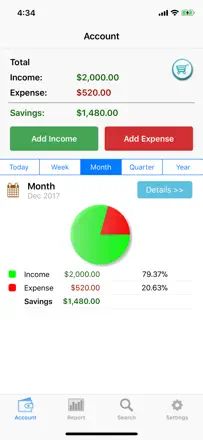
A concise expense tracker without a bank connection: create categories, enter amounts manually, view a pie chart. Its strength is absolute simplicity of onboarding and fast transaction entry.
Points forts : Instant transaction entry in a few taps and a clear pie chart that immediately shows where money goes. No bank connection: data stays on the device.
Reproches : No history broken down by individual months, only the full year. No balance planning or forecast. No recurring transactions. Viewing past periods is cumbersome.
Pour qui : Those who need the simplest possible expense log without extra features, without accounts, and without bank integration.
Rang 18. Note des avis : 72 sur 100. Note sur l’App Store : 4,6★ · 1 798 notes
72sur 100
A minimalist envelope-style budget tracker: set a limit for a period, subtract expenses manually, see the balance. Supports weekly and biweekly periods, which is uncommon. No bank sync and no future balance forecast.
Points forts : One glance at the screen shows how much is left today and for the month. Arbitrary budget periods to match any pay schedule. Clean design.
Reproches : No balance forecast for future dates. Occasional freezes when adding records. The balance carryover feature was changed without notice in one update.
Pour qui : People who need simple weekly or biweekly spending control without tracking their entire financial life.
Rang 19. Note des avis : 72 sur 100. Note sur l’App Store : 4,8★ · 703 notes
72sur 100
A clean minimalist tracker with multiple accounts, grouping, recurring payments, and instant sync. No bank link. Works well as a personal ledger. The developer is active and responds to requests. Limitations: recurring settings sometimes fail to sync across devices and there is no way to split a single transaction across multiple categories.
Points forts : Instant cross-device sync. Account grouping. A scheduled future payments view lets you see a balance forecast. Beautiful, uncluttered interface.
Reproches : Recurring payments do not always sync across devices. No splitting a single purchase across categories. The date picker wheel occasionally shows the wrong day. Data import is available in spreadsheet format only.
Pour qui : Those who want a tidy personal ledger with multiple accounts and sync, without handing bank access to third-party services.
Rang 20. Note des avis : 71 sur 100. Note sur l’App Store : 4,7★ · 1 692 notes
71sur 100
The simplest possible budget list: lines with plus or minus, a running total at the top. The minimalist concept is executed well and uncluttered. The transition from Fudget 1 to Fudget 2 left some users with lost data.
Points forts : Fast entry of any income or expense line without mandatory categories. Support for multiple budgets at the same time. The developer communicates openly with users.
Reproches : Data from Fudget 1 did not migrate for some users when upgrading to version 2. No balance forecast for future dates. No sync with banks or other data sources.
Pour qui : People who need a simple 'income minus expenses' list without automation. like a paper notepad on their phone.
Rang 21. Note des avis : 70 sur 100. Note sur l’App Store : 4,7★ · 20 868 notes
70sur 100
Hurdlr combines mileage, income, expenses, and automatic quarterly tax estimates. For the self-employed and small business owners it is a genuine financial control tool. Support responds with a real person. Mileage auto-tracking occasionally fails after updates.
Points forts : The estimated tax calculation updates as income and expenses come in. A profit-and-loss report generates at the tap of a button and is suitable for an accountant. Support responds quickly and resolves real problems.
Reproches : After some updates, mileage auto-tracking begins recording mid-trip rather than from the start, understating the deductible mileage. The profit report requires understanding accounting methodology. The language is not obvious for beginners. The free tier is too limited for regular use.
Pour qui : Freelancers, self-employed individuals, and micro-business owners on 1099 who need unified mileage, expense, and tax tracking without hiring an accountant.
Rang 22. Note des avis : 70 sur 100. Note sur l’App Store : 4,8★ · 832 notes
70sur 100
A minimalist expense-only tracker: no budgets, no bank link, no required income entry. Entry works like a calculator: amount, category, tags. Gives a monthly category breakdown with a pie chart. Not suitable for those who need a balance forecast or account balance.
Points forts : Instant expense entry in two or three taps. You can start without any setup. Category analytics give a clear picture of where money goes.
Reproches : No running balance or forecast: only the total spent is visible. You cannot split a single purchase across multiple categories. After one update the location tag disappeared and some users' data shifted back by a day.
Pour qui : Those who need only expense tracking without anything extra, especially those who avoid linking bank data to third-party services.
Rang 23. Note des avis : 68 sur 100. Note sur l’App Store : 4,9★ · 35 875 notes
68sur 100
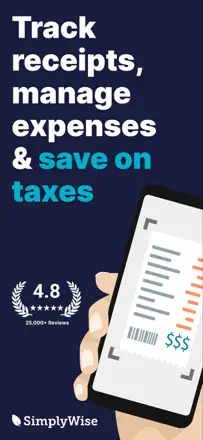
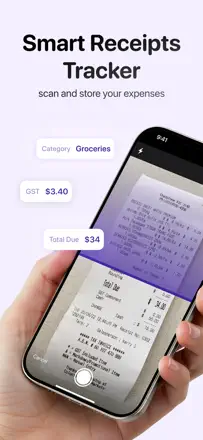
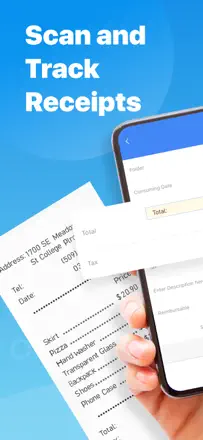
SimplyWise handles a narrow task well: scanning, storing, and organizing receipts for taxes or returns. OCR is accurate, the folder structure is flexible, and years of history are not lost. This is not a budget tracker. there are no expense categories or forecast. but for documenting expenses it is reliable.
Points forts : Receipt recognition from a photo works accurately even in poor lighting. Folder storage and fast search let you find a receipt among hundreds in seconds. Years of history are preserved without loss, which matters for tax audits.
Reproches : Line-item amounts on receipts are sometimes misread and require manual verification. Importing e-receipts via email forwarding is unreliable. The desktop version displays scans at reduced resolution, unsuitable for official use.
Pour qui : Freelancers, small business owners, and anyone storing receipts for tax deductions or refunds. Not a replacement for a budget tracker.
Rang 24. Note des avis : 68 sur 100. Note sur l’App Store : 4,6★ · 13 303 notes
68sur 100
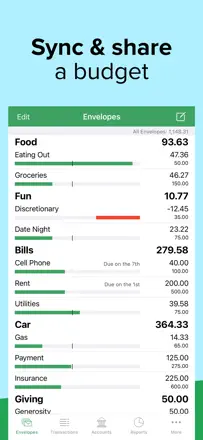
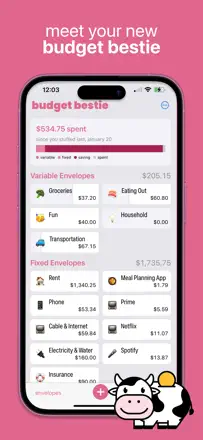
A digital version of the envelope budgeting method. Works without a bank connection: envelopes are funded manually and expenses are deducted from the relevant envelope. Works especially well for couples: both partners see the shared budget.
Points forts : The envelope system makes money allocation tangible. Partner sync works reliably. History is stored without limits.
Reproches : No breakdown by bill due date: it is unclear whether funds will stretch until the next payday. Analytics and reports are very basic. The interface is confusing in places: an empty envelope and a depleted one look identical.
Pour qui : Devotees of the envelope method and the Dave Ramsey system, couples with a shared budget, and those who firmly do not want to connect a bank to a third-party app.
Rang 25. Note des avis : 68 sur 100. Note sur l’App Store : 4,4★ · 1 668 notes
68sur 100
An envelope app: each expense type gets its own account, entry is manual, and there is no bank link. Simple and reliable concept. Limited reports and no balance forecast make planning beyond a single month difficult.
Points forts : Multiple independent envelope accounts with running balances. No intrusive banners. Simple spreadsheet export.
Reproches : No balance forecast for future dates. Categories cannot be renamed after creation. Reports do not allow selecting a specific period or category for export.
Pour qui : Envelope method advocates who want to track multiple wallets or savings goals manually without bank integration.
Rang 26. Note des avis : 68 sur 100. Note sur l’App Store : 4,8★ · 817 notes
68sur 100
A voice-entry tracker: dictate 'coffee three dollars fifty', and the app transcribes and categorizes it. Apple Pay integration automates expense capture. Simple interface without overload. A young product with an active developer. Weak points are sync reliability and data loss. some users lost an entire month of data and voice entry occasionally freezes.
Points forts : Voice expense entry in seconds. Automatic Apple Pay transaction capture via Shortcut. Beautiful, simple interface.
Reproches : Sync hangs and does not respond to taps. Apple Pay occasionally deletes a full month of data with no recovery option. Voice entry freezes at the end of a phrase. No budget planning or balance forecast.
Pour qui : Those who do not want to type anything and are willing to trust voice or contactless payment for expense capture, provided they do not keep years of history.
Rang 27. Note des avis : 67 sur 100. Note sur l’App Store : 4,9★ · 6 188 notes
67sur 100
The best tool for splitting group expenses. Works without registration, without intrusive banners in the free tier, and without transaction limits. A few users found calculation errors in complex scenarios.
Points forts : Simple expense and participant entry without registration. Automatic calculation of who owes whom how much. Works for international trips with multiple currencies.
Reproches : Calculation errors in non-standard splitting scenarios have been documented by users. Updating the app mid-trip once caused all data to be lost. No archive of past trips without active storage.
Pour qui : Friends and travelers who need to quickly split group expenses without registration during a trip or shared event.
Rang 28. Note des avis : 66 sur 100. Note sur l’App Store : 4,9★ · 96 701 notes
66sur 100
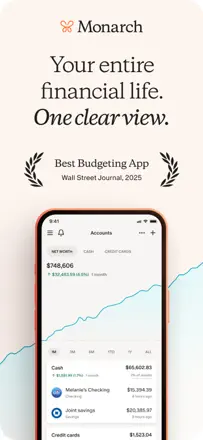
Monarch is one of the few tools where everything works together: multi-bank account sync, category budgets, net worth tracking, and shared access for couples. Users genuinely change their financial behavior. The main weakness: account sync via Plaid sometimes breaks and requires manual intervention.
Points forts : A single screen with all accounts, loans, and investments gives a real picture of net worth. The category budget with a running monthly total is accurate and updates without delay. Shared access for couples without complex setup. a rare feature among competitors.
Reproches : Bank sync via Plaid periodically breaks, and several days of transactions disappear or duplicate without warning. Auto-categorization makes mistakes and requires constant manual correction. The mobile app lags behind the web version in features. Some operations are only available on desktop.
Pour qui : Couples and families who want to manage a shared budget and see a complete picture of all accounts in one place. Best for those willing to invest time in initial setup.
Rang 29. Note des avis : 65 sur 100. Note sur l’App Store : 4,8★ · 769 notes
65sur 100
A digital take on envelope budgeting: create category envelopes, fund them, and log expenses. No bank access required. Works locally. Key limitations are no cross-device sync and no automatic envelope refills.
Points forts : Simple envelope mechanics without extra screens. Color coding is clear at a glance. One-time purchase.
Reproches : No sync between iPhone and Mac or a second device. No automatic envelope funding at the start of the month. Individual envelopes cannot be renamed or deleted.
Pour qui : Those who want to run an envelope budget on a single device without a bank link, primarily individuals rather than couples.
Rang 30. Note des avis : 63 sur 100. Note sur l’App Store : 4,8★ · 29 610 notes
63sur 100
Copilot is technically the most sophisticated personal finance tracker: beautiful interface, smart learning-based categorization, and a clear transaction history. Users genuinely change their behavior.
Points forts : Smart categorization learns over time and starts getting things right without manual corrections. The spending view by month, week, and category is intuitive. Developers actively engage with users and ship updates with real fixes.
Reproches : Plaid sync periodically breaks and duplicates transactions. Recovery requires manual work. Investment accounts are displayed with limited detail. After switching devices, some users lost their accumulated transaction history.
Pour qui : People who want a detailed understanding of their spending and are willing to pay for a beautiful, intelligent tool. Best suited for those whose main accounts are at supported banks.
Rang 31. Note des avis : 63 sur 100. Note sur l’App Store : 4,6★ · 3 518 notes
63sur 100
A finance aggregator with an AI assistant: connects accounts, investments, and credit cards, builds a net-worth summary, and lets you ask questions in chat. Stronger than competitors at investment tracking and long-term planning. Weaker with multiple users and complex transactions.
Points forts : The AI chat answers questions based on the user's real data ('why did my spending go up in March?'). Investment and net-worth tracking in a single interface.
Reproches : With multiple accounts at different banks, the connection periodically breaks. The AI can miss an income source when setting up a budget. Bugs appear when creating categories during import.
Pour qui : Users with multiple accounts and investment portfolios who want a high-level financial overview, not just expense tracking.
Rang 32. Note des avis : 63 sur 100. Note sur l’App Store : 4,6★ · 1 586 notes
63sur 100
A visual expense tracker with a drag-and-drop mechanic for moving money between 'sources' and 'categories.' Intuitive at first glance. Sync is unstable for some users, and migrating to a new version stripped some users of paid features without compensation.
Points forts : The drag-and-drop mechanic of moving a transaction from an income source to a spending category makes accounting more visual. Multi-currency support. A beautiful and distinctive interface.
Reproches : Cross-device sync hangs and requires re-login. Migration to the new version voided paid features for some users without compensation. The app has accumulated unnecessary interface elements in recent versions.
Pour qui : Users who think about money visually and want to see the flow of funds between accounts and categories in a drag-and-drop format.
Rang 33. Note des avis : 63 sur 100. Note sur l’App Store : 4,6★ · 635 notes
63sur 100
A long-running app with a clean interface for daily expense tracking. Fast entry with autocomplete from history. No bank link. A major redesign left some users without the familiar interface they relied on.
Points forts : Minimalist, attractive interface with fast autocomplete entry. Good daily and monthly expense analytics.
Reproches : The redesign significantly degraded navigation and removed quick access to familiar features. No multi-currency support. No account balance or balance forecast.
Pour qui : Those who want a clean, fast expense diary without asset analytics. Not suitable for managing multiple accounts.
Rang 34. Note des avis : 62 sur 100. Note sur l’App Store : 4,9★ · 2 358 notes
62sur 100
A tool for small businesses and freelancers: scan receipts and generate expense reports. OCR quality is uneven. Not intended for personal household budget management.
Points forts : Real support from a live person who answers questions. The ability to manage multiple projects in separate reports. No bank sync required.
Reproches : OCR confuses the total with a discount amount or reads the wrong store name. No way to stitch a long receipt from multiple photos. The app immediately asks for extended access without a real trial period.
Pour qui : Freelancers and micro-business owners who need to consolidate paper receipts into a single report for an accountant or tax authority.
Rang 35. Note des avis : 61 sur 100. Note sur l’App Store : 4,7★ · 6 531 notes
61sur 100
One of the fastest manual expense entry tools: a pie-chart category wheel and three taps to record a transaction. No bank sync. a deliberate choice that part of the audience values.
Points forts : Lightning-fast entry via the category pie chart. A clear spending distribution for any period. Support for multiple accounts and currencies. Works offline.
Reproches : No upcoming payment reminders or balance forecast. History can reset on Android if app data is cleared. The free version has intrusive banners on every launch.
Pour qui : People who prioritize fast expense entry and a visual spending breakdown by category, and who are willing to pay to remove ads.
Rang 36. Note des avis : 61 sur 100. Note sur l’App Store : 4,9★ · 3 628 notes
61sur 100
A manual tracker with a calendar view that shows income and expenses by day. Icon customization, multiple accounts, basic charts. No bank sync. The main issue: recurring transactions are unreliable and do not carry over to future months automatically.
Points forts : The calendar display of daily income and expenses gives an intuitive balance forecast for the weeks ahead.
Reproches : Recurring transactions do not carry over to the next month automatically. No forward balance forecast. The account balance occasionally changes on its own. No desktop backup.
Pour qui : Those who want to see their finances in calendar format and do not mind entering every transaction manually.
Rang 37. Note des avis : 60 sur 100. Note sur l’App Store : 4,7★ · 83 854 notes
60sur 100
EveryDollar embodies zero-based budgeting: every dollar is manually assigned to a category before being spent. Manual control creates real spending awareness. Bank sync is unreliable and requires constant manual reconciliation.
Points forts : The every-dollar-has-a-job method is disciplining: users see for the first time in years where money goes and consciously assign it to categories. The simple interface makes daily transaction entry fast.
Reproches : Bank sync regularly fails: transactions land in the wrong month or fail to pull in at all. Splitting a single transaction across multiple categories has bugs. The app requires too-frequent updates that interrupt daily use.
Pour qui : Ramsey Method followers and anyone who wants strict manual control over every dollar. Not suitable for those used to automatic sync without manual effort.
Rang 38. Note des avis : 60 sur 100. Note sur l’App Store : 4,8★ · 1 782 notes
60sur 100
One of the most flexible budget trackers for multi-currency use and custom periods. A strong choice for travelers and expats. Bank sync is unstable and sometimes accumulates duplicate entries.
Points forts : Best multi-currency support with simultaneous conversion. Flexible budget periods for any pay cycle. A pleasing interface with customizable tags.
Reproches : Bank sync accumulates duplicate entries that must be deleted manually. Login on launch slows transaction entry on the go. The interface became more complex after a rebrand.
Pour qui : Travelers and expats working with multiple currencies who are willing to accept unreliable bank sync.
Rang 39. Note des avis : 60 sur 100. Note sur l’App Store : 4,5★ · 893 notes
60sur 100
A specialized mileage log for sole traders and business travel: manual entry or GPS tracking, spreadsheet export, route and trip-purpose memory. Not a personal budget tracker. Data lives on the device only: switching phones means losing all history if you have not exported first.
Points forts : Fast trip entry with remembered addresses and purposes. Detailed export for accounting and tax purposes. A solo developer who responds to requests quickly.
Reproches : History is permanently lost when switching phones. There is no cloud backup. Mileage rates do not update automatically with annual IRS norm changes. GPS tracking stops during incoming calls.
Pour qui : Self-employed individuals and those who deduct business travel: a simple trip log for tax purposes without extra features.
Rang 40. Note des avis : 58 sur 100. Note sur l’App Store : 4,9★ · 4 322 598 notes
58sur 100
The Amex app is one of the best card interfaces on the market: payment in a couple of taps, instant notifications, and a clear spending view by card category. But it is a card management tool, not a budget: no overall spending picture or forecast of funds until payday.
Points forts : Instant notification of every transaction with the amount and merchant. A clear overview of balance, available credit limit, and upcoming payment on the home screen. Convenient history browsing with category filters.
Reproches : No balance forecast or overall budget planning. Cannot track external bank accounts alongside Amex. Arbitrary card blocks and limit reductions without warning undermine trust in the tool even among long-term cardholders.
Pour qui : Amex cardholders who need to monitor spending on that card specifically. Not suitable for budget seekers who want a complete financial picture.
Rang 41. Note des avis : 58 sur 100. Note sur l’App Store : 4,7★ · 2 511 notes
58sur 100
A specialized service for travel expense reports: photograph a receipt and within a day receive an Excel file with extracted data. Suitable for corporate expense reimbursement. Not suitable as a personal finance tracker: no budgets, no analytics, no instant result. OCR quality has degraded for some users.
Points forts : A ready Excel travel report without manual entry saves several hours a month for frequent business travelers.
Reproches : The result arrives after 24 hours with no instant preview. OCR is unreliable for multi-page and complex receipts. Support does not respond to emails. No spending analytics.
Pour qui : Corporate professionals who travel regularly and need a report for accounting, not personal financial control.
Rang 42. Note des avis : 58 sur 100. Note sur l’App Store : 4,6★ · 1 252 notes
58sur 100
A full-featured home accounting app: multiple accounts, category budgets, bill reminders, and family sync. Users who master it tend to stay for years. But family sync via a proprietary server is unreliable: transactions are lost or delayed by several days, which undermines the core shared-budget feature.
Points forts : Detailed budget control by subcategory, a visual payment calendar, bill reminders, and multiple accounts in one place.
Reproches : Cross-device sync frequently fails or loses transactions. History cannot be recovered after a phone reset without a manual backup. The interface is dated and documentation has not been updated in years.
Pour qui : People willing to invest time in setting up and maintaining full home accounting manually, while accepting unreliable family sync.
Rang 43. Note des avis : 55 sur 100. Note sur l’App Store : 4,8★ · 92 710 notes
55sur 100
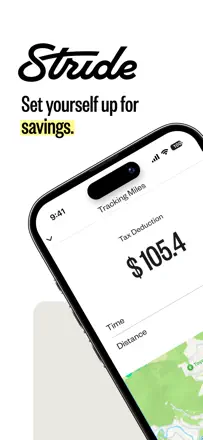
Stride covers three self-employment needs: mileage, expenses, and estimated tax. It used to be reliable. Some users now experience missed trips and data loss after updates, which is critical for tax documentation.
Points forts : Automatic background mileage tracking without manual start. Quarterly tax estimates based on current data help avoid surprises. Expenses and work locations in one app with PDF export.
Reproches : Recent updates have caused the app to miss trips or fail to close routes correctly: data is lost with no recovery option. Transaction history sometimes stops syncing without warning. Intrusive third-party service offers inside the interface disrupt the workflow.
Pour qui : Couriers, freelancers, and self-employed individuals on 1099 who need a free mileage and expense tracker for tax deductions.
Rang 44. Note des avis : 55 sur 100. Note sur l’App Store : 4,6★ · 2 237 notes
55sur 100
A mature expense tracker supporting multiple currencies, wallets, budgets, and custom categories. Works without a bank connection. Cross-device sync periodically loses transactions, and several updates have wiped data entirely.
Points forts : Flexible icons and categories make expense entry enjoyable. Period and wallet reports give a real picture of spending. Works with cash and multiple currencies without a bank link.
Reproches : Recurring transactions do not sync across devices. Several major updates resulted in total data loss. Detailed category reports are not available without a premium tier.
Pour qui : Those who manage budgets across multiple currencies or wallets manually and do not need bank sync, but expect stable performance across devices.
Rang 45. Note des avis : 55 sur 100. Note sur l’App Store : 4,8★ · 1 004 notes
55sur 100
A detailed manual tracker with analytics and thorough reports: multiple accounts, recurring transactions, transfers, multi-currency support. One-time purchase. Cross-device sync frequently breaks.
Points forts : Detailed reports and visual analytics better than most competitors. Fast transaction entry. One-time purchase without recurring fees.
Reproches : Cross-device sync is unstable or does not work at all. Some users had to repurchase access after restoring a device. Transfers between accounts sometimes duplicate income.
Pour qui : Users who manage their budget solo on a single device and value detailed reporting without a subscription.
Rang 46. Note des avis : 54 sur 100. Note sur l’App Store : 4,7★ · 9 217 notes
54sur 100
An app with a sound shared-budget concept and a pleasant interface. For those who budget manually without sync it runs more reliably. Bank sync causes transaction duplication and balance discrepancies.
Points forts : Simple expense entry, a convenient category budget overview, and the option to manage it jointly with a partner. Works without a bank connection for those who prefer manual entry.
Reproches : The displayed running balance diverges from the real bank balance. Transactions frequently duplicate during sync. No proper end-of-month balance forecast.
Pour qui : Couples and roommates who need a simple shared expense tracker and are willing to enter most records manually.
Rang 47. Note des avis : 53 sur 100. Note sur l’App Store : 4,8★ · 105 405 notes
53sur 100
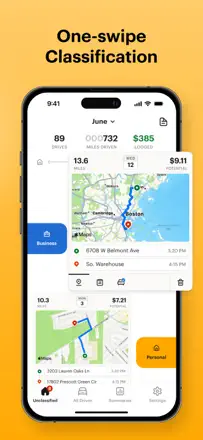
MileIQ does one thing: automatic mileage tracking for tax deductions. Background GPS, one-swipe trip classification, and ready-made tax reports. It occasionally misses trips, leading to lost deduction data.
Points forts : Automatic trip start and end detection without manual triggering. Business or personal trip classification with a single swipe. Tax reports generate automatically with the required fields.
Reproches : The app periodically misses trips or fails to detect the start, causing deductible mileage to be lost. Years of accumulated trip history are tied to the account: if access is lost, the data is gone. Route classification memory is unreliable and requires re-labeling the same locations.
Pour qui : Self-employed individuals, couriers, real estate agents, and anyone who drives regularly for work and wants to automatically capture mileage for tax deductions.
Rang 48. Note des avis : 52 sur 100. Note sur l’App Store : 4,8★ · 9 250 689 notes
52sur 100
A major bank super-app: balance is visible immediately, Zelle works, transfers between accounts and basic spending analytics function without issue. Budget understanding is at a statement level. the bank goes no deeper. The gap in spending awareness: the app shows what was spent but does not help understand why or what to do about it.
Points forts : Instant transaction notifications give a sense of control. A clean overview of all accounts and cards on one screen. Zelle transfers arrive instantly without extra steps.
Reproches : No expense categories or balance forecast. only a transaction timeline. External account sync for overall wealth tracking periodically loses connection. Long-term history is available but without period analysis tools.
Pour qui : Chase customers who need convenient access to their accounts. Not suitable for those seeking a proper budget tracker.
Rang 49. Note des avis : 52 sur 100. Note sur l’App Store : 4,5★ · 4 965 notes
52sur 100
A gamified expense tracker: every expense generates a building in a virtual city. It motivates daily data entry, but after a year of accumulated data the app slows down and history is lost when switching phones.
Points forts : The fear of missing a new building drives users to log every expense on the day of purchase, forming a genuine habit of spending awareness. The game mechanic reduces financial anxiety.
Reproches : After a year of data the app slows down significantly. History is lost when switching phones. Backup is unreliable. Category analytics require extra steps.
Pour qui : Young people and students who need external motivation to keep a spending log and are not put off by manual entry.
Rang 50. Note des avis : 52 sur 100. Note sur l’App Store : 4,7★ · 1 288 notes
52sur 100
A simple manual expense tracker without bank sync. Keeps a daily balance in mind through fast entry and provides a monthly category summary. When switching phones, history disappears because data lives only on the device.
Points forts : Instant income and expense entry with customizable categories. A clear monthly summary without extra screens gives a sense of control.
Reproches : History is permanently lost when switching phones or resetting the device. No end-of-month balance forecast and no recurring transactions. Pop-up banners block the interface during entry.
Pour qui : Those just starting to track expenses who want the simplest possible onboarding without registration.
Rang 51. Note des avis : 51 sur 100. Note sur l’App Store : 4,8★ · 85 741 notes
51sur 100
Qapital does one thing well: it turns trigger rules into automatic savings (round-up to the dollar, the 52-week rule, a percentage of income). Spending awareness is a side effect, not the primary function. When the mechanism works, users save effortlessly. When bank sync breaks or a withdrawal is blocked, support is essentially absent.
Points forts : Flexible trigger rules for auto-saving: rounding up purchases, a percentage of incoming funds, a fixed weekly contribution. Visual savings goals with progress bars motivate continued saving.
Reproches : Bank sync breaks without warning and rules stop firing. Savings stall without the user noticing. Withdrawing saved funds takes significantly longer than advertised and is sometimes blocked without explanation. Closing an account through the app does not work. Support responds slowly.
Pour qui : People who need automated savings by rules rather than a manual budget. Those willing to keep some money in the app on a short time horizon.
Rang 52. Note des avis : 50 sur 100. Note sur l’App Store : 4,4★ · 633 notes
50sur 100
A minimalist tracker with a clear pie chart and category breakdown. Valued for full manual control without bank access. When switching devices, history is completely lost without a backup.
Points forts : Simple and fast income and expense logging by category. A clear pie chart. Year-over-year category comparison.
Reproches : When switching phones, the license does not restore. History is completely lost on reset without a backup. No balance forecast. The transaction limit in the free tier is not disclosed upfront.
Pour qui : Those willing to pay for a simple no-frills tracker, provided they buy the full version immediately and understand there is no cloud backup.
Rang 53. Note des avis : 48 sur 100. Note sur l’App Store : 4,8★ · 12 695 notes
48sur 100
A tool for photographing and organizing receipts to create PDF reports. Useful for sole traders and business travelers. Each major update has broken something that worked: scan quality has degraded and OCR frequently fails to read key fields.
Points forts : Organizes receipts by project and reporting period and generates a ready-made PDF for an accountant. Long-term users value years of accumulated expense history.
Reproches : Data backup is limited in recent versions: data loss has become a real risk. OCR recognition is unreliable and does not capture key fields. After updates, users have to relearn the interface.
Pour qui : Freelancers and small businesses who need receipt-based expense reports for tax authorities or employers, not a personal budget.
Rang 54. Note des avis : 48 sur 100. Note sur l’App Store : 4,6★ · 2 115 notes
48sur 100
The most feature-complete tool in the category: budgets, accounts, forecasts, reports, CSV/QIF import, and multi-platform support. But Plaid sync is unreliable for many banks, and several updates have caused complete data loss or incorrect balances.
Points forts : Tabular transaction view with bulk editing. like Quicken. Cross-device sync via a proprietary server has worked for many users for years. Detailed reports and budgets with manual entry available without bank connection.
Reproches : Bank connections via Plaid break for extended periods. Amounts do not match statements. Several updates deleted entered data with no recovery option. A high onboarding threshold during setup.
Pour qui : Users migrating from Quicken or iBank who are willing to invest time in complex initial setup in exchange for a complete financial picture across all devices.
Rang 55. Note des avis : 47 sur 100. Note sur l’App Store : 4,7★ · 3 471 notes
47sur 100
A calendar-based planner: future income and expenses appear on dates so you can see what your account balance will be a week or a month from now. A unique cash-flow forecast mechanic. The classic version worked brilliantly. The new version (Dollarbird 2/3) received complaints about slowness, balance calculation errors, and a degraded transaction entry experience.
Points forts : A running balance forecast for any future date. you can immediately see when a deficit will occur after planned expenses. Recurring payments are set up once and visible in the calendar for years.
Reproches : The balance calculation occasionally produces the wrong total, making the forecast unreliable. The new interface is slower and less intuitive than the classic one. The history sometimes hides old transactions.
Pour qui : People who plan cash flow in advance (mortgage, installment payments, irregular income) and are comfortable with manual entry.
Rang 56. Note des avis : 46 sur 100. Note sur l’App Store : 4,5★ · 2 647 notes
46sur 100
A manual expense tracking app with budgets, multiple accounts, widgets, and Mac and Apple Watch support. Beautiful interface, good customization, and active development. A systemic issue: transaction history has been wiped after updates for some users on multiple occasions, undermining trust in the app as a long-term data store.
Points forts : A live balance widget on the Lock Screen and Dynamic Island provides constant financial awareness without opening the app.
Reproches : Transaction history disappears after some updates. No bank sync. Cannot split a transaction across multiple categories. Notifications arrive too frequently and for irrelevant events.
Pour qui : Apple ecosystem users (iPhone, Mac, Watch) who want a beautiful manual tracker with multi-device support and accept the risk of history loss during updates.
Rang 57. Note des avis : 44 sur 100. Note sur l’App Store : 4,7★ · 289 162 notes
44sur 100
When Digit worked it was a model 'invisible savings' tool. The algorithm calculated how much could be set aside without touching current expenses. After the rebrand to Oportun, reliability dropped. Bank connections break, withdrawals are blocked without explanation, and goal history is lost. The core idea is sound. Execution has degraded.
Points forts : The algorithm intelligently determines a savings amount based on the actual account balance rather than a fixed percentage. Multi-goal saving with different time horizons gives a clear progress picture.
Reproches : Bank sync regularly breaks and the app continues to move money even without current balance data. Withdrawals can be stuck for days or weeks without explanation. Changing your phone number or device can cut off access to saved funds.
Pour qui : People who struggle with self-control and need to 'hide money from themselves.' Requires tolerance for technical failures and slow withdrawals.
Rang 58. Note des avis : 44 sur 100. Note sur l’App Store : 4,8★ · 7 028 notes
44sur 100
A professional tool for teams working through Xero or QuickBooks. OCR recognition works but hits scan limits. Support is slow and canceling the service is problematic. Not suitable for personal budgeting.
Points forts : Direct integration with Xero and QuickBooks saves accountants hours of manual work. Creating reimbursement expense reports from multiple sources simultaneously.
Reproches : The OCR scan limit runs out faster than expected. Canceling the service is extremely difficult: some users have been unable to do so for months. The interface is dated and unintuitive.
Pour qui : Small businesses and teams that need automatic receipt processing with export to Xero or QuickBooks, not personal expense control.
Rang 59. Note des avis : 44 sur 100. Note sur l’App Store : 4,7★ · 1 370 notes
44sur 100
A bank account aggregator with auto-categorization and spending analytics. All accounts in one place, automatic alerts for recurring charges and anomalies. But sync regularly falls behind or loses transactions.
Points forts : Automatic detection of recurring charges and notifications when they increase. Aggregation of all accounts and cards on one screen. Alerts for anomalous transactions.
Reproches : Bank sync regularly lags by several days or loses transactions. Some users cannot connect certain banks. Key budgeting features are not available without extended access.
Pour qui : People with multiple bank accounts and credit cards who want an overview in one place. provided their specific banks connect stably.
Rang 60. Note des avis : 44 sur 100. Note sur l’App Store : 4,5★ · 899 notes
44sur 100
A bill tracker with reminders. Works best for those who want a calendar of upcoming payments. After updates, users report duplicate entries, disappearing bills, and incorrect balances.
Points forts : A convenient list of upcoming payments on one screen. Payment reminders help avoid missing bills. Cross-platform on Android and iOS.
Reproches : Bills disappear or duplicate after updates. Account balance shows incorrect amounts. Editing a recurring payment date requires deleting and recreating the entry. No transaction breakdown by category.
Pour qui : Those who need a simple reminder for payment due dates, not a spending analysis tool.
Rang 61. Note des avis : 42 sur 100. Note sur l’App Store : 4,8★ · 9 988 notes
42sur 100
Primarily a credit score monitoring tool, not a budgeting app. It delivers real score data but the alert system operates on a cry-wolf basis: it sends urgent notifications for trivial events.
Points forts : Daily credit score monitoring with alerts on changes. Useful for those rebuilding credit history who want to see score movement.
Reproches : Alerts are set to maximum anxiety: red headlines about minor changes create false panic situations. Notification buttons in the interface do not clear the counter after viewing. Budgeting functionality is virtually absent.
Pour qui : People actively rebuilding or building a credit history in the US who need free daily score monitoring.
Rang 62. Note des avis : 40 sur 100. Note sur l’App Store : 4,6★ · 7 645 notes
40sur 100
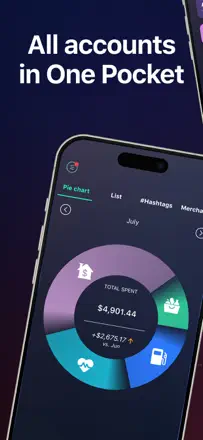
The main feature. 'in your pocket' shows how much money you can spend right now after accounting for all upcoming obligations. When it works, it is a powerful tool. But bank sync breaks frequently and some major banks are not supported. Service reliability is inconsistent.
Points forts : The 'in your pocket' widget gives an instant answer to 'how much can I spend today' after accounting for all future obligations. For impulse spenders, it is an effective limiter.
Reproches : Bank sync breaks and can stay broken for months. Certain major banks are not supported. The app runs slowly. Transactions are lost after updates.
Pour qui : People prone to impulse spending who need one specific figure. 'how much is left today'. and whose bank is supported by the system.
Rang 63. Note des avis : 38 sur 100. Note sur l’App Store : 4,9★ · 17 615 notes
38sur 100
A debt settlement service, not a personal finance control tool. Roughly a third of users describe hidden fees of 25%, lawsuits from creditors, and damaged credit scores. Successful stories are real, but outcomes are unpredictable and depend on specific creditors and circumstances.
Points forts : Users who completed the program successfully note a single payment instead of many debts and a sense of control after years of fear of creditors.
Reproches : Opaque pricing: the 25% fee on the debt amount is not disclosed at the outset. The app provides almost no current picture of settlement status. only generic data with a delay.
Pour qui : People with large consumer credit card debt who have exhausted other options and are prepared for a long program with risks to their credit history.
Rang 64. Note des avis : 38 sur 100. Note sur l’App Store : 4,7★ · 4 242 notes
38sur 100
An app for scanning and storing receipts with OCR recognition. Speed and accuracy are praised. But the receipt history periodically breaks entirely, support goes silent, and data loss after updates is a documented pattern in reviews.
Points forts : OCR accurately reads the amount, tax, and date from most receipts, saving manual entry for travel expense reports. Fast capture and automatic image cropping.
Reproches : Receipt history disappears after updates. Accounts get locked and cannot be restored. Support does not respond. Data export is only available with extended access.
Pour qui : Business travelers with straightforward receipts, willing to accept the risk of data loss in exchange for fast scanning.
Rang 65. Note des avis : 38 sur 100. Note sur l’App Store : 4,2★ · 2 340 notes
38sur 100
A feature-rich app with a future transaction calendar, multiple accounts, and budgets. However, cross-device sync and bank connections break regularly and stay broken for months. Long-term users have lost data after updates.
Points forts : A future payment planner on a calendar gives a real balance forecast. Three taps per transaction, a widget, and clean reports. Works without bank connection. Manual entry only.
Reproches : Sync between iPhone and iPad/Mac periodically breaks completely and stays broken for weeks. Bank connections via Plaid work only for major US banks. Some updates have wiped years of data.
Pour qui : Users who track multiple accounts manually and want a budget calendar, but do not rely on reliable cross-platform sync.
Rang 66. Note des avis : 35 sur 100. Note sur l’App Store : 4,8★ · 61 916 notes
35sur 100
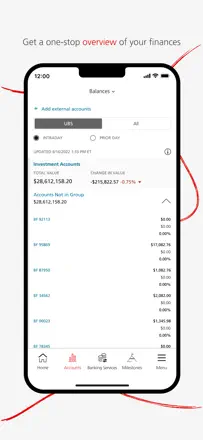
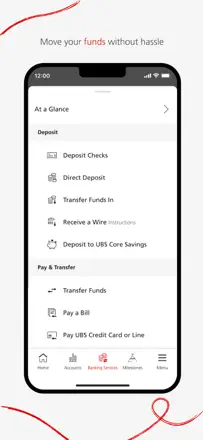
UBS Wealth Management is an app for private banking clients, not for budgeting. It does not address spending awareness at all. Basic balance and portfolio display is unreliable: portfolio performance is not real-time, transaction history updates with a delay of several days, and fees are nowhere visible.
Points forts : The interface design is clean and visually pleasant compared to other banking apps. Mobile account access is significantly more convenient than the web version for a quick check.
Reproches : Portfolio performance updates with a several-day delay rather than in real time, making current control impossible. Fees and charges are not clearly displayed anywhere. uninvited opacity frustrates long-standing clients. Logging in regularly requires multiple attempts due to authentication errors.
Pour qui : UBS clients who need minimal mobile access to their accounts. Not suitable for active financial management or understanding spending.
Rang 67. Note des avis : 35 sur 100. Note sur l’App Store : 4,5★ · 11 350 notes
35sur 100
The app promises a complete financial overview through automatic account sync, but sync is the main problem. Half of the negative reviews describe accounts failing to connect or losing transactions. The web version is significantly more powerful than the mobile app, which itself reflects the team's priorities.
Points forts : When sync works, it provides a convenient unified account overview with spending categorization and a monthly spending plan. Users for whom everything set up correctly tend to stay long-term.
Reproches : Bank sync frequently breaks and does not restore without manual intervention. The mobile app is substantially inferior to the web version in features. No proper balance forecast accounting for planned expenses.
Pour qui : Users already accustomed to the Quicken desktop ecosystem who want mobile access to the same data.
Rang 68. Note des avis : 35 sur 100. Note sur l’App Store : 4,2★ · 2 244 notes
35sur 100
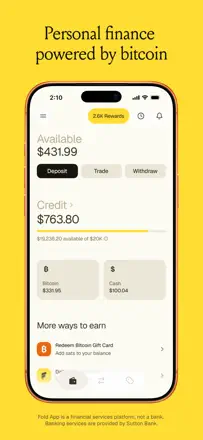
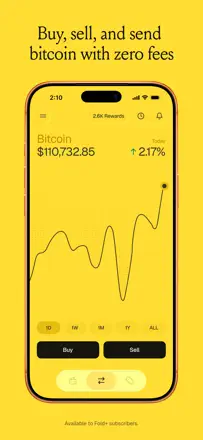
A debit card with bitcoin cashback. For those who want to accumulate sats on everyday spending, the concept is interesting. But it is not a personal finance control tool: no budgeting, no balance forecast, no spending analytics.
Points forts : Real bitcoin cashback on purchases without rounding gimmicks. Gift card discounts allow additional savings. Customer support resolves specific problems.
Reproches : Withdrawing money to an external bank is blocked for several days without explanation. Rewards program terms have been degraded multiple times within a single period. No proper budgeting tools or balance forecast.
Pour qui : People committed to the bitcoin standard who are willing to use a separate debit card to accumulate sats. Not for those seeking a budget tracker.
Rang 69. Note des avis : 34 sur 100. Note sur l’App Store : 4,5★ · 364 359 notes
34sur 100
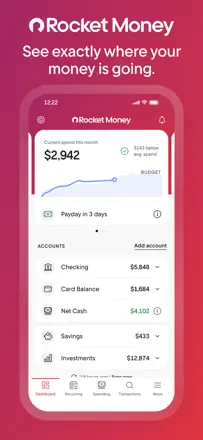
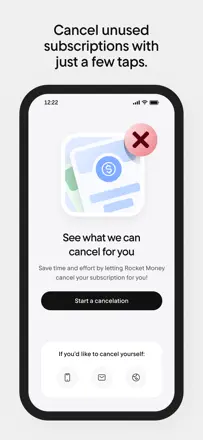
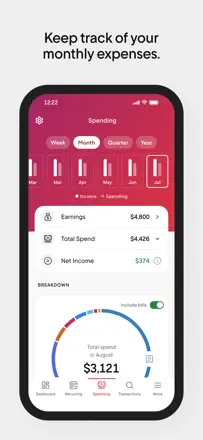
Rocket Money can find forgotten recurring charges and show a category budget. But auto-categorization of transactions is constantly wrong and cannot be customized, and account sync breaks without explanation or a self-service fix.
Points forts : Auto-detection of forgotten recurring payments genuinely finds things users had forgotten about. A visual category budget with a limit alert works and gives a sense of control.
Reproches : Transaction auto-categorization is systematically wrong and requires constant manual correction, with no way to change the rules. Account sync breaks without explanation and with no way to fix it yourself.
Pour qui : Those who want to quickly check for forgotten subscriptions. For ongoing budget tracking, the risks outweigh the benefits.
Rang 70. Note des avis : 34 sur 100. Note sur l’App Store : 4,8★ · 2 683 notes
34sur 100
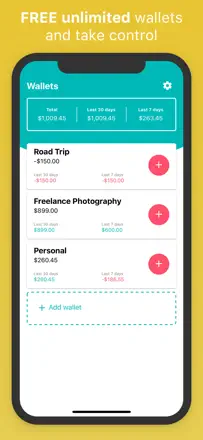
An app with an envelope system and a receipt scanner. In practice: wallet balances change on their own, transactions disappear without reason, and bank integration is absent despite what the store listing says.
Points forts : Unlimited wallets and the ability to attach a receipt photo to each transaction work consistently. The multi-wallet structure is visually clear.
Reproches : Balances change spontaneously. Entries disappear without cause. No entry of amounts below one dollar. Support does not respond. Bank integration is absent despite the store description.
Pour qui : Android users with specific accounting scenarios. Using it on iPhone carries a real risk of data loss.
Rang 71. Note des avis : 34 sur 100. Note sur l’App Store : 4,8★ · 1 241 notes
34sur 100
A cash-counting app for bills and coins, not a budget tracker. It helps count physical money, set a savings goal, and see progress. Not suitable for tracking spending over time.
Points forts : Instant denomination-by-denomination cash count and a clear savings goal progress display. Simple and uncluttered.
Reproches : Only a limited number of currencies are supported, so users from many countries cannot use it properly. Pop-up banners appear mid-entry and break the count. No history or analytics.
Pour qui : Those who work with cash and want to quickly count bills or track a piggy bank. Not for household budgeting.
Rang 72. Note des avis : 33 sur 100. Note sur l’App Store : 4,6★ · 5 846 notes
33sur 100
A feature-rich tool with a solid manual mode and support for multiple accounts and currencies. The problem: bank sync is unreliable for most users. accounts disconnect, numbers diverge from reality, and reconnection takes days. The manual mode works well for those who do not attempt to sync accounts.
Points forts : A powerful multi-account mode for manually tracking cash, cards, and different currencies simultaneously. Detailed transaction history and flexible categories.
Reproches : Bank sync breaks and shows incorrect balances. Data diverges from the real account. Support is slow to help. A lifetime purchase does not guarantee a working product in the long term.
Pour qui : People who manage their finances strictly manually without bank sync and need detailed multi-account, multi-currency tracking.
Rang 73. Note des avis : 33 sur 100. Note sur l’App Store : 4,7★ · 2 992 notes
33sur 100
An envelope-style budget planner with a pleasant interface. The envelope concept is well suited for beginners. Critical issue: the app does not disclose its terms until after the user has spent an hour completing full envelope setup.
Points forts : The envelope system with visual balance indicators is intuitive for budgeting newcomers. The visual design is pleasant.
Reproches : Terms are not disclosed until setup is complete. Transactions cannot be added with a past date. No bank sync. No balance forecast.
Pour qui : Beginners who want to try the envelope method, provided they know the subscription cost upfront.
Rang 74. Note des avis : 32 sur 100. Note sur l’App Store : 4,7★ · 1 660 notes
32sur 100
An app with a long history that handled manual expense tracking well for many years. A major interface overhaul broke navigation and removed familiar features. Cross-device sync is unstable.
Points forts : Before the major update: fast entry, future balance forecast, intuitive categorization with custom icons. After the fix: receipt photos, customizable reports.
Reproches : Cross-device sync does not work for some users. The major update removed key features without a rollback option. A new update now captures all text files on the device.
Pour qui : Users who have been using this app for years and do not want to switch. New users have more reliable alternatives.
Rang 75. Note des avis : 31 sur 100. Note sur l’App Store : 4,6★ · 154 527 notes
31sur 100
Expensify was built as the best travel expense tool: SmartScan receipts, auto-generated reports, and accounting integrations. After a sweeping redesign, navigation became illogical and expense tracking reliability dropped.
Points forts : SmartScan from a receipt photo worked accurately and saved time. Automatic expense report creation from a set of receipts is still more convenient than manual entry.
Reproches : After the redesign, basic scenarios require significantly more steps. Chat-bot support does not resolve problems.
Pour qui : Small businesses and freelancers who need travel expense tracking with accounting integration. Excessive and inconvenient for personal budgeting.
Rang 76. Note des avis : 29 sur 100. Note sur l’App Store : 4,6★ · 6 180 notes
29sur 100
An app with good design and strong potential that systematically degraded over several years. Sync between the mobile and web app stopped working. Users lost data after updates. Support was unresponsive for weeks. This is the story of an abandoned product.
Points forts : Beautiful interface, flexible wallets for different accounts and currencies, family budget capability. At its best. an excellent shared expense app.
Reproches : Sync between devices and the web version regularly breaks for weeks. Updates several times caused lost transactions and changed amounts. Major banks including Chase are not supported. Support does not respond.
Pour qui : Hard to recommend to anyone given the systemic unreliability. Historically suited those who wanted a beautiful multi-currency tracker with family access.
Rang 77. Note des avis : 29 sur 100. Note sur l’App Store : 4,6★ · 4 719 notes
29sur 100
A bill tracker with color coding and payment reminders. In practice: notifications regularly stop working, data is lost after updates, and cross-device sync is unreliable.
Points forts : Color-coded payment statuses and working reminders provide real peace of mind about upcoming bill due dates. A clear list of the nearest mandatory payments.
Reproches : Upcoming payment notifications often fail to fire. History and data disappear after updates. Sync between phone and tablet does not work. Support is inaccessible.
Pour qui : Users with a small number of recurring bills who are willing to accept instability in exchange for a simple interface.
Rang 78. Note des avis : 28 sur 100. Note sur l’App Store : 4,7★ · 237 887 notes
28sur 100
Cleo gives a weekly spending breakdown by category and balance notifications. As a financial control tool it is limited: no balance forecast, unreliable categorization, and no way to unlink a bank account after connecting.
Points forts : A spending breakdown by category with a brief weekly summary gives a quick picture of spending patterns. Balance notifications arrive in a timely manner.
Reproches : No way to unlink a bank account after it has been connected. Support operates via a chat bot that does not resolve real problems and cannot escalate to a live agent. No balance forecast and no reliable categorization.
Pour qui : Not recommended: cash advances are expensive and the budgeting feature does not compensate for the risks. For spending tracking, better alternatives exist.
Rang 79. Note des avis : 28 sur 100. Note sur l’App Store : 4,5★ · 10 065 notes
28sur 100
The only specialized app for couples' shared budgeting. The concept is right, but the product is clearly underdeveloped or abandoned: support has been silent for months, bugs are not fixed, and bank sync is unstable. Users keep it only because there are almost no alternatives.
Points forts : The ability to see each partner's personal and shared accounts separately. Simple spending notifications for the partner. Categories and budgets visible to both.
Reproches : History is stored for only 6 months. medium-term planning is not possible. Bank sync breaks and does not recover. Support does not respond for weeks. Many features look unfinished.
Pour qui : Couples looking for a shared expense tracker who are willing to accept instability in exchange for the transparency of a shared budget.
Rang 80. Note des avis : 28 sur 100. Note sur l’App Store : 3,7★ · 2 465 notes
28sur 100
The app was built on a strong idea: swiping through every transaction manually and categorizing it so that money feels real. This created genuine spending awareness. Over time the app has stopped working en masse for users.
Points forts : The swipe-through mechanic gave an almost tactile feel to each purchase. New users noted that this manual tagging ritual was the first thing that made them notice their spending.
Reproches : After an update the app stopped launching for regular users. Weekly spending reports suddenly became inaccessible. No way to add cash outside a bank account. Support does not respond.
Pour qui : The audience that was looking for a simple visual way to monitor a card is now forced to leave. The app in its current state is not suitable for anyone in particular.
Rang 81. Note des avis : 26 sur 100. Note sur l’App Store : 4,6★ · 5 795 notes
26sur 100
A corporate travel expense tool disguised as a personal app. Most personal users discover they cannot register without a corporate email. Among corporate users there are reliability issues with servers, inability to edit submitted reports, and an absence of proper support.
Points forts : Fast expense report creation for travel reimbursement. Receipt photo capture with automatic attachment to a report works when the service is not down.
Reproches : Registration without a corporate email is impossible. most users discover this only after downloading. Editing a submitted report is nearly impossible. Servers are unreliable. Support does not respond or redirects incorrectly.
Pour qui : Employees of companies where TravelBank has been selected corporately for travel expense management. Not for personal budgeting.
Rang 82. Note des avis : 22 sur 100. Note sur l’App Store : 4,6★ · 314 812 notes
22sur 100
Albert positions itself as a financial assistant, but reviews paint a different picture: charges without consent, automatic 'smart savings' that withdraw money without the user's knowledge, and a deliberately broken cancellation process. Its usefulness for spending awareness is close to zero given these risks.
Points forts : Payday advances are approved quickly and helped some users in emergencies. The interface is visually appealing.
Reproches : Automatic money withdrawals without notification or consent. Account closure is artificially blocked by technical traps. Transaction history and categories are shown but data disappears after support disputes. Support does not respond for months.
Pour qui : Not recommended for anyone in its current state. Payday advances are simpler and safer to find elsewhere.
Rang 83. Note des avis : 22 sur 100. Note sur l’App Store : 4,7★ · 4 308 notes
22sur 100
A visually polished budget planner with multiple accounts, credit cards, and goals. Claims cross-device sync and bank connections, but that is exactly where everything breaks: balance differs between phone and web, data disappears, and part of the interface appears in Portuguese. The app is Brazilian in origin and is roughly implemented for English-speaking users.
Points forts : A visual dashboard with goal progress and payment reminders appeals to those who manage to get it working.
Reproches : Cross-device sync does not work: balances diverge. Several months of history disappear after reinstallation. The interface switches to Portuguese. No balance forecast.
Pour qui : Practically no one at this point: too many systemic failures for everyday financial tracking.
Rang 84. Note des avis : 20 sur 100. Note sur l’App Store : 4,9★ · 7 352 notes
20sur 100
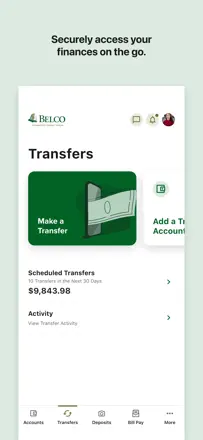
The Belco credit union mobile banking app, not an independent financial management tool. A significant portion of users cannot log in, have lost transfer features, or face repeated authentication errors. The high rating reflects customer loyalty to the credit union itself, not to the app.
Points forts : Fast balance check via biometrics when it works. Loyal union members value convenient access to familiar operations.
Reproches : Authentication breaks when switching networks. Updates regularly disable transfer features that were working. Balance does not update in real time after transactions. No budgeting functionality at all.
Pour qui : Belco Credit Union members exclusively who need basic mobile access to their account.
Rang 85. Note des avis : 18 sur 100. Note sur l’App Store : 4,6★ · 68 026 notes
18sur 100
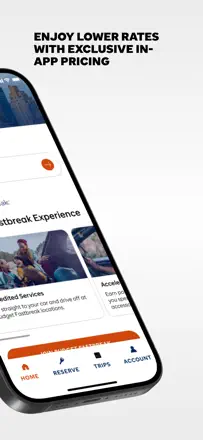
The Budget Car Rental app lets you book and manage reservations, but it is a rental service storefront, not a personal finance management tool. In a financial control context it is useless: it does not help understand expenses, shows no budget, and keeps no spending history. Separately: the rental service itself receives many complaints about undisclosed add-on charges.
Points forts : Booking and viewing reservation details works without extra steps. The Fastbreak loyalty program displays correctly.
Reproches : The app does not automatically sync reservations after login and does not remember saved data. No transparent display of the final amount before handing over the keys. Rental history over several years is stored unreliably.
Pour qui : For managing Budget Car Rental reservations only. Not applicable as a financial tool.
Rang 86. Note des avis : 18 sur 100. Note sur l’App Store : 3,8★ · 3 698 notes
18sur 100
An app with automatic bank sync and spending categorization. The concept is modern, but execution is rough: transactions duplicate, categories reset, and account connections freeze. Several rounds of overhauls have not resolved the underlying issues.
Points forts : The concept of automatic sync and a clean overview of all accounts in one place appeals to those tired of manual entry. The visual design is modern and pleasant.
Reproches : Transactions duplicate and fail to bind to categories. Categories reset. Support does not respond for weeks. No way to disconnect an account and export data.
Pour qui : Fans of the Financial Audit podcast willing to risk a subscription in hopes of the next update.
Rang 87. Note des avis : 18 sur 100. Note sur l’App Store : 3,9★ · 2 047 notes
18sur 100
The app was a popular manual expense register for more than ten years. In 2024-2025, several updates wiped data for users with years of history. The developer stopped responding to requests. The company website is offline.
Points forts : In its prime. a simple and clear spending log without bank integration. The discipline of manual entry was valued by users.
Reproches : The 2024-2025 update deleted transaction history for users with years of data. Sync on a new device freezes and does not complete. Support does not respond. The website is down.
Pour qui : Not recommended to anyone at this point. If data has not yet been lost, export it immediately.
Rang 88. Note des avis : 11 sur 100. Note sur l’App Store : 4,6★ · 3 844 notes
11sur 100
Claims receipt scanning and report generation for expense reimbursement. In practice: OCR assigns the wrong date, the app loses uploaded receipts, and reports either fail to generate or produce a blank page.
Points forts : The idea of instantly scanning a receipt and getting a ready report for accounting theoretically saves hours. Fast image capture.
Reproches : Receipts are lost after updates. OCR assigns the wrong date almost every time. Reports fail to generate or produce a blank page. History cannot be viewed without extended access.
Pour qui : No one: the app does not perform its core function reliably enough for real-world use.
Rang 89. Note des avis : 10 sur 100. Note sur l’App Store : 4,5★ · 15 013 notes
10sur 100
A corporate tool for timesheet and travel expense tracking, imposed on contractor employees by employers. Users are unanimous: constant session drops, lost entered data, and an archaic interface make daily timesheet entry an ordeal. Not applicable as a personal finance tool at all.
Points forts : The only upside: the ability to submit a timesheet from a phone without opening a laptop, when the app does not crash.
Reproches : The session drops several times a day, taking unsaved data with it. No proper PIN login. The interface has not been updated in years and requires training for basic actions.
Pour qui : Exclusively employees of companies where Costpoint has been selected corporately, with no alternative available.
Rang 90. Note des avis : 10 sur 100. Note sur l’App Store : 4,3★ · 2 325 notes
10sur 100
The app collects income and expense data, then locks access to it without warning. Basic functionality such as month-over-month comparison and history editing is absent even with extended access.
Points forts : A clear remaining-budget screen is convenient at a glance. Fast expense category setup at the start.
Reproches : Data entered during setup disappears behind a paywall without warning. Past months cannot be viewed or edited. Constant pop-up requests appear every 45 seconds.
Pour qui : Not recommended to anyone in its current state.
Rang 91. Note des avis : 5 sur 100. Note sur l’App Store : 4,5★ · 1 658 notes
5sur 100
The concept of converting a price into work hours is interesting as an awareness tool, but the implementation amounts to simple division. There is no expense management, no forecasts, and no history.
Points forts : The idea of converting a price into work hours creates a psychological pause before an impulse purchase.
Reproches : All functionality is locked without extended access. A rating request appears before the user has tried anything. Functionality amounts to a single formula that any calculator provides for free.
Pour qui : No one. Any calculator solves this problem for free.
Rang 92. Note des avis : 4 sur 100. Note sur l’App Store : 4,7★ · 903 notes
4sur 100
This is a digital magazine reader, not a financial app. Its only function is to read downloaded issues. Most users cannot even log in: web access credentials are not recognized by the app. Support does not respond.
Points forts : The magazine content is considered useful by the rare users for whom login did work. The familiar magazine article format on personal finance topics.
Reproches : Login does not work for most users. Web subscription credentials are not recognized in the app. Issue history disappears after updates. No working user support.
Pour qui : No one, until login and subscription integration issues are resolved.
À propos des chiffres
Deux chiffres — deux sources
Elles aident à comparer les apps, mais ne remplacent pas la vérification de ta propre tâche.
Score des avis · jusqu’à 100
Le score conservé de l’étude inApp sur les textes des avis. Il évalue l’ensemble de l’app dans l’archive, pas la fiabilité d’une fonction précise.
Note de la boutique · jusqu’à 5
La note de la page de l’app au moment de la collecte. La note et la version actuelles peuvent différer.
Dans l’échantillon archivé de ce sujet : 92 apps et 32 414 avis lus. C’est le volume total de l’étude, pas le nombre d’avis par app.
Un écart entre les chiffres ne prouve pas de manipulation. La date de calcul et la méthode complète du score ne sont pas dans l’archive mobile. Compare les descriptions des tâches et les citations sources, et vérifie les conditions dans la version actuelle.