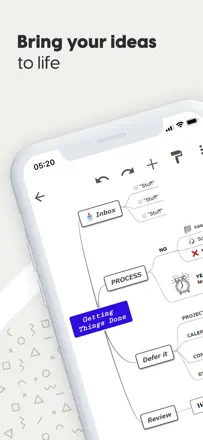
MindMeister is a mature cloud mind mapper with real-time collaboration and a clean interface. Undo is unreliable: two or three steps back can erase a node's text instead of restoring it. Map sync between devices sometimes breaks and loses data.
評価点:Collaborative editing: multiple people edit the map at the same time, changes appear instantly without refresh, which makes it convenient for team brainstorming.
不満点:Undo behaves unpredictably. After two or three steps back the app can wipe out a node's text instead of restoring the previous state.
向いている人:Teams that need a quick collaborative brainstorm without complex structures and can tolerate unreliable undo.
Lucidchart is a powerful web service for flowcharts and diagrams with a rich shape library and collaboration. The mobile app is effectively dead for solo users: the company restricted it to Team and Enterprise plans. Productively strong, but it has strategically abandoned its individual user base.
評価点:Cross-platform collaboration: multiple participants edit a diagram at the same time, see each other's cursors, and leave comments directly on the canvas.
不満点:The mobile app is unavailable on individual plans. Users with annual subscriptions are forced to open a browser on their phone instead of using a native client.
向いている人:Teams that need to collaboratively draw complex architectural or business diagrams and are paying for a corporate plan.
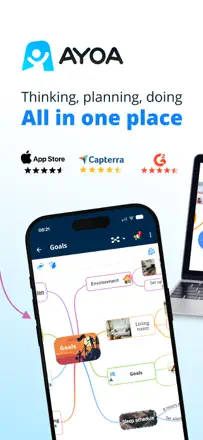
AYOA (formerly iMindMap, formerly DropTask) has a tangled history: it started as a mind map tool by Tony Buzan, then task management was added, and now both coexist. The mobile client lags far behind the web version: some features are unavailable, Apple Pencil performs poorly, and new users often hit a white screen on first launch.
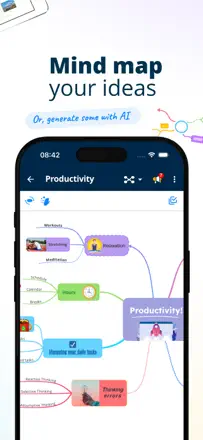
評価点:A visually organic map in the signature iMindMap style: branches are curved and hand-drawn rather than straight lines. The map looks like a real mind map, not a flowchart.
不満点:The mobile client is a stripped-down copy of the web version. Menus and features available in the browser are missing in the app, and users discover this only after buying a subscription.
向いている人:Users who value the organic visual style of classic iMindMap and are comfortable working primarily through the web version.
A full-featured cross-platform mind mapper with templates and a web version, but the mobile app is noticeably weaker than the web in features. Nodes move in jerks and snapping breaks the layout. Apple Pencil support is rough.
評価点:Works across multiple platforms with synced data. Templates help you start without a blank slate. Free navigation without a required hierarchy appeals to users who build non-linear maps.
不満点:Dragging nodes on mobile is jumpy and snapping is chaotic. The mobile version lacks many web features: no floating topics, no outline conversion, no links between separate maps. Keyboard shortcuts are absent.
向いている人:A student or educator who already works with Mindomo on the web and occasionally wants to open a map from their phone, not build one from scratch.