本文へスキップ
課題から選ぶ

Shoot 30-50 products a day and get a white background, the right resolution and a batch export without going to a designer.

写真編集アプリ

アプリについての本文は英語です。

Marketplace sellers

選ぶ前に確かめること

For product photographs, difficult outlines and a predictable result across the whole series are what matter. The reviews cited here contain both lost working time and a positive experience of accurate background removal.

使われているアプリ

これらのアプリはこの課題の分析で言及されています。それぞれを開いて、強みと限界を比べてください。並び順は適合度の順位ではありません。

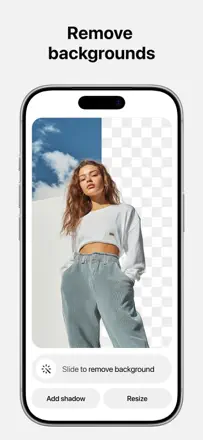
  1. Photoroom: AI Photo Editor

    45位。レビュースコア:41/100。App Storeの評価: 4.8★・224,448件の評価

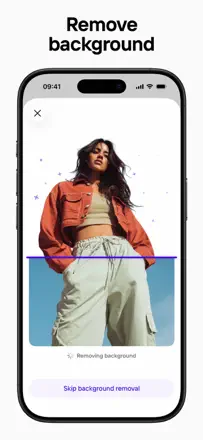
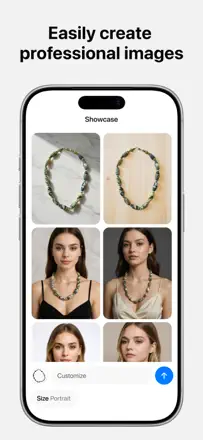
    Background removal for product photography works quickly and more accurately than most alternatives, but batch export is limited, AI model generation is unrealistic and unsuitable for commerce, and projects occasionally vanish along with years of work.

    評価点:Background cutout for product photography is precise on complex shapes and jewelry. Batch processing of multiple photos simultaneously saves time for online stores.

    不満点:AI models generate unrealistic images and often ignore clear instructions about garment shape and length. Batch export is limited in the number of files per month without disclosure at purchase. Cases of complete loss of a project workspace have been recorded.

    向いている人:Marketplace sellers who need to quickly prepare product photos with a clean background without a photo studio.

  2. Pixelcut AI Photo Editor

    53位。レビュースコア:36/100。App Storeの評価: 4.7★・215,667件の評価

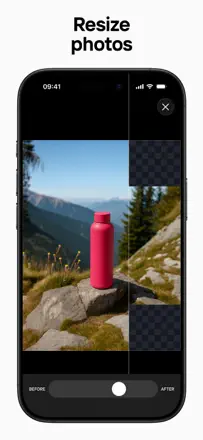
    Image upscaling and precise background cutout on complex outlines once surpassed desktop tools. After an update the selection logic changed, and AI generation produces unrecognizable results on models.

    評価点:Upscaling digital illustrations and photos is done cleanly without visible artifacts. Background removal on jewelry with complex outlines at its best exceeded desktop editor results.

    不満点:After an update the brush logic in the cutout tool changed: the circle now marks the area to delete rather than keep, with no way to switch modes. AI portrait generation on models produces unrecognizable results with faces that do not match the uploaded photo.

    向いている人:Clothing and jewelry sellers who need clean product shots on a white background without a studio, if they can tolerate AI instability.

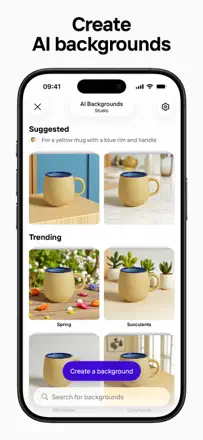
  3. Bazaart AI Photo Editor Design

    7位。レビュースコア:73/100。App Storeの評価: 4.8★・258,736件の評価

    A multi-purpose design and photo editor: object cutout, layers, AI canvas expansion, and background removal work together. Collage and poster results look professional without much effort.

    評価点:Object cutout with a transparent background is accurate on complex outlines. Layers let you build complex designs directly on the phone. The photo enhancement tool recovers detail better than the iPhone's built-in editor.

    不満点:Projects freeze on open after several days of inactivity. The AI generation quota is limited and runs out quickly. Text objects occasionally turn into rectangles on their own.

    向いている人:Small businesses and content creators who need a builder for posts, marketing materials, and complex collages directly on the phone.

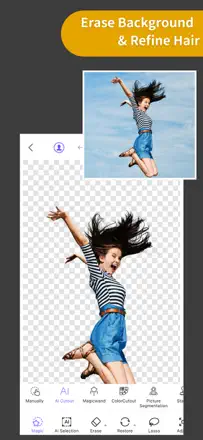
  4. ProKnockOut-Cut Paste Photos

    21位。レビュースコア:55/100。App Storeの評価: 4.6★・73,687件の評価

    Object cutout and background swapping work fast and cleanly, with many users noting completion in under a minute on a typical task. Double image exposure has historically been a strength, but recent updates hurt the edge selection accuracy of the scissor tool. The Retouch tool has no undo for the last action. AI art inside the app uses an anime model and frequently produces unrecognizable results.

    評価点:Automatic background removal works confidently even on hair and fur, producing results usable in production without manual cleanup on most shots.

    不満点:After recent updates the edge scissor tool lost precision, leaving a rough, visible fringe on the subject when compositing. AI generation inside the app produces unrealistic results with blurred features.

    向いている人:Content creators, small businesses, and hobbyists who need to quickly cut out an object and place it on a different background for social media or a marketplace.

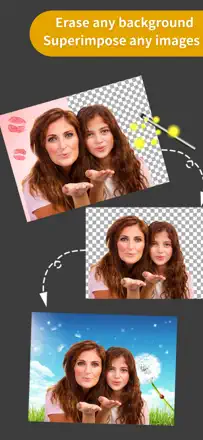
  5. Superimpose+:Background Eraser

    13位。レビュースコア:68/100。App Storeの評価: 4.8★・11,821件の評価

    A full-featured layer compositing and precise cutout tool comparable to mobile Photoshop. Pixel-level eraser precision and layer blend control enable complex compositions. The background eraser outperforms most dedicated apps. Rare crashes during final save of a composite lose all work.

    評価点:The cutout tool works down to a single pixel and leaves no halo around object edges. Users have applied it for years for professional compositing, memes, greeting cards, and placing their own face in paintings.

    不満点:The AI enhancement feature distorts eyes on portraits of people with Asian features, clearly trained on a narrow audience. The app freezes during final save after long cutout sessions.

    向いている人:Anyone who needs precise layer work and object cutout on a mobile device without a laptop.

このテーマのほかの課題

ランキング全体:写真編集アプリスクリーンショットとスコア付きの99アプリこの分析の出どころリサーチとレビューからの所見を読む