本文へスキップ
課題から選ぶ

Take a shot to its final look right on the phone, without sending it to a computer, keeping RAW quality and precise control over tone.

写真編集アプリ

アプリについての本文は英語です。

Working photographers

選ぶ前に確かめること

The edit has to be finished on the phone and a file produced for further work. Export settings and saving the changes matter; attitudes to a purchase and to a subscription differ.

使われているアプリ

これらのアプリはこの課題の分析で言及されています。それぞれを開いて、強みと限界を比べてください。並び順は適合度の順位ではありません。

  1. Carbon - B&W Filters & Effects

    1位。レビュースコア:82/100。App Storeの評価: 4.7★・12,501件の評価

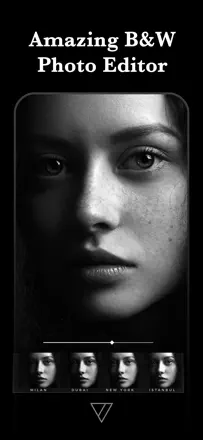
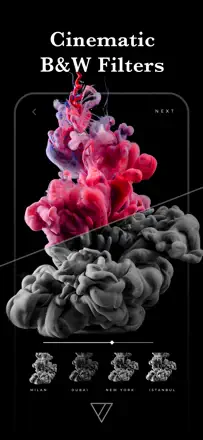
    The best mobile tool for black-and-white processing according to working photographers. A wide range of tonal presets recreates the character of film emulsions, from hard contrast to soft sepia toning. Texture overlays and grain are applied with restraint. The app is actively developed and updated.

    評価点:The infrared effect, toning, and per-range tonal control via dedicated sliders produce results photographers compare to darkroom work. The interface is uncluttered and requires no learning curve.

    不満点:Restoring purchased filters when switching devices sometimes fails. The app focuses exclusively on monochrome and texture processing with no color correction tools.

    向いている人:Photographers who shoot primarily in black and white and want controlled tonal grain without a computer.

  2. Lightroom: AI Photo Editor

    3位。レビュースコア:76/100。App Storeの評価: 4.8★・335,094件の評価

    The best mobile editor for RAW shooters: powerful masking tools, preset sync, and flexible color grading. The object removal tool and the new generative AI features are unstable, but everything else is desktop-level.

    評価点:Desktop-grade RAW processing on the phone. AI-assisted object masking is precise. Preset sync between phone and PC saves time in complex workflows. Suggested presets offer a solid starting point.

    不満点:The object removal tool selects a much larger area than indicated. Editing high-resolution images on iPad turns highlights green. Importing from an SD card requires loading all previews before work can begin.

    向いている人:Photographers who shoot in RAW and want a complete workflow without a laptop on the road.

  3. TouchRetouch

    18位。レビュースコア:60/100。App Storeの評価: 4.7★・56,992件の評価

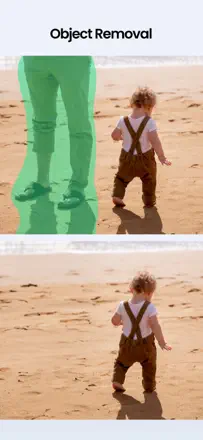
    The main object removal tool outperforms most alternatives. Jewelry, wires, and strangers on the beach are removed cleanly. Edge awareness is high: the tool does not blur neighboring objects. The new beta people-removal feature is weaker and leaves artifacts along the silhouette edge. The app has become noticeably slower on new iPhones.

    評価点:Removing thin lines (wires, ropes, cracks) without blurring the background is done more precisely and cleanly than most competitors, including mobile Photoshop.

    不満点:The beta people-removal feature leaves a visible outline along the silhouette edge that requires additional cleanup. The app has slowed significantly and overheats the phone during complex operations.

    向いている人:Photographers and retouchers who need to cleanly remove small objects (wires, road signs, random passersby) without destroying the background.

  4. Snapseed: Photo Editor

    10位。レビュースコア:72/100。App Storeの評価: 4.9★・16,060件の評価

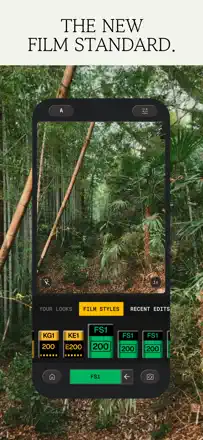
    The most capable mobile editor with native tools for targeted corrections, selective masking by luminosity and color, and film presets. Works without intrusive ads and without registration. The 2025 redesign broke familiar navigation for experienced users.

    評価点:The selective correction tool targeting a specific zone without masks has no mobile equivalent. Film presets with grain and tone control are fully customizable. Works without registration or forced ads.

    不満点:The interface redesign made navigation unclear for experienced users: familiar tools moved without logic. On new iPads and some cameras (Nikon Z6) the app has errors on RAW import.

    向いている人:Amateur and professional photographers who want full-featured mobile processing without a subscription.

  5. DAZE CAM - Vintage Camera

    17位。レビュースコア:61/100。App Storeの評価: 4.8★・11,427件の評価

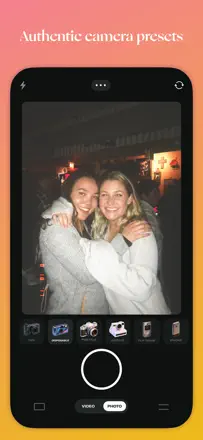
    The best mobile disposable-camera film emulator according to users who have compared dozens of alternatives. Grain and light leak are adjustable component by component. The app freezes when switching between multiple photos in a row.

    評価点:The film effect works across a wide range of lighting conditions without obvious signs of digital processing. Grain and light leaks are adjustable component by component for precise control over atmosphere.

    不満点:The app freezes when switching between multiple photos in a row and requires a force close. Some presets clip colors at the edges of the brightness range when importing RAW.

    向いている人:People who want authentic film aesthetics for a personal archive or social media feed, without buying a real disposable camera.

このテーマのほかの課題

ランキング全体:写真編集アプリスクリーンショットとスコア付きの99アプリこの分析の出どころリサーチとレビューからの所見を読む