Where nodes are quick to create and sync never loses the map, and where it is a stripped-down mobile app. The highest review-text scores: Xmind (72/100), SimpleMind Pro (70), and SimpleMind (68).
Review score: 72 out of 100. App Store rating: 4.8★ · 6,953 ratings
72of 100
XMind is one of the most fully developed mind map editors out there. It offers a rich library of diagram types (fishbone, matrix, timeline), elegant themes, and fast node entry. The main pain point is cross-platform sync, which is unreliable, and the Vision Pro version breaks after updates. AI features were added, but some users find them unnecessary.
Praised
Multiple diagram formats in one editor: you switch from a classic map to a matrix or fishbone with a single click, without rebuilding the structure by hand.
Complaints
Sync between devices works through manual export and import rather than live cloud sync. A map opened on iPad cannot be continued on Mac without re-saving the file.
Best for: STEM students and analysts who need one tool for different structure types and are willing to pay a subscription for the breadth of formats.
Review score: 70 out of 100. App Store rating: 4.7★ · 447 ratings
70of 100
A mature one-time-purchase mind mapper with a rich set of layouts and support for non-linear connections. Valued for no subscription and fast performance. Main pain points are the absence of iCloud Drive and unreliable sync through third-party services. The select tool is awkward for bulk node selection.
Praised
Support for non-linear connections (not just parent-child). Many layout options. Fast even on large maps. Available on iOS, macOS, and Windows with a shared file format. No monthly subscription.
Complaints
No native iCloud Drive support, only Dropbox and Google Drive. Sync between devices fails periodically. Selecting multiple nodes requires deselecting before each new one, which is frustrating for bulk formatting. Images are automatically compressed to low quality.
Best for: Writers, researchers, or students who need a serious mind map tool without a subscription and with cross-platform support.
Review score: 68 out of 100. App Store rating: 4.5★ · 975 ratings
68of 100
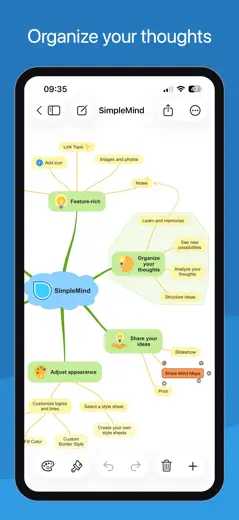
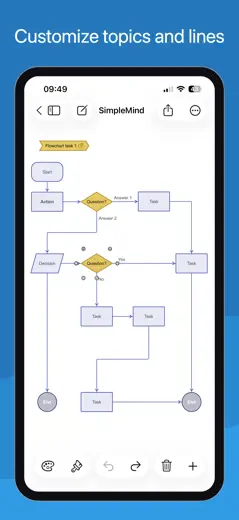
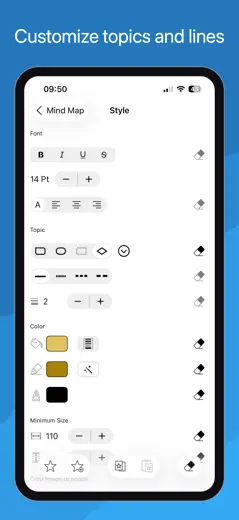
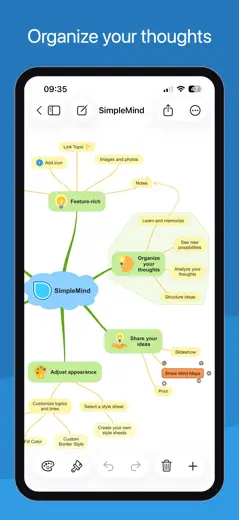
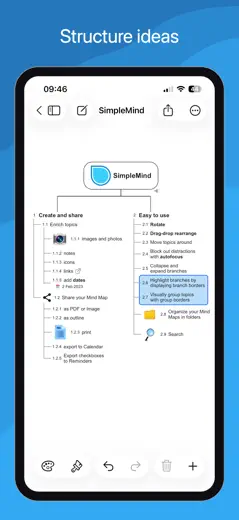
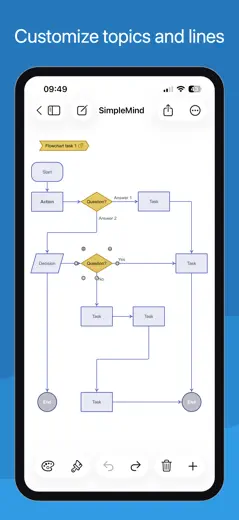
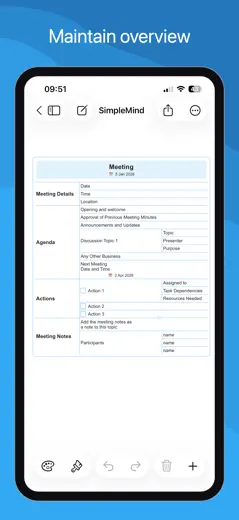
SimpleMind is a fast and reliable mind map editor with a one-time purchase instead of a subscription. It supports multiple map formats (bubbles, timeline, vertical), and runs smoothly even on older iPads. The main drawback is no handwriting input with Apple Pencil, the stylus only replaces touch input without handwriting recognition.
Praised
One-time purchase with no subscription: pay once and own the editor forever, which sets it sharply apart from competitors with annual plans.
Complaints
Apple Pencil does not recognize handwritten text in nodes. The stylus works only as a finger substitute, so handwritten notes directly on the map are not possible.
Best for: Solo users and students who need a fast, reliable thinking tool without a subscription and without extra features.
Rank 4. Review score: 63 out of 100. App Store rating: 4.8★ · 356 ratings
63of 100
A functional mind mapper with a one-time purchase, quick-access buttons, and solid connection management between nodes. It lags noticeably behind modern competitors in design and UX. Cross-platform sync works, but the per-platform payment model frustrates loyal users.
Praised: Quick buttons for adding nodes without extra taps. Flexible connection management between any nodes, not only parent-child ones. Handles large maps (500+ nodes). Developers respond and fix bugs.
Complaints: Bluetooth keyboard does not work for text input, which kills fast typing. Apple Pencil is not supported. The interface looks dated. Zoom on Mac works only through buttons, not the trackpad. Each platform requires a separate purchase.
Best for: Analysts or developers who need large maps with arbitrary connections and a one-time payment without a subscription.
Rank 5. Review score: 58 out of 100. App Store rating: 4.4★ · 1,260 ratings
58of 100
MindMeister is a mature cloud mind mapper with real-time collaboration and a clean interface. Undo is unreliable: two or three steps back can erase a node's text instead of restoring it. Map sync between devices sometimes breaks and loses data.
Praised: Collaborative editing: multiple people edit the map at the same time, changes appear instantly without refresh, which makes it convenient for team brainstorming.
Complaints: Undo behaves unpredictably. After two or three steps back the app can wipe out a node's text instead of restoring the previous state.
Best for: Teams that need a quick collaborative brainstorm without complex structures and can tolerate unreliable undo.
Rank 6. Review score: 55 out of 100. App Store rating: 4.6★ · 5,326 ratings
55of 100
Lucidchart is a powerful web service for flowcharts and diagrams with a rich shape library and collaboration. The mobile app is effectively dead for solo users: the company restricted it to Team and Enterprise plans. Productively strong, but it has strategically abandoned its individual user base.
Praised: Cross-platform collaboration: multiple participants edit a diagram at the same time, see each other's cursors, and leave comments directly on the canvas.
Complaints: The mobile app is unavailable on individual plans. Users with annual subscriptions are forced to open a browser on their phone instead of using a native client.
Best for: Teams that need to collaboratively draw complex architectural or business diagrams and are paying for a corporate plan.
Rank 7. Review score: 55 out of 100. App Store rating: 4.7★ · 468 ratings
55of 100
A full-featured cross-platform mind mapper with templates and a web version, but the mobile app is noticeably weaker than the web in features. Nodes move in jerks and snapping breaks the layout. Apple Pencil support is rough.
Praised: Works across multiple platforms with synced data. Templates help you start without a blank slate. Free navigation without a required hierarchy appeals to users who build non-linear maps.
Complaints: Dragging nodes on mobile is jumpy and snapping is chaotic. The mobile version lacks many web features: no floating topics, no outline conversion, no links between separate maps. Keyboard shortcuts are absent.
Best for: A student or educator who already works with Mindomo on the web and occasionally wants to open a map from their phone, not build one from scratch.
Rank 8. Review score: 41 out of 100. App Store rating: 4.6★ · 1,032 ratings
41of 100
AYOA (formerly iMindMap, formerly DropTask) has a tangled history: it started as a mind map tool by Tony Buzan, then task management was added, and now both coexist. The mobile client lags far behind the web version: some features are unavailable, Apple Pencil performs poorly, and new users often hit a white screen on first launch.
Praised: A visually organic map in the signature iMindMap style: branches are curved and hand-drawn rather than straight lines. The map looks like a real mind map, not a flowchart.
Complaints: The mobile client is a stripped-down copy of the web version. Menus and features available in the browser are missing in the app, and users discover this only after buying a subscription.
Best for: Users who value the organic visual style of classic iMindMap and are comfortable working primarily through the web version.
Rank 9. Review score: 38 out of 100. App Store rating: 4.6★ · 374 ratings
38of 100
A visually polished mind mapper with smooth input UX, but the free tier is deliberately capped at 10 nodes. Any real topic exceeds that limit. Without paid access the tool is practically useless for serious work.
Praised: Smooth node input with an intuitive interface and no learning curve. A rich selection of themes and color schemes. Users switching from MindMeister appreciate the more flexible branching.
Complaints: The 10-node limit on the free version makes the tool unworkable for any non-trivial task. The app crashes with many changes and does not save work. Portrait-only mode on iPad is a serious constraint for wide maps.
Best for: Someone willing to pay for a subscription right away and interested in building small, tidy maps on their phone.
Rank 10. Review score: 28 out of 100. App Store rating: 4.5★ · 3,299 ratings
28of 100
VisualMind generates a mind map from an AI prompt, but the map depth is limited to two levels, manual node editing barely works, and exports do not open for recipients. The concept is right, the execution is rough.
Praised: Fast start via AI prompt: enter a topic and get a draft map in seconds, without manually entering the first branches.
Complaints: The map is built to two levels and stops there. Adding a third level of nesting or moving a branch is not possible. The structure is set by AI and cannot be changed by the user.
Best for: Anyone who wants to quickly visualize one idea on a single screen and does not plan to deepen or edit the map.
About scores
Two scores — two sources
They help compare apps, but they don’t replace checking your own job.
Review score · up to 100
The stored score from inApp research on review texts. It rates the app overall in the archive, not the reliability of any one feature.
Store rating · up to 5
The rating from the app’s page when the data was collected. The current rating and version may differ.
In the archived sample for this topic: 10 apps and 2,023 reviews read. That is the total size of the research, not the number of reviews per app.
A gap between the scores doesn’t prove manipulation. The calculation date and the full scoring method aren’t in the mobile archive. Compare the job descriptions and the source quotes, and check the terms in the current version.