Ces apps sont mentionnées dans le décryptage de cette tâche. Ouvre chacune pour comparer les points forts et les limites. L’ordre de la liste n’est pas un classement d’adéquation.
Rang 11. Note des avis : 68 sur 100. Note sur l’App Store : 4,8★ · 1 725 notes
68sur 100
One of the best Pomodoro timers in the App Store, with a clean design, focus sounds, and cross-device sync. The core mechanic is solid, though Live Activities sometimes disappear and the site blocker has to be configured separately on each device.
Points forts : Sessions sync between iPhone and Mac, and the distracting-site blocker holds until the timer ends with no easy way around it.
Reproches : App blocking on iPhone can be bypassed by force-quitting, and block lists do not sync between devices automatically.
Pour qui : Anyone who seriously works with the Pomodoro technique on Mac and iPhone
Rang 4. Note des avis : 73 sur 100. Note sur l’App Store : 4,8★ · 597 notes
73sur 100
One of the best Pomodoro timers on iPhone: smooth task management, statistics, Apple Watch sync, and correct background operation. The distraction blocker lets individual apps slip through open categories.
Points forts : The timer keeps running when you switch tasks and does not interrupt your flow with unnecessary prompts.
Reproches : The app blocker unlocks an entire category when you just need to open one specific app inside it.
Pour qui : Students and professionals who need a timer with tasks and stats on iPhone and Watch
Rang 8. Note des avis : 72 sur 100. Note sur l’App Store : 4,8★ · 362 notes
72sur 100
A serious Pomodoro tool with session tracking and a site blocker, but the interface is loaded with options and takes a long time to configure. A good fit for people with ADHD who need structure rather than simplicity.
Points forts : Detailed daily statistics help you see real progress and keep motivation up.
Reproches : You cannot quickly change session length from the main screen without digging into settings.
Pour qui : Productivity enthusiasts who care about time analytics
Rang 9. Note des avis : 70 sur 100. Note sur l’App Store : 4,7★ · 4 308 notes
70sur 100
A reliable Pomodoro timer with tasks and a widget that genuinely helps maintain a working rhythm. Sync between devices is unreliable, there is no dark mode, and the end-of-session notification is too quiet.
Points forts : The simple structure of work blocks and breaks lowers resistance before starting a difficult task.
Reproches : Sync between phone and computer breaks down, and years of data can disappear.
Pour qui : Students and workers who need a simple behavioral framework
Rang 5. Note des avis : 72 sur 100. Note sur l’App Store : 4,9★ · 8 553 notes
72sur 100
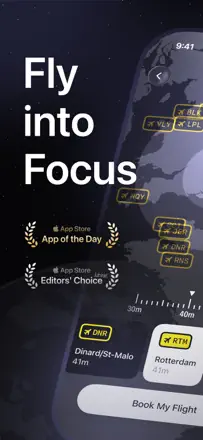
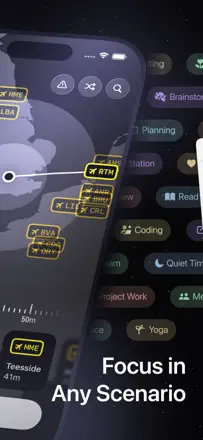
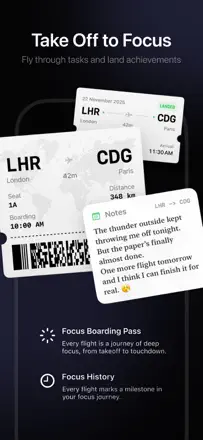
FocusFlight creates a unique flight atmosphere as a metaphor for focused work and does a good job sustaining motivation, although sync between devices is unstable and the Mac interface can feel sluggish.
Points forts : An interactive map with a flight route as a visual representation of the work session's progress.
Reproches : Flight progress does not sync between phone and computer, and there are no short 10-minute sessions.
Pour qui : Students and freelancers who want atmosphere, not just a timer