People who want the phone to distract them less often
Quelles apps les gens utilisent
Ces apps sont mentionnées dans le décryptage de cette tâche. Ouvre chacune pour comparer les points forts et les limites. L’ordre de la liste n’est pas un classement d’adéquation.
Rang 1. Note des avis : 82 sur 100. Note sur l’App Store : 4,9★ · 3 106 notes
82sur 100
The best distraction blocker in the batch: free, open source, works via NFC or QR code, and physically cuts off your phone with a real-world action. Occasionally a profile deactivates on its own, and the QR scanner breaks on some devices.
Points forts : Physically scanning an NFC tag to lock the phone creates a far stronger ritual than any in-app button.
Reproches : The block sometimes disables itself, making the phone accessible without scanning.
Pour qui : People with serious phone addiction who need a real physical barrier
Rang 15. Note des avis : 66 sur 100. Note sur l’App Store : 4,9★ · 43 672 notes
66sur 100
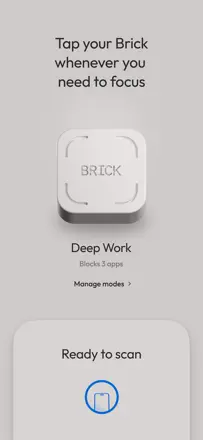
A physical dongle, an NFC fob, as the unlock mechanism creates a real barrier against impulsively picking up the phone, and it honestly works where purely software solutions give in. The decision to remove the timed session feature without a replacement frustrated loyal users and reduced everyday flexibility.
Points forts : The physical ritual of touching the fob breaks the automatic reflex far better than an on-screen warning.
Reproches : Quick session-by-duration launch was removed, leaving only scheduling, which does not work for unpredictable days.
Pour qui : People with serious phone addiction who are willing to carry a fob
Rang 24. Note des avis : 59 sur 100. Note sur l’App Store : 4,4★ · 5 416 notes
59sur 100
One of the few blockers with cross-device sync and a hard mode that actually works. The VPN layer can slow down the internet or conflict with other apps, and iOS settings allow the block to be bypassed.
Points forts : The hard mode with one unlock per week removes the escape hatch for weak moments.
Reproches : The VPN layer periodically slows down apps you actually need and conflicts with other services.
Pour qui : Adults with serious phone addiction who need a reliable multi-device barrier
Rang 18. Note des avis : 63 sur 100. Note sur l’App Store : 4,8★ · 23 056 notes
63sur 100
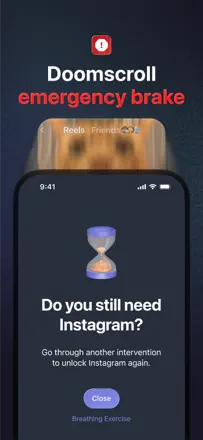
A minimalist mindfulness tool: before opening a blocked app you take a deep breath or do a short exercise, which genuinely breaks autopilot and reduces social media use. The weak point is that the free tier blocks only one app, making it nearly useless when you need to limit several social networks.
Points forts : A pause before Instagram breaks the conditioned reflex better than a hard block. Several reviews describe real habit change within weeks.
Reproches : Hard blocking is easy to bypass even in the paid version, and one app on the free tier is far too few.
Pour qui : People who want to mindfully cut back on social media rather than block it by force
Rang 30. Note des avis : 56 sur 100. Note sur l’App Store : 4,6★ · 441 notes
56sur 100
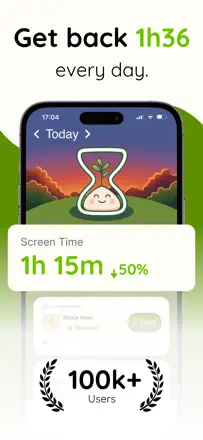
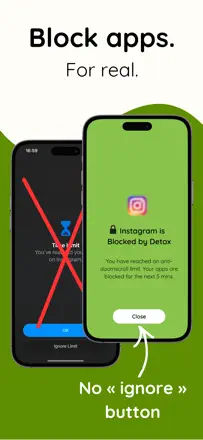
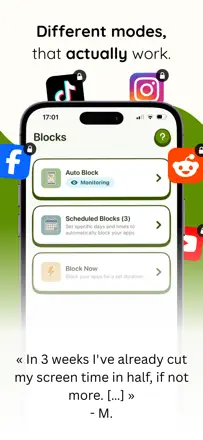
The blocker works harder than iOS Screen Time and genuinely cuts social media use by a large factor. The absence of a scheduled block by time of day limits flexibility.
Points forts : The five-minute forced limit after time runs out is strict enough to break the habit loop.
Reproches : No way to automatically enable a block on a schedule, for example overnight.
Pour qui : Adults who find iOS Screen Time too easy to bypass and need a real barrier