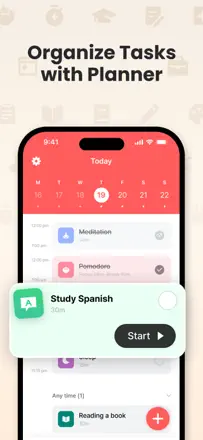
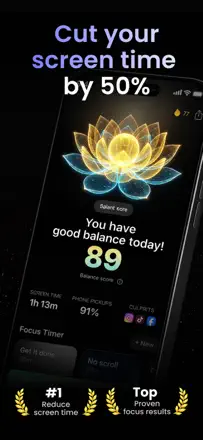
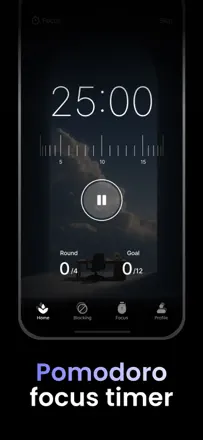
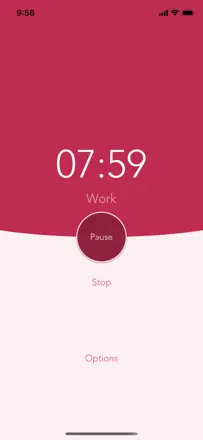
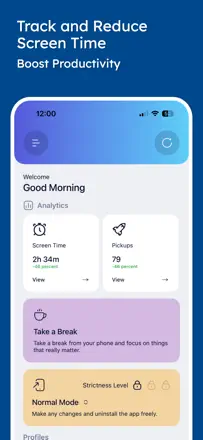
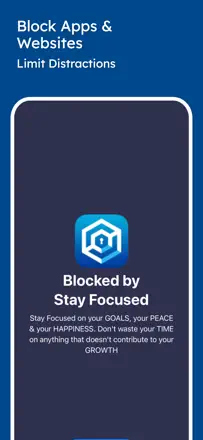
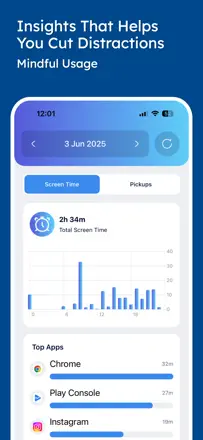
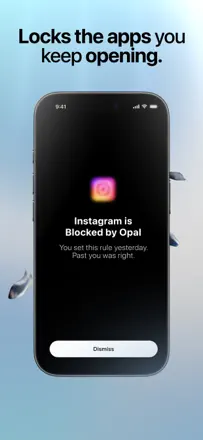
Note des avis : 82 sur 100. Note sur l’App Store : 4,9★ · 3 106 notes
82sur 100
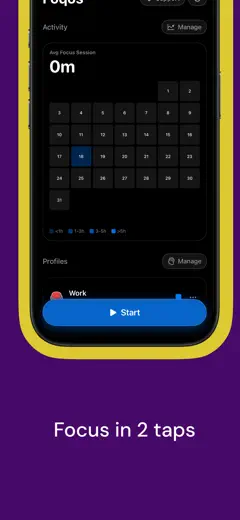
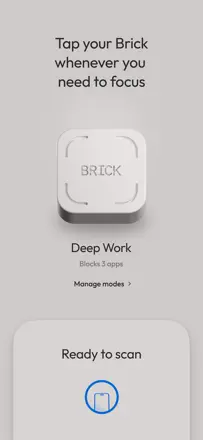
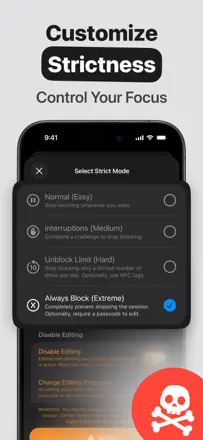
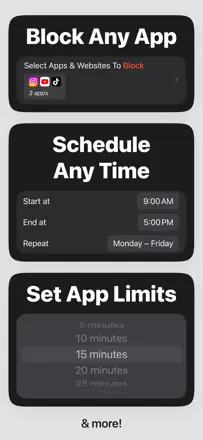
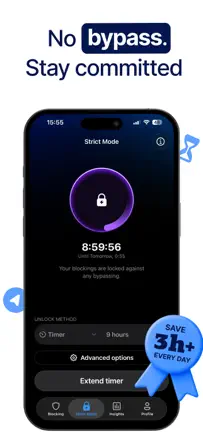
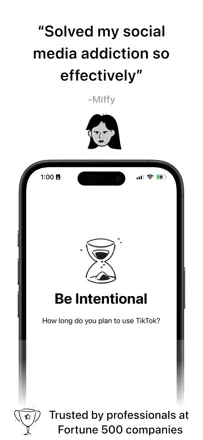
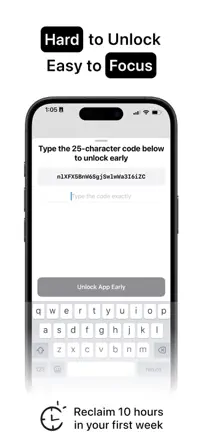
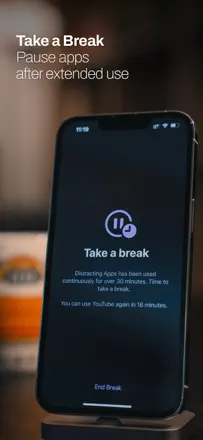
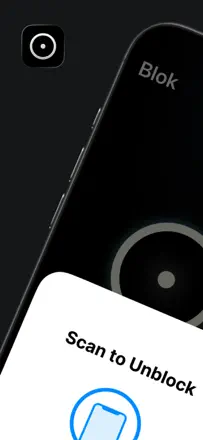
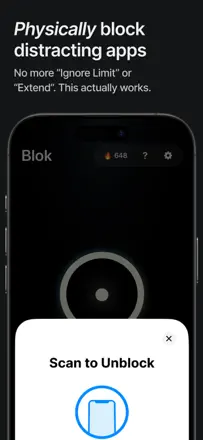
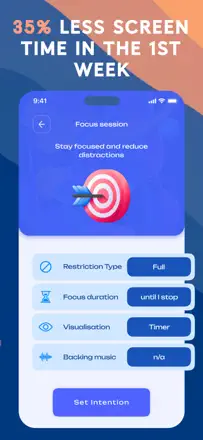
The best distraction blocker in the batch: free, open source, works via NFC or QR code, and physically cuts off your phone with a real-world action. Occasionally a profile deactivates on its own, and the QR scanner breaks on some devices.
Points forts
Physically scanning an NFC tag to lock the phone creates a far stronger ritual than any in-app button.
Reproches
The block sometimes disables itself, making the phone accessible without scanning.
Pour qui : People with serious phone addiction who need a real physical barrier
Note des avis : 74 sur 100. Note sur l’App Store : 4,7★ · 3 160 notes
74sur 100
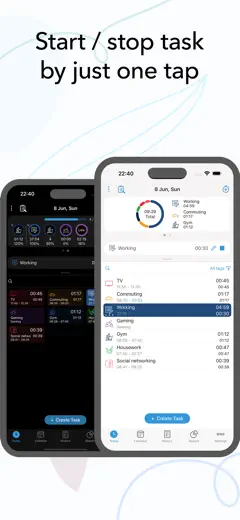
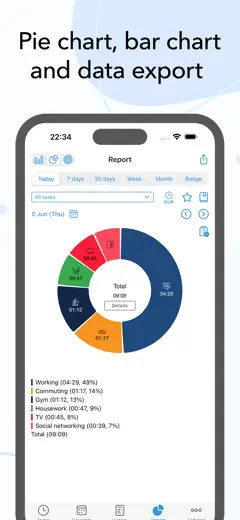
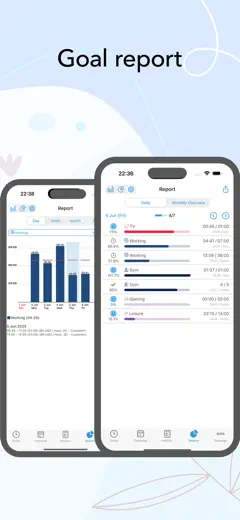
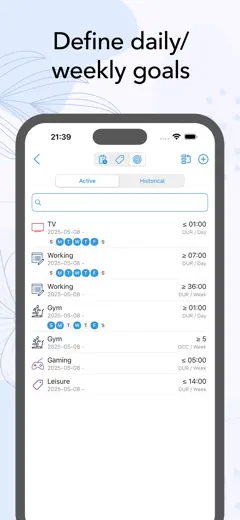
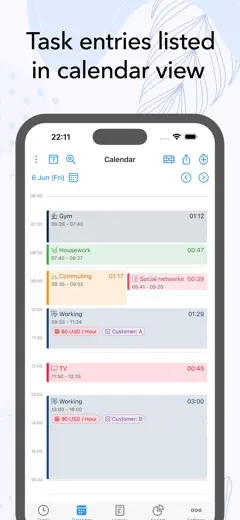
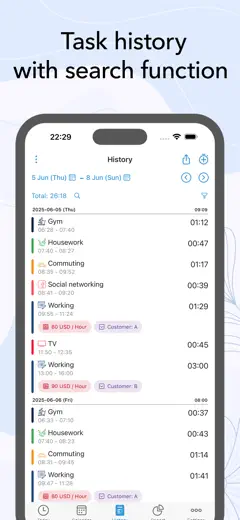
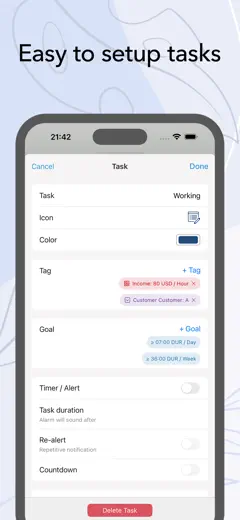
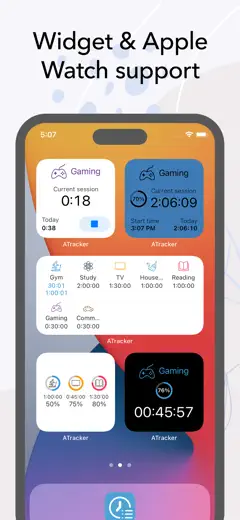
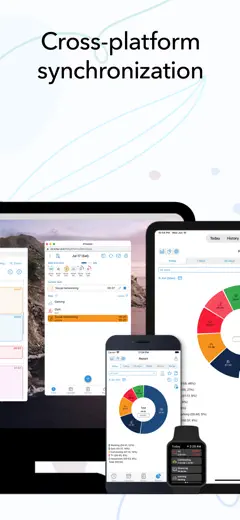
The best activity tracker in the batch: a single button per task, detailed stats, and a one-time purchase with no subscription, praised by users with years of daily use. Calendar sync is unreliable, and the widget degraded in iOS 18.
Points forts
One-time purchase with no subscription, plus honest analytics that show where your day actually goes.
Reproches
After iOS 18 the widget lost the ability to start a task directly from the home screen.
Pour qui : Analysts and freelancers who want to know where the day goes
Note des avis : 74 sur 100. Note sur l’App Store : 4,6★ · 658 notes
74sur 100
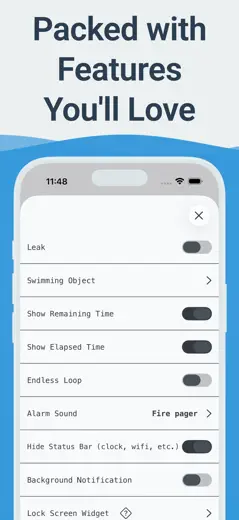
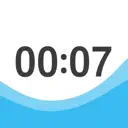
A visual timer with water filling the screen makes time tangible, especially useful for children with attention difficulties and people with time blindness. The widget, Mac version, and extension beyond one hour do not work for everyone.
Points forts
The screen filling with water removes the anxiety of numbers and helps feel time without stress.
Reproches
No way to set a series of back-to-back timers without extra taps.
Pour qui : Teachers, parents, and people with ADHD who need a concrete visual time scale
Rang 4. Note des avis : 73 sur 100. Note sur l’App Store : 4,8★ · 597 notes
73sur 100
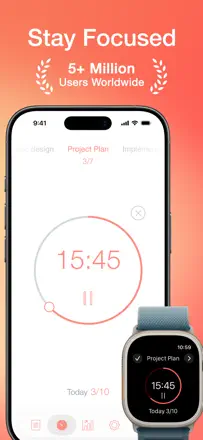
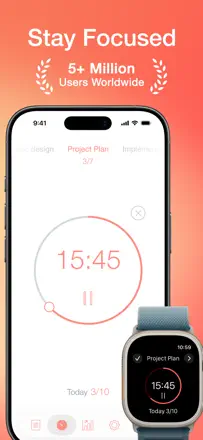
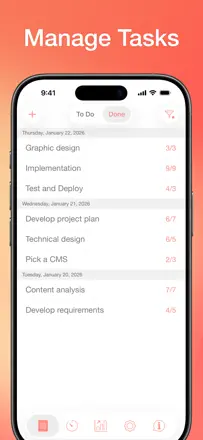
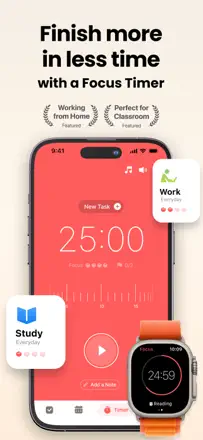
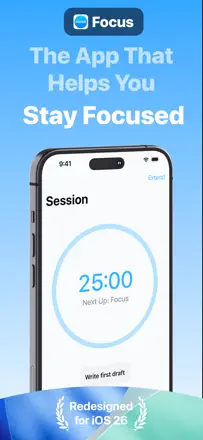
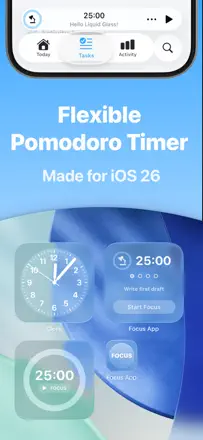
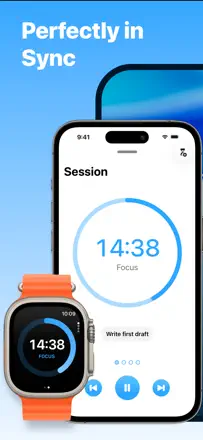
One of the best Pomodoro timers on iPhone: smooth task management, statistics, Apple Watch sync, and correct background operation. The distraction blocker lets individual apps slip through open categories.
Points forts : The timer keeps running when you switch tasks and does not interrupt your flow with unnecessary prompts.
Reproches : The app blocker unlocks an entire category when you just need to open one specific app inside it.
Pour qui : Students and professionals who need a timer with tasks and stats on iPhone and Watch
Rang 5. Note des avis : 72 sur 100. Note sur l’App Store : 4,9★ · 8 553 notes
72sur 100
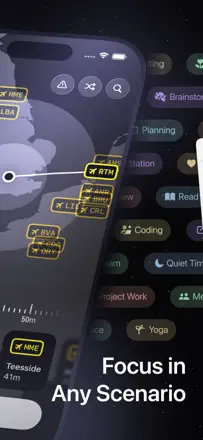
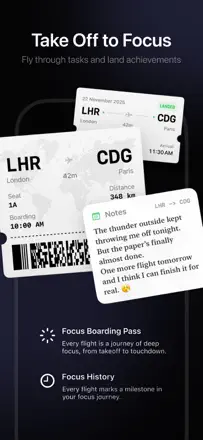
FocusFlight creates a unique flight atmosphere as a metaphor for focused work and does a good job sustaining motivation, although sync between devices is unstable and the Mac interface can feel sluggish.
Points forts : An interactive map with a flight route as a visual representation of the work session's progress.
Reproches : Flight progress does not sync between phone and computer, and there are no short 10-minute sessions.
Pour qui : Students and freelancers who want atmosphere, not just a timer
Rang 6. Note des avis : 72 sur 100. Note sur l’App Store : 4,9★ · 1 662 notes
72sur 100
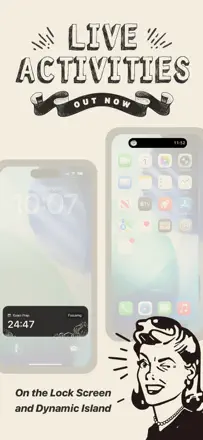
The warm retro design with illustrations sets this app apart from faceless minimalist timers, and the core Pomodoro mechanic works reliably. Main limitations: no Live Activities or widgets, and the timer pauses when you switch apps.
Points forts : The unique vintage character of the interface, with its own atmosphere, makes using the timer feel like a ritual rather than just a tool.
Reproches : The timer pauses when switching to another app, and there is no widget or Live Activities support for tracking without keeping the screen open.
Pour qui : Students and creative people who care about the feel of their workspace
Rang 7. Note des avis : 72 sur 100. Note sur l’App Store : 4,5★ · 895 notes
72sur 100
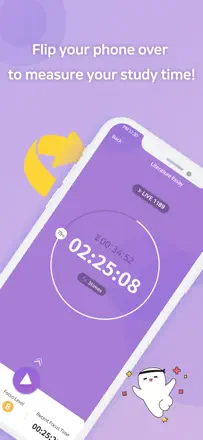
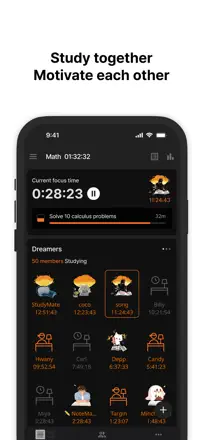
One of the best timers for students: social rooms, hour tracking, daily goals, and an open mode without a forced interval. The app is stable for most users, though it occasionally crashes after updates, and the group task-editing feature needs work.
Points forts : Group rooms for shared time tracking motivate you to study alongside others and create a social context without distraction.
Reproches : You cannot edit a goal schedule without fully deleting its history, causing accumulated data to be lost permanently.
Pour qui : Students who need motivation through social progress and tracked study hours
Rang 8. Note des avis : 72 sur 100. Note sur l’App Store : 4,8★ · 362 notes
72sur 100
A serious Pomodoro tool with session tracking and a site blocker, but the interface is loaded with options and takes a long time to configure. A good fit for people with ADHD who need structure rather than simplicity.
Points forts : Detailed daily statistics help you see real progress and keep motivation up.
Reproches : You cannot quickly change session length from the main screen without digging into settings.
Pour qui : Productivity enthusiasts who care about time analytics
Rang 9. Note des avis : 70 sur 100. Note sur l’App Store : 4,7★ · 4 308 notes
70sur 100
A reliable Pomodoro timer with tasks and a widget that genuinely helps maintain a working rhythm. Sync between devices is unreliable, there is no dark mode, and the end-of-session notification is too quiet.
Points forts : The simple structure of work blocks and breaks lowers resistance before starting a difficult task.
Reproches : Sync between phone and computer breaks down, and years of data can disappear.
Pour qui : Students and workers who need a simple behavioral framework
Rang 10. Note des avis : 68 sur 100. Note sur l’App Store : 4,7★ · 4 081 notes
68sur 100
A bean that knits while you work and looks upset when you open your phone creates a surprisingly strong emotional loop. App blocking behaves inconsistently, and push notifications break through even with the setting turned off.
Points forts : The game loop of focus to socks to furniture for the bean motivates people with ADHD better than pure timers do.
Reproches : Sync between phone and tablet requires manual file transfer, which breaks the entire flow.
Pour qui : Young people with ADHD who need an emotional hook
Rang 11. Note des avis : 68 sur 100. Note sur l’App Store : 4,8★ · 1 725 notes
68sur 100
One of the best Pomodoro timers in the App Store, with a clean design, focus sounds, and cross-device sync. The core mechanic is solid, though Live Activities sometimes disappear and the site blocker has to be configured separately on each device.
Points forts : Sessions sync between iPhone and Mac, and the distracting-site blocker holds until the timer ends with no easy way around it.
Reproches : App blocking on iPhone can be bypassed by force-quitting, and block lists do not sync between devices automatically.
Pour qui : Anyone who seriously works with the Pomodoro technique on Mac and iPhone
Rang 12. Note des avis : 67 sur 100. Note sur l’App Store : 4,8★ · 14 498 notes
67sur 100
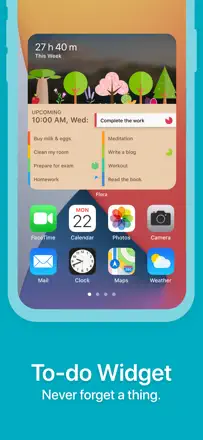
Focus To-Do combines Pomodoro with a full task planner and works well for people who need a system rather than just a timer, though widget bugs and task-logic issues have accumulated in recent versions.
Points forts : Sync across phone, browser, and desktop inside one working system.
Reproches : Widgets show wrong data, and tasks occasionally duplicate or reschedule themselves to the next day on their own.
Pour qui : People who need a Pomodoro timer inside a full-featured task planner
Rang 13. Note des avis : 67 sur 100. Note sur l’App Store : 4,7★ · 1 055 notes
67sur 100
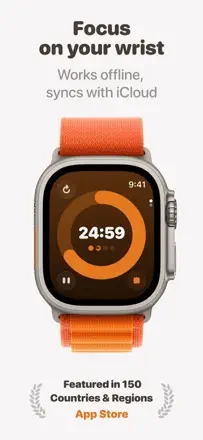
A beautiful Pomodoro timer with solid Apple Watch and iPhone sync, a clean interface, and accumulated session history. Version 8.0 broke stability for some users, and moving all functionality behind a subscription upset longtime buyers.
Points forts : Apple Watch sync works without lag, and the timer runs in the background correctly.
Reproches : Stats do not let you view total time spent on a specific task over an arbitrary date range.
Pour qui : Productive Apple users who want a beautiful and reliable Pomodoro timer
Rang 14. Note des avis : 67 sur 100. Note sur l’App Store : 4,7★ · 498 notes
67sur 100
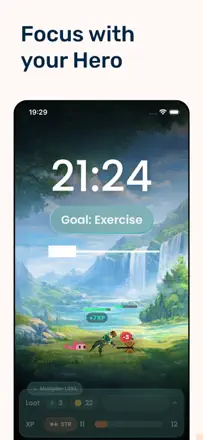
A rare case where RPG mechanics genuinely motivate studying rather than becoming a distraction in themselves. Some ADHD users report 2-3 hour sessions without getting sidetracked. The risk: the game can pull you in harder than the task itself.
Points forts : Character progression turns every study session into tangible movement toward a goal.
Reproches : The game loop is deep enough to become its own source of distraction instead of the task.
Pour qui : Students and people with ADHD who are motivated by RPG rewards rather than a bare timer
Rang 15. Note des avis : 66 sur 100. Note sur l’App Store : 4,9★ · 43 672 notes
66sur 100
A physical dongle, an NFC fob, as the unlock mechanism creates a real barrier against impulsively picking up the phone, and it honestly works where purely software solutions give in. The decision to remove the timed session feature without a replacement frustrated loyal users and reduced everyday flexibility.
Points forts : The physical ritual of touching the fob breaks the automatic reflex far better than an on-screen warning.
Reproches : Quick session-by-duration launch was removed, leaving only scheduling, which does not work for unpredictable days.
Pour qui : People with serious phone addiction who are willing to carry a fob
Rang 16. Note des avis : 66 sur 100. Note sur l’App Store : 4,8★ · 7 260 notes
66sur 100
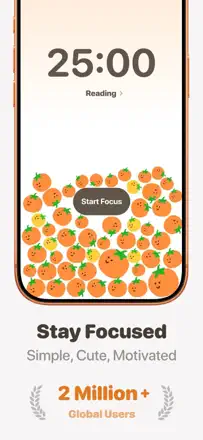
An honest Pomodoro with tomato-themed gamification, stable performance, and a pleasant look. End-of-session notifications are sometimes silent, and category-level stats are limited.
Points forts : The visual tomato counter motivates you not to break the session.
Reproches : No breakdown of time by category for a given day or week.
Pour qui : Students and remote workers who need a simple, enjoyable Pomodoro
Rang 17. Note des avis : 64 sur 100. Note sur l’App Store : 4,9★ · 3 794 notes
64sur 100
A beautiful travel concept and flexible timer mode selection, Pomodoro, fixed, or open-ended, make this one of the most pleasant timers around. The timer pauses when you switch apps, and the cumulative counter stops accumulating for some users.
Points forts : The cozy travel aesthetic and built-in playlist selector remove every reason not to start.
Reproches : The timer pauses whenever you switch apps, making it useless for working across multiple apps at once.
Pour qui : People studying at home who want a beautiful environment for their sessions
Rang 18. Note des avis : 63 sur 100. Note sur l’App Store : 4,8★ · 23 056 notes
63sur 100
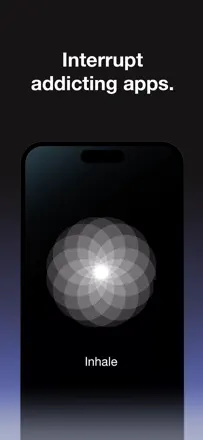
A minimalist mindfulness tool: before opening a blocked app you take a deep breath or do a short exercise, which genuinely breaks autopilot and reduces social media use. The weak point is that the free tier blocks only one app, making it nearly useless when you need to limit several social networks.
Points forts : A pause before Instagram breaks the conditioned reflex better than a hard block. Several reviews describe real habit change within weeks.
Reproches : Hard blocking is easy to bypass even in the paid version, and one app on the free tier is far too few.
Pour qui : People who want to mindfully cut back on social media rather than block it by force
Rang 19. Note des avis : 62 sur 100. Note sur l’App Store : 4,8★ · 82 353 notes
62sur 100
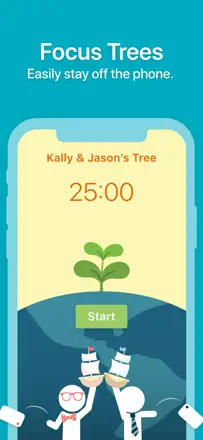
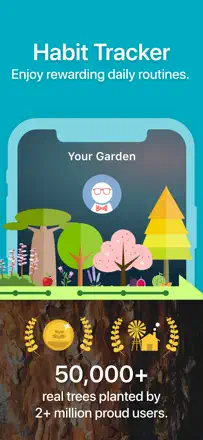
A gamified timer with real tree planting as a reward for focus. The mechanic works well for motivation, but app blocking is unreliable on iPad, the interface degraded after replacing illustrations with AI art, and coins and progress are sometimes lost.
Points forts : The idea of growing real trees for time away from your phone hooks users and keeps them engaged longer than any plain timer.
Reproches : The app whitelist works intermittently, and there is no cross-platform connection between iOS and Android.
Pour qui : Students who need game-like motivation for studying
Rang 20. Note des avis : 62 sur 100. Note sur l’App Store : 4,7★ · 15 524 notes
62sur 100
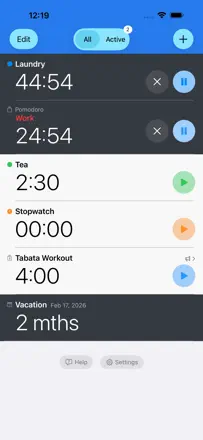
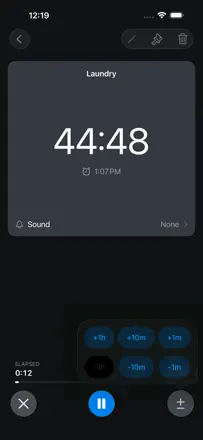
MultiTimer handles running several independent timers at once and has served users faithfully for years, but notifications are unreliable on a locked screen and when the app is in the background.
Points forts : Multiple named timers on one screen running in parallel without confusion.
Reproches : The alert does not fire when the phone is on silent or the app is backgrounded.
Pour qui : People juggling multiple parallel processes: cooking, workouts, pets
Rang 21. Note des avis : 62 sur 100. Note sur l’App Store : 4,5★ · 5 257 notes
62sur 100
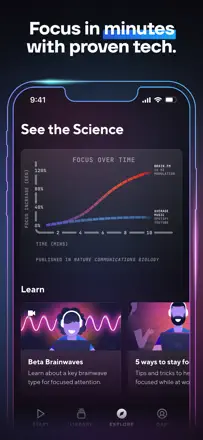
The neuroscience genuinely works for part of the audience, especially people with ADHD. Several users write about a noticeable effect after months of daily use. A weak frontend and an unstable player, playback errors and dropped tracks, undercut the experience.
Points forts : The high-neural-effect mode helps people with ADHD sustain attention where regular music fails.
Reproches : The player periodically crashes with a playback error, and the interface gives no sense of what is happening inside.
Pour qui : People with ADHD who need background sound without lyrics
Rang 22. Note des avis : 62 sur 100. Note sur l’App Store : 4,6★ · 2 970 notes
62sur 100
A solid Pomodoro timer with convenient task-zone breakdown, but sync between devices is spotty. Long-term users stick around, while newer ones increasingly leave because of lost data and broken notifications.
Points forts : Flexible session-to-task and GTD zone mapping helps you see exactly where the day goes.
Reproches : Sync between iPhone, iPad, and Mac is unreliable: data can disappear, and historical stats vanish after re-login.
Pour qui : GTD enthusiasts and structured time-tracking fans
Rang 23. Note des avis : 61 sur 100. Note sur l’App Store : 4,8★ · 868 notes
61sur 100
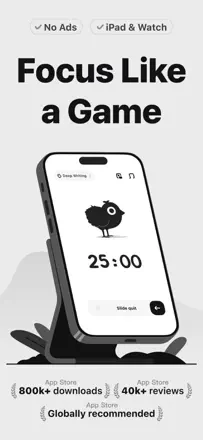
The chicken-and-farm game mechanic genuinely keeps users in sessions, and the overlay countdown widget is handy when working on an iPad. The app whitelist sometimes fails, and there is still no dark mode in 2025.
Points forts : The visible chick that dies if you leave the app creates an emotional attachment that keeps you in a session better than any timer.
Reproches : No home-screen countdown widget, which causes ADHD users to lose track of time remaining.
Pour qui : School students and university students motivated by game-like rewards rather than plain numbers
Rang 24. Note des avis : 59 sur 100. Note sur l’App Store : 4,4★ · 5 416 notes
59sur 100
One of the few blockers with cross-device sync and a hard mode that actually works. The VPN layer can slow down the internet or conflict with other apps, and iOS settings allow the block to be bypassed.
Points forts : The hard mode with one unlock per week removes the escape hatch for weak moments.
Reproches : The VPN layer periodically slows down apps you actually need and conflicts with other services.
Pour qui : Adults with serious phone addiction who need a reliable multi-device barrier
Rang 25. Note des avis : 58 sur 100. Note sur l’App Store : 4,8★ · 48 614 notes
58sur 100
The classic focus timer with a virtual forest gamification and real tree planting: the mechanic works, the design is pleasant. The weak point is the shift to a subscription that upset paying users, monthly challenges occasionally fail to register, and data was lost for some users after a forced account sign-out.
Points forts : Not wanting to kill the tree keeps you at your desk longer than any act of willpower.
Reproches : Monthly challenges are buggy, pausing the timer now requires a subscription, and stats sometimes do not match actual sessions.
Pour qui : Students and freelancers who need visual motivation with a minimalist timer
Rang 26. Note des avis : 58 sur 100. Note sur l’App Store : 4,7★ · 17 135 notes
58sur 100
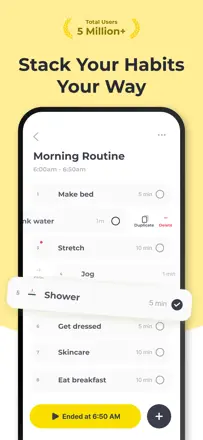
Routinery guides you through the steps of a routine well and helps with time blindness, but an update broke basic navigation between tasks, and notifications can bombard you at the wrong moments.
Points forts : The sequential one-task-now mode removes anxiety from a long to-do list.
Reproches : Navigation between steps is rigid: skipping one step automatically closes all the ones before it.
Pour qui : People who struggle with planning their morning and evening
Rang 27. Note des avis : 58 sur 100. Note sur l’App Store : 4,8★ · 4 260 notes
58sur 100
The cozy visual atmosphere and shared sessions genuinely help some users sit down to study. Phone-number registration locks out users whose country is not supported, and the music cuts out periodically.
Points forts : The virtual cafe and the presence of other students create a sense of working together and reduce procrastination.
Reproches : Music drops out several times a week and support does not respond to reports.
Pour qui : School and university students who need the feeling of not studying alone
Rang 28. Note des avis : 58 sur 100. Note sur l’App Store : 4,8★ · 745 notes
58sur 100
A cozy rain-and-ASMR atmosphere creates a pleasant study context, and the basic Pomodoro with background sounds is available for free. The same complaint appears from every user: sound and timer stop when you leave the app, breaking any multi-app workflow.
Points forts : Library ASMR and rain sounds create a sense of someone nearby, which especially helps people with ADHD.
Reproches : The timer and background sound stop when you switch to another app, making it impossible to work across multiple apps at once.
Pour qui : Students who need a cozy sound environment to get absorbed in studying
Rang 29. Note des avis : 57 sur 100. Note sur l’App Store : 4,7★ · 5 541 notes
57sur 100
The garden gamification genuinely motivates students to study, and the built-in flashcards work. However the timer records time incorrectly, and adding AI features has hurt stability and design.
Points forts : A shared garden with friends creates a live social incentive not to abandon the session.
Reproches : The time tracker occasionally logs wrong data and loses earned coins.
Pour qui : School and university students who need game-like motivation for studying
Rang 30. Note des avis : 56 sur 100. Note sur l’App Store : 4,6★ · 441 notes
56sur 100
The blocker works harder than iOS Screen Time and genuinely cuts social media use by a large factor. The absence of a scheduled block by time of day limits flexibility.
Points forts : The five-minute forced limit after time runs out is strict enough to break the habit loop.
Reproches : No way to automatically enable a block on a schedule, for example overnight.
Pour qui : Adults who find iOS Screen Time too easy to bypass and need a real barrier
Rang 31. Note des avis : 55 sur 100. Note sur l’App Store : 4,8★ · 10 168 notes
55sur 100
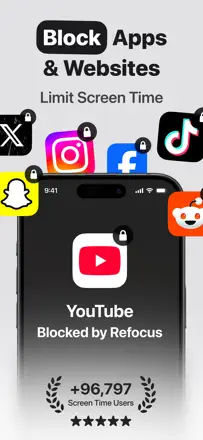
Refocus blocks apps and creates real friction before opening distracting sources, but hard mode is paid-only and the free block is too easy to override on your own.
Points forts : The friction when trying to open a blocked app genuinely breaks autopilot.
Reproches : In free mode it is too easy to unblock yourself, which defeats the whole point of the restriction.
Pour qui : People who want to break the habit of automatically opening social media
Rang 32. Note des avis : 55 sur 100. Note sur l’App Store : 4,6★ · 6 171 notes
55sur 100
A rich set of blocking rules and schedules, but automatic schedule-based triggering regularly breaks and requires a manual restart. Strict mode can be bypassed through Apple settings.
Points forts : Flexible schedules and geofences give precise control over app access.
Reproches : Schedule-based auto-blocking does not always fire and requires manual refresh.
Pour qui : People with ADHD who want strict but configurable screen control
Rang 33. Note des avis : 55 sur 100. Note sur l’App Store : 4,7★ · 1 553 notes
55sur 100
A social study community with time tracking and competitive elements that genuinely motivates studying alongside friends. Technical issues after updates, freezes, and offline mode failures reduce reliability.
Points forts : Shared competitive study-time tracking with friends creates real mutual motivation that a solo timer cannot provide.
Reproches : After updates, offline mode, app blocking, and data sync regularly break, making the app an unreliable daily tool.
Pour qui : School and university students who value studying with friends and group dynamics
Rang 34. Note des avis : 55 sur 100. Note sur l’App Store : 4,5★ · 603 notes
55sur 100
The slow-down mechanic before opening an app works better than standard iOS limits: users genuinely cut time on social media. The block schedule sometimes freezes and does not lift on time.
Points forts : Having to confirm intent before entering an app creates a pause that is often enough to change your mind.
Reproches : Schedule-based blocking keeps running past the set period with no quick way to lift it.
Pour qui : People who want doomscrolling to be intentional rather than automatic
Rang 35. Note des avis : 52 sur 100. Note sur l’App Store : 4,8★ · 40 439 notes
52sur 100
A multi-timer with support for several simultaneous countdowns and task labels, reliably used for years in the kitchen and at the gym. A recurring audio and volume-conflict issue with ads appears and disappears across updates, and the basic alert sometimes fails to fire in the background.
Points forts : Multiple named timers running simultaneously on one screen, convenient for cooking and workouts.
Reproches : The alert does not always sound when the app is backgrounded, and ads interrupt the volume of external audio.
Pour qui : People juggling several tasks with different timers
Rang 37. Note des avis : 52 sur 100. Note sur l’App Store : 4,5★ · 3 152 notes
52sur 100
The RPG gamification of focus is an interesting idea, and several users say it was what made deep work a habit for them. Combat mechanics are buggy, progress occasionally resets completely, and the reward system loses meaning without access to adventure mode.
Points forts : The RPG loop of focus to coins to gear to battle motivates where a plain timer bores you within a day.
Reproches : Progress and equipment periodically reset completely with no explanation.
Pour qui : Gamers and fantasy fans who need narrative motivation
Rang 38. Note des avis : 49 sur 100. Note sur l’App Store : 4,8★ · 31 447 notes
49sur 100
A long-lived Pomodoro timer that gradually accumulated features until it lost focus: a mandatory multi-screen onboarding, a freezing home-screen widget, and no cross-device sync despite a paid subscription. The core 25/5 mechanic works but is buried under layers of new interface.
Points forts : Once configured, the simple Pomodoro rhythm with ambient sound genuinely keeps you in the flow.
Reproches : Multi-screen onboarding cannot be skipped, and the home-screen widget periodically freezes.
Pour qui : Patient Pomodoro users willing to work through the setup
Rang 39. Note des avis : 48 sur 100. Note sur l’App Store : 4,7★ · 10 761 notes
48sur 100
Pomodoro Focus Timer is simple and clear for basic use but has accumulated regressions: some users see their sound settings reset after updates, the timer fails to notify in the background, and Watch integration is unstable.
Points forts : Minimalism with no extra screens, session starts in literally one tap.
Reproches : The timer does not notify when the app is not in focus, making it an unreliable tool.
Pour qui : People who need a quick Pomodoro with no settings or statistics
Rang 40. Note des avis : 48 sur 100. Note sur l’App Store : 4,6★ · 843 notes
48sur 100
The former Focus Keeper with a clean interface and configurable Pomodoro rhythm. After the rebrand and the addition of screen-time data access it lost trust from part of its audience, and the timer started stopping in the background for some users.
Points forts : Clean minimalist interface with the ability to set each phase length without extra screens.
Reproches : The timer stops when you switch to another app or lock the screen, making background counting unreliable.
Pour qui : Classic Pomodoro fans with no interest in social features or gamification
Rang 41. Note des avis : 48 sur 100. Note sur l’App Store : 4,7★ · 458 notes
48sur 100
A simple Pomodoro timer with a minimal interface that runs stably on the phone. The hourly alert does not fire on a locked screen, and the Watch app periodically loses sync.
Points forts : Configuring session and break lengths without extra screens makes starting instant.
Reproches : The timer does not switch to break mode automatically if the screen turns off or a call comes in.
Pour qui : People who want a minimalist Pomodoro with no subscriptions and no extra features
Rang 42. Note des avis : 45 sur 100. Note sur l’App Store : 4,1★ · 655 notes
45sur 100
The music genuinely induces flow and helps with ADHD, but the mobile app has been effectively abandoned: Bluetooth does not work, tracks loop, and support does not respond. Value remains only in the web version.
Points forts : Music channels tuned to brain type noticeably speed up entry into deep focus.
Reproches : The mobile app is not updated: playback cuts out, Bluetooth is broken, and the track library loops.
Pour qui : People working at a computer who are happy to listen through a browser rather than their phone
Rang 43. Note des avis : 44 sur 100. Note sur l’App Store : 4,6★ · 33 043 notes
44sur 100
Generative audio background for focus and sleep with beautiful visuals, but the promotional videos feature tracks that are not in the app, the 120-dollar-a-year subscription does not show up in Apple subscriptions and is hard to cancel, and audio interrupts on notifications. Works genuinely for some ADHD users.
Points forts : The adaptive soundscape noticeably improves concentration for neurodivergent people, according to several independent reviews.
Reproches : Sound stops on any call or notification and requires manual restart, which is fatal for meditation and sleep.
Pour qui : People with ADHD who benefit from a continuous background sound stream for work or sleep
Rang 44. Note des avis : 44 sur 100. Note sur l’App Store : 4,6★ · 15 435 notes
44sur 100
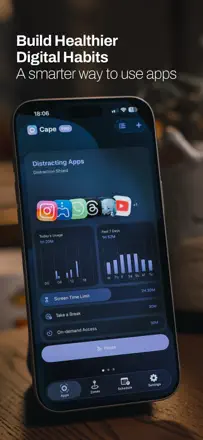
Cape hides apps and partially works on a schedule, but location-based scheduling is unreliable, and after updates hidden apps sometimes fail to return or, conversely, fail to disappear.
Points forts : Automatic hiding of work apps at home with no manual intervention.
Reproches : Schedule and geolocation triggers often do not fire on time without manually opening the app.
Pour qui : People who want to separate a work profile from a personal one on their phone
Rang 45. Note des avis : 44 sur 100. Note sur l’App Store : 4,5★ · 6 947 notes
44sur 100
The social co-studying aspect works and motivates, but the timer crashes after the first break, stats show wrong time, and Safari blocking is broken after an update.
Points forts : Virtual co-study rooms create a sense of presence.
Reproches : The timer is unstable: crashes on breaks and loses session data.
Pour qui : Students who need a social push to study
Rang 46. Note des avis : 44 sur 100. Note sur l’App Store : 4,4★ · 1 796 notes
44sur 100
A stylish Pomodoro timer with a good concept and visual execution that falls short on technical details: Watch vibration notifications miss sessions, widgets conflict with timer controls, and settings resetting on every launch is annoying. Potential is there, stability is not.
Points forts : A clean interface and Shortcuts integration help weave Pomodoro into a real workflow.
Reproches : Apple Watch vibration notifications fire unpredictably, and adding a widget to the screen breaks timer controls inside the app.
Pour qui : Apple ecosystem users who want Pomodoro with Shortcuts integration
Rang 47. Note des avis : 44 sur 100. Note sur l’App Store : 4,8★ · 1 111 notes
44sur 100
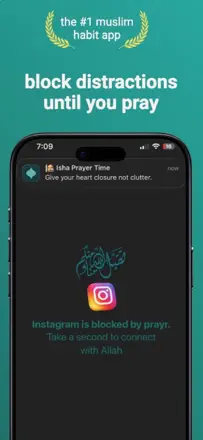
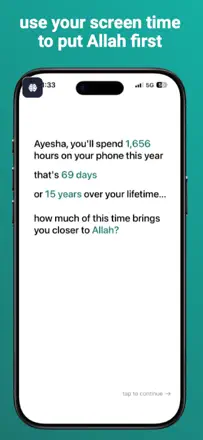
Same concept as Prayr: block the phone during prayer with reminders. The basic mechanic works, but blocking stops functioning after updates and there are very few reviews confirming stable long-term operation.
Points forts : The simple idea of blocking the phone between prayers is immediately clear and works during the trial period.
Reproches : App blocking periodically stops working after updates, leaving paying users without a functional tool.
Pour qui : Muslims who need a forced phone break during prayer time
Rang 48. Note des avis : 44 sur 100. Note sur l’App Store : 4,2★ · 520 notes
44sur 100
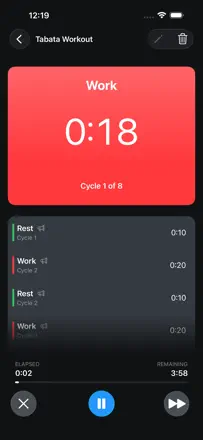
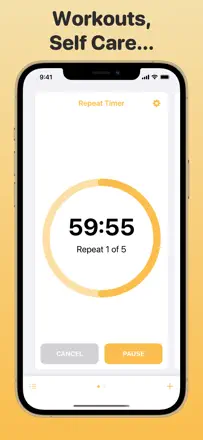
A simple repeating timer with a responsive developer, but the core task of an audio alert on Apple Watch in the background is unreliable. The screen has to stay active or the alert disappears.
Points forts : The developer fixes breakages after iOS updates quickly and replies to emails.
Reproches : The timer does not alert on Apple Watch when the app is backgrounded or the screen is locked.
Pour qui : People who train with intervals and are comfortable keeping the screen active
Rang 49. Note des avis : 42 sur 100. Note sur l’App Store : 4,6★ · 14 429 notes
42sur 100
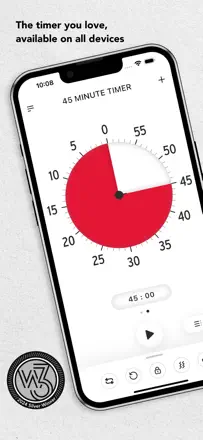
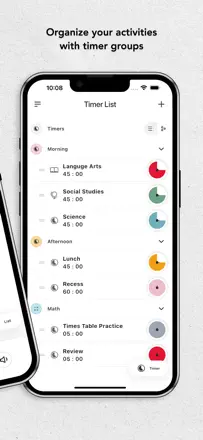
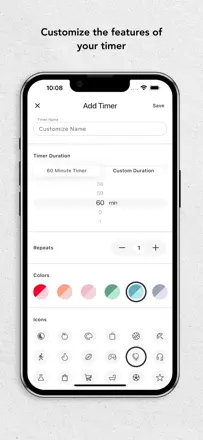
Time Timer wins on its visual representation of shrinking time, but basic alert reliability suffers: sound disappears on a locked screen, during incoming calls, and when running in the background.
Points forts : A clear visual disc that physically shows how much time remains.
Reproches : The alert fires unpredictably: sometimes silent, sometimes at the wrong time, sometimes four beeps instead of continuous.
Pour qui : Teachers and parents who need a clear visual timer for children
Rang 50. Note des avis : 42 sur 100. Note sur l’App Store : 4,4★ · 847 notes
42sur 100
An app blocker with profiles and a strict mode that helps some ADHD users limit social media, but strict mode can be bypassed by rebooting the phone or entering iOS settings, making the tool unreliable. Forced rating prompts inside the app are annoying.
Points forts : The extra step required to bypass the block already creates enough resistance to keep you from reflexively reaching for the phone.
Reproches : Strict mode is not protected against a device reboot bypass, which defeats it for users with strong addiction.
Pour qui : Adults with ADHD who need a soft barrier against social media during working hours
Rang 51. Note des avis : 42 sur 100. Note sur l’App Store : 4,1★ · 313 notes
42sur 100
The three-task-in-boxes concept worked well in the simpler version, but the redesign added clutter and broke what people loved about the app. Background music with no way to turn it off and stale updates undermine trust.
Points forts : The bento method and Japanese aesthetic help you focus on three key tasks without anxiety.
Reproches : After the redesign the app lost its main advantage, simplicity, and now feels like an overloaded task manager.
Pour qui : People looking for a visually pleasant focus timer without extras
Rang 52. Note des avis : 41 sur 100. Note sur l’App Store : 4,7★ · 81 264 notes
41sur 100
Before the major update Opal was one of the best distraction blockers, with a clean interface and real results, but the redesign made navigation chaotic, weakened blocking, and put basic features behind a paywall. The product is currently in a transitional crisis.
Points forts : The old version genuinely reduced screen time. Several users report dropping from 7 to 2 hours a day.
Reproches : After the update blocking became bypassable, the interface is confusing, and the focus-hours widget is broken.
Pour qui : People still on the old version or willing to wait for fixes
Rang 53. Note des avis : 41 sur 100. Note sur l’App Store : 4,6★ · 7 815 notes
41sur 100
Blank Spaces Launcher gives a minimalist screen free of temptation and works for some users, but setup is complex, widgets lost their clean look in iOS with Liquid Glass, and blocking resets on its own periodically.
Points forts : An empty home screen with only the icons you need physically removes triggers for autopilot app-opening.
Reproches : Blocking disables itself periodically, and once reset it cannot be re-enabled without recreating the setup.
Pour qui : People who want to hide apps from sight rather than block them at the system level
Rang 54. Note des avis : 40 sur 100. Note sur l’App Store : 4,7★ · 6 132 notes
40sur 100
Beautiful flip-clock visuals and a widget, but the Pomodoro resets when you switch apps or lock the screen, and the timer is interrupted by rating requests right in the middle of a session.
Points forts : The minimalist design with digit-flip animation looks good on screen.
Reproches : Pomodoro resets when you leave the app or when the battery runs low.
Pour qui : People who want attractive desk-style clocks and do not rely on background timer operation
Rang 55. Note des avis : 40 sur 100. Note sur l’App Store : 4,6★ · 827 notes
40sur 100
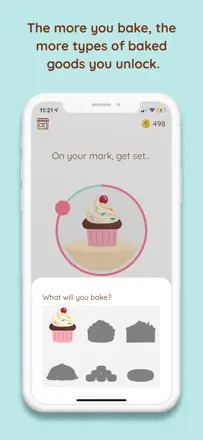
The cute baked-goods reward concept for sessions is motivating and pulls people back to the app, but a critical sign-in error makes the app completely inaccessible to a significant portion of new users, and the developer has not pushed an update in over two years.
Points forts : A game-style pastry collection earned through study sessions creates tangible accumulation that genuinely draws you back to your desk.
Reproches : Progress and the pastry collection reset without warning, and accumulated study hours vanish permanently.
Pour qui : Teenagers and students motivated by visual reward accumulation
Rang 56. Note des avis : 38 sur 100. Note sur l’App Store : 4,6★ · 91 115 notes
38sur 100
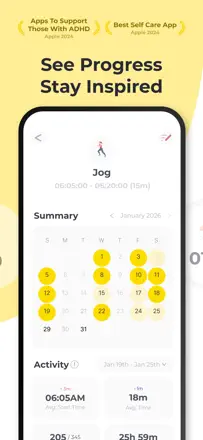
A habit tracker with a tidy design and reminders, but the timer does not work in the background, cross-device sync has been removed, and the paywall appears at the very start of onboarding. The core action of marking a habit complete is awkward.
Points forts : A clean interface and widget motivate you to return to the list every day.
Reproches : The goal timer stops when the app is minimized, there is no sync, and adding or editing a habit is cumbersome.
Pour qui : Beginners in habit tracking on a single device
Rang 57. Note des avis : 38 sur 100. Note sur l’App Store : 4,5★ · 13 992 notes
38sur 100
Brainrot has an attractive and motivating design, but app blocking does not activate automatically on schedule without manually launching the app, which defeats the entire self-restriction mechanism.
Points forts : Brain health gamification expressed as a percentage creates a real emotional stake.
Reproches : Blocking does not turn on without opening the app. The user has to remember to do it every day.
Pour qui : Young people who want to control social media time through a game mechanic
Rang 58. Note des avis : 38 sur 100. Note sur l’App Store : 4,3★ · 6 882 notes
38sur 100
A kanban board for tasks, not a timer or focus blocker. The mobile app is chronically slow and loses sync, making it barely usable as a productivity tool on the phone.
Rang 59. Note des avis : 38 sur 100. Note sur l’App Store : 4,5★ · 2 522 notes
38sur 100
A nice interface and gentle reminders appeal to users, but app blocking reliably breaks, schedules delete themselves, and tracking only works with the app open. The core screen-control function does not work.
Points forts : Non-intrusive motivating notifications genuinely helped people reduce phone time without feeling forced.
Reproches : App blocking stops working after updates, schedules reset on their own, and the timer requires the app to stay open.
Pour qui : People who want to reduce phone dependence but not for hard control
Rang 60. Note des avis : 38 sur 100. Note sur l’App Store : 4,8★ · 1 117 notes
38sur 100
The app sets up phone blocking before prayer and helps users not miss prayers. Users who bought access report it works. However nearly all functionality is behind a paywall with no meaningful free mode.
Points forts : Blocks distracting apps until the prayer is finished and genuinely helps maintain the prayer schedule.
Reproches : No Shia prayer-time calculation methods, narrowing the audience.
Pour qui : Practicing Muslims willing to pay for prayer discipline
Rang 61. Note des avis : 38 sur 100. Note sur l’App Store : 4,6★ · 724 notes
38sur 100
The physical card-slot mechanic is an interesting idea, but block scheduling behaves unpredictably and support is unhelpful. Strong concept, rough execution.
Points forts : The physical barrier genuinely makes it harder to pick up the phone and doomscroll.
Reproches : Block scheduling is unreliable: blocks do not lift after a break, and manual control is buggy.
Pour qui : People who want to physically set down the phone rather than just set a limit
Rang 62. Note des avis : 36 sur 100. Note sur l’App Store : 4,2★ · 6 083 notes
36sur 100
Blocks sites and apps, but the VPN layer sometimes interferes with services you actually need. The free tier is nearly nonexistent: even a 7-day schedule requires a subscription.
Points forts : Works on iOS without complex setup and blocks the sites you target.
Reproches : The VPN-based blocking method periodically cuts access to services you need.
Pour qui : Users who want to block one or two distracting sites without complexity
Rang 63. Note des avis : 35 sur 100. Note sur l’App Store : 4,7★ · 20 797 notes
35sur 100
A cute study timer with a rabbit character and a session-point system. The idea is motivating and works for younger users, but ads appear on every tap and interrupt the music, completely destroying the work flow. Without purchasing ad removal the app is counterproductive.
Points forts : The virtual pet and reward shop keep teenagers studying better than a plain timer.
Reproches : Ads appear every time you switch tabs and interrupt background music, the top complaint across reviews.
Pour qui : School and university students who have bought ad removal
Rang 64. Note des avis : 35 sur 100. Note sur l’App Store : 4,7★ · 3 113 notes
35sur 100
The tamagotchi-pet concept for self-discipline is appealing, but the app is technically unstable: items disappear, progress resets, streaks clear without warning. Too few product mechanics are available without a subscription.
Points forts : The small panda you care for creates attachment and the desire to return every day.
Reproches : Purchased and found items regularly disappear, which destroys the meaning of the reward system.
Pour qui : Teenagers who enjoy the tamagotchi aesthetic and caring for a virtual pet
Rang 65. Note des avis : 35 sur 100. Note sur l’App Store : 4,6★ · 1 818 notes
35sur 100
A minimalist timer with a clean display, but with unsafe ads in the free version and a timer that stops when you switch to another app. The app has not been updated in a long time and the key shortcomings remain.
Points forts : A clean large single-mode display helps concentration if the device is dedicated solely to the timer.
Reproches : The timer pauses when switching to another app, making background operation impossible.
Pour qui : Anyone who needs a simple attractive timer on a dedicated screen
Rang 66. Note des avis : 35 sur 100. Note sur l’App Store : 4,7★ · 861 notes
35sur 100
A simple site blocker for Safari that worked well before iOS 18 and now fails to block for most users. The developer has not updated the app in over two years and does not respond to reports.
Points forts : Before iOS 18 it worked without complex setup and held the set timer with no way to reset it.
Reproches : Works only in Safari and is easily bypassed through other browsers or by disabling the extension in Settings.
Pour qui : Safari users on iOS before version 18 who need a simple one-shot barrier
Rang 67. Note des avis : 35 sur 100. Note sur l’App Store : 4,2★ · 309 notes
35sur 100
An accountability-based blocker that works when it does not crash, but instability and iOS limitations make it unreliable. Scheduled blocks regularly fail to start or stop on time.
Points forts : The accountability-partner mechanic, where a partner can approve or reject an unblock request, genuinely raises the cost of bypassing restrictions.
Reproches : Block scheduling is unreliable: it often fails to turn on or off at the right time.
Pour qui : People fighting content addiction who need external accountability
Rang 68. Note des avis : 32 sur 100. Note sur l’App Store : 4,0★ · 2 043 notes
32sur 100
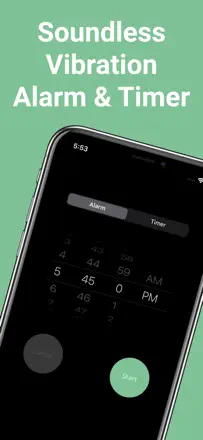
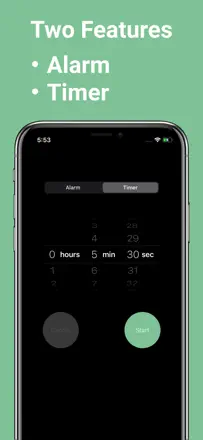
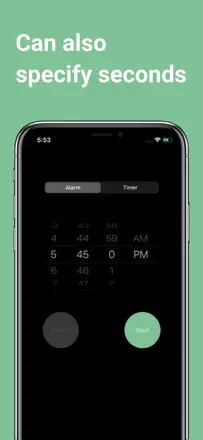
The idea of a vibration-only timer with no sound is useful in meetings and workouts, but the execution fails: the timer stops when the screen locks and resets when you leave the app. The core feature does not work in the core scenario.
Points forts : A silent vibration alert with no sound is perfect for discreet time control during presentations or public speaking.
Reproches : The timer stops when the screen locks and does not run in the background, making the app useless in most real situations.
Pour qui : Speakers and coaches who need a silent cue right in their hand
Rang 69. Note des avis : 32 sur 100. Note sur l’App Store : 4,6★ · 405 notes
32sur 100
The Mars colony concept growing from focus sessions is original, but the app is technically unstable: progress is lost on crashes, maps fail to load, and support is unresponsive. Feels like an abandoned project.
Points forts : The idea of building a Mars base in exchange for real phone-free time creates a genuine charge for the first few sessions.
Reproches : Crashing during a session resets progress, and the developers do not respond to reports.
Pour qui : Space enthusiasts willing to tolerate an unstable app for the concept
Rang 70. Note des avis : 30 sur 100. Note sur l’App Store : 4,7★ · 2 093 notes
30sur 100
Essentially just a large digital clock face, and it does even that poorly: the widget does not update the time zone during daylight saving transitions, and ads cover the screen even after purchase. Not suitable as a focus work timer.
Points forts : A large readable full-screen display with different styles is convenient as a desk clock on a tablet.
Reproches : Ads interrupt use even for paying users, and the widget does not switch time zones automatically.
Pour qui : People who need a large desk clock on a spare device
Rang 71. Note des avis : 28 sur 100. Note sur l’App Store : 4,7★ · 4 736 notes
28sur 100
Based on reviews this is a browser with userscript support, not a focus timer. Scripts break after updates, pages fail to load, and the core function is unstable.
Points forts : The idea of running userscripts directly in a mobile browser appeals to a technical audience.
Reproches : Scripts stop working without warning after updates, and there is no clear way to fix them.
Rang 72. Note des avis : 18 sur 100. Note sur l’App Store : 4,4★ · 1 699 notes
18sur 100
The app changed purpose: it was a hearing test, now it is a screen time control tool. Reviews reflect both periods and do not give an honest picture of current functionality. It cannot be evaluated as a focus tool from the current sample.
Points forts : Blocking with a minimal limit on useful apps that replaces a bad habit with a good one looks unconventional and interesting.
Reproches : The app changed its purpose and audience, leaving old users disoriented, and the store reputation does not reflect the actual current product.
Pour qui : Hard to define an audience given the app's mixed history
À propos des chiffres
Deux chiffres — deux sources
Elles aident à comparer les apps, mais ne remplacent pas la vérification de ta propre tâche.
Score des avis · jusqu’à 100
Le score conservé de l’étude inApp sur les textes des avis. Il évalue l’ensemble de l’app dans l’archive, pas la fiabilité d’une fonction précise.
Note de la boutique · jusqu’à 5
La note de la page de l’app au moment de la collecte. La note et la version actuelles peuvent différer.
Dans l’échantillon archivé de ce sujet : 72 apps et 17 445 avis lus. C’est le volume total de l’étude, pas le nombre d’avis par app.
Un écart entre les chiffres ne prouve pas de manipulation. La date de calcul et la méthode complète du score ne sont pas dans l’archive mobile. Compare les descriptions des tâches et les citations sources, et vérifie les conditions dans la version actuelle.