Ces apps sont mentionnées dans le décryptage de cette tâche. Ouvre chacune pour comparer les points forts et les limites. L’ordre de la liste n’est pas un classement d’adéquation.
Rang 2. Note des avis : 74 sur 100. Note sur l’App Store : 4,7★ · 3 160 notes
74sur 100
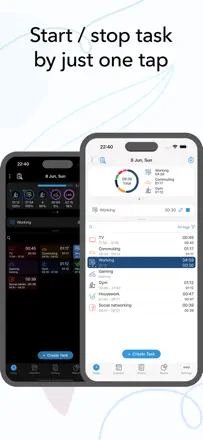
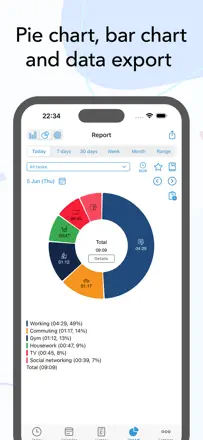
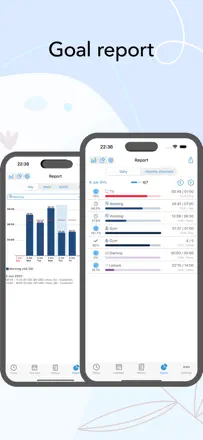
The best activity tracker in the batch: a single button per task, detailed stats, and a one-time purchase with no subscription, praised by users with years of daily use. Calendar sync is unreliable, and the widget degraded in iOS 18.
Points forts : One-time purchase with no subscription, plus honest analytics that show where your day actually goes.
Reproches : After iOS 18 the widget lost the ability to start a task directly from the home screen.
Pour qui : Analysts and freelancers who want to know where the day goes
Rang 22. Note des avis : 62 sur 100. Note sur l’App Store : 4,6★ · 2 970 notes
62sur 100
A solid Pomodoro timer with convenient task-zone breakdown, but sync between devices is spotty. Long-term users stick around, while newer ones increasingly leave because of lost data and broken notifications.
Points forts : Flexible session-to-task and GTD zone mapping helps you see exactly where the day goes.
Reproches : Sync between iPhone, iPad, and Mac is unreliable: data can disappear, and historical stats vanish after re-login.
Pour qui : GTD enthusiasts and structured time-tracking fans
Rang 12. Note des avis : 67 sur 100. Note sur l’App Store : 4,8★ · 14 498 notes
67sur 100
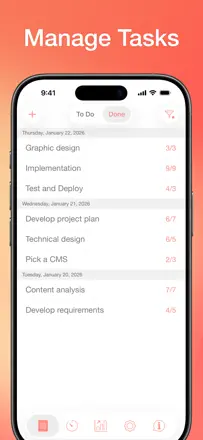
Focus To-Do combines Pomodoro with a full task planner and works well for people who need a system rather than just a timer, though widget bugs and task-logic issues have accumulated in recent versions.
Points forts : Sync across phone, browser, and desktop inside one working system.
Reproches : Widgets show wrong data, and tasks occasionally duplicate or reschedule themselves to the next day on their own.
Pour qui : People who need a Pomodoro timer inside a full-featured task planner
Rang 13. Note des avis : 67 sur 100. Note sur l’App Store : 4,7★ · 1 055 notes
67sur 100
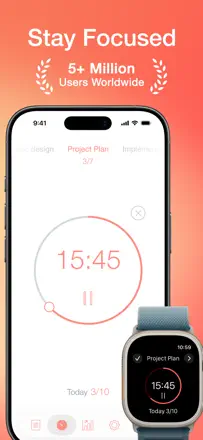
A beautiful Pomodoro timer with solid Apple Watch and iPhone sync, a clean interface, and accumulated session history. Version 8.0 broke stability for some users, and moving all functionality behind a subscription upset longtime buyers.
Points forts : Apple Watch sync works without lag, and the timer runs in the background correctly.
Reproches : Stats do not let you view total time spent on a specific task over an arbitrary date range.
Pour qui : Productive Apple users who want a beautiful and reliable Pomodoro timer
Rang 8. Note des avis : 72 sur 100. Note sur l’App Store : 4,8★ · 362 notes
72sur 100
A serious Pomodoro tool with session tracking and a site blocker, but the interface is loaded with options and takes a long time to configure. A good fit for people with ADHD who need structure rather than simplicity.
Points forts : Detailed daily statistics help you see real progress and keep motivation up.
Reproches : You cannot quickly change session length from the main screen without digging into settings.
Pour qui : Productivity enthusiasts who care about time analytics