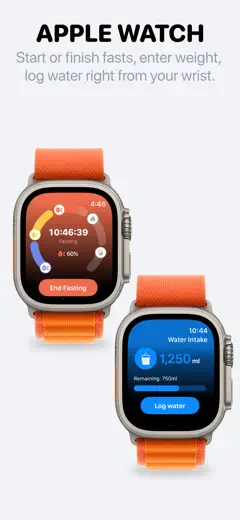
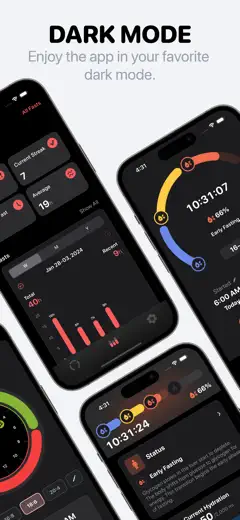
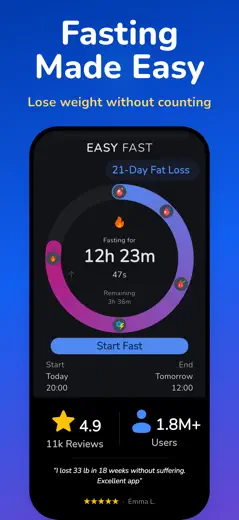
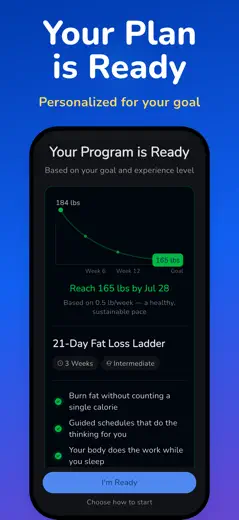
Note des avis : 74 sur 100. Note sur l’App Store : 4,9★ · 48 362 notes
74sur 100
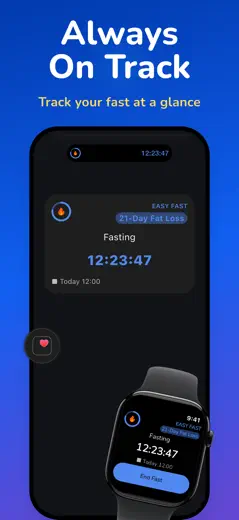
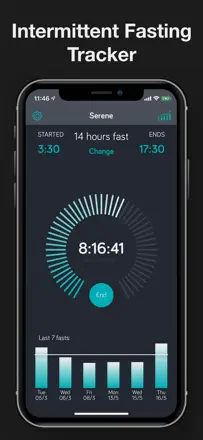
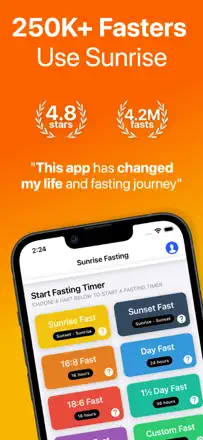
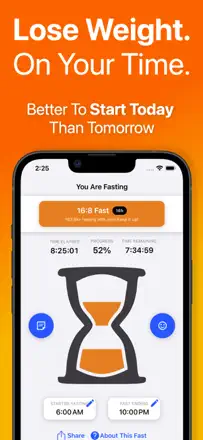
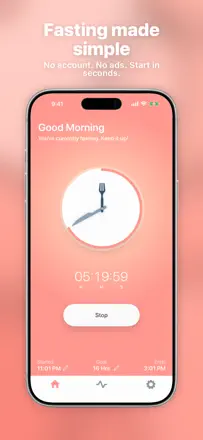
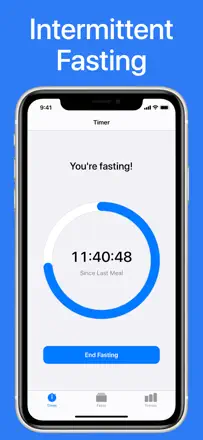
A clean intermittent fasting timer with no clutter. Install it, open it, and the countdown starts immediately, surfacing in Dynamic Island and on the lock screen.
Points forts
The app lives in Dynamic Island and on the lock screen, giving you fasting status at a glance without unlocking your phone. Users consistently call this system-level integration the app's biggest win.
Reproches
No way to edit a timer once it's started or after it ends, so a misclick means a lost record. No sync between iPhone and iPad, so your data only exists on one device.
Pour qui : Anyone who wants a single-purpose tool with no extras: tap once, the timer runs, the number is always visible in Dynamic Island.
Note des avis : 72 sur 100. Note sur l’App Store : 4,7★ · 330 notes
72sur 100
The best value-for-reliability pick in the category. Includes a Watch app, a Mac app with iCloud sync, Live Activities, widgets, and educational fasting stages. A go-to choice for users who left the Life app. The paid barrier at install hurts conversion.
Points forts
Mac plus iOS sync over iCloud is unique in this category. Educational content explaining what your body is doing at each fasting stage. A first-class Watch app with detailed on-screen info.
Reproches
A paywall hits users on the main screen before they can try anything. The custom notification takes up too much space and is not configurable. Problems entering a future fast start time (the date resets).
Pour qui : Experienced IF practitioners who are invested in the Apple ecosystem (Watch, Mac, iPhone) and already know why they need a tracker. Works well for people running varied protocols including extended fasts.
Note des avis : 71 sur 100. Note sur l’App Store : 5,0★ · 7 832 notes
71sur 100
The cleanest timer in the category. Shows the current metabolic phase (gluconeogenesis, fat burning, ketosis) right on the dial, which genuinely helps you push through. The free version is functional, paid adds programs and extra stats. Main downside: no sync between iPhone and iPad.
Points forts
A live fasting-phase display tied to elapsed hours. Users say this is exactly what keeps them inside their fasting window until the end.
Reproches
No automatic schedule repeat: you have to manually start a new fast every day.
Pour qui : Any IF practitioner from beginner to advanced who wants clear visual phase feedback without extra screens.
Rang 4. Note des avis : 71 sur 100. Note sur l’App Store : 4,8★ · 3 477 notes
71sur 100
Daily Fast is a rare minimalist tracker with no subscriptions and no attempt to bloat the feature set. Users come back to it after trying more complex apps. Main weaknesses: notifications can miss and there is no widget.
Points forts : A built-in schedule means you never have to manually start or stop. The app knows when you are fasting. Zero monetization pressure and no lifestyle questions on launch.
Reproches : Notifications about the approaching eating window are unreliable. You cannot edit past-day times. Does not support fasts longer than 24 hours.
Pour qui : An experienced 16:8 practitioner who wants a quiet, accurate timer with no upselling and no subscription.
Rang 5. Note des avis : 68 sur 100. Note sur l’App Store : 4,9★ · 939 notes
68sur 100
A gamified tracker where a virtual garden grows with your fasting hours. Also tracks water, menstrual cycle, and mood. A lock screen widget with a countdown is one of its key features. A lifetime purchase option lowers the barrier.
Points forts : The growing virtual garden mechanic creates an engagement loop. Users say they do not want to kill their plant. Toggleable modules let you keep only the trackers you need without a cluttered home screen.
Reproches : Custom fast durations outside of presets require a paid upgrade. There is no way to transfer data between iOS and Android, so your history and garden are gone if you switch platforms. Widgets show only the timer, not the garden.
Pour qui : People who need game-like motivation to build a fasting habit, especially a younger audience.
Rang 6. Note des avis : 68 sur 100. Note sur l’App Store : 4,8★ · 800 notes
68sur 100
A minimalist timer with no subscriptions. Does one thing honestly. Main flaw: stats are calculated incorrectly. The 7-day average includes all data from the beginning of use, not a rolling week. Weight entries have no year, so data from multiple years gets mixed together.
Points forts : One start/stop button, an Apple Watch widget, no pushy notifications, and no paid pressure. You can also backdate the start time of a fast.
Reproches : Statistics use a running total instead of a sliding window, making them misleading. Weight log entries show no year, so multi-year data becomes unreadable. Cannot log more than one fast per day.
Pour qui : Anyone who wants to tap a button and stop thinking. No education, no progress charts, just a clean timer with a weight log.
Rang 7. Note des avis : 62 sur 100. Note sur l’App Store : 4,8★ · 93 564 notes
62sur 100
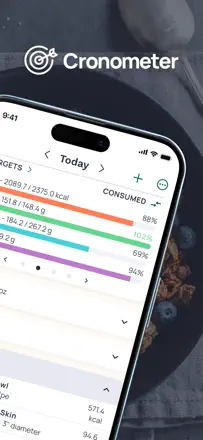
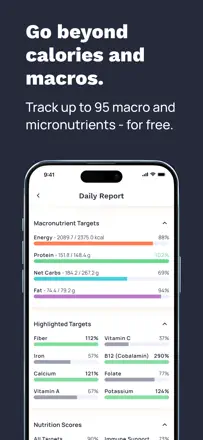
The most nutritionally detailed free food tracker available, covering micronutrients alongside macros and including a web version. Loosely connected to fasting as a practice.
Points forts : The only free tracker that breaks down not just macros but micronutrients (vitamins, minerals) with per-meal detail. The barcode scanner recognizes almost everything without a miss.
Reproches : After a recent update, search surfaces branded products above generic names, turning a simple query like 'banana' into a multi-step hunt. This breaks the core fast-logging use case.
Pour qui : People who want full control over their diet with a focus on nutrients rather than just calories, and who are not looking for a dedicated fasting timer.
Rang 8. Note des avis : 62 sur 100. Note sur l’App Store : 4,8★ · 9 656 notes
62sur 100
A minimalist free tracker with no subscription pressure. Core feature: a clean timer with manual start and end entry, a monthly calendar view, and basic weight tracking. Breaks after some updates, with the widget failing to reset and sessions not saving on exit.
Points forts : The ability to log a past fast retroactively and see a color-coded tile for the entire month keeps the feeling of a streak going.
Reproches : No daily reminders on a set schedule. Users have to remember to start the timer themselves.
Pour qui : An experienced 16:8 or 18:6 practitioner who wants an honest archive without a subscription or extra screens.
Rang 9. Note des avis : 62 sur 100. Note sur l’App Store : 4,6★ · 3 645 notes
62sur 100
Suavita stands out for supporting extended fasts beyond 7 days, a niche competitors do not cover. Hourly milestones explain what is happening in your body. Weak points: limited record editing and typos in the copy.
Points forts : Support for 40-plus-day extended fasts with hourly physiological cues. The visual progress ring and pie chart keep you motivated to continue.
Reproches : Cannot edit or delete a fast once it has started. The time-picker scroll is finicky. A recent update removed some free features without notice.
Pour qui : Extended fasting practitioners (24-plus hours) who want a tracker with physiological context.
Rang 10. Note des avis : 60 sur 100. Note sur l’App Store : 4,8★ · 1 059 notes
60sur 100
One of the more mature trackers in the category: auto-detects fasting patterns, offers presets with notifications, and lets you delete a failed fast from history. Stability drops after major updates, but the team actively patches issues.
Points forts : Automatic fasting pattern presets with push notifications for the start and end of a fast take the guesswork out of your schedule. The ability to delete a fast from history without penalty helps you keep accurate stats.
Reproches : After updates the app sometimes fails to register that a fast ended and shows 'Start' instead of 'End', causing data loss. Apple Health weight sync does not work consistently.
Pour qui : People who want a simple, reliable timer with notifications and have no interest in food or meal plans.
Rang 12. Note des avis : 58 sur 100. Note sur l’App Store : 4,6★ · 857 notes
58sur 100
A minimalist tracker focused purely on fasting time with no extra features. The editable fast history is genuinely appreciated by disciplined trackers. Apple Watch runs as a fully independent app with no phone sync.
Points forts : Editable fast history lets you fix an incorrect start or stop without losing your data. Metabolic state display (ketosis, stable glucose) based on elapsed fasting time, no lab work required.
Reproches : Apple Watch and iPhone run completely independently, giving you two unsynced counters at the same time. The streak counter breaks for fasts longer than 25 hours, counting them as skipped days. No countdown timer to the end of the eating window.
Pour qui : People who want a clean minimalist fast log with no keto advice and no gamification.
Rang 13. Note des avis : 56 sur 100. Note sur l’App Store : 4,6★ · 1 565 notes
56sur 100
A minimalist tracker focused on visualizing the current fast and showing a calendar history. The paid retroactive-start feature (manually setting a past fast's start time) is genuinely useful for regular practitioners. The 48-hour fast cap cuts off extended fasting.
Points forts : A real-time visual countdown keeps the current fast front of mind. The retroactive-start feature lets you log a fast honestly even if you forgot to tap the button on time.
Reproches : Maximum fast length of 48 hours is not enough for extended formats. No Apple Health or Apple Watch integration despite repeated user requests. The weight goal feature is inaccessible after purchasing premium.
Pour qui : People doing 16:8 or 18:6 who want a simple tracker with a history and no extra features.
Rang 14. Note des avis : 55 sur 100. Note sur l’App Store : 4,8★ · 13 852 notes
55sur 100
A minimalist fasting timer that degraded after monetization. Features that used to be free are now locked behind a subscription.
Points forts : Users value the clean interface and the ability to control the timer directly from Apple Watch.
Reproches : Data does not transfer when switching phones, the widget does not work, and support is unresponsive. These are critical failures for long-term habit tracking.
Pour qui : Apple Watch users who want to start and stop a fast with a flick of the wrist.
Rang 15. Note des avis : 55 sur 100. Note sur l’App Store : 4,7★ · 3 286 notes
55sur 100
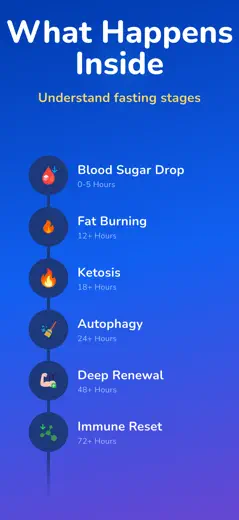
Fast uses an educational timer that shows fasting phases (blood sugar drop, fat-burning zone, ketosis) in real time. A buddy system adds social motivation. Analytics are buggy, fast start times cannot be edited retroactively, and the app occasionally crashes.
Points forts : A live timer with named metabolic phases keeps users aware of exactly what is happening right now. Buddy fasting with real-time status of friends adds accountability.
Reproches : The fast history adds ghost entries and shows incorrect hours on the All tab. You cannot change the start time of a completed fast. Achievements do not save.
Pour qui : People who find it easier to stay on track with a group and want to understand what is happening in their body hour by hour.
Rang 16. Note des avis : 55 sur 100. Note sur l’App Store : 4,7★ · 455 notes
55sur 100
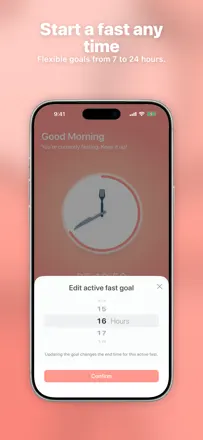
A beautiful minimalist timer that users appreciate for its honesty (no subscriptions). Known limitations have been present for years: 24-hour cap, the timer auto-stops at the goal, no multiple fasts per day, no retroactive time entry. The most recent major update broke the history.
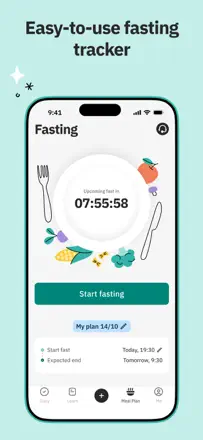
Points forts : No paywalls. A visually clean interface with a fork-and-clock design. Six years of operation without core feature degradation, up until the most recent update.
Reproches : A hard 24-hour cap is a dealbreaker for OMAD or multi-day fasting. The timer stops when the goal is reached instead of continuing to count. A rolling 7-day history means older fasts fall off the widget. Start-of-fast notifications do not fire.
Pour qui : People practicing standard 16:8 or 18:6 with no need for extended fasts, who value simplicity and a subscription-free experience.
Rang 17. Note des avis : 52 sur 100. Note sur l’App Store : 4,8★ · 246 130 notes
52sur 100
A fasting tracker with a nice widget and a community feature, but overloaded with ads to the point that even paid users complain.
Points forts : The lock screen widget and the header timer gave users an instant summary without opening the app. Users directly name this as the main hook that kept them coming back.
Reproches : The team moved the timer off the main screen into a buried navigation layer, breaking the primary UX pattern for loyal users. Switching to a new phone does not restore the account, so all progress is lost.
Pour qui : Beginners who want a polished interface and reminders, and who are willing to tolerate ads or pay for Plus upfront.
Rang 18. Note des avis : 52 sur 100. Note sur l’App Store : 4,4★ · 2 451 notes
52sur 100
A keto tracker focused on recipes and meal planning. The food database and barcode scanner work, but macros are often inaccurate and need manual checking. The scanner misidentifies products. The interface feels overwhelming for new users.
Points forts : A recipe planner with macro counts gives users a structured weekly eating plan. Mood and energy tracking alongside food logs is a rare feature that helps reveal patterns.
Reproches : The barcode scanner maps products incorrectly, such as identifying cheese as a sandwich. Minimum vegetable portions are locked at one cup with no way to reduce. The food database is geared toward European products, with many American entries missing.
Pour qui : People strictly tracking keto macros who want to cook from recipes rather than just fast by the clock.
Rang 19. Note des avis : 49 sur 100. Note sur l’App Store : 4,7★ · 5 327 notes
49sur 100
A fasting tracker plus food journal with AI recognition and recipes. The interface gets praise for visual clarity. Two systemic failures hurt trust: a forced subscription screen with no close button blocks the app, and logging out wipes fasting history with no way to recover it.
Points forts : The visual daily fasting progress combined with themed recipes creates a sense of being guided rather than just tracked.
Reproches : A forced paywall with no option to dismiss makes the app unusable for some users.
Pour qui : Users ready to pay from day one who want to combine IF with meal tracking.
Rang 20. Note des avis : 48 sur 100. Note sur l’App Store : 4,8★ · 2 648 notes
48sur 100
IF 16:8 stands out with an onboarding education section for beginners and avatars representing diverse racial backgrounds, which is unusual for the genre. The timer works and reminders arrive. However, daylight saving time shifts break the schedule, weight conversion is unreliable, and support is silent.
Points forts : An educational section covering IF basics is available without a subscription and helps beginners get started. Automatic reminders for the start and end of a fast require no manual tap.
Reproches : When clocks change for daylight saving, the timer goes off and there is no manual correction. Weight conversion to pounds does not work. The paid content behind the subscription, five recipes, is a disappointment.
Pour qui : Beginners who want a basic explanation of intermittent fasting and automatic reminders.
Rang 21. Note des avis : 46 sur 100. Note sur l’App Store : 4,7★ · 6 329 notes
46sur 100
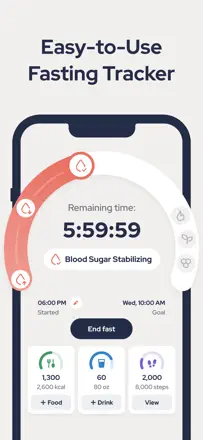
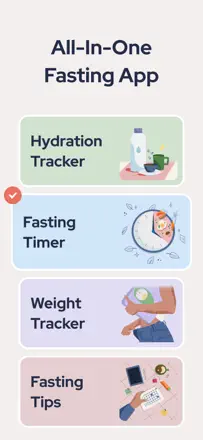
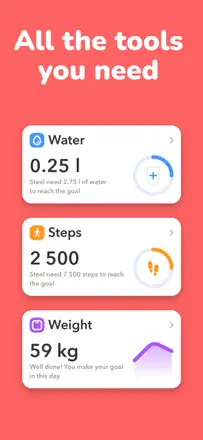
An all-in-one tool combining a fasting timer, step counter, water tracker, and AI food recognition. The coaching feature works, but the coach responds with a 4-5 hour delay. The food database is unreliable: the barcode scanner assigns portion sizes arbitrarily, and coffee is measured in grams instead of milliliters.
Points forts : AI photo food recognition lowers the barrier for logging meals. A photo of your plate is enough.
Reproches : The food database returns incorrect weights and units, and calorie counts do not match real-world food.
Pour qui : Beginners who want a single dashboard without diving deep into nutrition science.
Rang 23. Note des avis : 44 sur 100. Note sur l’App Store : 4,7★ · 144 207 notes
44sur 100
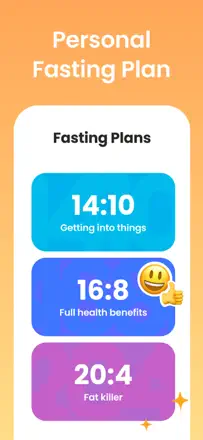
A fasting tracker with a weekly schedule from a 'coach' that suggests different fasting protocols suited to your personal rhythm.
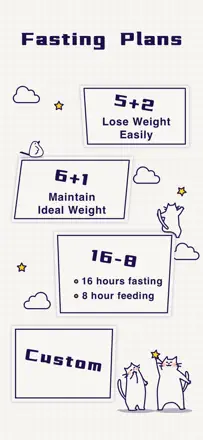
Points forts : A weekly auto-scheduled plan with protocol suggestions (16:8, 5:2, and others) reduces decision fatigue. You do not need to figure out today's protocol on your own.
Reproches : The schedule cannot be copied to the next week, so you reconfigure from scratch every time. On top of that, the schedule editor's own logic (times cannot overlap mid-edit) makes the process take far longer than it should.
Pour qui : People who want a structured fasting plan with varied protocols and prefer not to design their own schedule.
Rang 24. Note des avis : 44 sur 100. Note sur l’App Store : 4,8★ · 6 772 notes
44sur 100
A timer with a phase display and a built-in meal planner. Key product flaw: in the free version, ads cover the button to end a fast, so users physically cannot save their result. The coaching feature exists, but dietary tips do not adapt to your chosen diet (a keto plan gets low-calorie recommendations).
Points forts : The phase display and motivational push notifications at key milestones (18h, 24h) help users resist quitting.
Reproches : In the free version, ads block the fast-ending button, which breaks the core mechanic of the tracker.
Pour qui : Paid subscribers who want a combined timer and meal planner and are not concerned about nutrient accuracy.
Rang 25. Note des avis : 44 sur 100. Note sur l’App Store : 4,6★ · 1 320 notes
44sur 100
A Unicity-backed tracker with educational videos from physicians and support for night-shift schedules. Data disappears in certain in-app navigation scenarios, destroying months of history. The educational content for beginners is strong.
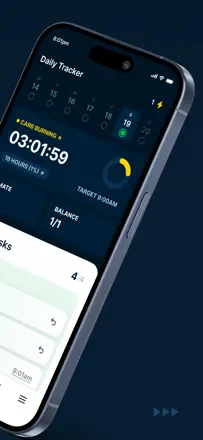
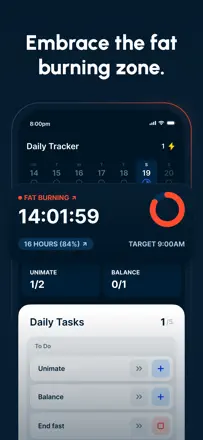
Points forts : An educational section with videos from doctors and specialists gives beginners context on why to fast and what happens in the body. Dedicated buttons for Unimate and Balance products are convenient for users in the Unicity ecosystem.
Reproches : Navigating to the in-app store section resets all data, a systemic bug that destroys trust. The app does not adapt to night-shift workers: the eating window cannot flex to non-standard schedules.
Pour qui : Unicity product users and people just starting out with fasting who want to understand the mechanics.
Rang 26. Note des avis : 42 sur 100. Note sur l’App Store : 4,9★ · 28 482 notes
42sur 100
A basic tracker that gradually degraded due to growing ad load and an unstable timer.
Points forts : The app provides fasting phase context and responds to user progress, which creates a sense of support.
Reproches : The timer resets or freezes when you leave the app, and the screen fills with food ads in the middle of a fast, which defeats the entire point of tracking.
Pour qui : IF beginners who have not yet discovered better alternatives.
Rang 27. Note des avis : 42 sur 100. Note sur l’App Store : 4,7★ · 3 180 notes
42sur 100
MyFast offered a simple schedule with no bloat, and for a long time that was its strength. The app has not been updated in years (the website dates to 2014), data gets lost, and push notifications arrive at random times. Users are leaving.
Points forts : Schedule mode automatically tracks eating windows without manual start/stop taps. A configurable schedule with daily reminders works for people with a stable routine.
Reproches : Data disappears without warning. In schedule mode there is no way to manually log when you actually started or stopped fasting. Notifications arrive at random times.
Pour qui : A user with a fixed 16:8 schedule who does not need history and just wants a reminder.
Rang 28. Note des avis : 41 sur 100. Note sur l’App Store : 4,7★ · 48 709 notes
41sur 100
A food tracker with AI portion analysis and a polished interface that degraded due to unskippable educational animations after every meal log.
Points forts : AI food photo analysis with portion estimates works surprisingly well. Users note it lowers the effort of logging complex dishes that are hard to find in the database.
Reproches : After every food entry, the app forces an animated tip that cannot be turned off anywhere in settings. This breaks the daily use rhythm and is directly cited as the main reason users delete the app.
Pour qui : Users who want AI dish photo analysis and a polished interface and can tolerate persistent educational content.
Rang 29. Note des avis : 41 sur 100. Note sur l’App Store : 4,7★ · 9 299 notes
41sur 100
Combines a fasting timer, calorie counter, and phase display in a single interface. The food scanner is unreliable, with some products recognized only through manual entry. Key product downside: the metabolic phase display (from glycolysis to ketosis) requires a subscription.
Points forts : A real-time fasting phase display visually motivates users to hold out until ketosis.
Reproches : The food scanner frequently fails to identify a product and returns zero calories, making nutrition data unreliable.
Pour qui : Users combining intermittent fasting with calorie counting who can tolerate an imperfect food tracker.
Rang 30. Note des avis : 38 sur 100. Note sur l’App Store : 4,8★ · 445 291 notes
38sur 100
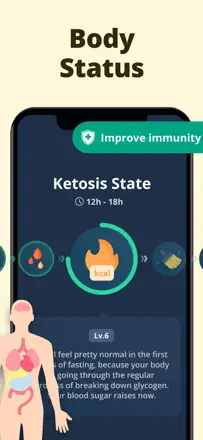
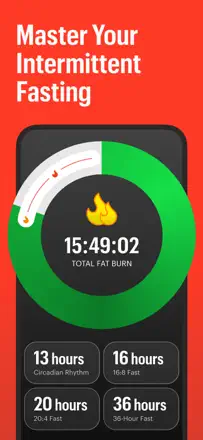
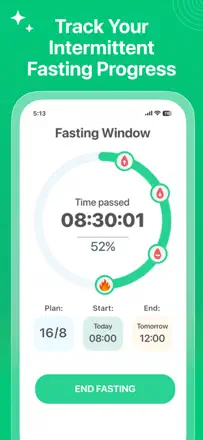
An intermittent fasting timer with a polished fat-burning phase visualization, but the free version's functionality is cut to a bare minimum.
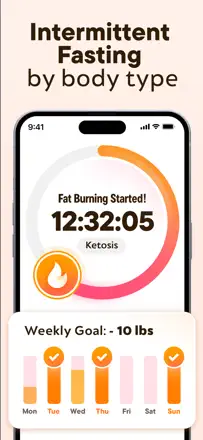
Points forts : A 'flame' animation during peak fat-burning phase genuinely motivates users to keep going. People who lost 20-30 pounds credit this visual cue as a key driver.
Reproches : The target weight algorithm has a serious bug: it substitutes someone else's parameters in place of the ones you entered. The app gives no warning about maximum safe fasting duration, which is a risk for vulnerable users.
Pour qui : People willing to pay for a subscription from day one who want motivating phase visualization.
Rang 32. Note des avis : 38 sur 100. Note sur l’App Store : 4,8★ · 10 158 notes
38sur 100
A fasting tracker with a reasonable feature set (timer, phases, hydration, food) but a broken logging mechanic: you cannot fix an incorrect start time, and the log freezes when you try to edit. The app auto-switches your plan if you deviate by even an hour, which irritates experienced users. Works more like a reminder than a precise tool.
Points forts : Progress challenges and hydration reminders help people starting from scratch maintain their rhythm.
Reproches : Editing entries freezes or is unavailable, and the plan automatically switches when the schedule slips even slightly.
Pour qui : A beginner who needs a simple push to get through the first month and does not care about log accuracy.
Rang 33. Note des avis : 38 sur 100. Note sur l’App Store : 4,7★ · 4 989 notes
38sur 100
An aggressive onboarding flow with 25 to 30 questions leads straight to a paywall. Most angry reviews are about exactly that. The timer itself works, but data occasionally disappears. The product is dishonest with new users.
Points forts : A visual fasting phase breakdown with body-state labels and progress notifications resonate with users who make it past the onboarding.
Reproches : A 30-question onboarding with no product preview first creates a feeling of being misled. Fast history has disappeared without explanation. The interface does not fit newer iPhone screen sizes.
Pour qui : A beginner willing to sit through an aggressive sales flow in exchange for a polished phase timer.
Rang 35. Note des avis : 34 sur 100. Note sur l’App Store : 4,6★ · 751 notes
34sur 100
The app promises a tracker but real users hit an aggressive paywall after two days, login failures after updates, and crashes during water logging. Functionally weak.
Points forts : Fasting start and hydration reminders work for beginners. The interface is simple enough to not confuse new users in the first few days.
Reproches : The timer is unstable and the app crashes when logging water. After updates, authentication breaks so users who paid can no longer get in. The subscription scheme pushes people away before they can evaluate the product.
Pour qui : Not recommended to anyone in its current state. If the app is fixed and the forced early paywall is removed, it could work for absolute IF beginners.
Rang 36. Note des avis : 32 sur 100. Note sur l’App Store : 3,9★ · 4 812 notes
32sur 100
DoFasting is positioned as a coaching platform, but the back button does not work on newer iPhones, canceling a subscription is made deliberately difficult, and support sends templated responses. Educational content exists but is blocked by technical problems.
Points forts : A countdown widget to the end of the fast is actively used. A food diary with a product database helps beginners structure their eating.
Reproches : Navigation is broken on iPhone 16/17 Pro Max: the back button is covered by the status bar. The subscription cancellation flow is deliberately obscured. It does not cancel through the App Store and requires a separate email.
Pour qui : A beginner looking for structure and recipes who can tolerate interface instability.
Rang 37. Note des avis : 30 sur 100. Note sur l’App Store : 4,6★ · 78 882 notes
30sur 100
A minimalist fasting timer with fasting phase information, but with serious stability problems and questionable subscription practices.
Points forts : In-context content about what happens in your body at hour 4, 8, and 16 helps beginners stay motivated without separate reading.
Reproches : The app has no way to log food with a barcode or scan calories, forcing users to switch to another service for a full picture. The absence of a basic calorie counter makes it a halfway tool.
Pour qui : People just starting intermittent fasting who want a simple timer with motivating content and no extra features.
Rang 38. Note des avis : 30 sur 100. Note sur l’App Store : 4,6★ · 4 600 notes
30sur 100
The app does not let you pause a fast without deleting your account entirely. The eating window does not update when you change settings. Notifications do not work. Articles in the education section repeat themselves. For the price, users feel cheated.
Points forts : A live chat coach who answers questions about supplements and vitamins is the only feature users praise with specifics.
Reproches : No way to pause a fast without resetting the entire account. The eating window does not save changes. Content in the education section is duplicated from article to article.
Pour qui : Someone for whom live coach access matters and timer precision does not.
Rang 39. Note des avis : 30 sur 100. Note sur l’App Store : 4,7★ · 2 303 notes
30sur 100
A free tracker with a simple timer, but with serious stability problems. The app resets the date to an incorrect value, loses all history on logout, and prompts re-login every few days.
Points forts : Simplicity: one screen with a timer and no extra settings, which works for complete fasting beginners.
Reproches : The session resets every few days and wipes the entire fast history even when you sign back in with the same account. The bar chart shows scheduled time instead of actual fasting time.
Pour qui : People who want to try fasting without commitment and are okay with losing their history.
Rang 40. Note des avis : 29 sur 100. Note sur l’App Store : 4,9★ · 9 045 notes
29sur 100
A once-popular tracker with a female audience that has degraded to a non-functional state. After several updates the app does not load for a large share of users, Apple Sign-In is broken, and the community was moved to an external Facebook group. Those who do manage to open it praise the simple timer.
Points forts : A simple visual progress bar and a fast history feed kept users engaged for years.
Reproches : The app does not launch after updates: it freezes on the logo for one to several minutes and does not save sessions.
Pour qui : Not recommended to anyone in its current state. Historically it worked well for women new to 16:8 fasting.
Rang 42. Note des avis : 28 sur 100. Note sur l’App Store : 4,6★ · 2 493 notes
28sur 100
The app is marketed as a tracker for men, but the basic function of switching IF protocols is buried behind a paywall and is genuinely hard to find. The calorie counter only covers branded products. A spiritual mechanic that asks for religious affiliation feels out of place in a health tracker.
Points forts : A progress page showing fasting days gives users a sense of accumulated results over several weeks.
Reproches : Switching from 16:8 to 18:6 is buried deep in settings and often does not save. The calorie database covers only store brands with no way to add your own meal. The timer merges multiple days together rather than counting them individually.
Pour qui : Hard to name a clear audience. The product wins neither on simplicity nor on depth.
Rang 43. Note des avis : 22 sur 100. Note sur l’App Store : 4,5★ · 2 136 notes
22sur 100
A survey onboarding that leads directly to a subscription screen with no way to try the app first. Content contains grammar errors. There is virtually no real tracking in the free version.
Points forts : The eating window structure and fast period reminders give users a sense of having a schedule.
Reproches : No access to any features without a subscription, even after completing the survey. Interface typos reduce trust in the data.
Pour qui : Very hard to name an audience. The app does not let users try it before paying.
Rang 44. Note des avis : 18 sur 100. Note sur l’App Store : 4,5★ · 2 363 notes
18sur 100
A fasting timer that cannot even edit start or end times. Data resets after a few days. The app is marketed as free but immediately pushes a payment screen.
Points forts : One-tap timer launch with no setup. Users note you can start immediately.
Reproches : No way to correct the end time of a past fast retroactively. If you forget to tap, the data is gone. The app periodically wipes the entire history without warning.
Rang 45. Note des avis : 15 sur 100. Note sur l’App Store : 4,4★ · 991 notes
15sur 100
A minimal tracker with non-functional time editing, no fasting methodology content, and an opaque subscription cancellation flow. Does not support OMAD. Marketed as free but features are locked behind a paywall.
Points forts : No mechanics worth highlighting. Users found no value beyond the basic timer.
Reproches : Editing the fast start time causes a crash. No fasting methodology content at all. Water is measured only in liters with no way to switch to ounces.
Rang 46. Note des avis : 14 sur 100. Note sur l’App Store : 4,7★ · 5 262 notes
14sur 100
The app systematically fails to open for a large share of users (white screen on launch). Support has not responded to emails for months. Documented cases of unsubscribable subscriptions. As a fasting tracker it has a timer and fasting articles, but they are inaccessible if the app does not start.
Points forts : The dashboard design and navigation are appreciated by the rare users for whom the app actually opens.
Reproches : The app does not launch on a significant portion of devices, showing a white screen with no fallback and no support response.
Pour qui : Not recommended to anyone in its current state.
Rang 47. Note des avis : 12 sur 100. Note sur l’App Store : 4,7★ · 675 notes
12sur 100
Effectively a timer that demands payment of around $44 per year from the first screen. Users report inability to cancel the subscription, unexpected charges, and no value beyond what a phone's built-in clock provides.
Points forts : Nothing substantial. Some users mention simplicity, but this is the only app in the set with not a single honest positive observation about the product itself.
Reproches : A forced annual subscription from the first screen with no way to evaluate the product first. Impossible to cancel through standard Apple interfaces. Static content with recipes that are never updated.
Pour qui : No one.
À propos des chiffres
Deux chiffres — deux sources
Elles aident à comparer les apps, mais ne remplacent pas la vérification de ta propre tâche.
Score des avis · jusqu’à 100
Le score conservé de l’étude inApp sur les textes des avis. Il évalue l’ensemble de l’app dans l’archive, pas la fiabilité d’une fonction précise.
Note de la boutique · jusqu’à 5
La note de la page de l’app au moment de la collecte. La note et la version actuelles peuvent différer.
Dans l’échantillon archivé de ce sujet : 47 apps et 12 613 avis lus. C’est le volume total de l’étude, pas le nombre d’avis par app.
Un écart entre les chiffres ne prouve pas de manipulation. La date de calcul et la méthode complète du score ne sont pas dans l’archive mobile. Compare les descriptions des tâches et les citations sources, et vérifie les conditions dans la version actuelle.