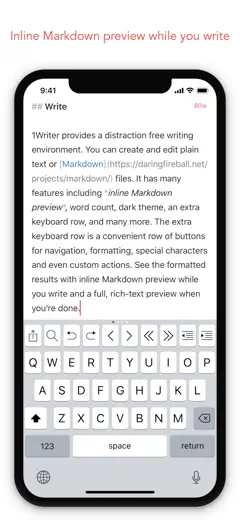
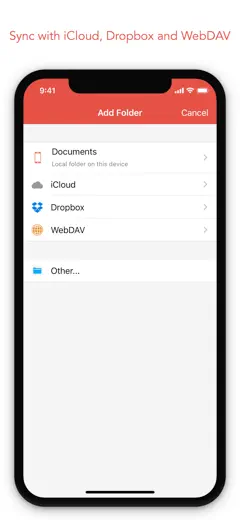
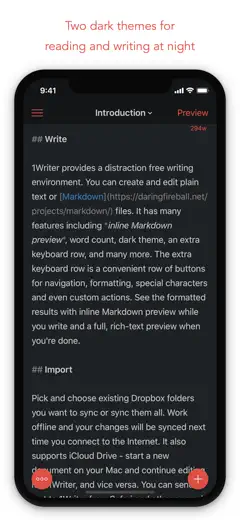
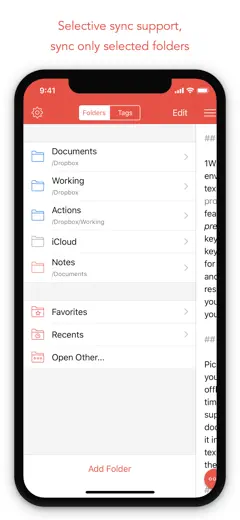
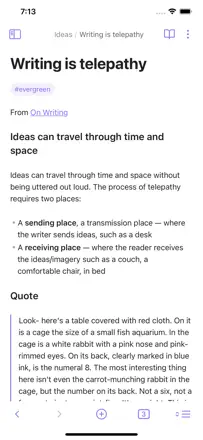
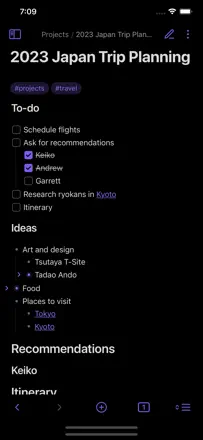
A clean, reliable Markdown editor with Dropbox and iCloud support, an extended keyboard, and an actions system. Used for years as a trusted mobile node in personal knowledge management setups. Rarely breaks, sync just works.
評価点
Lightning-fast full-text search across all Dropbox files. The extended keyboard with Markdown buttons speeds up typing.
不満点
No OneDrive or Google Drive support: only Dropbox and iCloud. A custom iCloud folder is not directly accessible by default. Updates are rare, though the stability compensates for it.
向いている人:Developers, researchers, and technical writers building a plain-text knowledge base synced via Dropbox or iCloud.
The best meeting recorder in the sample: transcription is accurate, summaries are structured and substantive. Runs in the background without getting in the way. Weaker on mobile than desktop: transcription quality drops in noisy in-person settings. Requires a Google account, which turns some users away.
評価点
The meeting summary is ready immediately after the call ends and includes real action items, not vague generalities. You can add your own notes during recording and they get woven into the final document. Works with multiple languages simultaneously.
不満点
Struggles with in-person meetings in noisy environments on mobile. Full functionality requires a Google account. The mobile interface is noticeably less responsive than the desktop version.
向いている人:Managers, doctors, and consultants who need to be present in a meeting rather than taking notes.
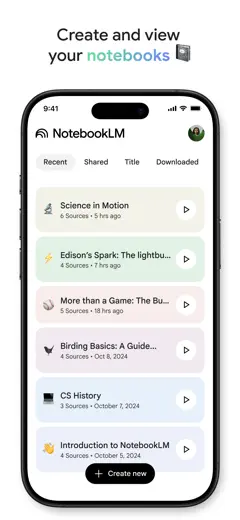
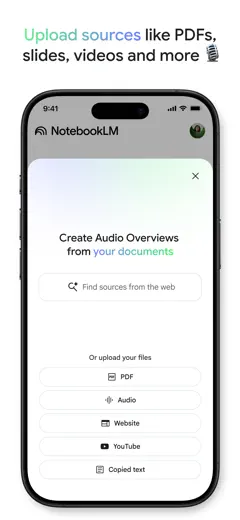
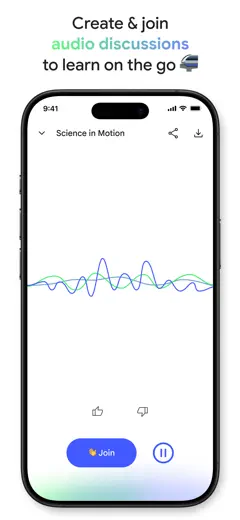
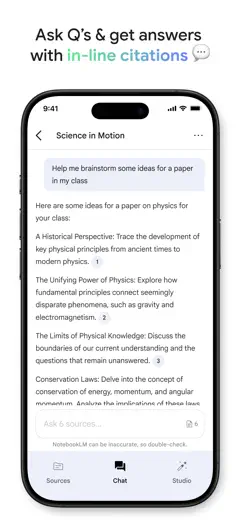
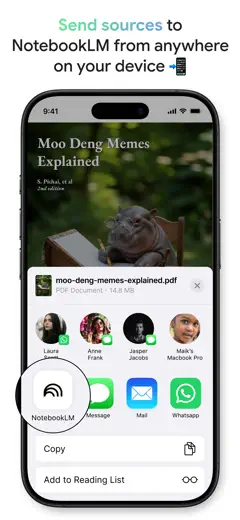
NotebookLM solves a problem no classic notebook can: you upload your sources and the AI works strictly within them, without making things up. Students, researchers, and professionals with large document sets call it a game-changer. The app lags behind the web version, and you can only download audio through the browser.
評価点
The AI only answers from uploaded sources and honestly cites where it pulls information from: hallucinations are minimal. The audio overview feature turns dry documents into a lively podcast you can listen to on a walk. Works with PDFs, videos, and notes simultaneously.
不満点
The mobile app does not let you download generated materials: you have to switch to the website. Audio always comes out as a podcast-style dialogue with no option to get a monologue or lecture format. Sharing with people outside the Google ecosystem barely works.
向いている人:Students and researchers who need to quickly absorb a large body of material. Professionals working with a corpus of documents where accuracy and source citations matter.
Noteful has a clean interface, smooth writing, and accurate PDF annotation. Most users who switched from major competitors stay. No color picker, no shape alignment.
評価点:Writing is smooth, PDF annotation is precise, and the ruler scales correctly when zoomed. No forced AI or bloat: just what you need for notes. One-time purchase with no subscription surprises later.
不満点:The color picker does not work correctly. There are no alignment or snapping tools for shapes. Handwritten text search is not available: you cannot find a note by its content.
向いている人:Students and professionals who need a reliable handwritten note-taking and PDF annotation tool without a subscription. Especially suited to those burned by constantly changing terms from major competitors.
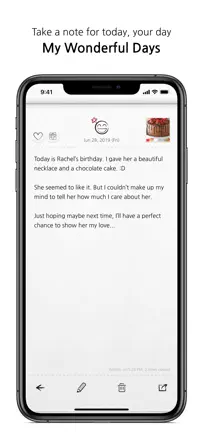
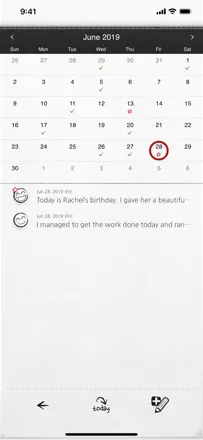
A journal with a one-entry-per-day format. Users keep coming back to it for a decade. Keyword search finds entries from any year. Backup only happens once a month: without a manual backup before a phone reset, you can lose several weeks of entries.
評価点:The one-entry-per-date format keeps the habit going: you can see every day you missed. Full-text search finds entries from any year instantly. iCloud sync has worked for years without data loss for most users.
不満点:Backup only runs once a month: if your phone resets without a manual backup, you can lose weeks of entries. The interface is small and has not been updated for modern screens. You cannot insert a photo directly into the body of an entry.
向いている人:People who want to journal every day without complex structure and do not need to sync entries across different services.
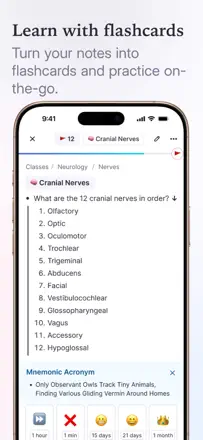
A note-taking system with built-in spaced repetition: when you create a note, a flashcard for review is created at the same time. The web version and desktop are stable. The mobile app lags behind, with occasional freezes when opening daily notes and sync issues after long desktop sessions. Indispensable for medicine and the hard sciences.
評価点:Notes and flashcards are created simultaneously without extra steps. Built-in spaced repetition beats Anki in interface convenience. Sync between the web version and mobile works in most cases.
不満点:The mobile app freezes when opening the daily notes section and requires reinstallation. After extended desktop sessions, sync on the phone falls behind.
向いている人:Medical and science students who need to take notes and prepare flashcards for exams at the same time.
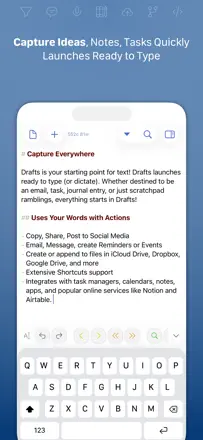
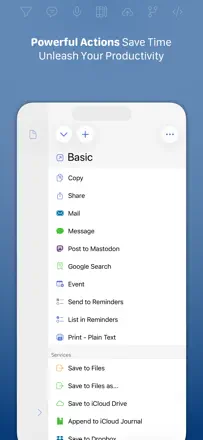
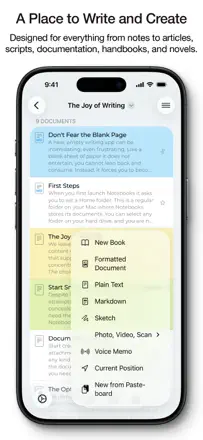
The best app for instant thought capture with routing to wherever it needs to go. Opens straight to a blank page, runs instantly, and supports scripts and integrations with dozens of services. A tool for people who already know what they want to automate.
評価点:Opens instantly to empty text with no extra taps before you start typing. Actions let you send text to Obsidian, Slack, OmniFocus, or any other service with one tap. Dictation via Apple Watch works reliably.
不満点:High learning curve: without reading the documentation, most of the app's capabilities stay hidden. Voice input from the iPhone keyboard sometimes stops after a few words. Advanced automation features are only available in the extended version.
向いている人:Developers, journalists, and power users who need fast capture with automatic routing to other systems.
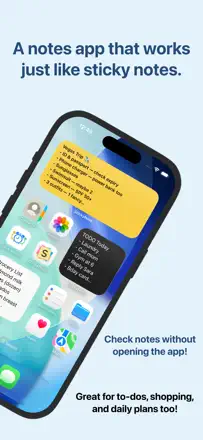
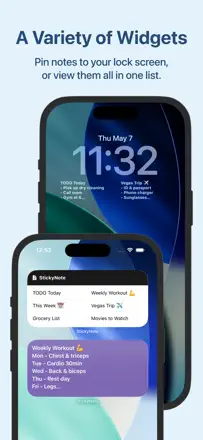
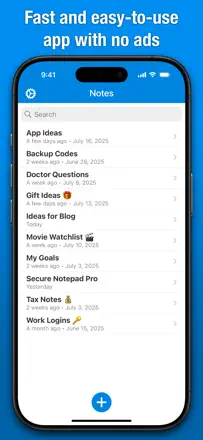
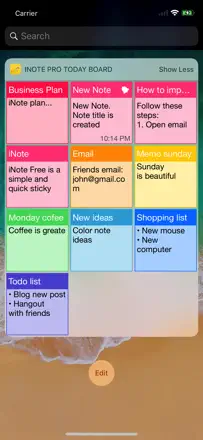
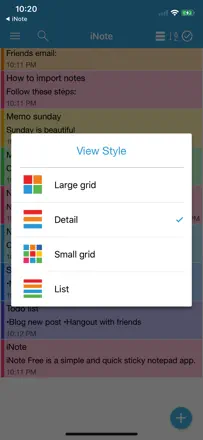
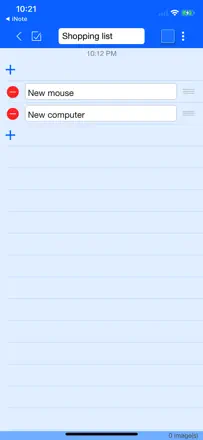
A quick notepad for short notes with color-coded sticky notes. A notification-bar widget lets you scroll through notes without opening the app. Sync between iPad and iPhone works. There is no autosave: you have to tap the checkmark or edits are lost.
評価点:The widget lets you read notes directly from the notification shade without opening the app. Color-coding for priorities. Alarm-based reminders for urgent tasks.
不満点:No autosave: edits disappear if you do not tap the confirm button. No folders for grouping sticky notes by topic.
向いている人:People who want to keep a few current reminders always within reach in a widget and do not need long structured notes.
An open-source encrypted organizer: end-to-end encryption, cross-platform support, nested notebooks, and tags. A growing alternative for users who care about data privacy.
評価点:End-to-end encryption with full functionality intact. Reliable cross-platform sync between Windows, Linux, and iPhone. Note history and the ability to publish a note via a link.
不満点:Occasional outages with no sync access: several users reported sync being unavailable for multiple days in a row. A few users lost notes after their extended subscription ended. Navigation between sections is inconsistent.
向いている人:Privacy-conscious users and former Evernote subscribers looking for a cross-platform replacement.
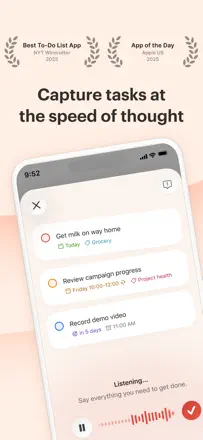
One of the most thoughtfully designed task managers in the sample: natural language for date input, instant capture via widget or voice, and smooth performance across all platforms. People with ADHD and cognitive differences call it a lifesaver. The weakest point: the Google Calendar integration lost two-way sync.
評価点:A task can be added in seconds from anywhere: widget, voice, or quick entry with date recognition. Long-term users trust it as the single home for all their commitments: nothing gets lost or forgotten. Recurring tasks and projects are configured flexibly.
不満点:The Google Calendar integration lost two-way sync after a redesign: tasks from projects do not appear there. Deleting a project destroys all tasks inside it without warning and with no way to recover them. On mobile, recurring reminders are not displayed.
向いている人:People with busy lives who need to offload everything from their head into one place and stop holding things mentally. Especially valued by those with ADHD or irregular schedules.
The best plain-text Markdown note-taking tool in the sample. Opens instantly, and the tag system replaces folders while working more flexibly. iCloud sync is reliable. Bear 2.0 removed the convenient toolbar, worsening the iPhone experience.
評価点:The tag system lets you find a note across multiple intersecting topics without creating folders. Works equally fast on iPhone and Mac, and iCloud sync requires no separate account. Markdown renders beautifully without getting in the way while typing.
不満点:Bear 2.0 removed the compact toolbar: formatting is now awkward on a small screen. Search does not support advanced filters and is slow in large archives. Attachments and PDFs are not supported without the premium subscription.
向いている人:Writers, developers, and researchers who need a fast Markdown editor with reliable sync across the Apple ecosystem.
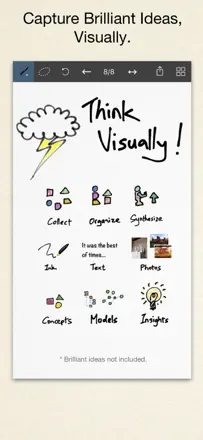
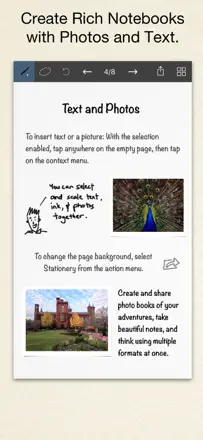
A freeform notebook with flexible layout: text, drawing, and photos on the same page, a selection tool for moving elements, and export to image and document formats. A favorite tool of architects, educators, and anyone the standard text editor feels too confined for.
評価点:Free placement of text blocks and drawings on a single page with no grid. A selection tool for capturing and moving fragments. Stable operation for many years with no data loss.
不満点:No cloud sync between devices. The learning curve for new users is noticeable and not all features are obvious. The price of the premium version gives some users pause.
向いている人:Designers, educators, and systems architects who need to mix handwriting, diagrams, and photos in one space.
A feature-rich notebook with folders, handwriting input, and formatting. Students praise it for usability on older iPads. Handwriting via finger is only available during a trial period, and several students lost important notes.
評価点:Rich selection of fonts and formatting in the free version. Works well for taking notes on older iPads that other apps do not support. Folders and organization by topic.
不満点:Handwriting via finger or stylus is only available in the premium version after a short trial. Several students lost important notes while working in the app. PDF export cannot be edited.
向いている人:Students and schoolchildren who take notes on an iPad and want a free GoodNotes alternative with standard note organization features.
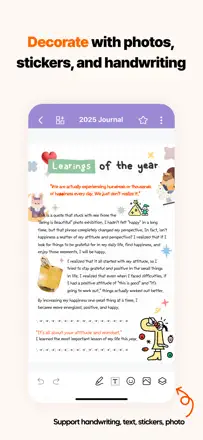
A beautiful notebook with design customization: themes, fonts, stickers, and pastel backgrounds. Works without registration. Notes are stored on-device only: no cloud backup, and everything is gone if the app is deleted.
評価点:A large library of themes and fonts without forcing you into a subscription. An interface free of intrusive interruptions during use. Separate password-protected notebooks let you keep private notes alongside general ones.
不満点:Notes are stored on-device only: delete the app or break your phone and everything is gone. No cloud backup or cross-device sync. Some themes move a note to the top of the list every time it is edited.
向いている人:Teenagers and young adults who care about a beautiful journal interface and are not worried about long-term storage.
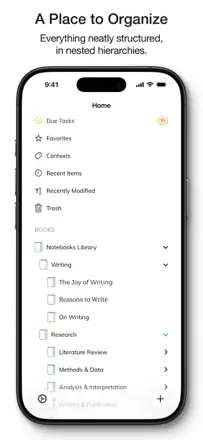
A deep organizer with nested folders, Markdown support, WebDAV and Dropbox sync, and multi-format export. A longtime favorite for those who want to own their data without a forced cloud subscription.
評価点:Reliable sync via WebDAV and Dropbox, unlimited folder hierarchy, and stable operation over many years. Does not break during updates.
不満点:Dropbox dependency limits users with three or more devices. Some features (drawing, Fountain) are advertised but work unreliably. Migrating from older versions of the app caused document loss for some users.
向いている人:Writers and researchers who need a long-term, reliable knowledge base with a folder structure and no cloud subscription.
A personal journal with a PIN code, mood tracker, and entry templates. The screen blurs when you switch apps. Transferring entries on a phone upgrade is unreliable.
評価点:PIN and Face ID locking with automatic blur when leaving the app. A mood tracker with a timestamp on every entry. Templates help you start writing when you do not know where to begin.
不満点:Transferring entries to a new phone is unreliable: several users lost their history. Screen orientation is locked to portrait, which is awkward on a tablet. Some features are unavailable without the premium version, and the reasons for the split are not explained.
向いている人:People who want a private protected journal space on a single device, especially those who live with curious family members. Not suited for long-term storage with data migration.
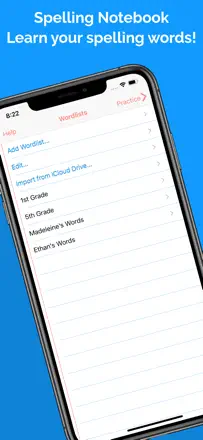
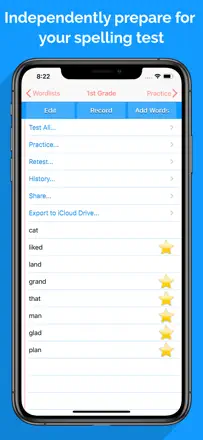
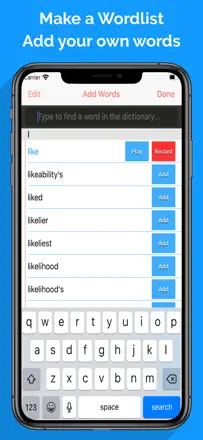
A specialized spelling trainer: you create a word list and the app reads the words aloud and accepts your typed answer. The built-in dictionary with speech synthesis covers most needs. The 8-word limit per list in the free version is a problem for older students.
評価点:Built-in speech synthesis pronounces words without needing a parent to record audio. You can add your own words with custom pronunciation. Progress history lets you track improvement over time.
不満点:The free version is limited to eight words per list: not enough for older students or spelling competition participants. Word lists cannot be shared between different users' devices. In test mode the word is visible on screen, which reduces training effectiveness.
向いている人:Parents who want children to practice spelling independently without adult dictation, and participants in spelling competitions.
A transcription tool for meetings and voice notes with automatic summaries and contextual search across your full history. Valued by students and professionals with packed meeting schedules. Recording sometimes silently cuts out mid-meeting.
評価点:Instant summaries of hour-long meetings, contextual search across all past recordings, background operation while another app is open. Transcription is faster than most alternatives.
不満点:Recording sometimes silently stops mid-meeting without warning, losing part of the conversation. No tags or folders to organize accumulated recordings. The app occasionally freezes, putting the safety of the recording in doubt.
向いている人:Professionals with dense meeting schedules and students who need to capture what is said without manual note-taking.
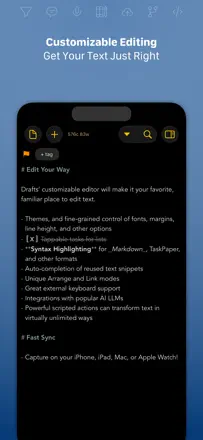
A powerful Markdown editor with an action system for automating text operations, iCloud support, and Obsidian compatibility. Long in active development, but over the past year updates have nearly stopped, which worries regular users.
評価点:The action system lets you automate any text operation. Fast iCloud sync. Excellent accessibility for screen reader users.
不満点:Development has effectively been frozen for over a year. No Dropbox support as a primary storage option. Sync sometimes fails to detect local changes and suggests conflict merges.
向いている人:Developers and technical writers working in the Obsidian or plain-text ecosystem who need a mobile editor with automation.
A powerful linked-note system in Markdown format with files stored on-device. The desktop version is strong. The mobile version falls short: text input is awkward, the cursor jumps, and iCloud sync is unreliable.
評価点:Full ownership of data as plain text files. A graph of connections between notes for navigating the knowledge base. A massive plugin ecosystem. Works offline.
不満点:Mobile text input is uncomfortable: the cursor jumps during manual editing and the toolbar disappears. iCloud sync causes a black screen and missing vaults for some users. High barrier to entry: the app is not for anyone unfamiliar with Markdown.
向いている人:Researchers, programmers, and writers building a long-term knowledge base on desktop who use the phone only for reading and quick edits.
A minimalist editor for long-form writing with beautiful typography and a focus mode. The developer responds to reviews promptly. Several users lost all their documents without warning.
評価点:A clean interface with no extraneous elements gives the feeling of writing on paper. A good selection of fonts. The developer responds to feedback and fixes bugs promptly.
不満点:Several users lost all their documents with no way to recover them. Font changes and toolbar customization are only available in the premium version. The built-in AI pushes itself forward with no way to fully disable it from the interface.
向いている人:Authors of long-form writing who value a distraction-free interface and work primarily with short to medium-length texts.
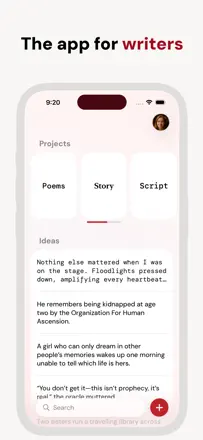
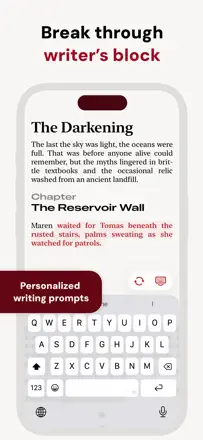
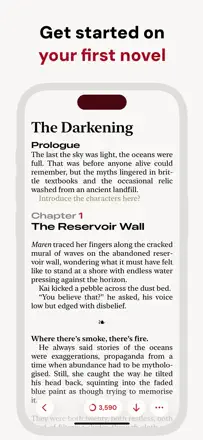
An app for long-form texts and books, not for quick notes. Helps structure a manuscript: ideas separate, chapters separate, word count built in. Not suited for on-the-go capture: no widget, no quick capture.
評価点:Daily and total word count statistics motivate consistent writing. The project-and-ideas structure lets you keep a draft and notes side by side without mixing them. Ghostwriter can continue your text without breaking your style.
不満点:Large manuscripts of 80,000+ words start showing noticeable lag. There is no quick thought capture: creating a note requires going through several screens. No widget and no integrations with other tools.
向いている人:Authors working on long-form texts: novels, screenplays, campaigns. Not designed for everyday notes.
A simple cross-platform notepad that has existed for over a decade and has not lost data for most users in that time. Sync via its own account works between Android and iOS. In the past year or two, complaints about a grey screen on launch have appeared, fixed by reinstalling. No frills, but it reliably holds text notes and lists.
評価点:Sync works between Android and iPhone without data loss when switching devices: several authors confirm this over a 10-year horizon. Opens quickly, easy to find the note you need from the list.
不満点:Recent updates bring a grey launch screen that only clears with a reinstall. Several users reported complete note loss after cloud sync. Search within notes is absent or weak.
向いている人:People who need a reliable text notepad for long lists and notes with no extra features.
A freeform drawing and handwriting notepad where any element can be selected, moved, and scaled. The key strength is a lasso tool for reorganizing page content. No eraser in the traditional sense, only undo. Not suited for iPhone and optimized for iPad.
評価点:A selection tool for free scaling of any element on the page. Smooth input by finger or stylus with no lag. PDF export.
不満点:No eraser: only undo through the history. Switching colors and tools requires extra steps. On iPhone the functionality is significantly cut back.
向いている人:People who make visual notes, mind maps, and sketches on iPad and want to freely reorganize page content after writing.
A beautiful journal with a lock, swappable themes, stickers, and a mood tracker. People who start writing in it come back for years. The main flaw: when switching devices or deleting the app, several users lost years of entries.
評価点:Changing themes and decorations motivates returning to the journal every day. The password lock carries over when switching between Android and iOS. A mood tracker with a graph over time helps spot patterns in how you feel.
不満点:Data export is unreliable: when moving to another device or after deleting the app, some users lost all entries permanently. The app does not always save the latest edits correctly when closed. Sync between iOS and Android only works in one direction.
向いている人:People who want a beautiful personal space for daily journaling or mood tracking. Regular manual backups are important.
A sticky-note board with multiple desktops, Mac sync, and flexible background and font customization. Long-term users value it for its practicality, but data loss during major updates is a recurring story.
評価点:Multiple named desktops for different topics, custom photo backgrounds, and sync with the desktop app for those who set it up.
不満点:Several users lost all their notes after an app update. Sync often fails to detect deleted notes on other devices. Managing checkboxes in lists is awkward.
向いている人:Organized Apple ecosystem users who want visual sticky notes synced across iPhone, iPad, and Mac.
A handwriting app for iPad with Apple Pencil. Pen stabilization and writing quality are better than GoodNotes. Several major updates broke existing notes by retroactively changing how tools looked.
評価点:Pen stabilization produces the most beautiful handwriting among comparable apps. A clean interface with no extra buttons. Diverse pen options: calligraphy, pencil, marker.
不満点:Major updates broke existing notes several times by retroactively changing tool appearance. Several users lost all data after the app froze. The developer was slow to respond to reports of serious problems.
向いている人:iPad students who take handwritten notes and want beautiful writing without a GoodNotes subscription.
A color-coded notepad with tabs: fast, intuitive, with reminders and categories. Good for everyday lists. Cross-device sync is locked behind the premium version.
評価点:The color category system makes chaos manageable at a glance. Several users report years of use with no data loss.
不満点:Several cases of complete note loss after updates. Cross-device sync is only available in the premium version. Reminders are unreliable.
向いている人:Android users who switched to iPhone and were used to ColorNote, and anyone who wants a simple color-coded organizer for everyday lists.
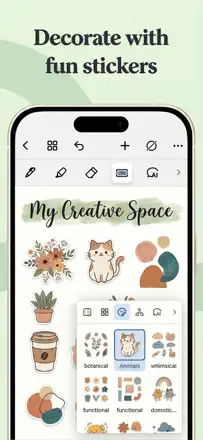
A customizable journal with a huge selection of stickers, backgrounds, and fonts, plus a tool for cutting stickers from photos. Keeps users engaged through creative decoration. Freezes when the sticker gallery opens, and some users' pages disappeared.
評価点:A sticker-cutting tool that works with any photo and the ability to publish your own templates for other users. A huge library of backgrounds and fonts. The app inspires regular journaling through its aesthetics.
不満点:The app freezes when the sticker gallery is opened and sometimes crashes at the start of a session. Several users lost pages due to a network error with no autosave. The password recovery interface does not work correctly: switching accounts does not restore previous settings.
向いている人:Teenagers and young adults who care about beautiful, creative personal journal design. Not for business notes or long-term storage of important data.
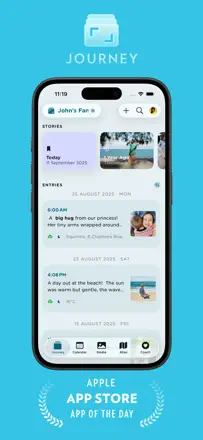
A simple journal with a chronological structure that does not lose entries for most users. Several people have used it for 10 or more years. No text formatting, no iPad support.
評価点:Chronological navigation by page-turning creates the feel of a real journal. Date search works, and an entry's creation date never changes. Several users have kept it for more than 10 years without data loss.
不満点:No text formatting: no bold, italic, or font size options. No iPad support: the app is optimized only for iPhone. Some users report incorrect page-turning behavior on long entries.
向いている人:People who want a simple, durable personal text-only journal with no extra features. Especially suited to those who value chronological navigation.
A professional environment for long-form writing: novels, articles, dissertations. A unified library with instant search and reliable sync between Mac, iPad, and iPhone. Markdown symbols are always visible during editing with no way to switch to clean text mode.
評価点:A single library of all texts with instant content search. Cross-device sync works reliably. Export to PDF, DOCX, and WordPress publishing from one place.
不満点:Markdown symbols are always visible during editing: there is no clean text mode for comfortable typing. Sync for some users has started failing, losing edits without warning. Grammar checking is tuned for formal academic style and gets in the way when writing fiction.
向いている人:Authors of long-form texts on the Apple ecosystem who need a unified manuscript library with reliable sync between Mac and iPad.
A simple and fast notepad that handles everyday lists and short notes well. Users value the speed and clean look. Several people report losing all data after an update, and a change to date logic in an update frustrated long-term users.
評価点:Opens and is ready to type faster than most competitors. A clean, readable interface without clutter. Works across multiple devices without extra setup.
不満点:Several users lost all accumulated notes after an app update. One update changed the modification date when simply opening a note, breaking the sort order for long-term users. Formatting and attachments are absent, which limits use cases.
向いている人:People who want a digital notepad strictly for short notes and lists with no extra features. Not for long-term storage of important data.
A Zoho app with custom notebook covers and cross-platform sync. Cover customization and formatting work. Notes periodically disappear, partially or fully, for different users.
評価点:Custom notebook covers with any photo create a personal feel. Cross-platform support works between iOS and Android without extra steps. Rich text formatting options available in the free version.
不満点:Content periodically disappears partially or fully: the problem recurs across different users. The interface freezes during navigation, with some users hitting dead ends and unexpected crashes. The company introduced storage limits for existing users without warning.
向いている人:Users who care about visual organization through different notebooks with covers and need iOS and Android cross-platform support. Regular manual backups are recommended.
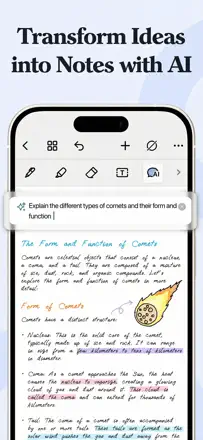
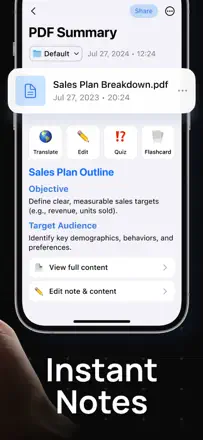
A transcription and summarization tool with extra features: YouTube note-taking, test generation, and podcast-style playback of your notes. Works best for students with ADHD who need multiple formats of the same material. Key problem is opaque limits. Even on expensive tiers there is a monthly minute cap that is never disclosed upfront. Instability at critical moments is a proven pattern.
評価点:Generates a quiz from a lecture in seconds, letting you check comprehension immediately after class. Summarizes YouTube videos directly from a link without downloading. Voice lecture recording and automatic notes work together.
不満点:Even on expensive tiers there is a monthly transcription cap that is nowhere clearly stated before you hit it. The app breaks during important meetings without warning. Transcription is unreliable for long lectures on iPad.
向いている人:Students with ADHD or dyslexia who need to reformat lectures into notes and quizzes with one tap.
A simple notepad for quick notes: opens instantly and lets you start typing without intermediate screens. Several users lost all data after an update with no way to recover it.
評価点:Opens instantly and lets you start typing without intermediate screens. A few notes with color coding and simple folders are enough for most everyday needs. Works without a required account.
不満点:Several users lost all data after an app update with no way to recover it. No text formatting: bold, headings, and lists are unavailable. No content search within notes.
向いている人:People who want a digital scrap of paper for notes and lists with no settings or registration. Not suited for long-term storage of valuable data.
A simple notepad with font and paper color choices as a replacement for the default Apple Notes app. Works offline with no cross-device sync. The app is not being updated and is periodically incompatible with new iOS versions. Several users lost fragments of notes with no apparent cause.
評価点:Font selection creates the feel of a real notebook. Simple note navigation via a sidebar. Autosave on close.
不満点:No cross-device sync. Several users reported losing fragments of note content with no updates to blame. The app is outdated and does not support current iOS versions.
向いている人:People looking for a simple offline notepad on a single device with a slightly nicer font than the default Apple app.
A digital version of sticky notes that 3M has made surprisingly useful. Visual boards, note grouping, and scanning paper sticky notes all work well. Reliability is shaky: several users' notes disappeared without warning. Text editing is unintuitive and sync sometimes breaks. Strong where visual organization is needed rather than linear text.
評価点:Scanning paper sticky notes into digital format works instantly. Visual boards with grouping and resizable cards help structure projects. The home screen widget updates in real time.
不満点:Notes sometimes disappear by entire boards with no way to recover them. Text editing is unclear and awkward. Cross-device sync breaks periodically.
向いている人:Visual thinkers who are used to thinking in sticky notes and teams moving physical boards to their phones.
A specialized planner for prayer practices with a schedule, categories, and a card mode. The interface is simple and unobtrusive. Central problem: sync between iPhone and iPad does not work despite being advertised. Some users bought both versions separately for a feature that never worked.
評価点:A card mode where prayer requests scroll by one at a time without the distraction of the full list. The ability to assign days of the week and individual reminders to each entry is cited as the main differentiator from competitors.
不満点:Sync between devices does not work: documented in dozens of reviews over several years. Entry creation dates are not shown, making it hard to track history. Text in cards is cut off with no line wrapping.
向いている人:People who keep a structured prayer journal on a single device and do not expect to switch between iPhone and iPad.
A desktop widget notepad featuring Sanrio characters. Lets you keep one note visible directly on your phone screen. Limitation: only one note at a time, and the background color does not show in the widget.
評価点:A widget with favorite characters always in view. Daily spins of a capsule machine to unlock new designs. No forced content size limits.
不満点:Only one note for the whole app: you cannot keep separate reminders for different tasks. Background color and decoration settings do not appear in the home screen widget. Maximum note length is 1000 characters.
向いている人:Sanrio fans who want one visible reminder note on their phone screen with cute styling.
An aesthetically pleasing digital journal with stickers, custom covers, and calendar integration. A favorite among people who keep personal journals. Entries become inaccessible after updates, and text scrolls down forcibly while typing.
評価点:A huge sticker library and custom page covers. New decor can be earned by watching short videos without a mandatory purchase. Calendar integration for planning directly in the journal.
不満点:Entries disappear or become inaccessible after updates. Text scrolls down forcibly while typing, making it impossible to see what you are writing. Image insertion without compression does not work.
向いている人:Teenagers and young adults for whom the aesthetics of a personal journal with decorations and customization matter more than reliable storage.
A drawing app with an infinite canvas and symmetry mode. A solid starting point for those looking for a drawing app with axis symmetry. After updates, the fill bucket stopped working correctly and unsaved data is lost when the app freezes.
評価点:The symmetry function with a configurable number of axes is available in the free version. An infinite canvas does not limit work size. Works without registration: download and draw.
不満点:After some updates the fill bucket stopped working correctly: it fills the whole canvas instead of a shape. The app freezes when using the symmetry tool, and unsaved data is lost. Controls are small and awkward on a small screen.
向いている人:Beginning artists and children who need a free digital sketching tool without a subscription. Professionals and serious project users should look elsewhere.
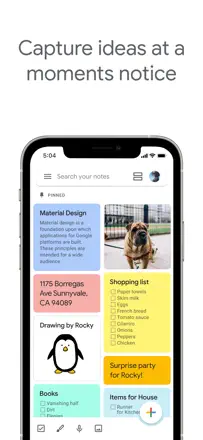
Google Keep wins on instant capture: sticky note, list, voice memo in one tap. Works well for short, disposable reminders. But search misses content and is slow, label-based organization is primitive, and some users' notes periodically disappear or fail to sync between devices.
評価点:Voice memos with automatic transcription directly in the interface. Instant capture via a lock screen widget. Integration with other Google services works without extra setup.
不満点:Search misses note content and runs with a delay. Structure is only through color labels: no nesting or folders, and with many notes things turn to chaos. Several users report notes periodically disappearing without explanation.
向いている人:Google ecosystem users who need to quickly catch a thought or make a list and are fine forgetting about it within a week. Not the best choice for long-term storage of important notes.
A sticky-note board for visual thinkers: color cards on a cork wall, easy repositioning and resizing. The core works well, but the app has broken navigation several times after updates, and while most users appreciate the simplicity, reliability of storage raises real concerns.
評価点:Instant card creation with no extra steps, visual spatial arrangement of notes, colors and simplicity. Exactly what list-based apps lack.
不満点:Notes disappear after updates with no way to recover them. Navigation between pages has changed for the worse several times. No cross-device sync.
向いている人:Visual thinkers who need a digital cork board for quick ideas, lists, and reminders on one screen.
A simple color-coded notepad with mood selection. Stable for years, but a series of updates broke manual sorting. Data disappeared for several users after updates with no way to recover it.
評価点:Color-coded notes and speed. Mood selection when creating an entry is cited by several users as an unexpectedly useful detail.
不満点:Notes disappear after updates: documented by multiple users with years of history. Manual sorting was removed in one update without warning. No cross-device sync, and accidental deletion happens without a confirmation prompt or undo.
向いている人:People who want a color-coded organizer for short notes on a single device and are willing to accept the risk of data loss during updates.
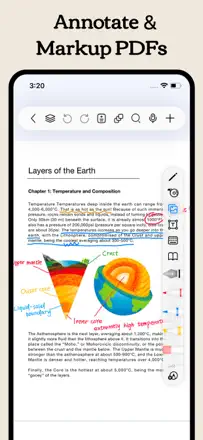
CollaNote with a generous handwriting toolkit and PDF annotation. A series of updates introduced a page limit without warning and added bugs to basic features. Students who had used the app for years found themselves with restricted access in the middle of an academic semester.
評価点:Smooth writing with Apple Pencil and a wide toolset in the free version. The developer historically responded quickly to user requests. PDF annotation with import worked reliably before recent updates.
不満点:A 10-page limit was introduced without warning: users discovered it mid-semester. Annotations on PDFs shift position when the file is reopened. Voice translation switches on by itself even after being disabled in settings.
向いている人:Students willing to keep an eye on changing terms and pay for premium if the app stabilizes. Currently a risk for those who depend on it daily.
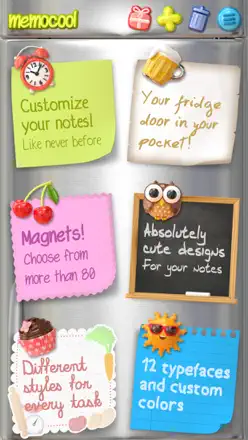
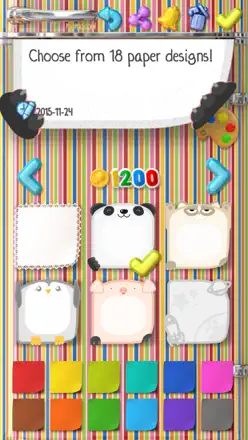
A gamified sticky-note notepad with a fridge instead of a board: magnets, background changes, and mini-games for earning coins. Makes note-keeping fun, but data is tied to the device and is lost when switching phones without account migration.
評価点:The game-like atmosphere makes daily notes enjoyable. Earned coins unlock new magnets and themes without real spending.
不満点:Data does not migrate between phones through an account: several users lost everything when switching devices. No screen rotation on tablet. No cross-device sync.
向いている人:Users who want to make note-taking enjoyable and game-like without needing serious storage for important data.
A beautiful app for handwritten journals with pen pressure that beats most competitors. Stability lets it down: pages disappear when working with stickers and photos, and iCloud sync is unreliable.
評価点:The pen reproduces pressure more accurately than most competitors, creating the feel of real paper. Templates for engineering tasks, bullet journaling, and habit trackers are all in one place. Navigation between journals is intuitive after a short learning period.
不満点:iCloud sync is unpredictable: entries appear and disappear after switching devices. The app freezes when working with stickers and photos, sometimes erasing entire pages. After updates, some users lost all data with no way to recover it.
向いている人:People who want a beautiful digital journal for personal writing and are not storing critically important data there.
A cross-platform journal with a web version, geotagging, photos, and search. One of the few where you can open entries from a browser. Several users lost years of entries after updates with no recovery available.
評価点:Cross-platform support (Android, iOS, Mac, web) with sync that works under normal conditions. An 'on this day' feature and the ability to attach photos, videos, and a geotag to each entry.
不満点:Several users lost years of entries after updates with no way to recover them. Support responds with a week or more of delay. When the premium subscription ends, some features stop working.
向いている人:People who journal across multiple devices and want browser access. Manual export backups are critical: do not count on the built-in backup.
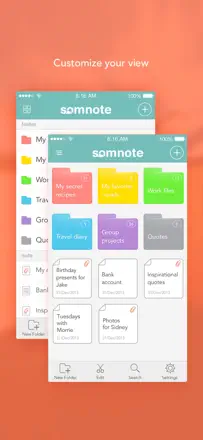
A widget app for color-coded sticky notes on the lock screen and home screen. Simple and attractive, but basic text formatting is absent, help is only available in Japanese, and the widget periodically stops displaying.
評価点:Color-coded widgets with sticky notes on the lock screen or home screen are instantly visible without opening the app. Rich background options.
不満点:No text formatting inside a note: only one font and one size for the whole card. Instructions and help are in Japanese only. The widget stops updating after some system updates.
向いている人:Users who need one or two visible reminders right on their phone screen without complex structure.
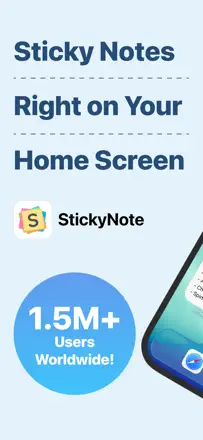
Sticky notes on the home screen with color and font customization. The widget periodically stops updating and shows stale data. No note search.
評価点:A color-coded home screen widget showing multiple notes at once: that is the main reason people download it. Colors and fonts can be customized in the free version without extra restrictions.
不満点:The widget stops updating and shows stale data. The only fix is reinstalling. No note search. Reminder notifications cannot be turned off separately from useful reminders.
向いている人:People who need one or two reminders on their home screen and are willing to pay a subscription for that feature.
Once a benchmark multi-platform tool, it has degraded: sync breaks regularly, search does not show progress, and the mobile version is generations behind the desktop. People with 10-20 years of history write that their patience has run out.
評価点:The notebook-section-page hierarchy lets you store years of varied material in one place. Real-time collaborative editing works without friction. Switching between handwriting and typed text on the same page is rare and valued.
不満点:Sync hangs and conflicts: users lose recent edits and are forced to resolve collisions manually. Search does not index parts of content and shows no progress indicator. On Mac the app is effectively non-functional for a noticeable portion of users.
向いている人:Microsoft 365 ecosystem users who need a shared knowledge base with colleagues on Windows. A solo user on Apple devices is better off looking elsewhere.
A simple password-protected notepad for storing passwords and personal notes. It does one thing: locks notes behind a password. No cross-device sync, no formatting, notes stay on a single phone. Some users lost data after updates.
評価点:Instant access without extra steps, reliable password lock, and alphabetical and chronological note sorting.
不満点:No cross-device sync: switching phones means losing your data. Several users reported notes disappearing after updates with no way to recover them.
向いている人:People who store passwords and personal data on a single device and do not plan to switch to another phone.
A beautiful drawing and handwriting app for iPad with an analog feel for pen pressure. The eraser freezes and fails to erase until the app is restarted. Pages periodically disappear. Needs greater stability for serious work.
評価点:The feel of analog tools is reproduced more accurately than in most competitors. An infinite canvas with no page breaks is convenient for diagrams and maps. Quick switching of custom pens via a side panel.
不満点:The eraser freezes and does not erase until the app is restarted. Pages sometimes disappear and only reappear when switching from another device. Cross-device sync between iPhone and iPad has failed for several users.
向いている人:Artists and math teachers on iPad Pro with Apple Pencil who are willing to pay a subscription and tolerate instability.
A handwriting app with Apple Pencil featuring a rich template set and smooth writing. Upgrading from Noteshelf 2 was a disaster for part of the audience: inaccessible notes, lost scanned pages, and broken export. New users without migration baggage are more often satisfied, but instability persists even for them.
評価点:Pencil writing quality is called the best among competitors: smoother than GoodNotes. Linked schedules and a wide choice of covers and templates are praised by regular users.
不満点:Migration from the previous version breaks access to old notes and loses scanned pages. Export is unreliable. Several users lost important work documents with no way to recover them. The floating toolbar gets in the way of writing.
向いている人:People starting fresh who want a beautiful handwritten journal on iPad. Migrating from Noteshelf 2 is risky without backing up all content first.
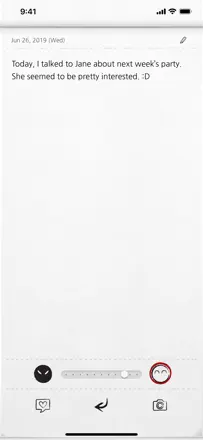
Handwriting converts to text faster and more accurately than most competitors, and the iPad does not overheat during extended sessions. Several users lost all data after an update and iCloud recovery did not work.
評価点:Handwriting-to-text conversion works faster and more accurately than most competitors. The interface does not overheat the iPad even during multi-hour sessions. Page and cover customization is broader than the market average.
不満点:Data disappears: several users lost all notes after an update with no recovery via iCloud. A splash screen on every launch is annoying. Template tools are more limited than they used to be.
向いている人:Students willing to pay for a lifetime license for smooth handwriting input on iPad. Those who value data storage reliability should look at other options.
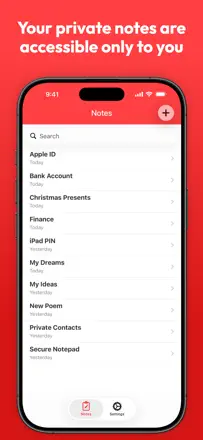
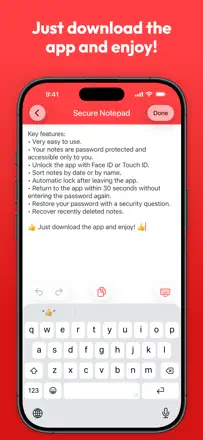
A simple password-locked notepad that solves one task: keeping notes away from prying eyes. The basic functionality works. But notes are stored locally only with no cloud backup: switching phones means losing everything. A vulnerability via Apple devices allows bypassing the password. Reliability as a storage tool raises serious concerns.
評価点:A password at entry plus a security question provide a basic layer of privacy without extra setup. Minimalist interface, works without registration.
不満点:Data is stored on-device only: reinstalling or switching phones loses everything. Several users reported complete note loss. Content search barely works.
向いている人:People who want to hide a couple of notes from family members but are not storing anything valuable.
An ultra-simple notepad with no formatting, no cloud, and no sync. Opens instantly and stays out of the way while you type. Main limitation: notes are stored on-device only. Switching phones means losing everything. Several users report notes vanishing without any apparent reason.
評価点:Speed of opening and absence of visual noise: people appreciate that the app does not try to be smarter than the user. Color category tagging and a lock screen widget are mentioned regularly.
不満点:Notes do not sync between devices and cannot be recovered after a phone change. Several users lost data without warning. Autocorrect is aggressive and makes mistakes on correctly spelled words.
向いている人:People who need to jot down a thought right now and do not store things for long. Not suited for those who switch devices or care about note preservation.
An aesthetically pleasing journal with dated entries and attached photos. Visually appealing interface. Long entries cannot be scrolled: anything that does not fit on screen is inaccessible.
評価点:A visually appealing interface, chronological entry history by date, and the ability to embed photos directly in an entry.
不満点:Long entries cannot be scrolled: anything that does not fit on the screen is inaccessible to read. Formatting in the free version is limited to one font and one color. The lock in the app name requires the premium version.
向いている人:Teenagers and young adults who want a beautiful digital journal with photos and are willing to accept the free version's limitations.
A color-folder notepad with gesture controls, effectively abandoned by the developer since 2018. Dropbox sync wiped all data for many users with no way to recover it.
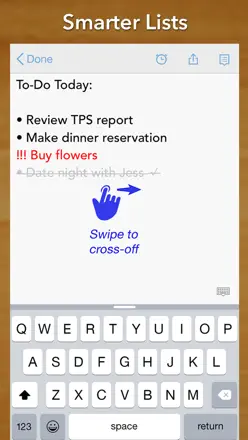
評価点:Intuitive gestures: swiping to cross out a line in a shopping list. Color folders for visual organization. Convenient for lists and daily tasks.
不満点:Dropbox sync wiped notes for many users with no way to recover them. The developer has not responded to reports for years. The app has not been updated since 2018 and is incompatible with modern iOS versions.
向いている人:No one: the app is abandoned and data in it is at risk. Historically suited those who kept color-coded shopping and to-do lists.
A journal with a cute visual style aimed at children. Technically weak: the screen does not scroll while typing, so the cursor slides under the keyboard. Not considered a serious note-taking tool.
評価点:A cute visual style with themed covers helps children want to keep a journal. Basic text input works without registration. A calendar highlights days when entries were made.
不満点:The screen does not scroll while typing, sending the cursor under the keyboard: you cannot see what you are writing. Accidental note deletion happens without a confirmation prompt. No content search.
向いている人:Children aged 8-12 who want a pretty journal without strict privacy requirements.
A visually appealing journal for teenagers. Includes voice memos and a variety of fonts. For some users, entries do not save after closing the app.
評価点:A variety of fonts and page styles. Voice memos as an alternative to text input. A simple interface that children find easy to understand.
不満点:For some users, entries do not save after closing the app: everything written disappears. No search across entries. Photos cannot be inserted into an entry.
向いている人:Teenagers who want to keep a personal journal on their phone and are willing to pay for a lock, or parents buying the app for a child.
A color-coded notepad in the style of ColorNote for Android, ported to iOS. Several updates wiped all user notes without warning. In January 2026 another update silently erased data for many users by enabling auto-delete. Support does not respond.
評価点:Color-coded notes for fast navigation. Simple interface without extra steps. Convenient for shopping lists and everyday tasks.
不満点:Several waves of data loss after updates: font turned white on a white background, notes multiplied or disappeared entirely. The developer has not responded to complaints for years.
向いている人:No one: storing important data in this app is dangerous. Only suitable for disposable temporary notes with no value.
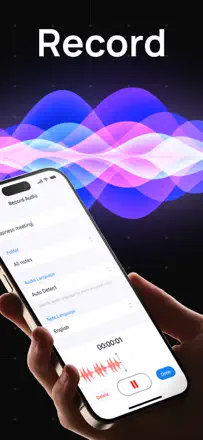
A voice memo app with AI transcription and summarization. Works unreliably: long recordings are cut off or fail to transcribe entirely. Several users bought lifetime access, after which the developer renamed the tier and stopped honoring the purchase. Support does not respond.
評価点:When it works correctly: transcription and a brief meeting summary are ready quickly. Useful for short notes and lectures in a foreign language.
不満点:Recordings longer than 30 minutes regularly disappear or fail to transcribe. The app switches the transcription language to Spanish or another language on its own. Lifetime access purchases stop working after tiers are renamed.
向いている人:No one in its current state. In theory it could suit students and journalists for short voice notes if it worked reliably.
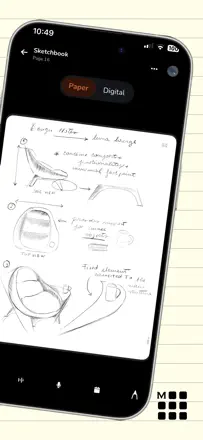
A companion app for the Moleskine smart pen. Since 2025 sync has effectively been shut off, support has been silent for months, and promised update dates keep slipping. Users who bought the physical notebooks cannot access their notes.
評価点:The concept of digitizing handwriting in real time is appealing, and in the rare cases when it worked properly users marveled at the accuracy of recognition.
不満点:Sync with the pen has not worked since early 2025. Data is inaccessible without the cloud. Tech support does not respond for months at a time. The app crashes when the pen is connected.
向いている人:No one at this point. The ecosystem is effectively non-functional.