本文へスキップ
課題から選ぶ

Digitize handwritten work, notes or printed assignments and submit them as a PDF through the school platform or by email.

ドキュメントスキャナー

アプリについての本文は英語です。

Students and learners

選ぶ前に確かめること

Handwritten work often has to be kept as a crisp image rather than recognized text. Check the geometry of the sheet and the page order.

使われているアプリ

これらのアプリはこの課題の分析で言及されています。それぞれを開いて、強みと限界を比べてください。並び順は適合度の順位ではありません。

  1. PDF Scanner to scan Document.s

    16位。レビュースコア:57/100。App Storeの評価: 4.8★・15,292件の評価

    A free scanner with an honest model and acceptable scan quality, but aggressive ads.

    評価点:Scanning is genuinely free without a forced trial. Users praise that results come without watermarks and without subscription traps.

    不満点:Files sometimes don't reach the destination email. Ads are not only frequent but block the interface when you try to send a document.

    向いている人:People who want to scan a document for free without a subscription and can tolerate ads.

  2. TurboScan™: document scanner

    6位。レビュースコア:65/100。App Storeの評価: 4.9★・100,037件の評価

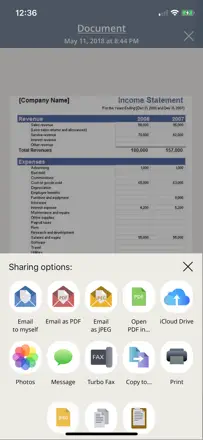
    A fast and convenient scanner with built-in fax, but unreliable email delivery undermines trust.

    評価点:Flattens crumpled receipts and sends a PDF right away without extra steps. Users appreciate the speed and folder organization.

    不満点:Emails with scanned documents can take hours or never arrive at all. Documents don't sync to the cloud and disappear when the app is reinstalled.

    向いている人:Field workers and freelancers who need to quickly send a document or receipt without a scanner nearby.

  3. Tiny Scanner - PDF Scanner App

    11位。レビュースコア:62/100。App Storeの評価: 4.8★・177,383件の評価

    A veteran scanner that got ruined by updates and a subscription paywall.

    評価点:'10 documents in a minute.' People have kept it for years for its reliability and simplicity of the basic flow.

    不満点:Every major update complicates the interface instead of simplifying it. The subscription wall blocks document sending, which is the only reason people open the app.

    向いている人:Anyone who scans occasionally and wants the fewest steps from button to PDF in their inbox.

  4. PDF Scanner App: TapScanner

    44位。レビュースコア:28/100。App Storeの評価: 4.7★・26,234件の評価

    A scanner with minimal image processing quality and an aggressive paywall that hits right after scanning.

    評価点:Quickly makes a PDF from a photo, useful for students digitizing handwritten work in basic scenarios.

    不満点:Scan quality is low: the result looks like a screenshot, not a processed scan. After shooting, the paywall blocks any action with the file. You can't send or print it.

    向いている人:Users who need a one-off PDF without quality requirements and are ready to pay immediately.

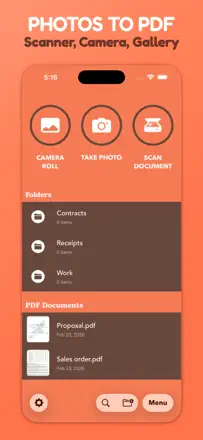
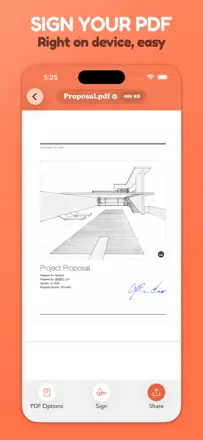
  5. Photos PDF : Scanner Converter

    20位。レビュースコア:55/100。App Storeの評価: 4.9★・67,384件の評価

    A fast photo-to-PDF converter with a friendly interface, but fragile: all files are stored locally and lost when you delete the app.

    評価点:'40 minutes with other apps, 40 seconds with this one.' The core scanning engine gets praise for clean output.

    不満点:Auto-alignment distorts documents with curled corners, stretching them to an unreadable size. All files live locally and vanish completely when the app is deleted.

    向いている人:Students and one-off tasks. Not suited for anyone storing important documents long-term.

このテーマのほかの課題

ランキング全体:ドキュメントスキャナースクリーンショットとスコア付きの52アプリこの分析の出どころリサーチとレビューからの所見を読む