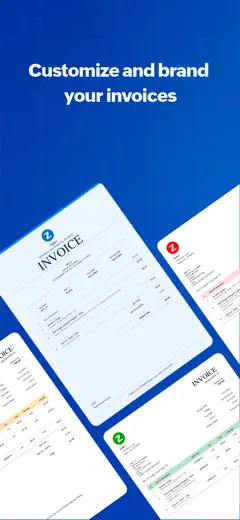
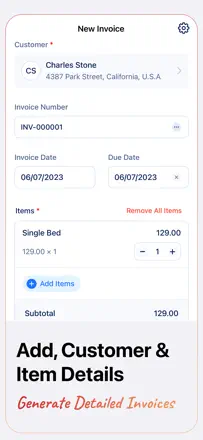
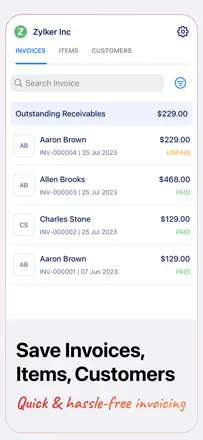
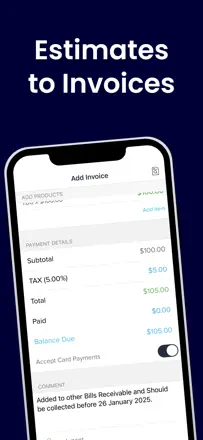
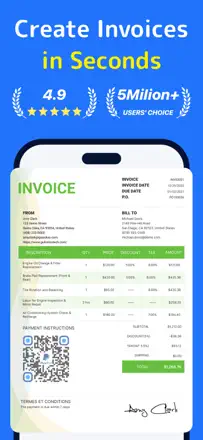
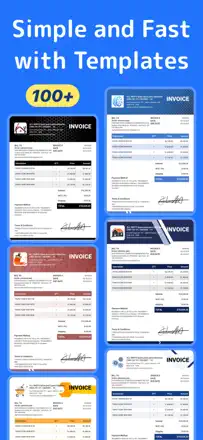
Zoho Invoice is free with no cap on the number of invoices and grows with your business: when you need more, the path to Zoho Books is smooth. PDFs look clean and professional without any configuration. Weak spots: no deposit field, the timer breaks when you use the app and the web at the same time, and template customization is minimal.
評価点
Completely free with no invoice limits, clean PDF output, and a direct migration path to Zoho Books when you outgrow it.
不満点
No deposit payment field, the timer conflicts when running both the mobile and desktop clients simultaneously, and template customization is very limited.
向いている人:Early-stage entrepreneurs and solo operators who need a professional-looking invoice without paying for a subscription.
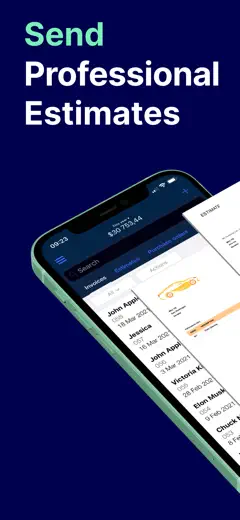
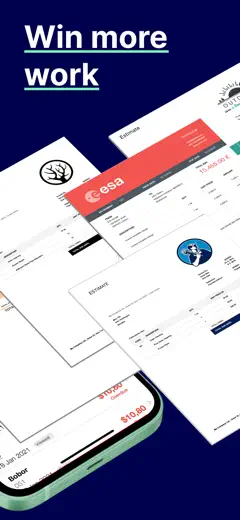
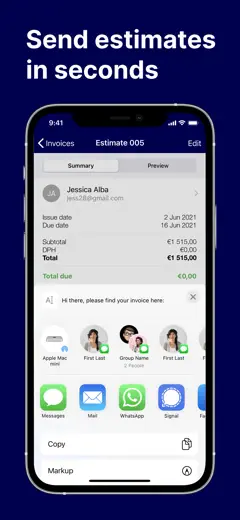
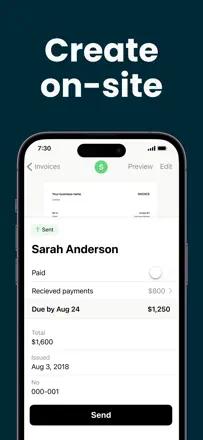
The best tool in its class for contractors who need to put together a professional estimate on-site, fast. Fully free for estimates. Editing after creation and integration with other software are limited.
評価点
Professional-looking documents without any setup, logo support, faster than any MS Office template according to users who made the switch, and completely free for the basic use case.
不満点
Editing a saved estimate is awkward sending to Adobe opens the old version. No real integration with external systems like QuickBooks. The client-facing total sometimes differs from what the contractor sees in the app.
向いている人:Builders, repair contractors, and field service pros who write up proposals on-site and don't need full accounting.
Harvest is a mature tool for anyone who bills by the hour: timer to project to invoice runs like a pipeline. Desktop and browser are reliable. The mobile app lost ground after being rewritten in React Native: the timer glitches, entries get lost, and reports and estimates are only available in the browser.
評価点
The timer-to-project-to-invoice flow works without manually copying data. Reporting is flexible and clear. Support helps you structure projects and tasks to match non-standard billing arrangements.
不満点
The mobile timer sometimes shows a stale value and hitting Start overwrites previous entries. Estimates are not available in the app only through the website. No Live Activity or Dynamic Island support to show a running timer in the background.
向いている人:Freelancers and small agencies who bill by the hour: designers, consultants, developers.
Zoho Invoice Generator is a free invoice maker from Zoho, which is itself a strong market position. It handles the basics: line items, tax, PDF, sending. Downsides: you can't split tax rates on a single invoice (for example, different rates for goods and labor), the item list doesn't support deactivating entries (only a workaround in settings), and there's no client signature field. Sharing the PDF directly to WhatsApp requires an extra step.
評価点:Completely free with no invoice cap, clean PDF output, and quick to start without entering a card.
不満点:A single tax rate applies to the whole invoice you can't set different rates for goods and services in the same document.
向いている人:Freelancers and small contractors who need a free tool with no subscription and no complexity.
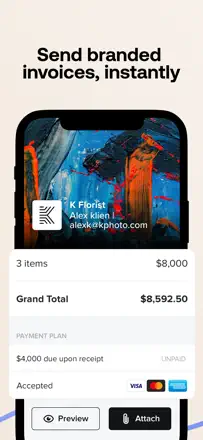
HoneyBook builds the entire client journey inside one document: quote, contract, invoice, and signature are all bundled into a smart file. Automatic payment reminders remove manual follow-up. The problem is that the mobile app is a stripped-down view editing smart files and lead forms can only be done on desktop, and opening a project in iOS frequently shows a blank screen.
評価点:Smart files combine contract, invoice, and client signature in one flow, contract templates with a solid structure built in, automatic payment reminders.
不満点:The mobile app doesn't let you edit smart files or forms anything complex requires a browser. Blank screens when opening a project in iOS, and the menu disappears behind the keyboard.
向いている人:Photographers, event planners, and designers who sell through a contract-plus-invoice flow and manage several projects at once.
A solid tool for putting together estimates on-site quickly it's free and looks professional. The main problem is that saved edits sometimes don't make it into the sent document, which creates real risk for contractors.
評価点:Free access with no cap on the number of estimates. Builders and contractors can put together a proposal right on the job site. Clean PDF output without visual clutter.
不満点:Editing a finished estimate doesn't reliably update the sent PDF several users have sent clients outdated versions with wrong prices. No client signature, no SMS sending, and no cross-device sync without upgrading to paid Billdu.
向いている人:Contractors and builders who need to generate an estimate in the field and send it to the client right away.
Tiny Invoice has worked reliably for years without surprise changes that stability is its main selling point. It includes P&L and quarterly tax tracking. Problems surface during major updates: saved line items have disappeared after some updates, and iPhone-to-iPad sync has broken so badly that data only lived on one device.
評価点:Stable behavior with no unexpected interface changes, P&L and quarterly taxes in one place, fast invoice creation from saved items.
不満点:Some updates have wiped saved line items, iPhone and iPad sync has historically broken, and you can't add a second user to one account.
向いている人:Solo entrepreneurs and micro-businesses who value stability and don't want to learn a new tool.
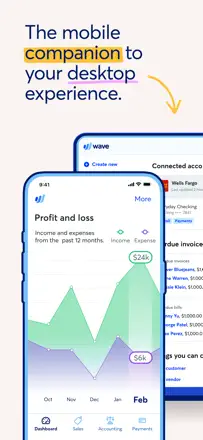
Wave used to be the gold standard for free small-business accounting, but after a monetization pivot most features moved behind a paywall. The remaining free tier is too thin for real work. The desktop version is significantly more capable than the mobile app.
評価点:Invoice and estimate creation works well: professional PDFs, built-in late-payment reminders for clients, and a notification when a client opens an invoice. Accountants note that the bookkeeping logic is cleaner and more correct than QuickBooks.
不満点:The mobile app is a stripped-down shell: account balances are unavailable without desktop, and categorizing transactions requires scrolling the entire list from the top after each save. Bank transaction sync breaks periodically and support goes quiet.
向いている人:Freelancers and micro-businesses who need integrated bookkeeping and invoicing in one place and are okay working mostly through a browser.
Billdu is the most feature-complete of the compact invoice makers: it handles both invoices and estimates, supports multiple templates, and works for multilingual markets. But there's a long-standing bug that hasn't been fixed in years: the client's name disappears from a saved invoice or estimate when you edit it. This breaks the core use case. Splitting invoice vs. estimate access across plan tiers without warning is a product trap.
評価点:Flexible branded templates, fast estimate creation with one-tap conversion to invoice, multilingual interface.
不満点:The client's name randomly disappears from the invoice or estimate whenever you edit it a bug that has been around for years with no fix.
向いている人:Small contractors and freelancers who need branded templates and estimate workflows.
Square Invoices wins on the built-in payment rail: the invoice goes out and the money lands in the same place. QuickBooks integration works. Product gaps remain: you can't delete a created invoice, there are no fractional units in line items, and there's no receipt screen after payment.
評価点:Built-in invoice status tracking with a view history visible to you, and a unified ecosystem with the Square terminal and bank account.
不満点:No way to delete an invoice created by mistake, which constantly distorts your accounts receivable balance. No fractional values in the quantity field.
向いている人:Small businesses already processing payments through Square who want to keep everything in one place.
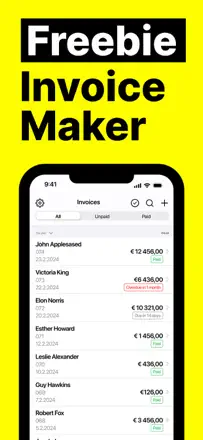
Freebie wins on speed of getting started: minimal fields, straight to business, clean PDF out the other end. Two mechanical barriers though: after 5 invoices you can only edit old ones with a subscription, and the anti-fraud system can block invoice creation mid-session with a client no explanation and no way to unblock on the spot.
評価点:Very low barrier to entry the first invoice is ready in a minute, and the output is clean without extra elements.
不満点:The anti-fraud system blocks sending without explanation right while you're working with a client. After 5 invoices, old ones become inaccessible for editing without a subscription.
向いている人:Occasional and infrequent businesses tradespeople, couriers, freelancers with a light invoice volume.
Easy Invoice Maker is simple and fast for the basic case. It supports multiple service types (lawn care, handyman work) with separate tax rates uncommon flexibility. But: landscape mode was removed in an update (iPad users are frustrated), logos sometimes don't show up on the client's end, and there's no way to export a period report to PDF or Excel for tax purposes. The built-in mechanism for collecting five-star reviews using AI-generated text is a reputational risk.
評価点:Multiple service types with different tax rates on one invoice, and an intuitive interface with no unnecessary steps.
不満点:Landscape mode was removed in an update, breaking the workflow for iPad users. No summary report export for tax purposes.
向いている人:Self-employed workers with multiple service types (like lawn care and repairs) who need a simple invoice with split tax rates.
Invoice Maker and Estimate App handles the basic estimate-to-invoice flow from a phone. Functionally limited: no web access, no quarterly report filtering, and no auto-save on switch. Client signature on estimates is not supported, which matters for the construction segment.
評価点:Estimate and invoice in one flow: send a quote, client accepts, convert to invoice without retyping anything.
不満点:If you switch to another app mid-invoice (for example, to look up an address on a map), the unsaved invoice is gone completely.
向いている人:Tradespeople and small contractors who need an estimate-to-invoice chain without extra steps.
The app has real depth: photos attached to individual line items, signature on delivery, and multiple send channels. But estimate-to-invoice conversion in one tap still hasn't shipped, and there's no deposit payment mechanism that carries over to the final invoice contractors with multi-stage payments have to do it by hand.
評価点:A photo on each line item builds client confidence by showing exactly what they're paying for, multiple send channels, and a signature-on-delivery feature.
不満点:No deposit payment that rolls into the final invoice, no convert-estimate-to-invoice button, and payment gateway data sometimes conflicts with the user's own settings.
向いている人:Contractors and service businesses with straightforward single-stage billing who want to show clients photos of the completed work.
The app creates invoices quickly and cleanly new users get up to speed in minutes. The main issue: after introducing a hard paywall (5 invoices a year free, then up to £165 per year), loyal users felt the rules had changed on them. Landscape mode on iPad has been broken for several months.
評価点:Invoice creation speed: logo, line items, total, PDF all in a few taps. The result looks professional without tweaking any templates.
不満点:Editing an already-sent invoice does not update the document on the client's end you have to screenshot and resend manually. iPad in landscape mode with a keyboard doesn't work. A limit of 5 invoices a year makes the free tier pointless.
向いている人:Freelancers and micro-contractors with a small client flow who need a polished PDF invoice in two minutes and are willing to pay for a subscription.
The app handles basic invoicing and recurring billing for regular clients. A critical problem: data doesn't sync between devices on the same account an invoice created on your phone isn't accessible on your tablet. There's no credit note for processing returns, so reversing a line item has to be done manually.
評価点:Recurring billing for regular clients, template selection, and fast invoice creation from saved items.
不満点:Data doesn't sync between devices on the same Apple ID, no credit note for returns, and no way to log in from a laptop.
向いている人:Service businesses with repeat clients who work from a single phone.
Invoice Fly is a straightforward mobile invoice app with a clean interface and a few templates. It works for the basic case, but the key feature sending a PDF by email is locked behind a subscription from the very first action. Cloud sync is unreliable: switch phones and your history is gone.
評価点:Several invoice layout options, fast client entry after the first save.
不満点:Data doesn't sync reliably in the cloud switching devices means losing everything. No web version for working from a laptop.
向いている人:Self-employed people who occasionally need to send an invoice from their phone and are fine with a single screen and no complexity.
Invoice2go does what's needed: fast invoicing, saved clients, saved items and rates, and a viewed status. But the app doesn't save a draft when you go to the background you lose whatever you've typed. The built-in payment processing has had issues: frozen funds and cases of unauthorized charges. That's a product-level risk, not noise.
評価点:Line item and rate autocomplete from history speeds up repeat invoices, and status tracking (sent, viewed, paid).
不満点:Invoice drafts don't auto-save when you switch apps, which is critical when working in the field and toggling between a map and the invoice form.
向いている人:Contractors and tradespeople who invoice regularly and want to see history by client.
Invoice Simple does one thing well: a quick invoice from your phone with an SMS notification to the client. A loyal base built up over 6+ years, but the product has been monetized aggressively: the price has tripled and the limit has shrunk to 3 invoices per month on a paid plan. That's not a bug it's a product decision that destroys value for small businesses.
評価点:SMS invoice delivery to the client directly from the app a rare feature that speeds up closing the deal on the spot.
不満点:The invoice limit is tied to your plan and can drop without warning after an update. PDF and email sending occasionally break entirely and require a reinstall.
向いている人:Mobile tradespeople (tire shops, mobile services) who need to send an invoice by text right from the job.
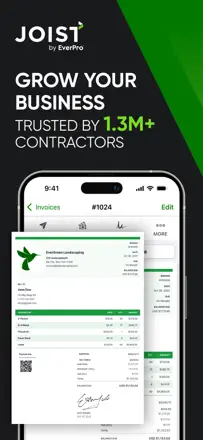
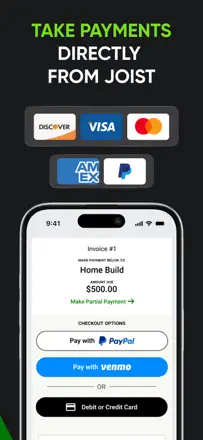
Joist lets you attach your license and insurance to your profile clients see the documents right inside the app. Online and in-person payment acceptance works. But the monetization model undercuts the value: features are steadily moved to more expensive tiers, and after a subscription lapses, access to your own documents is locked until you pay again.
評価点:Showing license and insurance to the client inside the app, online and in-person payment acceptance, estimate history with change tracking.
不満点:Features keep moving to pricier tiers without new capabilities being added. The document archive closes after you cancel you pay for access to content you already created.
向いている人:Construction contractors and remodelers who need to show their license to clients and accept payment on-site.
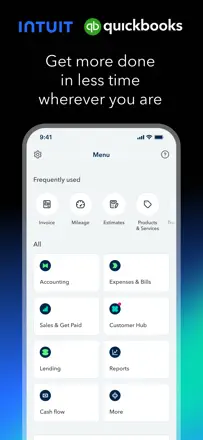
QuickBooks is a full accounting system, not an invoice maker. It's not really the right fit for this niche: users come for tax accounting and integrations, not for fast invoice creation. The mobile client is degrading: constant freezes on load, a broken expense module, and a black camera screen for receipts. The invoicing piece works, but it's wrapped inside a heavy ERP with an unstable app.
評価点:Sync with the web version lets you close a deal in the field and invoice immediately. Bank integration speeds up payment reconciliation.
不満点:The expense module was rewritten so the old flow (photo a receipt, log the expense) is now split into two steps with a wait for AI processing. Some vendors don't load in the dropdown (only A through F).
向いている人:Accountants and small businesses that need full bookkeeping with tax reporting, not just an invoicing tool.
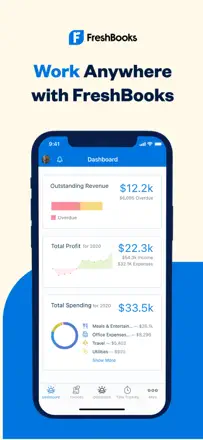
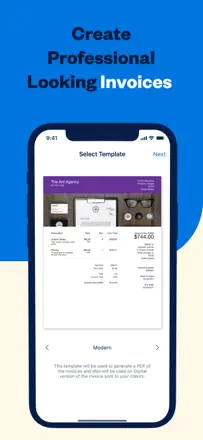
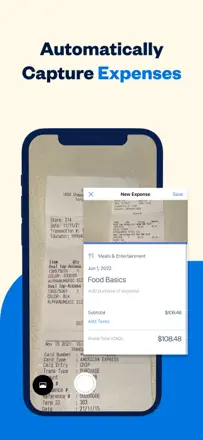
FreshBooks offers a useful set of features: a time tracker that feeds hours directly into invoices, receipt scanning with auto-categorization, and mileage tracking. In practice, the mobile app doesn't sync with the web clients see a different total in the PDF than what the user sees in the app. Mileage tracking records roughly one trip in ten. Face ID doesn't persist between sessions.
評価点:Time tracker with direct billing integration, receipt scanning with auto-categorization, and a solid foundation for small-business tax reporting.
不満点:The mobile app and web show different data for the same invoice. Mileage tracking is unreliable (catches about 10% of trips). The session resets every time you open the app despite the Remember This Device setting.
向いている人:Freelancers and consultants who sell time and want to track hours inside the same tool they use to invoice.
The app supports multiple legal entities in one account and revenue reports those are real working features. But the basics are broken: Face ID doesn't persist between sessions, the amount separator prints 150,00 instead of 150.00, and data doesn't sync between devices. These bugs have been present for years without a fix.
評価点:Multiple legal entities in one account, revenue reports, and reasonably fast invoice creation once you learn the flow.
不満点:Every launch requires logging in again Face ID doesn't hold. The decimal separator is wrong (comma instead of period). Data doesn't sync between devices on the same account.
向いている人:Entrepreneurs running multiple sole proprietorships or legal entities who can tolerate technical rough edges.
The app breaks regularly on basic operations: the invoice preview shows a green screen, documents won't open or send, and data disappears after logging out. Some reviews were written before users had even used the app, which is visible in the text.
評価点:The interface looks clean and the onboarding flow is clear even for first-timers. When it works, it puts together an invoice quickly.
不満点:Data is unreliable: invoices disappear after logout, and files arrive corrupted. The app asks for a review before giving access to any features. No proper export or sync.
向いている人:Hard to recommend given the current instability.
Templates look attractive, but the product fails on basic mechanics: the description disappears from a sent invoice, logos and signatures don't save, and switching phones means losing the account and all data. Support doesn't respond.
評価点:Visually clean invoice templates and quick start without creating an account.
不満点:Line item descriptions disappear from the sent document even when the in-app preview looks correct. No data transfer between devices (Android to iPhone is not possible). The tax rate field is capped at three characters you can't enter 9.975%. Support ignores messages.
向いている人:Not recommended until the app fixes its core breakage.